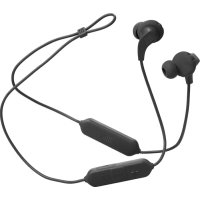
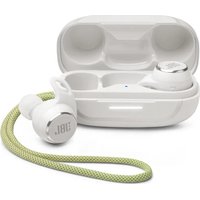
Endurance Run 2 Wireless - Wireless Earbuds JBL - Free user manual and instructions
Find the device manual for free Endurance Run 2 Wireless JBL in PDF.


| Product type | In-ear wireless earphones |
| Brand | JBL |
| Model | Endurance Run 2 Wireless |
| Connectivity technology | Bluetooth 5.0 |
| Music playback time | Up to 10 hours |
| Charging time | Less than 2 hours |
| Battery type | Lithium-ion polymer (130 mAh / 3.85 V) |
| Speaker | 8 mm dynamic |
| Impedance | 16 ohms |
| Sensitivity | 99 dB SPL at 1 kHz |
| Weight | 19.8 g |
| Water resistance | IPX5 (splash resistant) |
| Maximum operating temperature | 45 °C |
| Main features | TwistLock™ technology, magnetic earbuds, multipoint connection (2 devices), built-in controls, voice assistant (Bixby/Siri) |
| Care and cleaning | Clean with a soft, dry cloth; do not immerse |
| Safety | Do not expose to a heat source; use a 5V/1A charger |
| Package contents | Earphones, USB charging cable, eartips and stability extensions |
| Repairability | Spare parts not specified; contact JBL customer service |
Frequently Asked Questions - Endurance Run 2 Wireless JBL
User questions about Endurance Run 2 Wireless JBL
0 question about this device. Answer the ones you know or ask your own.
Ask a new question about this device
Download the instructions for your Wireless Earbuds in PDF format for free! Find your manual Endurance Run 2 Wireless - JBL and take your electronic device back in hand. On this page are published all the documents necessary for the use of your device. Endurance Run 2 Wireless by JBL.
USER MANUAL Endurance Run 2 Wireless JBL
natural_image
Person jogging on a balcony railing with sky and building in background (no visible text or symbols)ENDURANCE RUN2 WIRELESS
JBL
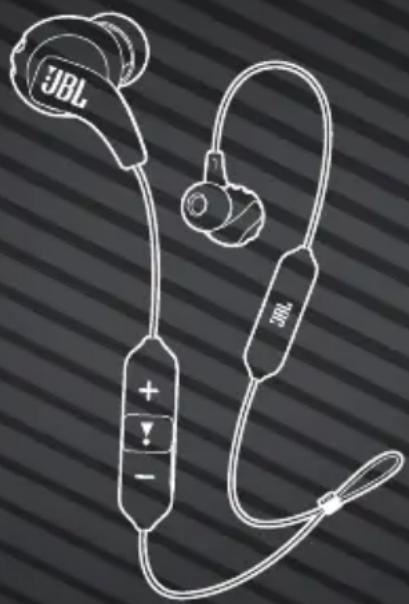
WHAT'S IN THE BOX
natural_image
Line drawing of a JBL brand earband with labeled buttons and earplands (no text or symbols beyond branding)
S/M/L
SCAN ME

L
R



HOW TO WEAR
1 ATTACH EAR TIPS AND ENHANCERS
MIX AND MATCH FOR A PERFECT FIT AND AUDIO PERFORMANCE

2 TWISTLOCK™ TECHNOLOGY


POWER ON & CONNECT HOLD
POWER ON AND AUTOMATICALLY ENTER PAIRING MODE
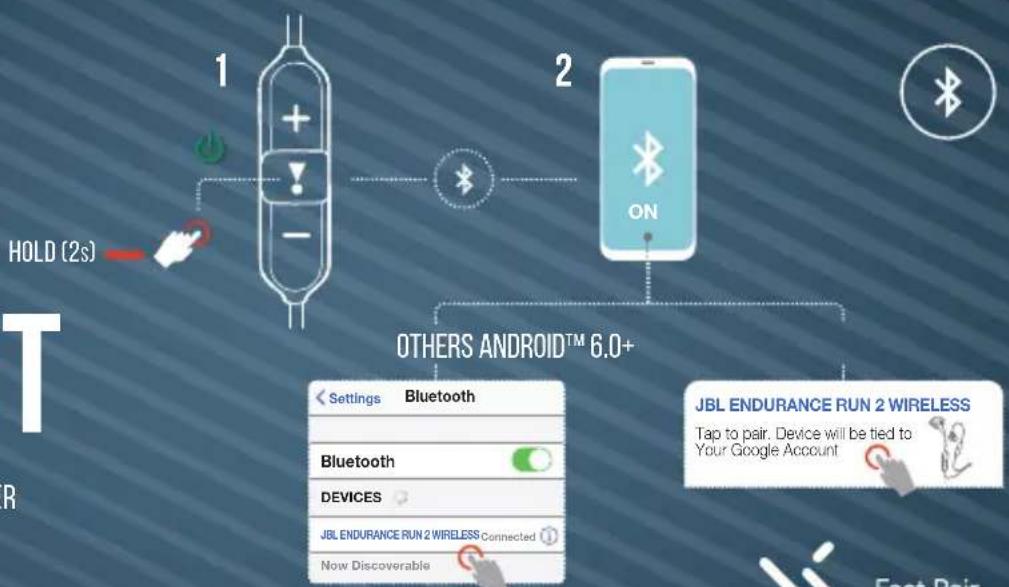
CHOOSE "JBL ENDURANCE RUN 2 WIRELESS" TO CONNECT

Fast Pair
MULTI-POINT CONNECTION

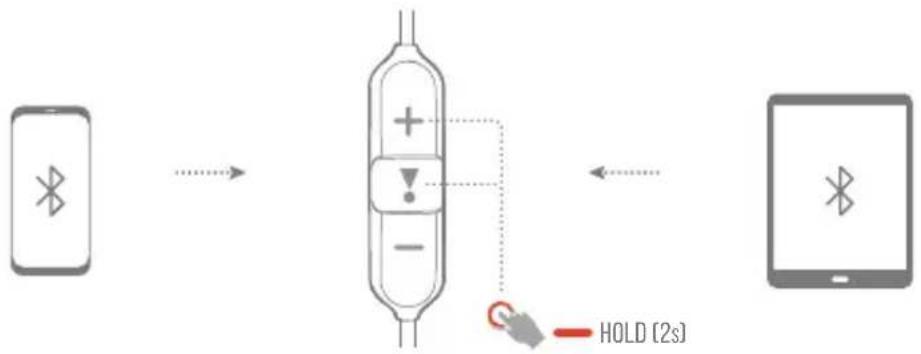
flowchart
graph LR
    A["Smart Phone"] --> B["Antenna"]
    B --> C["Analog Signal"]
    C --> D["Analog Signal"]
    D --> E["Analog Signal"]
    E --> F["Analog Signal"]
    F --> G["HOLD (2s)"]
(MAXIMUM 2 DEVICES)
CONTROLS

- PRESS × 1
- PRESS × 2
- HOLD (2s)

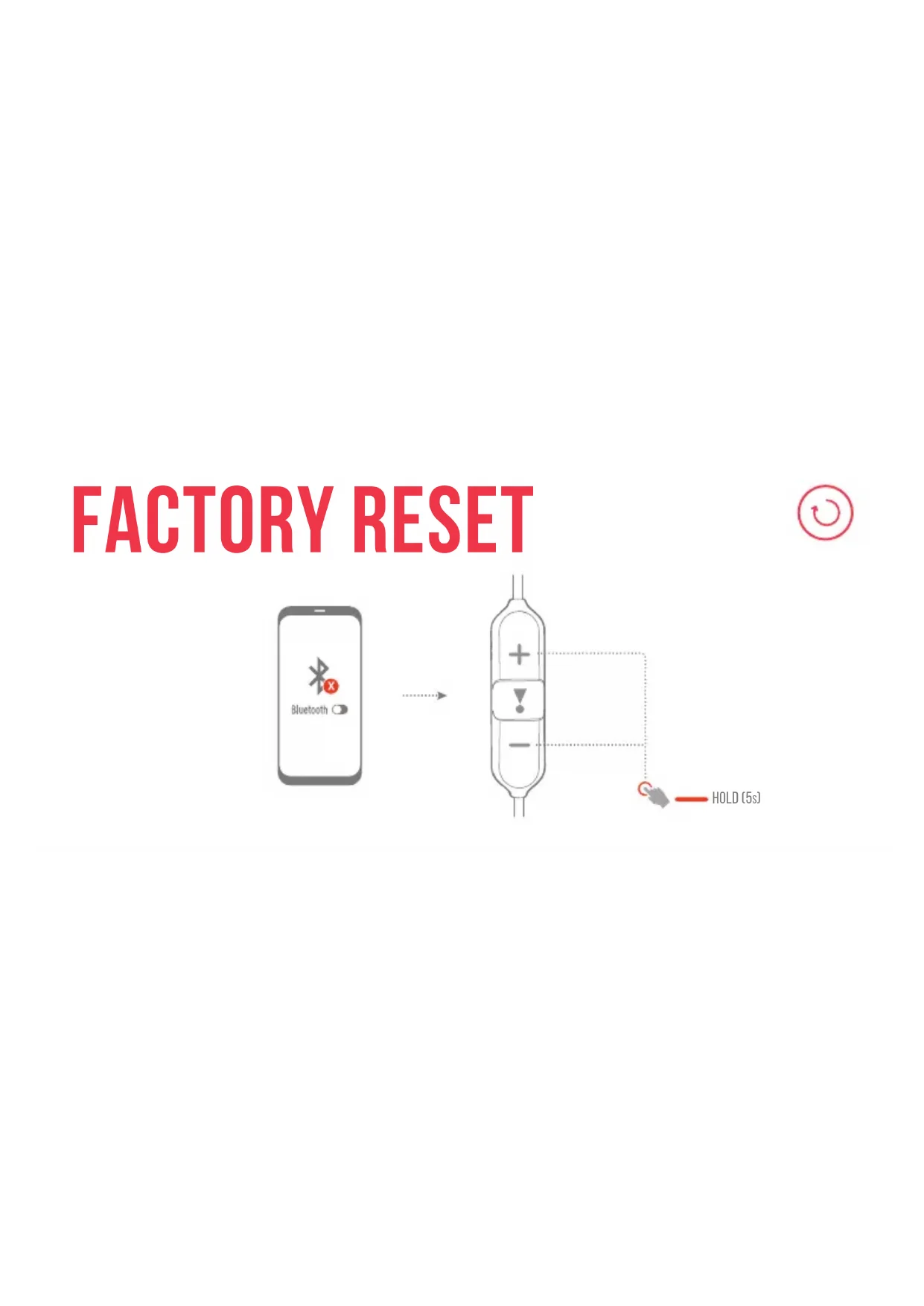
FACTORY RESET

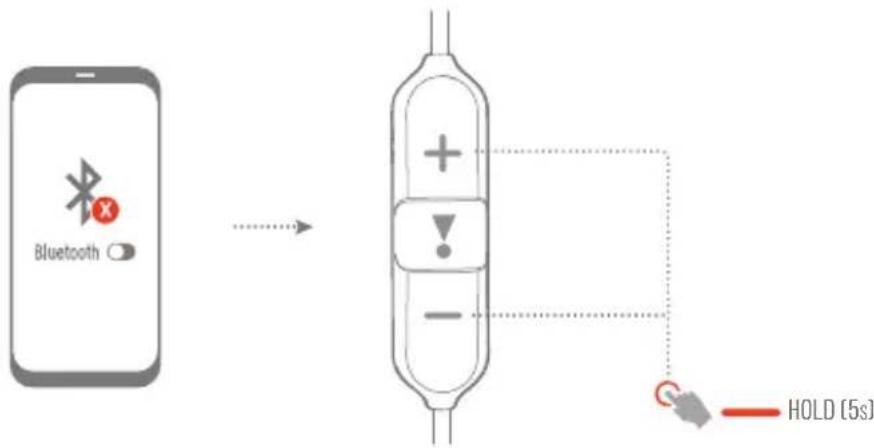
flowchart
graph LR
    A["Bluetooth"] --> B["Error Signal"]
    B --> C[" HOLD (5s)"]
CHARGING

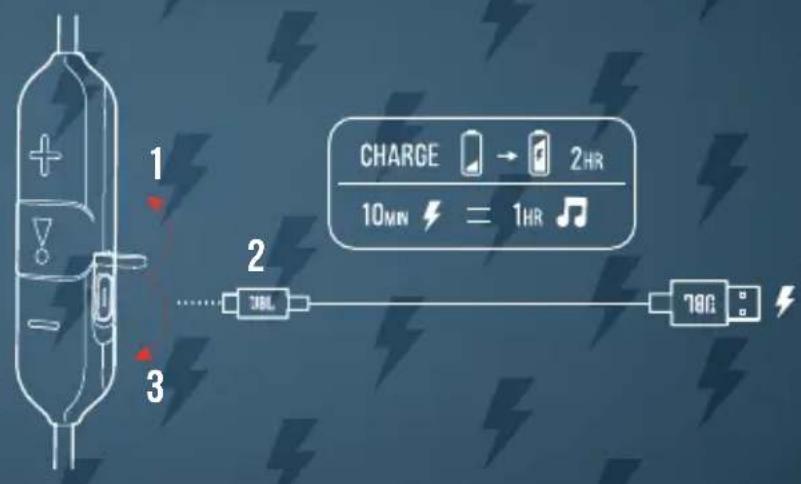

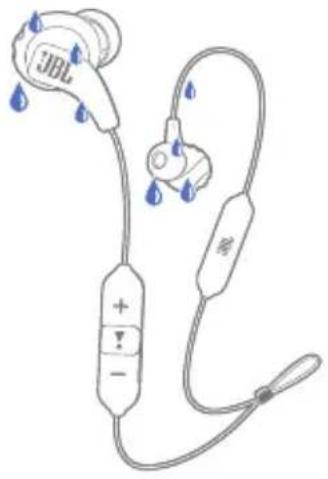
WATERPROOF IPX5

natural_image
Line drawing of a JBL earbuds with blue water droplets, no text or symbols present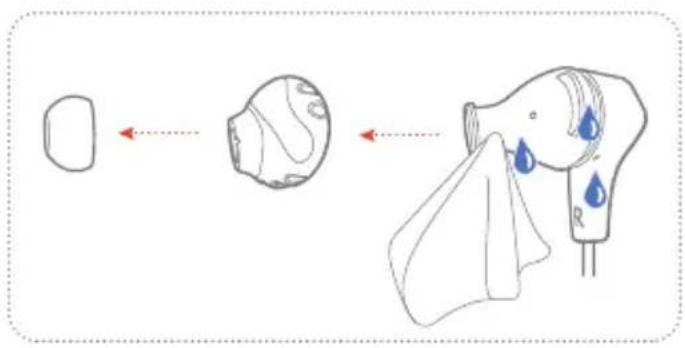
MAGNETIC EARBUDS


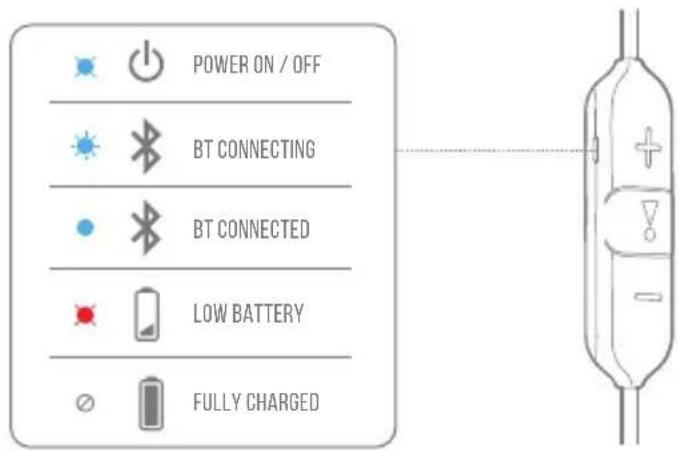
LED BEHAVIORS

TECH SPEC
Model: ENDURANCE RUN 2 WIRELESS
Driver size: 8 mm/0.315" Dynamic Driver
Power supply: 5V ===1A
Weight: 19.8 g/ 0.0437 lbs
Earbud battery type: Lithium-ion polymer (130 mAh/ 3.85 V)
Charging time: <2 hrs from empty
Music playtime with BT on: up to 10 hrs
Frequency response: 20 Hz – 20 kHz
Impedance: 16 ohm
Sensitivity: 99 dB SPL@1 kHz
Maximum SPL: 94 dB

Microphone sensitivity: -38 dBV/Pa@1 kHz
Bluetooth version: 5.0
Bluetooth profile version: A2DP V1.3, AVRCP V1.6, HFP V1.7
Bluetooth transmitter
frequency range: 2.4 GHz - 2.4835 GHz
Bluetooth transmitter
power: <4 dBm
Bluetooth transmitter
modulation: GFSK, π/4-DQPSK, 8DPSK
Maximum operation
temperature: 45 °C
FRD
CONTENU DE LA BOÎTE
COMMENT LES PORTER
HVAD ER DER I AESKEN
SÄDAN BÆRES DE
2 WIRELESS" for at oprette
forbindelse
FLERPUNKTSFORBINDELSE
Bluetooth-Profilversion: A2DP V1.3, AVRCP V1.6, HFP V1.7
LED-MERKKIVALON TOIMINNOT
Bluetooth-profiliversio: A2DP V1.3, AVRCP V1.6, HFP V1.7
Bluetooth-lähettimen
taajuusalue: 2,4 GHz - 2,4835 GHz
Bluetooth-profilversion: A2DP V1.3, AVRCP V1.6, HFP V1.7
Frekvensområde for
Bluetooth-sender: 2,4–2,4835 GHz
Bluetooth-senderens strøm: <4 dBm
FLERPUNKTSANSLUTNING
(Max 2 enheter)
KONTROLLER
Bluetooth-profilens version: A2DP V1.3, AVRCP V1.6, HFP V1.7
Bluetooth-sändarens
frekvensomfäng: 2,4 GHz – 2,4835 GHz
A2DP V1.3, AVRCP V1.6, HFP V1.7
::-
ఎం:ంచే అర్యారు
###
2.4 GHz - 2.4835 GHz
-
<4 dBm
ముర్యారిక్రణిక్ర
m:6Gpδ:q-
GFSK, π/4-DQPSK, 8DPSK
DO NOT ATTEMPT TO OPEN, SERVICE, OR DISASSEMBLE THE BATTERY | DO NOT SHORT CIRCUIT | MAY EXPLODE IF DISPOSED OF IN FIRE | RISK OF EXPLOSION IF BATTERY IS REPLACED BY AN INCORRECT TYPE | DISPOSE OR RECYCLE USED BATTERIES ACCORDING TO THE INSTRUCTIONS
The Bluetooth ^® word mark and logos are registered trademarks owned by Bluetooth SIG, Inc. and any use of such marks by HARMAN International Industries, Incorporated is under license. Other trademarks and trade names are those of their respective owners.
EAC
CE
UK CA
HP_JBL_Endurance Run 2 Wireless_QSG_Global_SOP_V9
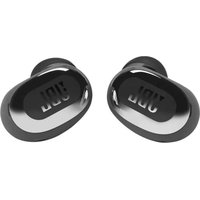
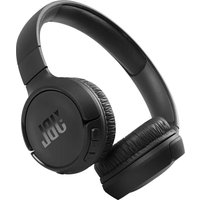
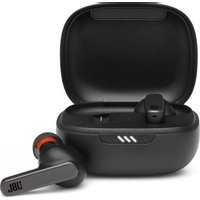
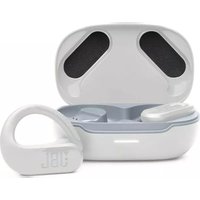
- WHAT'S IN THE BOX
- HOW TO WEAR
- POWER ON & CONNECT HOLD
- MULTI-POINT CONNECTION
- CONTROLS
- FACTORY RESET
- CHARGING
- WATERPROOF IPX5
- MAGNETIC EARBUDS
- LED BEHAVIORS
- TECH SPEC
- FRD
- CONTENU DE LA BOÎTE
- COMMENT LES PORTER
- HVAD ER DER I AESKEN
- SÄDAN BÆRES DE
- FLERPUNKTSFORBINDELSE
- LED-MERKKIVALON TOIMINNOT
- Bluetooth-lähettimen
- FLERPUNKTSANSLUTNING
- KONTROLLER
- Bluetooth-sändarens
Brand : JBL
Model : Endurance Run 2 Wireless
Category : Wireless Earbuds