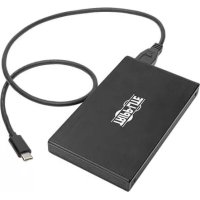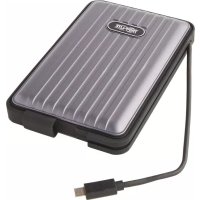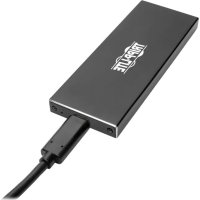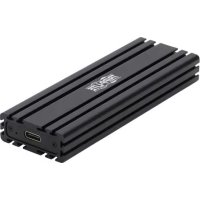
U4571M2NVMEG2 - Storage box Tripp Lite - Free user manual and instructions
Find the device manual for free U4571M2NVMEG2 Tripp Lite in PDF.


| Product Type | USB-C Storage Enclosure for M.2 NVMe SSD |
| Brand | Tripp Lite |
| Model | U457-1M2-NVMEG2 |
| Interface | USB 3.1 Gen 2 Type-C (backward compatible with USB 3.0, 2.0, and 1.1) |
| Drive Compatibility | M.2 NVMe PCIe M-Key SSDs (sizes 2230, 2242, 2260, 2280) |
| Maximum Transfer Rate | Up to 10 Gbps |
| UASP Support | Yes (read up to 70% faster, write up to 40% faster) |
| Enclosure Material | Aluminum |
| Power Supply | USB Bus (no external power required) |
| Package Contents | Enclosure, 0.6m USB 3.1 Gen 2 Type-C cable, mini screwdriver, mounting hardware, user manual |
| Optional Accessories | USB 3.1 Gen 2 Type-C to Type-C cable (U420-003-G2) or Type-C to USB-A cable (U428-003-G2), 0.9m |
| Warranty | 3-year limited |
| Maintenance and Cleaning | Disconnect before cleaning; use a soft, dry cloth |
| Safety | Handle SSDs with care; use an anti-static wrist strap or touch a grounded metal surface |
| Spare Parts and Repairability | Spare parts not detailed; contact Tripp Lite for after-sales service |
| Regulatory Compliance | WEEE Directive (European Union); serial number on the rating label |
| Compatible Operating Systems | Windows, macOS, Linux (not specified but standard) |
Frequently Asked Questions - U4571M2NVMEG2 Tripp Lite
User questions about U4571M2NVMEG2 Tripp Lite
0 question about this device. Answer the ones you know or ask your own.
Ask a new question about this device
Download the instructions for your Storage box in PDF format for free! Find your manual U4571M2NVMEG2 - Tripp Lite and take your electronic device back in hand. On this page are published all the documents necessary for the use of your device. U4571M2NVMEG2 by Tripp Lite.
USER MANUAL U4571M2NVMEG2 Tripp Lite
Model: U457-1M2-NVMEG2
Espanol 9 • Français 17 • Pycckn 25
WARRANTY REGISTRATION
Register your product today and be automatically entered to win an ISOBAR surge protector in our monthly drawing!
tripplite.com/warranty


1111 W. 35th Street, Chicago, IL 60609 USA tripplite.com/support
Copyright © 2019 Tripp Lite. All rights reserved.
Product Features
- Read, write or transfer files to and from your computer by adding the speed of an M.2 NVMe SSD
Supports M.2 drive sizes of 2230, 2242, 2260, 2280
Supports USB 3.1 Gen 2 data transfer rates up to 10 Gbps and is backwards compatible with USB 3.0, 2.0 and 1.1.
UASP compatible for up to 70% faster read and 40% faster write performance - Slim aluminum enclosure is durable and perfect for travel
- Plug-and-play design—no software, drivers or external power required
Package Includes
- U457-1M2-NVMEG2 USB-C to M.2 Enclosure
- USB 3.1 Gen 2 Type-C Cable, 2 ft. (0.6 m)
- Mini Screwdriver
- Mounting Hardware
- Owner's Manual
Optional Accessories
- U420-003-G2 USB 3.1 Gen 2 Type-C (10 Gbps) to Type-C Cable, 3 ft. (0.9 m)
- U428-003-G2 USB 3.1 Gen 2 Type-C (10 Gbps) to USB-A Cable, 3 ft. (0.9 m)
Standard Installation
Notes:
-
HDD/SSD drives are sensitive to static electricity and must be handled properly to prevent the risk of data loss. Always handle your HDD/SSD drive with caution by wearing an anti-static strap (such as Tripp Lite's P999-000) when transporting it or by touching a grounded metal surface to discharge yourself of static electricity prior to picking up the drive.
-
When disconnecting the drive, make sure to go through the proper disconnection steps of your operating system. Removing the drive with proper disconnection can result in data loss or corruption.
-
Using the included mini-screwdriver, remove the two screws located on either side of the USB-C port.
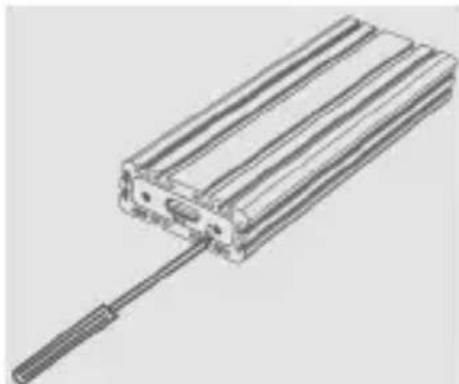
- Remove the USB-C cover plate and slide out the PCBA board.
- Place your SSD next to the M.2 NVMe M-Key connector, matching up the mounting holes. Position the included nut underneath the mounting hole that matches the length of your SSD.
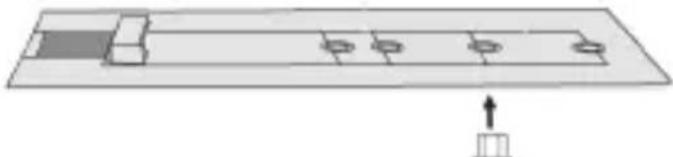
Standard Installation
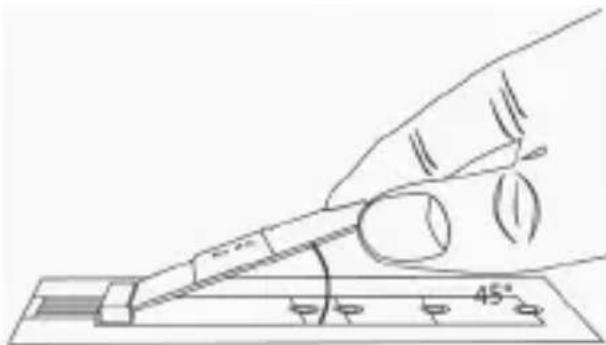
- Connect your M.2 NVMe SSD M-Key drive at a 45^ angle to minimize stress on the connector.
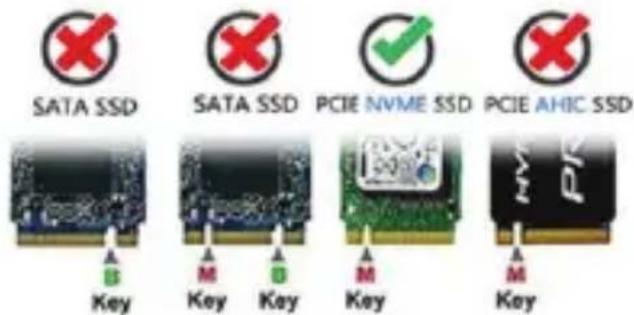
Note: This product only supports PCIe M.2 NVMe M-Key SSD and does NOT support B-Key/M+B Key SATA SSD or M-Key M.2 PCIe-AHCI SSD.
- Holding down the SSD toward the mounting hole with the inserted nut, secure the SSD to the PCBA board by screwing the mounting screw to the nut.
- Slide the PCBA board back into the metal casing and replace the two cover-plate screws removed in Step 1.
- Connect the included USB 3.1 Gen 2 cable between the USB-C port on the enclosure unit and the USB-A port on your computer.
Standard Installation
- Your enclosure is now ready to use*. The blue LED will blink to indicate reading, writing and transferring of data.
*If your SSD has not yet been formatted, you will first need to format it using your computer's Disk Management Utility in order to copy and access files. Please refer to Hard Disk Formatting instructions for more information.
Hard Disk Formatting
Note: Partitioned SSDs will be recognized as "New Volume" and ready to use immediately.
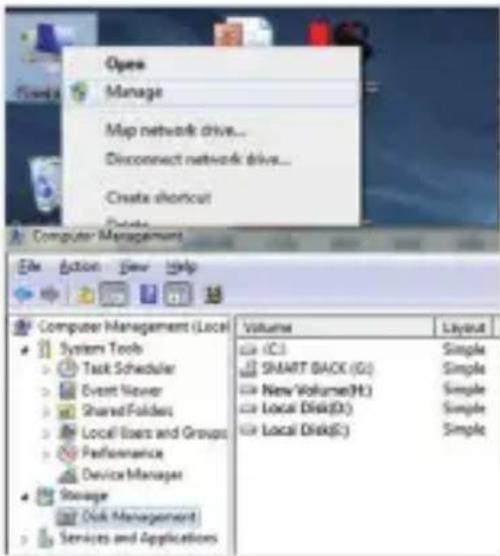
- In the Computer Management window, right click on "Disk Management" and select "Manage".
Note: Administrative credentials are required to change or edit settings.
Standard Installation
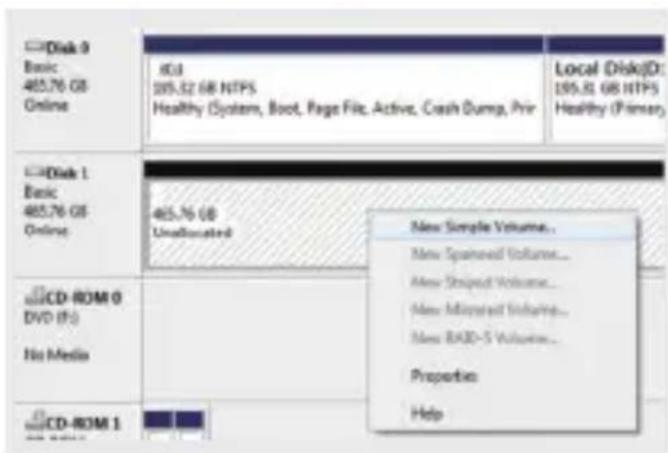
- Right click on "Disk 1", then click "New Simple Volume".
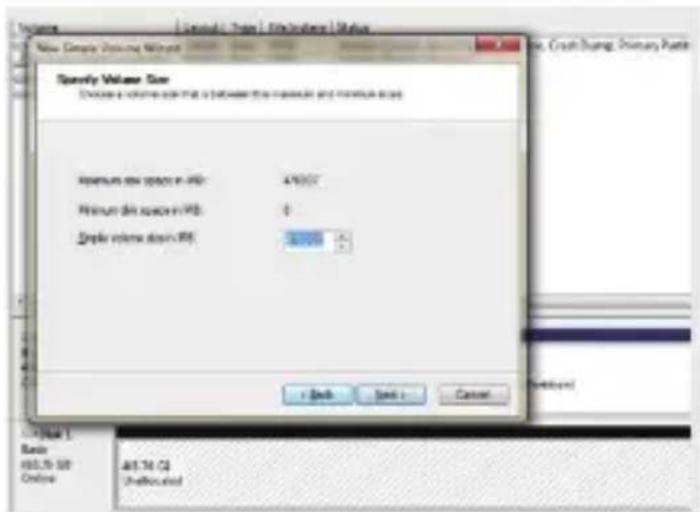
- Choose the size of your partition, then click "Next" to finish.
Note: The partition size cannot exceed the maximum disk space (in MB). It is recommended that the simple volume size in MB matches that of the maximum disk space in MB.
Standard Installation
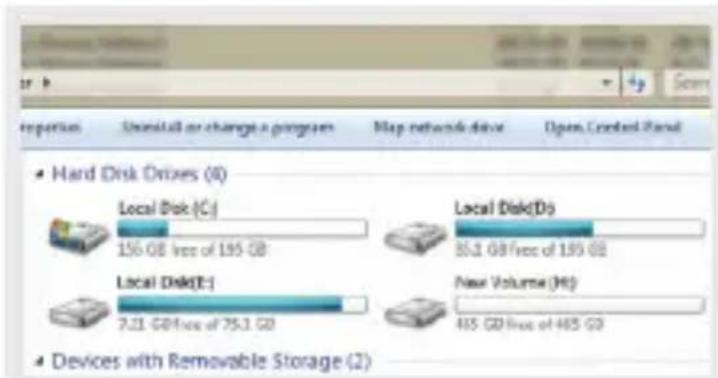
- Locate your new hard disk in the My Computer window.
Warranty and Product Registration
3-YEAR LIMITED WARRANTY
Tripp Lite warrants its products to be free from defects in materials and workmanship for a period of Three (3) years from the date of initial purchase. Tripp Lite's obligation under this warranty is limited to repairing or replacing (at its sole option) any such defective products. To obtain service under this warranty, you must obtain a Returned Material Authorization (RMA) number from Tripp Lite or an authorized Tripp Lite service center. Products must be returned to Tripp Lite or an authorized Tripp Lite service center with transportation charges prepaid and must be accompanied by a brief description of the problem encountered and proof of date and place of purchase. This warranty does not apply to equipment, which has been damaged by accident, negligence or misapplication or has been altered or modified in any way.
EXCEPT AS PROVIDED HEREIN, Tripp Lite MAKES NO WARRANTYES, EXPRESS OR IMPLIED, INCLUDING WARRANTYES OF MERCHANTABILITY AND FITNESS FOR A PARTICULAR PURPOSE. Some states do not permit limitation or exclusion of implied warranties; therefore, the aforesaid limitation(s) or exclusion(s) may not apply to the purchaser.
EXCEPT AS PROVIDED ABOVE, IN NO EVENT WILL Tripp Lite BE LIABLE FOR DIRECT, INDIRECT, SPECIAL, INCIDENTAL OR CONSEQUENTIAL DAMAGES ARISING OUT OF THE USE OF THIS PRODUCT, EVEN IF ADVISED OF THE POSSIBILITY OF SUCH DAMAGE. Specifically, Tripp Lite is not liable for any costs, such as lost profits or revenue, loss of equipment, loss of use of equipment, loss of software, loss of data, costs of substitutes, claims by third parties, or otherwise.
PRODUCT REGISTRATION
Visit tripplite.com/warranty today to register your new Tripp Lite product. You'll be automatically entered into a drawing for a chance to win a FREE Tripp Lite product!*
*No purchase necessary. Void where prohibited. Some restrictions apply. See website for details.
Regulatory Compliance Identification Numbers
For the purpose of regulatory compliance certifications and identification, your Tripp Lite product has been assigned a unique series number. The series number can be found on the product nameplate label, along with all required approval markings and information. When requesting compliance information for this product, always refer to the series number. The series number should not be confused with the marketing name or model number of the product.
WEEE Compliance Information for Tripp Lite Customers and Recyclers (European Union)
Under the Waste Electrical and Electronic Equipment (WEEE) Directive and implementing regulations, when customers buy new electrical and electronic equipment from Tripp Lite they are entitled to:
- Send old equipment for recycling on a one-for-one, like-for-like basis (this varies depending on the country)
- Send the new equipment back for recycling when this ultimately becomes waste
Tripp Lite has a policy of continuous improvement. Specifications are subject to change without notice. Photos and illustrations may differ slightly from actual products.


1111 W. 35th Street, Chicago, IL 60609 USA tripplite.com/support
19-08-067 93-39C6_RevA
1111 W. 35th Street, Chicago, IL 60609 USA tripplite.com/support
Installation standard
Remarques :
Installation standard
Installation standard
Installation standard
Installation standard
1111 W. 35th Street, Chicago, IL 60609 USA tripplite.com/support
19-08-067 93-39C6_RevA
PykoB0dCTBO pOJIb30BaTeIa
1111 W. 35th Street, Chicago, IL 60609 USA tripplite.com/support
OxpaHareTcA BToPcKIM npaBOM © 2019 Tripp Lite. Iepeneuatka 3anpeuaetc.
XapakTepnCTnKn n3dJIIna
-Утенье,Запись пли посянoc Файнов на КOMпьЮТер / с КOMпьЮТера 6лароря ВсICOKOCKOPOCTHOMу TВердOTeЛьНOMу HaKONITELIO M.2 NGFF SATA
-Подержka дисьтuna M.2 pa3мером 2230,2242,2260,2280
- Пордержka Иntepфсca USB 3.1 Gen 2 co ckopocTMy nepedau
Данныdo 10 Гint/cиобраз纳 coBmectmoctb сИntepфсamn USB
3.0,2.0и1.1
CobmectuMoctb c UASP, oecneuBaouaia noBbiueHne ckopocn 7TeHnI 3aPiUs Ha BenuHy do 70% n 40% COOTBeTCTBeHHO
- ⅠЗЯцнын aIиOMHnEын корпс OTлчаetс почною И ndeaJIbHO NOДхODNT ДЯ ИСПОЛь30Ваня B NOe3ДКax
- Повлочен no texholorn Plug-and-Play - oTCyTCTBne Heo6xOIMOCTN B npOrpaMMHom oBeCneueHnn,dpaBepax nIN BHeuHem NTaHn
KoMnIeKT noCTaBKn
Kopnyc U457-1M2-NVMEG2 c pa3bemamn USB-C n M.2
Ka6eIb c pa3beMaMn USB 3.1 Gen 2 Type-C (ДиИна 0,6 M)
MHHN-OTBepTka
MoHTaXHbIe npncno6neHnA
PykoBOCTBO n0JIb30BaTeJRA
OnuHaJIbHbIe KOMnJIeKtYuOuIe
- Ka6eIb U420-003-G2 c pa3beMaMn USB 3.1 Gen 2 Type-C (10 Tnt/c) n Type-C (dInHa 0,9 m)
- Ka6eNb U428-003-G2 c pa3bemamn USB 3.1 Gen 2 Type-C (10 T6nt/c) n USB-A (Дпина 0,9 m)
YcTaHOBKa B 6a30BOI KOMnJIeKTaIIN
PpmeaHn:
K Bo3deu cmbuO cmmuecko2 3eKmpuuecma u mpebyom HadJeaueo
obpaunra BO u36eHae nomepu daHHbIX. Ppu obaaehuu C JecmkuDuckom /mbepomelhBIM hakonumem Heo6xodmo c6nIodamb ocmpoxHoCmb: npu nepebo3ke ob3aemeHbNO cledyem Hadebam Ha Hezo anmuamuecku peMeuok (Hanpumep, Tripp Lite P999-000), a neped ezo 63aumem b pyku HadJekum u36abumbcra om HakonneHHO cmmuecko2 3apda nymem KacaHua 3a3emHeHou Memannueckou nobepxHocmu.
- Ppu omcoedunehuu ducka heo6xodumo bblonHmb BCE 3manbI omknioyeHua, ycmahOBJIeHHbIe dna uCnoJIb3yEmou onepaUOnHou cucmembl. Omcoedunehue ducka be3 hadnEkaueo omKnIOueHua om cucmembl moXem npubecmu Knomepe Ulu noBpeKDeHuO daHHbIX.
1111 W. 35th Street,
Chicago, IL 60609 USA
tripplite.com/support