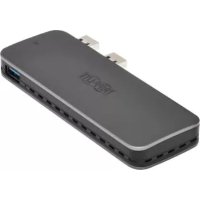
U3571M2NVMEG2 - SSD enclosure Tripp Lite - Free user manual and instructions
Find the device manual for free U3571M2NVMEG2 Tripp Lite in PDF.


| Product Type | SSD Enclosure |
| Brand | Tripp Lite |
| Model | U357-1M2-NVMEG2 |
| Host Interface | USB 3.2 Gen 2 (10 Gbps) |
| Supported SSD Type | M.2 NVMe PCIe (M-Key and B&M-Key), sizes 42/60/80 mm |
| Input Connectors | 2 x USB-A male |
| Output Connector | 1 x USB-A female (hub) |
| Enclosure Material | Aluminum |
| Dimensions (L x W x H) | 120 x 45 x 16 mm |
| Power | Via USB port (bus-powered) |
| Compatibility | PlayStation 5, Windows 8/10/11 |
| Features | Hot-swappable, TRIM support, UASP acceleration |
| LED Indicator | Solid white: powered on; blinking white: reading/writing |
| Package Contents | Enclosure, USB-A cable (M/F), aluminum sheet, 2 silicone sheets, manual |
| Warranty | 1 year |
| Operating Temperature | 0 to 55 °C |
| Storage Temperature | -10 to 70 °C |
| Relative Humidity | 10 to 85% RH non-condensing |
Frequently Asked Questions - U3571M2NVMEG2 Tripp Lite
User questions about U3571M2NVMEG2 Tripp Lite
0 question about this device. Answer the ones you know or ask your own.
Ask a new question about this device
Download the instructions for your SSD enclosure in PDF format for free! Find your manual U3571M2NVMEG2 - Tripp Lite and take your electronic device back in hand. On this page are published all the documents necessary for the use of your device. U3571M2NVMEG2 by Tripp Lite.
USER MANUAL U3571M2NVMEG2 Tripp Lite
USB 3.2 Gen 2 M.2 SSD Enclosure (PCIe and NVMe) with USB Hub for PlayStation 5
Model: U357-1M2-NVMEG2
Español 15 • Français 29
Русский 43 • Deutsch 57
WARRANTY REGISTRATION
Register your product today and be automatically entered to win an ISOBAR® surge protector in our monthly drawing! tripplite.com/warranty


Manufacturing Excellence.
1111 W. 35th Street, Chicago, IL 60609 USA tripplite.com/support
Copyright © 2021 Tripp Lite. All rights reserved.
Product Features
- USB-A ports support USB 3.2 Gen 2 data transfer speeds up to 10 Gbps
• LEDs indicate power is on and read/write is occurring - Aluminum case maintains fast heat dissipation, which allows for stable, smooth file transfers
- Hot-swappable enclosure supports multi-size M.2 SSD specifications (42 mm, 60 mm, 80 mm), PCIe and NVMe protocol, SSD TRIM and UASP acceleration, and M.2 M-Key and B&M-Key socket
- Plug-and-play operation with no software required for easy, immediate installation
Package Contents
• U357-1M2-NVMEG2 M.2 SSD Enclosure
- USB-A Cable (M/F)
- Aluminum Sheet
• (2x) Silicone Sheets
- Owner's Manual
System Requirements
- Playstation®
- Windows® 8, 10 or 11
Optional Accessories
• U324-Series USB 3.2 Extension Cables
Installation
Notice:
- This product uses the M-Key interface, which belongs to the NVMe protocol channel. When installing the M.2 SSD for this product, please check the hard disk interface and protocol channel.
- Although the USB end of the product supports hot-swapping when installing the M.2 SSD, it must be done when the power is off.
-
When disassembling and installing the hard disk box, take care to prevent any accessories from becoming lost.
-
Hold the product as shown below, and slide the upper cover to the left to remove it.
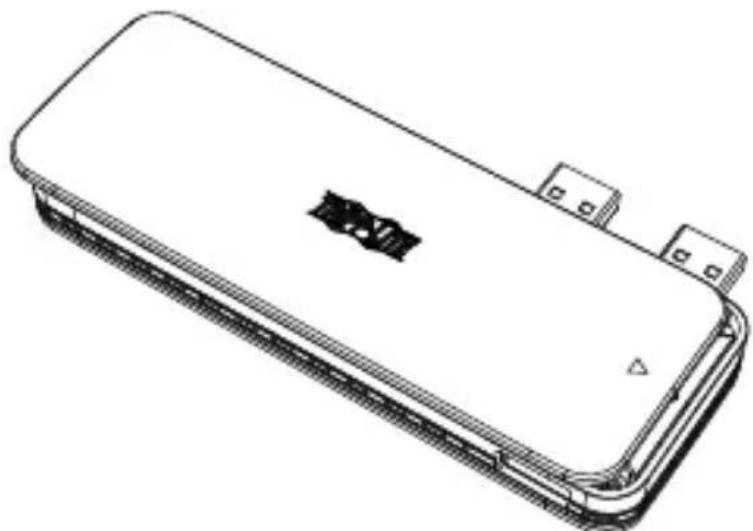
natural_image
Line drawing of a rectangular electronic device with a logo on the top surface (no text or symbols)3
Installation
- Slide the M.2 card into the enclosure at an angle.
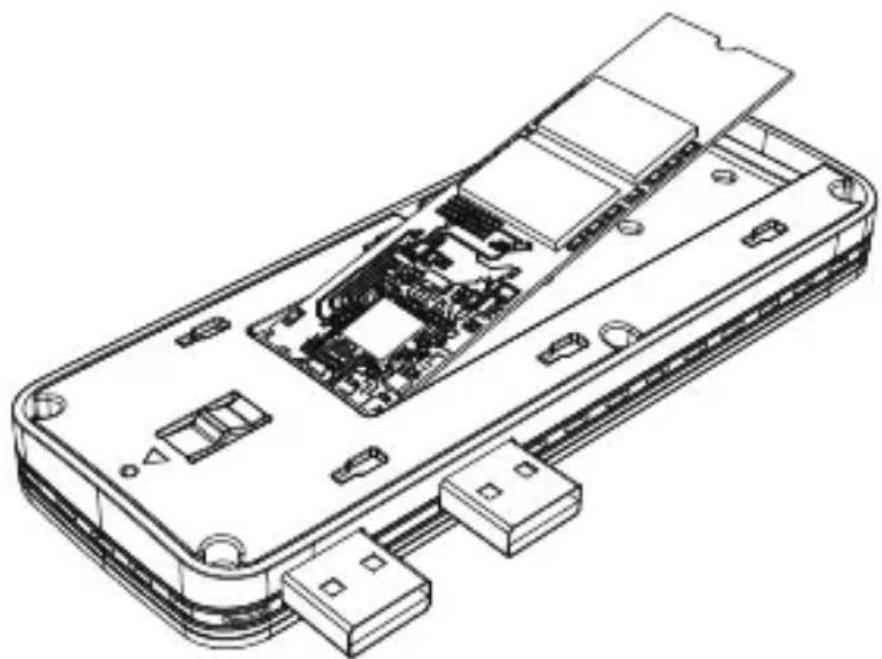
natural_image
Technical line drawing of an open electronic device showing internal circuitry and ports (no text or symbols)- Gently press down on the M.2 SSD, and snap it into the standard rubber cartridge.
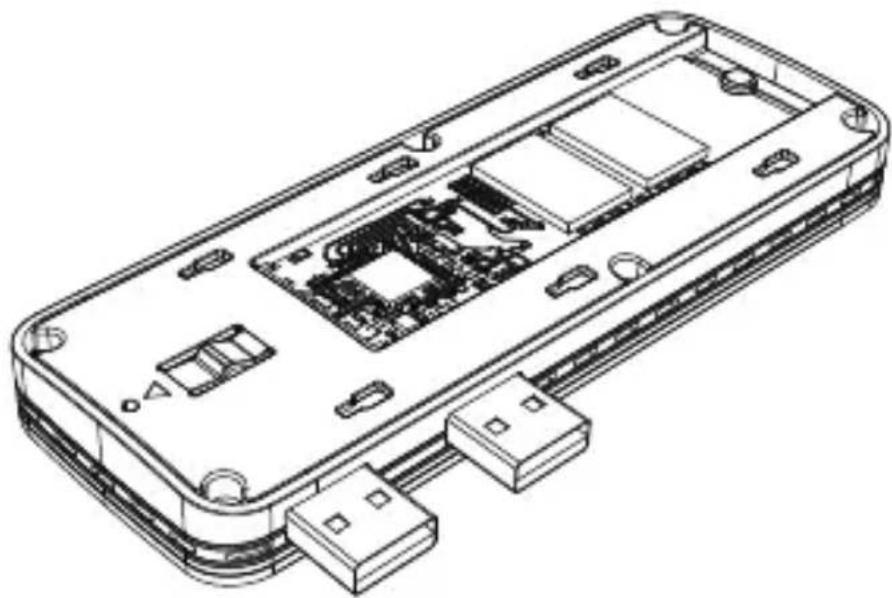
natural_image
Isometric line drawing of an electronic device casing with internal circuit board and connectors (no text or symbols)Installation
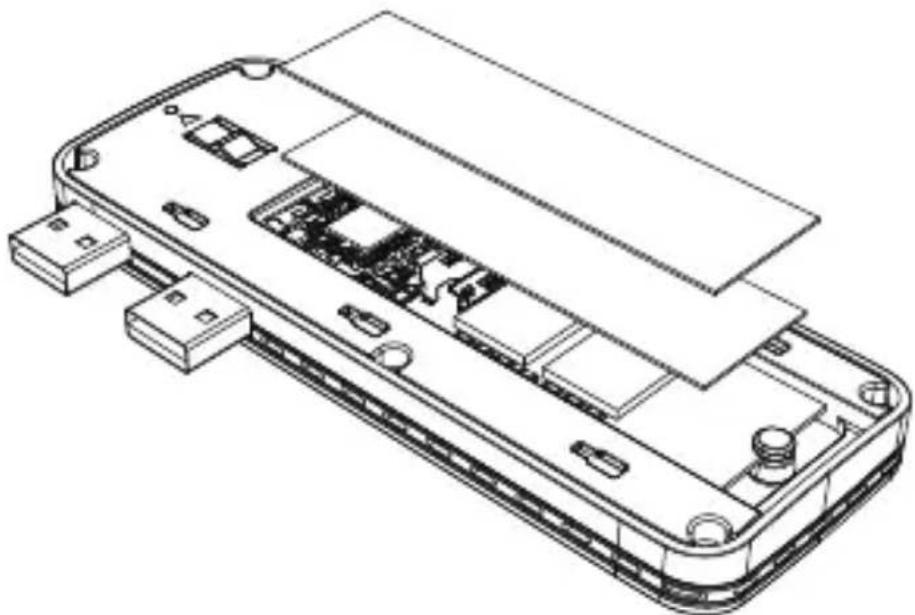
- Place a silicone sheet and then the aluminum sheet over the M.2 SSD card.
natural_image
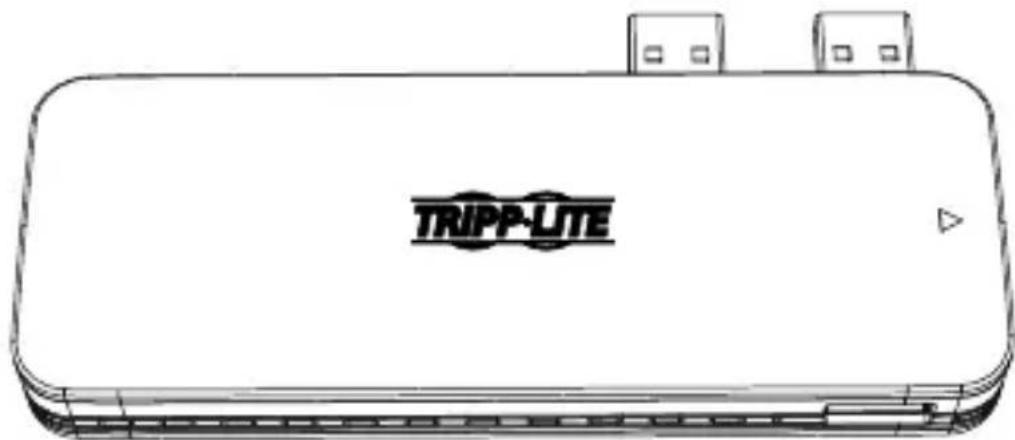
Isometric line drawing of an electronic device casing with internal components (no text or symbols)- Attach the upper cover to the enclosure by pressing it and sliding it to the right.
natural_image
Line drawing of a TRIPP-LITE device casing with two ports and a warning symbol (no text or labels on the device itself)Installation
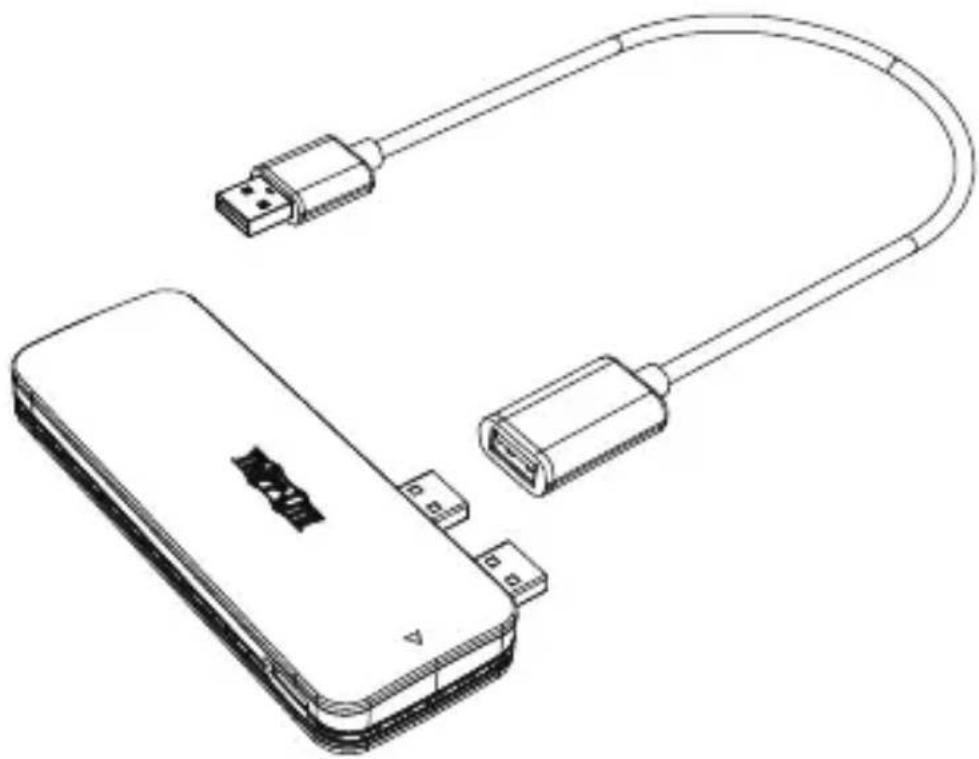
Note: For use with a PlayStation 4 game console or computer, the U357-1M2-NVMEG2 must be used with the included USB cable (M/F).
natural_image
Line drawing of a mobile device with USB connectors and a cable, no text or symbols presentOperation
natural_image
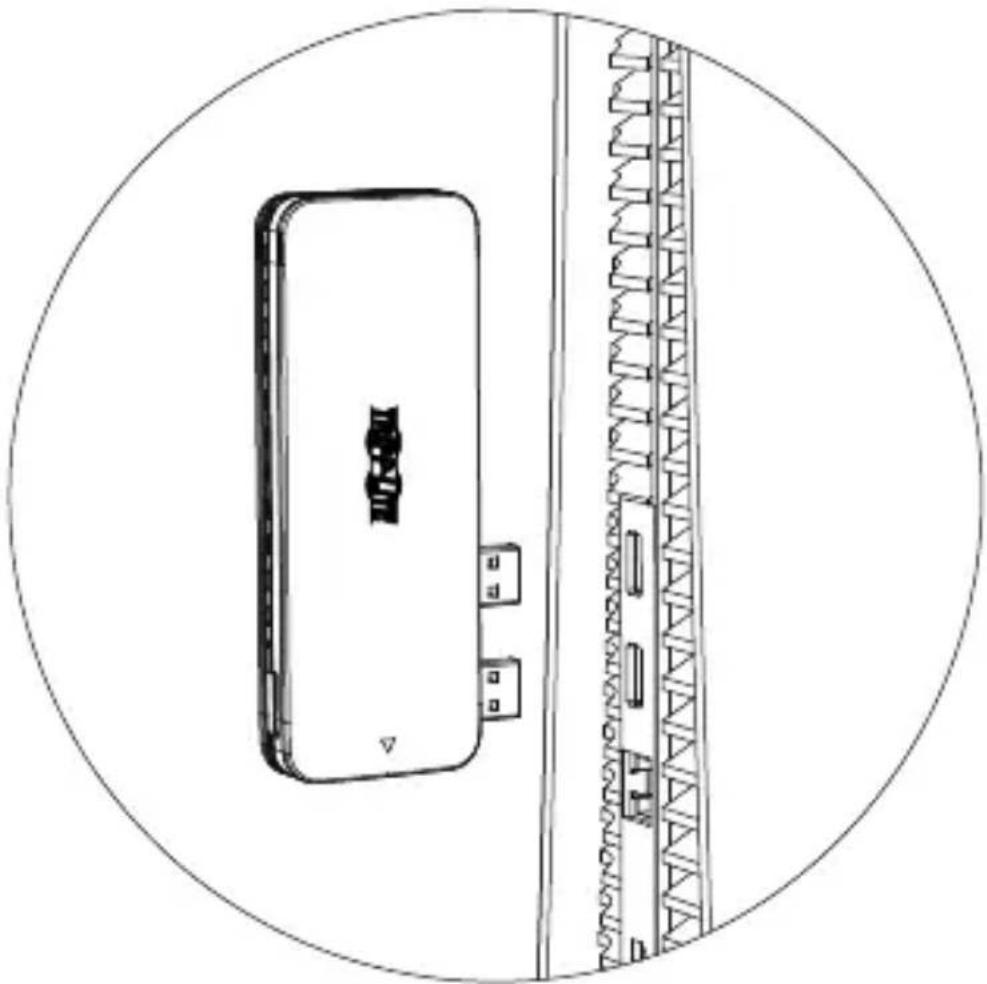
Technical line drawing of a device with a circular frame and internal structure (no text or symbols)Operation
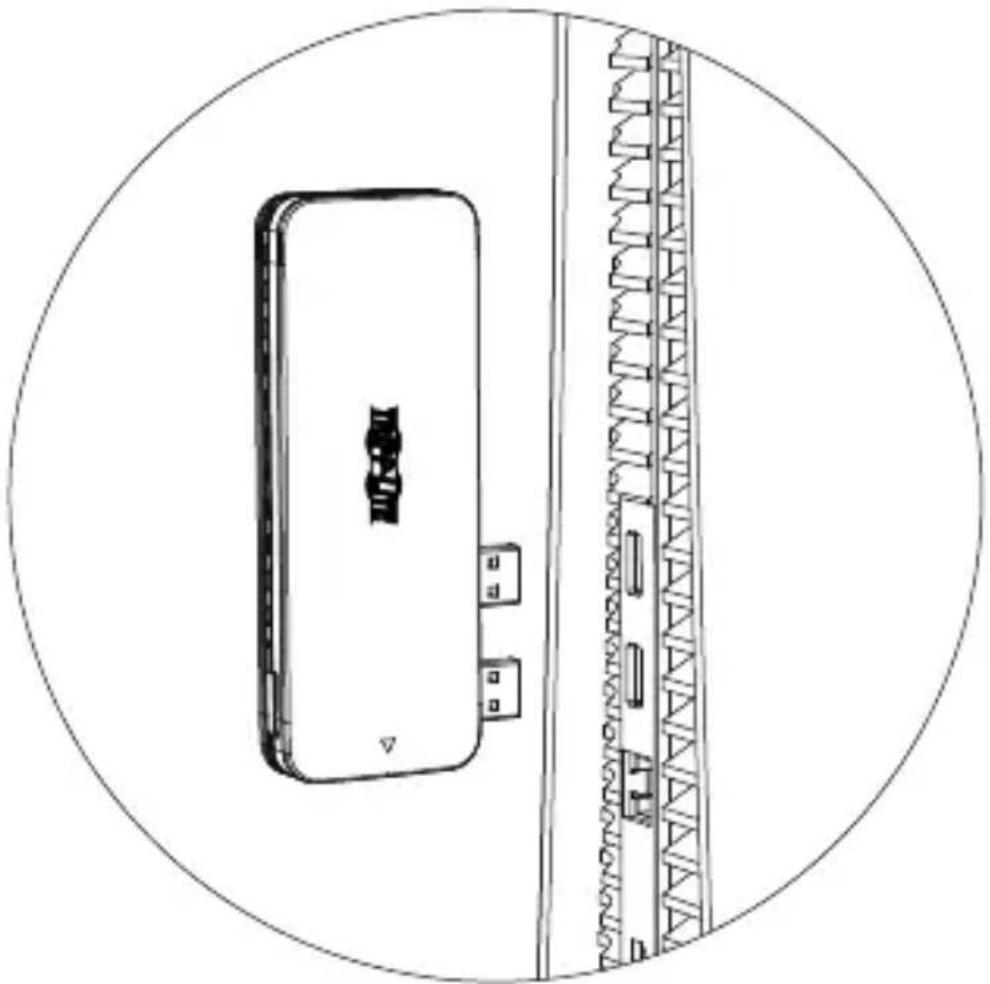
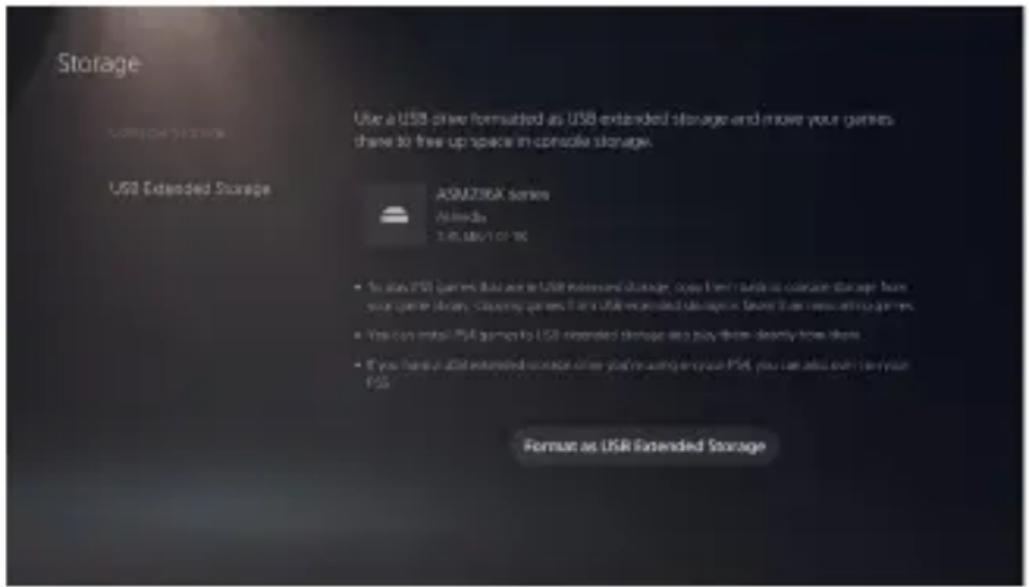
When you install a new disk in the enclosure and connect it to your PS5 console, you must format the disk in the Storage settings. Note: Disk formatting will erase all previous data on the disk, so proceed with caution.
Operation
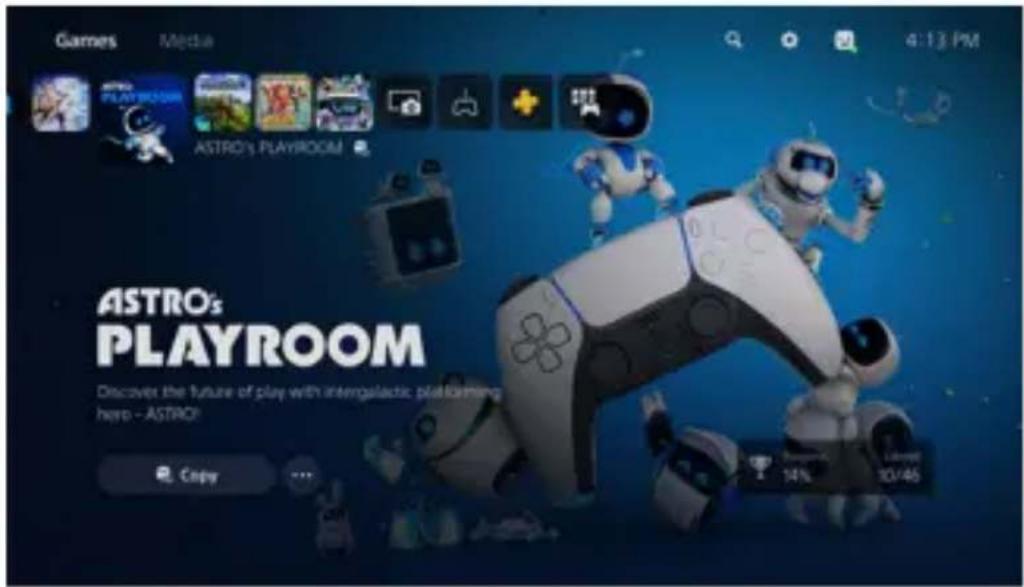
PS5 consoles only support games with PS4 attributes to run on external disks. If you want to run games with PS5 attributes, you must copy them to the PS5's built-in storage device.
Specifications
| Input Connection 2x USB-A (Male) | |
| Output Connection 1x USB-A (Female) | |
| Data Transfer Rates | 10 Gbps (USB 3.2 Gen 2) |
| LED Solid White – Power On Flashing White – Read and Write | |
| Material Aluminum | |
| Maximum Drive Capacity | No capacity limit, but PS5 requires external devices to be 250 Gb to 8 Tb |
| Operating Temperature Range | 32° to 131°F (0° to 55°C) |
| Storage Temperature Range | 14° to 158°F (-10° to 70°C) |
| Relative Humidity 10 to 85% RH, Non-Condensing | |
| Dimensions (H x W x D) | 4.7 x 1.8 x 0.6 in. / 120 x 45 x 16 mm |
Frequently Asked Questions
Q: Can the U357-1M2-NVMEG2 be used on PS4 game consoles or computers?
A: Yes. But it must be used with the included USB-A cable (M/F), and the corresponding file system format must be changed.
Q: Why are the read/write speeds slow in actual use and unable to reach USB 3.2 Gen 2 speeds?
A: The U357-1M2-NVMEG2 has undergone rigorous testing, and the read/write speed can reach USB 3.2 Gen 2 speeds under normal conditions. If the speed is slow, confirm that the USB host port to which the U357-1M2-NVM is connected is compatible with USB 3.2 Gen 2.
Q: On a Windows computer, after installing the new hard disk, why can't I find the portable hard disk or the corresponding drive letter in My Computer?
A: When using a new hard disk for the first time, you must initialize, format and partition the disk in Computer Management > Disk Management before it can be used normally.
Frequently Asked Questions
Q: Why can't Windows XP recognize the hard disk with a capacity of more than 2 Tb?
A: Due to Windows XP system limitations, the hard disk capacity that can be recognized on this system cannot exceed 2 Tb. It can be supported only by computers upgraded to Windows Vista (64 bits) or higher. It is recommended to convert the disk to a GPT disk partition.
Q: How can I protect the hard disk and data and have a safe exit?
A: To remove the mobile hard drive without shutting down the operating system, it is recommended that you safely remove the USB peripheral icon through the lower right corner of the system to safely pop the USB device, and then turn off the power to remove the device.
Q: Can NVMe protocol SSDs be used in Windows versions prior to 8.1?
A: If Windows 7 or 8 needs to install an NVMe support match, Windows 8.1 and later versions have an integrated NVMe driver.
Warranty and Product Registration
1-Year Limited Warranty
Seller warrants this product, if used in accordance with all applicable instructions, to be free from original defects in material and workmanship for a period of one (1) year from the date of initial purchase. If the product should prove defective in material or workmanship within that period, Seller will repair or replace the product, at its sole discretion.
THIS WARRANTY DOES NOT APPLY TO NORMAL WEAR OR TO DAMAGE RESULTING FROM ACCIDENT, MISUSE, ABUSE OR NEGLECT. SELLER MAKES NO EXPRESS WARRANTIES OTHER THAN THE WARRANTY EXPRESSLY SET FORTH HEREIN. EXCEPT TO THE EXTENT PROHIBITED BY APPLICABLE LAW, ALL IMPLIED WARRANTIES, INCLUDING ALL WARRANTIES OF MERCHANTABILITY OR FITNESS, ARE LIMITED IN DURATION TO THE WARRANTY PERIOD SET FORTH ABOVE; AND THIS WARRANTY EXPRESSLY EXCLUDES ALL INCIDENTAL AND CONSEQUENTIAL DAMAGES. (Some states do not allow limitations on how long an implied warranty lasts, and some states do not allow the exclusion or limitation of incidental or consequential damages, so the above limitations or exclusions may not apply to you. This warranty gives you specific legal rights, and you may have other rights which vary from jurisdiction to jurisdiction.) WARNING: The individual user should take care to determine prior to use whether this device is suitable, adequate or safe for the use intended. Since individual applications are subject to great variation, the manufacturer makes no representation or warranty as to the suitability or fitness of these devices for any specific application.
PRODUCT REGISTRATION
Visit tripplite.com/warranty today to register your new Tripp Lite product. You'll be automatically entered into a drawing for a chance to win a FREE Tripp Lite product!* *No purchase necessary. Void where prohibited. Some restrictions apply. See website for details.
WEEE Compliance Information for Tripp Lite Customers and Recyclers (European Union)
Under the Waste Electrical and Electronic Equipment (WEEE) Directive and implementing regulations, when customers buy new electrical and electronic equipment from Tripp Lite, they are entitled to:
- Send old equipment for recycling on a one-for-one, like-for-like basis (this varies depending on the country)
- Send the new equipment back for recycling when this ultimately becomes waste
Use of this equipment in life support applications where failure of this equipment can reasonably be expected to cause the failure of the life support equipment or to significantly affect its safety or effectiveness is not recommended.
Tripp Lite has a policy of continuous improvement. Specifications are subject to change without notice. Photos and illustrations may differ slightly from actual products.


Manufacturing Excellence.
1111 W. 35th Street, Chicago, IL 60609 USA tripplite.com/support
14
21-10-337 • 9340FC_RevA
natural_image
Line drawing of a rectangular electronic device with a logo on the cover (no text or symbols)17
Instalación
natural_image
Isometric line drawing of an electronic device casing with internal circuitry and connectors (no text or symbols)natural_image
Isometric line drawing of an electronic device casing with internal circuit board and connectors (no text or symbols)Instalación
natural_image
Isometric line drawing of an electronic device casing with internal components (no text or symbols)natural_image
Line drawing of a TRIPP-LITE device casing with ports and ventilation slots (no text or symbols on the device itself)Instalación
natural_image
Line drawing of a USB cable connector with two USB connectors and a battery pack (no text or symbols)Operación
natural_image
Technical line drawing of a device with a circular frame and a vertical wall, no text or symbols present.Operación
Operación
Especificaciones
1111 W. 35th Street, Chicago, IL 60609 USA tripplite.com/support
natural_image
Line drawing of a rectangular electronic device with a black logo on the cover and two ports attached (no text or symbols)31
Installation
natural_image
Isometric line drawing of an electronic device casing with internal circuit board and connectors (no text or symbols)natural_image
Isometric line drawing of an electronic device casing with internal circuit board and connectors (no text or symbols)32
Installation
natural_image
Isometric line drawing of an electronic device casing with internal components (no text or symbols)natural_image
Line drawing of a TRIPP-LITE device casing with ports and ventilation slots (no text or symbols on the device itself)Installation
natural_image
Line drawing of a USB cable connector with two USB connectors and a battery pack (no text or symbols)Fonctionnement
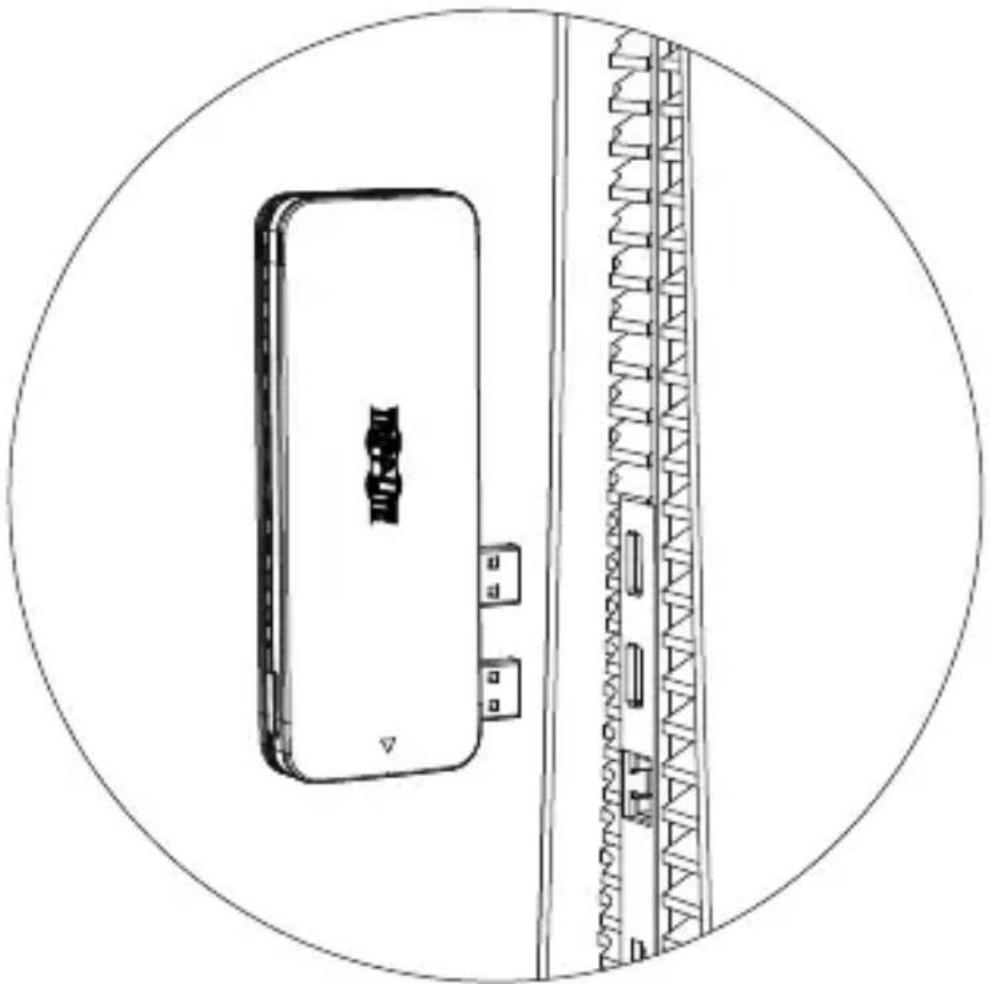
natural_image
Technical line drawing of a device with a circular frame and internal structure (no text or symbols)Fonctionnement
Fonctionnement
1111 W. 35th Street, Chicago, IL 60609 USA tripplite.com/support
42
21-10-337 • 9340FC_RevA
1111 W. 35th Street, Chicago, IL 60609 USA
tripplite.com/support
natural_image
Line drawing of a rectangular electronic device with a logo on the top surface (no text or symbols)Установка
natural_image
Technical line drawing of an electronic device showing internal components and wiring (no text or symbols)natural_image
Isometric line drawing of an electronic device casing with internal circuit board and connectors (no text or symbols)Установка
natural_image
Isometric line drawing of an electronic device casing with internal components (no text or symbols)natural_image
Line drawing of a TRIPP-LITE device casing with ports and connectors (no text or symbols on the body)Установка
natural_image
Line drawing of a USB cable connector with two USB connectors and a battery pack (no text or symbols)natural_image
Technical line drawing of a device with a circular frame and internal structure (no text or symbols)1111 W. 35th Street, Chicago, IL 60609 USA tripplite.com/support
21-10-337·9340FC_RevA
Benutzerhandbuch
1111 W. 35th Street, Chicago, IL 60609 USA tripplite.com/support
natural_image
Line drawing of a rectangular electronic device with a black logo and ports, labeled '59' at the bottom (no text or symbols on the device itself)Installation
natural_image
Isometric line drawing of an electronic device casing with internal circuitry and connectors (no text or symbols)natural_image
Isometric line drawing of an electronic device casing with internal circuit board and connectors (no text or symbols)Installation
natural_image
Isometric line drawing of an electronic device casing with internal components (no text or symbols)natural_image
Line drawing of a TRIPP-LITE device casing with two ports and a warning symbol (no text or labels on the device itself)Installation
natural_image
Line drawing of a USB cable connector with two USB connectors and a battery pack (no text or symbols)Betrieb
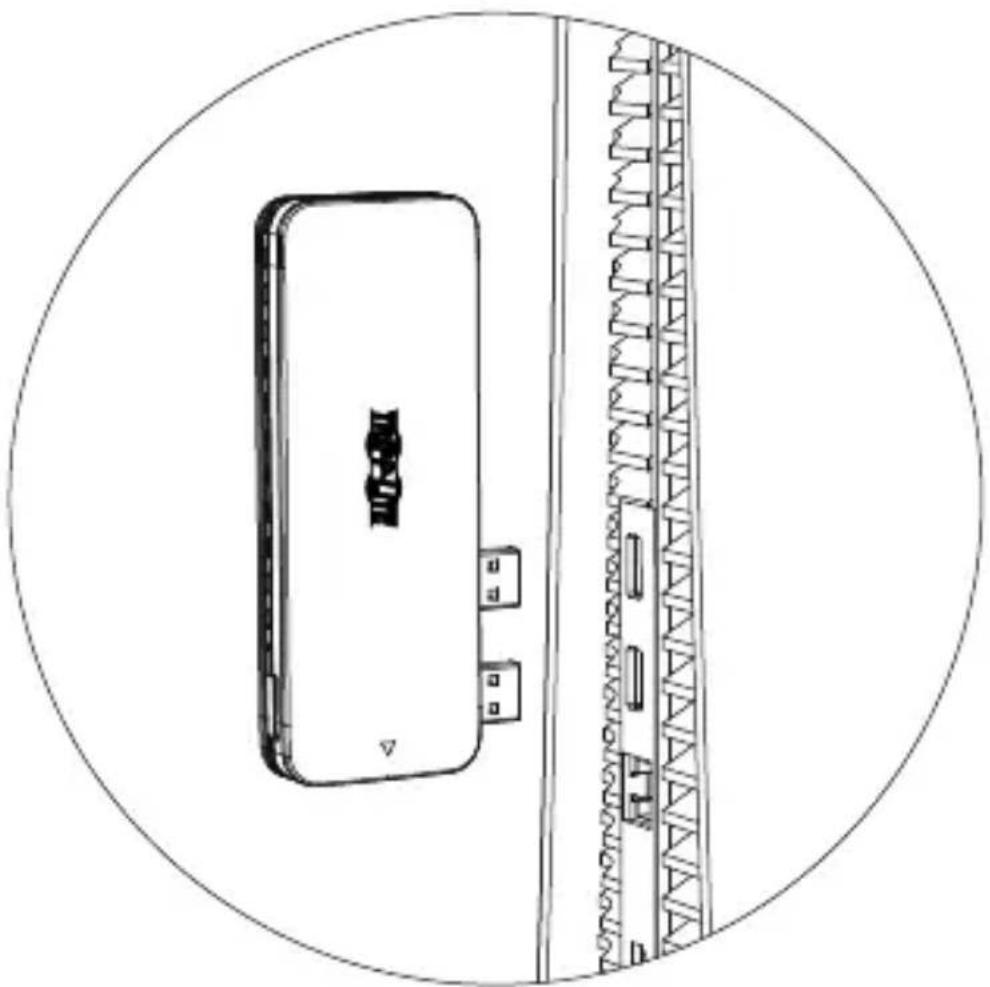
natural_image
Technical line drawing of a device with a circular frame and internal structure (no text or symbols)Betrieb
Betrieb
Technische Daten
Manufacturing Excellence
1111 W. 35th Street, Chicago, IL 60609 USA tripplite.com/support
72
21-10-337 • 9340FC_RevA
- USB 3.2 Gen 2 M.2 SSD Enclosure (PCIe and NVMe) with USB Hub for PlayStation 5
- WARRANTY REGISTRATION
- Product Features
- Package Contents
- System Requirements
- Optional Accessories
- Installation
- Notice:
- Operation
- Frequently Asked Questions
- Warranty and Product Registration
- 1-Year Limited Warranty
- PRODUCT REGISTRATION
- WEEE Compliance Information for Tripp Lite Customers and Recyclers (European Union)
- Instalación
- Operación
- Fonctionnement
- Установка
- Benutzerhandbuch
- Betrieb
Brand : Tripp Lite
Model : U3571M2NVMEG2
Category : SSD enclosure