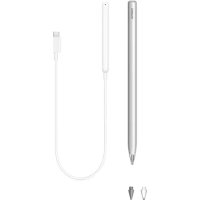
MPencil CD54 - Docking station HUAWEI - Free user manual and instructions
Find the device manual for free MPencil CD54 HUAWEI in PDF.



| Product Type | Stylus charging station |
| Brand | Huawei |
| Model | MPencil CD54 |
| Compatibility | Huawei devices with EMUI 10.1 or later |
| Power Supply | Via host device (charger included in the package) |
| Indicator Light | Flashing red: host device powers the charger; Flashing green: charging in progress; Solid green: fully charged |
| Main Functions | Stylus charging, Bluetooth pairing, storage support |
| Operating Temperature | 0 °C to 35 °C |
| Storage Temperature | -20 °C to +45 °C |
| Maintenance | Clean with a soft, dry cloth; replace stylus tip if worn |
| Spare Parts | Replacement stylus tips |
| Safety | Do not expose to moisture, excessive heat, or fire; keep out of reach of children |
| Battery | Built-in, non-user-replaceable |
| Battery Protection Mode | In case of prolonged inactivity, the stylus enters protection mode; charge 5 to 10 minutes before use |
| Pairing | Via Bluetooth, attach the stylus to the charger connected to the host device |
| Recycling | Comply with local regulations; do not dispose of with household waste |
Frequently Asked Questions - MPencil CD54 HUAWEI
User questions about MPencil CD54 HUAWEI
0 question about this device. Answer the ones you know or ask your own.
Ask a new question about this device
Download the instructions for your Docking station in PDF format for free! Find your manual MPencil CD54 - HUAWEI and take your electronic device back in hand. On this page are published all the documents necessary for the use of your device. MPencil CD54 by HUAWEI.
USER MANUAL MPencil CD54 HUAWEI
Pairing and Charging
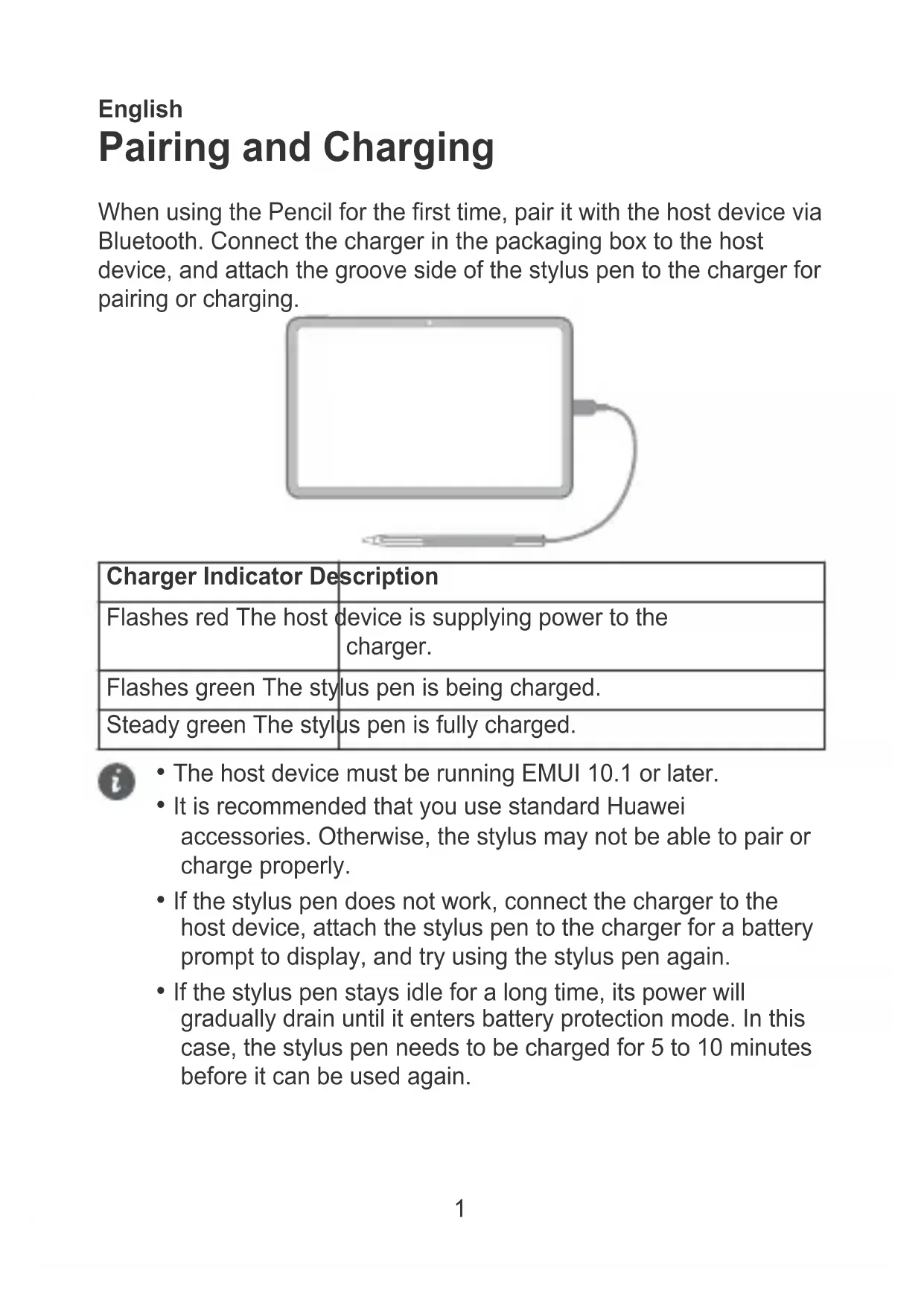
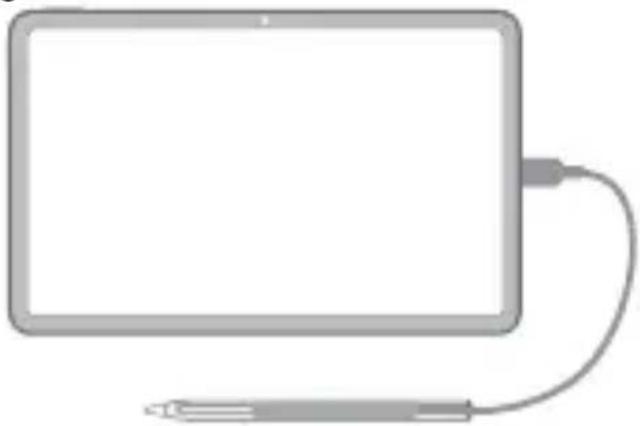
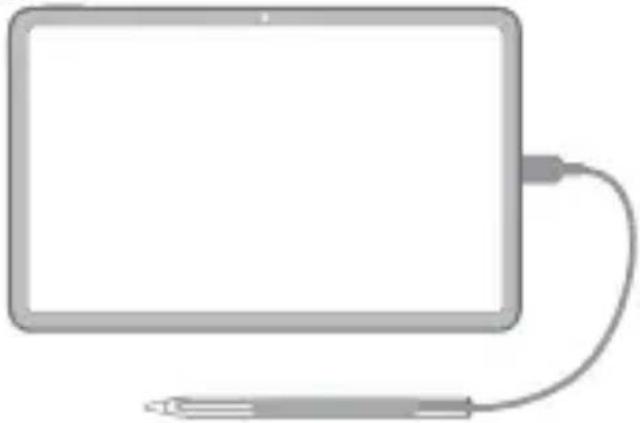
When using the Pencil for the first time, pair it with the host device via Bluetooth. Connect the charger in the packaging box to the host device, and attach the groove side of the stylus pen to the charger for pairing or charging.
natural_image
Illustration of a rectangular device connected to a cable with a stylus (no text or symbols)| Charger Indicator Description | |
| Flashes red The host device is supplying power to the charger. | |
| Flashes green The stylus pen is being charged. | |
| Steady green The stylus pen is fully charged. |

- The host device must be running EMUI 10.1 or later.
- It is recommended that you use standard Huawei accessories. Otherwise, the stylus may not be able to pair or charge properly.
- If the stylus pen does not work, connect the charger to the host device, attach the stylus pen to the charger for a battery prompt to display, and try using the stylus pen again.
- If the stylus pen stays idle for a long time, its power will gradually drain until it enters battery protection mode. In this case, the stylus pen needs to be charged for 5 to 10 minutes before it can be used again.
Replacing the Pen Tip
natural_image
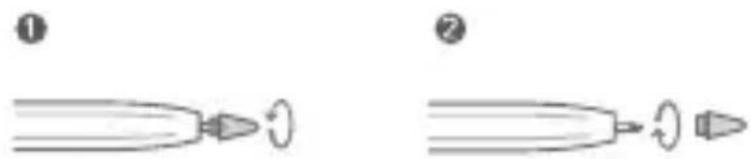
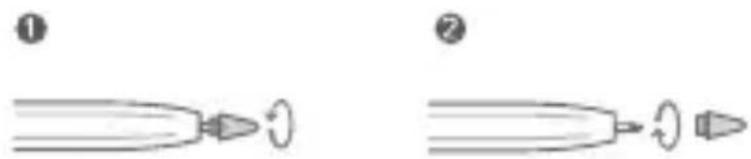
Two-step diagram showing a pointed object with a curved arrow, labeled ① and ② (no text or symbols on the objects themselves)1 Pinch the pen tip and rotate it counterclockwise until it is removed from the pen body.
2 Pinch the top part of a new pen tip and insert the bottom part into the pen with the tip pointing outwards. Then, rotate the pen tip clockwise to lock it in place. Make sure that the pen tip is firmly in place to prevent it from loosening and dropping out.

- Look after your stylus and try to prevent it from falling on the ground or its tip from being damaged.
Safety Information
Please read all of the safety information carefully before using your device to ensure its safe and proper operation and to learn how to dispose of your device properly.
Operation and safety
- Ideal operating temperatures are 0^ to 35^ . Ideal storage temperatures are -20^ to +45^ .
- Keep this device and its accessories that may contain small components out of the reach of children. Otherwise, children may damage this device and its accessories by mistake, or swallow small components, which may cause choking.
- Keep the device and the battery away from excessive heat and direct sunlight. Do not place them on or in heating devices, such as microwave ovens, stoves, or radiators.
-
Do not use, store or transport the device where flammables or explosives are stored (in a gas station, oil depot, or chemical plant, for example). Using your device in these environments increases the risk of explosion or fire.
-
Do not expose this device and its accessories to rain or moisture, as this is a potential fire hazard and may cause you to experience an electric shock.
- This device contains a built-in battery. Do not attempt to replace the battery by yourself. Otherwise, the device may not run properly or it may damage the battery. For your personal safety and to ensure that your device runs properly, you are strongly advised to contact a Huawei authorized service center for a replacement.
- Using an unapproved or incompatible power adapter, charger, or battery may damage your device, shorten its lifespan, or cause a fire, explosion, or other hazards.
- Keep the battery away from fire, and do not disassemble, modify, throw, or squeeze it. Do not insert foreign objects into it, submerge it in water or other liquids, or expose it to external force or pressure, as this may cause the battery to leak, overheat, catch fire, or even explode.
- Dispose of this device, the battery, and accessories according to local regulations. They should not be disposed of in normal household waste. Improper battery use may lead to fire, explosion, or other hazards.
- Some wireless devices may interfere with implantable medical devices and other medical equipment, such as pacemakers, cochlear implants, and hearing aids. When using the product, keep it at least 15 cm away from such medical devices. Consult the manufacturer of your medical equipment for more information.
- The charger is designed to be used at a distance larger than 20cm between the user and/or bystander and the antenna and/or radiating element of the product.
Disposal and recycling information
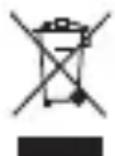
The symbol on the product, battery, literature, or packaging means that the products and batteries should be taken to separate waste collection points designated by local authorities at the end of the lifespan. This will ensure that EEE waste is recycled and treated in a
manner that conserves valuable materials and protects human health and the environment.
For more information, please contact your local authorities, retailer, or household waste disposal service or visit the website https://consumer.huawei.com/en/.
Reduction of hazardous substances
This device and its electrical accessories comply with local applicable rules on the restriction of the use of certain hazardous substances in electrical and electronic equipment, such as EU REACH regulation, RoHS and Batteries (where included) directive. For declarations of conformity about REACH and RoHS, please visit the website https://consumer.huawei.com/certification.
RF Exposure Information
This product is a low-power radio transmitter and receiver, its maximum power is less than the exemption limits for SAR evaluation, the SAR testing is not required.
It complies with the applicable national and international standards for exposure to radio waves.
UK Regulatory Conformance
Hereby, Huawei Device Co., Ltd. declares that this device CD54 / C-CD52-Adapter is in compliance with the relevant statutory instruments in the UK. The full text of the declaration of conformity is available at the following internet address: https://consumer.huawei.com/certification.
EU regulatory conformance
Statement
Hereby, Huawei Device Co., Ltd. declares that this device CD54 / C-CD52-Adapter is in compliance with the following Directive: RED 2014/53/EU, RoHS 2011/65/EU.
The full text of the EU declaration of conformity, and most recent information about accessories & software are available at the following internet address: https://consumer.huawei.com/certification. This device may be operated in all member states of the EU. Observe national and local regulations where the device is used.
This device may be restricted for use, depending on the local network.
Frequency Bands and Power
Bluetooth 2.4GHz: 2402 MHz–2480 MHz: 13 dBm. Wireless Power
Charging: < 42 dBμA/m @ 10 m
ISED Canada Compliance
ISED Statement
This device complies with CAN ICES-3 (B)/NMB-3(B).
This device complies with the Innovation, Science and Economic Development Canada (ISED) license-exempt RSS standard(s).
Operation is subject to the following two conditions: (1) this device may not cause interference, and (2) this device must accept any interference, including interference that may cause undesired operation of the device.
--The device meets the exemption from the routine evaluation limits in section 2.5 of RSS-102 and compliance with RSS-102 RF exposure, users can obtain Canadian information on RF exposure and compliance.
Legal Notice
Copyright © Huawei 2022. All rights reserved.
The Bluetooth ^® word mark and logos are registered trademarks owned by Bluetooth SIG, Inc. and any use of such marks by Huawei Technologies Co., Ltd. is under license. Huawei Device Co., Ltd. is an affiliate of Huawei Technologies Co., Ltd.
Privacy Policy
To better understand how we protect your personal information, please see the privacy policy at
https://consumer.huawei.com/privacy-policy.
All pictures and illustrations in this guide, including but not limited to the product colour, size, and display content, are for your reference only. The actual product may vary. Nothing in this guide constitutes a warranty of any kind, express or implied. If this guide is inconsistent with the description on the official website, the latter prevails.
English(UK)
Pairing and Charging
When using the Pencil for the first time, pair it with the host device via Bluetooth. Connect the charger in the packaging box to the host device, and attach the groove side of the stylus pen to the charger for pairing or charging.
natural_image
Illustration of a tablet device with a cable and a stylus, no text or symbols present| Charger Indicator Description | |
| Flashes red The host device is supplying power to the charger. | |
| Flashes green The stylus pen is being charged. | |
| Steady green The stylus pen is fully charged. |

- The host device must be running EMUI 10.1 or later.
- It is recommended that you use standard Huawei accessories. Otherwise, the stylus may not be able to pair or charge properly.
- If the stylus pen does not work, connect the charger to the host device, attach the stylus pen to the charger for a battery prompt to display, and try using the stylus pen again.
- If the stylus pen stays idle for a long time, its power will gradually drain until it enters battery protection mode. In this case, the stylus pen needs to be charged for 5 to 10 minutes before it can be used again.
Replacing the Pen Tip
natural_image
Two-step diagram showing a pointed object with a curved arrow, labeled ① and ② (no text or symbols on the objects themselves)1 Pinch the pen tip and rotate it anticlockwise until it is removed from the pen body.
2 Pinch the top part of a new pen tip and insert the bottom part into the pen with the tip pointing outwards. Then, rotate the pen tip clockwise to lock it in place. Make sure that the pen tip is firmly in place to prevent it from loosening and dropping out.

- Look after your stylus and try to prevent it from falling on the ground or its tip from being damaged.
Safety Information
Please read all of the safety information carefully before using your device to ensure its safe and proper operation and to learn how to dispose of your device properly.
Operation and Safety
- Ideal operating temperatures are 0^ to 35^ . Ideal storage temperatures are -20^ to +45^ .
- Keep this device and its accessories that may contain small components out of the reach of children. Otherwise, children may damage this device and its accessories by mistake, or swallow small components, which may cause choking.
- Keep the device and the battery away from fire, excessive heat and direct sunlight. Do not place them on or in heating devices, such as microwave ovens, water heaters, stoves or radiators.
-
Do not use, store or transport the device where flammables or explosives are stored (e.g. in a petrol station, oil depot or chemical plant). Using your device in these environments increases the risk of explosion or fire.
-
Do not expose this device and its accessories to rain or moisture, as this is a potential fire hazard and may cause you to experience an electric shock.
- This device contains a built-in battery. Do not attempt to replace the battery by yourself. Otherwise, the device may not run properly or it may damage the battery. For your personal safety and to ensure that your device runs properly, you are strongly advised to contact a Huawei authorised service centre for a replacement.
- Using an unapproved or incompatible power adapter, charger or battery may damage your device, shorten its lifespan or cause a fire, explosion or other hazards.
- Keep the battery away from fire, and do not disassemble, modify, throw, or squeeze it. Do not insert foreign objects into it, submerge it in water or other liquids, or expose it to external force or pressure, as this may cause the battery to leak, overheat, catch fire, or even explode.
- Dispose of this device, the battery and accessories according to local regulations. They should not be disposed of in normal household waste. Improper battery use may lead to fire, explosion or other hazards.
- Some wireless devices may interfere with implantable medical devices and other medical equipment, such as pacemakers, cochlear implants, and hearing aids. When using the product, keep it at least 15 cm away from such medical devices. Consult the manufacturer of your medical equipment for more information.
- The charger is designed to be used at a distance larger than 20cm between the user and/or bystander and the antenna and/or radiating element of the product.
Disposal and recycling information
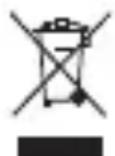
The symbol on the product, battery, literature, or packaging means that the products and batteries should be taken to separate waste collection points designated by local authorities at the end of the lifespan. This will ensure that EEE waste is recycled and treated in a
manner that conserves valuable materials and protects human health and the environment.
For more information, please contact your local authorities, retailer, or household waste disposal service or visit the website https://consumer.huawei.com/en/.
Reduction of hazardous substances
This device and its electrical accessories comply with local applicable rules on the restriction of the use of certain hazardous substances in electrical and electronic equipment, such as EU REACH regulation, RoHS and Batteries (where included) directive. For declarations of conformity about REACH and RoHS, please visit the website https://consumer.huawei.com/certification.
RF Exposure Information
This product is a low-power radio transmitter and receiver, its maximum power is less than the exemption limits for SAR evaluation, the SAR testing is not required.
It complies with the applicable national and international standards for exposure to radio waves.
UK Regulatory Conformance
Hereby, Huawei Device Co., Ltd. declares that this device CD54 / C-CD52-Adapter is in compliance with the relevant statutory instruments in the UK. The full text of the declaration of conformity is available at the following internet address: https://consumer.huawei.com/certification.
EU Regulatory Conformance
Statement
Hereby, Huawei Device Co., Ltd. declares that this device CD54 / C-CD52-Adapter is in compliance with the following Directive: RED 2014/53/EU, RoHS 2011/65/EU.
The full text of the EU declaration of conformity, and most recent information about accessories & software are available at the following internet address: https://consumer.huawei.com/certification. This device may be operated in all member states of the EU. Observe national and local regulations where the device is used.
This device may be restricted for use, depending on the local network.
Frequency Bands and Power
Bluetooth 2.4GHz: 2402 MHz–2480 MHz: 13 dBm. Wireless Power
Charging: < 42 dBμA/m @ 10 m
Legal Notice
Copyright © Huawei 2022. All rights reserved.
The Bluetooth ^® word mark and logos are registered trademarks owned by Bluetooth SIG, Inc. and any use of such marks by Huawei Technologies Co., Ltd. is under license. Huawei Device Co., Ltd. is an affiliate of Huawei Technologies Co., Ltd.
Privacy Policy
To better understand how we protect your personal information, please see the privacy policy at
https://consumer.huawei.com/privacy-policy.
All pictures and illustrations in this guide, including but not limited to the product colour, size, and display content, are for your reference only. The actual product may vary. Nothing in this guide constitutes a warranty of any kind, express or implied. If this guide is inconsistent with the description on the official website, the latter prevails.
Français
natural_image
Illustration of a rectangular device with a cable and a stylus beside it (no text or symbols)natural_image
Simple line drawing of a pointed tool with a circular arrowhead (no text or symbols)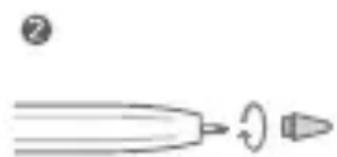
natural_image
Simple line drawing of a pointed tool with a circular arrowhead, no text or symbols presentnatural_image
Illustration of a rectangular device with a cable and a stylus beside it (no text or symbols)natural_image
Two-step diagram showing a pointed object with a curved arrow, labeled ① and ② (no text or symbols on the objects themselves)https://consumer.huawei.com/certification.
natural_image
Illustration of a rectangular device with a cable and a stylus beside it (no text or symbols)natural_image
Simple line drawing of a pointed object with a curved arrowhead, no text or symbols present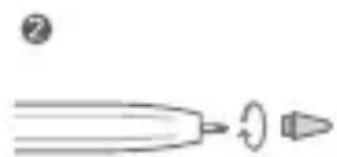
natural_image
Simple line drawing of a pointed tool with a circular arrowhead, no text or symbols presenthttps://consumer.huawei.com/certification.
natural_image
Illustration of a rectangular device with a cable and a stylus beside it (no text or symbols)natural_image
Two-step diagram showing a pointed object with a curved arrow, labeled ① and ② (no text or symbols on the objects themselves)https://consumer.huawei.com/en/.
https://consumer.huawei.com/certification.
https://consumer.huawei.com/certification.
natural_image
Illustration of a rectangular device connected to a cable with a stylus, no text or symbols present.natural_image
Two-step diagram showing a pointed object with a curved arrow, labeled ① and ② (no text or symbols on the objects themselves)natural_image
Illustration of a rectangular device connected to a cable with a stylus, no text or symbols present.natural_image
Two-step diagram showing a pointed object with a curved arrow, labeled ① and ② (no text or symbols on the objects themselves)natural_image
Illustration of a rectangular device connected to a cable with a stylus (no text or symbols)natural_image
Two-step diagram showing a pointed object with a curved arrow, labeled ① and ② (no text or symbols on the objects themselves)https://consumer.huawei.com/certification.
natural_image
Illustration of a rectangular device with a cable and a pen inserted, no text or symbols present.natural_image
Two-step diagram showing a pointed object with a curved arrow, labeled ① and ② (no text or symbols on the objects themselves)https://consumer.huawei.com/tr/support/warranty-policy/ https://consumer.huawei.com/tr/legal/privacy-policy/
Yetkili Servisler:
HUAWEI YETKİLİ SERVİS MERKEZİ
Telefon: 08508116600
No.2 of Xincheng Road, Songshan Lake Zone, Dongguan, Guangdong 523808, P.R. China
Web: www.huawei.com/tr/
E-posta: mobile.tr@huawei.com
Suomi
natural_image
Illustration of a rectangular device connected to a cable with a pen, no text or symbols present.natural_image
Two-step diagram showing a pointed object with a curved arrow, labeled ① and ② (no text or symbols on the objects themselves)natural_image
Illustration of a rectangular device with a cable and a pen inserted, no text or symbols present.natural_image
Simple line drawing of a pointed tool with a circular arrowhead (no text or symbols)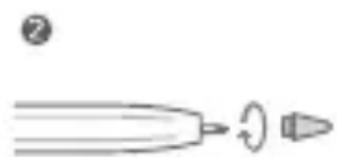
natural_image
Simple line drawing of a pointed tool with a circular arrowhead, no text or symbols presenthttps://consumer.huawei.com/certification.
natural_image
Illustration of a rectangular device with a cable and a stylus beside it (no text or symbols)https://consumer.huawei.com/certification.
https://consumer.huawei.com/privacy-policy.
(Huawei Device Company Limited, Administration Building No.2, Xincheng Road, Songshan Lake Zone, Dongguan, Guangdong, 523808, Китай)
Тел.: +86-755-28780808
natural_image
Illustration of a rectangular device connected to a cable with a pen, no text or symbols present.natural_image
Simple line drawing of a pointed object with a circular end, no text or symbols present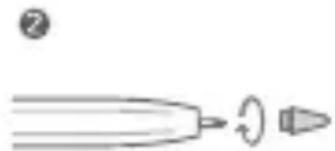
natural_image
Simple line drawing of a pen tip with a circular arrowhead, no text or symbols presentnatural_image
Illustration of a rectangular device with a cable and a pen inserted, no text or symbols present.natural_image
Two-step diagram showing a pen tip and its motion sequence, labeled ① and ② (no text or symbols on the diagrams themselves)https://consumer.huawei.com/privacy-policy.
natural_image
Illustration of a rectangular device with a cable and a pen inserted, no text or symbols present.natural_image
Simple line drawing of a pointed object with a circular end, no text or symbols present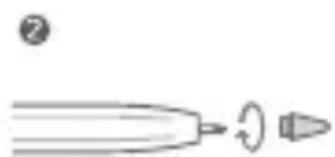
natural_image
Simple line drawing of a pen tip with a circular arrowhead, no text or symbols presentnatural_image
Illustration of a rectangular device with a cable and a pen inserted, no text or symbols present.natural_image
Two-step diagram showing a pen tip being cut with a circular arrow, labeled ① and ② (no text or symbols on the diagrams themselves)natural_image
Illustration of a rectangular device connected to a cable with a pen, no text or symbols present.natural_image
Two-step diagram showing a pointed object with a curved arrow, labeled ① and ② (no text or symbols on the objects themselves)natural_image
Illustration of a tablet device with a cable and a stylus, no text or symbols presentnatural_image
Illustration of a rectangular device connected to a stylus, no text or symbols presentCopyright © Huawei 2022. All rights reserved.
natural_image
Illustration of a rectangular device connected to a cable with a pen, no text or symbols present.Copyright © Huawei 2022. All rights reserved.
natural_image
Illustration of a rectangular device connected to a cable with a stylus (no text or symbols)- Pairing and Charging
- Replacing the Pen Tip
- Safety Information
- Operation and safety
- Disposal and recycling information
- Reduction of hazardous substances
- RF Exposure Information
- UK Regulatory Conformance
- EU regulatory conformance
- Statement
- Frequency Bands and Power
- ISED Canada Compliance
- ISED Statement
- Legal Notice
- Copyright © Huawei 2022. All rights reserved.
- Privacy Policy
- English(UK)
- Français
- Yetkili Servisler:
- Suomi
Brand : HUAWEI
Model : MPencil CD54
Category : Docking station