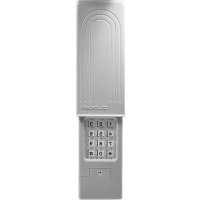
KLIK2CP2 - Garage door CHAMBERLAIN - Free user manual and instructions
Find the device manual for free KLIK2CP2 CHAMBERLAIN in PDF.



| Product Type | Wireless exterior garage door keypad |
| Brand | Chamberlain |
| Model | KLIK2CP2 |
| Power Source | 9V alkaline battery (not included) |
| Battery Life | Approximately 1 to 2 years depending on use |
| Operating Frequency | 315 MHz or 390 MHz (depending on version) |
| Compatibility | Garage door openers manufactured after 1993 with photoelectric sensors |
| Dimensions (approximate) | Approximately 12 x 8 x 3 cm |
| Weight (approximate) | Approximately 150 g with battery |
| Housing Material | Weather-resistant plastic |
| Outdoor Protection Rating | Designed for outdoor use, IP rating not specified |
| Main Functions | Programming via DIP switches or learn button, 4-digit PIN code, lockout |
| Installation | Screw wall mounting, minimum height 1.5 m from ground |
| Security | Mounting out of children's reach, mandatory use with photoelectric sensors |
| Maintenance and Cleaning | Clean with a soft, dry cloth; replace 9V battery when light dims |
| Spare Parts and Repairability | 9V battery; no user-serviceable parts (other than battery) |
| Warranty | 1 year |
| Technical Support | 1-800-442-1255 (USA/Canada) |
| General Information | Manufactured by The Chamberlain Group; www.chamberlain.com |
Frequently Asked Questions - KLIK2CP2 CHAMBERLAIN
User questions about KLIK2CP2 CHAMBERLAIN
0 question about this device. Answer the ones you know or ask your own.
Ask a new question about this device
Download the instructions for your Garage door in PDF format for free! Find your manual KLIK2CP2 - CHAMBERLAIN and take your electronic device back in hand. On this page are published all the documents necessary for the use of your device. KLIK2CP2 by CHAMBERLAIN.
USER MANUAL KLIK2CP2 CHAMBERLAIN
MODELS KLIK2U, KLIK2U-P2, KLIK2C AND KLIK2C-P2
Introduction 2
Programming 3-7
Installation 8
Changing your 4-digit PIN ... 8
Battery 8
FAQs 9
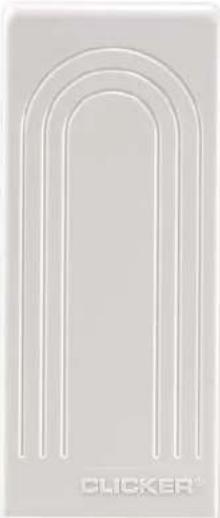
natural_image
Pure architectural arch diagram without any text, numbers, or symbols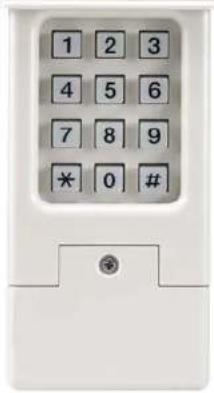
Introduction

Thank you for your purchase of the Universal Wireless Keypad.
PLEASE DO NOT RETURN TO THE RETAIL STORE. If for any reason you have questions or need help with troubleshooting please call: 1-800-442-1255.

Read instructions thoroughly BEFORE beginning. If using this product with residential door openers, this product must be used only with door openers manufactured after 1993 that utilize photoelectric sensors. The photoelectric sensors are always located on or near the bottom of the door track.

WARNING: This product can expose you to chemicals including lead, which are known to the State of California to cause cancer or birth defects or other reproductive harm. For more information go to www.P65Warnings.ca.gov
WARNING
To prevent possible SERIOUS INJURY or DEATH from a moving gate or garage door:
• Install keypad within sight of garage door, out of reach of small children at a minimum height of 5 feet (1.5 m) above floors, landings, steps or any other adjacent walking surface, and away from ALL moving parts of door.
- ALWAYS keep remote controls out of reach of children. NEVER permit children to operate, or play with remote controls.
- Activate gate or door ONLY when it can be seen clearly, is properly adjusted, and there are no obstructions to door travel.
- ALWAYS keep gate or garage door in sight until completely closed. NEVER permit anyone to cross path of moving gate or door.
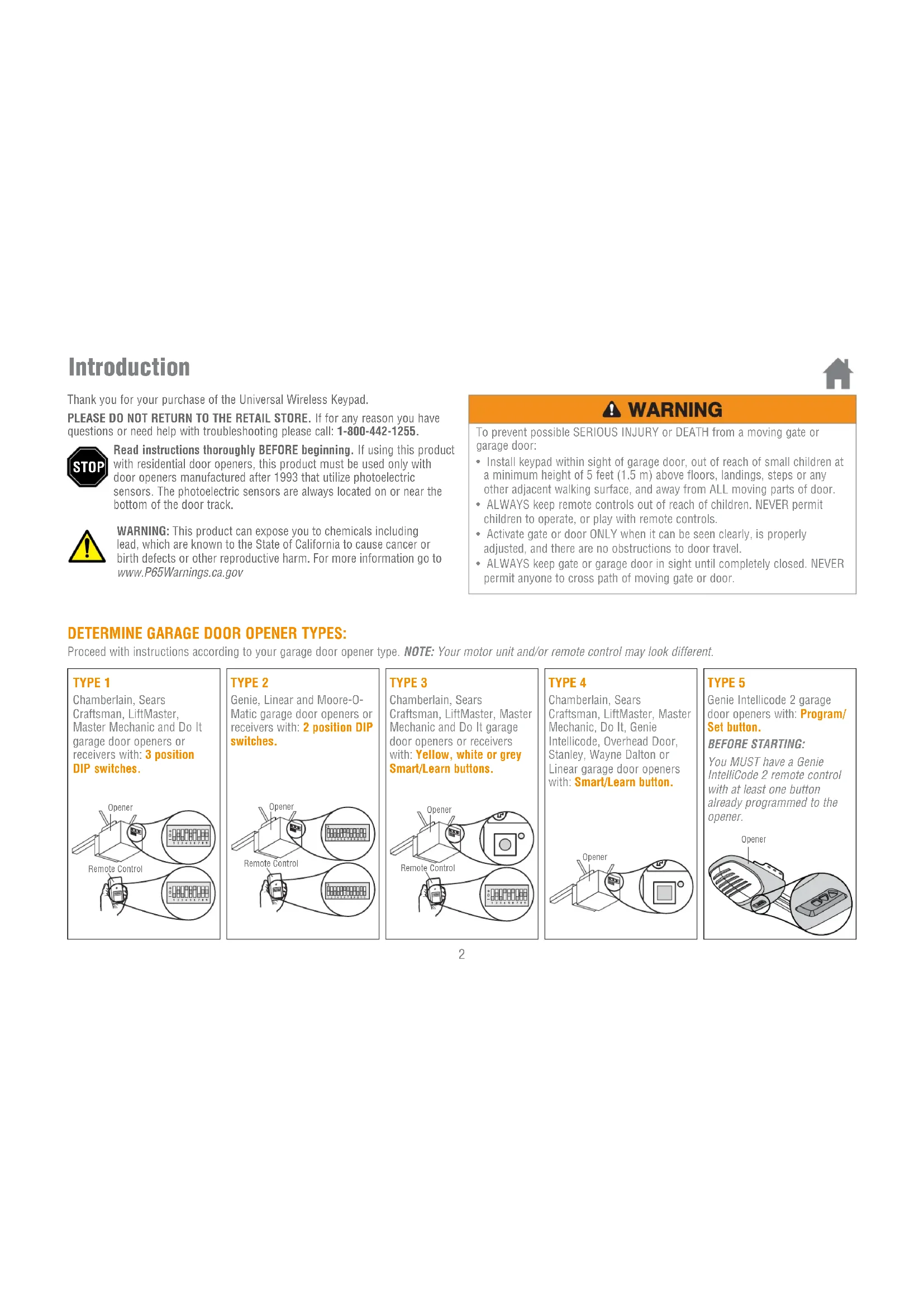
DETERMINE GARAGE DOOR OPENER TYPES:
Proceed with instructions according to your garage door opener type. NOTE: Your motor unit and/or remote control may look different.
TYPE 1
Chamberlain, Sears Craftsman, LiftMaster, Master Mechanic and Do It garage door openers or receivers with: 3 position DIP switches.
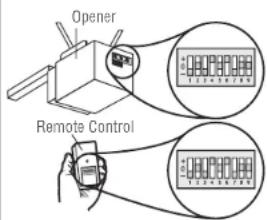
TYPE 2
Genie, Linear and Moore-O-Matic garage door openers or receivers with: 2 position DIP switches.
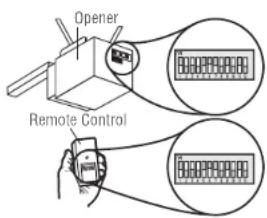
TYPE 3
Chamberlain, Sears
Craftsman, LiftMaster, Master
Mechanic and Do It garage
door openers or receivers
with: Yellow, white or grey
Smart/Learn buttons.
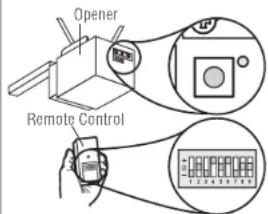
TYPE 4
Chamberlain, Sears
Craftsman, LiftMaster, Master
Mechanic, Do It, Genie
Intellicode, Overhead Door,
Stanley, Wayne Dalton or
Linear garage door openers
with: Smart/Learn button.
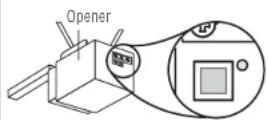
TYPE 5
Genie Intellicode 2 garage door openers with: Program/Set button.
You MUST have a Genie IntelliCode 2 remote control with at least one button already programmed to the opener.
BEFORE STARTING:
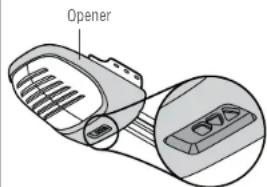
Programming

TYPE 1
Chamberlain, Sears Craftsman, LiftMaster, Master Mechanic and Do It garage door openers or receivers with: 3 position DIP switches.
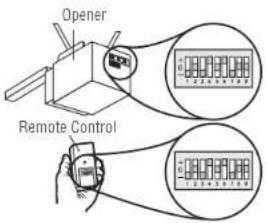
1 Select and write a 4-digit PIN:
2 Determine your opener ID using the list below.
| ID | DIP | Switch | Type |
| 11 | 9 | DIP switch | garage door openers (U.S.) |
| 12 | 9 | DIP switch | garage door openers (Canada) |
| 15 | 8 | DIP switch | garage door openers |
| 19 | 7 | DIP switch | garage door openers |
3 The first DIP switch must be set to the "-" position on your remote and opener. Record your DIP switch sequence for remaining DIP switches. If the DIP switch is in the "+" position place a 1, "0" position place a 2, "-" position place a 3 in the corresponding box in the chart below:
NOTE: Leave any unused switch locations blank.
| DIP SwitchSequence | 1 | 2 | 3 | 4 | 5 | 6 | 7 | 8 | 9 |
| + | |||||||||
| 0 | |||||||||
| -3 |
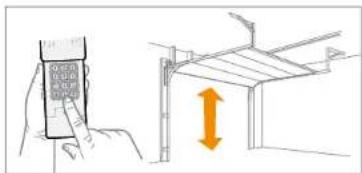
4 Press and hold the * and # buttons until keypad stops flashing.
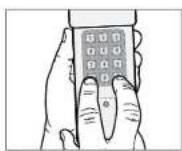
5 Enter PIN from step 1, press #.
6 Enter ID from step 2, press #.
7 EnterDIP switch sequence from step 3 and press # key.
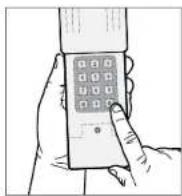
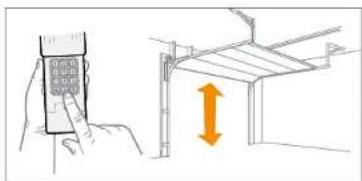
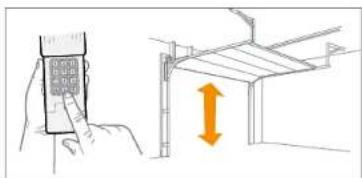
8 To test and use, wait until lights turn off, enter your PIN and press the 0 key.
natural_image
Illustration of a hand holding a mobile phone and pointing at a structural frame with an orange double-headed arrow (no text or symbols)If opener does not function, repeat programming.
Programming
TYPE 2
Genie, Linear and Moore-O-Matic garage door openers or receivers with: 2 position DIP switches.
1 Select and write a 4-digit PIN:
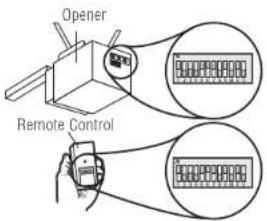
2 Determine your opener ID using the list below.
| ID DIP Switch | Type |
| 13 12 DIP switch | Genie garage door openers |
| 14 10 DIP switch | Linear garage door openers |
| 16 10 DIP switch | Stanley garage door openers |
| 17 9 DIP switch | Genie garage door openers |
| 18 8 DIP switch | Linear, Moore-O-Matic garage door openers |
3 Record your DIP switch sequence. If DIP switch is in the "on" or "up" position place a 1, "off" or "down" position place a 2 in the corresponding box in the chart below: NOTE: Leave any unused switch locations blank.
| DIP SwitchSequence | 1 | 2 | 3 | 4 | 5 | 6 | 7 | 8 | 9 | 1 | 0 | 1 | 1 | 1 | 2 |
| ON | |||||||||||||||
| OFF |
4 Press and hold the * and # buttons until keypad stops flashing.
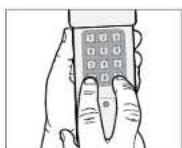
5 Enter PIN from step 1, press #.
6 Enter ID from step 2, press #.
7 EnterDIP switch sequence from step 3 and press # key.
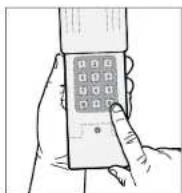
8 To test and use, wait until lights turn off, enter your PIN and press the 0 key.
natural_image
Illustration showing a hand holding a mobile phone and a structural diagram with an upward arrow (no text or symbols)If opener does not function, flip DIP switches, so if a switch is "on" or "up" flip it "off" or "down" in step 3.
Programming
TYPE 3 Chamberlain, Sears Craftsman, LiftMaster, Master Mechanic and Do It garage door openers or receivers with: Yellow, white or grey Smart/Learn buttons.
1 Select and write a 4-digit PIN:
2 Your opener ID is 11. 11
3 Record your DIP switch sequence. Set your first DIP switch to “-”, your first DIP switch must be set to the “-” position on your remote and opener. If the DIP switch is in the “+” position place a 1, “0” position place a 2, “-” position place a 3 in the corresponding box in the chart below: NOTE: Leave any unused switch locations blank.
| DIP SwitchSequence | 1 | 2 | 3 | 4 | 5 | 6 | 7 | 8 | 9 |
| + | |||||||||
| 0 | |||||||||
| -3 |
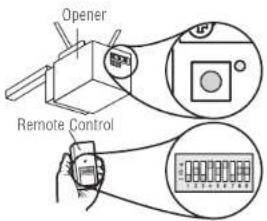
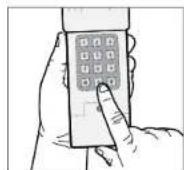
4 Press and hold the * and # buttons until keypad stops flashing.
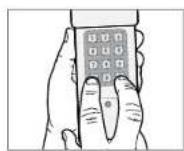
5 Enter PIN from step 1, press #.
6 Enter 11, press #.
7 EnterDIP switch sequence from step 3, press #.
8 Press and release the Smart/Learn button on garage door opener.
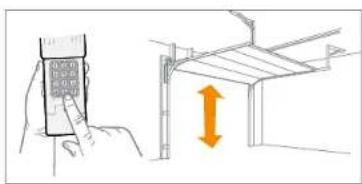
9 Enter your 4 digit PIN and press the 0 key.
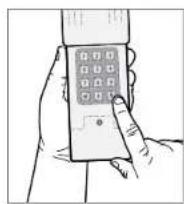
10 To test and use, wait until lights turn off, enter your PIN and press the 0 key.
natural_image
Illustration showing a hand holding a mobile phone and a structural diagram with an upward arrow (no text or symbols)If opener does not function, repeat programming.
Programming
TYPE 4
Chamberlain, Sears Craftsman, LiftMaster, Master Mechanic, Do It, Genie Intellicode, Overhead Door, Stanley, Wayne Dalton or Linear garage door openers with: Smart/Learn button.
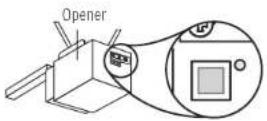
1 Select and write a 4-digit PIN:
2 Determine your opener ID using the list below.
| ID Garage door opener brand and manufacturing dates | |
| 1 Linear garage door openers manufactured from 1997 to present. | |
| 2 Chamberlain, Sears Craftsman, LiftMaster, Master Mechanic and Do It garage door openers manufactured from 1997 to 2004 [Orange/Red Button]. | |
| 3 Chamberlain, Sears Craftsman, LiftMaster, Master Mechanic and Do It garage door openers manufactured from 2005 to present [Purple Button]. | |
| 4 Chamberlain, Sears Craftsman, LiftMaster, Master Mechanic and Do It garage door openers manufactured from 1993 to 1996 [Green Button]. | |
| 5 Genie Intellicode and Overhead Door garage door openers manufactured from 2005 to present (315 MHz). | |
| 6 Genie Intellicode and Overhead Door garage door openers manufactured from 1995 to present (390 MHz). | |
| 7 Stanley garage door openers manufactured in 1998 to present. | |
| 8 Chamberlain, Sears Craftsman, and LiftMaster garage door openers manufactured 2011 to present [Yellow Button]. | |
| 9 Wayne Dalton garage door openers manufactured in 1999 to present. |
3 Press and hold the * and # buttons until keypad stops flashing.
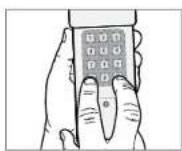
4 Enter PIN from step 1, press #.
5 Enter ID from step 2, press #.
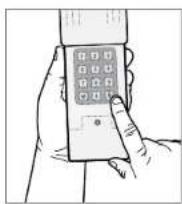
6 Press and release the Smart/Learn button on garage door opener.
7 Enter your 4 digit PIN and press the 0 key. NOTE: For Genie and Overhead Door units, press the 0 key twice.
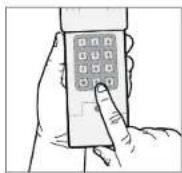
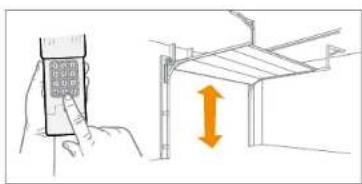
8 To test and use, wait until lights turn off, enter your PIN and press the 0 key.
natural_image
Illustration showing a hand holding a mobile phone and a structural diagram with an upward arrow (no text or symbols)If opener does not function, repeat programming.
Programming
TYPE 5
Genie Intellicode 2 garage door openers with: Program/Set button.
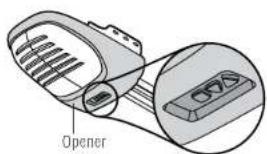
1 Select and write a 4-digit PIN:
2 Press and hold the * and # buttons until keypad stops flashing.
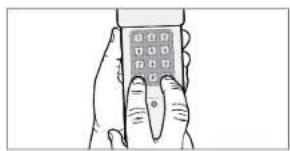
natural_image
Illustration of a hand holding a mobile phone with a keypad (no text or symbols visible)3 Enter PIN from step 1, press #.
4 Press 5, then press #.
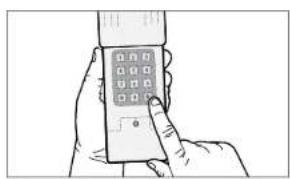
natural_image
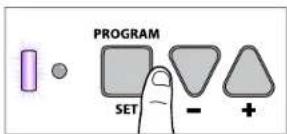
Line drawing of a hand holding a smartphone with a grid of square buttons (no text or symbols visible)5 On the garage door opener, press and hold the Program/Set button until both the long and short LED light up BLUE.
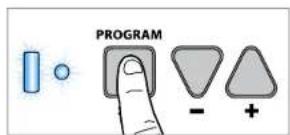
6 Release the Program/Set button and only the round LED will be lit in BLUE.
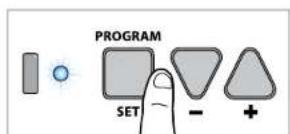
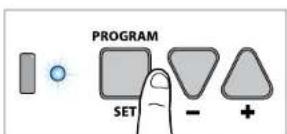
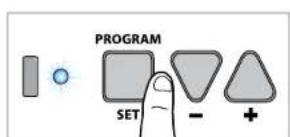
7 Press and release the Program/Set button and the long LED will flash PURPLE.
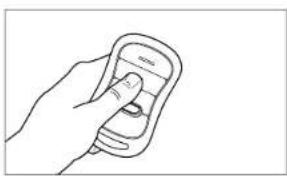
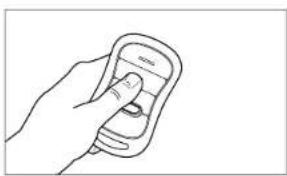
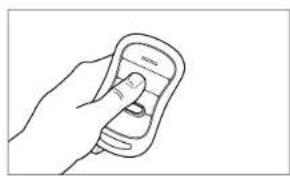
8 On the Genie ^® remote control, press and release the button that is already programmed to the garage door opener. Both LEDs will flash PURPLE.
9 On the CLICKER® keypad, enter the PIN from step 1, and press and release the 0 key. Both LEDs on the garage door opener will light up PURPLE.
10 On the CLICKER® keypad, press and release 0 again. Both LEDs on the garage door opener will light up BLUE.
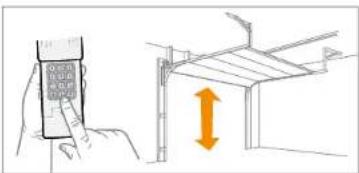
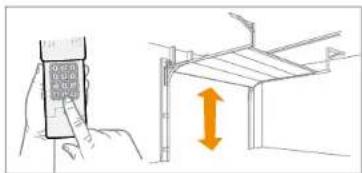
11 On the CLICKER® keypad, press and release 0 again. This will activate the garage door opener and programming is complete.
12 To test and use, wait 30 seconds, then enter your PIN and press the 0 key.
If opener does not function, repeat programming.
natural_image
Line drawing of a hand holding a mobile phone with a finger pointing at the screen (no text or symbols)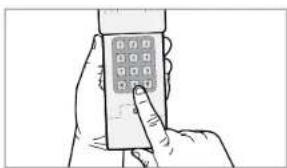
natural_image
Line drawing of a hand holding a smartphone with a grid of square buttons (no text or symbols visible)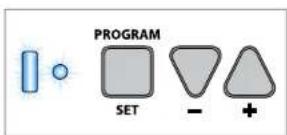
Installation

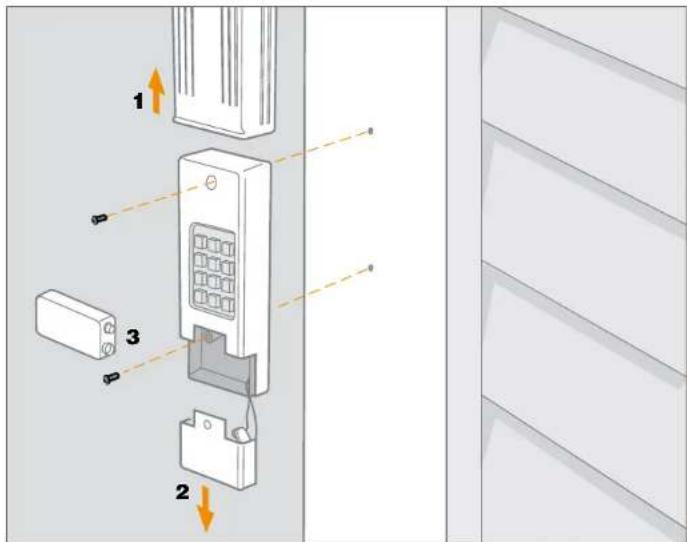
Install out of reach of small children at a minimum height of 5 feet (1.5 m) above floors, landings, steps or any other adjacent walking surface, and away from ALL moving parts of door. Secure keypad to a smooth surface. Mount the keypad out of the path of the moving garage door, but within sight of it (4" [10 cm] clearance is needed for the cover).
1 Remove cover.
2 Remove battery cover to expose mounting holes.
3 Remove battery and mount keypad using screws provided.
4 Reassemble.
Changing your 4-digit pin
Enter existing PIN, press *, enter new PIN and press *. To test and use, enter your new PIN and press the 0 key.
Battery
WARNING
To prevent possible SERIOUS INJURY or DEATH:
- NEVER allow small children near batteries.
- If battery is swallowed, immediately notify doctor.
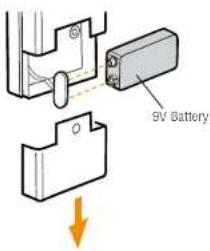
Replace the 9-Volt battery when keypad light becomes dim or does not light up. Slide cover up, remove battery cover, and replace battery. Re-programming may be necessary.
FAQs

Why won't my keypad work?
- Did the keypad lights come on when you entered your PIN? If the keypad lights do not turn on when you press a button, it indicates that the battery needs to be replaced. Replace with a 9V battery.
- Try reprogramming the keypad to the garage door opener.
- Make sure the keypad is compatible with your garage door opener (Chamberlain 315 MHz or 390 MHz garage door openers manufactured after January 1, 1993).
• If the solutions above did not work, replace the keypad.
How do I erase my pin?
To clear out the keypad, press and hold the * and the # keys together until the keypad stops flashing. Proceed to reprogram the keyless entry.
Can I program the keypad to a second garage door opener?
The keypad can only activate one garage door opener.
WARRANTY
ONE YEAR LIMITED WARRANTY
The Chamberlain Group, Inc. warrants to the first consumer purchaser of this product that it is free from defect in materials and/or workmanship for a period of 1 year from the date of purchase.
Do I always have to use a 0 after my 4 digit PIN to activate the opener?
After programming the keypad, any fifth number will act as the "enter" button to activate the opener.
Why does the door move after I only press 1 number button?
After operating the garage door with the keypad, the keypad lights will flash for 10 seconds. The keypad remains active during the 10 seconds of flashing; any number will activate the door.
Where is my LEARN button located?
If equipped with a LEARN button, it can either be found on the garage door opener or on an external receiver. To locate the receiver look for an antenna. Some receivers will require a cover be removed to gain access to the switch positions.
Will I have to reprogram the keypad after changing the battery?
The keypad should retain its memory. If the keypad no longer operates the operator, reprogram the keypad to your system.
Where is my LEARN button on my gate?
Most gate operators have a built-in radio receiver or an external receiver. The receiver on a gate opener can usually be found within the cabinet of the operator. To gain access you might require permission if used in a community gate.
NOTICE: To comply with FCC and or Industry Canada (IC) rules, adjustment or modifications of this receiver and/or transmitter are prohibited, except for changing the code setting or replacing the battery. THERE ARE NO OTHER USER SERVICEABLE PARTS. Tested to Comply with FCC Standards for Home or office use. Operation is subject to the following two conditions: (1) this device may not cause harmful interference, and (2) this device must accept any interference received, including interference that may cause undesired operation.
www.chamberlain.com
1-800-442-1255
© 2007, The Chamberlain Group
All Rights Reserved114A5072
CHAMBERLAIN®
Clavier Universel Sans Fil
MODÈLES KLIK2U, KLIK2U-P2, KLIK2C ET KLIK2C-P2
Introduction 2
Programmation 3-7
Installation 8
natural_image
Pure architectural arch diagram without any text, numbers, or symbols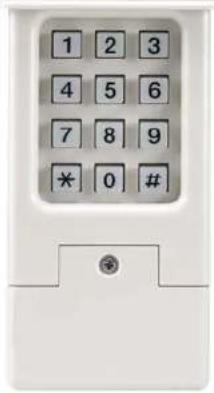
Introduction

Programmation

TYPE 1
natural_image
Illustration showing a hand holding a mobile phone and a structural diagram with an upward arrow (no text or symbols)natural_image
Illustration showing a hand holding a mobile phone and a structural diagram with an upward arrow (no text or symbols)natural_image
Illustration of a hand holding a mobile phone and a structural frame with an orange double-headed arrow indicating vertical displacement (no text or symbols present)natural_image
Illustration showing a hand holding a mobile phone and a structural diagram with an upward arrow (no text or symbols)natural_image
Illustration of a hand holding a handheld device with a grid of square buttons (no text or symbols visible)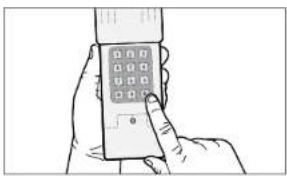
natural_image
Line drawing of a hand holding a mobile phone with a keypad (no text or symbols visible)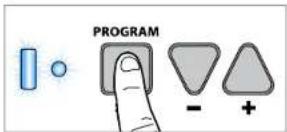
natural_image
Line drawing of a hand holding a mobile phone with a finger pointing at the screen (no text or symbols)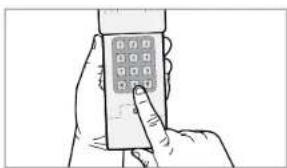
natural_image
Line drawing of a hand holding a smartphone with a grid of square buttons (no text or symbols visible)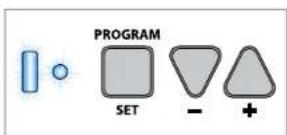
Installation

Pile
AVERTISSEMENT
GARANTIE LIMITÉE D'UN AN
© 2007, The Chamberlain Group
MODELOS KLIK2U, KLIK2U-P2, KLIK2C Y KLIK2C-P2
Introducción 2
natural_image
Pure architectural arch diagram without any text, numbers, or symbols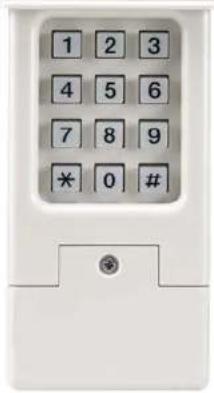
Introducción

natural_image
Illustration showing a hand holding a mobile phone and a structural diagram with an upward arrow (no text or symbols)natural_image
Illustration showing a hand holding a mobile phone and a structural diagram with an upward arrow (no text or symbols)natural_image
Illustration of a hand holding a mobile phone with a keypad (no text or symbols visible)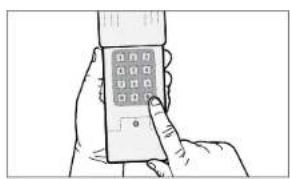
natural_image
Line drawing of a hand holding a smartphone with a grid of square buttons (no text or symbols visible)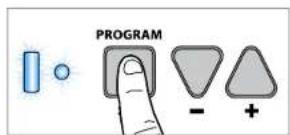
natural_image
Line drawing of a hand holding a mobile phone with a finger pointing at the screen (no text or symbols)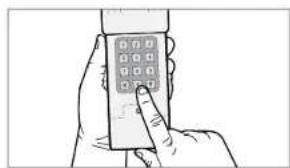
natural_image
Line drawing of a hand holding a mobile phone with a keypad (no text or symbols visible)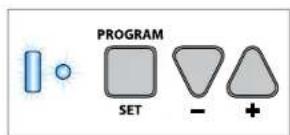
Installación

Pila
ADVERTENCIA
© 2017, The Chamberlain Group