PBN65 - Power bank Aukey - Free user manual and instructions
Find the device manual for free PBN65 Aukey in PDF.



| Product type | External battery |
| Brand | Aukey |
| Model | PB-N65 |
| Capacity | 20,000 mAh / 74 Wh |
| Battery technology | Lithium Polymer |
| Micro-USB input | 5 V / 2 A |
| Lightning input | 5 V / 2 A |
| Total input (dual charging) | 5 V / 4 A |
| USB 1 output | 5 V / 2.4 A |
| USB 2 output | 5 V / 2.4 A |
| Total output | 5 V / 4.8 A |
| Dimensions | 177 x 69 x 25 mm |
| Weight | 382 g |
| Level indicator | LED (4 lights) |
| Low-current charging mode | Yes (double-click the power button) |
| Quick recharge | Turbo charge via dual input (approx 5h30) |
| Maintenance | Recharge at least every 3 months |
| Safety | Keep away from liquids and heat sources |
| Warranty | Contact support.eu@aukey.com (Amazon Europe orders) |
Frequently Asked Questions - PBN65 Aukey
User questions about PBN65 Aukey
0 question about this device. Answer the ones you know or ask your own.
Ask a new question about this device
Download the instructions for your Power bank in PDF format for free! Find your manual PBN65 - Aukey and take your electronic device back in hand. On this page are published all the documents necessary for the use of your device. PBN65 by Aukey.
USER MANUAL PBN65 Aukey
Thank you for purchasing the AUKEY PB-N65 20000mAh Power Bank. Please read this user manual carefully and keep it for future reference. If you need any assistance, please contact our support team with your product model number and Amazon order number.
Package Contents
20000mAh Power Bank
Micro-USB Cable
User Manual
Warranty Card
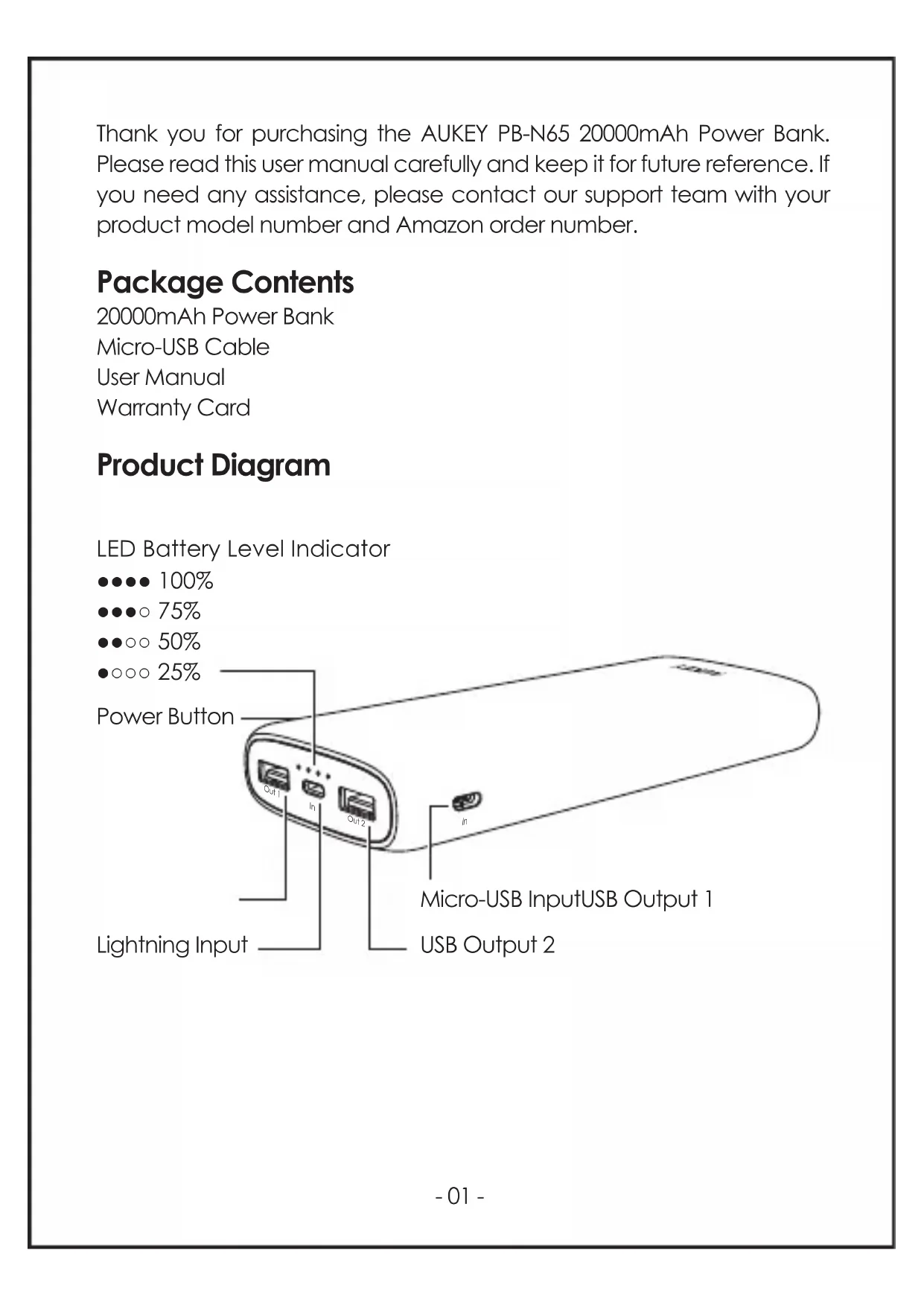
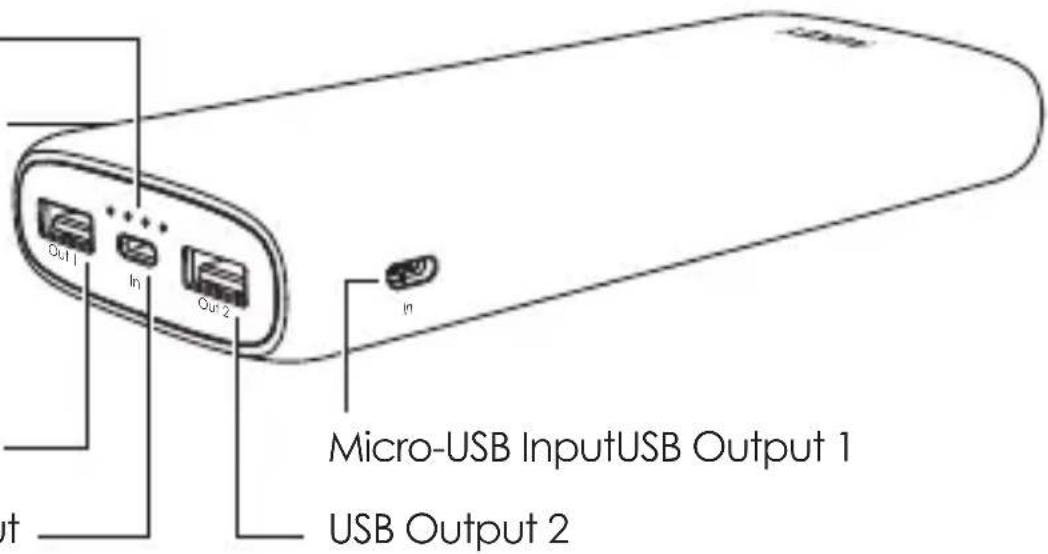
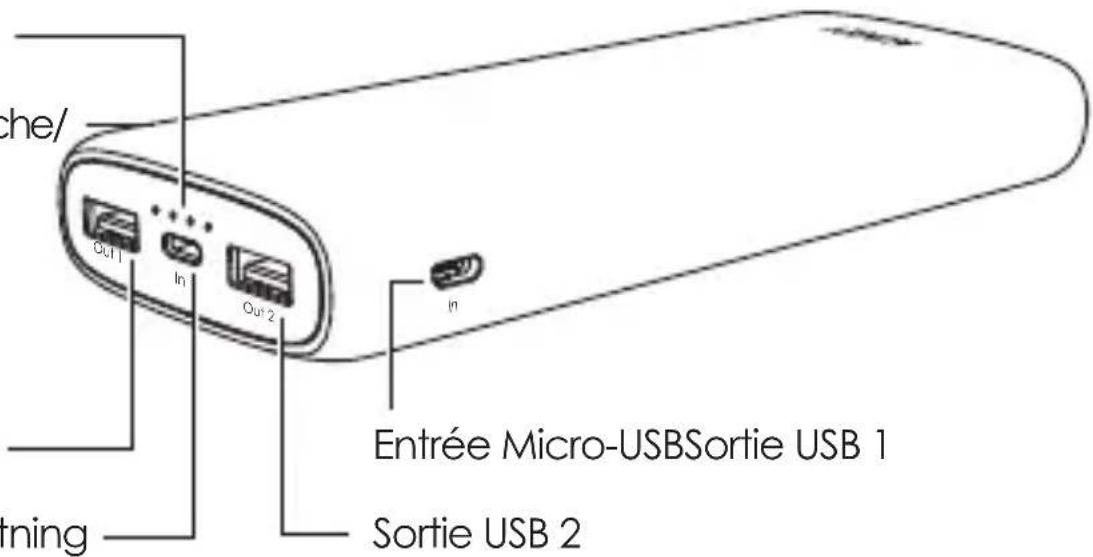
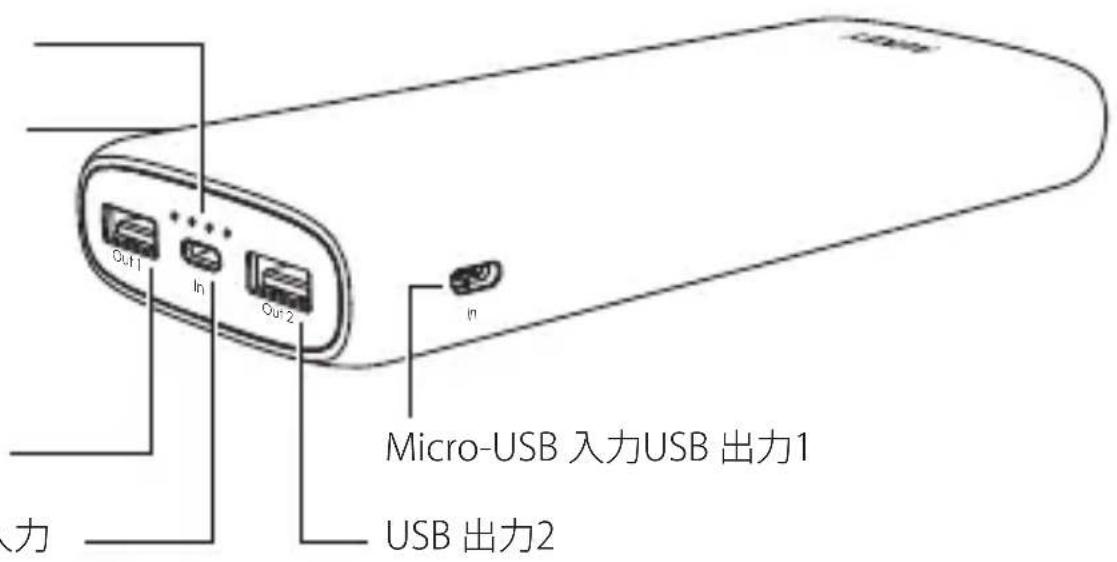
Product Diagram
LED Battery Level Indicator
●●●● 100%
●●●○ 75%
●●○○ 50%
•○○○ 25%
Power Button
Lightning Input
Specifications
| Model | PB-N65 |
| Technology | AiPower |
| Capacity | 20000mAh / 74Wh |
| Battery Type | Lithium polymer |
| Lightning Input | DC 5V 2A |
| Micro-USB Input | DC 5V 2A |
| Total Input | DC 5V 4A |
| USB Output 1 / 2 | DC 5V 2.4A (5V 4.8A total) |
| Dimensions | 177 x 69 x 25mm / 6.98" x 2.71" x 0.97" |
| Weight | 382g / 13.47oz |
Getting Started
Charging the Power Bank
Fully charge the power bank before first use.
- Connect the included micro-USB cable or your own MFi-certified Lightning cable to a USB charger or charging port
- Connect the other end to the micro-USB / Lightning input port on the power bank
- Unplug the power bank when fully charged
Note: Turbo recharge the power bank using the micro-USB and Lightning input ports simultaneously. Charging takes around 5.5 hours.
Charging Your Device
- Connect the charging cable to your device's charging port
- Connect the other end to a USB output port on PB-N65
- Unplug your device when fully charged
- To check the remaining battery level, press the power button
Low-Current Charging Mode
This mode is customized to charge low-current devices (below 60mA). Try switching to this mode if a low-powered device (such as a fitness tracker or wireless headphones) isn't charged in the standard charging mode.
- Double-press the power button to enter or exit low-current charging mode. The LED indicator lights will flash sequentially while charging in this mode and display battery level when exiting it
- After 2 hours of charging in this mode, power bank automatically switches back to standard charging mode and turns off
- To end charging early, exit low-current charging mode. However, extra charging in this mode won't harm your device battery
Product Care & Use
- Keep away from liquids and extreme heat
- Don't charge your devices while recharging the power bank
- Recharge the PB-N65 at least once every 3 months
- Dispose of battery according to local environmental law
Warranty & Customer Support
For questions, support, or warranty claims, contact us at the address below that corresponds with your region. Please include your Amazon order number and product model number.
Amazon US order: support.us@aukey.com
Amazon EU order: support.eu@aukey.com
Amazon CA order: support.ca@aukey.com
Amazon JP order: support.jp@aukey.com
*Please note, AUKEY can only provide after sales service for products purchased directly from AUKEY. If you have purchased from a different seller, please contact them directly for service or warranty issues.
100%
●●●○ 75%
●●○○ 50%
●○○○ 25%
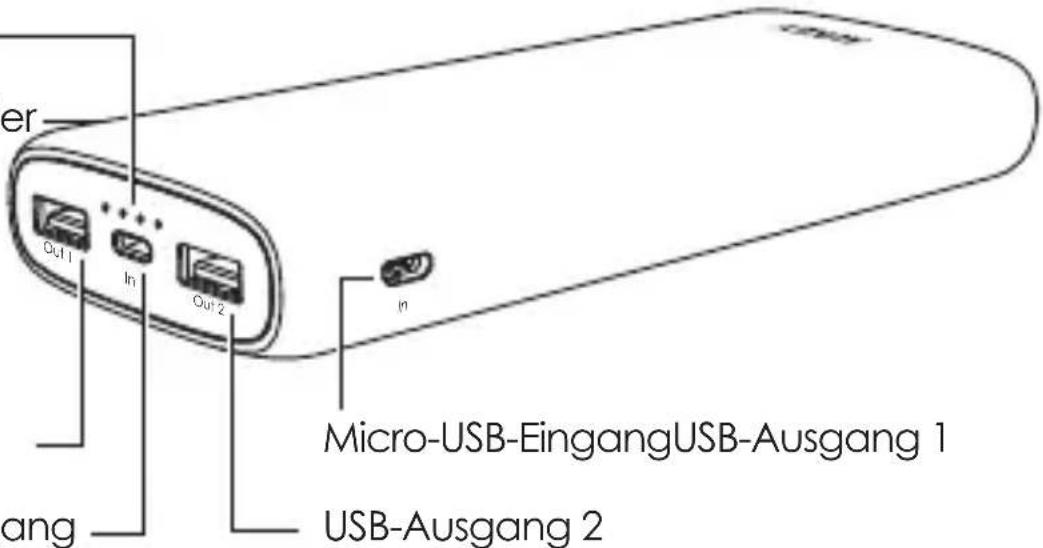
Ein-/Ausschalter
Lightning-Eingang
Technische Daten
Amazon EU orders: support.eu@aukey.com
100%
●●●○ 75%
●●○○ 50%
●○○○ 25%
Bouton Marche/
Arrêt
Entrée Lightning
Caractéristiques
100%
●●●○ 75%
●●○○ 50%
●○○○ 25%
100%
●●●○ 75%
●●○○ 50%
•○○○ 25%
100%
●●●○ 75%
●●○○ 50%
●○○○ 25%
電源ボタン
Lightning 入力
製品仕様
www.aukey.com | support@aukey.com
No.102, Building P09, Electronics Trade Center
Huanan City, Pinghu Town, Longgang District
Shenzhen, Guangdong, 518111, CN

RoHS
Made in China

Brand : Aukey
Model : PBN65
Category : Power bank