GM180 - Mouse Nacon - Free user manual and instructions
Find the device manual for free GM180 Nacon in PDF.



| Product type | Wireless optical mouse |
| Brand | NACON |
| Model | GM180 |
| Dimensions (L x W x H) | 12.6 x 6.3 x 3.5 cm |
| Power supply | Rechargeable Li-ion battery 3.7 V 500 mAh (AA) |
| Maximum sensor resolution | 2200 DPI |
| DPI adjustment | Yes, via dedicated switch |
| Number of buttons | 6 (including 2 side buttons) |
| Backlighting | RGB |
| Connection | Wireless 2.4 GHz via USB receiver |
| Included cable | USB A to micro-USB, 70 cm |
| System compatibility | Windows 7, 8, 10 |
| Battery type | AA 3.7 V 500 mAh (included and rechargeable) |
| Battery charging | Via micro-USB cable on PC/laptop |
| Low battery indication | The LEDs flash |
| Care and cleaning | Soft damp cloth, no detergents |
| Safety | Do not expose to moisture, shocks, extreme temperatures. Do not open. |
| Spare parts and repairability | Replaceable battery (type AA 3.7 V). Support via Nacon hotline. |
| Warranty | 2 years from date of purchase |
| Package contents | Mouse, USB receiver, USB cable, rechargeable AA battery, quick start guide |
Frequently Asked Questions - GM180 Nacon
User questions about GM180 Nacon
0 question about this device. Answer the ones you know or ask your own.
Ask a new question about this device
Download the instructions for your Mouse in PDF format for free! Find your manual GM180 - Nacon and take your electronic device back in hand. On this page are published all the documents necessary for the use of your device. GM180 by Nacon.
USER MANUAL GM180 Nacon
WIRELESS GAMING MOUSE
SOURIS DE JEU SANS FIL
WINDOWS™ COMPATIBLE
NC5153 / PCGM-180


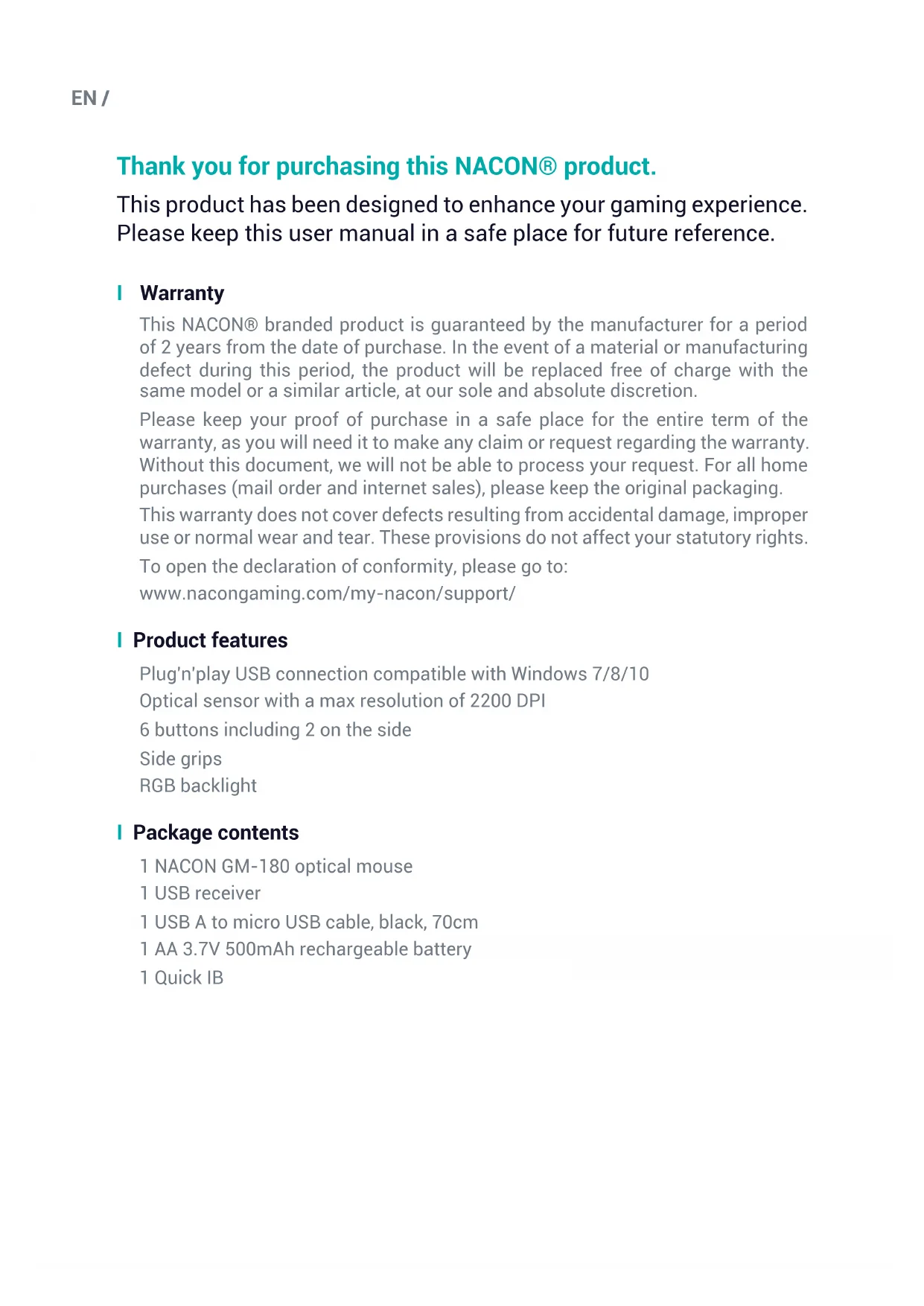
Thank you for purchasing this NACON® product.
This product has been designed to enhance your gaming experience. Please keep this user manual in a safe place for future reference.
I Warranty
This NACON® branded product is guaranteed by the manufacturer for a period of 2 years from the date of purchase. In the event of a material or manufacturing defect during this period, the product will be replaced free of charge with the same model or a similar article, at our sole and absolute discretion.
Please keep your proof of purchase in a safe place for the entire term of the warranty, as you will need it to make any claim or request regarding the warranty. Without this document, we will not be able to process your request. For all home purchases (mail order and internet sales), please keep the original packaging.
This warranty does not cover defects resulting from accidental damage, improper use or normal wear and tear. These provisions do not affect your statutory rights.
To open the declaration of conformity, please go to:
www.nacongaming.com/my-nacon/support/
Product features
Plug'n'play USB connection compatible with Windows 7/8/10
Optical sensor with a max resolution of 2200 DPI
6 buttons including 2 on the side
Side grips
RGB backlight
Package contents
1 NACON GM-180 optical mouse
1 USB receiver
1 USB A to micro USB cable, black, 70cm
1 AA 3.7V 500mAh rechargeable battery
1 Quick IB
I Control elements
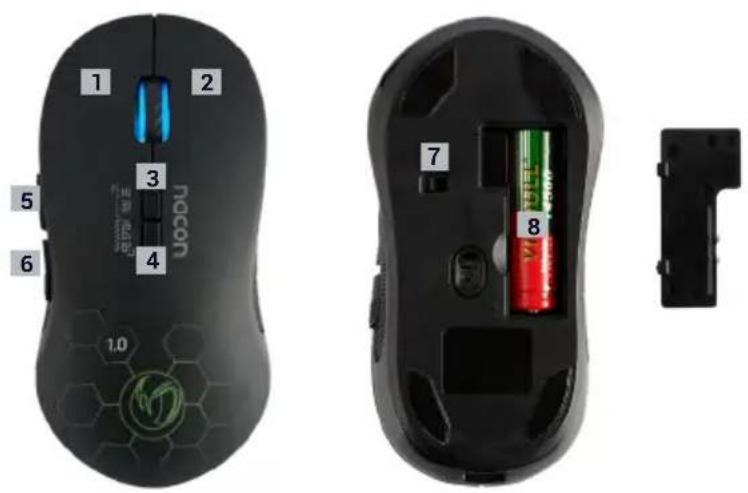
text_image
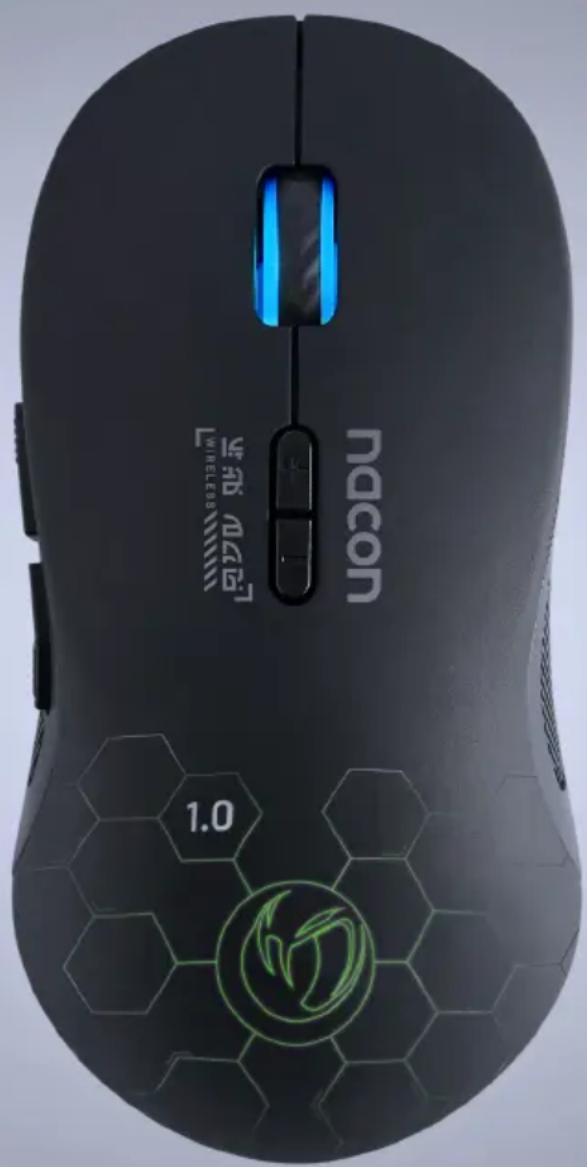
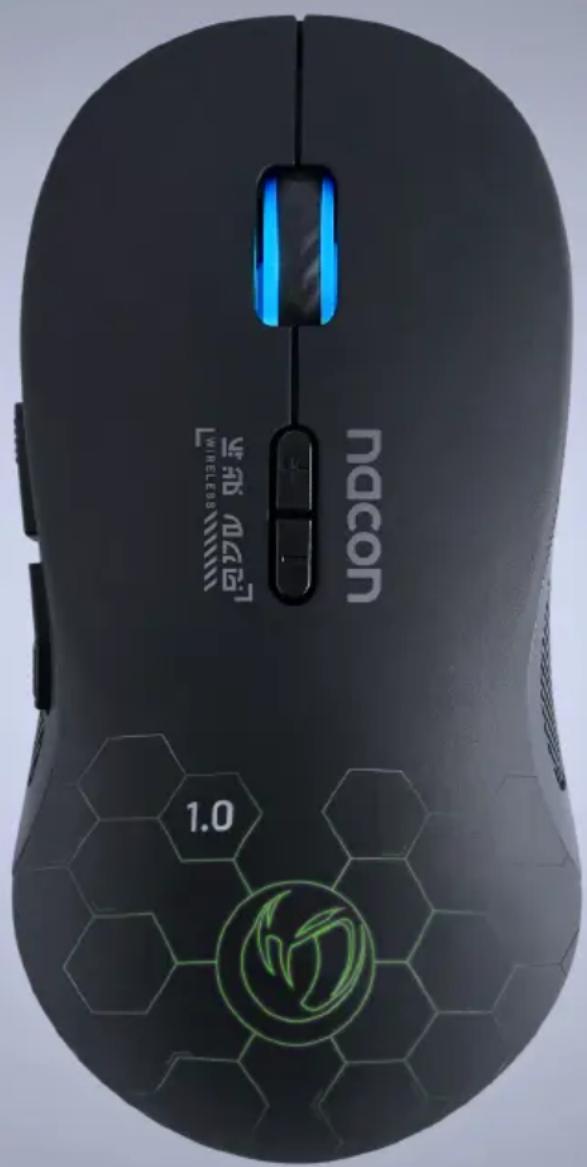
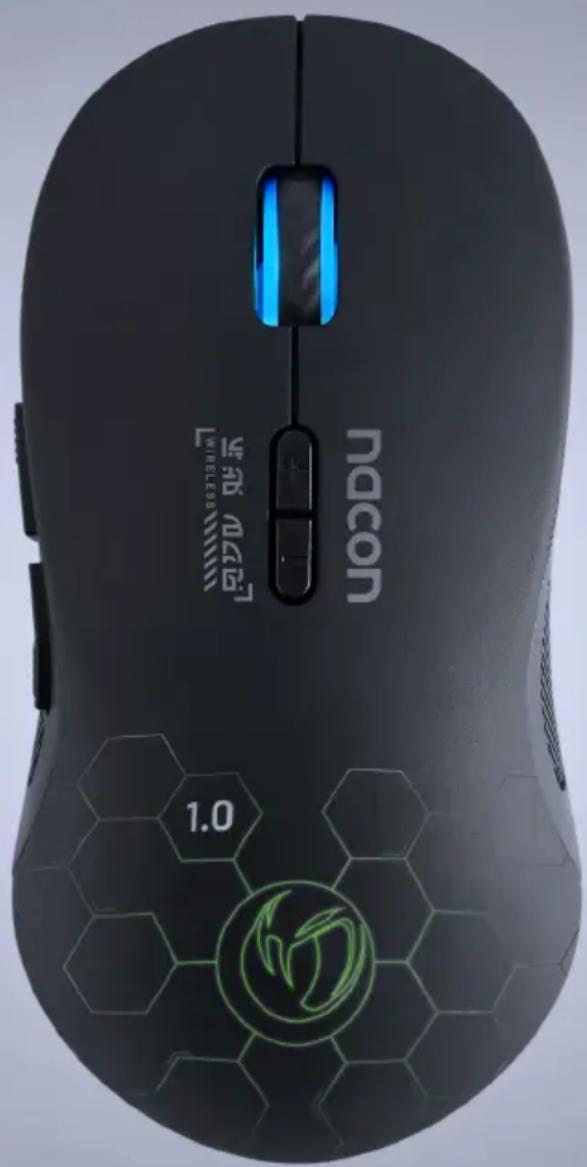
1 2 3 4 5 6 Nacon 1.0 7 81 / Left button
2 / Right button
3 / Knob (central button when you press)
4 / DPI switch
5 / Next page (browser)
6 / Previous page (browser)
7 / 3-position Off/On (without backlighting)/On (with backlighting) switch
8 / Battery location
Connecting to a PC (first time)
The NACON GM-180 optical mouse is a Plug'n'Play device. In other words, the driver will be installed automatically when you connect it to the PC for the first time. Here is the procedure in detail.
- Turn on your computer and wait for it to start. Then log in to access your Windows desktop.
- Connect the USB receiver of the NACON GM-180 to a free USB port on your PC.
- Windows will then detect the new device and the driver installation process will start a few seconds later (a small icon will appear in the taskbar).
- The duration of the installation depends on the speed of your system. When the installation is complete, the icon will change. Position the switch under the mouse to ON. You can now use your mouse.
NB: To use the GM-180 mouse, its USB receiver must always be connected.
Changing the resolution
The NACON GM-180 has an optical sensor which tracks your movements and transmits this information to the PC.
This sensor is compatible with different resolutions. The higher the resolution, the more precisely your movements are tracked, but the more you are likely to encounter difficulties in positioning the cursor on a specific point on the screen.
Battery installation
Remove the battery compartment cover and insert the battery provided, making sure that they are pointing in the direction as indicated on the battery compartment,
i.e. the – terminal on the spring end and the + terminal on the domed end. Then close the cover.
NB: For the mouse to work properly, use the battery (3.7V) provided.
I Recharging the GM180
Using the USB charging cable, plug the micro USB connector into the micro USB port of the mouse. Plug the other end of the cable into the USB port of a PC/laptop.
Important: Always charge the battery in the mouse and do not use an external charger to charge the battery directly.
Low battery indication
When the battery level is low, the LED starts to flash to indicate that your mouse does not have much battery charge and that it must be recharged.
Recycling
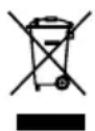
Do not dispose of this product with the household waste. Dispose of your old electrical appliance at a suitable collection centre. Recycling is important and helps protect the environment by reducing waste. EU and Turkey only.
I Important precautions
1/ This product is designed for indoor use only. Do not expose it to direct sunlight or bad weather.
2/ Do not expose the product to splashes, rain, drips or moisture. Do not immerse it in a liquid.
3/ Do not expose to dust, high levels of humidity, extreme temperatures or echanical shocks.
4/ Do not use and do not open if the equipment is damaged. Do not attempt to repair it.
5/ When cleaning the outside, only use a soft, clean and damp cloth. Detergents can damage the finish and get inside the product.
6/ Do not carry the product while holding it by the cable.
7/ This product is not designed for people (including children) suffering from a physical, sensory or mental handicap, or for users without the necessary and relevant experience or knowledge (unless they have been given advice and instructions on how to use the device from a person responsible for the user).
Do not leave the product unattended, do not leave this product within the reach of children. Not suitable for children under 7 (the cable can get wrapped around the neck).
8/ The maximum operating temperature must not exceed 35^ C
I Ergonomics
Keeping your hand in the same position for a prolonged period of time can result in pain. If this happens repeatedly, please consult your doctor.
As a precaution, take a 15-minute break every hour.
Technical specifications
Dimensions: 12.6 x 6.3 x 3.5 mm
Cable length: 70 cm
Consumption: 5V = 500mA
---: DC power supply
PRECAUTIONS FOR USE REGARDING THE BATTERY
WARNING
If your product has a built-in, non-replaceable battery, do not attempt to open the product or remove the battery, as you may damage the product and/or injure yourself.
If your product has a built-in replaceable battery, only use the type of battery
supplied by Nacon/RIG. Used batteries should be removed promptly and taken to appropriate collection centres.
RECYCLING: The product battery should be recycled or disposed of in the proper manner. Contact your local recycling centre for instructions on battery removal and disposal.
The battery has a limited lifespan. Battery charge duration gradually increases with repeated usage and age. Battery life also varies depending on the storage method, usage state, environment and other factors.
Charging may not be as effective when performed in other environments.
Battery duration may vary depending on the usage condition and environmental factors.
When not in use
When the controller is not used for an extended period of time, it is recommended that you fully charge it at least once a year in order to maintain its functionality.
WARNING
Risk of fire, explosion and burns.
Do not leave your charged battery for an extended period without the product being used
Prevent metal objects such as keys or coins from coming into contact with a battery or its holder.
Do not attempt to open or damage the battery. It may contain corrosive products which are dangerous if they come into contact with eyes or skin and are toxic if ingested.
Never put a battery in your mouth. If ingested, contact a doctor or poison control centre.
If the product contained in the battery comes into contact with your clothes, skin or eyes, please wash thoroughly with clear water and contact your doctor immediately.
Always keep batteries out of the reach of children.
Never throw a battery into a fire or oven; crushing or cutting a battery may cause an explosion;
A battery should not be subjected to extremely high or low temperature, low air pressure at high altitude during use, storage or transportation, as this may cause an explosion or leakage of flammable liquid or gas
I Technical Helpline Information
Email: support@nacongaming.com
Website: www.nacongaming.com
Legal Notices
Windows ^™ 7/8/10 are registered trademarks of Microsoft Corporation.

natural_image
Abstract circular logo with stylized bird-like design (no text or symbols)nacon
WWW.NACONGAMING.COM

@NaconGaming

lacongaming

on International

nacon
text_image
nacon WHEELS8 1.0GM-180
WIRELESS GAMING MOUSE
SOURIS DE JEU SANS FIL
WINDOWS™ COMPATIBLE
NC5153 / PCGM-180


https://www.nacongaming.com
Informations relatives au support technique
Email : support.be@nacongaming.com
Site Internet : www.nacongaming.com
Adresse : Bigben Interactive Belgium s.a./n.v. Waterloo Office Park / Bâtiment H Drève Richelle 161 bte 15, 1410 Waterloo, Belgium
Mentions légales
natural_image
Abstract circular logo with stylized flame-like shapes (no text or symbols)nacon
WWW.NACONGAMING.COM

@NaconFR

JacongamingFr

onFR

nacon
text_image
nacon WHEELS8 1.0GM-180
WIRELESS GAMING MOUSE
SOURIS DE JEU SANS FIL
WINDOWS™ COMPATIBLE
NC5153 / PCGM-180


Email : support.de@nacongaming.com
Website : www.nacongaming.com/de
Tel.: 02271-9047997
natural_image
Abstract circular logo with stylized white bird-like shape inside a dark circle (no text or symbols)nacon
WWW.NACONGAMING.COM
nacongamingde
@NaconGER
vacongamingDE
N·con Deutschland

nacon
text_image
nacon WHEELS8 1.0GM-180
WIRELESS GAMING MOUSE
SOURIS DE JEU SANS FIL
WINDOWS™ COMPATIBLE
NC5153 / PCGM-180


www.nacongaming.com/my-nacon/support/
Website: www.nacongaming.com
Email : support.nl@nacongaming.com
In België:
Bigben Interactive Belgium s.a./n.v. Waterloo Office Park / Bâtiment H Drève Richelle
161 bte 15, 1410 Waterloo, Belgium
Site Internet : www.nacongaming.com
Email : support.be@nacongaming.com
natural_image
Abstract circular logo with stylized bird-like design (no text or symbols)nacon
WWW.NACONGAMING.COM

@NaconGaming

lacongaming

on International

nacon
text_image
nacon WHEELS8 1.0GM-180
WIRELESS GAMING MOUSE
SOURIS DE JEU SANS FIL
WINDOWS™ COMPATIBLE
NC5153 / PCGM-180


www.nacongaming.com/it/my-nacon/supporto/
Website: www.nacongaming.com
Email : support.it@nacongaming.com
Avvertenze legali
natural_image
Abstract circular logo with stylized bird-like shape inside a dark circle (no text or symbols)nacon
WWW.NACONGAMING.COM
nacongamingit
NacongamingIt
■acon Italia

nacon
text_image
nacon WHEELS8 1.0GM-180
WIRELESS GAMING MOUSE
SOURIS DE JEU SANS FIL
WINDOWS™ COMPATIBLE
NC5153 / PCGM-180


natural_image
Abstract circular logo with stylized bird-like design (no text or symbols)nacon
WWW.NACONGAMING.COM

@NacongamingES
NacongamingES
■acon España