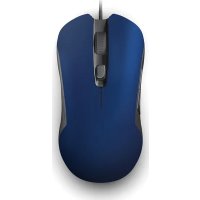
GM110 - Mouse Nacon - Free user manual and instructions
Find the device manual for free GM110 Nacon in PDF.



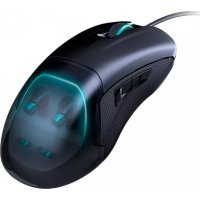
| Product Type | Wired Optical Mouse |
| Brand | NACON |
| Model | GM110 |
| Dimensions | 125.3 x 62.9 x 37.1 mm |
| Cable Length | 1.80 m |
| Power Supply | 5 V, 98 mA (via USB) |
| Interface | USB Plug'n'Play |
| Compatibility | Windows 7, 8, 10 |
| Sensor | Optical |
| Maximum Resolution | 2400 DPI (4 levels: 800, 1200, 1600, 2400) |
| Number of Buttons | 6 (including scroll wheel and DPI switch) |
| Surface | Textured |
| Package Contents | Mouse, user manual |
| Warranty | 2 years |
| Usage | Indoor only |
| Cleaning | Soft, slightly damp cloth |
| Recycling | Do not dispose of with household waste |
| Precautions | Do not expose to moisture, shocks, disassembly prohibited |
| Customer Support | support.fr@naongaming.com |
Frequently Asked Questions - GM110 Nacon
User questions about GM110 Nacon
0 question about this device. Answer the ones you know or ask your own.
Ask a new question about this device
Download the instructions for your Mouse in PDF format for free! Find your manual GM110 - Nacon and take your electronic device back in hand. On this page are published all the documents necessary for the use of your device. GM110 by Nacon.
USER MANUAL GM110 Nacon
OPTICAL GAMING MOUSE
USERGUIDE
NACON™ GM-110 optical mouse for PC.
Thank you for purchasing this NACON product. In case of a malfunction please refer to the support information at the end of this manual. We highly appreciate any feedback which helps us to improve our products. Please keep this instruction manual for future reference.
Guarantee
This product bearing the NACON trademark, is guaranteed by the manufacturer for a period of 2 years from the date of purchase, and will, during this period be replaced with the same or a similar model, at our option, free of charge, if there is a defect due to faulty material, or workmanship.
For any warranty request or claim, please keep your proof of purchase for the duration of the warranty. Without this document, we won't be able to process your request. The original packaging must be kept for all distance purchases (mail order & Internet).
This guarantee does not cover defects arising from accidental damage, misuse or wear and tear. This does not affect your statutory rights.
To access the declaration of conformity, please visit:
www.nacongaming.com/my-nacon/support
Product specifications
USB Plug'n'Play compatible with Windows® 7/8/10
Optical sensor with a resolution up to 2400DPI
6 buttons
Textured surface
Contents of the package
1 NACON GM-110 optical mouse
1 User manual
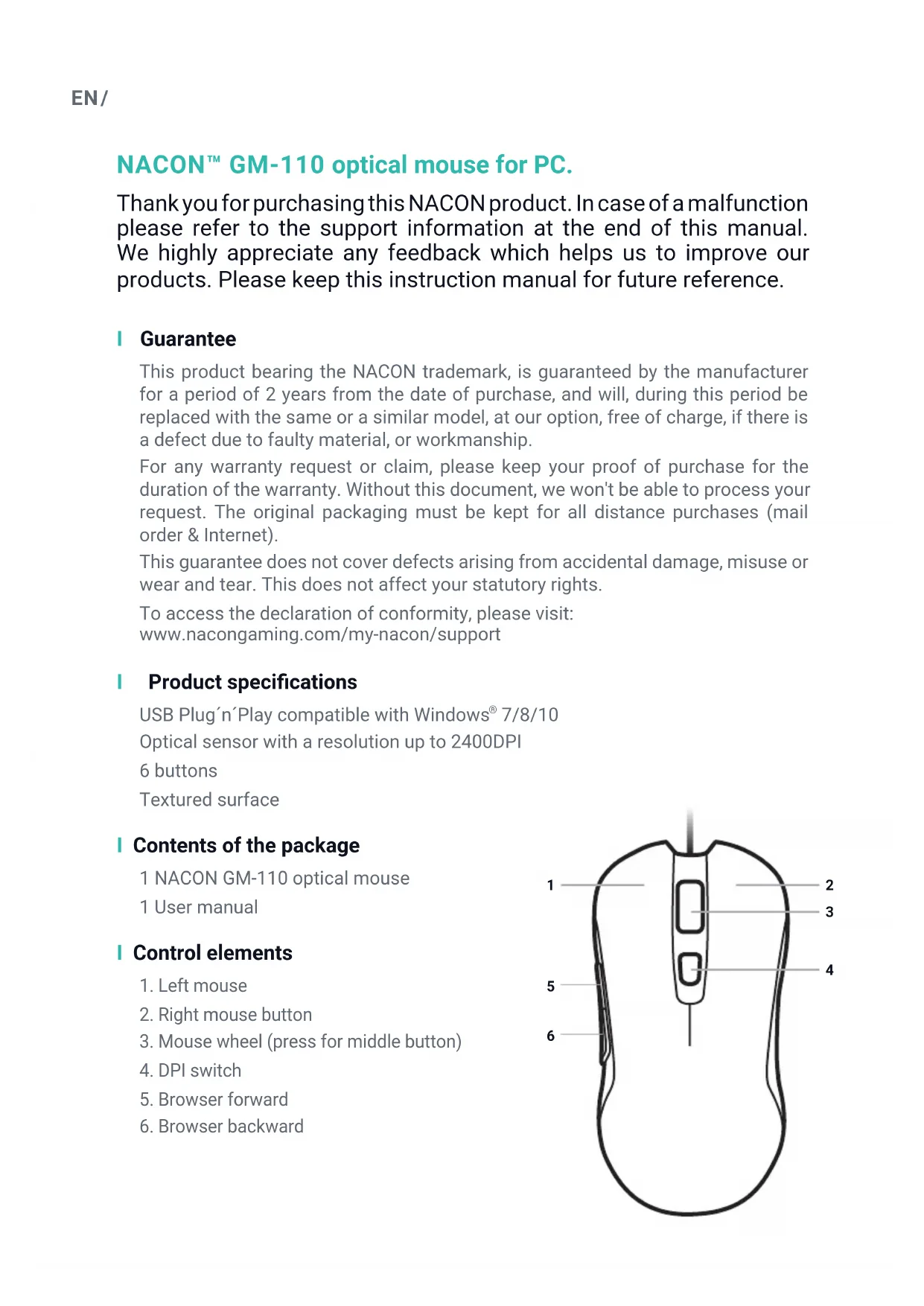
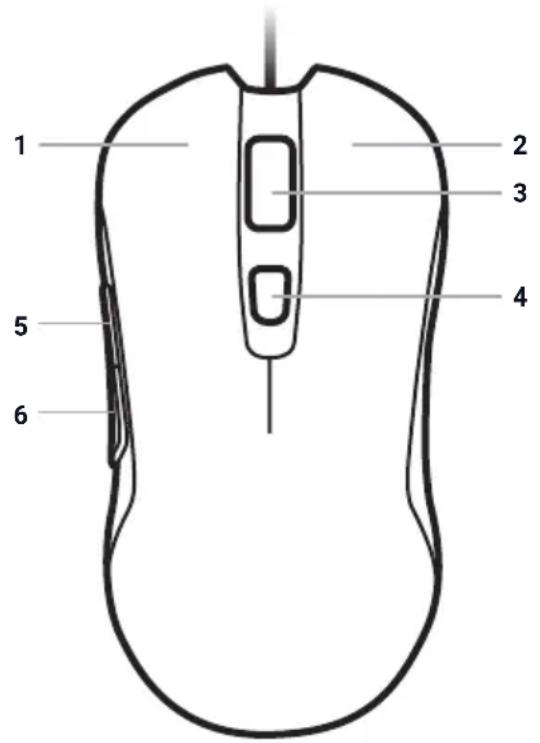
Control elements
1.Left mouse
2. Right mouse button
3. Mouse wheel (press for middle button)
4. DPI switch
5. Browser forward
6. Browser backward
First-time connection with the PC
The NACON GM-110 optical mouse is a Plug'n'Play device. This means that the necessary driver software should be installed automatically if you connect it to your computer for the first time. Here are the steps in detail.
- Turn on your computer, wait for it to boot and log in to your Windows desktop.
- Look for an unused USB slot on your PC and plug in the USB cable of your NACON GM-110 mouse.
- Windows will detect the new device and after a few seconds it will start the installation process for the appropriate drivers. This is shown by a small icon in the taskbar.
- The installation might take a while depending on the speed of your system. Once the installation is complete, you will see the icon change. You can now use your mouse.
Changing the resolution
The NACON GM-110 uses an optical sensor to track your movements and transmit this information to your PC.
This sensor can operate at various resolutions. The higher the resolution, the more precisely your movements will be tracked, but the harder you might feel it is to point the cursor at a specific point with your mouse. By pressing the DPI switch located below the mouse wheel you can change between 4 different resolutions: 800, 1200, 1600 and 2400 DPI.
Troubleshooting
My mouse does not install correctly after I've plugged it into the USB slot.
- Unplug your mouse from your PC wait a while and after that plug it into a different USB slot.
The tracking of my NACON GM-110 does not work properly.
- The performance of the optical sensors may decrease depending on which surface you use your NACON GM-110 on, as some materials reflect the light of the sensor better than others. The best performance should be achieved on mouse mats.
- After some time of usage, dirt and dust may get trapped in the sensor window and can negatively impact the performance. Freeing the window from dirt should solve that.
Recycling
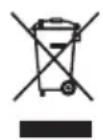
This product should not be disposed of in normal household rubbish. Please take it to a nominated collection point. Recycling is important and will help to protect our environment from
reduced landfill waste. EU and Turkey only.
Important Safeguards & Precautions
1/ This Unit is for indoor use only. Never expose to direct sunlight or wet weather conditions.
2/ Do not expose the unit to splashing, dripping, rain or moisture. Do not immerse in liquid.
3/ Do not expose to dust, high humidity, high temperatures or mechanical shock.
4/ Do not use if the equipment is damaged.
5/ Do not disassemble; there are no serviceable parts inside.
6/ For external cleaning, use a soft, clean, damp cloth only. Use of detergents may damage the finish and leak inside.
Not suitable for children under 7 years of age, the cord can coil around the neck.
Ergonomics
Holding your hand in the same position for a longer period of time can lead to aching and pain. If this occurs repeatedly please consult your doctor.
As a precaution we recommend that you take a 15 minute break every hour.
Technical Specification
Dimensions: 125.3 × 62.9 × 37.1 ~mm
- Cable length: 1.80m
Power consumption: 5V --- 98mA
DC power supply
Technical Helpline Information
Email: support@naongaming.com
Website: www.nacongaming.com
Legal lines
Windows® 7/8/10 are a registered trademarks of Microsoft Corporation.
Email: support.be@naongaming.com
Site Internet: www.naongaming.com
Adresse: Bigben Interactive Belgium s.a./n.v. Waterloo Office Park / Bâtiment H Drève Richelle 161 bte 15, 1410 Waterloo, Belgium
1 Mentions légales
Email: support.be@naongaming.com
Waterloo Office Park / Batiment H
Drève Richelle 161 bte 15,
1410 Waterloo, Belgium
www.naongaming.com
Email: support@naongaming.com
Website: www.nacongaming.com
Legal lines
Windows® 7/8/10 são marca registadas da Microsoft Corporation.

nacon
WWW. NACONGAMING.COM

@NaconGaming

aongaming

on International
- OPTICAL GAMING MOUSE
- USERGUIDE
- NACON™ GM-110 optical mouse for PC.
- Guarantee
- Product specifications
- Contents of the package
- Control elements
- First-time connection with the PC
- Changing the resolution
- Troubleshooting
- Recycling
- Important Safeguards & Precautions
- Ergonomics
- Technical Specification
- Technical Helpline Information
- Legal lines
- Mentions légales
- nacon
Brand : Nacon
Model : GM110
Category : Mouse