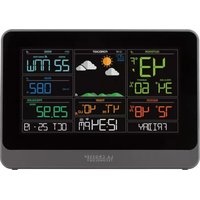
CA84688 - Weather Station LA CROSSE TECHNOLOGY - Free user manual and instructions
Find the device manual for free CA84688 LA CROSSE TECHNOLOGY in PDF.


User questions about CA84688 LA CROSSE TECHNOLOGY
0 question about this device. Answer the ones you know or ask your own.
Ask a new question about this device
Download the instructions for your Weather Station in PDF format for free! Find your manual CA84688 - LA CROSSE TECHNOLOGY and take your electronic device back in hand. On this page are published all the documents necessary for the use of your device. CA84688 by LA CROSSE TECHNOLOGY.
USER MANUAL CA84688 LA CROSSE TECHNOLOGY
Professional Wind Station

For online video support:
http://bit.ly/LaxTechTalk
Instructional Manual
Model: CA84688
DC:042318
Contents
Setup Preparation 3
Quick Setup 3
Buttons 4
Settings 4
DisplayIcons 5
Wind Speed Graph 6
Wind Readings 6
Wind History 6
Reset Wind Speed History 7
Temperature/Humidity HI | LO Readings 7
Reset Temperature/Humidity Readings 8
Set Weather Alerts 8
Programmable Alerts 9
Active Alert 9
Temperature/Humidity Trend Arrows 9
Frost and StormWarnings 10
Activate | Deactivate Frost or StormWarnings 10
Forecast Trend Arrows 11
Change Batteries 12
Sensor Search 12
Connect Add-on Sensors to Station 13
View Channels 13
Mount TX141Wv2 Sensor 14
Mount Add-on TX141TH-BCH Sensor 14
Position Weather Station 15
Replace Wind Cups 15
Factory Reset | Clear Memory 15
Visit Us on Social Media 16
Care and Maintenance 16
Specifications 17
Warranty and Support 18
FCC Statement 18
Canada Statement 18
Setup Preparation
Items you will need to setup your station (not included):
-
Phillips head screwdriver for assembly.
-
Fresh Batteries:
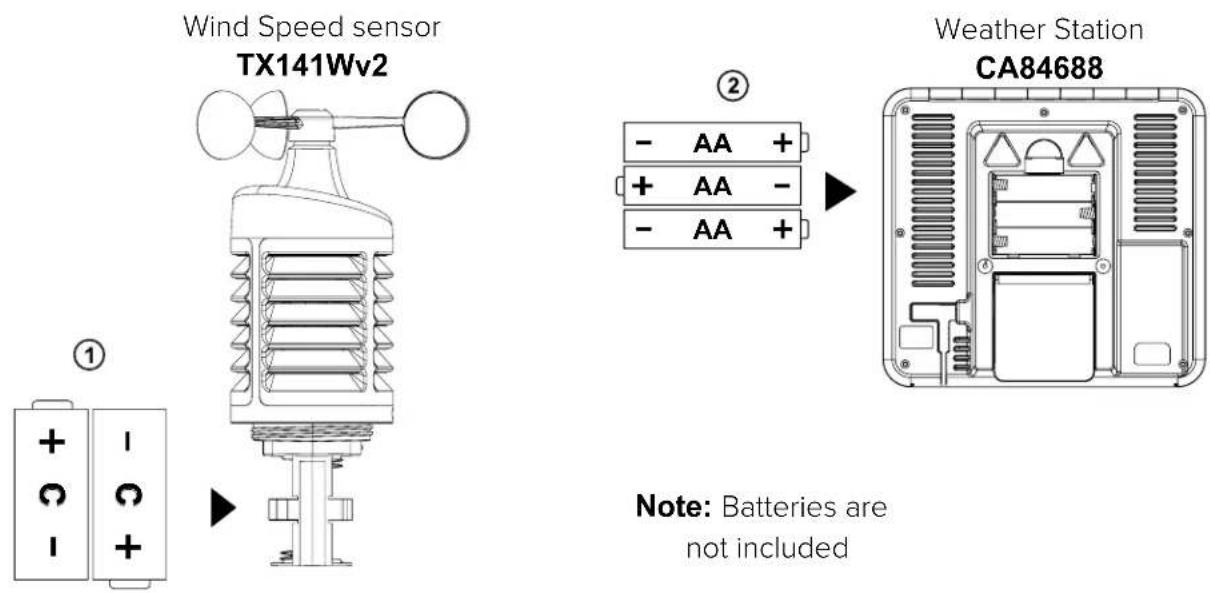
3 (three) AA alkaline batteries for the station
2 (two) C alkaline or lithium batteries for the Wind sensor.
For best results:
- Remove weather station and sensor from the package and place together on a table or bench, within easy reach.
- Place batteries and screwdriver within reach of setup location.
- Keep sensor and weather station within 5-10 feet for at least 15 minutes after installing batteries. This allows the sensors and station to sync properly and ensures a strong connection.
Quick Setup
- Power up: Insert 2-C batteries into the Wind/TH sensor. Then, insert 3-AA batteries into the weather station.
- Configure basic settings. Set Time, Date etc.
- After 15 minutes, place sensor outside (see mounting instructions on page 14).
Red LED on sensor: The sensor has a red LED light that flashes once during each sensor signal transmission.
Buttons
- Buttons are located on the top of the weather station.
- When entering a settings mode, hold the correct button (SET, ALERTS).
- And press and release the correct SET or ALERT button again to move to the next item in that setting mode.
- Press and release the +/- buttons to change a setting.
- Press and release the correct button to view readings (Wind, or Temp/Humidity).
| ALERTS | TEMP | WIND | + | - /CH | SET | WARNING |
Settings
- Hold the SET button for 3 seconds to enter time set mode.
- Press and release the + or -/CH buttons to adjust the values. Hold to adjust quickly.
- Press and release the SET button to confirm and move to the next item.
Note: Press and release the WARNING button any time to exit settings.
Settings order:
- BEEP ON I OFF
- Hour
- Minutes
- 12h/24h hour format
- Year
- Month
- Date
- Temperature (C/F)
- Wind speed select (mph/kmh)
Note: Press only one button at a time while in the settings menu.
To begin: Hold the SET button 3 seconds, then release:
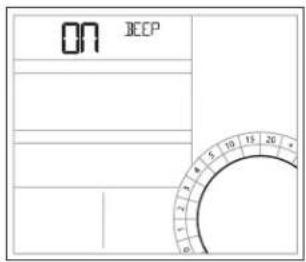
1. BEEP ON I OFF
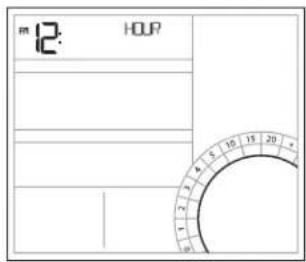
2. Hour
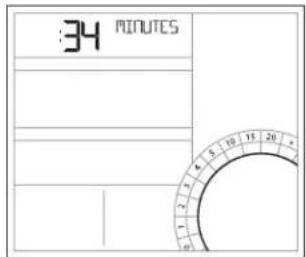
3. Minutes
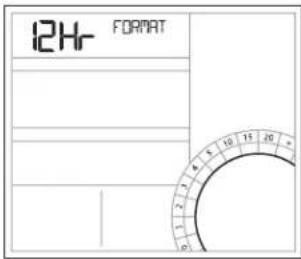
4.12 | 24 Format
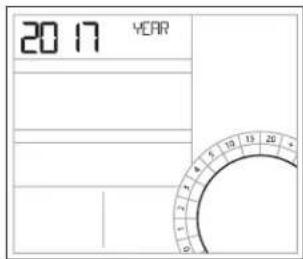
5. Year
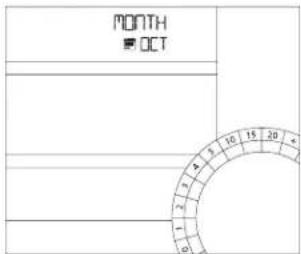
6. Month
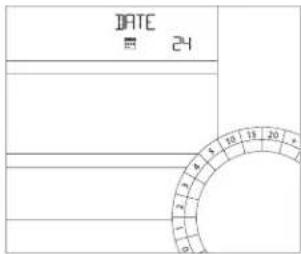
7. Date
Note: The day of the week is set automatically, after Year, Month, and date are specified
- Press the WARNING button at any time to exit.
- After 20 seconds with no button press, the station will default back to normal time display.
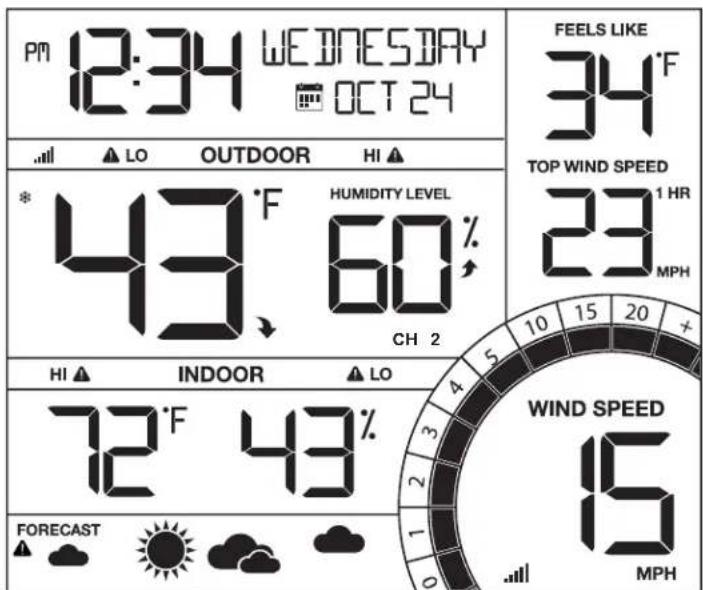
Display Icons
AMPM AMIPM
HILOorStormAlert
Frost Alert
Sensor Strength
CH1 Channel Indicator
Forecast Icon
KMH MPH Kilometers | Miles per hour
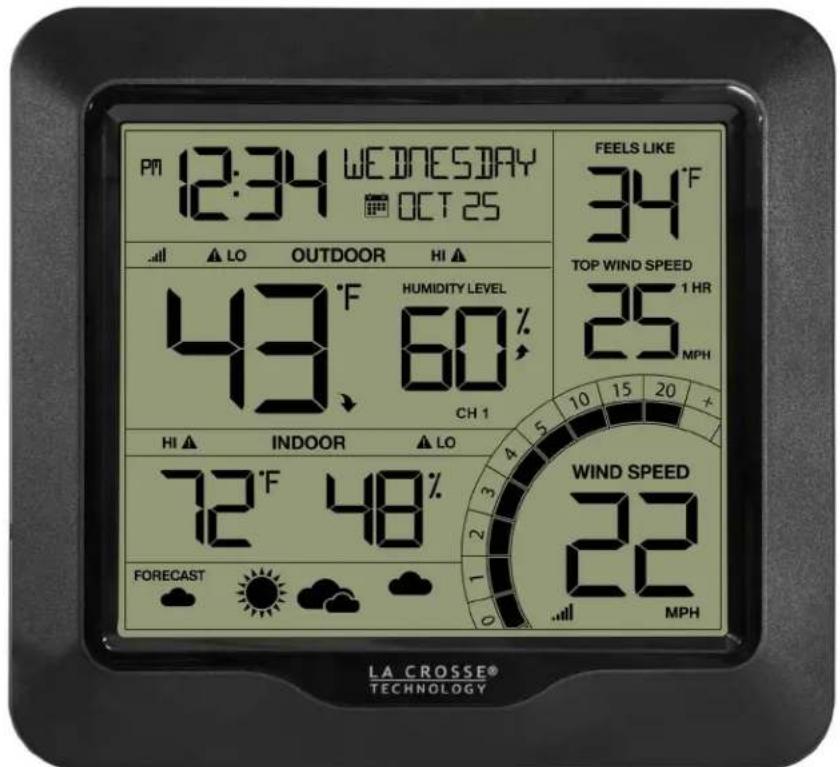
Wind Speed Graph
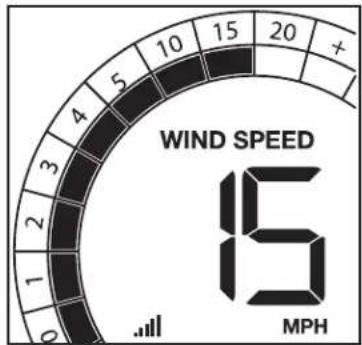
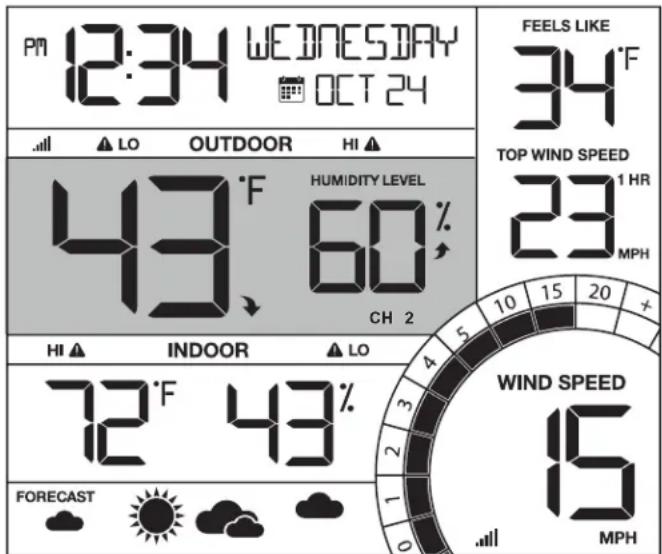
- Wind speed chart will fill to current speed. Current speed will blink. Example: 15 mph wind will show filled sections to 10 mph, and 15 mph color segment will flash.
- The units (MPH/KMH) are setup in the settings menu.
Wind Readings
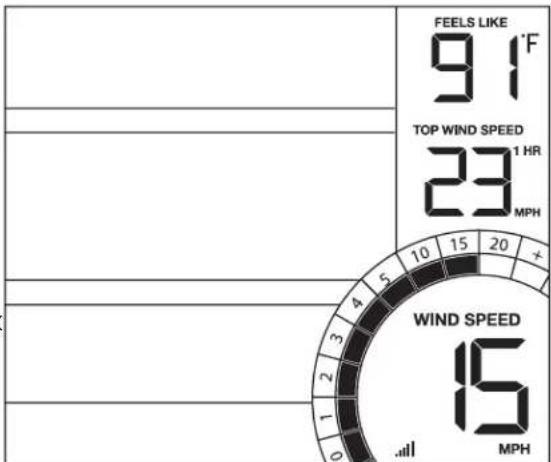
Wind Speed: Highest speed in past 30 seconds
Top Wind Speed: Highest recorded wind speed in time interval. Default is 1 hour, controlled by the Wind History feature, details below.
Feels Like Temperature:
Wind Speed | Temperature | Humidity combined
- When outdoor temp is higher than 80^ , displays heat index
- When outdoor temp is lower than 50^ , displays wind chill
- When outside of the above ranges will display current outdoor temperature.
Wind History
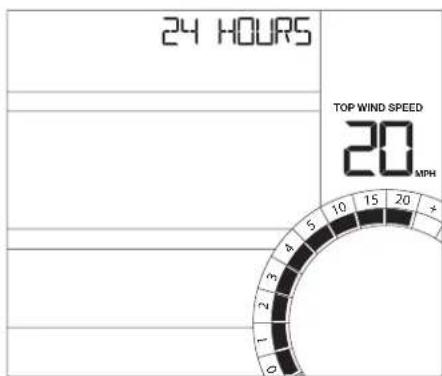
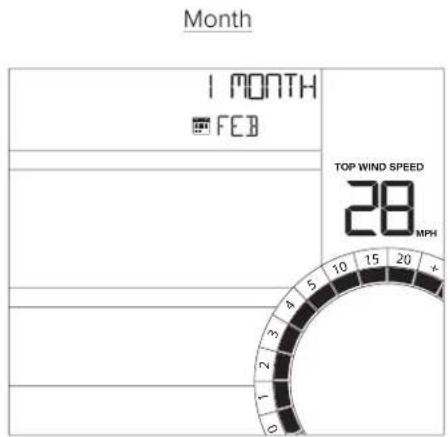
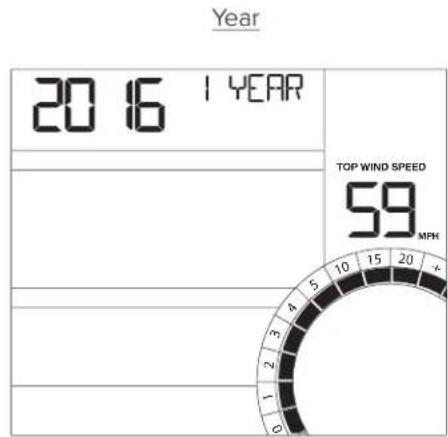
Press and release the WIND button to view the maximum wind history values.
One Hour: past 60 minute period (default Top Speed record, already shown)
24 hour: Past 24 hour period, from last record
7 Days: Past 7-day period, from last record
Month: Defined by Calendar Month i.e. January 1 - January 31
Year: Defined by Calendar Year i.e. January 1 - December 31
Note: After 5 seconds all readings default back to the 1 hour top wind speed.
24 Hours

7 Days
Reset Wind Speed History
- Press the WIND button to view individual wind speed readings.
- Hold the MINUS button for five seconds to reset each individual value.
- Wind speed reading will reset to current wind speed.
Temperature/Humidity HI | LO Readings
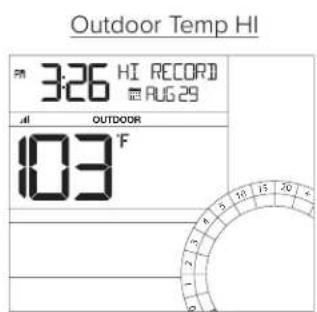
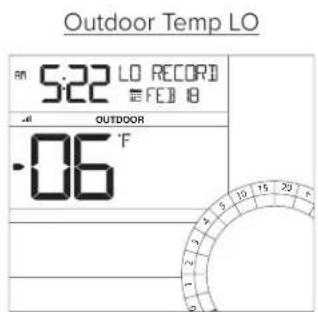
Press and release the TEMP button to view HI/LO temperature and humidity readings with time/date stamp. Press and release TEMP again to view the next value.
- Outdoor temperature HIGH
- Outdoor temperature LOW
- Outdoor humidity HIGH
-
Outdoor humidity LOW
-
Indoor temperature HIGH
- Indoor temperature LOW
- Indoor humidity HIGH
- Indoor humidity LOW
Feels like HIGH
Feels Like LOW
Dew Point
Note: Dew Point Temperature is not time/date stamped
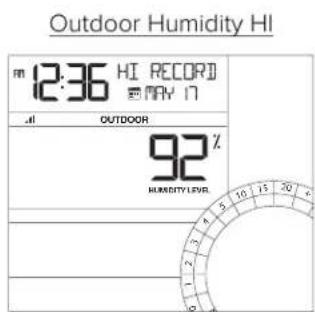
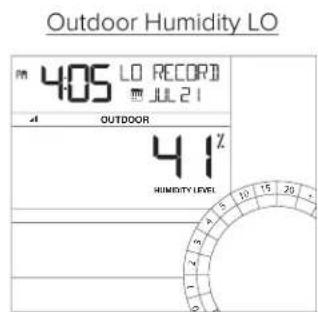
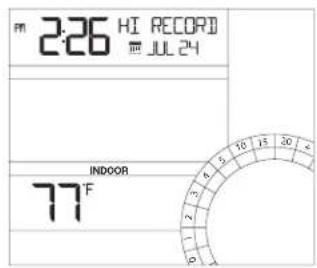
Indoor Temp HI
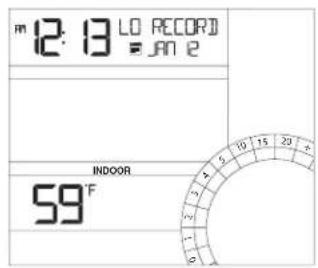
Indoor Temp LO
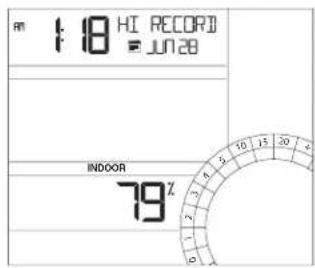
Indoor Humidity HI
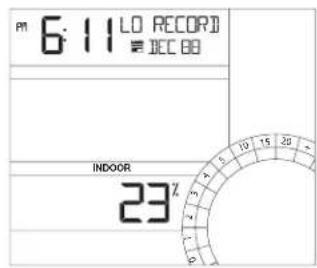
Indoor Humidity LO
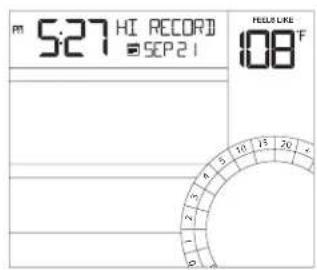
Feels Like HI
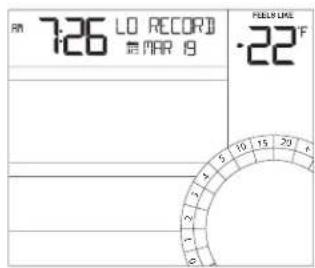
Feels Like LO
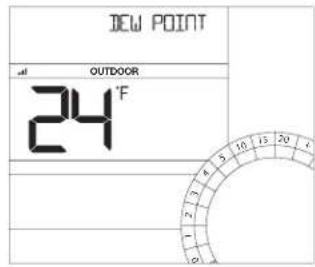
Dew Point
Reset Temperature/Humidity Readings:
- Press the TEMP button to view individual HI I LO readings.
- Hold the MINUS button for five seconds to reset each individual value.
- Individual readings will reset to current temperature, humidity, etc.
Set Weather Alerts
- Hold the ALERTS button for 3 seconds to enter alert set mode.
High Wind Speed ON | OFF will flash.
Alert ON:
- Press the +/- buttons to arm the alert.
- Press the ALERTS button and the alert value will flash
- Press the +/- buttons to set the alert value (Hold to set quickly).
- Press ALERTS button to move to next alert.
Alert OFF:
- Alerts are OFF unless armed. If you do not wish to set an alert, simply press the ALERTS button again to move to the next alert.
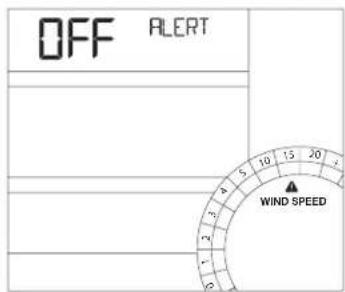
Alert OFF use +/- to arm (turn on)
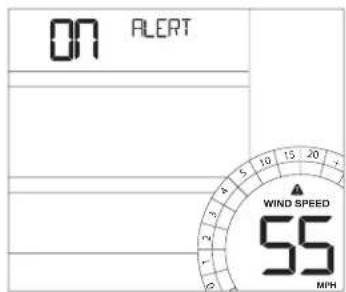
Alert ON use +/- to set value
Programmable Alerts
Here is the setting order for the 9 programmable alerts.
High Wind Speed ON/OFF (CURRENT wind)
High Wind Speed Value 0-99mph (0-159kph)
- Outdoor LOW Temperature ON/OFF
- Outdoor LOW Temperature Value -40°F to 140°F (-40°C to 60°C)
- Outdoor HIGH Temperature ON/OFF
- Outdoor HIGH Temperature Value -40°F to 140°F (-40°C to 60°C)
- Outdoor LOW Humidity ON/OFF
- Outdoor LOW Humidity Value 10%RH to 99%RH
- Outdoor HIGH Humidity ON/OFF
- Outdoor HIGH Humidity Value 10%RH to 99%RH
- Indoor LOW Temperature ON/OFF
- Indoor LOW Temperature Value 32^ to 99^ ( 0^ to 37^ )
- Indoor HIGH Temperature ON/OFF
- Indoor HIGH Temperature Value 32^ - 99^ ( 0^ to 37^ )
- Indoor LOW Humidity ON/OFF
- Indoor LOW Humidity Value 10%RH to 99%RH
- Indoor HIGH Humidity ON/OFF
- Indoor HIGH Humidity Value 10%RH to 99%RH
Active Alert
HILO
- When armed alert value is reached, station will beep 5 times each minute, until out of alert range.
- The flashing alert icon will indicate which alert is sounding.
Press any button to stop the alert sound. - The alert icon will flash while value is in alert range.
Disarm Alert:
- Hold the ALERTS button for 3 seconds to enter alert set mode.
- Press and release ALERTS button until you see the alert you wish to disarm.
- Press the +/- buttons to disarm the alert.
- Press the WARNING button to exit.
Temperature | Humidity Trend Arrows
- The temperature and humidity trend arrows update every 15 minutes. The trend reflects changes (2°F and 3% humidity) over the past 1 hour. E.g.: At 1:00 - compare to 12:00 data; at 1:15 compare to 12:15; at 1:30 - compare to 12:30 .... etc

Up Arrow: Rising Down Arrow: Right Arrow: Steady

Frost and StormWarnings
- This station offers the option of active Frost and Storm alerts.
- Simply activate the alerts to use them.
Activate | Deactivate Frost or StormWarnings
- Hold the WARNING button for 3 seconds to view frost and storm warnings.
- Press and release the + or -/CH buttons to activate/deactivate frost and storm warnings.
- Press and release the WARNING button to confirm and move to the next item.
Note: The warning values are not programmable. You can only activate/deactivate the frost or storm warning.
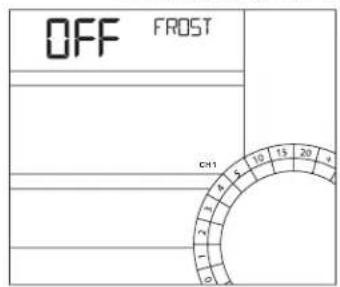
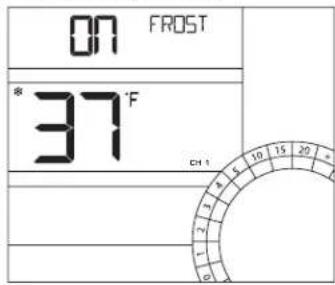
Frost warning OFF use +/- to arm (turn on)
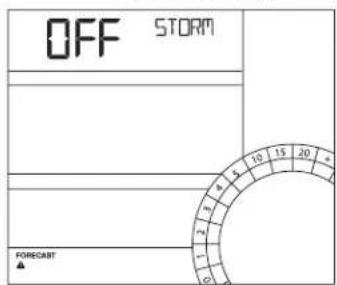
Storm warning OFF use +/- to arm (turn on)
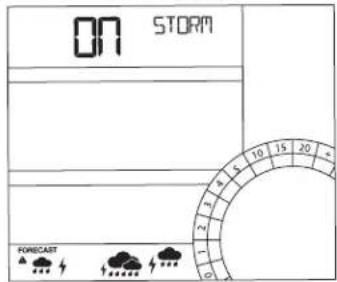
Note: When setting FROST alerts for channels 2 & 3, user will select channel first (1, 2, 3) then select outdoor alert.
- FROST Alerts cannot be set for channel 2 & 3 if no additional sensors are connected.
Frost Warning:
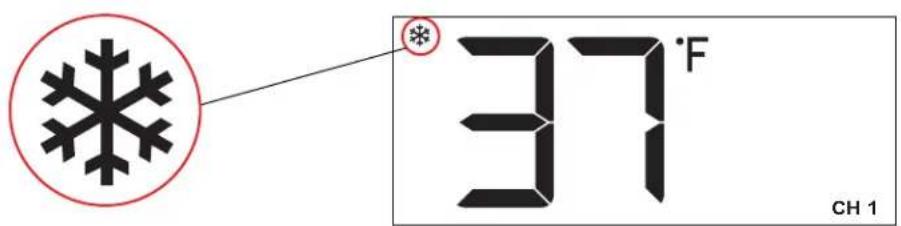
- When the outdoor temperature is between: 28^ to 37^ (-2^ to 3^) , and the frost warning is active a Frost Warning will alert you with a flashing snowflake icon and the station will sound.
- Outside of this range the frost warning is not active.
- Weather station will beep 5 times each minute, for 5 minutes. After 5 minutes the warning icon will flash until frost warning is out of range.
Storm Warning:
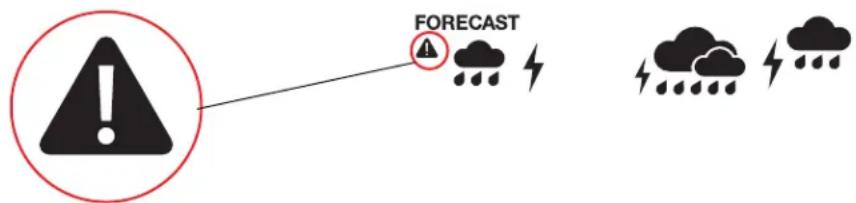
- When the barometric pressure drops more than 2.5hPa in a 3 hours period, the storm warning will flash and the station will sound.
- The storm warning icon (alert triangle) will flash storm and storm icons (clouds, rain, lightning) will flash and sound for 1 minute.
After 1 minute the warning icon will flash for a period of 1 hour. - Press any button to stop the sound. Storm warning icon will still flash.
Weather Forecast Icons
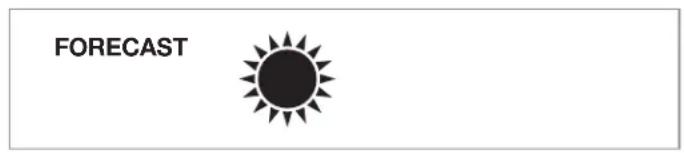
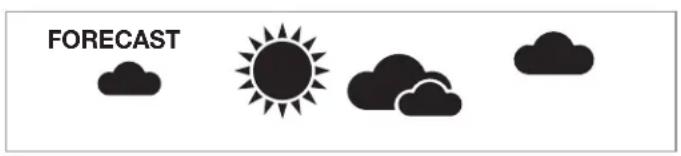
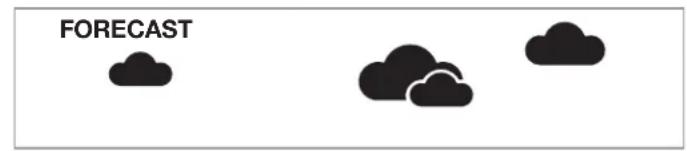
- The forecast icons are determined by the station's barometric pressure reading. Allow 7-10 days for best accuracy.
- When Outdoor temperature is below 32^ and the forecast is RAIN or T-STORM, the station will display SNOW.
SUNNY
PARTLY CLOUDY
CLOUDS
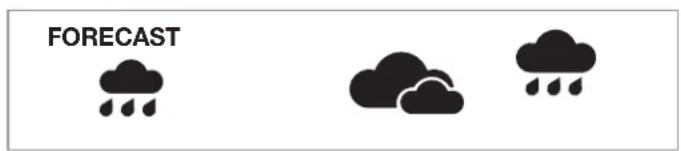
RAIN
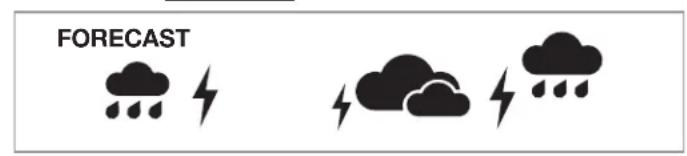
T-STORM
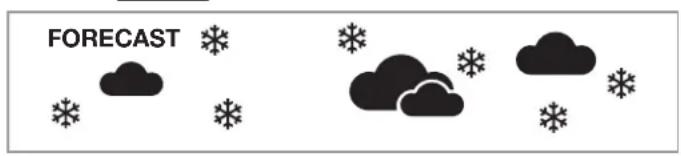
SNOW
Change Batteries
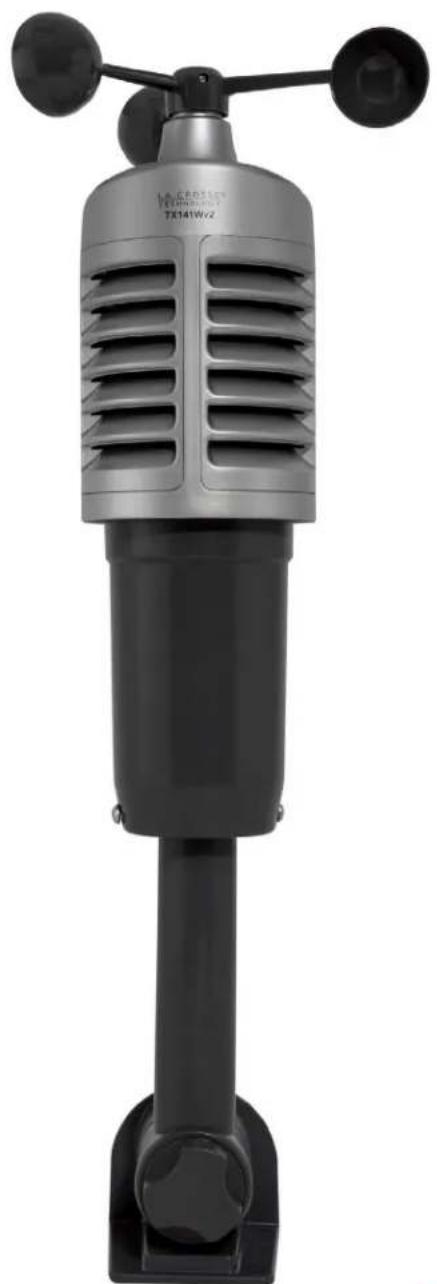
TX141Wv2 Sensor:
- Grab the vented portion of the sensor and turn counter clockwise.
- Remove old batteries and install fresh "C" batteries.
- Carefully align and turn vented portion clockwise to tighten.
- Hold the WIND button on the weather station for 3 seconds to search for the sensor.
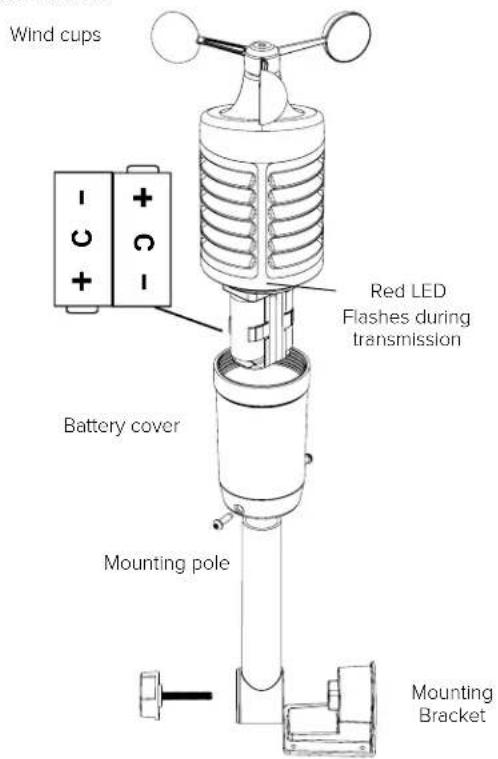
TX141Wv2 Sensor
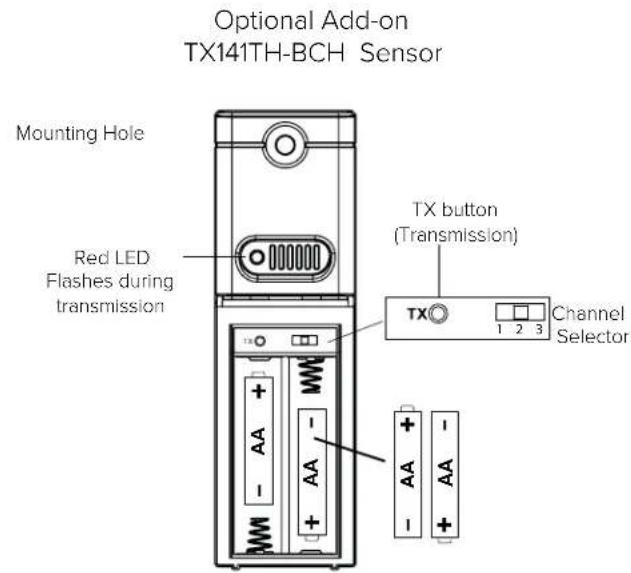
Add-on TX141TH-BCH Sensor(s):
- Slide battery cover down and lift off sensor.
- Remove old batteries and install fresh "AA" batteries.
- Hold the TEMP button on the weather station for 3 seconds to search for the sensor.
Sensor Search
- Hold the WIND button for 3 seconds to search for the wind sensor.
- Hold the TEMP button for 3 seconds to search for add-on temp/humidity sensors.
If the signal is lost, the unit will display the last data recorded for 30 minutes. If the signal is still not received after this time, dashes will be displayed on screen.
After 60 minutes, the station will begin to search for the missing signal automatically.
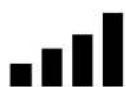
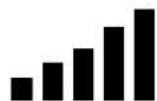
The signal strength indicators will flash while searching and be solid when connected.


Connect Add-on Sensors to Station
- The wind station will accommodate up to two additional (TX141TH-BCH)* Thermo-Hygro sensors on channels 2 & 3.
*Additional sensors sold separately & can be purchased here: www.lacrossetechnology.com/tx141th-bch-temperature-humidity-sensor
Note: No additional TX141Wv2 wind speed sensors may be added.
Connect add-on sensor(s) to the wind station:
- Remove the battery cover from all add-on sensors (leave off).
- Set the first additional sensor to Channel 2 and insert 2 "AA" batteries.
- Set the second additional sensor to Channel 3 and insert 2 "AA" batteries.
- Hold the TEMP button on the station for 3 seconds to search for sensors.
- Press the TX button on each sensor.
- When connection is established, the temperature and humidity for each of the selected channels will appear.
- Install the battery covers on each sensor.
- Keep sensors and the wind station 5-10 feet apart for 15 minutes for a solid connection.
- After 15 minutes, place the remote sensors in appropriate shaded locations.
- Press and release the -/CH button to view channels 1,2 or 3 on the wind station.
Note: CH 1 will show consistently. CH 2 and CH 3 will only show if sensors are connected to the station on those channels.
View Channels (when add-on sensors in use)
- Press the -/CH button to toggle between remote sensor channels when multiple sensors are used.
- Channels are indicated with CH 1, CH 2 or CH 3, in the outdoor temperature area.
Note: When using multiple TH sensors, select the channel by pressing the -/CH button prior to viewing HI I LO readings or setting temperature/humidity Alerts
Mount TX141Wv2 Sensor
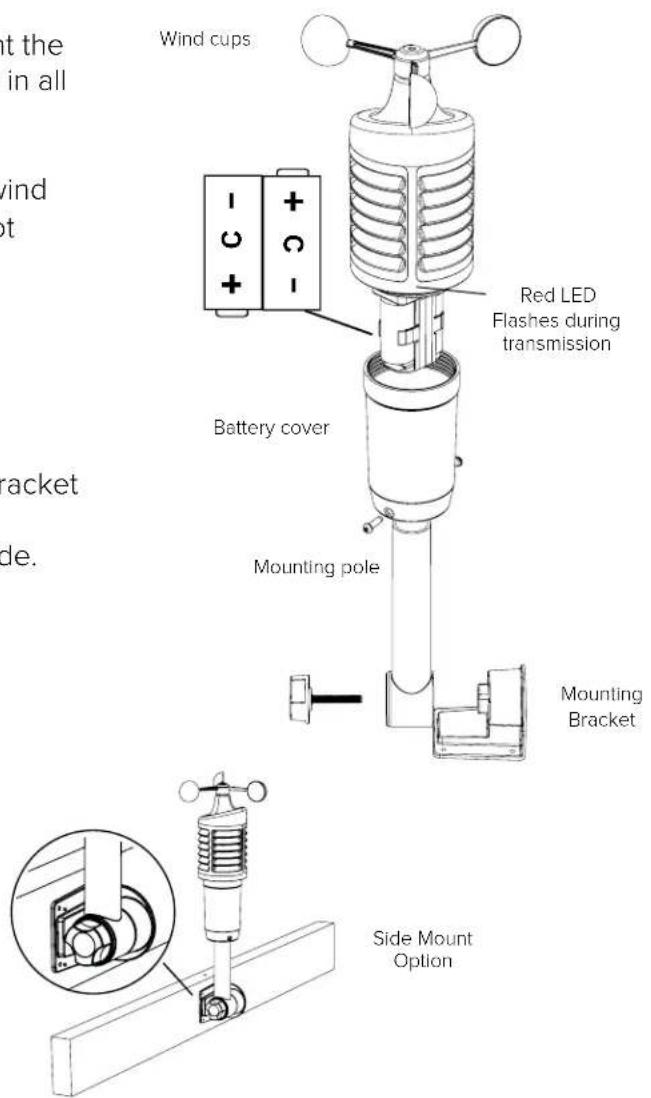
- For the most accurate wind speed readings, mount the TX141Wv2 sensor as the highest object for 50 feet in all directions.
- Mount sensor vertically with the wind cups on top.
-
The maximum wireless transmission range to the wind station is over 330 feet (100 meters) in open air, not including walls or trees.
-
Insert mounting pole into sensor.
- Tighten screws
- Insert bottom of pole into mounting bracket
- Tighten knob to secure
- Use screws through the bottom of the mounting bracket to attach.
- The sensor can be mounted from the bottom or side.
Alternatively:
- Insert your own mounting pole into the sensor.
- Tighten screws
- Mounting bracket would not be used.
Mount Add-on TX141TH-BCH Sensor
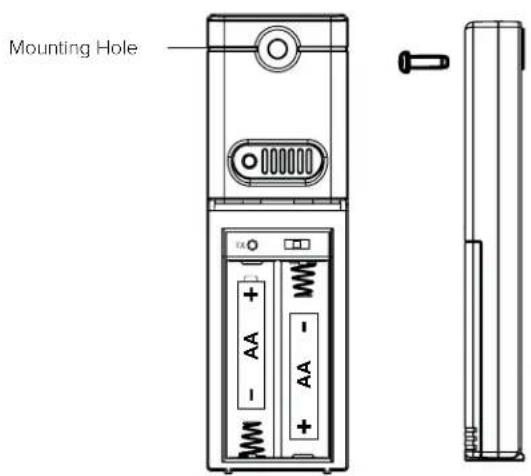
- To mount the sensor, use the hole at the top to either hang it from the back using a nail, or inserts one mounting screw through the front
- Mount the TX141TH-BCH sensor on a north-facing wall or in any shaded area. Under an eave or deck rail is preferred.
- The maximum wireless transmission range to the weather station is over 330 feet (100 meters) in open air, not including walls or floors.
- Be sure the sensor is mounted vertically, to allow moisture to drain out properly.
http://bit.ly/TH_SensorMounting
Position Weather Station
Pull out the stand and place on a flat surface or use hanging holes on back of station to wall mount.
- Choose a location 6 feet or more away from electronics such as cordless phones, gaming systems, televisions, microwaves, routers, etc.
- Place within range of the outdoor sensors (330 ft, 100m open air).
- Obstacles such as walls, windows, stucco, concrete, and large metal objects can reduce the range.
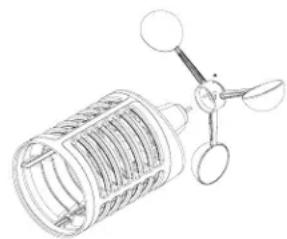
Replace Wind Cups
- Loosen the screw
- Remove cups
- Install new cups
- Tighten screw
Note: The screw in the wind cups will fit snugly on the flat side of the metal stem on the wind sensor.
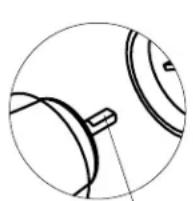
Flat Side Of Stem Up

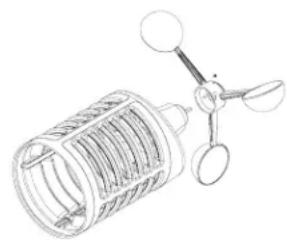
Insert and Attach Flat End up
Factory Reset/Clear Memory
- Hold down both the WARNING and ALERTS button together for 5 second. This will clear all recorded weather data and reset the station's settings back to default
- The weather station will fully populate, clear all records, then return to a normal display and search for outdoor sensors.
- While searching for the outdoor sensor the Wind Speed and Outdoor Temp/Humidity will show dashes.
- Once connected to the outdoor sensor (allow 3 minutes) the Wind Speed and Outdoor Temp/Humidity will show current readings.
- In the absence of wind this reading will show 0.00.
Dashes = Not connected to sensor
0 or current readings = Connected to sensor.
Visit Us on Social Media

Latest video content
http://bit.ly/LaxTech_YouTube

For personalized interaction http://bit.ly/LaxTech_Facebook

Join the conversation
http://bit.ly/LaxTech_Twitter

Pin and share
http://bit.ly/LaxTech_Pinterest
Care and Maintenance
- Do not mix old and new batteries
- Do not mix Alkaline, Standard, Lithium or Rechargeable Batteries
- Always purchase the correct size and grade of battery most suitable for intended use.
- Replace all batteries of a set at the same time
- Promptly remove expired batteries.
Specifications
| Indoor | |
| Temperature Range 32°F to 122°F (0°C to 50°C) | |
| Humidity Range 10% to 99% RH | |
| Update Interval About every 60 seconds | |
| Wind Speed | Thermo-hygro Sensor | |
| Temperature Range -40°F to 140°F (-40°C to 60°C) | |
| Humidity Range | 10% to 99% RH |
| Wind Speed Range 0-111.8 mph (0-180 kmh) | |
| Update Interval About every 30 seconds | |
| Transmission Range | 330 feet (100 meters) RF 433MHz |
| Power | |
| Weather Station | 3-AA, IEC, LR6 batteries (not included) |
| TX141Wv2 Wind sensor 2-C, IEC, LR14 batteries (not included) | |
| Battery Life | |
| Weather Station over 12 months | |
| TX141Wv2 Wind sensor over 24 months with reputable batteries | |
| Dimensions | |
| Weather Station | 6.37" H x 6.88" W x 1.33" D in (16.18 cm H x 17.48 cm W x 3.38 cm D) |
| TX141Wv2 Wind sensor | 11.94" H x 6.24" W x 5.63" D (30.33 cm H x 15.85 cm W x 14.30 cm D) |
Warranty and Support
La Crosse Technology, Ltd. provides a 1-year limited time warranty (from date of purchase) on this product relating to manufacturing defects in materials & workmanship.
Before returning a product, please contact our friendly customer support or visit our online help:
Springfield Instruments Inc.
104 Barr St.
Saint Laurent, Quebec
H4T1Y4
Customer Service :
1-844-687-4040
info@springfieldinstruments.com
FCC Statement
This equipment has been tested and found to comply with the limits for a Class B digital device, pursuant to part 15 of the FCC Rules. These limits are designed to provide reasonable protection against harmful interference in a residential installation. This equipment generates, uses and can radiate radio frequency energy and, if not installed and used in accordance with the instructions, may cause harmful interference to radio communications. However, there is no guarantee that interference will not occur in a particular installation.
If this equipment does cause harmful interference to radio or television reception, which can be determined by turning the equipment off and on, the user is encouraged to try to correct the interference by one or more of the following measures:
Reorient or relocate the receiving antenna.
- Increase the separation between the equipment and receiver.
- Connect the equipment into an outlet on a circuit different from that to which the receiver is connected.
- Consult the dealer or an experienced radio/TV technician for help.
This device must not be co-located or operating in conjunction with any other antenna or transmitter.
Operation is subject to the following two conditions:
(1) This device may not cause harmful interference, and
(2) This device must accept any interference received, including interference that may cause undesired operation.
Caution!
The manufacturer is not responsible for any radio or TV interference caused by unauthorized changes or modifications to this equipment. Such changes or modifications could void the user authority to operate the equipment.
This equipment must be installed and operated in accordance with provided instructions and the antenna(s) used for this transmitter must be installed to provide a separation distance of at least 20~cm from all persons and must not be co-located or operating in conjunction with any other antenna or transmitter
All rights reserved. This manual may not be reproduced in any form, even in part, or duplicated or processed using electronic, mechanical or chemical process without the written permission of the publisher. This booklet may contain errors or misprints. The information it contains is regularly checked and corrections are included in subsequent editions. We disclaim any responsibility for any technical error or printing error, or their consequences.
All trademarks and patents are recognized.
Canada Statement
This device complies with Industry Canada's licence-exempt RSSs
Operation is subject to the following two conditions:
(1) This device may not cause interference; and
(2) This device must accept any interference, including interference that may cause undesired operation of the device.
The device meets the exemption from the routine evaluation limits in section 2.5 of RSS 102 and compliance with RSS-102 RF exposure, users can obtain Canadian information on RF exposure and compliance.
This transmitter must not be co-located or operating in conjunction with any other antenna or transmitter. This equipment should be installed and operated with a minimum distance of 20 centimeters between the radiator and your body.
LA CROSSE®
TECHNOLOGY
http://bit.ly/LaxTechTalk
Mode d'emploi
Modèle: CA84688
DC:042518
Contents
Insert and Attach Flat End up
Saint Laurent, Quebec
H4T1Y4
Soutien technique :
1-844-687-4040
info@springfieldinstruments.com