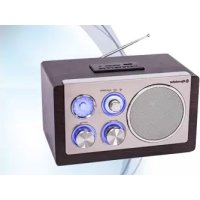
HRA1345NUSWD - Radio ROADSTAR - Free user manual and instructions
Find the device manual for free HRA1345NUSWD ROADSTAR in PDF.



| Product Type | Radio |
| Brand | Roadstar |
| Model | HRA1345NUSWD |
| Power Supply | AC 230V ~ 50Hz |
| Radio Bands | FM (88 - 108 MHz) |
| Speaker | Built-in |
| Connectivity | AUX (3.5 mm jack), USB, SD |
| Functions | Radio, AUX, USB, SD |
| Antenna | Adjustable telescopic |
| Volume Control | Rotary knob |
| Tuning | Rotary knob |
| Function Selector | Slide switch (OFF, RADIO, AUX, USB) |
| USB/SD Playback | Automatic playback of audio files |
| Cleaning | Soft dry cloth |
| Safety | Do not expose to water, do not open the casing |
| Repairability | Repair by qualified technician only |
| Warranty | Compliant with directive 99/44/EC |
| Included Accessories | Power cord, user manual |
| EC Declaration | Compliant with directive 2014/53/EU |
Frequently Asked Questions - HRA1345NUSWD ROADSTAR
User questions about HRA1345NUSWD ROADSTAR
0 question about this device. Answer the ones you know or ask your own.
Ask a new question about this device
Download the instructions for your Radio in PDF format for free! Find your manual HRA1345NUSWD - ROADSTAR and take your electronic device back in hand. On this page are published all the documents necessary for the use of your device. HRA1345NUSWD by ROADSTAR.
USER MANUAL HRA1345NUSWD ROADSTAR
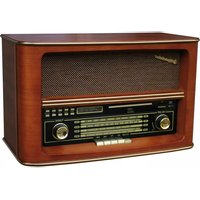
Wooden FM radio with USB, SD and AUX-in
User manual
Bedienungsanleitung
- Your new unit was manufactured and assembled under strict ROADSTAR quality control. Thank you for purchasing our product for your music enjoyment. Before operating the unit, please read this instruction manual carefully. Keep it also handy for further future references.
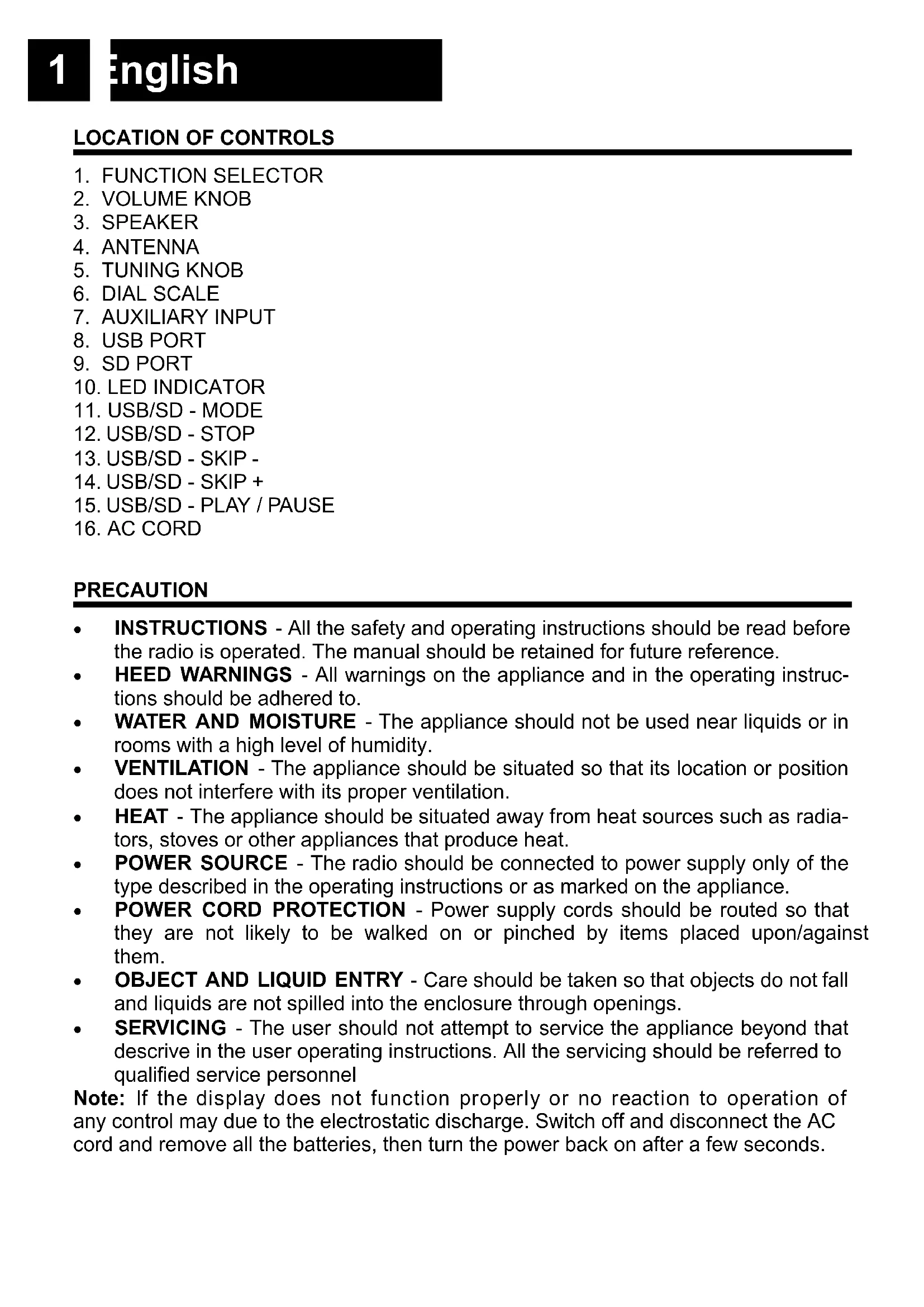
REAR
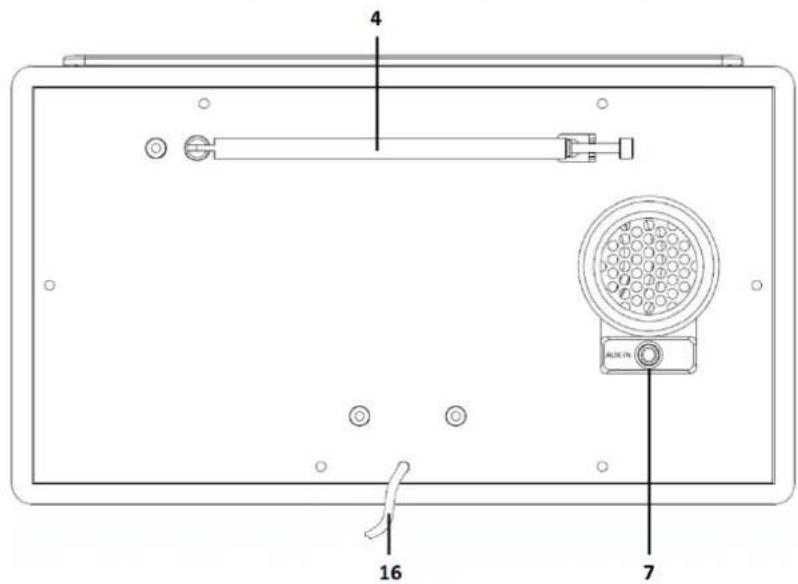
TOP
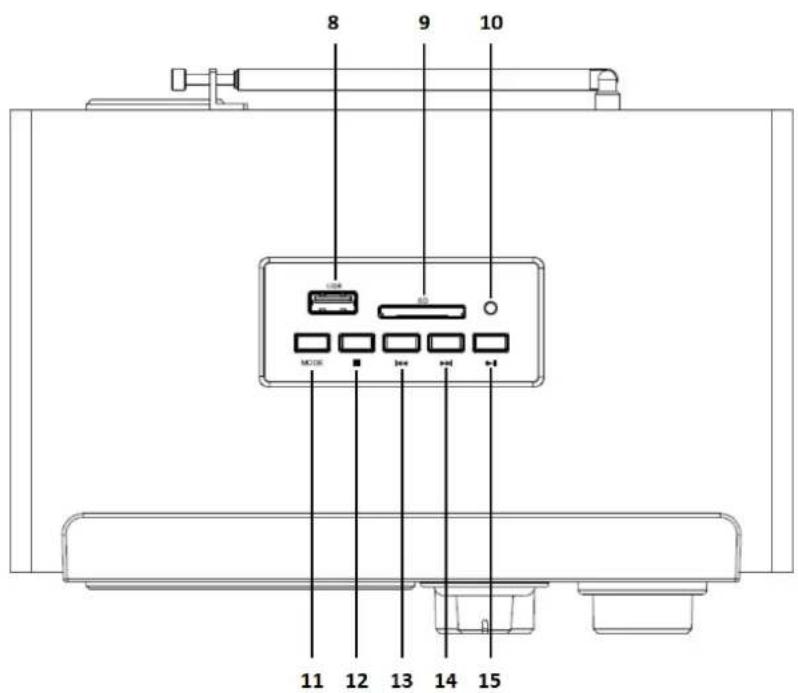
1 English
LOCATION OF CONTROLS
- FUNCTION SELECTOR
- VOLUME KNOB
- SPEAKER
- ANTENNA
- TUNING KNOB
- DIAL SCALE
- AUXILIARY INPUT
- USB PORT
- SD PORT
- LED INDICATOR
- USB/SD - MODE
- USB/SD - STOP
- USB/SD - SKIP -
- USB/SD - SKIP +
- USB/SD - PLAY / PAUSE
- AC CORD
PRECAUTION
- INSTRUCTIONS - All the safety and operating instructions should be read before the radio is operated. The manual should be retained for future reference.
- HEED WARNINGS - All warnings on the appliance and in the operating instructions should be adhered to.
- WATER AND MOISTURE - The appliance should not be used near liquids or in rooms with a high level of humidity.
- VENTILATION - The appliance should be situated so that its location or position does not interfere with its proper ventilation.
- HEAT - The appliance should be situated away from heat sources such as radiators, stoves or other appliances that produce heat.
- POWER SOURCE - The radio should be connected to power supply only of the type described in the operating instructions or as marked on the appliance.
- POWER CORD PROTECTION - Power supply cords should be routed so that they are not likely to be walked on or pinched by items placed upon/against them.
- OBJECT AND LIQUID ENTRY - Care should be taken so that objects do not fall and liquids are not spilled into the enclosure through openings.
- SERVICING - The user should not attempt to service the appliance beyond that descrive in the user operating instructions. All the servicing should be referred to qualified service personnel
Note: If the display does not function properly or no reaction to operation of any control may due to the electrostatic discharge. Switch off and disconnect the AC cord and remove all the batteries, then turn the power back on after a few seconds.
POWER SOURCES
AC POWER: To power your radio, plug the AC power cord into into a wall AC power outlet. Check that the rated voltage of your appliance matches your local voltage.
TO USE THE RADIO
- Move the [FUNCTION SELECTOR] (1) to the desired;
- (Please see detailed instructions for each Source in the following chapters);
- Adjust the volume with the [VOLUME KNOB] (2) to the desired level;
- Move the [FUNCTION SELECTOR] (1) to OFF to turn OFF the unit.
RADIO OPERATION
- Set the [FUNCTION SELECTOR] (1) to "FM" mode;
- Adjust the frequency to your desired station by using the [TUNING KNOB] (5).
Note: For a better reception, reorient the antenna (4).
AUX-IN OPERATION
- Set the [FUNCTION SELECTOR] (1) to "AUX" mode;
- Use one male to male 3.5mm jack cable (not included) to connect any external audio device to the [AUX-IN SOCKET] (7).
Note: Music control (play, pause, etc) must be done from your external device.
USB/SD OPERATION
- Set the [FUNCTION SELECTOR] (1) to "AUX/USB/SD" mode;
- Plug an USB / SD stick into the [USB/SD PORT] (8/9);
- Playback will start automatically from the first track.
Note: Some mp3 player may not be able to play via the usb socket. this is not a mal-function of the system.
Note: To avoid damage to USB/SD memory, remove it only when the radio is OFF.
TECNICAL SPECIFICATIONS
Power Supply: AC 230V \~ 50Hz.
Radio Frequency Coverage
FM: 88 - 108 MHz.
Speaker
Output Power: 1 x 2 Wrms.
General
AUX-in: 3.5mm jack plug.
USB Port Version: USB 3.0, max 64GB.
SD Port Version: max. 64GB.
Specifications and design are subject to possible modifications without notice due to improvement.
WARNINGS

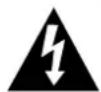
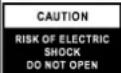
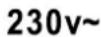




The exclamation point within the triangle is a warning sign alerting the user of important instructions accompanying the product.
The lightening flash with arrowhead symbol within the triangle is a warning sign alerting the user of “dangerous voltage” inside the unit.
To reduce the risk of electric shock, do not remove the cover. No user serviceable parts inside the unit. Refer all servicing to qualified personnel.
This unit operates on 230V \~ 50Hz. If the unit is not used for a long period of time, remove the plug from the AC mains.
Ensure all connections are properly made before operating the unit.
This unit must not be exposed to moisture or rain.
This unit should be positioned so that it is properly ventilated. Avoid placing it, for example, close to curtains, on the carpet or in a built-in installation such as a bookcase.
Do not expose this unit to direct sunlight or heat radiating sources.
natural_image
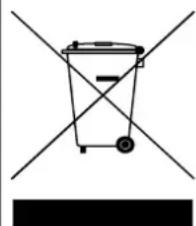
Simple line drawing of a trash bin with two crossed lines and a black rectangular base (no text or symbols)CORRECT DISPOSAL OF THIS PRODUCT (Waste Electrical & Electronic Equipment)
This marking shown on the product or its literature, indicates that it should not be disposed with other household wastes at the end of its working life. To prevent possible harm to the environment or human health from uncontrolled waste disposal, please separate this from other types of wastes and recycle it responsibly to promote the sustainable reuse of material resources. Household users should contact the retailer where they purchased this product, or their local government office, for details of where and how they can take this item for environmentally safe recycling. Business users should contact their supplier and check the terms and conditions of the purchase contract. This product should not be mixed with other commercial wastes for disposal.
ORT DER BEDIENELEMENTE
- FUNKTIONSREGLER
- LAUTSTÄRKEREGLER
- LAUTSPRECHER
- ANTENNE
- ABSTIMMUNG
- FREQUENZ ANZEIGE
- AUX EINGANG
- USB-BUCHSE
- SD-BUCHSE
- LED
- USB/SD - MODE
- USB/SD - STOP
- USB/SD - SKIP -
- USB/SD - SKIP +
- USB/SD - PLAY / PAUSE
- NETZKABEL
SICHERHEITSHINWEISE
AUX-in: 3.5mm jack buchse.
natural_image
Simple line drawing of a trash bin with two crossed lines and a solid black rectangle below (no text or symbols)KORREKTE ENTSORGUNG DIESES PRODUKTS (Elektromüll)
Puissance: 1 x 2 Wrms
Général
Entrée AUX prise 3.5mm jack.
Version Prise USB: USB 3.0, max. 64GB.
Version Prise SD: max. 64GB.
natural_image
Simple line drawing of a trash bin with two crossed lines and a solid black rectangle below (no text or symbols)natural_image
Simple line drawing of a trash bin with two crossed lines and a black bar below (no text or symbols)Conector AUX: 3.5mm jack.
natural_image
Simple line drawing of a trash bin with two crossed lines indicating no waste or prohibition (no text or symbols)Conetor AUX: 3.5mm jack.
natural_image
Simple line drawing of a trash bin with two crossed lines and a blank bottom bar (no text or symbols)ELIMINAÇÃO CORRECTA DESTE PRODUTO (Resíduo de Equipamentas Eléctricos e Electrónicos)
AUX-in: 3.5mm jack plug.
natural_image
Simple line drawing of a trash bin with two crossed lines and a black bar below (no text or symbols)CORRECTE AFVALVERWERKING VAN HET PRODUCT (elektrisch en elektronisch afval)
natural_image
Simple line drawing of a trash bin with two crossed lines and a black bar below (no text or symbols)natural_image
Simple line drawing of a trash bin with two crossed lines and a black rectangular base (no text or symbols)natural_image
Abstract geometric logo design with stylized 'R' letters and circular elements (no text or symbols)FRANÇAIS
Conditions Générales de Garantie Roadstar
Roadstar Warranty Terms and Conditions
Roadstar- by means of its sales organisation, representative or distributor- guarantees its products against manufacturing defects in material and/or workmanship throughout the period of warranty.
Should the product fail to work or shows manufacturing defect within the warranty period,
Roadstar- by means of its sales organisation, representative or distributor - will take the necessary actions to restore the perfect functioning of the product. To repair or to replace is at discretion of Roadstar or it's representative or distributor.
The warranty period is in accordance with directive 99/44/CE of the European Union. For all non EU members, please refer to the local law of each country.
This warranty does not cover normal wear and tear of the product and/or its parts, any damage, failure, or loss caused by accident, misuse, and any other failure not directly related to a defect of the product.
This warranty does not void consumer's rights in accordance with EU Directive99/44/CE. For further information please visit the website www.roadstar.com, or write to aftersales@roadstar.com.
DEUTSCH
Allgemeine "Roadstar" Garantiebedingungen
Hereby, Roadstar Management SA declares that the radio equipment type HRA-1345NUS is in compliance with Directive 2014/53/EU.
The full text of the EU declaration of conformity is available at the following internet address:
http://roadstar.com/images/ce/HRA-1345NUS.pdf
or by scanning the following QR Code.
http://roadstar.com/images/ce/HRA-1345NUS.pdf
http://roadstar.com/images/ce/HRA-1345NUS.pdf
http://roadstar.com/images/ce/HRA-1345NUS.pdf
http://roadstar.com/images/ce/HRA-1345NUS.pdf
http://roadstar.com/images/ce/HRA-1345NUS.pdf
http://roadstar.com/images/ce/HRA-1345NUS.pdf
http://roadstar.com/images/ce/HRA-1345NUS.pdf
http://roadstar.com/images/ce/HRA-1345NUS.pdf
MANUAL VER.: 1.1
26.02.2020
Roadstar Management SA, via Passeggiata 7 CH 6883 Novazzano (Switzerland)

- English
- LOCATION OF CONTROLS
- PRECAUTION
- POWER SOURCES
- TO USE THE RADIO
- RADIO OPERATION
- AUX-IN OPERATION
- USB/SD OPERATION
- TECNICAL SPECIFICATIONS
- WARNINGS
- CORRECT DISPOSAL OF THIS PRODUCT (Waste Electrical & Electronic Equipment)
- ORT DER BEDIENELEMENTE
- SICHERHEITSHINWEISE
- KORREKTE ENTSORGUNG DIESES PRODUKTS (Elektromüll)
- ELIMINAÇÃO CORRECTA DESTE PRODUTO (Resíduo de Equipamentas Eléctricos e Electrónicos)
- CORRECTE AFVALVERWERKING VAN HET PRODUCT (elektrisch en elektronisch afval)
- FRANÇAIS
- Conditions Générales de Garantie Roadstar
- Roadstar Warranty Terms and Conditions
- DEUTSCH
- Allgemeine "Roadstar" Garantiebedingungen
Brand : ROADSTAR
Model : HRA1345NUSWD
Category : Radio