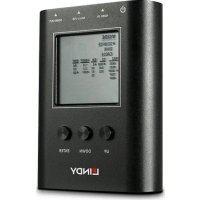
32675 - HDMI signal analyzer Lindy - Free user manual and instructions
Find the device manual for free 32675 Lindy in PDF.



| Product Type | HDMI 2.0 18G Signal Analyzer & Generator |
| Brand | Lindy |
| Model | 32675 |
| Dimensions (L x W x H) | 130 x 89 x 14 mm |
| Bandwidth | 18 Gbit/s |
| Maximum Resolution | 3840 x 2160 @ 60 Hz, 4:4:4, 8 bits |
| Adjustable Color Depth | 8 bits, 10 bits, 12 bits, 16 bits |
| HDCP Support | Version 2.2 and 1.4 |
| Generated Test Patterns | 3 patterns: 3840x2160@60 Hz, 1920x1080@60 Hz, 1280x720@60 Hz |
| Operating Modes | Source, Display (Sink), Cable |
| Display | LCD Screen |
| Power Supply | Rechargeable built-in battery via micro-USB (3 h) |
| Ports | 1 x HDMI IN, 1 x HDMI OUT, 1 x Micro-USB (charge and firmware update) |
| Operating Temperature | 0 °C to 40 °C |
| Storage Temperature | -20 °C to 60 °C |
| Relative Humidity | 20 to 90 % RH (non-condensing) |
| Package Contents | Analyzer, micro-USB cable, manual |
| Maintenance | Clean with a dry, soft cloth. Do not use solvents. |
| Safety | Do not expose to moisture or extreme temperatures. |
Frequently Asked Questions - 32675 Lindy
User questions about 32675 Lindy
0 question about this device. Answer the ones you know or ask your own.
Ask a new question about this device
Download the instructions for your HDMI signal analyzer in PDF format for free! Find your manual 32675 - Lindy and take your electronic device back in hand. On this page are published all the documents necessary for the use of your device. 32675 by Lindy.
USER MANUAL 32675 Lindy
Tested to comply with FCC Standards For Home and Office Use!
Introduction
Thank you for purchasing the Lindy HDMI 2.0 18G Signal Analyser and Generator This product has been designed to provide trouble free, reliable operation. It benefits from both a LINDY 2 year warranty and free lifetime technical support. To ensure correct use, please read this manual carefully and retain it for future reference.
The Lindy HDMI 2.0 18G Signal Analyser and Generator is a reliable tool for testing all stages of a HDMI signals path to ensure a simple and dependable installation of HDMI AV equipment.
Package Contents
■ HDMI 2.0 18G Signal Analyser and Generator
- Lindy Manual
■ Micro-USB Cable
Features
- Generate 3 HDMI signals to test display compatibility
- Detect HDMI signal information such as resolution and HDCP versions
■ Test cable quality and capabilities
■ Easy to read LCD Display
■ Small, compact housing
■ Rechargeable battery included with 3 hour charging time
Specification
■ Supported Bandwidth: 18Gbps
■ Maximum Resolution: 3840x2160@60Hz 4:4:4 8bit
■ Adjustable Colour Depths: 8bit, 10bit, 12bit, 16bit
■ HDCP Support: 2.2 and 1.4
■ Video Patterns: 3840x2160@60Hz, 1920x1080@60Hz, 1280x720@60Hz
■ Dimensions (approx.) WxDxH: 130x89x14mm (5.12x3.5x0.55in)
- Operating Temperature: 0°C - 40°C (32°F - 104°F)
■ Storage Temperature: -20°C - 60°C (-4°F - 140°F)
■ Humidity: 20\~90% RH (non-condensing)
Installation
Prior to using the device, please connect the unit to power to reset the device from shipping mode using the micro-USB cable.
Please connect the source device to the HDMI IN port and connect the display to the HDMI OUT port of the device via HDMI cable.
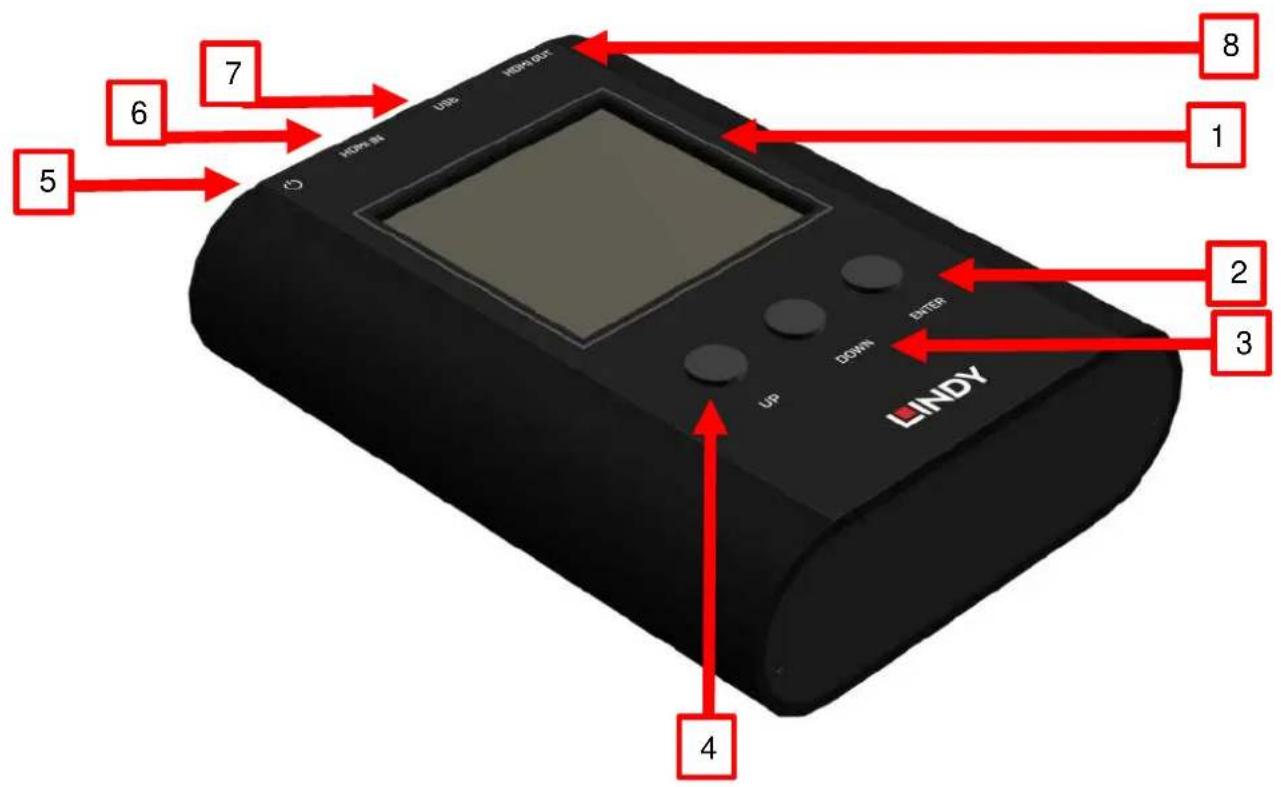
- LCD Display (All data is shown here)
- ENTER (Button)
- DOWN (Button)
- UP (Button)
- ON/OFF Power Switch
- HDMI IN (Input)-Connect to HDMI source
- USB (Micro-USB Port for charging and firmware updates)
- HDMI OUT (Output)-Connect to display
Operation
| Menu | Options | Please Note |
| Source Mode | Resolution | |
| Colour Space | ||
| Colour Depth | ||
| HDCP | ||
| Pattern | Generates three test patterns for testing the display | |
| Sink Mode | Resolution | Analyse HDMI information from the input source equipment |
| Colour Space | ||
| Colour Depth | ||
| HDCP | ||
| Audio | ||
| EDID | ||
| Cable Mode | CED | Estimates the link quality of the cablePlease refer to the cable mode section on page X |
| CEC | ||
| HEAC | ||
| +5V | ||
| HPD | ||
| DDC |
Source Mode
The device can generate three different test patterns to the display that is being tested.
To use Source Mode:
- Ensure the analyser's HDMI OUT port is connected to the display via HDMI cable.
- Using the device's buttons select MODE and then SOURCE to enter source mode.
- Using the devices button select the output signal format and video testing pattern.
Sink Mode
The device can read a connected HDMI source's information while also passing the signal through the analyser to the display if required.
To use Sink Mode:
- Ensure the analyser's HDMI OUT port is connected to the display and the HDMI IN port is connected to the source via HDMI cable.
- Using the device's buttons select MODE and then SINK to enter sink mode.
- The source's information including resolution, colour space and HDCP version will be shown on the LCD display. This may take between 3-5 seconds.
Cable Mode
The device can estimate the link quality using the Character Error Detection mechanism from the HDMI 2.0 specification. This can provide a basic evaluation of the link quality of the cable or any other HDMI link connected to the analyser. Please note this can only be used as a reference as the stability of HDMI 2.0's bandwidth can be affected by external factors including the ambient temperature, the display's reception or the reliability of the source signal.
To use Cable Mode:
- Ensure there is a secure connection between both ends of the HDMI cable and the analyser
- Using the device's buttons select Mode and then Cable to enter cable mode
- Repeatedly press the ENTER button for around 5 seconds to begin the link test. The device will test the HDMI signal quality based on the HDMI 2.0 specification and provide a PASS or NG result. Please note, during the testing process the device will not take any button commands except the ENTER button. Pressing the ENTER button repeatedly for 5 seconds will stop the testing process.
Performance Criteria:
| Test Result | Requirement |
| PASS | The error counts of the signal are less than the signal x 10^-6 |
| NG | The error counts of the signal are more than the signal clock x 10^-6 |
Troubleshooting
After 1 minute idle, the analyser will automatically enter battery saving mode. Please push any button to re-activate the analyser. The device will not enter battery saving mode when an active HDMI input is connected.
Einführung
This equipment complies with the requirements relating to Electromagnetic Compatibility Standards. It has been manufactured under the scope of RoHS compliance.
This equipment has been tested and found to comply with the limits for a Class B digital device, pursuant to part 15 of the FCC Rules. These limits are designed to provide reasonable protection against harmful interference in a residential installation.
You are cautioned that changes or modification not expressly approved by the party responsible for compliance could void your authority to operate the equipment.
This device complies with part 15 of the FCC Rules.
Operation is subject to the following two conditions:
-
This device may not cause harmful interference, and
-
This device must accept any interference received, including interference that may cause undesired operation.
WEEE (Waste of Electrical and Electronic Equipment), Recycling of Electronic Products
Europe, United Kingdom
In 2006 the European Union introduced regulations (WEEE) for the collection and recycling of all waste electrical and electronic equipment. It is no longer allowable to simply throw away electrical and electronic equipment. Instead, these products must enter the recycling process.
Each individual EU member state has implemented the WEEE regulations into national law in slightly different ways.
Please follow your national law when you want to dispose of any electrical or electronic products. More details can be obtained from your national WEEE recycling agency.
Tested to comply with FCC Standards For Home and Office Use!
^st Edition, September 2018
lindy.com

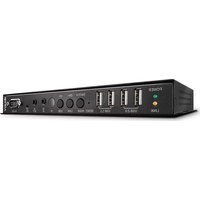
Brand : Lindy
Model : 32675
Category : HDMI signal analyzer