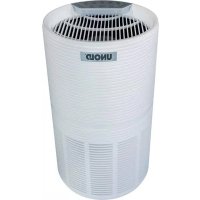
Alpha 87210 - Air purifier UNOLD - Free user manual and instructions
Find the device manual for free Alpha 87210 UNOLD in PDF.



| Product type | Air Purifier |
| Brand | UNOLD |
| Model | Alpha 87210 |
| Dimensions (diameter x height) | 25 x 45.4 cm |
| Weight | 3.8 kg |
| Power Supply | 220-240 V~, 50-60 Hz, 29 W |
| Maximum room area | 59 m² |
| Airflow (CADR) | 80 m³/h |
| Noise level | 30-55 dB |
| Filtration system | 3 stages: pre-filter, activated carbon filter, HEPA filter |
| Fan speeds | 4 (low, medium, high, turbo) |
| Night mode | Yes, silent mode with reduced brightness |
| Timer | 2, 4, 6 or 8 hours |
| Auto mode | Yes, adjusts speed according to air quality |
| Air quality indicator | Sensor with colors (blue/green/orange/red) |
| Child lock | Yes, lock key |
| Power cord length | 180 cm |
| Protection class | II |
| Filter maintenance | Vacuum cleaning every 2 weeks; replacement every 6-8 months |
| Replacement filter reference | Art-No. 8721025 |
| Warranty | 24 months (Germany/Austria) |
Frequently Asked Questions - Alpha 87210 UNOLD
User questions about Alpha 87210 UNOLD
0 question about this device. Answer the ones you know or ask your own.
Ask a new question about this device
Download the instructions for your Air purifier in PDF format for free! Find your manual Alpha 87210 - UNOLD and take your electronic device back in hand. On this page are published all the documents necessary for the use of your device. Alpha 87210 by UNOLD.
USER MANUAL Alpha 87210 UNOLD
AIR PURIFIER Alpha
Operating instructions
This product is only suitable for well insulated spaces.
UNOLD®
Care + Style
UNOLD®
Fan + Heat
TABLE OF CONTENTS
For your safety.... 33
Air purifier 36
Glossary.... 37
Display and buttons 38
Before first use.... 40
The ideal location 41
Operation....41
Cleaning and care 43
Installing and removing the filter......45
Troubleshooting 48
Guarantee Conditions....50
Waste Disposal /
Environmental Protection .... 50
Service 30
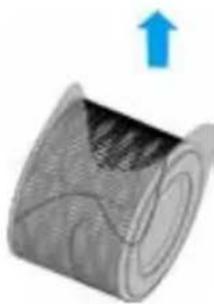
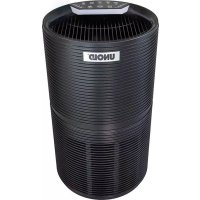
1 Control panel 2 Night light 3 Air outlet 4 Upper housing 5 Socket power cable 6 Air inlet 7 | 3-stage filter Art-No. 8721025 8 Base cover
YOUR NEW AIR PURIFIER
Thank you for having chosen a quality product from the Unold range. Please read the instruction manual carefully. This will allow you to familiarise yourself quickly with all functions of your new air purifier (hereinafter referred to as "appliance").
Please make sure that all persons who use, clean or maintain the appliance have read the instructions and adhere to them. When handing over the appliance to a new owner, always include the instruction manual.
If you have any queries that are not answered in this document, or if you encounter technical problems, please contact our customer service department or your dealer.
SYMBOLS USED IN THIS DOCUMENT

This symbol points to possible dangers that may result in injury or damage to the appliance.
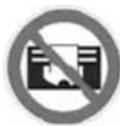
This symbol indicates that the appliance must not be covered with objects.
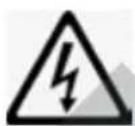
This symbol warns of the risk of electric shock or short circuit.

This symbol indicates that the appliance must only be used indoors.
TECHNICAL DATA
Power: 29 W, 220–240 V~, 50–60 Hz
Material: Plastic, model 87210 white, 87215 black
Dimensions: approx. 25 x 45.4 cm (diameter x height)
Weight: approx. 3.8 kg
Power cord: approx. 180 cm
Protection class: II
Noise level: ≤ 30–55 dB
Maximum room size: up to 59 m
CADR rating: 280 m³/h
Features: 3-stage filter system (combination of prefilter, carbon filter, and HEPA filter), 4 fan speeds, low-volume night mode, timer feature (can be programmed up to 8 hours)
Equipment features, technology, colours and design are subject to change without notice.

FOR YOUR SAFETY
Please read the following instructions and keep them on hand for later reference.
- The appliance has been designed for household use and is not a medical device.
- This appliance can be used by children aged 8 years or more and persons with reduced physical, sensory or mental capabilities or lack of experience and knowledge, provided they are supervised or have been instructed in the safe use of the appliance and understand the hazards involved.
- Children must not play with the appliance.
- Children from the age of 8 may be permitted to clean or maintain the appliance, provided they are supervised.
- Keep the appliance and its power cord out of the reach of children under the age of 8.
- Do not connect the appliance to an external timer or remotely controlled power system.
- Never use the appliance while under the influence of medication or alcohol or if your sensory capacity is reduced.
- Use the appliance only under supervision if children or vulnerable people are in the same room.
- The appliance has been designed for household use or use in similar environments, e.g.
■ tea kitchens in offices, shops, or other workplaces, ■ kitchenettes for guests in hotels, motels, hostels, ■ holiday homes, etc.
Safe handling of electricity
- Connect the appliance to an alternating current source as specified on the type plate.
- Never immerse the appliance, the power cord or the plug in water or another liquid.
- Never touch the appliance, the power cord or the plug with wet hands – risk of electric shock!
- Never operate the appliance with an electronic speed controller to avoid the risk of a fire.
- Regularly check the appliance, the power cord and the plug for wear and damage. If the power cord or other parts of the appliance are damaged, return the appliance for inspection and repair to our customer service department. Improper repair can result in serious hazards to the user and shall void all warranty.
- If the power cord of the appliance is defective, return the appliance to our customer service department or have it replaced by a qualified electrician.
- Never pull on the power cord to avoid damage to the inside of the power cord.
- To unplug the power cord from the power socket, always pull at the plug and never at the cable.
- Always disconnect the plug from the power socket before cleaning the appliance and installing or disassembling the appliance and when the appliance is not in use or during a thunderstorm.
- Do not wrap the power cord around the appliance.
- Not suitable for use in moist and/or hot environments such as bathrooms, indoor swimming pools or kitchens.
- Immediately switch off the appliance and disconnect the power plug from the socket if you notice unusual noises or odours at the appliance or the appliance runs unusually hot.
- Unplug the appliance from the power socket after use, before cleaning and whenever performing maintenance.
- Also disconnect the plug from the power socket before taking the appliance out of service for an extended period.
Information on how to set up and use the appliance safely
- The appliance must only be used indoors.
- Make sure to route the power cord such that it does not pose a trip hazard.
- Never route the power cord under carpets, rugs or other textiles.
- Never shift or move the appliance during operation.
- Make sure to keep the power cord away from heaters, stoves, ovens and other heat sources.
- Never stick objects such as fingers, needles, pens, etc. through the openings and into the interior of the appliance – risk of injury!
- To avoid damage to the appliance, never sit on the appliance and never place any objects on top of the appliance. Never place any containers filled with water near the appliance.
- The appliance is not suited as a substitute for regular room ventilation, exhaust hoods or other air extraction systems.
- Never use the appliance close to gas-powered devices, heaters, stoves or open flames.
- Also, never use the appliance in a room that contains remnants of insecticide aerosols, smoke from incense sticks or other oily or chemical vapours. Ventilate such rooms sufficiently before you switch on the appliance.
- The vents must never be covered by furniture, walls or other objects. Unobstructed air circulation must be ensured at all times. There must be at least 40 cm of clearance on all sides of the appliance.
- Do not switch on the appliance unless the filter has been installed properly.
- To avoid damage to the appliance, do not use the appliance with accessories made by other manufacturers.
- Caution: The appliance is not capable of filtering carbon monoxide or radon gas. It must not be used to purify the air in the aftermath of accidents involving ashes or chemicals.
- Never use the appliance in rooms with an exceedingly high concentration of oxygen (e.g. laboratory rooms).
The manufacturer will not be liable in the event of incorrect assembly, improper or incorrect use or if repairs are carried out by unauthorized third parties.
This appliance is suitable for air purification in private indoor rooms. The appliance is not suitable for industrial or commercial use.

Important:
The packaging must be removed from the filter prior to initial use. To avoid damage to the appliance, do not use the appliance until the packaging has been removed.
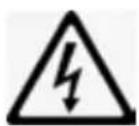
Never open the motor housing of the appliance – risk of electric shock!
AIR PURIFIER
The air purifiers made by UNOLD® provide for clean room air without much effort and without the need for any chemicals.
The use of an air filter is recommended especially for people suffering from allergies or asthma and for areas with substantial particulate matter pollution.
The appliance is capable of filtering out such pollutants as pollen, particulate matter, cigarette smoke, household dust, bacteria, viruses, mould spores, skin and animal dander as well as odours.
The timer function also makes it possible to let the appliance run safely over night, allowing the user to breathe clean air while sleeping.

Important: The appliance is no substitute for and can only be viewed as a complement to such safety rules as those applicable during the COVID-19 pandemic (social distancing, hand washing, mask wearing, and ventilating).
Observe the following instructions on safety, the location and safe use as air purification may otherwise be ineffective and as the appliance may otherwise sustain damage or even pose a danger to the user.
GLOSSARY
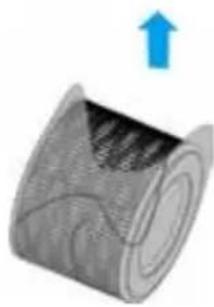
Combined, 3-stage filter:
Pre-filter: The pre-filter filters, for instance, dust, skin dander, pollen and other suspended matter larger than 5 micrometres out of the air.
Carbon filter: Working like a sponge, the carbon filter filters and catalyses particles and gases.
HEPA filter: High Efficiency Particulate Air filter - made up of fibres that are interwoven in a structureless pattern, this filter is capable of filtering even the smallest particles, bacteria and viruses out of the air. HEPA filters have an efficiency of up to 99.95%.
The combination filter must be replaced on a regular basis to prevent any deterioration in filtering performance.
CADR:
Clean Air Delivery Rate. This figure indicates the volume of air purified from particles of a certain size per minute.
PM 2.5:
refers to particulate matter with a
diameter of less than 2.5 micrometers. This particulate matter may be harmful to health due to its size. In indoor rooms, particulate matter may be released by, for example, laser printer toner, tobacco smoke or older vacuum cleaners.
DISPLAY AND BUTTONS
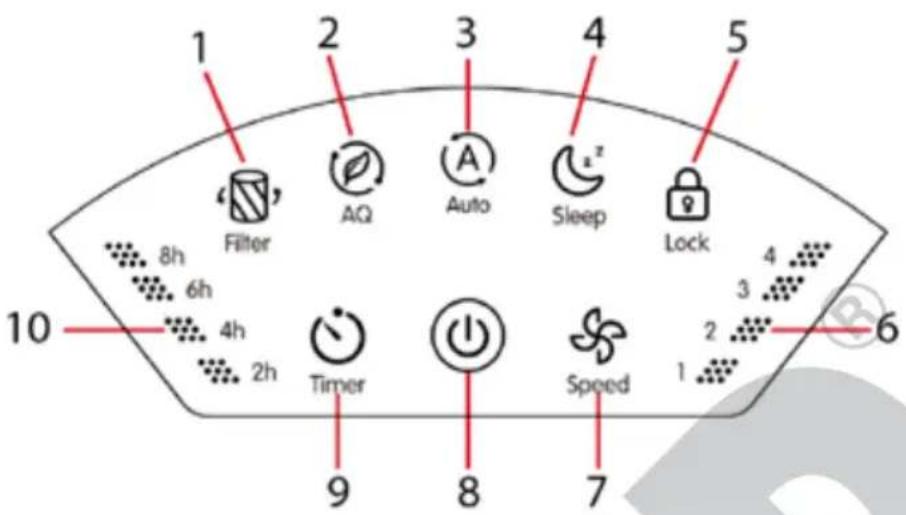
1 Filter Reset
Is lit when the filters need to be cleaned or replaced. Notice: The useful life of the filter varies with the service performance of the appliance and the air quality on site. A moist environment may make it necessary for the filter to be replaced after a substantially shorter time. This button is also used to reset the counter for the filter change.
2 Display Air Quality / Select Light
Your new air cleaner is equipped with a sensor that measures the current air quality.
Please note that this sensor is a device designed for household use and may therefore produce results that are not perfectly accurate. Therefore, consider its readings to be approximate information about the current quality of the air.
Air quality is indicated with the help of different colours:
Red – polluted air, orange – poor air quality, green – good air quality, blue – excellent air quality.
Press the button once briefly to enter the display mode for air quality and briefly one more time to exit the display mode again.
Adjusting the brightness of the night light
Only possible in stand-by mode! (Appliance connected to power, but not switched on)
Press the 2 button to switch the night light on. An acoustic signal sounds, and the indicators are dimmed. Press the button again to switch on the night light with fifty per cent light intensity and one more time to switch the night light off.
3 "Auto" Mode button
The appliance checks air quality automatically and adjusts the output of the appliance as follows:
| Colour | Blue Green | nge | Ora | Red |
| Air quality | Very good Good P | oor | Polluted | |
| Speed | 1 (Low) | 2 (Medi(Hig) | 3 h) | 4 (Turbo) |
Auto mode is ideal for day-to-day use. We therefore recommend that you generally run the appliance in auto mode.
4 Sleep Mode button
When set to sleep mode, the appliance will run with very little noise. The buttons “Sleep Mode” and “Timer” (provided the timer has been enabled) will only be lit at half their usual brightness, while all other buttons are off. Press any button other than “Sleep Mode” or “Filter Reset” to exit sleep mode.
5 Button lock button
Protects the appliance from inadvertent operation, e.g. if there are children in the room. Briefly press this button once to activate the button lock. None of the buttons on the appliance can now be pressed. To deactivate the button lock, press this button again and hold it down for 3 seconds.
6 Speed indicator
This indicator shows you at which speed the appliance is currently running.
7 Speed button
Press this button to select the desired speed when the appliance is not operating in auto mode. You can choose from four speeds (Low, Medium, High, and Turbo).
8 ON/OFF button
Press the “ON/OFF” button to switch the appliance on or off. When you switch the appliance on, the night light is lit, and the appliance starts running at speed 2 (Medium).
9 Timer button
Use this button to select the desired operating time of the appliance. After this time has elapsed, the appliance will switch off. The operating time increases by two hours with every press of this button. Press and hold this button until the desired time lights up. The possible options are 2, 4, 6 and 8 hours. The respective indicator for timer 2 h, 4 h, 6 h, and 8 h will light up accordingly. After the selected time has elapsed, the appliance will switch off automatically.
Notice: This setting will not be stored if you switch off the appliance or disconnect it from the power supply. If necessary, you will have to adjust this setting again the next time you put the appliance into operation.
10 Timer indicator
This indicator shows the currently selected operating time 2 h, 4 h, 6 h or 8 h.
BEFORE FIRST USE
- Remove all packaging and transport safety devices. Keep the packaging material away from children. Choke hazard! Dispose of the packaging material according to the applicable statutory waste disposal regulations.
- Inspect the appliance for damage. If there is visible damage, do not operate the appliance; instead, contact our customer service department.
- Check whether all accessories listed in this manual have been shipped with your appliance.
- The packaging must be removed from the filter prior to initial use. To do so, proceed as described in the section "Installing and removing the filter".
THE IDEAL LOCATION

Observe all information provided below as your appliance will otherwise not run safely and effectively!
- Never set up the appliance in a hot location or where it is exposed to direct sunlight or the air flow of air conditioners. The appliance may otherwise become damaged or display error messages.
- Never set up the appliance close to television sets or radios. The image or sound quality of these devices may otherwise be affected. Set up the appliance with a minimum distance of 2 metres from such devices. Caution: If you run the air purifier from the same power strip as TV or radio sets, you may experience noise or image distortion as well. If this happens, plug the air purifier into a different power socket.
- The appliance will not be able to deliver its maximum air purification performance unless it is set up on a level surface.
- Do not set the appliance up at the edge of a table as it may fall down.
- Keep an adequate distance from other objects and walls. Observe a minimum distance of 40 cm to other objects on all sides.
- Never place any objects on the appliance to prevent the appliance from malfunctioning.
- Never cover up any air inlets or air outlets.
- We recommend that you set up the appliance opposite a window or a door to provide for optimum air circulation.
OPERATION
- Follow all instructions provided in the safety regulations.
- Place the plug in a power socket (220–240 V\~, 50–60 Hz) and press the ON/OFF button.
- Select the desired mode:
"Auto" mode by pressing the "Auto" button.
The appliance checks air quality automatically and adjusts the output of the appliance accordingly. This mode is ideal for most requirements.
Manual mode
- After switching the appliance on, use the "Speed" button to select the desired speed. This speed is ideal for situations that require a specific type of air purification.
Sleep mode
- Turn sleep mode on as needed by pressing the Sleep Mode button.
Timer
- If necessary, you can also activate the timer function. Keep pressing the button until the desired operating time is displayed. After this time has elapsed, the appliance will switch off.
Button lock
- To keep the buttons on the appliance from being pressed inadvertently, press the "Button Lock" button if necessary. To deactivate the button lock, press this button again and hold it down for 3 seconds.
Memory function
- If you switched it off, the appliance will continue running at the previously set speed when you switch the appliance back on. However, if you disconnected the appliance from the power supply, all settings will be lost.
After use
- When it is not in use, switch off the appliance with a press of the ON/OFF button and disconnect the power plug.
CLEANING AND CARE

Switch off the appliance with a press of the ON/OFF button and disconnect the power plug. Next, wait for approx. 30 minutes before you start cleaning to allow dust etc. to settle.
Never immerse the appliance in water.
Never clean the filters by placing them in the washing machine or the dish washer!
Have the following objects ready:
■ 1 face mask, preferably an FFP2 mask ■ Disposable gloves of appropriate size - Cotton swabs Paper towels ■ Soft cloth
■ When replacing the filters: an appropriate number of tight-sealing garbage bags for the old filters ■ Vacuum cleaner with, for instance, upholstery nozzle (caution: for sanitary reasons, do not use the vacuum cleaner with which you clean, for instance, your living spaces). Use a vacuum cleaner that is not used for cleaning indoor rooms.
- If possible, clean the appliance in a dry and wind-protected area outside of the house. Caution: Do not clean outdoors in moist conditions or when it rains or is very windy. Choose a well-ventilated area indoors instead.
- Put on the face mask and the gloves.
- Never use scouring agents, steel wool, metal objects, hot cleaners or disinfectants.
- Wipe off the housing of the appliance thoroughly using a clean and dry cloth. For persistent stains, you can use a slightly damp cloth. Make sure no water can enter into the housing.
- To clean the filters, start by removing the filters first as described in the section "Installing the filter".
Cleaning the filter
- The filter needs to be cleaned every two weeks.
- To clean the filter, start by removing the filters as described in the section "Installing and removing the filter".
- Carefully remove dust, hairs and other residue using a suitable nozzle attachment (e.g. an upholstery nozzle) and run the vacuum cleaner at the lowest level.
- The filter must not be cleaned with water as this will damage the filter. Proceed with caution as the filter is easily damaged.
Conclusion of cleaning and storage
- When finished with all cleaning steps, place the filter back into the appliance.
- If you used a vacuum cleaner for cleaning, change the filter bag and clean the attachment you used carefully.
- Place any used filters and consumables such as mask, gloves and cotton swabs into a garbage bag and seal the bag carefully.
- Dispose of the garbage bag in accordance with the applicable statutory waste disposal regulations.
- We recommend that you put any clothes you wore during cleaning into the laundry and put on fresh clothing. You can, of course, also wear a disposable coverall during cleaning.
- Wash and disinfect your hands thoroughly using an antiviral hand disinfectant.
- When it is not in use, keep the appliance in a dry and dust-free place.
- Make sure to store the appliance out of the reach of children.
INSTALLING AND REMOVING THE FILTER
Caution: Always switch off the appliance and disconnect the power plug before changing the filter or performing other maintenance operations.
To preserve their quality, the filters have been packaged carefully. You always need to remove all packaging material before installing the filter and before you can start using the appliance. Strictly adhere to the filter order listed below as the appliance will otherwise not function properly.
Observe all personal safety measures specified in the section "Cleaning and care".
- We recommend changing the filter every 6 to 8 months. The interval depends on how often the appliance is used and on the air quality on site. You can detect deteriorating filtering performance by a/an:
■ Increasing noise during operation ■ Decreasing air flow ■ Clogged filter
■ Increase in odour intensity
■ Indicator on the display of the appliance
- Place a soft cloth on a level surface.
- Flip the appliance over so that its base is facing up. Next, set the appliance down on the cloth to prevent damage from scratching.
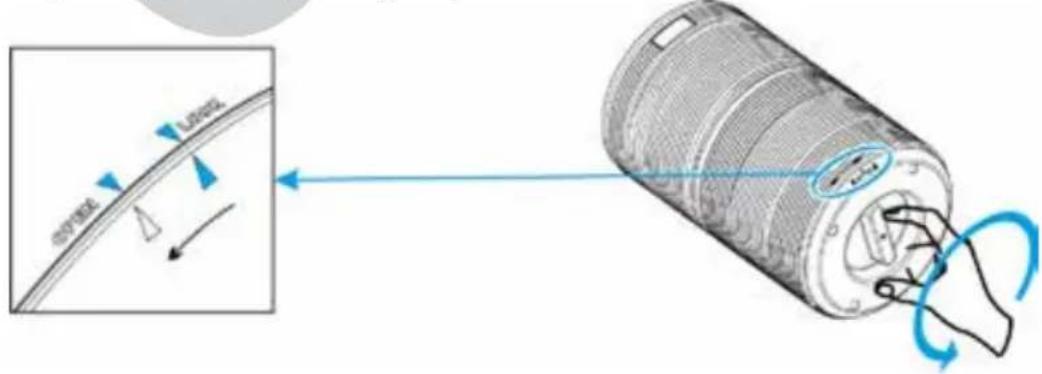
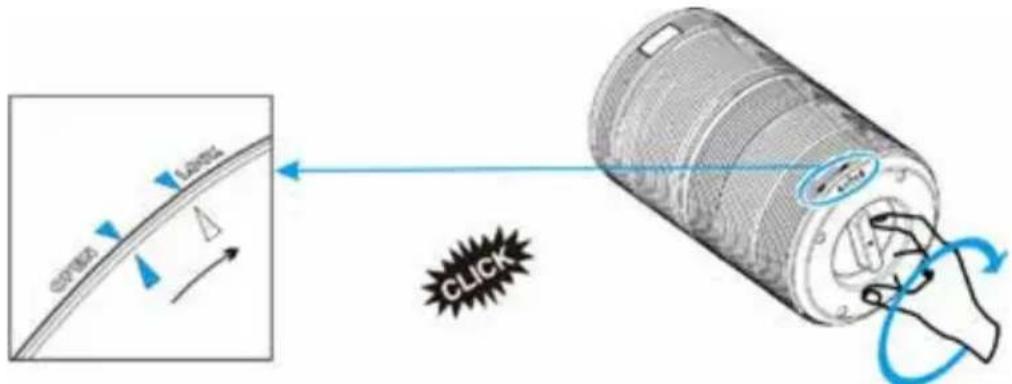
- To open the base cover, turn the arrow from the "Lock" position to the "Open" position (see figure)
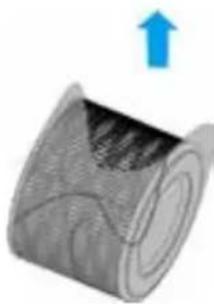
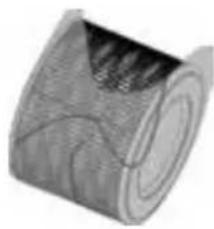
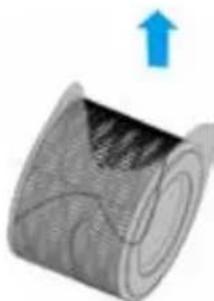
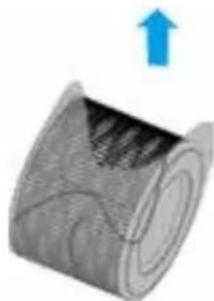
- Remove the cover and pull the filter out.
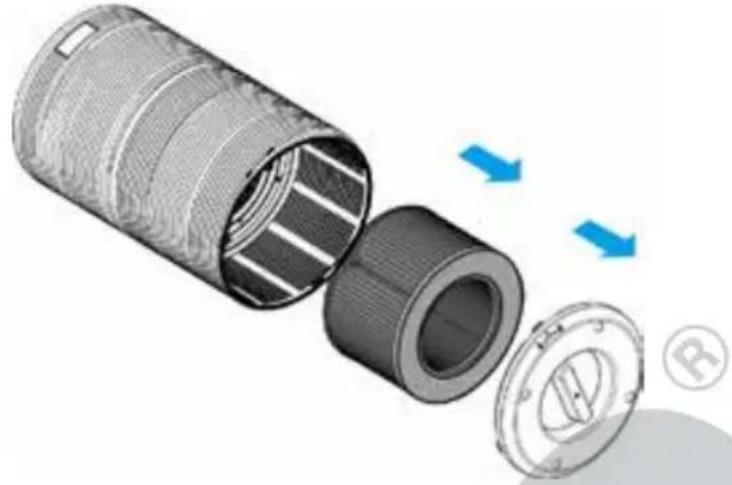
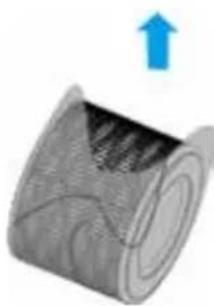
- Remove all packaging and any transport safety devices from the new filter. Keep the packaging material away from children. Choke hazard! Dispose of the packaging material according to the applicable statutory waste disposal regulations.
- Next, slide the (new) filter back into the housing.
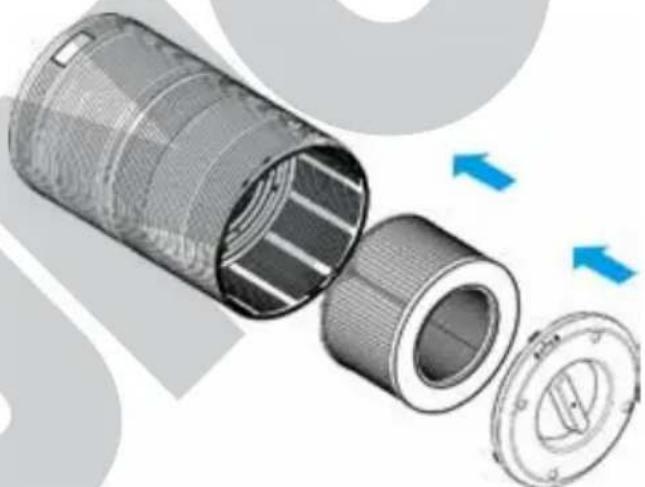
- Close the housing again using the cover by turning the cover from "Open" to "Lock" until the cover locks audibly into place.
- Flip the appliance right side up again and place it on a level surface.
- When you have replaced an old filter, you need to reset the counter for the operating time.
Place the plug in a power socket and switch the appliance on by pressing the ON/OFF button.
Press and hold button 1 "Filter" for 3 seconds.
As soon as you release the button, the indicator will go out, and the reset is complete.
Replacing the filter prematurely
- Environments with a particularly high concentration of contaminants in the air may make it necessary for the filter to be replaced before the specified time, even if the filter indicator has not come on yet.
- To change the filter, proceed as described in the previous section and complete steps 1 through 10.
- Next, place the plug in a power socket and switch the appliance on by pressing the ON/OFF button.
- Press and hold button 1 "Filter" for 3 seconds; the indicator lights up.
- Press and hold button 1 "Filter" for another 3 seconds; the indicator goes out. The process has been completed.
TROUBLESHOOTING
| Problem Cause Remedy | ||
| The ON/OFF button does not respond | Plug not inserted Place the | plug in a power socket |
| The power socket is defective | Place the plug in a different power socket | |
| ON/OFF button not pressed properly | Press the button again | |
| Power cord defective | Stop using the appliance and contact our customer service department right away | |
| Appliance defective | ||
| None of the buttons responds when pressed | Plug not inserted | Place the plug in a power socket |
| Appliance defective | Stop using the appliance and contact our customer service department right away | |
| Unusual noise emission | Filter clogged Replace the | filter as described in the section “Installing and removing the filter” |
| Filter not inserted properly | Check if the filter has been installed properly | |
| Foreign objects in the appliance | Stop using the appliance and contact our customer service department right away. Never open the motor housing yourself! | |
| The packaging has not been removed from the filter. | Remove the packaging from the filter. | |
| Decreasing air flow The packaging has not been removed from the filter. | Remove the packaging from the filter | |
| Selected speed too low Select a higher speed level | ||
| The filter needs to be replaced | ||
| Air inlet not clear Provide for sufficient air circulation on all sides of the appliance | ||
| Air quality is not improving | The filter needs to be replaced | Replace the filter as described in the section “Installing and removing the filter” |
| Room too large | This air purifier is designed for a maximum room size of 30 m2 | |
| Air inlet or outlet not clear | Provide for sufficient air circulation on all sides of the appliance | |
| Filter not inserted properly | Check if the filter has been installed properly | |
| The “Reset” indicator remains red after the filter was changed | The reset of the counter was not performed properly | Complete the process as described in the section “Installing and removing the filter” |
| Appliance turns off again immediately after it was switched on | Defect on the appliance | Stop using the appliance and contact our customer service department right away. Never open the motor housing yourself! |
| Appliance beeps after it has been connected to the power supply or switched on. | ||
GUARANTEE CONDITIONS
We grant a 24 months guarantee, and in case of commercial use a 12 months guarantee, starting from the date of purchase for any damage demonstrably due to manufacturing defects and when the appliance has been used according to its intended use. Within the warranty period we will remedy defective materials or workmanship through repair or replacement, at our option. Our warranty terms apply only to appliances sold in Germany and Austria. For other countries, please contact the responsible importer. In the event of a claim for remedy of defects, please send the appliance to our after sales service, properly packaged, together with a copy of the automatically generated sales receipt, which must show the date of purchase, and a description of the defect. You can print out a return receipt on our website www.unold.de/ruecksendung. (only for entries from Germany and Austria). The warranty does not cover damage from normal wear, improper handling and failure to comply with the maintenance and care instructions. The warranty is void if repairs or modifications are made to the appliance by third parties. Any claims of the end consumer vis-à-vis the retailer are not limited by this warranty.
WASTE DISPOSAL / ENVIRONMENTAL PROTECTION
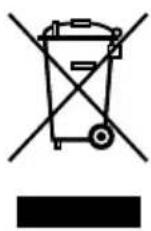
Our appliances are produced on a high quality level for a long lifetime. Regular maintenance and expert repairs by our after-sales service can extend the useful life of the appliance. If an appliance is defective and repair is not possible we ask you to follow the following instructions for disposal. Do not dispose this appliance together with your standard household waste. Please bring this product to an approved collection point for recycling of electric and electronic products. By separate collection and disposal of waste products you help to protect natural resources and ensure, that the product is disposed in an adequate way to protect health and environment.
Immediately dispose of all consumables and personal protective equipment such as masks, gloves, etc. in accordance with local regulations. Never leave them lying around openly in order to avoid any danger to people.
The instruction booklet is also available for download: www.unold.de
USER MANUAL MODEL 87210/87215
FOREWORD
WARRANTY CONDITIONS
Moc: 29 W, 220–240 V~, 50–60 Hz
- AIR PURIFIER ALPHA
- OPERATING INSTRUCTIONS
- UNOLD®
- TABLE OF CONTENTS
- YOUR NEW AIR PURIFIER
- SYMBOLS USED IN THIS DOCUMENT
- TECHNICAL DATA
- FOR YOUR SAFETY
- PLEASE READ THE FOLLOWING INSTRUCTIONS AND KEEP THEM ON HAND FOR LATER REFERENCE
- SAFE HANDLING OF ELECTRICITY
- INFORMATION ON HOW TO SET UP AND USE THE APPLIANCE SAFELY
- AIR PURIFIER
- GLOSSARY
- DISPLAY AND BUTTONS
- 1 FILTER RESET
- 2 DISPLAY AIR QUALITY / SELECT LIGHT
- ADJUSTING THE BRIGHTNESS OF THE NIGHT LIGHT
- ONLY POSSIBLE IN STAND-BY MODE! (APPLIANCE CONNECTED TO POWER, BUT NOT SWITCHED ON)
- 3 "AUTO" MODE BUTTON
- 4 SLEEP MODE BUTTON
- 5 BUTTON LOCK BUTTON
- 6 SPEED INDICATOR
- 7 SPEED BUTTON
- 8 ON/OFF BUTTON
- 9 TIMER BUTTON
- 10 TIMER INDICATOR
- BEFORE FIRST USE
- THE IDEAL LOCATION
- OBSERVE ALL INFORMATION PROVIDED BELOW AS YOUR APPLIANCE WILL OTHERWISE NOT RUN SAFELY AND EFFECTIVELY
- OPERATION
- AUTO" MODE BY PRESSING THE "AUTO" BUTTON
- MANUAL MODE
- SLEEP MODE
- TIMER
- BUTTON LOCK
- MEMORY FUNCTION
- AFTER USE
- CLEANING AND CARE
- CLEANING THE FILTER
- CONCLUSION OF CLEANING AND STORAGE
- INSTALLING AND REMOVING THE FILTER
- REPLACING THE FILTER PREMATURELY
- GUARANTEE CONDITIONS
- WASTE DISPOSAL / ENVIRONMENTAL PROTECTION
- USER MANUAL MODEL 87210/87215
- FOREWORD
- WARRANTY CONDITIONS
Brand : UNOLD
Model : Alpha 87210
Category : Air purifier