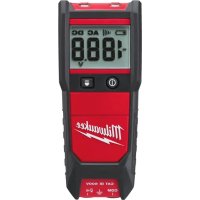
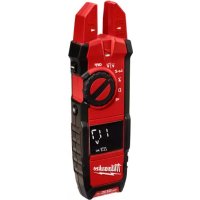
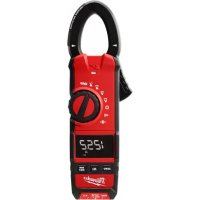
221220 - Multimeter MILWAUKEE - Free user manual and instructions
Find the device manual for free 221220 MILWAUKEE in PDF.


Pick your language and provide your email: we'll send you a specifically translated version.
| Product type | Digital multimeter |
| Brand | Milwaukee |
| Model | 221220 |
| Category | Multimeter |
| Dimensions (approx.) | 150 x 70 x 30 mm |
| Weight (approx.) | 200 g |
| Power supply | 9V battery (type 6LR61) |
| Main functions | AC/DC voltage measurement, AC/DC current, resistance, continuity test, diode test |
| DC voltage range | 200 mV to 600 V |
| AC voltage range | 200 V to 600 V |
| Resistance range | 200 Ω to 20 MΩ |
| Continuity test | Threshold < 30 Ω, audible signal |
| Safety category | CAT II 600 V |
| Display | LCD 3 ½ digits, 2000 counts |
| Backlight | Yes |
| Maintenance and cleaning | Clean with a dry, soft cloth. Do not use solvents. |
| Safety | Overload protection, protective fuse on current inputs |
| Spare parts and repairability | Parts not available separately. Repair by Milwaukee authorized center only. |
| Included accessories | Batteries, test leads, user manual |
| Warranty | Limited 2-year warranty |
Frequently Asked Questions - 221220 MILWAUKEE
How to replace the battery of the Milwaukee 221220 multimeter?
To replace the battery, first disconnect the test leads. Open the compartment on the back of the device using a screwdriver. Replace the used 9V battery with a new one, respecting polarity. Close the compartment.
What to do if the display remains stuck on a value?
If the display remains stuck, first check the battery. If it is low, replace it. If the problem persists, perform a continuity test on a known circuit to confirm. If the malfunction continues, contact customer service.
How to safely measure an AC voltage?
Select the AC voltage function (V~). Plug the black lead into the COM terminal and the red lead into the VΩmA terminal. Place the test probes on the measurement points. Ensure you do not exceed the indicated maximum voltage (600 V) to avoid electric shock risks.
The multimeter displays 'OL', what does it mean?
The OL (Over Limit) display indicates that the measurement is outside the selected range or the circuit is open. Select a higher range or check your connections.
Can I test electronic components with this multimeter?
Yes, you can test diodes and resistors. For diodes, use the diode test mode. For resistors, use the resistance mode (Ω). Make sure the component is out of circuit.
How to clean the multimeter?
Use a soft, dry cloth to clean the housing. Never use solvents or abrasive products that could damage the device. Avoid letting moisture inside.
What is the safety category of this multimeter?
The Milwaukee 221220 is rated CAT II 600 V, suitable for measurements on equipment circuits plugged into household outlets. Do not use it on primary distribution circuits.
Are the test leads replaceable?
Yes, the test leads are removable. Use leads of the same safety category (CAT II 600 V) to ensure adequate protection. Replace them if damaged.
How to test the continuity of a wire?
Turn the selector to the continuity test mode (sound wave symbol). Connect the leads to the COM and VΩmA terminals. Place the probes at the ends of the wire. If the resistance is less than 30 Ω, an audible signal will sound.
What to do if the multimeter does not turn on?
First check the battery: make sure it is correctly installed and not discharged. If the battery is new and the device still does not turn on, check the protection fuse (if any) and contact an authorized repair center.
User questions about 221220 MILWAUKEE
0 question about this device. Answer the ones you know or ask your own.
Ask a new question about this device
No questions yet. Be the first to ask one.
Download the instructions for your Multimeter in PDF format for free! Find your manual 221220 - MILWAUKEE and take your electronic device back in hand. On this page are published all the documents necessary for the use of your device. 221220 by MILWAUKEE.
USER MANUAL 221220 MILWAUKEE
Manual assistant
Powered by Anthropic
Waiting for your message
Product information
Brand : MILWAUKEE
Model : 221220
Category : Multimeter