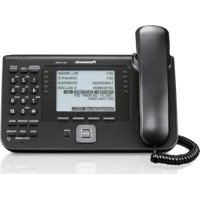
KX-TS100EXW - Phone PANASONIC - Free user manual and instructions
Find the device manual for free KX-TS100EXW PANASONIC in PDF.



User questions about KX-TS100EXW PANASONIC
0 question about this device. Answer the ones you know or ask your own.
Ask a new question about this device
Download the instructions for your Phone in PDF format for free! Find your manual KX-TS100EXW - PANASONIC and take your electronic device back in hand. On this page are published all the documents necessary for the use of your device. KX-TS100EXW by PANASONIC.
USER MANUAL KX-TS100EXW PANASONIC
Please read before use and save.
Thank you for purchasing your new Panasonic integrated telephone.
For your future reference
Serial No. Date of purchase
(found on the bottom of the unit)
Name and address of dealer
Contents
Location of Controls 3
Settings 4
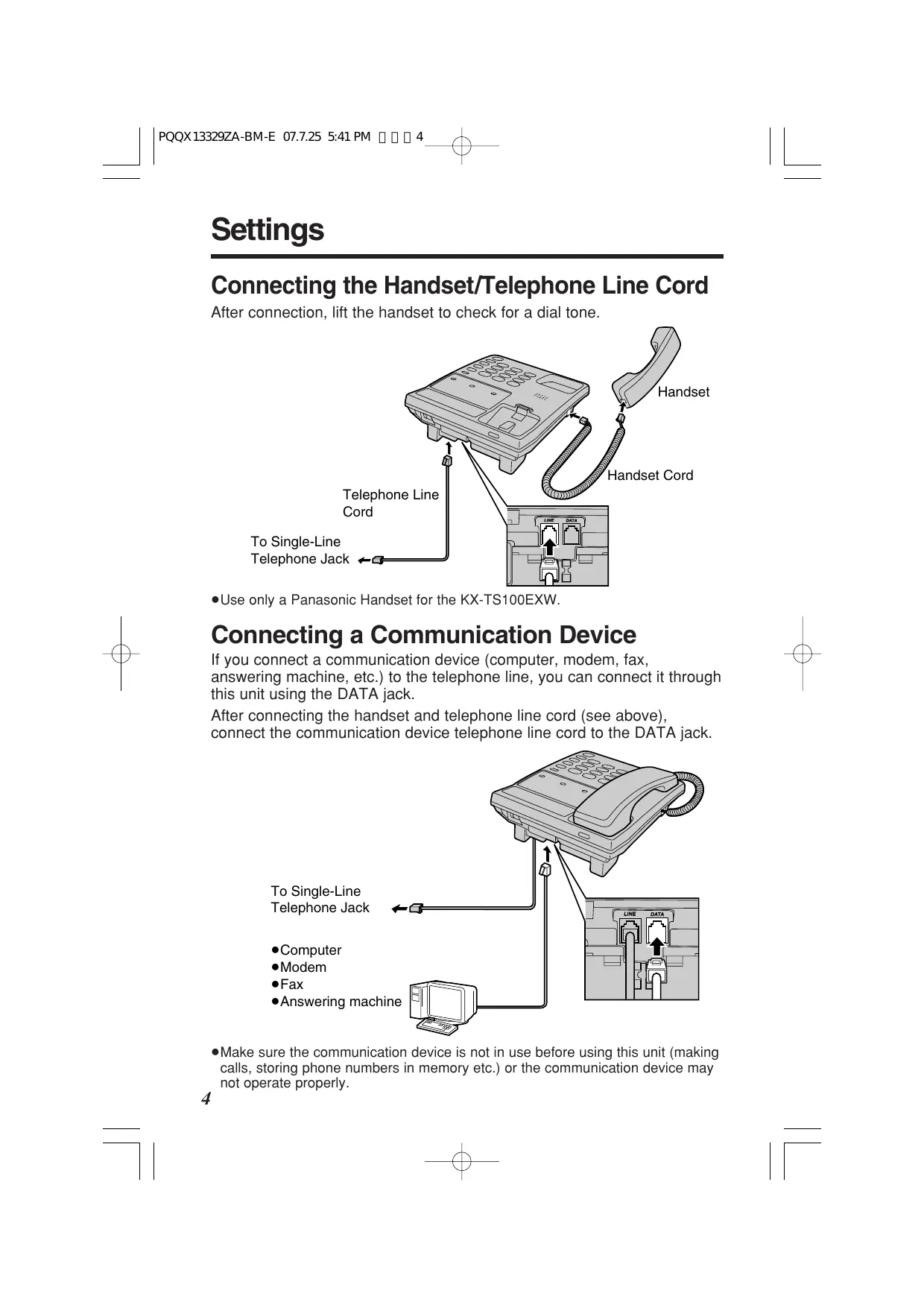
Connecting the Handset/Telephone Line Cord 4
Connecting a Communication Device 4
Wall Mounting 5
Making Calls 6
Answering Calls 7
Speed Dialer 8
Storing Phone Numbers in Memory. 8
Dialing a Stored Number 9
One-Touch Dialer 10
Storing Phone Numbers in Memory. 10
Dialing a Stored Number 11
Special Features. 12
RECALL Button. 12
How to Use the PAUSE Button (For Analog PBX Line/Long Distance Service Users) 12
Before Requesting Help. 13
Safety Instructions 14
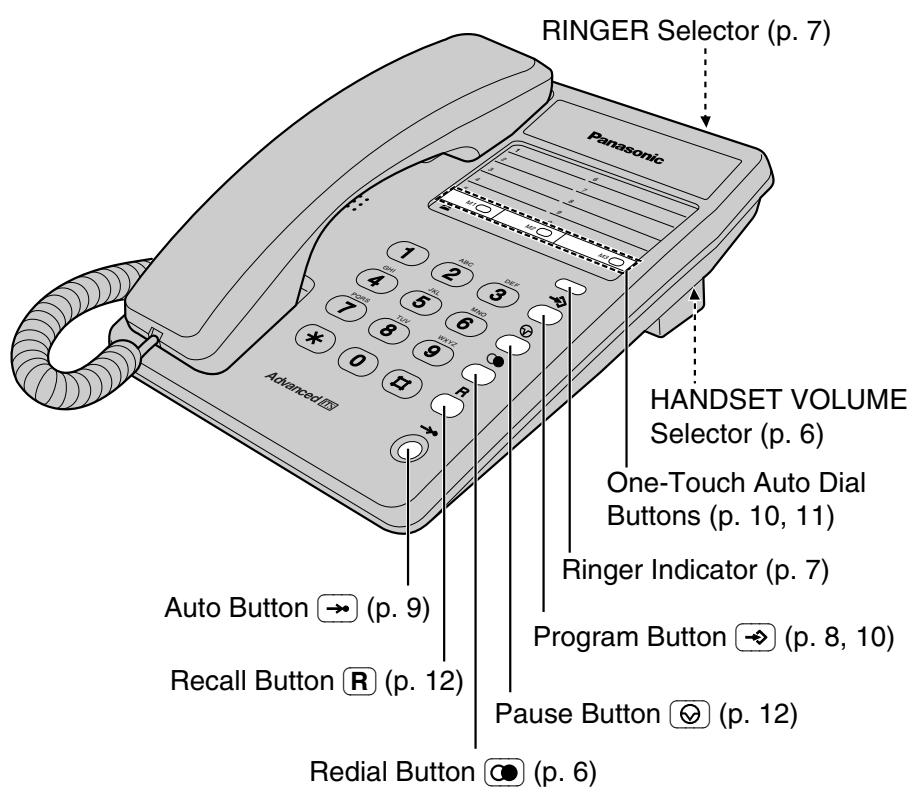
Location of Controls
ENGLISH
Accessories (included)
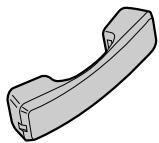
□Handset. .one
(p. 4)
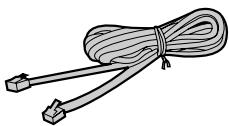
Telephone Line Cord . . . . . one
(p. 4)
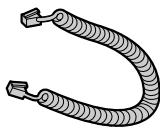
□Handset Cord....one
(p. 4)
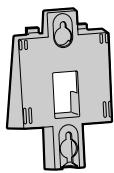
□ Wall Mounting Adaptor... . . . one
(p. 5)
Settings
Connecting the Handset/Telephone Line Cord
After connection, lift the handset to check for a dial tone.
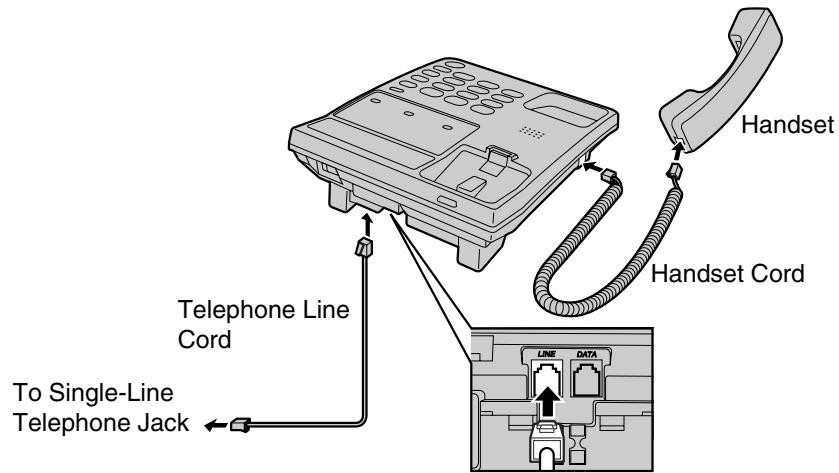
- Use only a Panasonic Handset for the KX-TS100EXW.
Connecting a Communication Device
If you connect a communication device (computer, modem, fax, answering machine, etc.) to the telephone line, you can connect it through this unit using the DATA jack.
After connecting the handset and telephone line cord (see above), connect the communication device telephone line cord to the DATA jack.
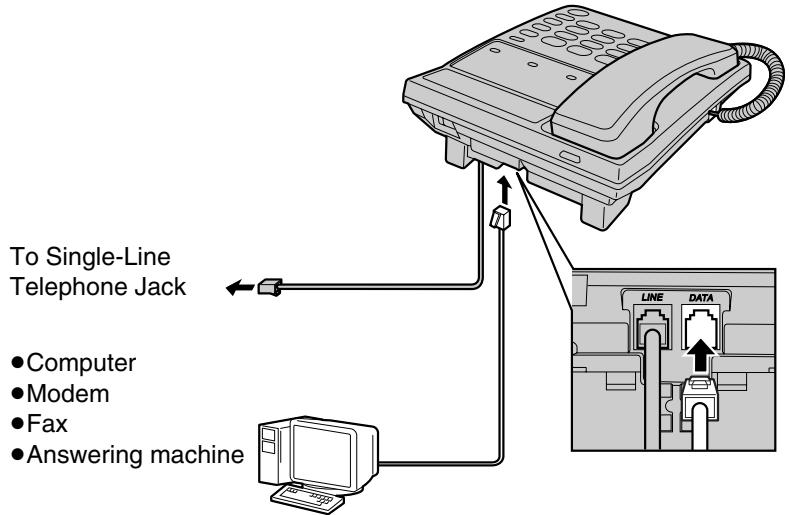
- Make sure the communication device is not in use before using this unit (making calls, storing phone numbers in memory etc.) or the communication device may not operate properly.
Wall Mounting
This unit can be mounted on a wall.
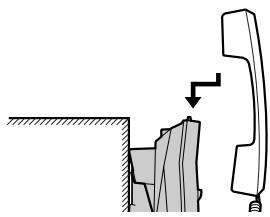
Pull down the handset hook until it locks, so the tab holds the handset.
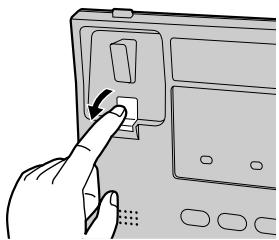
ENGLISH
2 Tuck the telephone line cord inside the wall mounting adaptor, and push it in the direction of the arrow.
- "UP" should be facing upward.
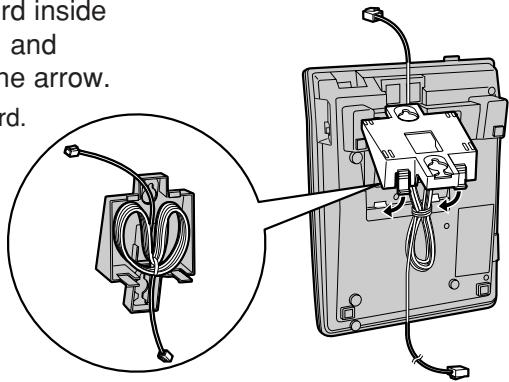
3 Install screws using the wall template below. Connect the telephone line cord. Mount the unit, and slide down.
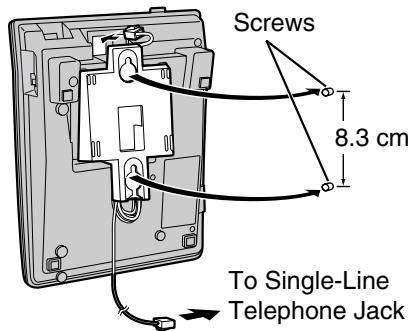
To temporarily set the handset down during a conversation, place it as shown here.
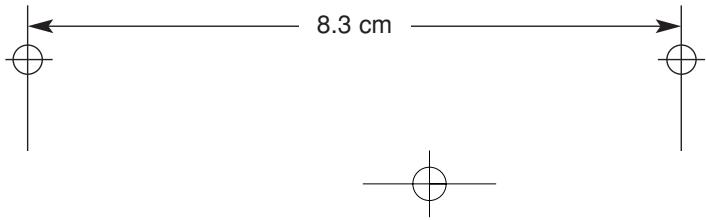
Wall Template
Making Calls
1 Lift the handset.
Dial a phone number.
- If you misdial, hang up and start from step 1.
3 When finished talking, hang up.
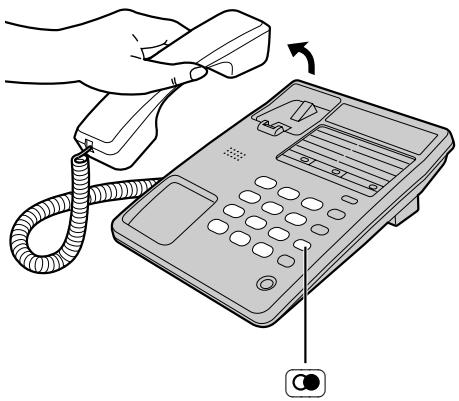
To redial the last number
Lift the handset. Press 0 .
- While lifting the handset, each time you press , the line will be automatically disconnected and the number will be redialed.
- will dial the last number you called manually, not a Speed Dialer number (p. 9) or One-Touch Dialer number (p. 11).
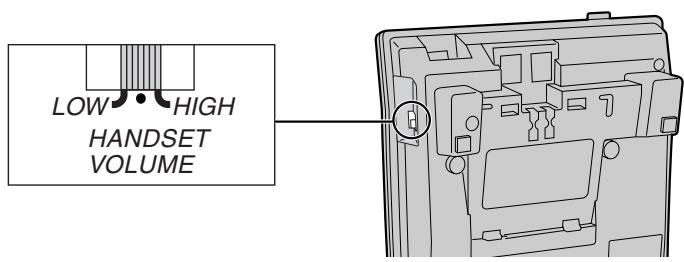
To select the receiver volume
Set the HANDSET VOLUME selector to HIGH, MEDIUM (preset) or LOW.
- When you make additional dialing after speed dialing such as AUTO (p. 9), One-Touch Dialer (p. 11) or REDIAL, please make sure to do it after finishing the speed dialing. Otherwise, the unit may not dial properly.
Answering Calls
While a call is being received, the unit rings and the ringer indicator flashes.
When the unit rings, lift the handset.
2 When finished talking, hang up.
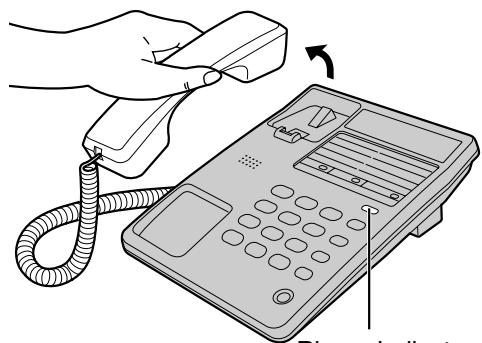
Ringer Indicator
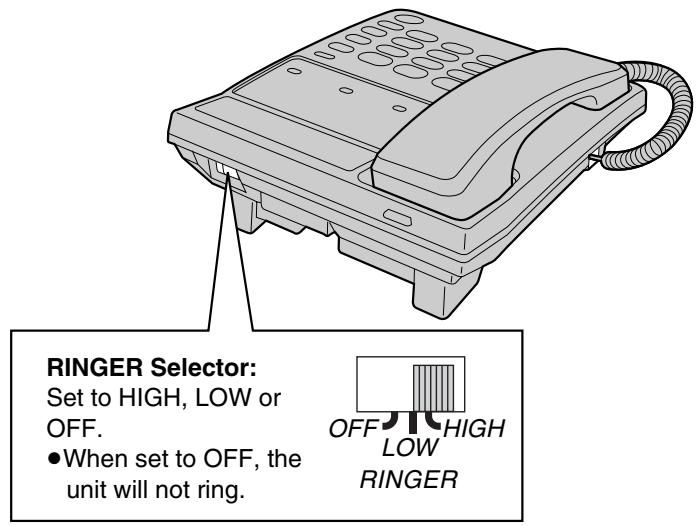
- While the ringer volume is set to OFF (see below), the unit will not ring.
To select the ringer volume
Speed Dialer
Storing Phone Numbers in Memory
You can store up to 10 phone numbers in the memory stations. The dialing buttons (① to ⑨) function as memory station numbers. Do not press any memory stations before storing to prevent misoperation.
1
Lift the handset.
2
Press
3
Enter a phone number up to 16 digits.
- If you enter a wrong number, hang up and start again from step 1.
4
Press
5
Press a memory station number (0 to 9)
6
When finished, hang up.
-
To store other numbers, repeat steps 1 through 6.
-
If a pause is required for dialing, press 念 where needed. Pressing 念 counts as one digit (p. 12).
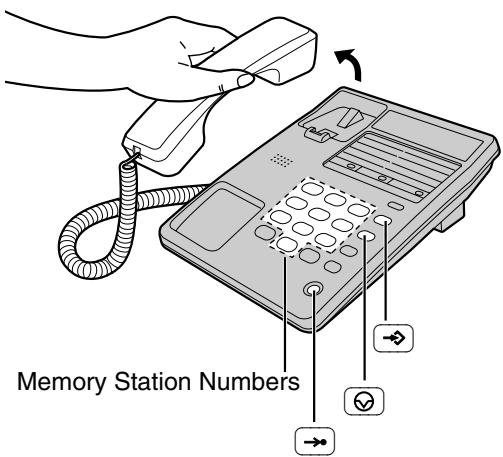
To store a dialed number in memory
1 Lift the handset.
2 Dial a phone number up to 16 digits.
3 During a conversation, press twice.
4 Press the memory station number (0 to 9).
5 Hang up.
Dialing a Stored Number
1 Lift the handset.
2 Press
3 Press the memory station number (0 to 9). The stored number is dialed.
- The button does not work for Speed Dialer.
To dial the number again, hang up and repeat steps 1 to 3. - If the telephone line cord is disconnected more than 3 days, the stored numbers may be erased. Store phone numbers again.
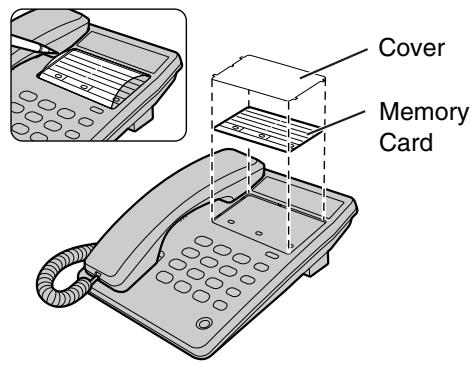
Memory Card
Remove the memory card and use it as a name or phone number index for the stored numbers.
One-Touch Dialer
Storing Phone Numbers in Memory
You can store up to 3 phone numbers in the one-touch auto dial buttons (M1 to M3).
Do not press any one-touch auto dial buttons before storing to prevent misoperation.
1 Lift the handset.
2 Press
3 Enter a phone number up to 16 digits.
- If you enter a wrong number, hang up and start again from step 1.
4 Press l
5 Press a one-touch auto dial button (M1 to M3).
6 When finished, hang up.
- To store other numbers, repeat steps 1 through 6.
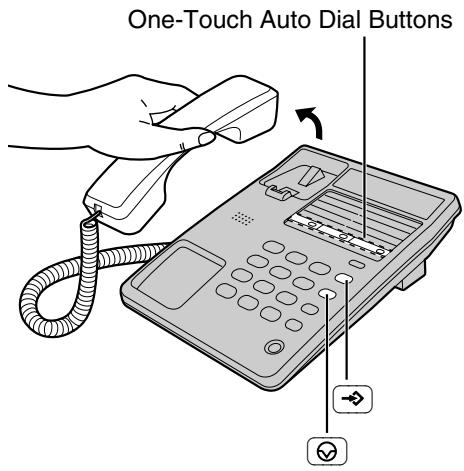
- If a pause is required for dialing, press where needed. Pressing counts as one digit (p. 12).
To store a dialed number in memory
1 Lift the handset.
2 Dial a phone number up to 16 digits.
3 During a conversation, press twice.
4 Press the one-touch auto dial button (M1 to M3).
5 Hang up.
Dialing a Stored Number
1 Lift the handset.
2 Press the one-touch auto dial button (M1 to M3). The stored number is dialed.
- The button does not work for One-Touch Dialer.
To dial the number again, hang up and repeat steps 1 and 2. - If the telephone line cord is disconnected more than 3 days, the stored numbers may be erased. Store phone numbers again.
Special Features
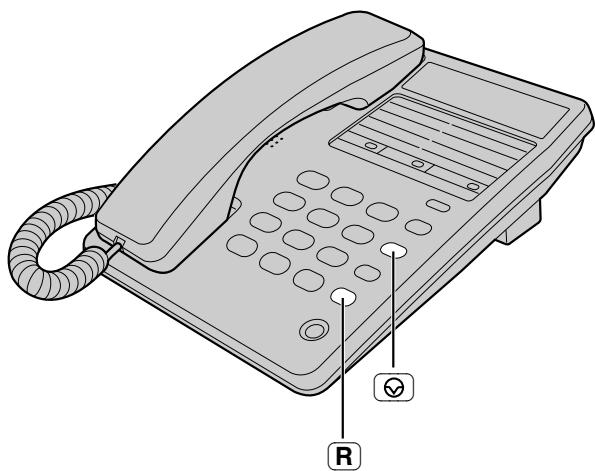
RECALL Button
Pressing allows you to use special features of your host PBX such as transferring an extension call or accessing special telephone services (optional) such as call waiting.
How to Use the PAUSE Button (For Analog PBX Line/Long Distance Service Users)
We recommend you press 6 if a pause is required for dialing with a PBX or to access a long distance service.
Ex. Line access number (PBX)
Phone number
- Pressing once creates a few seconds pause.
This prevents misdialing when you radial or dial a stored number. - Pressing more than once increases the length of the pause between numbers.
Before Requesting Help
| Problem | Remedy |
| The unit does not work. | Check the settings (p. 4-5). |
| The unit does not ring. | The RINGER selector is set to OFF. Set to HIGH or LOW (p. 7). |
| You cannot store a phone number in memory. | Confirm the handset is off the cradle. Do not enter a phone number more than 16 digits long. |
Safety Instructions
Take special care to follow the safety suggestions listed below.
Installations
Environment
1) Do not use this unit near water—for example, near a bathtub, washbowl, sink, etc. Damp basements should also be avoided.
2) The unit should be kept away from heat sources such as radiators, kitchen range, etc. It also should not be placed in rooms where the temperature is less than 5^ or greater than 40^ .
Placement
1) Do not place heavy objects on top of this unit.
2) Care should be taken so that objects do not fall onto, and liquids are not spilled into, the unit. Do not subject this unit to excessive smoke, dust, mechanical vibration, or shock.
3) Place the unit on a flat surface.
Lightning surge
This unit has already been equipped with a built-in lightning protection circuit. However, we recommend that you install lightning protection on the telephone line, if your area has a high incidence of lightning strikes.
To install the above option, please contact your local sales shop.
- Lightning damage is not covered in the warranty even if lightning protection is installed.
WARNING:
TO PREVENT FIRE OR SHOCK HAZARD, DO NOT EXPOSE THIS PRODUCT TO RAIN OR ANY TYPE OF MOISTURE.
If there is any trouble, disconnect the unit from the telephone line and connect a known working phone. If the known working phone operates properly, do not reconnect the unit to the telephone line until the trouble has been repaired. If the known working phone does not operate properly, consult your telephone company.
Vor Inbetriebnahme
Installation murale 30
Accessoires (inclus)
□ Combiné 1
(p. 29)
This equipment is designed for use on Switzerland, Spain, Netherlands, Sweden, Finland, France and Greece. In the event of problems, you should contact your equipment supplier in the first instance.
Declaration of Conformity:
- Panasonic System Networks Co., Ltd. declares that this equipment is in compliance with the essential requirements and other relevant provisions of Radio & Telecommunications Terminal Equipment (R&TTE) Directive 1999/5/EC.
Declarations of Conformity for the relevant Panasonic products described in this manual are available for download by visiting: http://www.doc.panasonic.de
Authorised Representative:
Panasonic Testing Centre
Panasonic Marketing Europe GmbH
Winsbergring 15, 22525 Hamburg, Germany
Panasonic Testing Centre
Panasonic Marketing Europe GmbH
Winsberging 15, 22525 Hamburg, Deutschland
Panasonic Testing Centre
Panasonic Marketing Europe GmbH
Winsberging 15, 22525 Hamburg, Germany