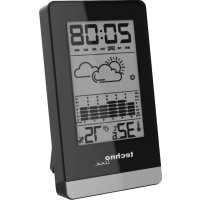
WS 9125 - Weather Station TECHNOLINE - Free user manual and instructions
Find the device manual for free WS 9125 TECHNOLINE in PDF.



| Product Type | Weather Station |
| Brand | TECHNOLINE |
| Model | WS 9125 |
| Power Supply | 2 LR03 AAA alkaline batteries (2.5~3.3 V) |
| Indoor Temperature Range | -9.9 °C to 50 °C (14.1 °F to 122 °F) |
| Indoor Humidity Range | 20 % RH to 99 % RH |
| Time Display | 12 h or 24 h |
| Perpetual Calendar | Up to year 2099 |
| Alarm | Daily with snooze (8 min) |
| Weather Forecast | Symbolic display |
| Temperature History | Bar chart over 12 hours |
| Comfort Index | Display based on temperature and humidity |
| Temperature Unit | °C or °F (switchable) |
| Min/Max Value Memory | Temperature and humidity (reset every 24 h) |
| Intended Use | Indoor only |
| Maintenance | Clean with a soft dry cloth |
| Battery Safety | Observe polarities, do not recharge, replace all batteries at the same time |
| Operating Conditions | -10 °C to 50 °C, 20 % to 95 % relative humidity |
| Storage Conditions | -20 °C to 60 °C, 20 % to 95 % relative humidity |
| Multilingual Manual | Available in 8 languages at www.technoline.de |
Frequently Asked Questions - WS 9125 TECHNOLINE
User questions about WS 9125 TECHNOLINE
0 question about this device. Answer the ones you know or ask your own.
Ask a new question about this device
Download the instructions for your Weather Station in PDF format for free! Find your manual WS 9125 - TECHNOLINE and take your electronic device back in hand. On this page are published all the documents necessary for the use of your device. WS 9125 by TECHNOLINE.
USER MANUAL WS 9125 TECHNOLINE
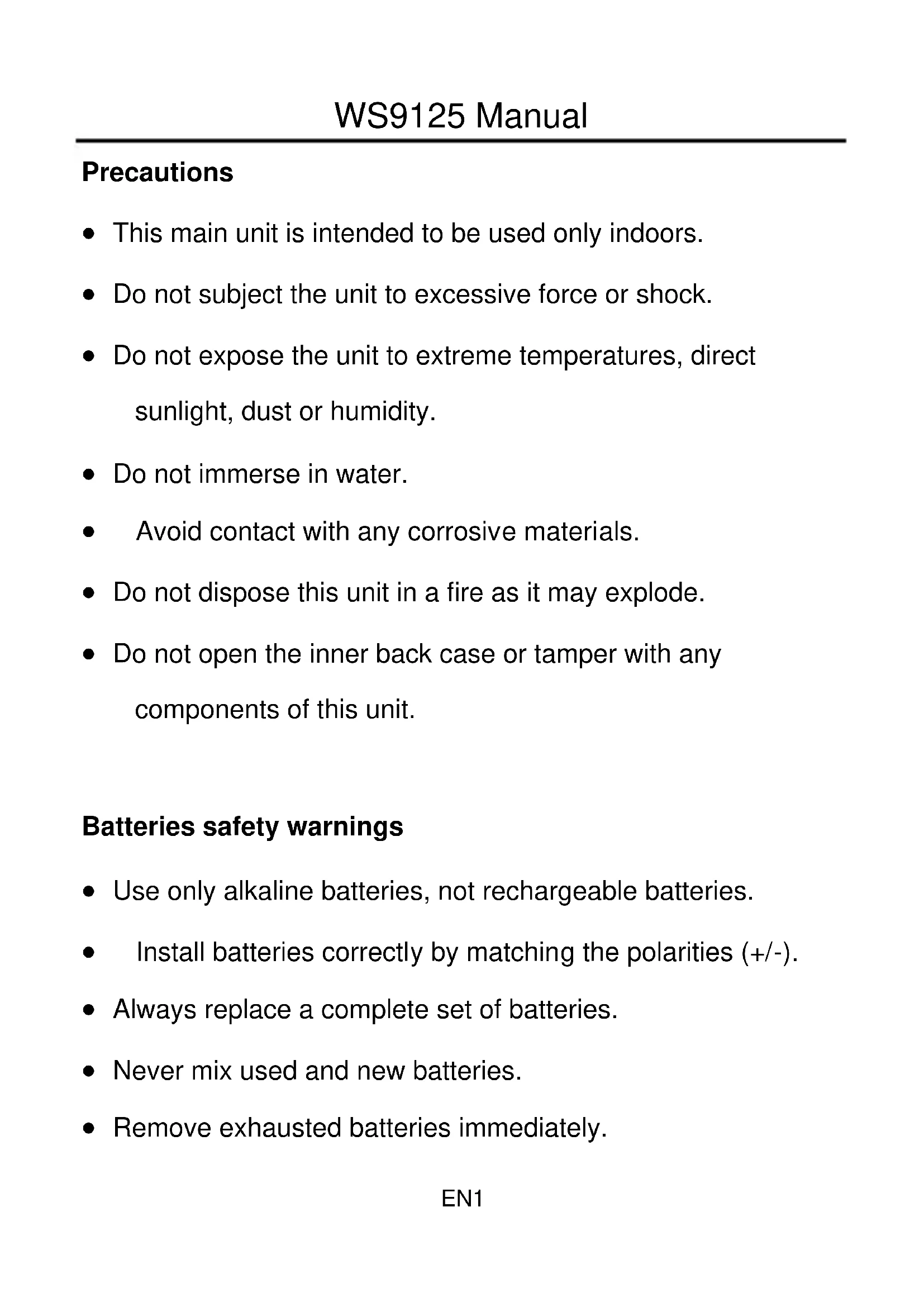
- This main unit is intended to be used only indoors.
- Do not subject the unit to excessive force or shock.
- Do not expose the unit to extreme temperatures, direct sunlight, dust or humidity.
- Do not immerse in water.
- Avoid contact with any corrosive materials.
- Do not dispose this unit in a fire as it may explode.
- Do not open the inner back case or tamper with any components of this unit.
Batteries safety warnings
- Use only alkaline batteries, not rechargeable batteries.
Install batteries correctly by matching the polarities (+ / -) - Always replace a complete set of batteries.
- Never mix used and new batteries.
-
Remove exhausted batteries immediately.
-
Remove batteries when not in use.
- Do not recharge and do not dispose of batteries in fire as the batteries may explode.
- Ensure batteries are stored away from metal objects as contact may cause a short circuit.
- Avoid exposing batteries to extreme temperature or humidity or direct sunlight.
- Keep all batteries out of reach from children. They are a choking hazard.
Use the product only for its intended purpose!
Consideration of duty according to the battery law

Old batteries do not belong to domestic waste
because they could cause damages of health
and environment. You can return used batteries
free of charge to your dealer and collection points. Asend-user you are committed by law to bring back needed
batteries to distributors and other collecting points!
Consideration of duty according to the law of electrical devices

This symbol means that you must dispose of electrical devices separated from the General household waste when it reaches the end of its
useful life. Take your unit to your local waste collection point or recycling centre. This applies to all countries of the European Union, and to other European countries with a separate waste collection system.
Features
Perpetual Calendar Up to Year 2099
Time in 12/24 hour format
Daily Alarm Function
Snooze function
Humidity: Indoor measurable range: 20% RH 99% RH
Indoor temperature measurement ranges: -9.9^ (14.1°F) ~ 50°C (122°F)
- Temperature alternatively in ^ C or ^ .
Historical temperature trend
Weather forecast
Power Supply:
Battery: 2 x LR03 AAA
Production Appearance
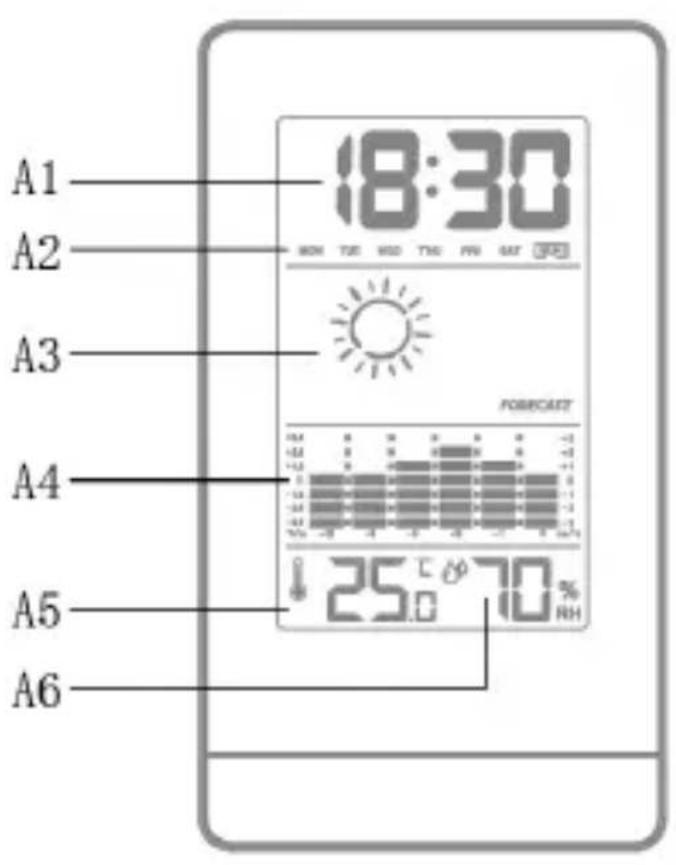
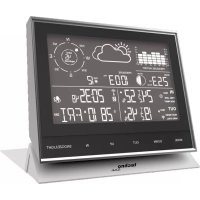
Part A-LCD
A1: Time
A2: Week day
A3: Weather forecast
A4: Historical temperature trend
A5: Indoor Temperature
A6: Indoor Humidity
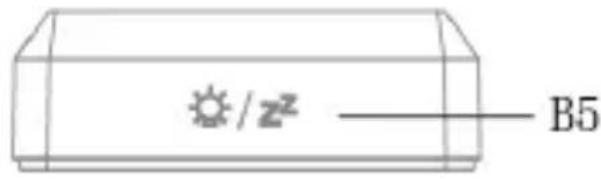
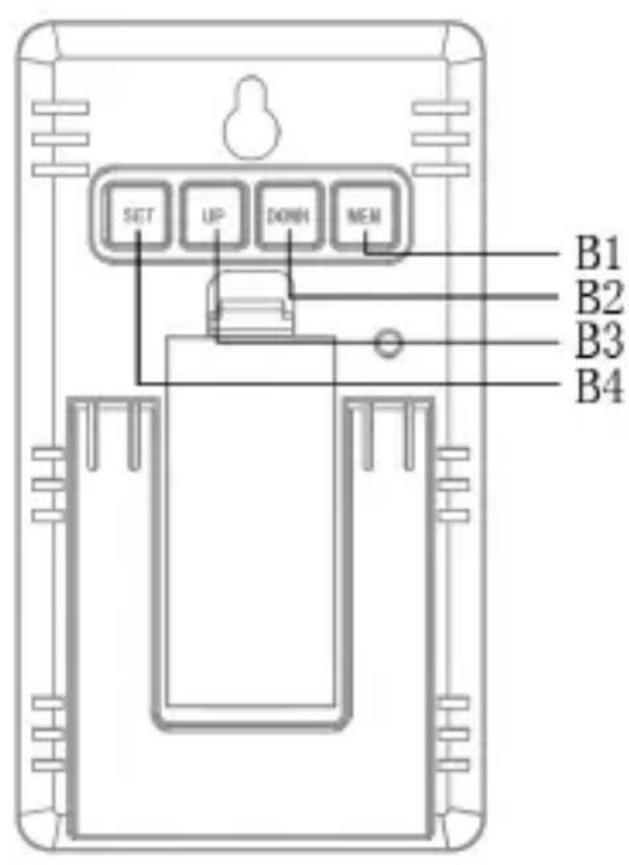
Part B-Button
B1: “MEM” button
B2:“DOWN”button
B3: "UP" button
B4: “SET” button
B5: “” button
Initial operation
Open battery compartment cover
Insert 2 pcs x AAA batteries observing polarity [ “+” and “-” marks]
- When you insert the batteries, all the icon on the LCD display will briefly light up for 3 seconds, and you will hear a beep tone and the station will measure indoor temperature & humidity.
Manual time setting
In time mode, press and hold down the "SET" button for 3 seconds, the hour display starts to flash. Use "UP" and "DOWN" buttons to set the hour.
Press “SET” to confirm your setting, the minute display starts to flash. Use “UP” and “DOWN” buttons to set the minute.
Press "SET" button to confirm your setting and to end the setting procedures.
Please note:
After 7 seconds without pressing any button, the clock switches automatically from Set Mode to Normal Time Mode.
Manual date setting
In time mode press "SET" once shortly to change to date mode.
In date mode, press and hold the “SET” button for 3 seconds, the year display 2006 starts to flash. Now use “UP” and “DOWN” buttons to set the correct year.
Press "SET" button to confirm your setting, the Month display
starts to flash. Use "UP" and "DOWN" buttons to set the month.
Press "SET" button to confirm your setting, the date display starts to flash. Use "UP" and "DOWN" buttons to set the date.
- Press "SET" button to confirm your setting and to end the setting procedures.
Please note:
After 7 seconds without pressing any button, the clock switches automatically from Set Mode to Normal Time Mode.
Setting the daily alarms
In time mode, press "SET" once shortly to change to alarm mode.
In alarm mode, press and hold "SET" button for 3 seconds until hour of the alarm time starts to flash. Use the "UP" and "DOWN" buttons to set the hour.
Press "SET" button to confirm your setting, the minute of the
alarm time starts to flash. Use the "UP" and "DOWN" buttons to set the minute.
Press "SET" button to confirm your setting and to end the setting procedure.
Please note:
After 7 seconds without pressing any button the clock switches automatically from setting mode to normal clock mode.
The alarm will sound for 2 minutes if you do not deactivate it by pressing any button. In this case the alarm will be repeated automatically after 24 hours.
Rising alarm sound (crescendo, duration: 2 minutes) changes the volume 4 times whilst the alarm signal is heard.
Alarm activation and deactivation
In the other mode except the alarm mode, press the “UP” button once, to turn on the alarm. A bell is displayed between hours and minutes, when the alarm is activated. Press the “UP” to deactivate the alarm.
Switching off the alarm signal
While the alarm sounds, press any button except the " button to stop the alarm. It is not necessary to reactivate the alarm. It switches itself automatically to the alarm time which has already been set.
Snoopze function
While the alarm sounds, press the “/” button the alarm signal sounds to get to SNOOZE mode. The alarm signal sounds again after 8 minutes.
Switching ^ C or ^ F
Press the "DOWN" button to switch between the temperature unit ^ C or ^ F .
Switching 12/24HR
Press and hold "UP" button for 3 seconds to switch between
12HR or 24HR time display.
Check the maximum and minimum values of temperature and humidity
Press once "MEM" button to check the maximum and minimum values of temperature and humidity.
The maximum minimum value resets itself every 24 hours.
Temperature history
The bar graph displays the change of temperature for up to 12 hours, the timeline is in the bottom of the chart, the temperature changes in ^ C or ^ F can be found on the left and right side of the chart.
Comfort graphic
When the Humidity is less than 40% will show
When the Temperature at 20 25^ and the Humidity at the
When the Humidity is greater than 70% will show

Technical details
Supply voltage: 2.5~3.3V
Battery life: 12 months
Environmental requirement:
usage -10~50°C & 20%~95%
storage -20~60°C & 20%~95%
Précautions
Note: Instruction manual in 8 languages
In addition to this printed user manual, you can download the user manual in 8 languages from the official website www.technoline.de .
- Batteries safety warnings
- Consideration of duty according to the battery law
- Features
- Production Appearance
- Part A-LCD
- Part B-Button
- Initial operation
- Manual time setting
- Please note:
- Manual date setting
- Setting the daily alarms
- Alarm activation and deactivation
- Switching off the alarm signal
- Snoopze function
- Switching ° C or ° F
- Switching 12/24HR
- Check the maximum and minimum values of temperature and humidity
- Temperature history
- Comfort graphic
- Technical details
- Précautions
- Note: Instruction manual in 8 languages
Brand : TECHNOLINE
Model : WS 9125
Category : Weather Station