THVC23296T - Vacuum Cleaner THOMSON - Free user manual and instructions
Find the device manual for free THVC23296T THOMSON in PDF.


| Brand | Thomson |
| Model | THVC23296T |
| Product type | Cordless stick vacuum cleaner |
| Dimensions (L x W x H) | 240 x 220 x 1100 mm |
| Net weight | 3.0 kg |
| Power supply | Rechargeable lithium-ion battery 29.6 V, 2200 mAh |
| Charging time | 4 to 5 hours |
| Motor power | 120 W |
| Dust tank capacity | 0.6 L |
| Suction power levels | 3 speeds |
| Included accessories | Motorized brush, crevice tool, 2-in-1 brush, magnetic wall mount with sticker |
| Filters | Main filter (washable), HEPA filter (washable), sponge post-motor filter (washable) |
| Battery | Integrated, not user-replaceable (removable for disposal) |
| Charger | Power adapter 36 V / 0.5 A (model TYGSDC3600500) |
| Usage | Hard floors and low to medium pile carpets |
| Maintenance and cleaning | Clean tank and filters every month; post-motor filter every 6 months; motorized brush washable |
| Safety | Do not use on balconies or near stairs; keep away from children; do not immerse the motorized brush |
| Compliance | Directives 2014/35/EU and 2014/30/EU |
| Warranty | Manufacturer standard (excluding wear parts and damage due to misuse) |
| Disposal | Do not dispose with household waste; battery to be recycled separately |
Frequently Asked Questions - THVC23296T THOMSON
User questions about THVC23296T THOMSON
0 question about this device. Answer the ones you know or ask your own.
Ask a new question about this device
Download the instructions for your Vacuum Cleaner in PDF format for free! Find your manual THVC23296T - THOMSON and take your electronic device back in hand. On this page are published all the documents necessary for the use of your device. THVC23296T by THOMSON.
USER MANUAL THVC23296T THOMSON
Stick vacuum cleaner
THVC23296T
User manual
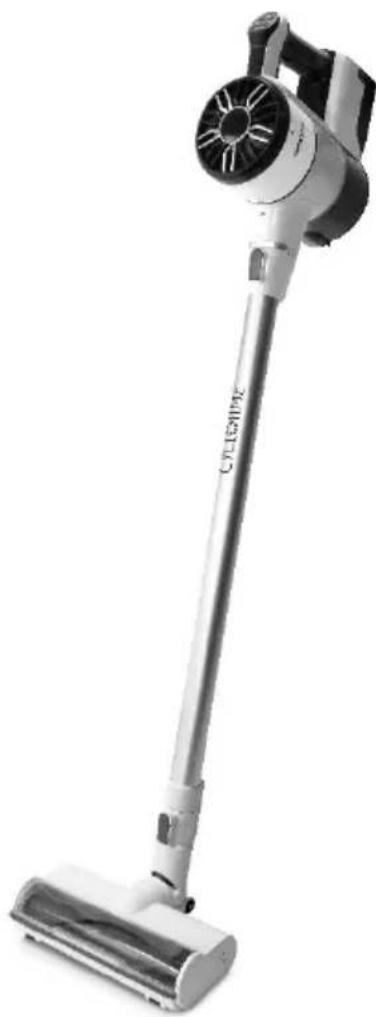
IMPORTANT WARNINGS PLEASE READ THE SAFETY INSTRUCTIONS CAREFULLY BEFORE USE AND KEEP FOR FUTURE REFERENCE.

Safety instructions:
-
Do not use near stairs or on the balconies. This machine does not have a no avoidance sensors.
-
This unit can be used by children from 8 years old and people with physical, sensory or mental skills or lack of experience and knowledge provided they have been placed under supervision or have received instructions for using the machine safely and that they understand the dangers. Children should not play with the appliance. The cleaning and maintenance by the user should not be made by children without supervision.
This device is intended for domestic use only.
- This unit is suitable for low to medium felt back carpets. It is not suitable for uneven floors or mixed carpets.
- Remove side brush at the under-carpet cleaning to protect the side brush.
- If the adapter's power cord is damaged, the adapter must be discarded.
- Recharge / battery / s only with the charger supplied by the manufacturer
- Use the device with the battery (s) specifically created (s) for this purpose. The use of any (s) other (s) battery (s) could cause an explosion or fire
- Please use an adapter to use this product only.
- Do not use on wet or greasy dust.
- Before use, keep fragile items (glass, light, etc.) and other objects that could entangle the brushes(long hair, plastic bags, rope, wire, etc.).
- Do not sit on the machine
and do not put heavy things on it.
-
WARNING: Make sure the unit can function freely in the room (it is not blocked by an obstacle, it cannot fall over) and that there is no obstacle on which the device may tip and create a risk of danger (such as lighted candles or a vase filled with water).
-
Regularly clean the machine.
-
Empty the dust container.
-
Load the machine without using it for three months.
-
Recharge only in the situation of a low power alarm or when the power is turned off. Use it after fully charged.
-
The battery must be removed from the apparatus prior to its disposal; the device must be disconnected from the mains when removing the battery;
-
Do not dispose of batteries with household waste.
Eliminate them in
accordance with local regulations.
- Recharge the battery / the robot only with the adapter provided with the device.
- The cable of this adapter external flexible cannot be replaced; in case of damage to the cord, it is necessary to put the adapter discarded and replaced by an adapter of the same model.
- The appliance must be disconnected from the supply mains when removing the battery.
- This appliance contains battery that are non-replaceable.
- WARNING: For the purposes of recharging the battery, only use the detachable supply unit provided with this appliance.

Detachable supply unit
- WARNING: Risk of entrapment hazard. Keep loose clothing, hair, finger, etc. away from the motorized brushes and nozzles
- WARNING: the plug must be removed from the socket-outlet before cleaning or maintaining the appliance
IMPORTANT
It is forbidden to replace the power cable by yourself if damage.
If the device is dropped, please ask a qualified person to check it before using it again. Internal damage could cause accidents.
For any kind of problems or repairs, please contact the customer service of the local distributor, manufacturer or a qualified person to avoid danger.
Disposal and environmental responsibility
In order to be environmentally friendly, we encourage you to have your device correctly. You can contact your local authorities or recycling centers for more information.
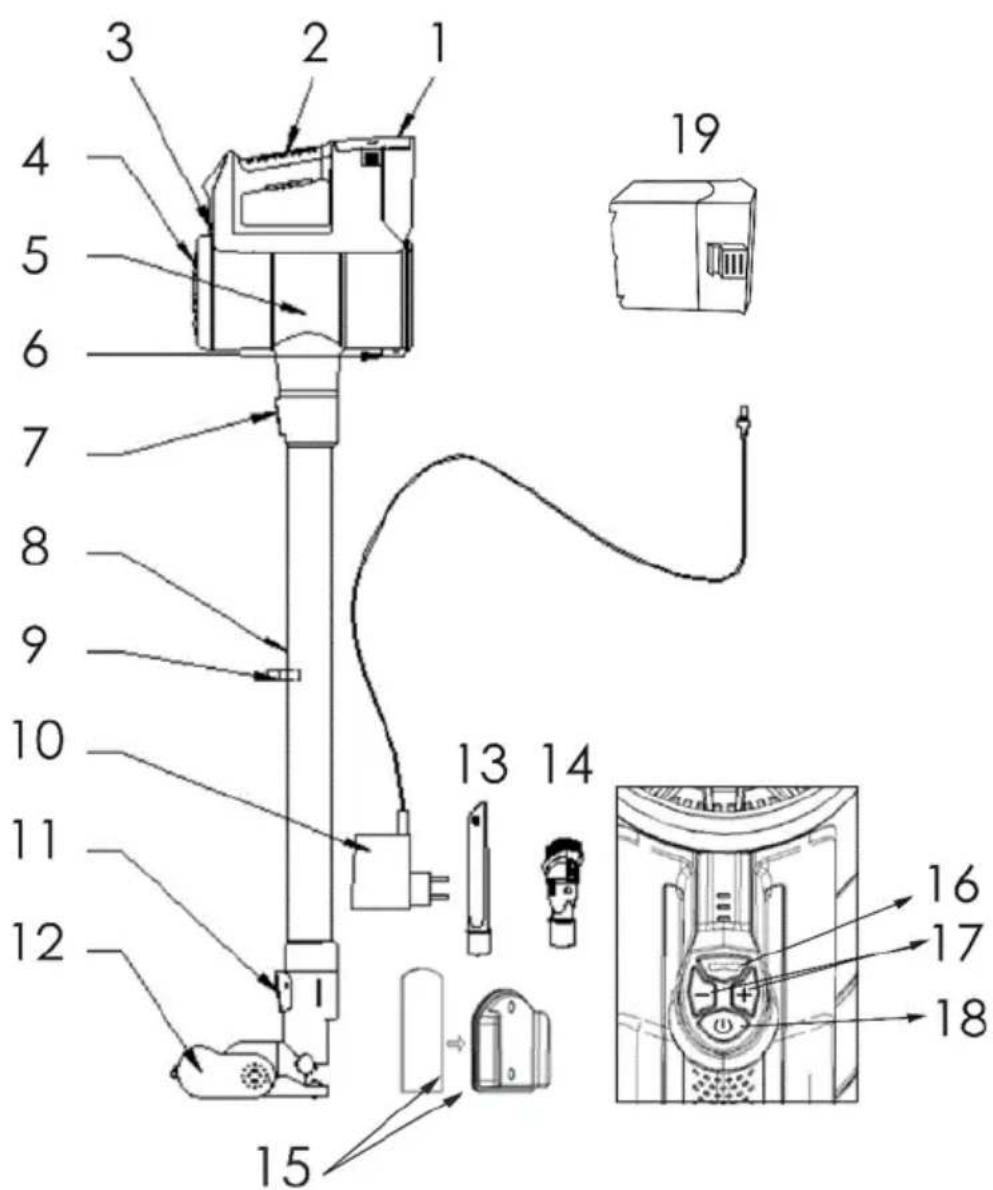
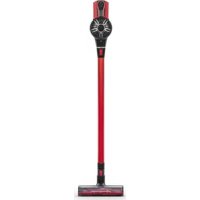
- Detachable battery pack
- Ergonomic handle
- Indicator lights
- Outlet filter cover
- Dust tank
- Dust tank release button
- Metal tube release button
- Metal tube
- Accessory support
-
Adapter
-
Motorized floor brush release button
- Electro brush with multi-surfaces
- Crevice tool
- 2 in 1 brush tool
- Magnetic wall bracket with removable sticker
- Floor brush switch(on/off)
- Adjust power level
- On/Off switch
- Battery
Metal Tube
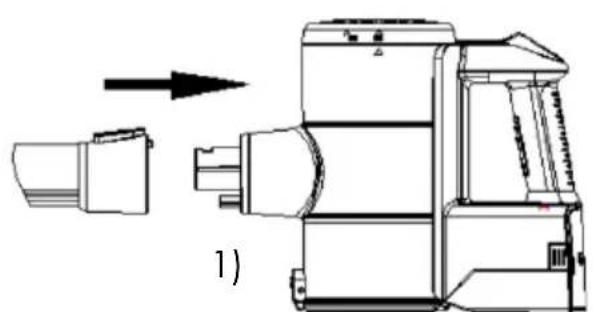
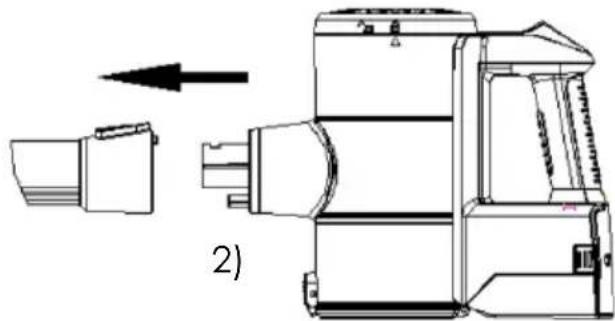
1) Insert the metal tube into the main housing until it clicks.
2) Press the metal tube release button and remove the tube.
Floor Brush Installation
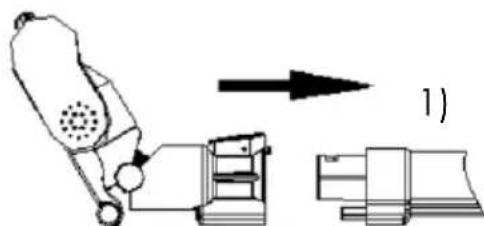
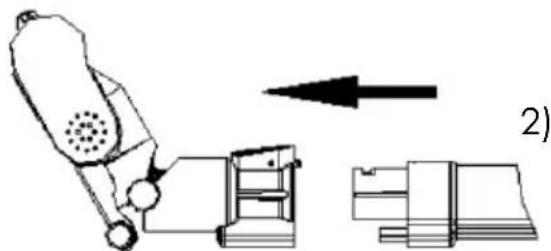
1) Insert the motorized brush on the end of the tube until it clicks.
2) Press the motorized floor brush release button to remove the motorized floor brush.
Note: The floor brush, crevice nozzle, and 2 in 1 brush can be directly connected to the main body or tube.
Installation of the dust container
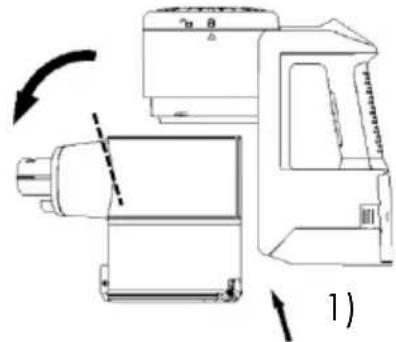
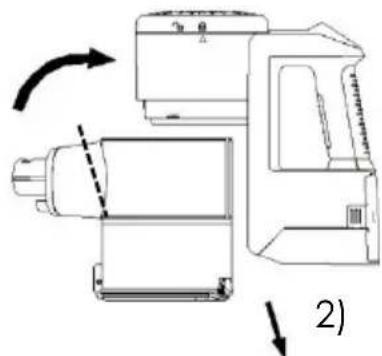
1) Put the dust cup to the main body and twist counter-clockwise until it clicks.
2) Hold the opening part connected to the tube and twist clockwise to remove it.
> Battery Installation
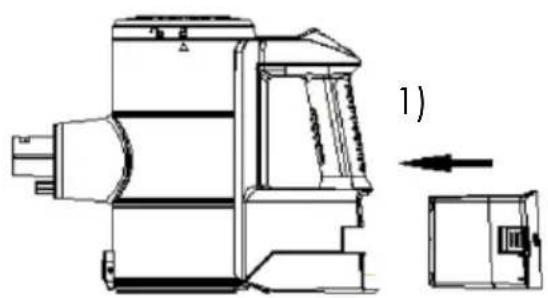
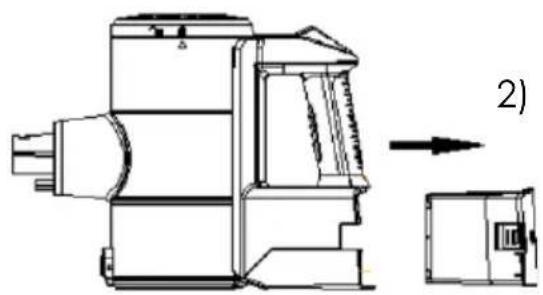
1) Install the battery into the bottom of the main body until it clicks.
2) Press the battery release button and pull it out.
BEFORE FIRST USE
Unpacking the appliance and disposing of the emballagic elements

-
Remove all packing material around the appliance and the protective elements inside the appliance compartments.
-
Cardboard and paper sheets are recyclable. They must be disposed of in the collection bins provided for this purpose.
- Materials bearing the symbol are recyclable:
PE <= polyethylene; > PS <= polystyrene; > PP <= polypropylene
This means that they can be recycled by depositing them into appropriate collection containers.
- Other packaging elements (adhesive, fasteners, etc.) must be disposed of with household waste.
PRODUCT OPERATION
Charging
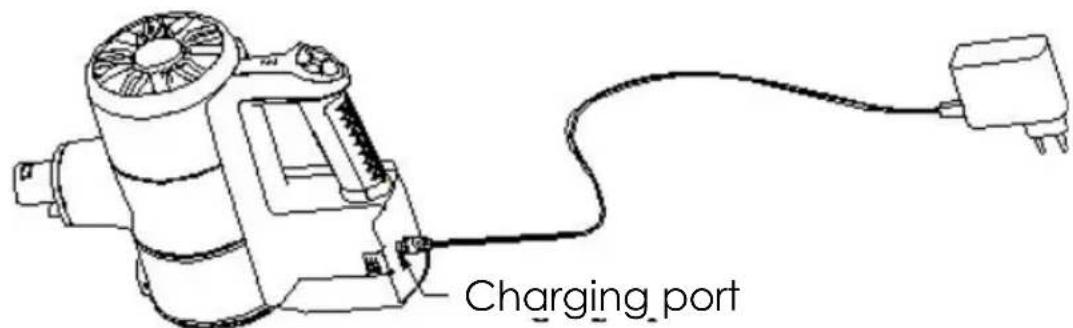
Plug adapter into charging port and then plug the other side of the adapter into the power outlet.
Note:
Charge the battery before the firstuse.
√ It is better to charge the battery fully in the first 3 times.
- Do not charge the battery for extended periods, as this may damage the battery.
Indicator Lights
(A) During charging
Charging from low: lights flashing in turn:
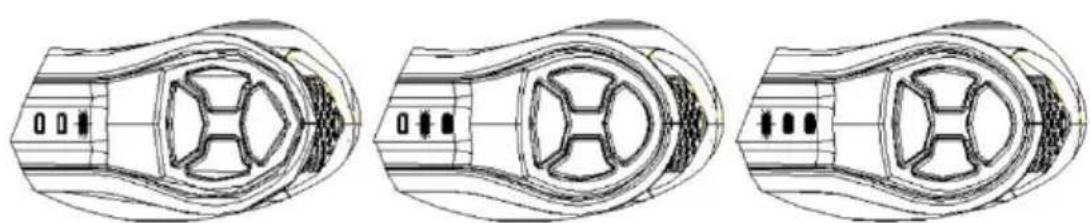
Charging, 1/3 charged:
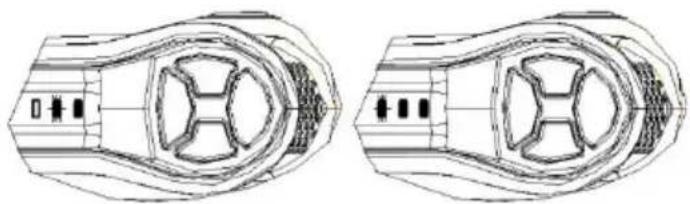
Charging, 2/3 charged:
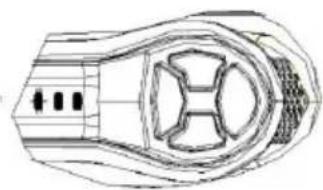
Fully charged:
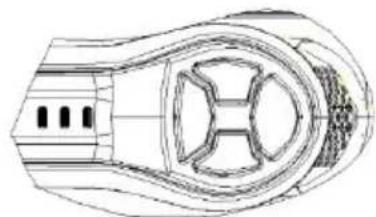
Fault: lights flashing at the same time. please contact us:
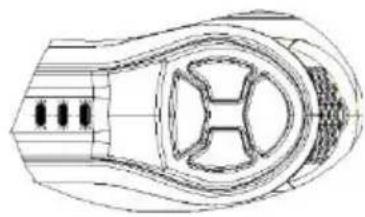
(B) During use
Full power:
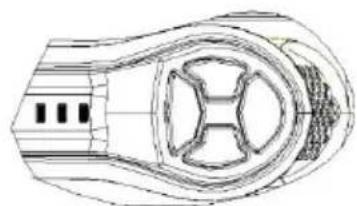
Medium power:
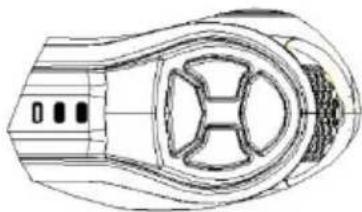
Low power:
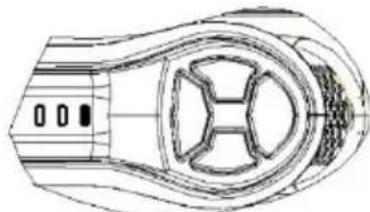
Out of power, please charge:
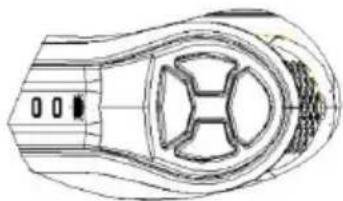
Cleaning Accessories
-
Motorized floor brush: Suitable for carpets and hard floors. Turn it on/off by pressing the floor brush switch.
-
Long crevice tool: for cleaning the trash in the corners, gaps, baseboard edges, and other hard-to-reach places.
-
2 in 1 brush tool: Use the brush to clean upholstered surfaces, keyboards, lamps, curtain, blinds, vents, etc. Perfect for cleaning hair and dust inserted on the fabric. Use the crevice portion to do the ordinary cleaning task. To switch between brush and crevice portion, press the button on the accessory and slide brush up ordown.
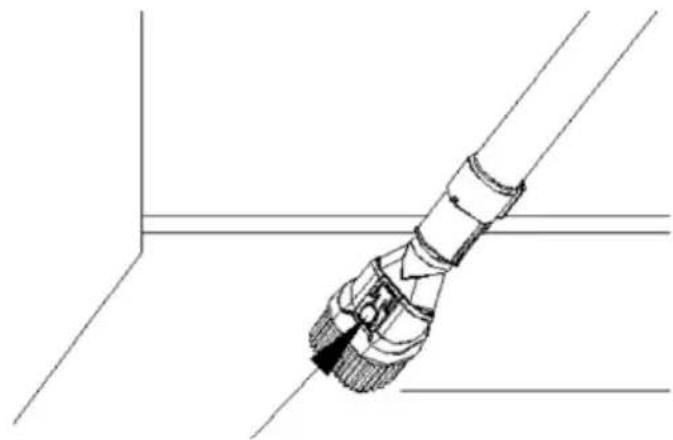
Start to Work
- Select the appropriate accessory to use according to different cleaning task.
- Press the ON/OFF switch, the machine will start to work. Press it again to stop.
- Press the +^ or - button to adjust 3 suction power levels.
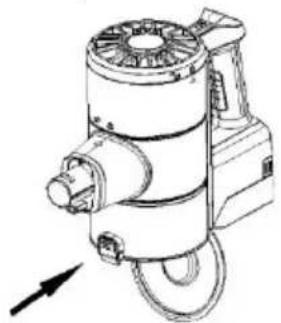
Emptying
Press the Dust Emptying Release button to empty the dust after the cleaning task is completed.
√ Close the cover of dust cup when it is empty.
EN-13
Magnetic wall mount: no need to screw the bracket to the wall!
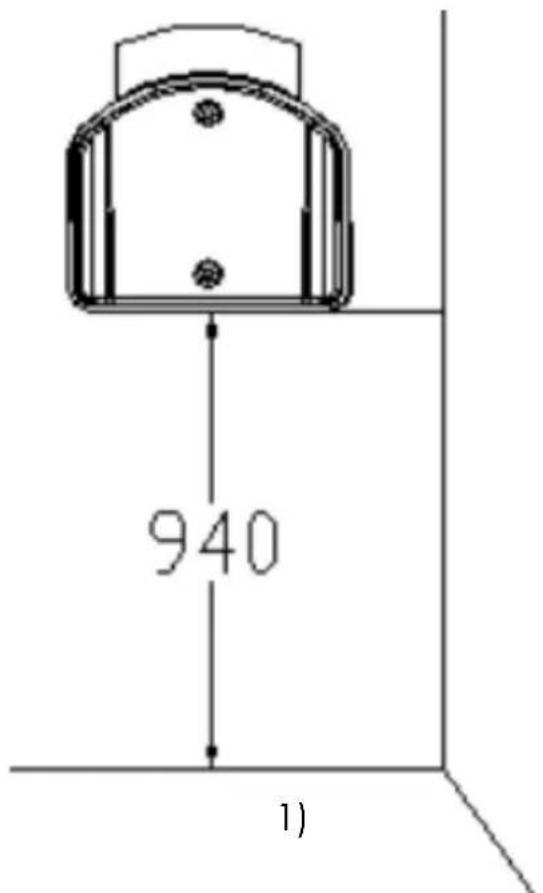
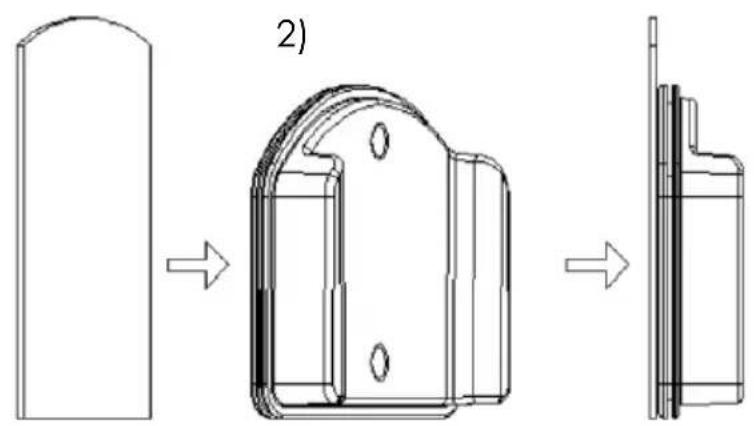
1) Keep the bottom line of removable sticker 940mm to the floor, stick it to wooden, ceramics surfaces, etc. (removable gel sticker is washable)
2) Stick the magnetic holder to the gel sticker.
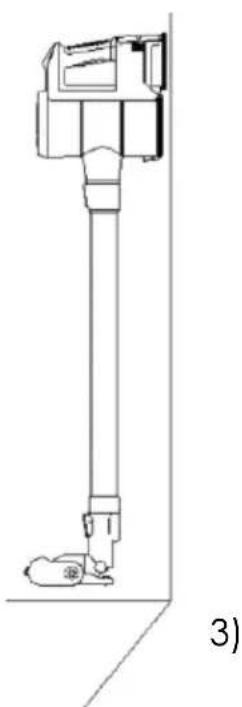
3) Stand the unit on the floor, keep it in the magnetic holder.
CLEANING AND MAINTENANCE
Dust Container and FiltersCleaning
Note: Clean the dust container and filters monthly to maintain the
performance.
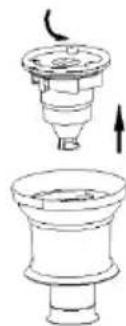
- Twist clockwise the dust container and then pull it out.
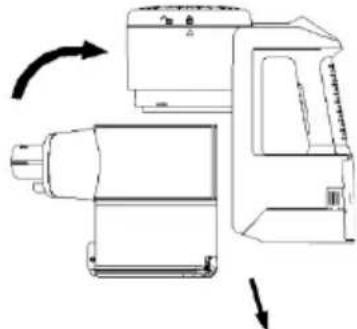
- Lift out the filter mask and remove. Then separate the HEPA filter from the filter mask by twisting count clockwise and pulling out.
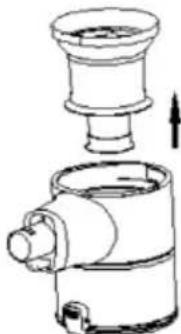
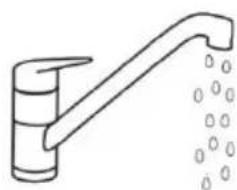
- Clean the dust cup and filters under running water.
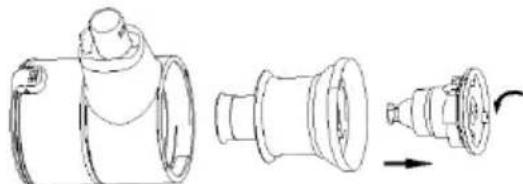
- COMPLETELY dry the filters before reassembling.

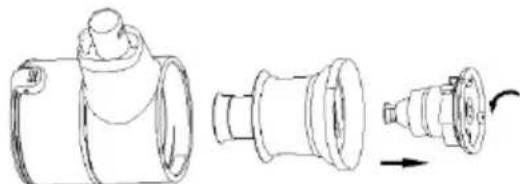
Note:
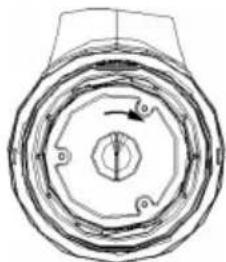
Clockwise to lock
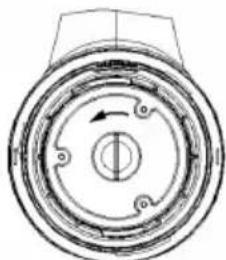
Counter-clockwise to unlock
Post-Motor Filter Cleaning
Note: Clean the post-motor filter every 6 months.
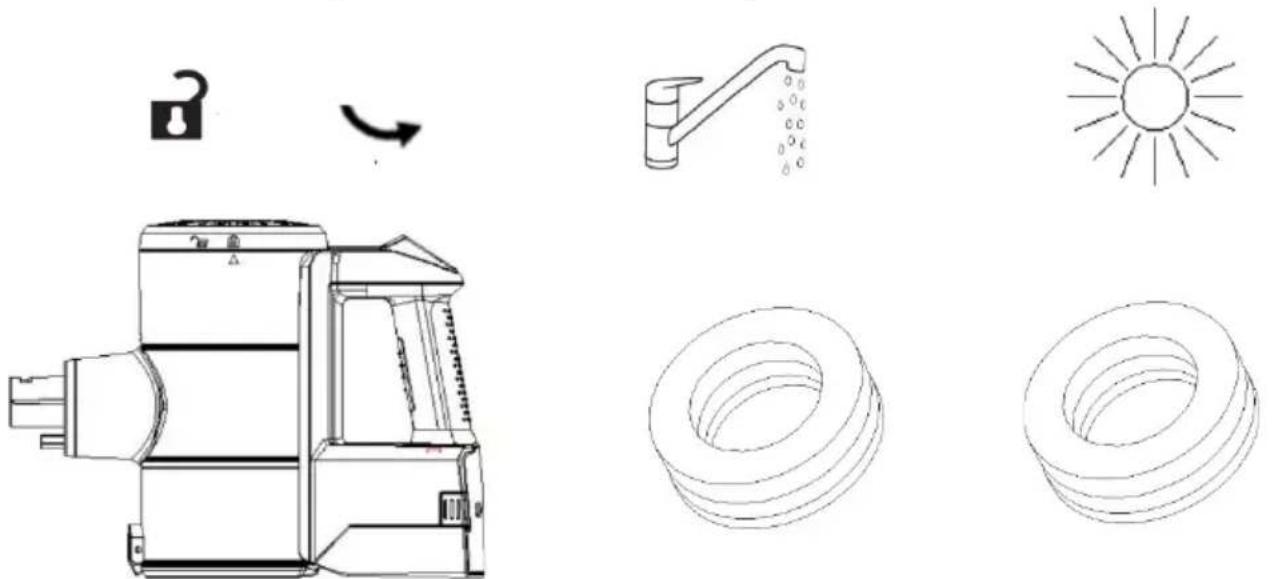
- Turn the filter cover counterclockwise to remove it.
- Lift out post-motor sponge filter.
- Shake to remove dust. Wash the filter under running coldwater.
- Dry the filter completely before reassembling it.
Floor Brush Cleaning
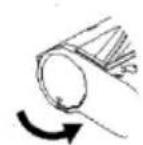
- Use a coin press down by hand to turn the fastener counter-clockwise to unlock.
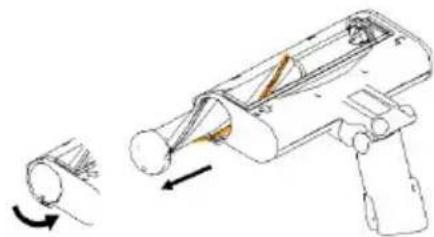
- Remove the hair and debris around the brush roller by fingers or knife.
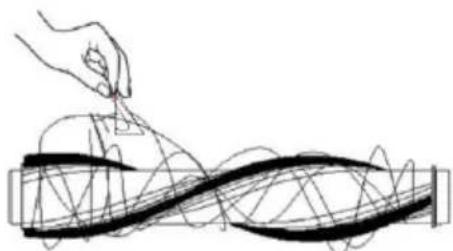
- Wash the brush roller under running water.
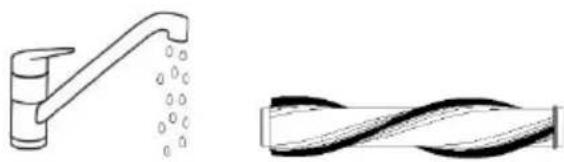
- COMPLETELY dry the brush roller before assembling.

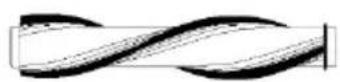
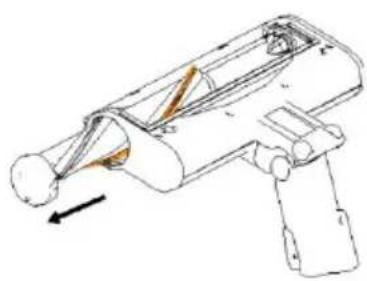
- To reassemble, install the brush roller inside the original place. Use a coin or press down to twist the fastener to lock.
TROUBLESHOOTING
If you encounter a problem with your device or if you suspect the device is not working properly, you can make a few simple checks before calling a technician.
| Problem Solution | |
| No power | Before using the appliance, check that it is fully charged, empty the dust container and clean the filter. |
| Loss of aspiration | Check to see if the openings are clogged. Unplug and clean if necessary. Make sure the filter is correctly installed. Empty the dust container and clean the filter. |
| The motorized brush does not turn | Unplug the unit, check for clogged hair or dirt. If necessary, remove the rotating shaft from the power brush by unlocking the latch, clean and reposition the shaft by performing the reverse procedure. Make sure that the axle has been properly inserted into the power brush and the latch is in the locked position. The device may need to be recharged. Connect the device to the charger. The battery indicator will turn GREEN when charging is complete. |
| The battery indicator lights red while in use | The motorized brush is blocked. Turn off the vacuum and remove any object blocking the brush. |
For any other problems occurring in your device: contact Customer Service.
CAUTION: The power brush contains electrical connections, do not immerse in water for cleaning.
TECHNICAL CHARACTERISTICS
- Power supply: Rechargeable battery
- Motor max. power: 120W
- Battery: Li-ion DC 29.6V 2200mAh
- Charging time: 4-5 hours Max
- Capacity of the dust bin: 0.6 L
- Speed levels: 3 speeds
- Product Dimensions: 240 × 220 × 1100 mm
-Net weight: 3.0kg
Battery charging signal:
- It may take you longer time for charging under the following circumstances:
a. Room temperature is higher than 30^
b. Recharge immediately after the vacuum cleaner has stopped operating.
- Always recharge the vacuum cleaner after each usage no matter how long it has been used.
- Unplug when not charging.
- When not in use for more than two months the vacuum cleaner should be disconnected from the power supply. To ensure a longer service life, the vacuum cleaner must be charged once every two months.
- The vacuum cleaner or adapter may become hot during charging so take the necessary precautions to avoid contact.
C
IMPORTANT:
Under no circumstances should you throw the device or battery on a public road.
The warranty does not cover product wear parts, no problems or damage resulting from:
(1) Surface damage due to normal wear of the product;
(2) Defects or damage due to contact of the product with liquid and due to corrosion caused by rust or the presence of insects;
(3) Any incident, abuse, misuse, modification, unauthorized removal or repair;
(4) Any improper maintenance operation, not in accordance with product instructions or connection to improper voltage;
(5) Any use of accessories not supplied or approved by the manufacturer.
The warranty is void if the elimination of plate and / or the product serial number.
THOMSON is a trademark of Technicolor SA used under license by SCHNEIDER CONSUMER GROUP
This product is imported by SCHNEIDER CONSUMER GROUP
12, rue Jules Ferry, 93110 Rosny-sous-Bois, FRANCE
Information for external power supplies for Commission Regulation 2019/1782/EU
| Value | Unit | |
| Model identification | TYGSDC3600500 | |
| Manufacturer's name or trade mark | Changzhou Taiyu Electric Co., Ltd. | |
| Input voltage | 100-240 | V |
| Input AC frequency | 50/60 | Hz |
| Output voltage | 36.0 | V |
| Output current | 0.5 | A |
| Output power | 18.0 | W |
| Average active efficiency | 85.78 | % |
| Efficiency at low load (10%) | 73.47 | % |
| No-load power consumption | ≤0.10 | W |
THOMSON
- Stick vacuum cleaner
- THVC23296T
- User manual
- IMPORTANT WARNINGS PLEASE READ THE SAFETY INSTRUCTIONS CAREFULLY BEFORE USE AND KEEP FOR FUTURE REFERENCE.
- Detachable supply unit
- IMPORTANT
- Disposal and environmental responsibility
- > Battery Installation
- BEFORE FIRST USE
- Unpacking the appliance and disposing of the emballagic elements
- PRODUCT OPERATION
- Charging
- Note:
- Indicator Lights
- Cleaning Accessories
- Start to Work
- Emptying
- Magnetic wall mount: no need to screw the bracket to the wall!
- CLEANING AND MAINTENANCE
- Dust Container and FiltersCleaning
- Post-Motor Filter Cleaning
- Floor Brush Cleaning
- TROUBLESHOOTING
- TECHNICAL CHARACTERISTICS
- Battery charging signal:
- IMPORTANT:
- THOMSON
Brand : THOMSON
Model : THVC23296T
Category : Vacuum Cleaner