
MEPH160BU - Megaphone NEDIS - Free user manual and instructions
Find the device manual for free MEPH160BU NEDIS in PDF.


User questions about MEPH160BU NEDIS
0 question about this device. Answer the ones you know or ask your own.
Ask a new question about this device
Download the instructions for your Megaphone in PDF format for free! Find your manual MEPH160BU - NEDIS and take your electronic device back in hand. On this page are published all the documents necessary for the use of your device. MEPH160BU by NEDIS.
USER MANUAL MEPH160BU NEDIS
with Bluetooth® connection
MEPH160BU
natural_image
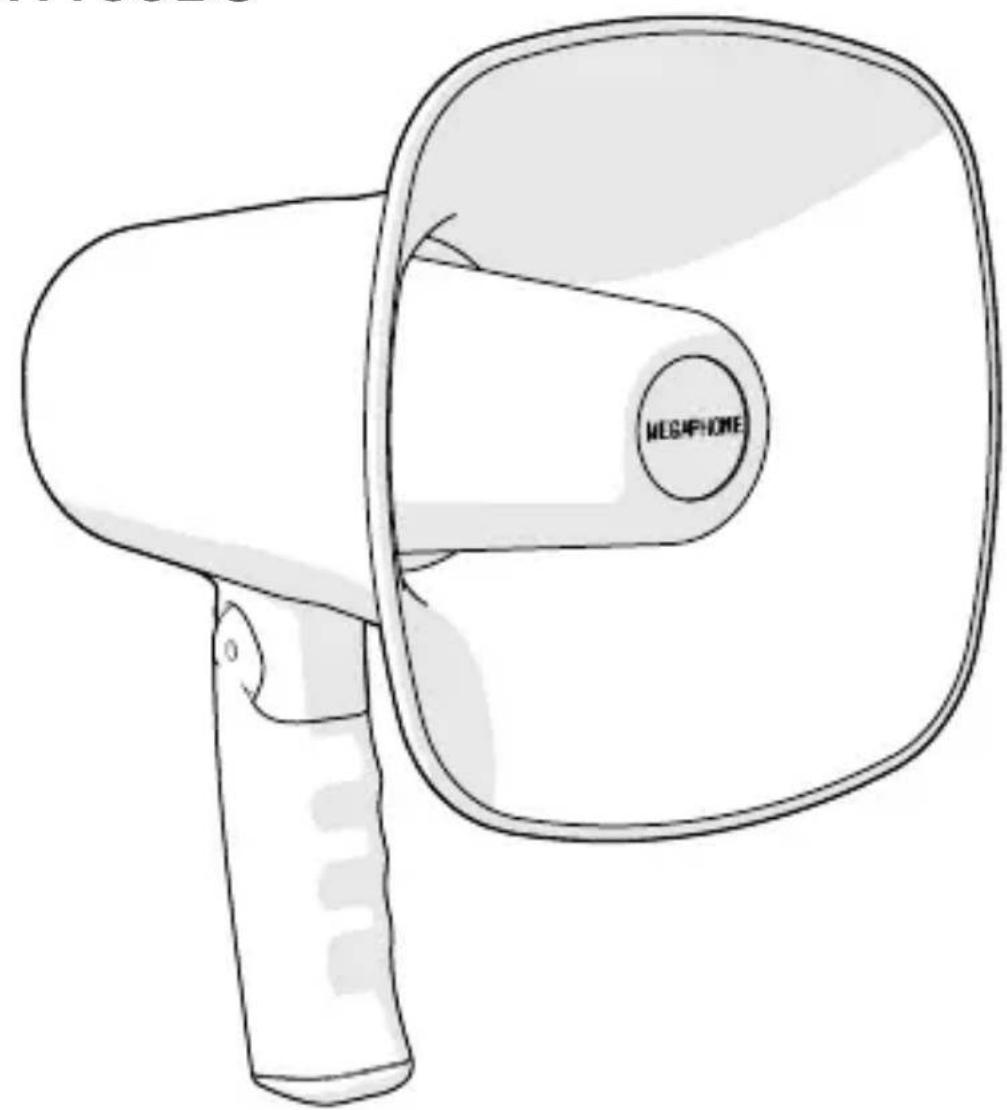
Line drawing of a megaphone with a circular button labeled 'MEGIFHONE' (no other text or symbols)EN Quick start guide 5
DE Kurzanleitung 8
natural_image
Diagram of three cylindrical batteries with positive and negative charge indicators, placed inside a battery pack (no text or symbols)Megaphone MEPH160BU
For more information see the extended manual online: ned.is/meph160bu
Intended use
The MEPH160BU is a megaphone that amplifies your voice or emits music. The product is not intended for professional use.
Any modification of the product may have consequences for safety, warranty and proper functioning.
Specifications
| Product Megaphone | |
| Article number MEPH160BU | |
| Dimensions (l x w x h) 230 x 122 x | 240 mm |
| Speaker diameter 140 mm | |
| Weight 900 g without batteries | |
| Output power 20 W | |
| Volume control Up to 115 dB | |
| Maximum range 300 m | |
| Maximum recording time 120 s | |
| Connection USB | |
| MicroSD card slot | |
| Bluetooth® version 5.0 | |
| Frequency range 2400 - 2483.5 MHz | |
| Maximum transmit power 4 dBm | |
| Batteries 3 x AA (not included) | |
| Water resistant No | |
| Built-in microphone | Yes |
| Built-in siren | Yes |
Main parts (image A)
1 Microphone
2 Power indicator LED
3 MicroSD card slot
4 Music button
5 Power button
6 Previous button
7 Play / pause button
8 USB port
9 Play button
10 Record button
11 Next button
12 Speaker
13 Battery compartment
Safety instructions
WARNING
- Only use the product as described in this manual.
- Read the manual carefully before use. Keep the manual for future reference.
- Do not use the product if a part is damaged or defective. Replace a damaged or defective product immediately.
- Close supervision is necessary when the product is used by or near children, animals or infirm persons.
- Do not use the product close to somebody's ears. This may cause hearing damage.
- Observe the plus (+) and minus (−) marks on the cell, battery and equipment and ensure correct use.
- Do not mix cells of different manufacture, capacity, size or type within a device.
- Keep cells and batteries clean and dry.
- Seek medical advice immediately if a cell or a battery has been swallowed.
- In the event of a leaking battery, do not allow the liquid to come in contact with the skin or eyes. If contact has been made, wash the affected area with copious amounts of water and seek medical advice.
- Use only the cell or battery in the application for which it was intended.
- Remove the batteries during long periods of disuse to avoid possible leakage.
- Do not drop the product and avoid bumping.
- Keep the product away from heat sources. Do not place the product on hot surfaces or near open flames.
- Do not expose the product to water or moisture.
- Do not immerse the product in water.
Installing the product (image B)
Use only size AA batteries for this product.
-
Open the battery compartment A ⑬.
-
Place 3 size AA batteries (not included) into A ⑬.
Make sure to match the (+) and (-) polarity markings.
- Close A ⑬.
Using the product
- Press the power button A ⑤ to switch the product on or off.
- Speak into to the microphone A ① to amplify your voice.
- Press and hold the previous button A ⑥ to decrease the volume.
- Press and hold the next button A ⑪ to increase the volume.
Playing music
- Press the music button A ④ to play music through the speaker A ⑫.
- Press and hold A ④ to emit a siren through A ^12 .
- Press A ④ again to switch off the music or siren.
Recording audio
- Press the recording button A ^10 .
The power indicator LED A ② blinks to indicate the product is recording.
The maximum recording time is 120 seconds.
- Speak into A ①.
- Press A ⑩ again to stop the recording.
- Press the play button A ⑨ to play the recorded audio.
- Press A ⑨ again to stop the playback.
Connecting with Bluetooth
- Press and hold A ⑨ to switch to Bluetooth mode.
- Pair with "MEPH160BU" in the Bluetooth interface of your mobile device.
- Play music from the mobile device that is connected to the product via Bluetooth.
Playing mp3 audio
- Insert a USB stick or microSD card into the corresponding port A ③⑧. (not included).
-
Press the play / pause button A ⑦ to play or pause a track.
-
Press A ⑥ to skip to the previous track.
- Press A ⑪ to skip to the next track.
Declaration of Conformity
We, Nedis B.V. declare as manufacturer that the product MEPH160BU from our brand Nedis ^® , produced in China, has been tested according to all relevant CE standards and regulations and that all tests have been passed successfully. This includes, but is not limited to the RED 2014/53/EU regulation.
The complete Declaration of Conformity (and the safety datasheet if applicable) can be found and downloaded via webshop.nedis.com/meph160bu#support
For additional information regarding the compliance, contact the customer service:
Web: www.nedis.com
E-mail: service@nedis.com
Phone: +31 (0)73-5991055 (during office hours)
Nedis B.V., de Tweeling 28
5215 MC 's-Hertogenbosch, the Netherlands

Kurzanleitung
Megafon MEPH160BU
5215 MC 's-Hertogenbosch, the Netherlands

5215 MC 's-Hertogenbosch, the Netherlands

Rýchly návod
Megafón MEPH160BU

De Tweeling 28, 5215 MC 's-Hertogenbosch – The Netherlands 01/20