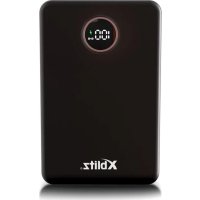
MagBoost - Battery charger Xblitz - Free user manual and instructions
Find the device manual for free MagBoost Xblitz in PDF.



| Product type | Battery charger (powerbank) |
| Battery capacity | 10000 mAh, 37 Wh (3.7 V) |
| Battery type | Lithium polymer |
| Material | ABS |
| Input ports | USB-C (5V-3A/9V-2A/12V-1.5A), Lightning (5V-2.1A) |
| Output ports | USB-C (5V-3A/9V-2.22A/12V-1.66A), USB-A (4.5V-5A/5V-4.5A/9V-2A/12V-1.5A max 22.5W) |
| Wireless charging | 15W / 10W / 7.5W / 5W (compatible with MagSafe) |
| Display | LED screen for battery level (percentage) |
| Protection features | Overcharge, over-discharge, overheating and short circuit protection |
| Fast charging | PD/QC enabled on a single device (green lightning symbol) |
| Kit contents | Powerbank, USB-C cable with adapter, user manual |
| Maintenance and cleaning | Soft, dry cloth, no chemicals |
| Safety | Keep away from heat sources, children, moisture. Do not repair yourself. |
| Warranty | 24 months |
| Recycling | Do not dispose of in household waste, deposit at WEEE collection point |
Frequently Asked Questions - MagBoost Xblitz
User questions about MagBoost Xblitz
0 question about this device. Answer the ones you know or ask your own.
Ask a new question about this device
Download the instructions for your Battery charger in PDF format for free! Find your manual MagBoost - Xblitz and take your electronic device back in hand. On this page are published all the documents necessary for the use of your device. MagBoost by Xblitz.
USER MANUAL MagBoost Xblitz
Thank you for your trust and for choosing our product. Please read the enclosed manual and safety instructions carefully before use.
01. CONTENTS OF THE KIT
- Powerbank
- USB-C cable with adapter
- Operating instructions
02.PRODUCT DESCRIPTION
SEE FIGURE A
- Battery level LED display
- USB-A port
- USB-C port
- *Lightning® type port
- On/off button
- Magnetic charger
03. HOW TO USE
-
Charging the powerbank - Connect the charging cable to the USB port of your computer or mains charger:
-
Connect the USB-C end of the charging cable to the USB-C port (fig.A-3) on the powerbank.
- Connect the Lightning® type end of the charging cable to the Lightning® port of the powerbank (fig.A-4)
- An active fast charging function will be signalled by the appearance of a green lightning flash on the LED display.
-
When the powerbank is fully charged, 100 will appear on the display and all the LEDs will light up.
-
Charging external devices, wired - Switch on the powerbank by pressing the button once (fig.A- 5) or connect the cable for automatic start:
-
USB-A port: Connect the charging cable to the USB-A port (fig.A-2) on the powerbank and connect to the device.
- USB-C port: plug the charging cable into the USB-C port (fig.A-3) on the powerbank and connect to the device.
- The powerbank will automatically start charging your device and the LED display will indicate the current battery level of the powerbank.
- If the fast charging function is activated, a green lightning bolt symbol will appear on the LED display.
- If the power supply or cable does not support fast charging then the display will only show the battery status of the powerbank in percentages.
3. Charging external devices, wirelessly:
- Press the button (Fig.A- 5) to switch on the device. The display (Fig.A- 1) shows the current battery level.
-
Place the powerbank with the magnetic charger (fig.A-6) on the surface to be charged.
-
If the fast charging function is activated, a green lightning bolt symbol will appear on the LED display.
04. INCORRECT LOADING CAN BE CAUSED BY
- The device may not be compatible with magnetic charging technology, which may lead to charging problems.
- The magnets may not be strong enough to maintain a stable connection, which can cause intermittent charging.
- Other electronic devices in the vicinity can cause interference that affects charging efficiency.
- The device may not be positioned correctly on the powerbank, leading to ineffective or no charging.
- Thick or metal enclosures can interfere with magnetic connection and charging.
- Using the wrong cable.
- Failure to connect the device to a suitable power source.
- Metal or magnetic elements attached to the back of the phone case.
- The cable may be damaged, abraded or broken, leading to interruption of charging or complete charging failure.
- Charging ports can be contaminated with dust, dirt or other debris, which can interfere with connection and charging efficiency.
- The charging ports on the device may be damaged, which can lead to charging problems.
- The powerbank can be connected to a power source that does not provide enough power to charge it effectively.
- Charging too many devices at once can overload the powerbank, which can lead to charging problems.
05. PRECAUTIONS
- Read the enclosed instructions before use.
- Charge the powerbank using the USB-A output from a computer or charger, for no longer than 24 hours.
- Do not place cards with a magnetic stripe or chip (e.g. an ID card or bank card) in the vicinity of the product, as this may damage the card.
- Disconnect the charging cable when the device is fully charged. The display (fig.A-1) will show 100 and all LEDs will light up.
- When using the powerbank, keep it away from heat and high voltage sources
and out of the reach of children.
- Do not service the product yourself, this may damage the product and invalidate the warranty.
- Keep away from damp areas.
- When not using the powerbank for a long period of time, store it with the battery charged between 25 - 50% in a cool and dry place, this will prolong its life.
- Do not heat the powerbank or throw it into a fire.
- Do not use the product in areas where static electricity may occur. This may cause damage to the product, malfunction, heating, deformation, smoke emission or burning.
- Charge the powerbank at room temperature and always under supervision. If the powerbank or power cable is damaged, do not plug it into an electrical outlet.
- Avoid shocks and impacts.
- The first charge should be made to full, i.e. until 100 appears on the display (fig.A- 1) and all LEDs are lit.
- It is recommended to charge the device when the value on the display shows 10, do not discharge the powerbank to 0.
- In the event of any personal or property damage caused by improper use, producer accepts no legal liability.
- Avoid using electrical appliances or loads that exceed the product's output current.
- To prolong battery life, charge the device at least once a month.
- If you experience any worrying symptoms when using the product for the first time, such as an unpleasant smell or smoke, stop using it and contact an authorised service centre.
- Use a dry and soft cloth, free of chemicals, soap and detergents, to clean the surface of the product.
06.COMMENTS
- Damage caused by not following these instructions will void the warranty.
- Due to the existence of conversion efficiency, the rated capacity is less than the battery capacity.
- In the event of damage caused by misuse and failure to observe the safety rules, the manufacturer is not liable.
- PD/QC mode works when one device is connected to the powerbank.
- For safety reasons, it is prohibited to make changes or modifications to the
product.
- Check the appliance regularly for damage. If these are found, contact an authorised service centre.
- Do not spill liquids on the product, there is a risk of permanent damage to the equipment and there is a high risk of causing a fire.
- The device should be out of the reach of children.
- If you feel that the appliance is overheating, unplug it from the power supply and contact an authorised service centre.
- Do not connect the appliance to power sources with a higher voltage than recommended by the manufacturer (especially directly to a 220/230V socket). Failure to do so may result in damage or, in extreme cases, the appliance catching fire.
- The unit features technology to prevent overcharging, over-discharge, overheating and short circuits.
07. SPECIFICATION
Model:MagBoost
Battery capacity: 10000mAh, 37Wh/3.7V
Material: ABS
Battery type: Lithium polymer
USB type C, input: 5V-3A/9V-2A/12V-1.5A
USB type C, output: 5V-3A/9V-2.22A/12V-1.66A
USB type A, output: 4.5V-5.0A/5.0V-4.5A/9V-2.0A/12V-1.5A (Max 22.5W)
USB *Lightning®, input: 5V-2.1A
Magnetic charging: 15W/10W/7.5W/5W
08. WARRANTY CONDITIONS
The product comes with a 24-month warranty. Warranty conditions can be found at:
Complaints must be made using the complaint form found at:
https://reklamacie.kgktrend.pl/
Details, contact and address of the service can be found at: www.kgktrend.pl
Specifications and kit contents are subject to change without notice, we apologise for any inconvenience.
*Lightning® is a registered trademark of Apple Inc.
DE
BEDIENUNGSANLEITUNG
MAGBOOST POWERBANK
The crossed out trash can symbol indicates that unusable electrical or electronic devices, its accessories (such as power supplies, cords) or components [for example batteries, if included] cannot be disposed of alongside with household waste. In order to dispose of the devices or its components [for example, batteries] deliver the device to the collection point, where it will be accepted free of Disposal is subject to the recast version of the WEEE Directive (9/EU) and the Directive on batteries and accumulators (2006/66 / proper disposal of the device prevents degradation of the natural environment. Information about the collection points of the facilities is by the competent local authorities. Incorrect disposal of waste is to penalties provided for by the law in force in the given area.
DE

KGK TREND Sp. z o.o.
ul. Ujastek 5b, 31-752 Kraków, Polska.
Wyprodukowano w PRC
Producer:
KGK TREND Sp. z o.o.
Ujastek 5b, 31-752 Cracow, Poland.
Made in PRC