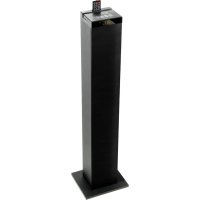
BlueSYNC STW - Speaker GOgroove - Free user manual and instructions
Find the device manual for free BlueSYNC STW GOgroove in PDF.



| Product Type | Bluetooth speaker with docking station and FM radio |
| Brand | GOgroove |
| Model | BlueSYNC STW |
| Dimensions (L x H x D) | 97.15 x 24.81 x 21.59 cm |
| Weight | 4.59 kg |
| Power supply | AC adapter 15V 3A (included) |
| Output power | 2 x 15W + 30W woofer, 60W RMS, 120W peak |
| Impedance | 4 ohms |
| Frequency response | 40 Hz - 20 kHz |
| Total harmonic distortion | < 2.5% |
| Signal-to-noise ratio | ≥ 45 dB |
| USB charging port | 5V - 1A |
| Audio modes | Bluetooth, FM, AUX, USB |
| Connectivity | Bluetooth, 3.5mm AUX input, USB port for USB drive (max 32 GB) |
| FM antenna | Built-in, extendable |
| Remote control | Yes, included |
| Base stand | Included with screws and washers |
| Maintenance | Clean with a dry cloth |
| Safety | Do not expose to water, heat; unplug during storms |
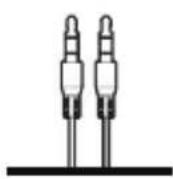
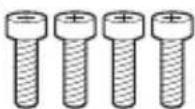
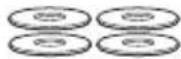
| Included accessories | AC adapter, remote control, AUX cable, base, screws |
| Warranty | 1 year (extendable to 2 years after registration within 30 days) |
Frequently Asked Questions - BlueSYNC STW GOgroove
User questions about BlueSYNC STW GOgroove
0 question about this device. Answer the ones you know or ask your own.
Ask a new question about this device
Download the instructions for your Speaker in PDF format for free! Find your manual BlueSYNC STW - GOgroove and take your electronic device back in hand. On this page are published all the documents necessary for the use of your device. BlueSYNC STW by GOgroove.
USER MANUAL BlueSYNC STW GOgroove
This product comes with a 1 year limited warranty.
Register this product within 30 days of sale to activate a complimentary 2 year warranty extension and receive free advanced technical support. Learn more and register now.
natural_image
Abstract geometric logo design with a stylized letter 'A' inside a square frame (no text or symbols)ACCESSORY POWER
VIP CLUB
WHY SHOULD I JOIN?
• Free Product Giveaways
• Exclusive Discounts
- Sneak Peek at New Products
• And More VIP Perks!
JOIN THE CLUB TODAY
AccessoryPower.com/VIPclub
IN LESS THAN 30 SECONDS
STOP
Need help with this product? Besoin d'assistance sur ce produit? ¿Necesita ayuda con este producto? Benötigen Sie Hilfe bei diesem Produkt? Hai bisogno di aiuto per questo prodotto?
购买的产品,是否需要提供协助?
GOgroove.com/support
SAFETY AND PRODUCT INFORMATION SÉCURITÉ ET INFORMATIONS DU PRODUIT
Safety information:
Before using this GOgroove product, review these safety and regulatory information provided in this document. Keep this document in a safe place so that you can refer to it whenever you need it.
Important safety precautions:
1) Read these instructions.
2) Keep these instructions.
3) Heed all warnings.
4) Follow all instructions.
5) Do not use this product near water.
6) Clean only with a dry cloth.
7) Do not block any ventilation openings. Install in accordance with the manufacturer's instructions.
8) Do not install near any heat sources such as radiators, heat registers, stoves or other apparatus (including amplifiers) that produce heat.
9) Protect the power cord from being walked on or pinched particularly at plugs, convenience receptacles, and the point where they exit from the product.
10) Only use attachments/accessories specified by the manufacturer.
11) Use only with the cart, stand, tripod, bracket, or table specified by the manufacturer, or sold with the product.
12) Unplug the product during lightning storms or when unused for long periods of time.
13) Refer all servicing to qualified service personnel. Servicing is required when the apparatus has been damaged in any way, such as power-supply cord or plug is damaged, liquid has been spilled or objects have fallen into the product, the product has been exposed to rain or moisture, does not operate normally, or has been dropped.
14) No naked flame sources, such as lighted candles, should be placed on the product.
natural_image
Simple line drawing of a vertical rectangle with a numbered label '2' on the top (no text or symbols beyond the number)3
natural_image
Simple line drawing of a device with two connectors (no text or symbols)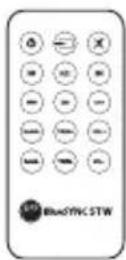
4
5

6
7
EN
1 BlueSYNC® STW
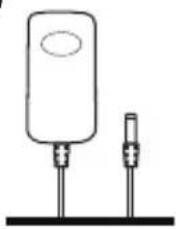
2 AC adapter
3 Remote Control
4 AUX cable
5 Base
6 Base screws (4)
7 Washers (4)
FR
text_image
Technical diagram of a blueSYNC STW device with labeled components and wiring connectionsEN
1 Remote dock
2 Device dock
3 USB 1A charging port
4 AUX port
5 On-board controls
6 Screen
7 USB Flash drive input
8 FM antennae
9 Power input
FR
1 Dock station per telecomando
Operating instructions
Set-up
text_image
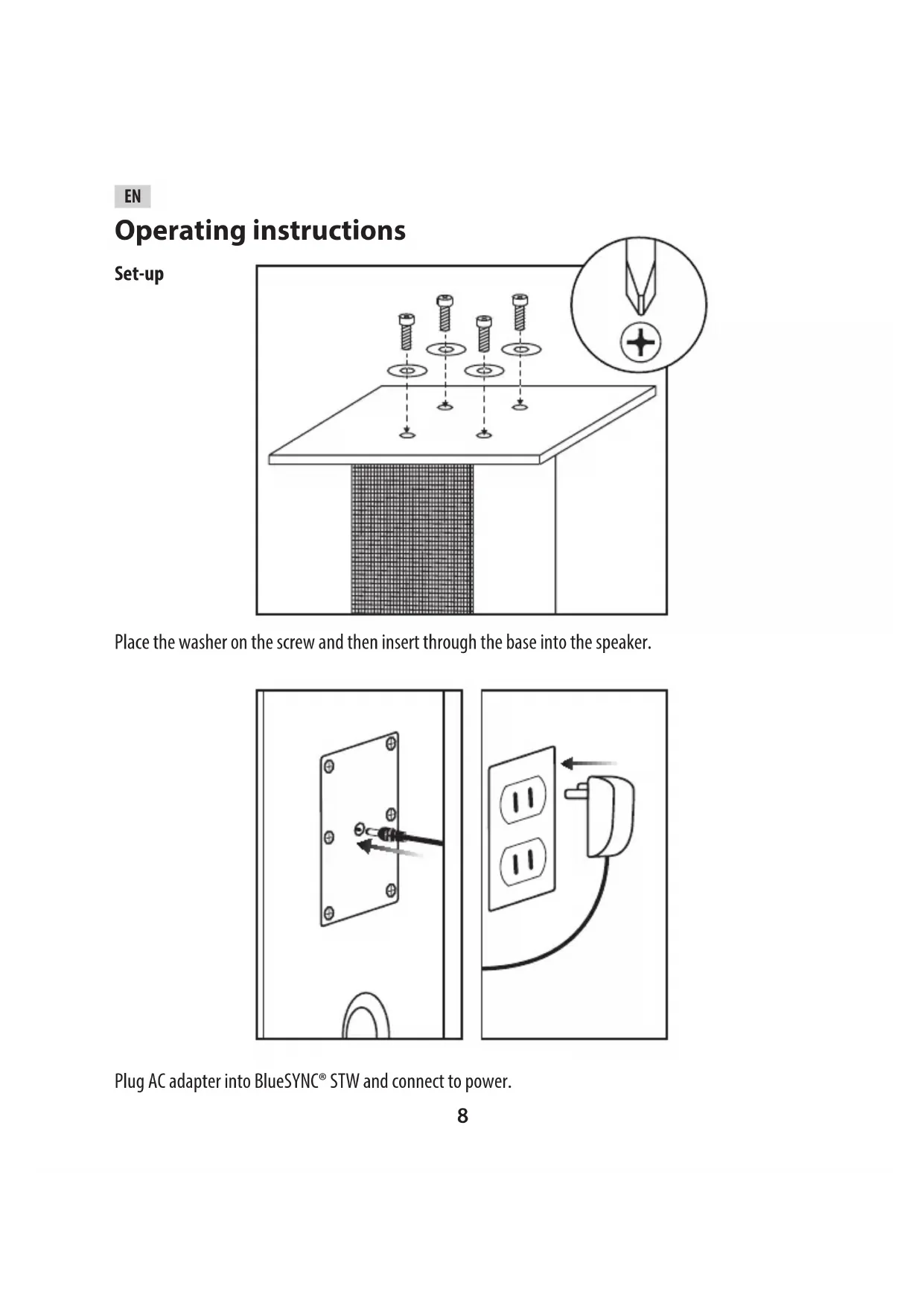
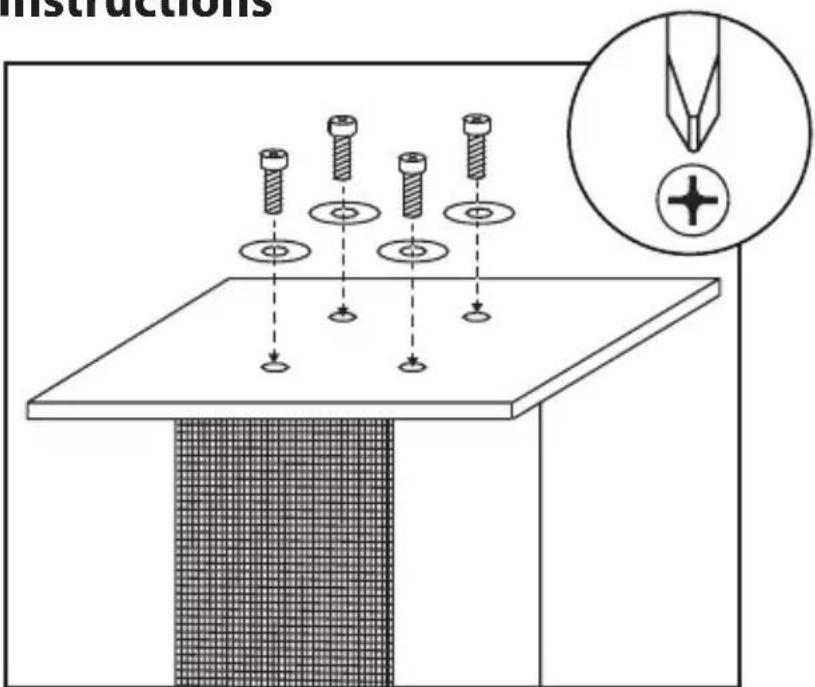
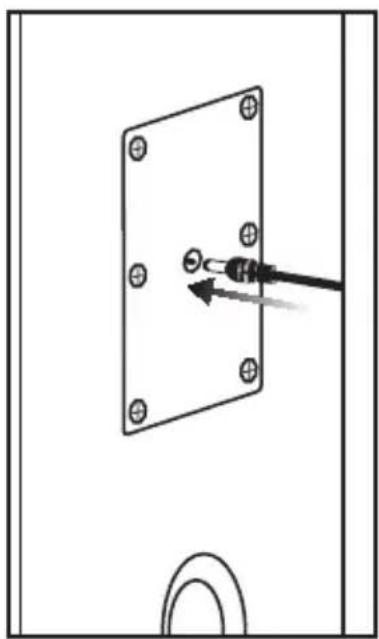
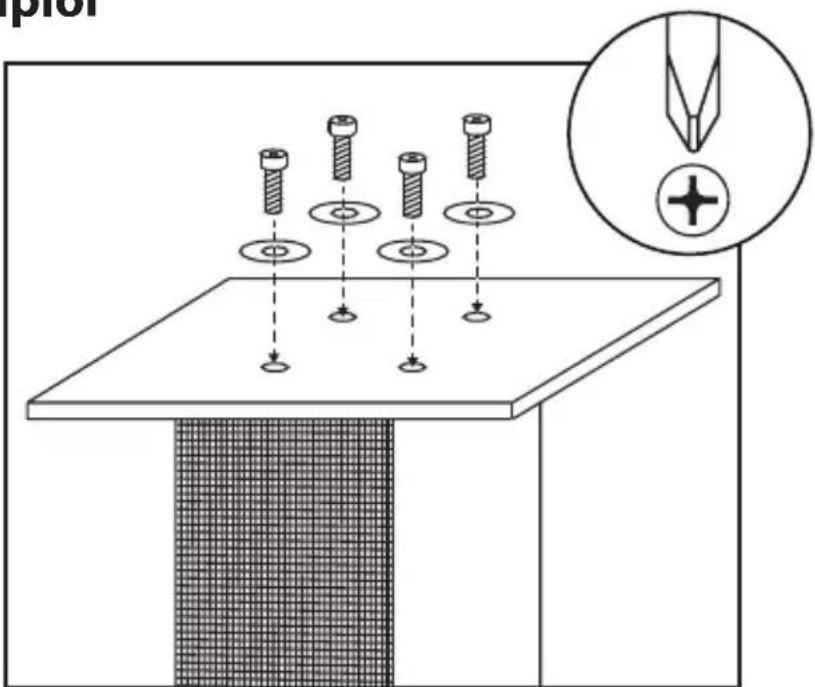
InstructionsPlace the washer on the screw and then insert through the base into the speaker.
natural_image
Diagram of a screwdriver inserted into a rectangular panel with bolt holes, showing an arrow indicating the insertion point (no text or symbols present)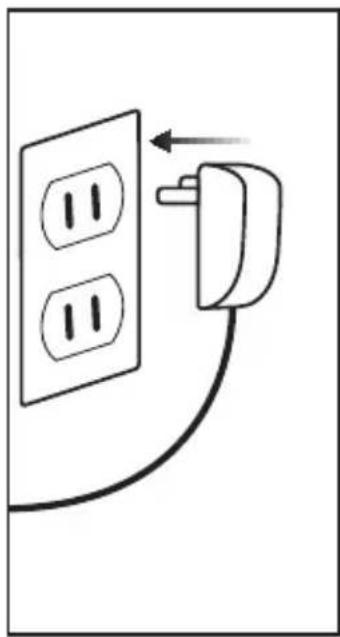
natural_image
Simple line drawing of a wall socket connected to a plug, with an arrow indicating direction (no text or symbols)Plug AC adapter into BlueSYNC® STW and connect to power.
natural_image
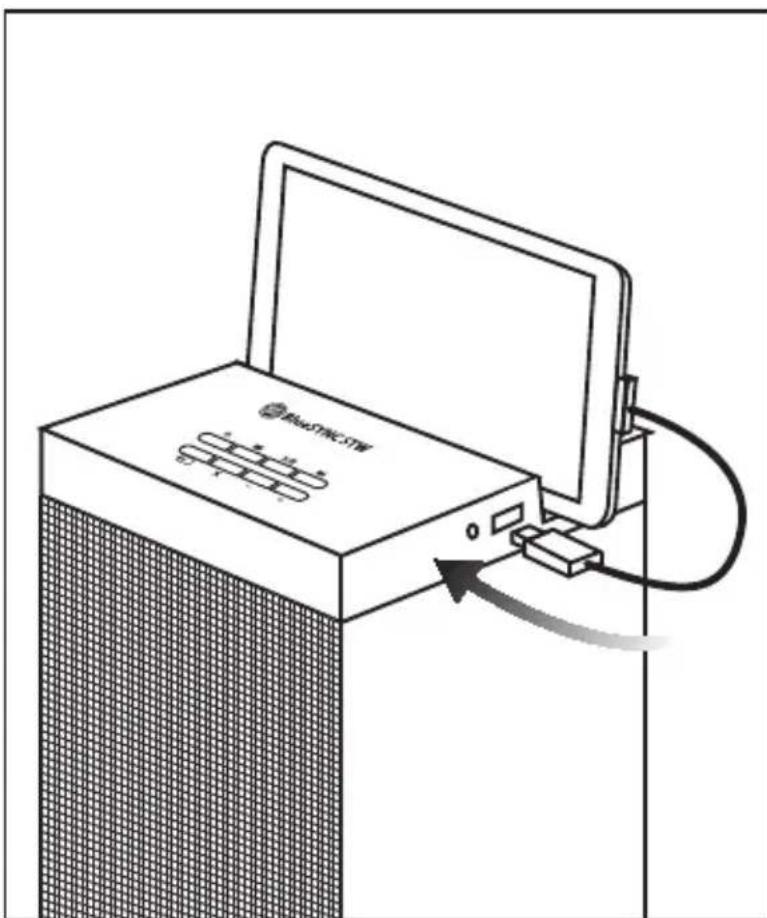
Line drawing of a laptop connected to a wall-mounted device via cable (no text or symbols)Use your device's USB cable to charge from the USB 1A charging port.
Audio
text_image
Control panel interface with labeled buttons including power, playback, and memory control icons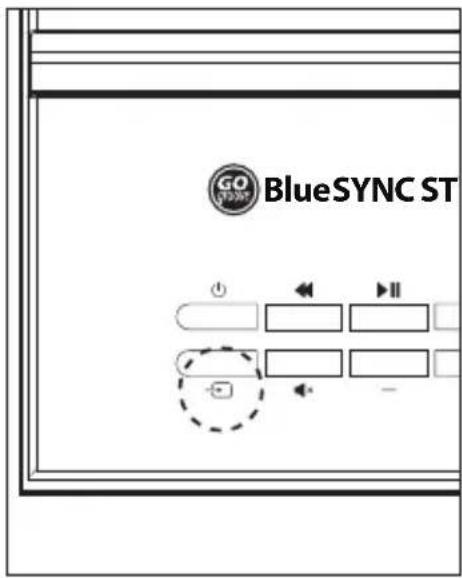
text_image
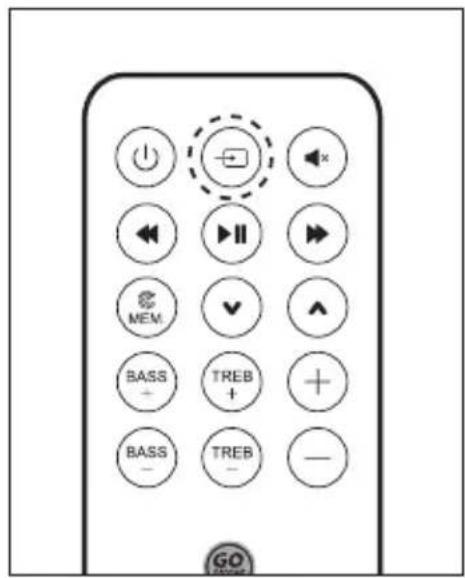
GO STORM BlueSYNC ST + - II - -Use the Source button to cycle through audio modes.
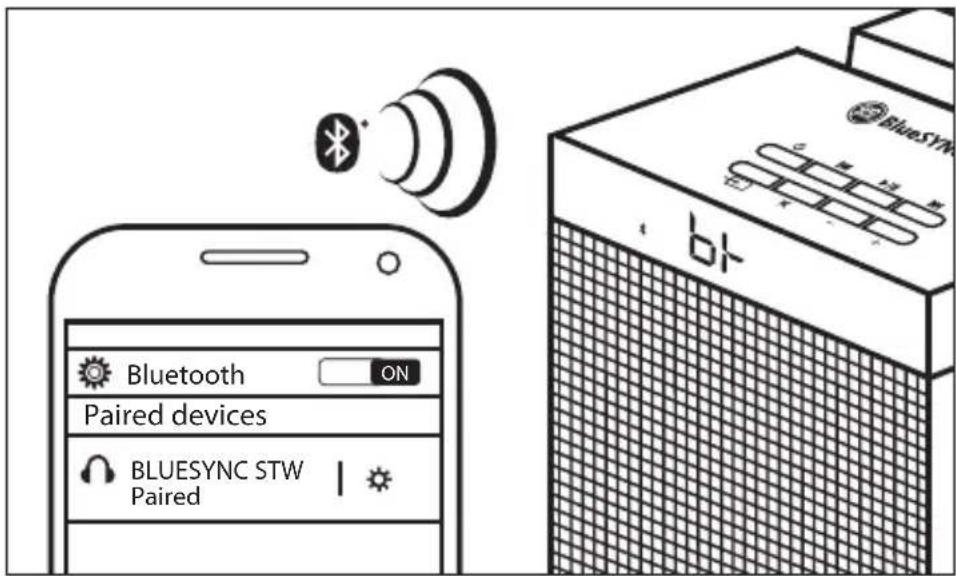
Bluetooth mode
text_image
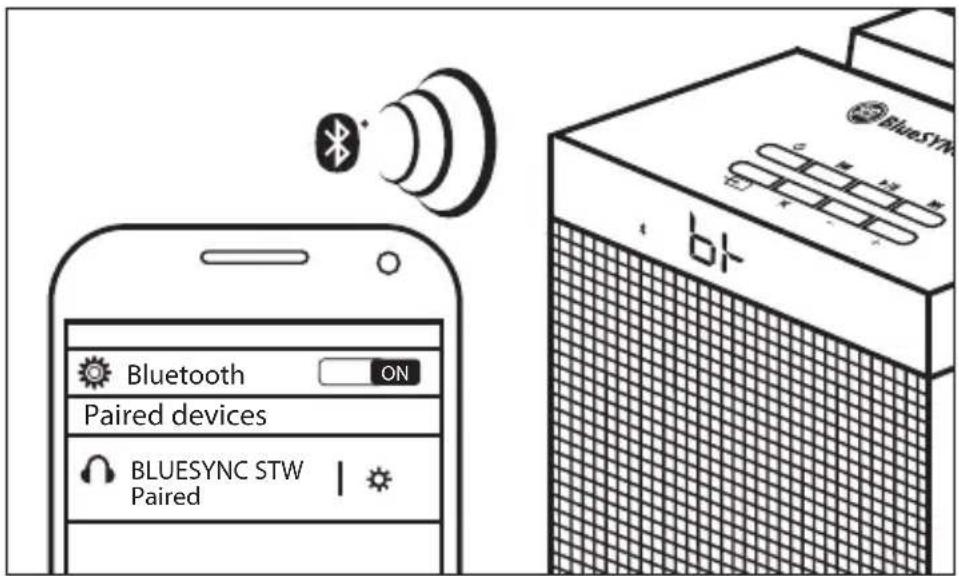
Bluetooth ON Paired devices BLUESYNC STW Paired BlueSYN b1The screen will show a Bluetooth indicator blinking. Speaker will automatically enter pairing mode for 60 seconds. Pair your device (Use PIN 0000 if prompted). Once paired, the LED indicator will be solid.
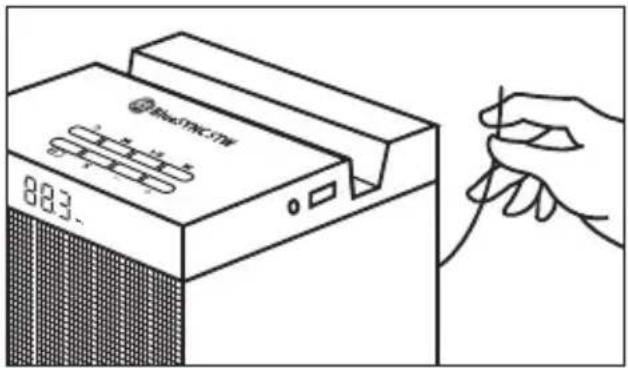
FM mode
text_image
MaxTNC.TW 883.The screen will show a FM indicator. Adjust the antennae for best reception. Use the remote to scan available stations using the MEM button.
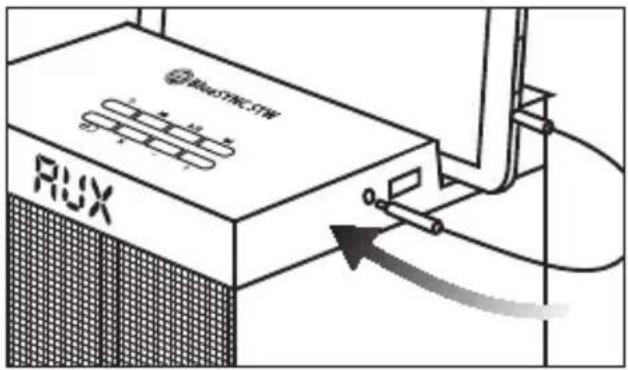
AUX mode
text_image
RUX RuxTREC-CTWThe screen will show AUX. Use the 3.5mm cable to connect to the AUX port and your device.
USB mode
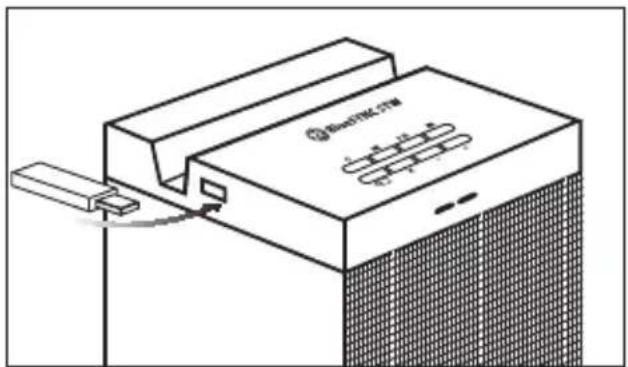
text_image
Electrical 17W 1.2 V 2.4 V 3.6 V 4.8 V 5.0 VThe screen will show -- . Plug in a flash drive (32gb MAX) in to the USB Flash drive input.
On-board controls
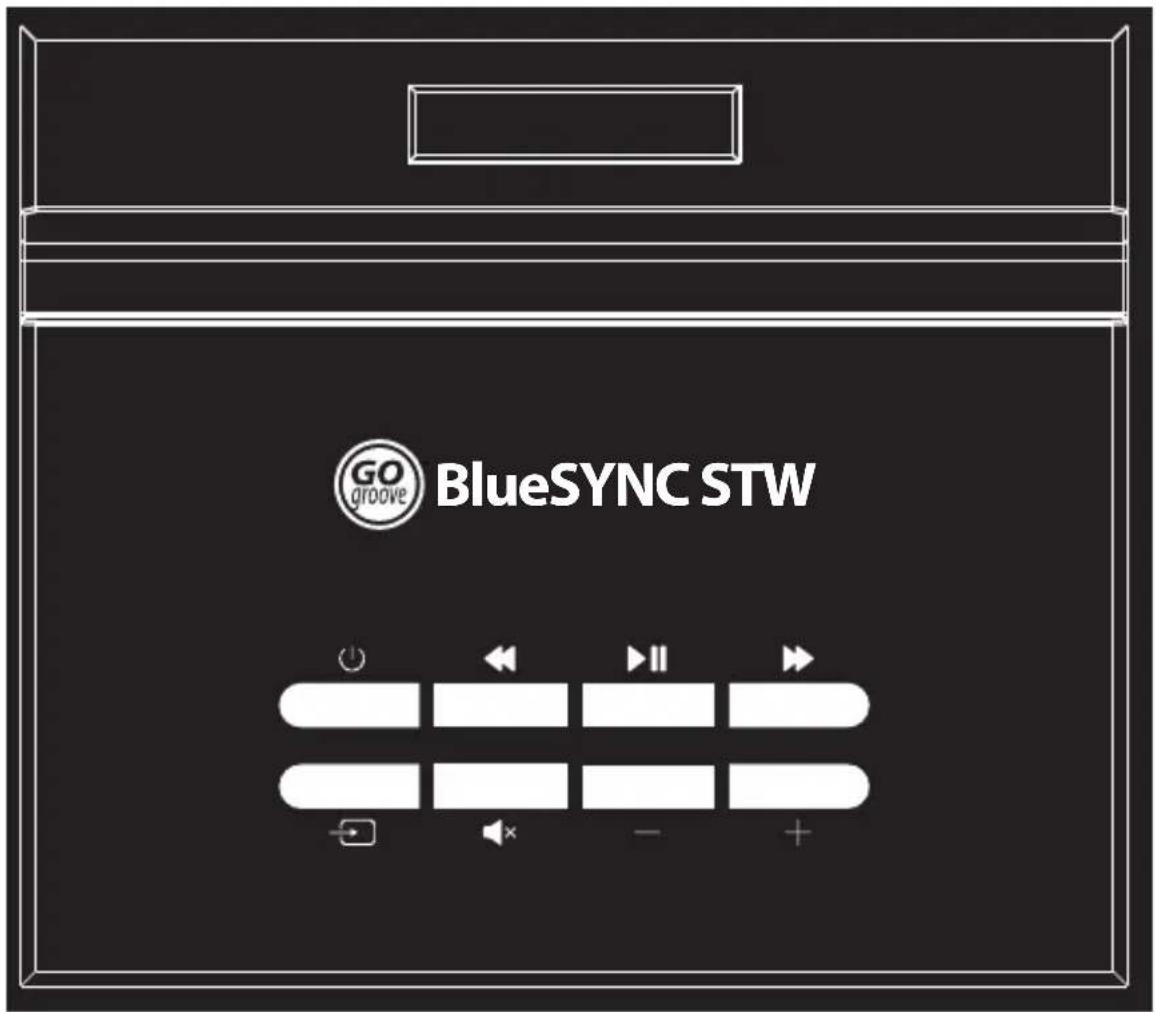
text_image
GO groove BlueSYNC STW| Button Press sequence Function | ||
 | Quick press Power ON/OFF | |
 | Quick press | Bluetooth mode: Previous trackFM mode: Tune downUSB mode: Previous track |
| Press and hold FM mode: Previous station | ||
 | Quick press Pause / Play | |
| Press and hold Bluetooth mode: Re-enter pairing mode | ||
 | Quick press | Bluetooth mode: Next trackFM mode: Tune upUSB mode: Next track |
| Press and hold FM mode: Next station | ||
| [D23S] | Quick press Change audio source | |
 | Quick press Mute sound | |
| —— | Press Volume down | |
 | Press Volume up | |
Remote control
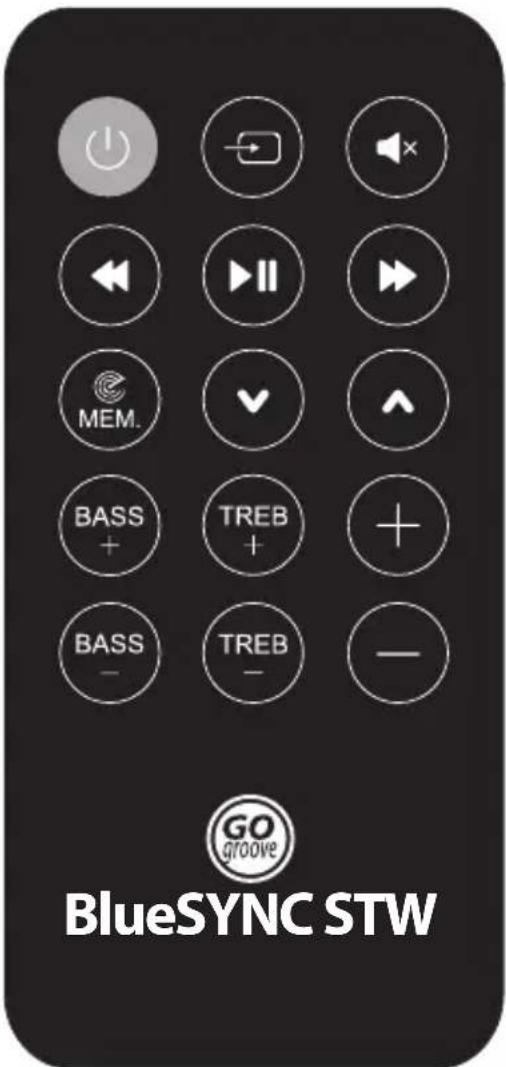
text_image
BlueSYNC STW GO groove| Button Press sequence Function | ||
 | Quick press Power ON/OFF | |
 | Quick press Change audio source | |
 | Quick press Mute sound | |
 | Quick press | Bluetooth mode: Previous trackUSB mode: Previous track |
| Press and hold FM mode: Tune down | ||
 | Quick press Pause / Play | |
| Press and hold Bluetooth mode: Re-enter pairing mode | ||
 | Quick press Bluetooth mode: Next trackUSB mode: Next track | |
| Press and hold FM mode: Tune up | ||
 | Press Scan and memorize available FM stations | |
| [880] | Press FM mode: Next station | |
| [140] | Press FM mode: Previous station | |
 | Press Increase bass | |
 | Press Decrease bass | |
 | Press | Increase treble |
| [994] | Press | Decrease treble |
 | Press | Volume up |
| — | Press | Volume down |
FR
Mode d'emploi
Configuration
text_image
Diagram illustrating screw installation with a magnified view of a turning tool and positive charge symbolnatural_image
Diagram of a screwdriver inserted into a rectangular panel with bolt holes, showing an arrow indicating the insertion point (no text or symbols present)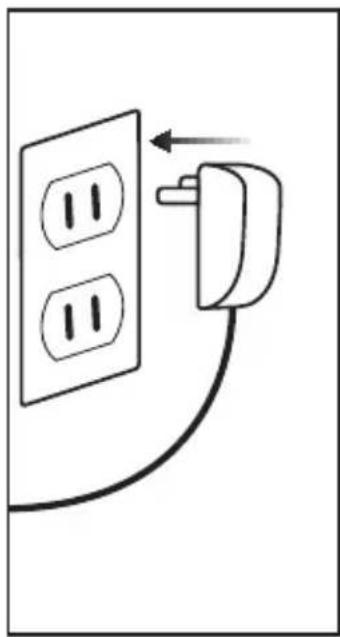
natural_image
Simple line drawing of a wall socket connected to a plug, with an arrow indicating direction (no text or symbols)natural_image
Line drawing of a laptop connected to a wall-mounted cable, showing internal components and signal flow (no text or symbols)text_image
Control panel interface with labeled buttons including power, playback, and memory control icons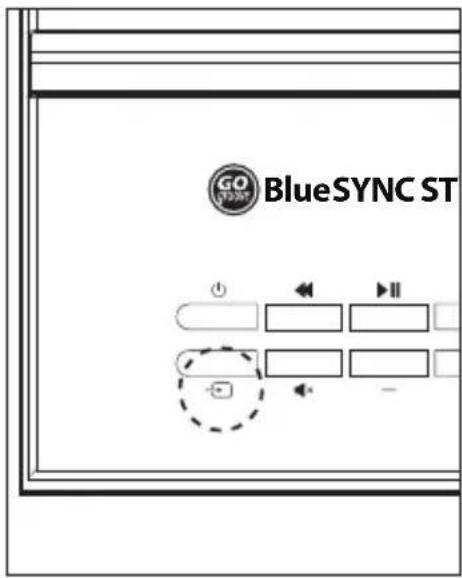
text_image
GO STORM BlueSYNC ST + - II - -text_image
Bluetooth ON Paired devices BLUESYNC STW Paired BlueSYN b1natural_image
Diagram of a screwdriver inserted into a rectangular panel with bolt holes, showing an arrow indicating the insertion point (no text or symbols present)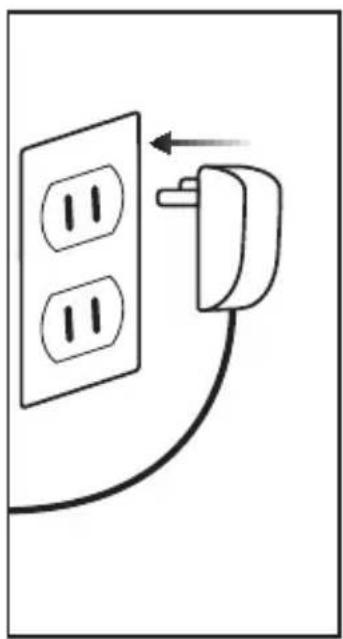
natural_image
Simple line drawing of a wall socket connected to a plug, with an arrow indicating direction (no text or symbols)natural_image
Line drawing of a laptop connected to a wall-mounted cable, showing internal components and signal flow (no text or symbols)text_image
Control panel interface with labeled buttons including power, playback, and memory control icons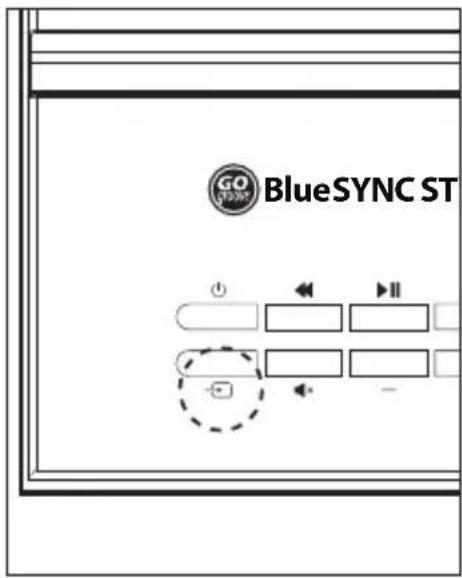
text_image
GO STORM BlueSYNC ST + - II - -text_image
Bluetooth ON Paired devices BLUESYNC STW Paired BlueSYN b1natural_image
Diagram of a screwdriver inserted into a rectangular panel with bolt holes, showing an arrow indicating the insertion point (no text or symbols present)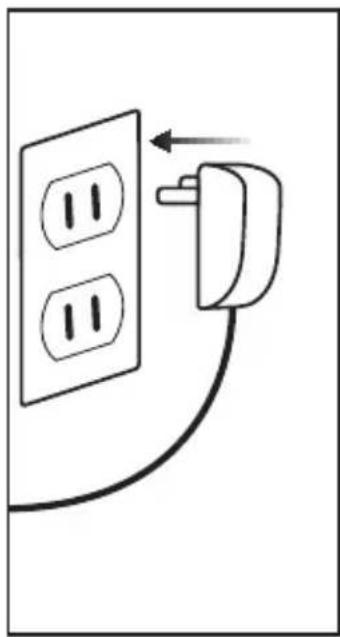
natural_image
Simple line drawing of a wall socket connected to a plug, with an arrow indicating direction (no text or symbols)natural_image
Line drawing of a laptop connected to a wall-mounted device via cable (no text or symbols)text_image
Control panel interface with labeled buttons including power, playback, and memory control icons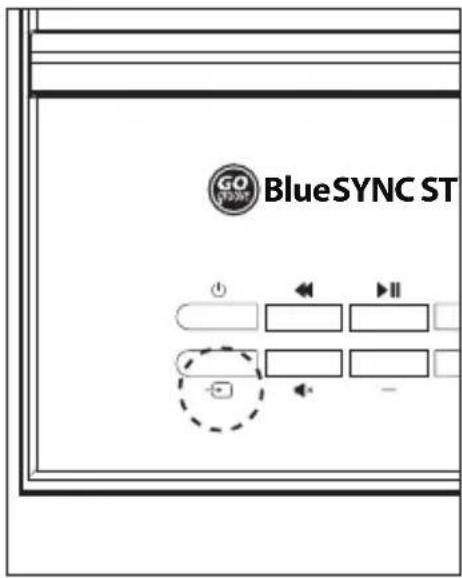
text_image
GO STORM BlueSYNC ST + - II - -text_image
Bluetooth ON Paired devices BLUESYNC STW Paired BlueSYN b1text_image
Operative +natural_image
Simple line drawing of a door panel with a screwdriver inserted, no text or symbols present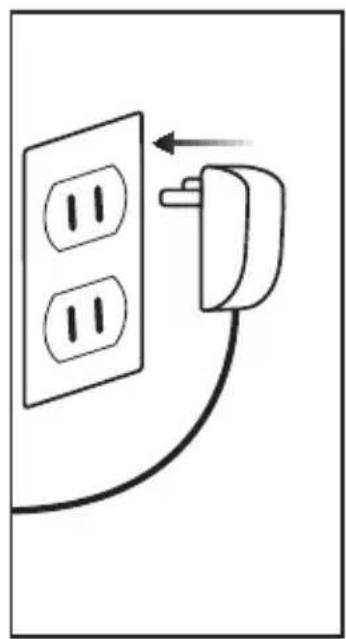
natural_image
Simple line drawing of a wall socket connected to a plug, with an arrow indicating direction (no text or symbols)natural_image
Line drawing of a laptop connected to a wall-mounted cable, showing internal components and signal flow (no text or symbols)text_image
Control panel interface with labeled buttons including power, playback, and memory control icons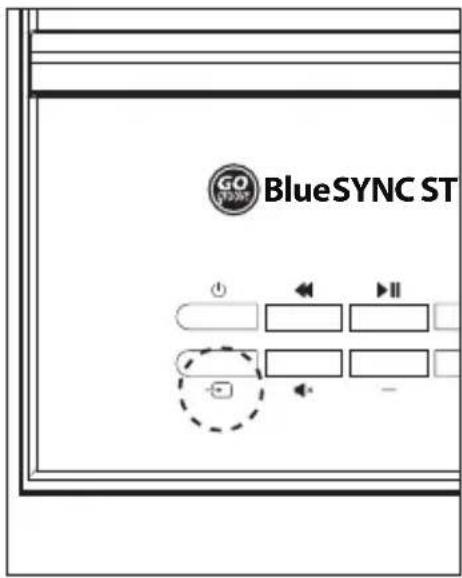
text_image
GO STORM BlueSYNC ST + - II - -text_image
Bluetooth ON Paired devices BLUESYNC STW Paired BlueSYN b1text_image
Diagram illustrating screw installation with a magnified view of a turning tool and a plus symbol, showing bolt positions and a grid pattern.natural_image
Diagram of a screwdriver inserted into a rectangular frame with bolt holes, showing an arrow indicating the insertion point (no text or symbols present)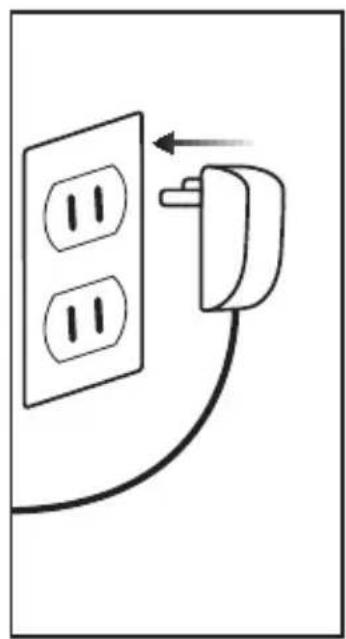
natural_image
Simple line drawing of a wall socket connected to a plug, with an arrow indicating direction (no text or symbols)natural_image
Line drawing of a laptop connected to a cable via an arrow, showing internal components and wiring (no text or symbols)text_image
Control panel interface with labeled buttons including power, playback, and memory control icons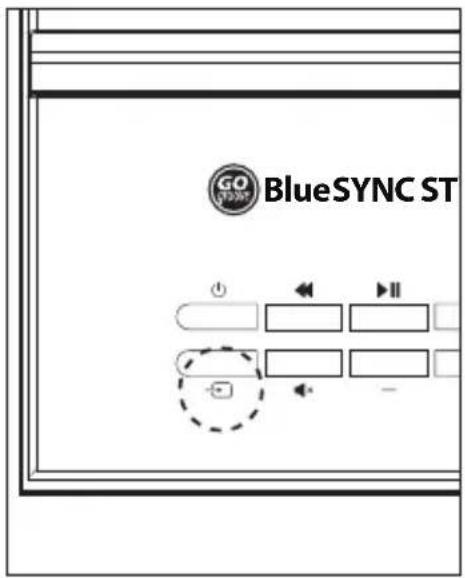
text_image
GO STOCK BlueSYNC ST使用信号源按钮循环播放音频模式。
蓝牙模式
text_image
Bluetooth ON Paired devices BLUESYNC STW Paired b1This product comes with a 1 year limited warranty, the acceptance of which is a condition of sale. Register this product within 30 days of sale to activate a complimentary 2 year warranty extension and receive free advanced technical support. For warranty program details, registration, and support visit GOgroove.com/warranty
This device complies with Part 15 of the FCC Rules. Operation is subject to the following two conditions: 1) this device may not cause harmful interference, and 2) this device must accept any interference received, including interference that may cause undesired operation. Compliance Information Statements: This equipment has been tested and found to comply with the limits for a Class B digital device, pursuant to Part 15 of the FCC Rules. These limits are designed to provide reasonable protection against harmful interference in a residential installation. This equipment generates uses and can radiate radio frequency energy and, if not installed and used in accordance with the instructions, may cause harmful interference to radio communications. However, there is no guarantee that interference will not occur in a particular installation. If this equipment does cause harmful interference to radio or television reception, which can be determined by turning the equipment off and on, the user is encouraged to try to correct the interference by one or more of the following measures: 1) eorient or relocate the receiving antenna; 2) increase the separation between the equipment and receiver; 3) connect the equipment into an outlet on a circuit different from that to which the receiver is connected; 4) consult the dealer or an experienced radio/TV technician for help. Modifications to this product not authorized by Accessory Power could void your right to use or operate this product by the FCC. Where shielded interface cables or accessories have been provided with the product or specified additional components or accessories elsewhere defined to be used with the installation of the product, they must be used in order to ensure compliance with FCC regulations.
The Bluetooth word mark and logos are registered trademarks owned by Bluetooth SIG, Inc. and any use of such marks by Accessory Power is under license.
© 2018 AP Global, Inc. All rights reserved. Accessory Power, the Accessory Power logo, GOgroove, the GOgroove logo BlueSYNC and other marks and logos are either registered trademarks or trademarks of AP Global, Inc. in the United States and/or other countries. All other trademarks are the property of their respective owners.
Manufactured in China. Designed in California.
WARNING: This product contains chemical(s) known to the State of California to cause cancer, birth defects, or other reproductive harm.
Why does Accessory Power provide a California Proposition 65 warning?
A Proposition 65 warning means one of two things: (1) the business has evaluated the exposure and has concluded that it exceeds the "no significant risk level"; or (2) the business has chosen to provide a warning simply based on its knowledge about the presence of a listed chemical without attempting to evaluate the exposure. Accessory Power has chosen to provide a warning based on its knowledge about the presence of one or more listed chemicals without attempting to evaluate the level of exposure. With this product, the exposure may be negligible or well within the "no significant risk" range; however, out of an abundance of caution, Accessory Power has elected to provide the consumer a warning regarding Proposition 65.
For more information please visit https://www.accessorypower.com/prop65
Product specifications
Audio input: Bluetooth, 3.5mm AUX, USB Flash Drive, FM radio
Speaker power: 2 x 15w driver + 30w woofer; 60w RMS, 120 Peak
Power input: 15V - 3A
USB power output: 5v - 1A
Impedance: 4ohms
Sensitivity: 25dB ± 3dB
Frequency response: 40Hz-20kHz
Total harmonic distortion: <2.5%
S/N Ratio: ≥45db
Dimensions: 38.25 x 9.87 x 8.5 inches
Weight: 10.12 pounds
Entrée audio: Bluetooth, 3.5mm AUX, USB Flash Drive, FM radio
GOgroove.com/recycle

