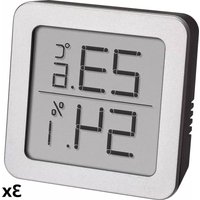
USER MANUAL 30.5033.02 TFA
natural_image
Technical line drawing of a device rear panel with labeled component C1 (no text or symbols beyond label)
Digitales Thermo-Hygrometer

Thank you for choosing this instrument from TFA.
- Before you use this product
- Please make sure you read the instruction manual carefully.
This information will help you to familiarise yourself with your new device, to learn all of its functions and parts, to find out important details about its first use and how to operate it, and to get advice in the event of faults.
- Following and respecting the instructions in your manual will prevent damage to your instrument and loss of your statutory rights arising from defects due to incorrect use.
- We shall not be liable for any damage occurring as a result of non-following of these instructions. Likewise, we take no responsibility for any incorrect readings or for any consequences resulting from them.
- Please take particular note of the safety advice!
-
Please keep this instruction manual safe for future reference.
-
Delivery contents
-
Thermo-Hygrometer
- Instruction manual
- Field of operation and all the benefits of your new instrument at a glance
- For the control of indoor temperature and humidity to help create a healthy room climate
- With maximum and minimum values
• Time
• Alarm with snooze function
Digital thermo-hygrometer


Caution! Risk of injury:
- Keep this instrument and the battery out of the reach of children.
- Batteries contain harmful acids and may be hazardous if swallowed. If a battery is swallowed, this can lead to serious internal burns and death within two hours. If you suspect a battery could have been swallowed or otherwise caught in the body, seek medical help immediately.
- Batteries must not be thrown into a fire, short-circuited, taken apart or recharged. Risk of explosion!
- Low batteries should be changed as soon as possible to prevent damage caused by leaking. Wear chemical-resistant protective gloves and safety glasses when handling leaking batteries.

- Do not place your product near extreme temperatures, vibrations or shocks.
- Protect it from moisture.
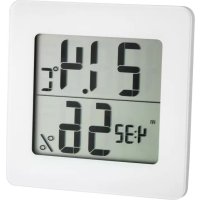
A 1: Indoor temperature, MAX/MIN
A 2: Time, date, alarm
A 3: Symbol for the alarm and the hourly chime
A 4: Indoor humidity, MAX/MIN
B: Buttons:
B 1: SNOOZE button B 2: MODE button
B 3: UP button B 4: MEM button
B 5: °C/°F button B 6: RESET button
C: Housing:
C 1: Support with battery compartment
-
Getting started
-
Open the battery compartment and insert a new battery 1,5 V AA, ensure that the battery polarity is correct.
- Close the battery compartment again.
- All LCD segments will be displayed for a short moment.
- The unit is ready for use.
• The display shows the current indoor temperature and humidity.
- Above the time (12:00 default) appears AM on the display.
• Take out the battery to shut down the instrument.

Digital thermo-hygrometer

-
Operation
-
Press and hold UP button in the setting mode for fast running.
- The instrument will automatically quit the setting mode if no button is pressed within 60 seconds.
7.1 Setting of the clock and calendar
- Press and hold the MODE button.
• The minute digits will be flashing.
- Press the UP button to set the minutes.
- Press the MODE button again and the setting sequence is shown as follows: Hours, 12-hour or 24-hour display format (AM or PM after 12 h appears on the display) month and day and adjust it with the UP button.
- Confirm the setting with the MODE button.
• The display shows the current time.
7.2 Setting of the alarm time
- To enter the alarm mode, press the MODE button in normal mode.
- 0:00 (default) or the last adjusted alarm time appears on the display.
- Press and hold MODE button.
- The alarm symbol appears and the minute digits will be flashing.
- Press the UP button to set the minutes.
- Confirm the setting with the MODE button and set the hours in the same way.
- Confirm the setting with the MODE button.
- The display shows the adjusted alarm time and the alarm symbol. The alarm is activated.
- Press the MODE button again to return to the current time.
- When the adjusted alarm time is reached, the alarm will ring.
- Press any button and the alarm function will stop working.
- If the alarm is not stopped manually, the increasing alarm will automatically turn off after certain minutes and will be reactivated at the same time.
• The alarm symbol stays in the display
- When the alarm rings, press the SNOOZE button and the snooze function will be activated.
• The alarm will be interrupted for 8 minutes.
7.3 Activate and deactivate the alarm time and the hourly chime
- To enter the alarm mode, press the MODE button in normal mode.
• The adjusted alarm time appears on the display.
- Press the UP button once to activate the alarm. On the display appears the alarm symbol 🔔.
- Press the UP button twice to activate the hourly chime. On the display appears the symbol for the hourly chime -
- Press the UP button three times to activate the alarm and the hourly chime. On the display appear both symbols and .
- Press the UP button four times to deactivate both alarms. Both symbols disappear.
- Press the MODE button to return to normal mode.
7.4 Display of date
- Press the UP button in normal mode to show the date.
Digital thermo-hygrometer

7.5 Temperature display
- Press the °C/°F button to change between °C (Celsius) or °F (Fahrenheit) as temperature unit.
7.5 Maximum and minimum values
- Press the MEM button.
• MAX appears on the display.
• The highest indoor temperature and humidity are displayed since the last reset.
- Press the MEM button again.
• MIN appears on the display.
- The lowest indoor temperature and humidity are displayed since the last reset.
• To go back to the present temperature and humidity display, press the MEM button once more.
- The instrument will automatically quit the MAX/MIN mode if no button is pressed.
- Press and hold the MEM button in the respective mode to clear the recorded maximum or minimum values.
8. Care and maintenance
- Clean your instrument with a soft damp cloth. Do not use solvents or scouring agents.
- Remove the battery if you do not use the product for a long period of time.
- Keep the instrument in a dry place.
8.1 Battery replacement
- Replace the battery when the display becomes weak or the alarm tone declines.
- Open the battery compartment and insert a new battery 1,5 V AA, ensure that the battery polarity is correct.
- Close the battery compartment again.
9. Troubleshooting
Problems Solution
No display on the device → Ensure that the battery polarity is correct
→ Use a pin to press the RESET button
→ Change the battery
Incorrect indication → Change the battery
If your device fails to work despite these measures contact the supplier from whom you purchased it.
10. Waste disposal
This product has been manufactured using high-grade materials and components which can be recycled and reused.

Never dispose of empty batteries and rechargeable batteries in household waste.
As a consumer, you are legally required to take them to your retail store or to an appropriate collection site depending on national or local regulations in order to protect the environment.
The symbols for the heavy metals contained are:
Cd=cadmium, Hg=mercury, Pb=lead
Digital thermo-hygrometer

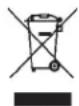
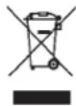
This instrument is labeled in accordance with the EU Waste Electrical and Electronic Equipment Directive (WEEE).
Please do not dispose of this instrument in household waste. The user is obligated to take end-of-life devices to a designated collection point for the disposal of electrical and electronic equipment, in order to ensure environmentally-compatible disposal.
- Specifications
| Power consumption: Battery 1 x 1.5 V AA |
| Measuring range temperature: 0°C...+50°C (+32°F...+122°F) °C/°F-reversible |
| Measuring range humidity: 20...90 % rH |
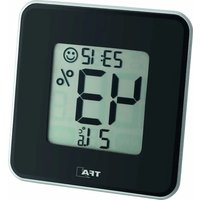
| Display shows LL/HH: Measuring is out of the range |
| Housing dimension: | 94 x 37 x 94 mm |
| Weight: | 95 g (instrument only) |
TFA Dostmann GmbH & Co.KG, Zum Ottersberg 12, D-97877 Werthelm, Germany
No part of this manual may be reproduced without written consent of TFA Dostmann. The technical data are correct at the time of going to print and may change without prior notice. The latest technical data and information about this product can be found in our homepage by simply entering the product number in the search box.
www.tfa-dostmann.de 02/21
Cd = cadmium, Hg = mercure, Pb = plomb