ManualGo.com
SB MB - Pressure washer Kärcher - Free user manual and instructions
Find the device manual for free SB MB Kärcher in PDF.



Download the instructions for your Pressure washer in PDF format for free! Find your manual SB MB - Kärcher and take your electronic device back in hand. On this page are published all the documents necessary for the use of your device. SB MB by Kärcher.
USER MANUAL SB MB Kärcher
309.0 before using the device for the
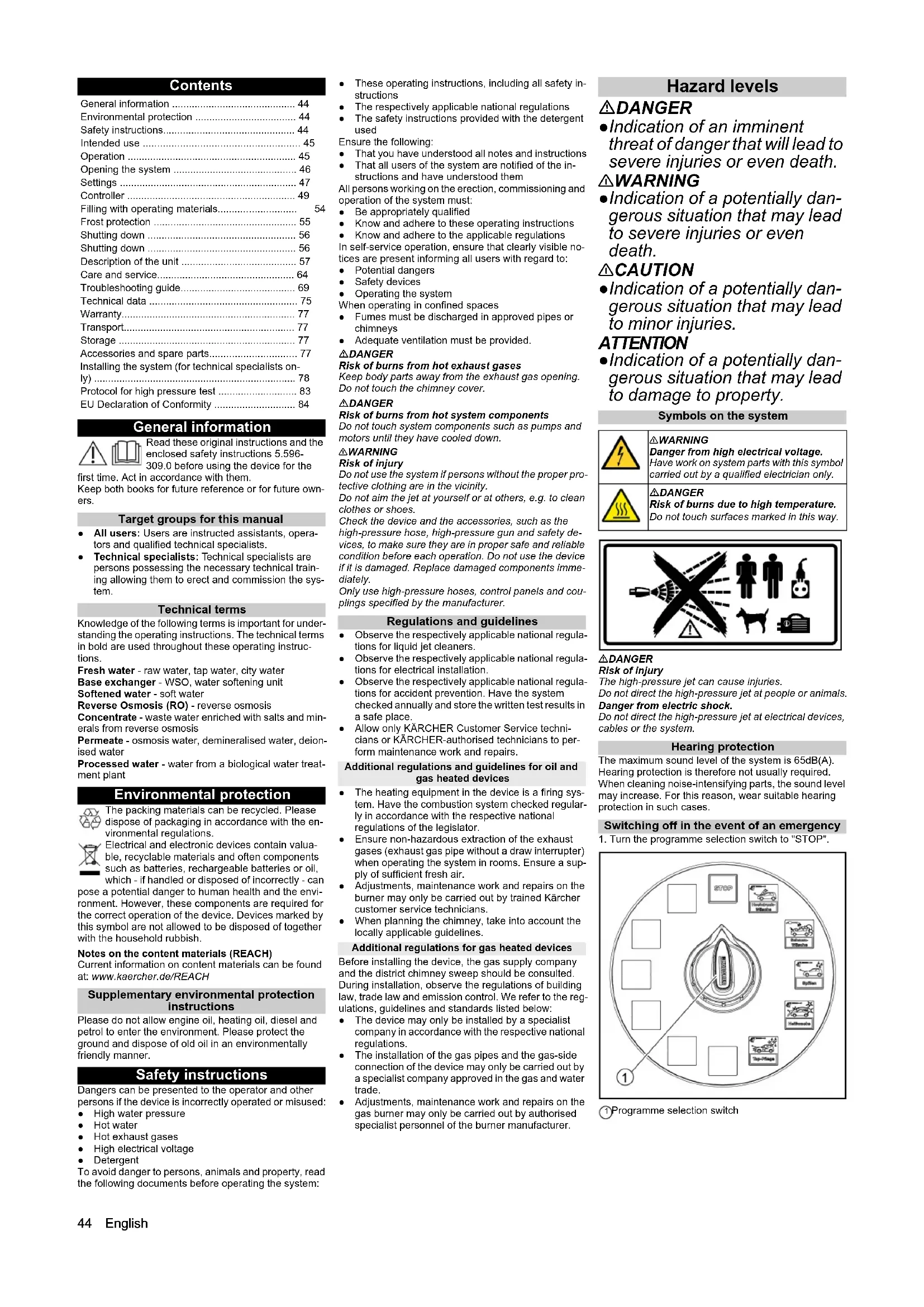
first time. Act in accordance with them. Keep both books for future reference or for future own- ers. Target groups for this manual ● All users: Users are instructed assistants, opera- tors and qualified technical specialists. ● Technical specialists: Technical specialists are persons possessing the necessary technical train- ing allowing them to erect and commission the sys- tem. Technical terms Knowledge of the following terms is important for under- standing the operating instructions. The technical terms in bold are used throughout these operating instruc- tions. Fresh water - raw water, tap water, city water Base exchanger - WSO, water softening unit Softened water - soft water Reverse Osmosis (RO) - reverse osmosis Concentrate - waste water enriched with salts and min- erals from reverse osmosis Permeate - osmosis water, demineralised water, deion- ised water Processed water - water from a biological water treat- ment plant Environmental protection The packing materials can be recycled. Please dispose of packaging in accordance with the en- vironmental regulations. Electrical and electronic devices contain valua- ble, recyclable materials and often components such as batteries, rechargeable batteries or oil, which - if handled or disposed of incorrectly - can pose a potential danger to human health and the envi- ronment. However, these components are required for the correct operation of the device. Devices marked by this symbol are not allowed to be disposed of together with the household rubbish. Notes on the content materials (REACH) Current information on content materials can be found at: www.kaercher.de/REACH Supplementary environmental protection instructions Please do not allow engine oil, heating oil, diesel and petrol to enter the environment. Please protect the ground and dispose of old oil in an environmentally friendly manner. Safety instructions Dangers can be presented to the operator and other persons if the device is incorrectly operated or misused: ● High water pressure ● Hot water ● Hot exhaust gases ● High electrical voltage ● Detergent To avoid danger to persons, animals and property, read the following documents before operating the system: ● These operating instructions, including all safety in- structions ● The respectively applicable national regulations ● The safety instructions provided with the detergent used Ensure the following: ● That you have understood all notes and instructions ● That all users of the system are notified of the in- structions and have understood them All persons working on the erection, commissioning and operation of the system must: ● Be appropriately qualified ● Know and adhere to these operating instructions ● Know and adhere to the applicable regulations In self-service operation, ensure that clearly visible no- tices are present informing all users with regard to: ● Potential dangers ● Safety devices ● Operating the system When operating in confined spaces ● Fumes must be discharged in approved pipes or chimneys ● Adequate ventilation must be provided. DANGER Risk of burns from hot exhaust gases Keep body parts away from the exhaust gas opening. Do not touch the chimney cover. DANGER Risk of burns from hot system components Do not touch system components such as pumps and motors until they have cooled down. 몇 WARNING Risk of injury Do not use the system if persons without the proper pro- tective clothing are in the vicinity. Do not aim the jet at yourself or at others, e.g. to clean clothes or shoes. Check the device and the accessories, such as the high-pressure hose, high-pressure gun and safety de- vices, to make sure they are in proper safe and reliable condition before each operation. Do not use the device if it is damaged. Replace damaged components imme- diately. Only use high-pressure hoses, control panels and cou- plings specified by the manufacturer. Regulations and guidelines ● Observe the respectively applicable national regula- tions for liquid jet cleaners. ● Observe the respectively applicable national regula- tions for electrical installation. ● Observe the respectively applicable national regula- tions for accident prevention. Have the system checked annually and store the written test results in a safe place. ● Allow only KÄRCHER Customer Service techni- cians or KÄRCHER-authorised technicians to per- form maintenance work and repairs. Additional regulations and guidelines for oil and gas heated devices ● The heating equipment in the device is a firing sys- tem. Have the combustion system checked regular- ly in accordance with the respective national regulations of the legislator. ● Ensure non-hazardous extraction of the exhaust gases (exhaust gas pipe without a draw interrupter) when operating the system in rooms. Ensure a sup- ply of sufficient fresh air. ● Adjustments, maintenance work and repairs on the burner may only be carried out by trained Kärcher customer service technicians. ● When planning the chimney, take into account the locally applicable guidelines. Additional regulations for gas heated devices Before installing the device, the gas supply company and the district chimney sweep should be consulted. During installation, observe the regulations of building law, trade law and emission control. We refer to the reg- ulations, guidelines and standards listed below: ● The device may only be installed by a specialist company in accordance with the respective national regulations. ● The installation of the gas pipes and the gas-side connection of the device may only be carried out by a specialist company approved in the gas and water trade. ● Adjustments, maintenance work and repairs on the gas burner may only be carried out by authorised specialist personnel of the burner manufacturer. Hazard levels DANGER ●Indication of an imminent threat of danger that will lead to severe injuries or even death. 몇 WARNING ●Indication of a potentially dan- gerous situation that may lead to severe injuries or even death. 몇 CAUTION ●Indication of a potentially dan- gerous situation that may lead to minor injuries. ATTENTION ●Indication of a potentially dan- gerous situation that may lead to damage to property. Symbols on the system DANGER Risk of injury The high-pressure jet can cause injuries. Do not direct the high-pressure jet at people or animals. Danger from electric shock. Do not direct the high-pressure jet at electrical devices, cables or the system. Hearing protection The maximum sound level of the system is 65dB(A). Hearing protection is therefore not usually required. When cleaning noise-intensifying parts, the sound level may increase. For this reason, wear suitable hearing protection in such cases. Switching off in the event of an emergency
1. Turn the programme selection switch to "STOP".
- 1 Programme selection switch General information p. 44
- Environmental protection p. 44
- Safety instructions p. 44
- Intended use p. 45
- Operation p. 45
- Opening the system p. 46
- Settings p. 47
- Controller p. 49
- Filling with operating materials p. 54
- Frost protection p. 55
- Shutting down p. 56
- Shutting down p. 56
- Description of the unit p. 57
- Care and service p. 64
- Troubleshooting guide p. 69
- Technical data p. 75
- Warranty p. 77
- Transport p. 77
- Storage p. 77
- Accessories and spare parts p. 77
- Installing the system (for technical specialists on- ly) p. 78
- Protocol for high pressure test p. 83
- EU Declaration of Conformity p. 84
- 몇 WARNING Danger from high electrical voltage. Have work on system parts with this symbol carried out by a qualified electrician only. DANGER Risk of burns due to high temperature. Do not touch surfaces marked in this way.English 45 Workstation ● Coins are inserted at the control panel and the washing programme is selected. ● Cleaning is carried out with the high-pressure gun, washing brush and power foam lance. DANGER Risk of injury, risk of burns Only operate the system with the casing closed. ● The inside of the system must only be accessible to trained personnel for maintenance work. When us- ing the system, the door must be locked. Intended use This SB washing bay is used for cleaning vehicles and trailers with water and detergent additives. Cleaning humans and animals is improper use and ● is prohibited. The high-pressure water jet presents a substantial risk of injury. ● Loose objects. Loose objects can be propelled away at high speed by the high-pressure water jet and injure persons or damage other objects. A category 5 system isolation must be installed between the system and the drinking water network to isolate the system from the drinking water network. Locally appli- cable regulations must also be observed. ATTENTION Dirty water leads to premature wear or deposits in the device. Clean the device using only clean water, or recycled wa- ter that does not exceed the following limits: ● pH value: 6.5 .5 ● electrical conductivity: maximum conductivity of fresh water 1000 µS/cm ● Hydrocarbons: < 0.01 mg/l ● Chloride: < 250 mg/l ● Calcium: < 200 mg/l ● Total hardness: < 28 °dH, < 50° TH, < 500 ppm (mg CaCO p. 9
/l) ● Iron: < 0.2 mg/l ● Manganese: < 0.05 mg/l ● Copper: < 0.02 mg/l ● Sulphate: < 240 mg/l ● Active chloride: < 0.1 mg/l ● Free of unpleasant odours To ensure correct extraction of the burner exhaust gas- es, the system may only be operated outdoors. When erected under a roof or in a closed room, the system must be connected to a chimney to extract the exhaust gases. When connected to a chimney, the burner must be re-adjusted and the exhaust gas values must be check by the chimney sweep responsible. ATTENTION Risk of damage Frost can damage the system under certain circum- stances. The device is frost-proof down to -20°C under the con- ditions specified in the section "Frost protection" and must be shut down at lower temperatures. DANGER For safety reasons we recommend operating the device only via a fault current protection switch (maximum 30 mA). Operation Washing programmes The active washing programme is selected with the pro- gramme selector switch. 1 Program selection switch Standard programmes STOP The programme is interrupted. Initial position. Cleaning tools in the tool mounts. Note: The "STOP" function is active at all switch set- tings without a washing programme. High-pressure Wash For removing coarse dirt. Water with detergent. Minimum high-pressure jet clearance of 30 cm. Foam Wash Thorough paint cleaning with active foam. Use the washing brush only when a program is running and after the high-pressure wash. Rinse Clear, cold water for rinsing off shampoo and foam. Minimum high-pressure jet clearance of 50 cm. Hot wax Warm water with paint preservation. Use only after rinsing. Minimum high-pressure jet clearance of 80 cm. Top care Stain-free drying. Demineralized water with a shine dryer. Minimum high-pressure jet clearance of 80 cm. Additional programmes (option) Dirt Loosening Removal of stubborn dirt. Water with special detergent additive. Minimum high-pressure jet clearance of 30 cm. Micro Emulsion Removal of bitumen, tarmac, residue. Spraying a special detergent. Insects Loosening Loosening of insect residue. Warm water with insect cleaner. Minimum high-pressure jet clearance of 30 cm. Wheel cleaning Loosening of brake residue. Cold water with special, highly dosed detergent added with admixture of com- pressed air. Used before the car wash and only on coated or painted wheel rims. Intensive Foam Loosening of stubborn dirt. Foam with special detergent additive. Minimum foam jet clearance of 30 cm. Under-Chassis Wash Removal of coarse dirt on the vehicle underside. The washing process begins with a delay of approx. 10 seconds; drive the vehicle back and forth over the un- dercarriage wash. Power foam (only with 3-tool version) Loosening of stubborn dirt. Water with special detergent additive. Minimum high-pressure jet clearance of 80 cm. Power rim foam (for 3-tool version only) Loosening of brake residue. Water with special detergent additive. Maximum acting time of 2 minutes. Used before the car wash and only on coated or painted wheel rims. Power wax Hot water with paint preservation. Use only after rinsing. Minimum foam jet clearance of 80 cm. Operating sequence
1. Turn the program selection switch to the desired
Note While a washing programme is in progress, water will escape from the nozzle of the cleaning tool even when the high-pressure gun is not actuated. Due to the frost protection function, the high-pressure gun does not close completely. Single tool version
1. To clean with the high-pressure jet, press the locking
lever, pull the cleaning brush back and lock it in place. 1 Cleaning brush 2 Locking lever 3 High-pressure gun 4 Trigger 5 Safety latch
2. To clean with the cleaning brush, press the locking
lever, push the cleaning brush forwards and lock it in place.
3. Release the safety catch.
4. Pull the trigger.
2-tool version This version has a high-pressure gun and cleaning brush as two separate tools. High-pressure gun: Release the safety catch on the high-pressure gun and pull the trigger. Washing brush: Clean the washing brush with the high-pressure gun be- fore use. Select the washing programme Foam Wash and clean the vehicle. 3-tool version There are 3 separate tools here: ● High-pressure gun ● Cleaning brush ● Power foam lance
546 English Washing time ● The washing time begins when a coin is inserted. ● The remaining value display shows the remaining washing time in the washing units. Note The washing time continues to run when the pro- gramme selection switch is in the “STOP” position. If further coins are inserted during the washing time, these are registered and added to the existing washing time. Opening the system 1 Coin acceptor door lock, only on SB MB Comfort 2 Coin cassette lock (option), only on SB MB Comfort 3 Unlocking the coin acceptor door, only on SB MB Standard 4 Unlocking front doors, lift to unlock 5 Unlocking rear doors, left, lift to unlock 6 Unlocking rear doors, right, lift to unlockEnglish 47 Settings 1 Dry foam station 2 Touchscreen 3 Control cabinet 4 Main switch 5 Dosing pump of dry foam station 6 Hot air blower 7 Dosing pumps 8 Frost protection with water loss (option), installation location 2 9 Frost protection with water loss (option), installation location 1 10 Emergency frost protection (option) 11 Wheel cleaner (option) 12 Heat exchanger of washing station heater 13 Base exchanger head 14 Blending device (option) Main switch Adjusting the compressor
1. Set the pressure reducer 0.4...0.5 MPa (4...5 bar).
1 Pressure switch for air 2 Pressure gauge 3 Compressed air connection for service work 4 Pressure reducer Setting the dosing pumps The dosing pumps add detergents and care agents to the washing water according to the washing programme and the equipment in the system. Note The dosing quantities are adjusted optimally by the in- stallation technician during initial commissioning. Changes to these settings are not usually necessary. Fine adjustments are made on the controller (see "Con- troller/Menu Settings/Menu/ Washing programme set- tings"). The standard setting of the dosing pumps is not changed. 1 Dosing pump of high-pressure wash (DP 1) 2 Dosing pump of hot wax (DP 2) 3 Dosing Pump of Top-Care (DP 3) 4 Dosing pump optional (DP 4), for additional pro- grammes Position Function 1 The system is in operation. The frost protection devices (option) are active. 0 The entire system is out of operation (including the frost protection devices).48 English Standard setting
1. Pull out the dosing amount adjustment knob.
1 Venting lever 2 Venting button 3 Dosing amount adjustment knob
2. Alternately press and release the ventilation button
while turning the adjustment knob to the desired set- ting.
3. Release the ventilation button.
4. Press in the dosing amount adjustment knob
Setting the dry foam station 1 Output for water/detergent 2 Dosing valve for water/detergent 3 Input for water/detergent 4 Air dosing valve 5 Air output 6 Compressed air pressure gauge 7 Pressure reducer for air 8 Pressure gauge for water 9 Pressure reducer for water 1 Dry foam dosing pump Standard setting for water
1. Open the fresh water inlet.
2. Run the wash programme Foam Wash at a washing
3. Set the water pressure reducer to 0.25 MPa (2.5
bar). Standard setting for water/chemistry
1. Set the dosing pump for dry foam to 20%. For the
procedure, see "Setting the dosing pumps".
2. Open the fresh water inlet.
3. Remove the hose at the output of the water/chemis-
try distribution block and replace it with a piece of hose approx. 400 mm long (PVC hose 6/4).
4. Run the Foam Wash washing programme for this
5. Adjust the fluid flow from the hose section to 300 ml/
min by adjusting the dosing valve for water/deter- gent (measure with measuring cylinder).
6. End the currently running Foam Wash washing pro-
7. Remove the piece of hose and reconnect the hose
to the washing station.
8. Repeat the setting of the dosing valves for water/
chemistry for the remaining washing stations. Standard setting for air
1. Set the air pressure reducer to 0.25 MPa (2.5 bar).
2. Insert the service tool 6.901-074.0 between the air
output and the hose to the washing station.
3. Run the Foam Wash washing programme for this
4. Adjust the air dosing valve so that the service tool
pressure gauge reads 0.15 MPa (1.5 bar).
5. End the currently running Foam Wash washing pro-
6. Remove the service tool and reconnect the hose to
the washing station to the air distribution block.
7. Repeat the setting of the air dosing valves for the re-
maining washing stations. Note After the standard setting has been carried out, the con- sistency of the foam should only be changed by adjust- ing the air dosing valves. Wheel cleaning/Intensive Foam set (option)
1. Pull out the detergent suction hose.
1 Detergent input 2 Nozzle insert 3 Detergent suction hose
2. Select the nozzle insert for the desired mixing ratio:
Standard setting for water/chemistry
1. Insert the nozzle insert into the detergent inlet as far
2. Fit the suction hose.
3. Adjust the pressure at the adjustment screw:
1 Adjustment screw Standard setting for air
1. Set the air pressure reducer:
ATTENTION Risk of damage Acidic detergents can damage the system. Only use alkaline detergents to clean the wheels. Note After the standard setting has been carried out, the spray pattern should only be changed by adjusting the air pressure reducer. Even application of wheel cleaner is improved if a suita- ble dye is added to the wheel cleaning concentrate. Micro Emulsion Set (option)
1. Set the pressure as required by turning the adjust-
ment screw. 1 Adjustment screw Setting the base exchanger WAT-S 202 (option) The current time must be set at the control head of the base exchanger in order that regeneration is carried out at night.
1. Pull out the adjustment knob and turn it until the cur-
(8.0...8.5 bar) Wheel cleaning Intensive Foam
(3 bar)English 49 Setting the blending device (option) The booster heater is supplied with partially softened water with a water hardness of 7° dH. For this purpose, the blending device mixes fresh water and softened wa- ter.
1. Open the stop valves for soft water and hard water
completely. 1 Mixed water output2 Soft water stop valve3 Bypass valve4 Control valve5 Hard water stop valve6 Fresh water input (hard)7 Fresh water output (hard)8 Check valve, input for soft water (0°dH)
2. Close the control valve.
3. Close the bypass valve.
4. Slightly open the float valve in the hot water float
5. Open the bypass valve until 7°dH is measured at the
6. Open the float valve in the hot water float tank com-
7. Open the control valve until 7°dH is measured at the
8. Carry out control measurements at different water
removal quantities. The water hardness must be be- tween 6°dH and 8°dH. Setting the hot air blower Two hot air blowers heat the interior of the system to provide frost protection. 몇 WARNING Risk of fire Hot air blowers can overheat if the air input or output is obstructed. Do not cover the air input openings and the air output openings of the hot air blowers.
1. Set the power regulator and the thermostat regula-
tor to the values recommended below depending on the expected lowest outdoor temperature. 1 Power controller2 Thermostat control Setting the washing station heater The thermostatic mixing valve regulates the flow tem- perature as a function of the return temperature: 22°C=scale value 3.
1. If necessary, correct the setting of the thermostatic
mixing valve according to the following table: 1 Thermostatic mixing valve Setting the frost protection with water loss This frost protection device is activated by the controller if there is a risk of frost. High-pressure lines and trigger guns have fresh water flowing through them to protect them from freezing.
1. Switch on the frost protection pump (see chapter
"Controller/Service menu").
2. Set the pressure reducer so that at least 0.5 l/min of
water flows from each trigger gun. 1 Pressure reducer
3. Switch off the frost protection pump.
Setting the emergency frost protection The emergency frost protection is activated in the event of a defective frost protection pump (in systems without mains disconnection also in the event of a power fail- ure). High-pressure lines and trigger guns have fresh water flowing through them to protect them from freez- ing.
1. Turn the main switch to position “0”.
2. Set the pressure reducer so that at least 0.5 l/min of
water flows from each trigger gun. 1 Pressure reducer Outdoor thermostat The outdoor thermostat switches on the following frost protection devices depending on the outdoor tempera- ture: below +3°C: ● the hose heating for dry foam (option) ● the heating cartridge and the trace heating ABS fuel oil tank (option) below +1°C: ● the washing station heater circulation pump ● the circulation pump frost protection Note The switching temperature of the outdoor thermostat can be set by customer service. Controller The touchscreen is mounted on the electrical box inside the system. 1 Electrical box2 Touch screen The following functions are displayed in the start menu. Start menu 1 Date2 Time3 Outdoor temperature (for systems with outdoor thermostat) 4 Registered user5 Service required6 Operating status symbols7 “Washing” / “Vacuuming” menu button8 “Service” menu button9 “Settings” menu button10 “General Info” menu button Operating status symbols User symbols Hot air blower 0°C...-10°C -10°C...-20°C top Power controller II II Thermostat control II III bottom Power controller II II Thermostat control * I
Scale value 012345 Return temperature [°C] 10 14 18 22 26 30 Scale value 678910 Return temperature [°C] 34 38 42 46 50 System open System closed System in order Event present Malfunctions present Operator Owner Service50 English Changing the setting
1. Press the Change Setting button next to the proper-
ty you want to change. A selection window opens to select the desired set- ting or a keyboard opens to enter the desired value. Menu overview Washing menu / Vacuuming The current operating status of the individual washing stations is displayed in the Washing / Vacuuming menu. 1 Vacuuming menu (can only be operated if vacuum cleaners are present on the system) 2 Menu Washing Menu Washing The current operating status of the washing station is displayed in the Washing menu. 1 Display next washing station 2 Reset washing credit 3 Display previous washing station 4 Increase washing credit Note The increased washing credit with this function also al- lows operation outside the set opening hours (e.g. for care and maintenance work). 5 Running washing programme Run time per wash value / (money) amount corre- sponding to one wash value Note If an additional washing time and a percentage sur- charge are displayed, you are currently in "Happy Hour" mode. 6 Washing station number 7 Credit (amount) / remaining washing time 8 Display washing station: green: Washing station is released red: Washing station is locked 9 Display remote control heating: green: Heating is on red: Heating is off 10 Home button press briefly - jump back one menu level long press - jump back to the start menu Menu Vacuuming The Vacuuming menu is only visible if self-service vac- uum cleaners are registered with the system. 1 Display next vacuum cleaner 2 Reset vacuum time credit 3 Display previous vacuum cleaner 4 Increase vacuum time credit 5 Vacuum cleaner number 6 Home button press briefly - jump back one menu level long press - jump back to the start menu 7 Vacuum time remaining credit Station 1 8 Vacuum time remaining credit Station 2 (only with 2- station vacuum cleaners) Menu Service Manual functions are carried out in the Service menu. 1 Service functions for customer service 2 Manual functions for the operator 1 Next manual function 2 Start the manual function Note 3 Previous manual function 4 Designation of the manual function 5 Description of the manual function List of manual functions:
- If the "Start manual function" key is pressed again within the run time, the manual function is terminated. Menu Settings Menu User Administration The user group is selected in the User Administration menu. Different user groups have different access per- missions 1 "Service" button 2 "Owner" button 3 "Operator" button A code must be entered when selecting the user groups "Owner" and "Service". Note Default code Owner: 1111 1 Keyboard 2 Input field 3 Confirm the entry 4 Delete the entry Change Setting button After starting the manual function, the sym- bol changes and the remaining run time is displayed below it A All dosing pumps are switched on for 180 seconds.
B The washing station lighting is switched on for 180 seconds. * C The frost protection circuit is switched over for 10 minutes. * ● If the system is in frost protection mode, this is interrupted for 10 minutes. ● If the system is not in frost protection mode, the frost protection circuit is activated for 10 min- utes. D The foam hose heater is activated for 180 seconds.
E The washing station heater is switched on for 180 seconds. * F Permeate production is started. * ● Permeate production stops when the buffer tank permeate is full ● If permeate is started when the buffer tank is full, permeate production ends after 180 sec- onds. G The regeneration of the base exchanger is started. The regeneration cannot be cancelled.English 51 Changing code For the user group Owner , the code can be changed af- ter logging in.
2. Enter the desired code in the "EnterNew Code" win-
3. Enter the same code again for confirmation in the
"Confirm New Code" window. Menu Wash-Program Settings The parameters of the individual washing programs are adjusted in the Wash-Program Settings menu. 1 Next window button 2 Change washing program button 3 Previous window button 4 Window 1 of 2 5 Washing program designation Changing the parameters of a washing program
1. Select the window with the desired washing pro-
gram. Use the Next Window and Previous Window buttons for this.
2. Press the Change washing program button next to
tion. Standard setting Menu Machine In the Machine menu, system parameters are set and the washing station can be locked. 1 "Lock" menu button 2 "Coin value" menu button 3 "Components" menu button Menu Components Various system parameters can be set in this menu. Components menu 1 of 2 (depending on the equipment of the system, 1 or more windows are displayed) 1 Foam hose heater night mode Activate / deactivate night mode of the foam hose heater Note When the function is activated, the hose heating switch- es off at the end of operation and is switched on again 1 hour before the start of operation. If the function is not activated, the hose heating is also switched on outside the operating time. 2 Hot water generator night mode Activate / deactivate night mode of hot water gener- ation Note When the function is activated, the burner switches off at the end of operation and starts again 10 minutes be- fore the start of operation. If the function is not activated, the burner keeps the hot water float tank at the set temperature even outside the operating time. 3 Hot water temperature Setpoint temperature of the hot water (30...60 °C) Menu Components 2 of 2 1 Vacuum cleaner duration Run time of a SB vacuum cleaner per washing unit (0...480 seconds). 2 Twilight value Limit value from which ambient brightness the light- ing should be switched on (0...700). Note The currently measured brightness value is shown in brackets. Menu Coin value In the Coin value menu the wash value for 100% pro- gram run time and the coin values for the individual channels of the coin acceptor are set. The coin values for washing stations and vacuum clean- ers can be set separately 1 Vacuum cleaner Coin value Vacuum cleaner (can only be operated if vacuum cleaners are present on the system) Washing pro- gram Dosing pump water type Program duration High-pressure Wash 1 (yellow) Warm 90 s Foam Wash 1 (yellow) Cold 135 s Rinse - Cold 105 s Hot wax 2 (red) Warm 54 s Insects Loosen- ing 3 (green) Warm 75 s Dirt Loosening 3 (green) Warm 75 s Power foam 3 or 4 (light green) Warm 60 s Power rim foam 3 or 4 (white) Cold 60 s Top care 3 or 4 (red) Permeate 75 s Washing pro- gram Hydro- minder water type Program duration Wheel cleaning GB 515 Cold 75 s Intensive Foam GB 511 cold, soft water 75 s Washing pro- gram Detergent dosing unit dosing pump 500 l/h 900 l/h % ml/min % ml/min High-pressure Wash 8 Approx.
Power foam 30 Approx.
Power rim foam 30 Approx.
Top care 10 about 7 20 Approx.
500 l/h 900 l/h % ml/min % ml/min Wheel cleaning 2.6 39 2.6 39 Intensive Foam 1.1 26 1.1 2652 English 2 Washing stations Coin value Washing stations 1 Next window button 2 Change setting button 3 Previous window button 4 Balance button green: Coins of this channel are included in the turnover Yellow: Coins are not included in the balance sheet 5 Coin values: – Channel ... amount: Channels of an electronic coin acceptor – External amount: Mechanical coin acceptor – External 1 amount: for example, payment system with RFID 6 Required coin value for 100% run time of a washing program
1. Press the Setting button next to the desired value.
2. Enter the desired value.
Menu Lock In the Lock menu, one or more washing stations can be locked out or the lock can be cancelled. The lock is effective regardless of the set opening hours. Note 1 Change setting button 2 Washing station locked out
1. Press the Change setting button.
1 Shift button Lock out / unlock washing station green check mark: Washing station is locked yellow button: Washing station is released 2 Apply settings button and exit window 3 Exit window button, do not accept changes
2. Press the desired button.
Menu General In the General menu, the time, date and operating times are set and the display language is selected. 1 “System” menu button 2 “Language” menu button 3 “Operation Hours Holidays” menu button 4 “Date Time” menu button Menu Date Time The time, date and summer time are set in the Date Time menu. 1 Set Date button 2 Set Time button 3 Summer time active display 4 Set date 5 Set time 6 Summer time/standard time changeover button Setting the time
6 Exit window button, do not accept changes
3. Delete the field content with the delete key on the
4. Enter the desired value with the keyboard.
5. Repeat the process until all desired changes have
Note The date is set according to the same principle as de- scribed for the time. Menu Operation Hours Holidays In the Operation Hours Holidays menu, the opening hours are set for each weekday and for public holidays. Fixed and floating holidays are also defined. The Happy Hour function can be used to define periods with changed run times of the washing programmes. The setting is made according to the same principle as in the Date Time menu. 1 “Happy Hour” menu button 2 “Holiday variable” menu button 3 “Holiday fix” menu button 4 “Operation Hours” menu button Menu Operation Hours The opening hours are set separately for washing sta- tions, lighting and vacuum cleaners. 1 Operation Hours Vacuum cleaner (can only be op- erated if vacuum cleaners are present on the sys- tem) 2 Lighting time 3 Operation Hours Washing stations 1 Button for one weekday forward 2 Button to set end of operation 3 Button for one weekday back 4 End of operation time 5 Weekday (Monday...Sunday, Holiday) 6 Affected functional group 7 Start of operation time 8 Button to set start of operation 9 Button for open all day 10 Button for closed all day Note To set an opening time dependent on the time of day, the buttons for all-day operation and all-day closed must be deactivated (yellow).English 53 Menu Holiday fix Fixed holidays always occur on the same date each year. 1 Button for next holiday 2 Button for preceding holiday 3 Button to set date 4 1. Holiday from 20 holidays 5 Date of the holiday (in the example no date is set yet) 1 Keyboard 2 Button to change input field 3 Month 4 Day (currently active input field) 5 Apply settings button and exit window 6 Name of the active field, minimum value, maximum value 7 Exit window button, do not accept changes Menu Holiday variable Floating holidays occur on a different date each year. The setting is made according to the same principle as for Holiday fix, except that here the year must also be set. Menu Happy Hour In the Happy Hour menu, periods with shortened or ex- tended washing programme run times are managed. 5 different modes can be set up. Overview Happy Hour 1 Button for window forward – Window 1: Overview – Window 2...6: Mode 1...5 2 Extending or shortening the washing programme run times 3 Button for window back 4 Period during which the mode is valid 5 Date on which the mode is valid (without entry, the mode is valid recurrently on the selected weekdays) 6 Weekdays on which the mode is valid 7 Mode 1...5 Mode setting 1 Button to set run time change 2 Display run time change in % + extension (maximum + 50%) - Shortening (maximum - 50%) 3 Button to set end of validity period 4 Display validity period (XX:XX - YY:YY) 5 Button to set start of validity period 6 Weekdays on which the mode is active 7 Mode validity date 8 Button to set validity date 9 Display mode active/inactive 10 Button to activate/deactivate mode Example: Mode for Happy Hour weekly ● Execution on every Friday ● 10:00 am to 12:00 pm ● Washing times extended by 20% Example: Mode for Happy Hour on a specific date ● Execution on 11/10/2022 ● 8:00 am to 05:00 pm ● Washing times reduced by 25% Example overview: 1 Mode is currently active (green) ● Mode 1: every Saturday and Sunday from 4:00 pm to 8:00 pm washing times shortened by 20% ● Mode 2: every Friday from 10:00 am to 12:00 pm washing times extended by 20% (this mode is cur- rently active) ● Mode 3: not set up ● Mode 4: on 11/10/2022 from 4:00 pm to 8:00 pm washing times increased by 20% ● Mode 5: not set up Note If there is overlap between the individual modes, the mode with the lower number is executed. Menu Language This menu is used to select the language in which the display is shown. Menu General Info In the General Info menu, turnover, operating hours, maintenance information and fault messages can be viewed. 1 "Maintenance Diagnostic" menu button 2 "Operating Hours" menu button 3 "Turnover" menu button Menu Turnover The Turnover menu shows total turnover, daily turnover and manual turnover. The menu Manual turnover shows the washing units that have been manually upgraded in the menu Wash- ing / Vacuuming. The daily turnover can be deleted. Turnover groups 1 “Manual turnover” menu button 2 “Daily turnover” menu button 3 “Total turnover” menu button Daily turnover (depending on the equipment of the sys- tem, 1 or more windows are displayed) 1 System turnover 2 Washing station turnover 3 Turnover group 4 Vacuum cleaner turnover 5 Button to delete turnover (only for daily turnover)54 English 1 Delete daily turnover 2 Are you sure you want to delete daily turnover? 3 No 4 Yes Operating Hours menu / Consumption In the Operating Hours menu / Consumption is dis- played: ● Operating hours of the components ● Operating hours of the washing stations ● Consumption data of the system 1 Menu button "Consumption", Operating hours of system components 2 Menu button "Programs", Operating hours of wash- ing programmes 3 Menu button "Components", Operating hours of system components Menu Components Operating hours of system components 1 Next window button 2 Previous window button 3 Operating hours 4 Component Menu Programs Operating times per wash programme for the first wash- ing station of the system 1 Next window button 2 Operating hours 3 Previous window button 4 Washing program name 5 Button to call up the other washing station (only if the system has several washing stations) Show operating times for a single washing station 1 Washing station button 2 Please select a washing station! Menu Consumption 1 Water consump. 2 Power consump. 3 Fuel oil consumption Menu Maintenance Diagnostic The Maintenance Diagnostic menu is described in the chapter "Care and Maintenance". Filling with operating materials 1 Softening salt 2 Detergent Providing the detergent ATTENTION Risk of damage If the detergent tank is empty, the high-pressure pump sucks air and can get damaged. Check the filling level of the detergent containers regu- larly. ATTENTION Unsuitable detergents can damage the system and the object to be cleaned. Use only detergents approved by KÄRCHER. Observe the dosage recommendations and instructions provided with the detergent. Use detergents sparingly to help conserve the environment. DANGER Incorrect handling of detergents can endanger your health. Read and observe the safety and usage instructions provided with the detergent before using the detergent. Wear the protective clothing specified in these docu- ments.
1. Refill the detergent canister with the undiluted deter-
- with hydrominder via high-pressure lance RM 801 ** with hydrominder via changeover lance RM 802 *** with high-pressure pump and dosing pump via
2. Hang the detergent suction hose in the detergent
canister. Washing program Detergent High-pressure Wash RM 806 Wet foam (option) RM 806 Dry foam (option) RM 812 Hot wax RM 820 Top care RM 821 Wheel cleaning * (option) RM 801 Wheel cleaning ** (option) RM 802 Intensive Foam (option) RM 838 Dirt Loosening (option) RM 806 Insects Loosening (option) RM 803 Power foam (option) RM 838 Power rim foam *** (option) RM 802 Power wax (option) RM 820English 55 Vent the dosing pump The system compressed air supply must be in opera- tion.
1. Turn the venting lever anticlockwise as far as it will
go. 1 Venting lever 2 Venting button 3 Dosing amount adjustment knob
2. Set the dosing amount to 100%.
3. Press the ventilation button repeatedly until the de-
tergent comes out of the venting line on the under- side of the dosing pump without bubbles.
5. Turn the venting lever clockwise as far as it will go.
Refuelling DANGER Risk of fire Fuel can ignite. Observe the locally applicable regulations on the han- dling of fuel. Do not use unsuitable fuels as they can be dangerous. ATTENTION Risk of damage If the fuel tank is empty, the fuel pump runs dry and can get damaged. Check the fuel tank filling level regularly. Burner faults Incorrect fuel can lead to burner faults and poor com- bustion. Only use the fuel specified in the "Technical data" sec- tion. Use heating oil with a winter operation additives (flow improvers) if there is a risk of frost. Fuel overflow Fuel expands when warmed and can overflow. Do not fill the fuel container to the brim.
1. Unscrew the cap of the filling nozzle.
1 Filling nozzle 2 Filling level display 3 Inspection opening
2. Fill with fuel until the filling level display shows full.
Note Make sure that no fuel overflows and gets into the in- spection opening. During a later inspection, this fuel could be mistaken for leakage.
3. Close the filling nozzle.
Replenishing softening salt ATTENTION Malfunctions possible Unsuitable salt can interfere with the function of the base exchanger. Only use the softening salt in tablet form specified in the "Accessories" chapter.
1. Remove the lid of the salt tank.
2. Fill the salt tank to the top with softening salt.
3. Fit the lid of the salt tank.
Note An empty salt tank causes malfunction. Fill up the salt tank at the latest when water is visible in the salt tank af- ter removing the lid. Salt consumption does not increase when the salt tank is completely full. In a correctly working system, the salt consumption is constant in relation to the water consumption. We recommend documenting the salt and water con- sumption in an operating log. Frost protection The frost protection device consists of: ● Recirculation fan ● Hot air blower ● Frost protection circuit or frost protection with water loss ● Washing station heater ● Emergency frost protection ● Heating cartridge in the oil tank 몇 WARNING Danger of accident If there is black ice, there is a risk of accidents for the us- ers of the washing bay. Lock out washing stations when black ice forms to pre- vent black ice accidents. Note The following features are guaranteed: ● Unrestricted washing with the high-pressure spray lance down to -15°C. For systems with 4 washing stations, it is recommended to lock out one washing station below -10°C (for systems with 4 high-pres- sure modules type 908 already at warmer tempera- tures). ● Restricted washing with the washing brush at tem- peratures below 0°C. During restricted washing, all washing brushes must be checked regularly for ic- ing. Foam washing with an iced washing brush can damage the vehicle. If the washing brush is iced up, the following measures must be taken: 1-tool version: Replace the combination spray lance with a high-pressure spray lance. 2-tool version (option): Refrain from foam washing (e.g. by giving instructions to the user). ● At temperatures below –15°C, washing makes no sense because an ice coating forms on the vehicle. This ice coating can even impair the function of im- portant vehicle components. Therefore, prevent use of the system below -15°C by locking out the wash- ing stations. ● The system is frost-proof down to -20°C. Below - 20°C the device must be shut down as described in the section "Shutting down in case of frost". Prerequisites for frost protection ● The main switch must be in position 1. ● The doors of the system must be closed. ● An uninterruptible power supply, water supply and fuel supply must be ensured. ● The water supply must be protected against frost. ● The fuel supply must be protected against frost (e.g. heating cartridge in the tank, trace heating). ● Set up and install as described in the chapter "Set- ting up the system". ● The hot air blowers are set correctly. ● All maintenance measures described in the "Mainte- nance and care" chapter have been performed. ● All cleaning tools are returned to the storage com- partments. ● The trigger guns with frost protection bore belonging to the system are installed. Washing station heater Note A prerequisite for the correct functioning of the washing station heater is that the washing station is designed by the customer in accordance with KÄRCHER's recom- mendations. The washing station area that can be heated is limited by the corresponding heating capacity of the device. If the heated area exceeds this value, frost protection is not ensured. The number of washing stations that can be heated is given in the chapter "Technical data / data depending on hot water generation". Snow coating and larger quantities of ice chunks that have fallen off the vehicles require a very high heating capacity. It is necessary to remove these deposits.56 English Maintenance work before and after the frost period
1. Before the frost period begins, carry out mainte-
nance work "annually before the frost period be- gins", from the section "Maintenance and care".
2. To maintain frost protection, carry out the work listed
below. Note Maintenance work that is not carried out on time and in a professional manner will result in the loss of the war- ranty in the event of frost damage. 1 Washing station heater stop valve 1 Restrictor with sieve (marked red), 1-tool version 1 Frost protection pump filter Power foamClean the nozzle
1. Unscrew the front part of the nozzle.
1 Nozzle front part 2 Filter 3 Nozzle holder
2. Remove and clean the filter.
3. Install the filter.
4. Screw the front part of the nozzle on to the nozzle
holder and tighten it. Shutting down
1. Turn the main switch to "0/OFF".
Shutdown in the case of potential frost
1. Leave the main switch at position “1/ON”.
2. Lock the operating time at the controller.
3. Refill the fuel tank.
Shutting down If there is no danger of frost during the shutdown period:
1. Shut off the water inlet.
2. Disconnect the power supply.
Shutting down during frost If there is a risk of frost when shutting down, the follow- ing additional steps must be carried out.
1. Unscrew the water supply hose and the high-pres-
2. Remove the RO membrane and store it frost-free.
3. Empty all float tanks, remove the hoses and drain
5. Disconnect the water pipe between the base ex-
changer and the hot water float tank.
6. Flush the system (without base exchanger) with
frost protection solution.
7. Rinse the base exchanger with concentrated salt
8. Unscrew both hoses under the flow-through kettle
and let the water drain off.
9. Blow out all water-bearing parts with oil-free com-
pressed air. Note During longer breaks in operation, the system, with the exception of the base exchanger, must be rinsed with frost protection solution to protect it from corrosion In case of doubt, have the maintenance performed by Customer Service. Time & date Activity Performed By whom before the frost period Cleaning the filter in the Power foam noz- zle (option) Remove and clean the filter (see "Cleaning the Power foam nozzle filter"). Determine the following cleaning intervals according to experience. Operator Several times a day under frosty condi- tions Check the washing brushes Check the washing brushes for dirt and ice and lock the washing brush if necessary. Operator daily under frost con- ditions Clean the frost protection pump filter Clean the filter and insert it again. Operator Check the hot air blowers Are the hot air blowers in operation (also with ABS fuel tank, option)? Operator Check the recirculation fan Check the function. Operator daily at first, later ac- cording to experience Check the fuel tank filling level Is the heating oil supply sufficient until the next inspection? Take into account in- creased consumption due to frost protection devices. Lack of fuel leads to failure and damage to the system. Operator weekly during frost Check heating ABS fuel oil tank (option) Below 3 °C, check whether the trace heating of the fuel oil line between the heating oil tank and SB MB is warm. Operator monthly or after 200 operating hours in the event of frost, more frequently if required Check the frost protection water volume in the frost protection circuit Target value: approx. 0.5 l/min per washing tool. Water volume greater: Replace the node piece in the high-pressure gun. 몇 WARNING Risk of injury, risk of damage The high-pressure gun can move uncontrollably and cause injuries or damage if the frost protection water volume is too high. Be sure to replace the node piece in the high-pressure gun if the frost protection water quantity is too high. Water quantity smaller: Clean the frost protection pump filter, clean the sieve in the throttle, flush the pipe, check the direction of rotation of the pump. OperatorEnglish 57 Description of the unit Flow diagram of system with wet foam Washing stations 3 and 4 are not shown. 1 Fine filter of fresh water (80-100 μm, option) 2 Stop valve of fresh water 3 Stop valve of fresh water for softening 4 Stop valve of softened water 5 Salt tank 6 Hardness sensor 7 Water meter (for WAT-SE.../255B only)* 8 Base exchanger control head 10 Cold water float tank 11 Brine valve in the salt tank 12 Cold water solenoid valve 13 Bypass valve half-load with throttle, only for high pressure module type 908 14 High-pressure pump 15 Pressure relief valve 16 High-pressure gun with washing brush 17 Dosing pump 18 Pressure switch air (optional) 19 Compressor 20 Detergent suction hose 21 Detergent filter, foot valve 22 Hot water solenoid valve 23 Drain valve 24 Reverse osmosis system (option) 25 Hot water generator 2-tool version (option) A High pressure solenoid valve B Foam solenoid valve C High-pressure gun with spray lance D Washing brush
- Only for SB MB standard58 English Flow diagram of system with dry foam Washing stations 3 and 4 are not shown. 1 Fine filter of fresh water (80-100 μm, option) 2 Stop valve of fresh water 3 Stop valve of fresh water for softening 4 Stop valve of softened water 5 Salt tank 6 Hardness sensor 7 Water meter (for WAT-SE.../255B only)* 8 Base exchanger control head 9 Base exchanger cylinder 10 Cold water float tank 11 Brine valve in the salt tank 12 Cold water solenoid valve 13 Bypass valve half-load with throttle, only for high pressure module type 908 15 Pressure relief valve 16 Foam lance (2-tool version) 17 Foam mixing chamber (2-tool version) 18 High-pressure gun (2-tool version) 19 Dosing pump 20 High-pressure gun with washing brush (1-tool ver- sion) 21 Foam mixing chamber (1-tool version) 22 Solenoid valve pressure relief 23 Pressure switch air (optional) 24 Compressor 25 Detergent suction hose 26 Detergent filter, foot valve 27 Hot water solenoid valve 29 Reverse osmosis system (option) 30 Hot water generator 31 Dosing valve for water/chemistry 32 Solenoid valve for water/chemistry 33 Distributor for water/detergent 34 Chemical tank 35 Dosing pump 36 Pressure reducer for water 37 Air dosing valve 38 Air distributor block 39 Solenoid valve 40 Pressure reducer for air 41 Blending device (option) 3-tool version A Power foam lance solenoid valve B High pressure solenoid valve C Power foam lance D High-pressure gun
- Only for SB MB standardEnglish 59 Hot water generator Oil burner 1 Burner fan with fuel pump 2 Fuel pump solenoid valve 3 Exhaust gas thermostat 4 Flame monitoring 5 Hot water temperature sensor 6 Hot water float tank 7 Water shortage safeguard 8 Hot water circulation pump 9 Flow monitor 10 Fuel tank (option) 11 Heat exchanger, washing station heating (option) 12 Burner output temperature sensor 13 Burner with booster heater Gas burner 1 Gas burner 2 Exhaust gas thermostat 3 Hot water temperature sensor 4 Hot water float tank 5 Water shortage safeguard 6 Hot water circulation pump 7 Flow monitor 8 Heat exchanger, washing station heating (option) 9 Burner output temperature sensor 10 Booster heater Electrically heated 1 Electrical heating element 2 additional heating element for 48 kW version 3 Hot water temperature sensor 4 Washing station heating circulation pump (option for 24 kW version, standard for 48 kW version) 5 Heat exchanger, washing station heating (option) 6 Water shortage safeguard 7 Hot water float tank 8 Heating element temperature sensor Attachment kit disconnection from mains (optional) 1 Fine filter of fresh water (80-100 μm, option) 2 Pump attachment kit disconnection from mains (op- tional) 3 Cold water float tank60 English Wheel cleaner / intensive foam (option) A Wheel cleaner B Intensive foam C Node piece 1 Float valve 2 Pressure gauge 3 Detergent solution (water + detergent) 4 Cleaning solution pump 5 Detergent container 6 Injector 7 Sieve 8 Compressor 9 Pressure reducer 10 Solenoid valve for compressed air, washing station
11 Solenoid valve for detergent solution, washing sta- tion 1 12 Throttle, for volume regulation 13 Check valve 14 Foamer 15 High-pressure pump 16 Ceiling boom 17 High-pressure gun Reverse osmosis (option) 1 Permeate buffer tank 2 Withdrawal valve for softened water 3 Ultra-fine filter 4 Active carbon filter 5 RO pump 6 Pressure gauge for working pressure 7 RO membrane 8 Flowmeter permeate 9 Pressure switch for water shortage RO 10 Throttle 11 BUFFER TANK FULL level switch 12 PUMP RO ON level switch 13 Permeate solenoid valve 14 Stop valve for permeate container 15 BUFFER TANK EMPTY level switchEnglish 61 Microemulsion (option) 1 Ceiling boom 2 Spraying tool
Solenoid valve for microemulsion, washing station 1 4 Microemulsion pump 5 Microemulsion container Frost protection 1-tool (option, only SB-MB 2 pumps Fp) 1 High-pressure pump 2 Check valve with throttle and sieve 3 High-pressure gun with washing brush 4 Solenoid valve, interrupts frost protection during dry foam operation 5 Stop valve of fresh water 6 Frost protection float tank 7 Choke 2.0 mm 8 Frost protection pump filter 9 Frost protection pump Frost protection 2-tools wet foam (option SB- MB 2 pumps Fp) 1 Washing brush 2 Check valve with throttle and sieve 3 High pressure solenoid valve 4 Foam solenoid valve 5 High-pressure pump 6 High-pressure gun with spray lance 7 Stop valve of fresh water 8 Choke 2.0 mm 9 Frost protection float tank 10 Frost protection pump 11 Frost protection pump filter
A 4. water type B Fresh water C Softened water, hot D Permeate E to the high pressure pump 1 Temperature sensor (option) 2 Drain valve of hot water float tank62 English Frost protection internal (option) 1 High-pressure gun (2-tool version) 2 High-pressure pump 3 Check valve with throttle and sieve 4 Solenoid valve with check valve, throttle and sieve 5 Check valve with mixing chamber foam and pres- sure relief valve 6 High-pressure gun with washing brush (1-tool ver- sion) 7 Receptacle 8 Throttle 9 Circulation pump frost protection 10 Filter 11 Overflow 12 Tank for frost protection circuit water 13 Float valve for soft water inlet Note On the 2-tool version with dry foam, electrically heated foam hoses are used as frost protection. The frost protection water is lost at washing station 3 and 4.English 63 Frost protection external (option) 1 High-pressure gun (2-tool version) 2 High-pressure pump 3 Check valve with throttle and sieve 4 Solenoid valve with check valve, throttle and sieve 5 Check valve with mixing chamber foam and pres- sure relief valve 6 High-pressure gun with washing brush (1-tool ver- sion) 7 Receptacle 8 Filter 9 Overflow 10 Fresh water float valve 11 Collection shaft for frost protection water Station 3 Note On the 2-tool version with dry foam, electrically heated foam hoses are used as frost protection. Washing station heater (option) Washing station 3 and 4 are not shown 1 Hot water generator 2 Hot water circulation pump 3 Expansion tank 4 Hot water float tank 5 Safety valve 6 Flow line stop valve 7 Washing station heater pipeline 8 Thermostatic mixing valve 9 Heat exchanger 10 Filling line stop valve 11 Washing station heater circulation pump64 English Monitoring and safety devices Pressure relief valve The pressure relief valve opens when the permissible operating pressure is exceeded, i.e. also when the lever of the high-pressure gun is released, and circulates the water. The high-pressure jet is immediately available again when the high-pressure gun is opened again. The overflow valve is set and sealed at the factory. Set- ting must only be performed by Customer Service. Safety valve The safety valve protects the heating circuit of the wash- ing station heater (option) against overpressure. Thermostatic mixing valve The thermostatic mixing valve regulates the flow tem- perature for the washing station heater (option) depend- ing on the return temperature. Flame monitoring Only for devices with oil or gas burner. If the burner does not ignite or if the flame goes out dur- ing operation, the flame monitor closes the fuel solenoid valve and switches off the burner fan. Exhaust gas thermostat Only for devices with oil or gas burner. If the emission temperature rises above the permissible value, the emission thermostat switches off the burner and locks it. Temperature limiter Not for electrically heated devices without washing sta- tion heating. If the water temperature in the hot water float tank drops due to the withdrawal of hot water and cold water flow- ing in, the temperature controller switches the hot water circulation pump on and off again when the maximum temperature is reached. Temperature limiter Only for devices with oil or gas burner. The temperature limiter prevents steam from forming in the continuous flow boiler. Flow monitor Only for devices with oil or gas burner. The flow monitor switches the burner on once the hot water hot water circulation pump has started. Water shortage safeguard The water shortage safeguard shuts off the hot-water generator when the water level in the hot water float switch is too low. Dry running protection Only for electrically heated devices. Switches off the heating rod in case of overtemperature due to water shortage. Motor circuit breaker The motor circuit breaker interrupts the circuit when the motor is overloaded. Hard water sensor SB MB standard: If the residual hardness of the softened water exceeds a limit value, the controller calculates the residual ca- pacity of the base exchanger bottle. The regeneration of the base exchanger bottle is started the following night at the latest. SB MB comfort: If the residual hardness of the softened water exceeds a limit value, the regeneration of the base exchanger bottle begins immediately. Pressure sensor for water shortage RO If there is a water shortage, the system is stopped to prevent the RO pump from running dry. Buffer tank full level switch Switches off the RO pump when the permeate buffer tank is full. Pump RO ON level switch Switches on the pump RO to produce permeate. Buffer tank empty level switch Gives a signal to the system when the buffer tank per- meate is empty. Temperature limiter 4. Water type / hot (option) Prevents externally supplied hot water above 60°C from being directed to the high-pressure pumps and damag- ing them. In the event of a malfunction, the system switches to an alternative type of water (set by the service technician during commissioning). Care and service Maintenance instructions Regular maintenance according to the following mainte- nance plan is fundamental for a safely operating sys- tem. Use only original manufacturer spare parts or parts rec- ommended by the original manufacturer, such as ● Spare parts and wearing parts, ● Accessories, ● Operating materials, ● Detergent. DANGER Risk of injury Danger of death from electric shock. Switch off the device at the on-site main trigger and se- cure against being switched on again before working on the device. Allow only qualified electricians to work on electrical components of the system. 몇 WARNING Risk of injury A high pressure water jet can escape from damaged parts and cause injuries. Depressurise the system by turning the trigger to "0/ OFF" and then open the high-pressure guns until the pressure has been released from the system. 몇 WARNING Danger of burns Some components of the system become hot during op- eration and can cause burns if touched. Allow the system to cool down before touching the fol- lowing components: Exhaust pipe and exhaust opening, burner with booster heater, cylinder head of the high- pressure pump, high-pressure hose. ATTENTION Risk of damage A high-pressure water jet can damage system compo- nents. Do not clean the interior of the system with the high- pressure jet. When performing exterior cleaning, keep the high-pressure jet away from the upper section of the system (with coin slot, remaining value display and pro- gram switch).
1. Switch off the on-site main switch and secure it
against being switched on again.
2. Disconnect the water supply.
Who is permitted for perform maintenance work? Operator: Work labelled with "Operator" may only be performed by instructed persons capable of operating and maintaining high-pressure systems. Customer Service: Work labelled with "Customer ser- vice" may only be performed by KÄRCHER customer service technicians or KÄRCHER-authorised techni- cians. Safety inspection/maintenance contract You can agree on regular safety inspections or close a maintenance contract with your dealer. Please seek ad- vice on this.English 65 System overview 1 Expansion tank 2 Fuel filter and fuel pump 3 Burner with booster heater 4 High-pressure pump 2 5 High-pressure pump 3 6 High-pressure pump 1 7 High-pressure pump 4 8 Pressure gauge of high pressure pump 9 Hot air blower 10 Tool storage trough 11 Frost protection pump filter 12 Detergent container for Top-Care 13 Detergent container for hot wax 14 Detergent container for high-pressure wash 15 Detergent container for dry foam 16 Fuel tank, 60 l (option) * 17 Pump attachment kit disconnection from mains (op- tional) 18 Wheel cleaner (option) * 19 Salt tank 20 Drain valve 21 Stop valve of fresh water 22 Washing station heater circulation pump 23 Thermostatic mixing valve 24 Safety valve 25 Pressure gauge of washing station heater 26 Active carbon filter WSO 27 Fine filter WSO 28 Hot water float tank 29 Recirculation fan 30 Blending device (option)
- Depending on the equipment of the system, the inten- sive foam assembly may also be fitted at these points. Menu Maintenance Diagnostic The Maintenance Diagnostic menu shows the times un- til the next maintenance, system information, error mes- sages and events. 1 "Event History" menu button 2 "Fault History" menu button 3 "System Information" menu button 4 "Interval" menu button Menu Interval In the Interval menu, the time until the next maintenance is displayed for the individual system components. 1 Next window button 2 Previous window button 3 Service counter (remaining time until next mainte- nance) 4 Component 5 Reset service counter button – green: remaining operation duration more than 30% of the total time – orange: remaining operation duration less than 30% of the total time – red: Service counter expired, maintenance must be carried out If a service counter has expired, the controller displays a maintenance request in the standard setting: 1 Call up interval directly 2 Skip this message and call up the start display of the controller 3 “Service Interval Reached Please Schedule Main- tenance” Reset service counter Note The following service counters can be reset by the op- erator: ● Replace the filter element WSO ● Vacuum cleaner 1...6, filter 1 ● Vacuum cleaner 1...6, filter 2 ● Drain the compressor ● Check the frost protection66 English All remaining service counters can only be reset by Cus- tomer Service.
1. Press the "Reset service counter" button.
2. Confirm the reset with Yes.
Display after reset 1 Date of last maintenance 2 New duration until next maintenance 3 Button is green after reset Menu System Information In the System Information menu, system data, settings of the control and operations data of the control are dis- played. 1 Next window button 2 Previous window button 3 Software version 4 Material number of the system 5 Serial number of the system 6 Serial number of the control 1 IP settings of the control 2 Run time of the control in hours 3 Initial startup date 4 Last service 1 Current number of faults in the fault memory / last reset of the fault memory Menu Fault History In the Fault History menu, the error messages since the last deletion of the fault memory are displayed. 1 Delete fault memory button 2 Error description 3 Time of the error message 4 Error number 1 Delete the fault memory 2 Are you sure you want to delete the fault memory? 3 No 4 Yes Menu Event History The Event History menu is structured in the same way as the Fault History menu. Maintenance plan Time & date Activity Performed By whom annually before the beginning of the frost period Clean the frost protection circuit ● Empty and clean the frost protection water collection chamber. ● Clean the filter on the immersion pump. ● Clean the frost protection pump filter (in the housing of the SB MB). ● Clean the tool trays and check free flow. ● Clean the filters in front of the throttle valve (in the area of the output of the high- pressure pumps). ● Fill the frost protection water collection chamber with fresh water. Operator/Custom- er Service Check the washing station heater ● Check the circulation pump for function and direction of rotation. ● Check the frost protection concentration: Remove some frost protection solution from the safety valve and check for correct concentration with the special tester (6.419-070.0). Setpoint -25 °C. ● Check the pressure in the heating circuit. Setpoint with running circulation pump for washing station heater 0.07...0.15 MPa (0.7...1.5 bar). ● Check the setting of the thermostatic mixing valve. ● Check the functionality of the expansion tank: Remove the valve cap. Press the valve pin in briefly with a match. If air escapes, the expansion tank is in order. If water escapes, replace the expansion tank. If nothing escapes, inflate the expan- sion tank with a car air pump to the pressure on the type plate. Operator/Custom- er Service Check the outdoor thermostat Check the function. Operator Check the recirculation fan Check the function. Operator Check the hot air blower. Are the controllers set correctly? (see section "Settings / Hot air blower"). Operator Check frost protection with water loss Switch on the frost protection pump (see chapter "Manual interventions"). Check that at least 0.5 l/min of water comes out of each manual trigger gun, readjust the pressure reducer if necessary. Operator Check the emergency frost protection Turn the main switch to position “0”. Check that at least 0.5 l/min of water comes out of each manual trigger gun, readjust the pressure reducer if necessary. Operator Clean the flow-through vessel Recommendation: Schedule this semi-annual maintenance work before the start of the frost period. Customer Service Measure the burnerEnglish 67 Daily Check the high-pressure hoses, Check the foam hoses (for 2-WZ version) Examine the high-pressure hoses for mechanical damage such as abrasion damage, visible hose fabric, kinks and cracked rubber. Replace damage high-pressure hoses. Operator Check the washing brushes. Check the washing brushes for damage, soiling and wear. Replace bristles that are shorter than 30 mm. In winter at temperatures below –5 °C, check for ice formation and lock the foam wash if necessary. Replace the combination spray lance with a high- pressure spray lance for this. Operator Check the information notices at the wash- ing station. Check that the user information notices are present and legible. Operator Check the washing station lighting Check the function of the washing station lighting, replace defective lamps. Operator Check the spray lances Check for tightness, replace the O-ring if necessary. Nozzle protection and grip tube OK? Replace if necessary. Operator Check the high-pressure guns Check for tightness, replace the O-ring if necessary. Is the high-pressure hose rotata- ble and the lever smooth-running? Lubricate if necessary (see section "Maintenance work"). Operator Check the tool storage trough Check from the outside for foreign bodies and dirt. Remove coarse contamination. Operator Check the detergent filling level. Check the filling level and top up if necessary. Operator Emptying the coin box Open the coin acceptor door and empty the coin box. Operator daily at first, later ac- cording to experience Check the fuel tank filling level Is the heating oil supply sufficient until the next inspection? Take into account in- creased consumption due to frost protection devices. Lack of fuel leads to failure and damage to the system. Operator Empty the compressor Drain the condensation water from the compressor's pressure tank. Operator For systems with frost protection: Daily in the case of frost Check the frost protection devices. Are the hot air blowers in operation (also in the ABS fuel tank, option)? Operator Clean the frost protection pump filter Clean the filter and re-insert. Operator After 40 operating hours or weekly Check the leak-tightness of the system Check pump and line system for leaks. Contact Customer Service when oil is present under the high-pressure pump or when more than 3 drops of water per minute escape from the high-pressure pump during operation. Operator Check the oil level Milky oil indicates water in the oil. Contact customer service. Operator Check the oil level of the high-pressure pumps The oil level must lie between the MIN and MAX marks, otherwise refill with oil. Operator Checking detergent filter Visually check the high-pressure jet for the presence of detergent, clean detergent fil- ter if necessary. Operator Check for correction function Checking the functionality of all washing programs Operator Check the salt supply in the salt tank Is the salt level above the water level? Top up the softening salt if necessary. Operator Check the residual hardness of the sof- tened water Remove water from the hot water float tank and determine the residual hardness with test set B (order no. 6.768-003). Target value: Less than 3 °dH. Operator Check residual chlorine content after ac- tive carbon filter This test is only necessary if the chlorine content in the fresh water is above 0.3 mg/l. Take a water sample between the active carbon filter and the RO membrane. Deter- mine the residual chlorine content. If the residual chlorine content of the water sample exceeds 0.1 mg/l, replace the active carbon filter. Operator Briefly switch on the washing station heat-
Activate the frost protection pump as described for "Controller/menu Service". Operator Clean the outside of the housing (stainless steel and plastic) Mix a 10% solution of the "Washing hall and tile cleaner RM 841" detergent, apply to the surfaces, allow to react for approx. 2 to 3 minutes, do not allow to dry. After the contact time, rinse thoroughly with the high-pressure jet. Operator Mix a 20% solution of "Washing Hall and Tile Cleaner RM 841" detergent, apply to the surface and allow to react for approx. 2 to 3 minutes. After the contact time, clean the surfaces with a damp pad or microfibre cloth and then rinse thoroughly with a high- pressure jet. If desired, the large surfaces can be wiped off with a rubber squeegee. Operator Cleaning the splash guard tarpaulins Mix a 10% solution of the "Washing hall and tile cleaner RM 841" detergent, apply to the surfaces, allow to react for approx. 2 to 3 minutes, do not allow to dry. After the contact time, rinse thoroughly with the high-pressure jet. ATTENTION Risk of damage Solvents and detergents containing solvents can damage the splash guard tarpaulins. Do not clean the splash guard tarpaulins with solvents or detergents containing sol- vents. Operator Maintain the casing exterior (stainless steel) Treat with stainless steel care product as required. Operator weekly during frost Check the heating ABS fuel oil tank (op- tion) Below 3 °C, check whether the trace heating of the fuel oil line between the heating oil tank and SB MB is warm. Operator Once, 1 month after initial startup Changing the WSO fine filter Shut off the fresh water inlet, unscrew the filter cup, replace the filter insert, refit the new filter insert and filter cup, open the fresh water inlet. Operator After 80 operating hours or fortnightly Clean and preserve the stainless steel parts of the housing. Remove dirt residues and deposits. Preserve parts with stainless steel care oil. Operator Time & date Activity Performed By whom68 English Maintenance work Drain the condensation water from the compressor
1. Hold the condensate drain valve over a shaft or col-
lecting container. 1 Condensate drain valve
2. Open the condensate drain valve and drain the con-
Grease the high pressure gun
1. Unscrew the spray lance.
2. Unscrew the 6 screws.
1 Screw 2 Handle bowl half 3 Node piece 4 Needle bearing 5 O-ring 6 Pipe / handle bowl contact surface 7 High-pressure hose
3. Remove the handle bowl half.
4. Fill the chamber for the needle bearing in the handle
bowl half with grease.
5. Grease the needle bearing and the O-ring.
6. Grease the pipe / handle bowl contact surface.
7. Screw the handle bowl halves back together.
Clean the sight glass for flame monitoring
1. Release the fuel line.
2. Pull the light sensor sideways out of the holder.
1 Screw 2 Nozzle holder 3 Light sensor 4 Cover 5 Sight glass 6 Baffle
3. Unscrew the 3 screws.
4. Remove the cover with the holder for the light sen-
sor. After 200 operating hours or monthly Check the operating pressure of the high- pressure pumps The pressure gauge must indicate 9...10 MPa (90...100 bar). Otherwise, rectify the fault according to the information in the section "Help with faults". Operator Check the antifreeze water quantity Target value: approx. 0.5 l/min per washing tool. Water volume greater: Replace the node piece in the high-pressure gun. 몇 WARNING Risk of injury, risk of damage The high-pressure gun can move uncontrollably and cause injuries or damage if the frost protection water volume is too high. Be sure to replace the node piece in the high-pressure gun if the frost protection water quantity is too high. Water quantity smaller: Clean the frost protection pump filter, clean the sieve in the throttle, flush the pipe, check the direction of rotation of the pump. Operator Clean the detergent filter in the detergent container Remove the filter and rinse thoroughly with clean water. Operator Cleaning the filter Clean the filter for frost protection circuit water. Operator Clean the storage troughs Clean the tool storage troughs. Operator Checking the salt tank Check the water level (approx. 5...25 cm above the sieve plate). Operator Check for deposits, empty if necessary, clean, refill with softening salt and put back into operation. Danger of malfunctions. When topping up with softening salt, use only the softening salt in tablet form listed in the chapter 'Accessories'. Operator Clean the burner ● Clean the sight glass for flame monitoring (see section "Maintenance work"). ● Clean and check the ignition electrodes. Operator Lubricate the ceiling boom Lubricate the grease nipple with a grease gun (grease 6.288-055.0). Operator Lubricate the door hinges. Lubricate the hinges with grease (order no.: 6.288-072). Operator Preserve the locks of the doors Spray care agent (order no.: 6.288-116) into the locks. Operator Quarter-yearly Cleaning the coin slot Open the coin acceptor door. Clean the coin slot (see section "Maintenance work"). Operator Check the time setting Check the time and date set on the controller and correct if necessary. Operator After 1000 operating hours or half-yearly Check the pump heads. Replace the valves completely if the valve discs are severely damaged. Customer Service Replace the oil in the high-pressure pump. See Maintenance work. Operator Clean the flow-through vessel Clean soot and scale from the heating coil. Customer Service Measure the burner Measure the exhaust gas values, clean and adjust the burner if necessary. Customer Service Changing the WSO fine filter Shut off the fresh water inlet, unscrew the filter cup, replace the filter insert, refit the new filter insert and filter cup, open the fresh water inlet. Operator Annually before the frost period Cleaning the filter in the Power foam noz- zle (option) See "Cleaning the frost protection/Power foam nozzle". Determine the following clean- ing intervals according to experience. Operator Annually Safety check Safety check according to the directives for liquid jet cleaners/accident prevention guideline. Customer Service System maintenance Maintenance contract with replacement of all wear parts. Customer Service Check the temperature controller Check the function of both temperature controllers. Customer Service Changing the filter inlay of the active car- bon filter WSO Close the stop valve for fresh water (provided by the customer), unscrew and rinse out the filter cup, replace the filter inlay with a new one, refit the filter inlay and the filter cup, open the stop valve for fresh water and start up the system. Operator/Custom- er Service Check the RO pump Inform Customer Service. Check characteristic curve (flow rate and pressure). Customer Service Gas burner maintenance Have maintenance work carried out by the burner manufacturer's Customer Service. Every 5 years or as required Cleaning the fuel tank Pump out the remaining fuel. Empty the sediment and dispose of it. Clean the inside of the tank. Tank cleaning ser- vice Time & date Activity Performed By whomEnglish 69
5. Remove the baffle plate from the nozzle holder.
6. Clean the sight glass.
7. Reassemble the parts in reverse order.
Clean the fuel pump filter
1. Shut off the oil supply line.
2. Unscrew the filter casing.
1 Fuel pump 2 Filter casing
3. Clean the filter with compressed air.
4. Install the fuse holder in the reverse order.
5. Open the oil supply line.
Oil change 몇 WARNING Danger of burns The high-pressure pump and the engine oil are hot and cause burns if touched. Allow the high-pressure pump to cool down for 15 min- utes before changing the oil. Note Old oil may only be disposed of at designated collection points. Please dispose of any old oil at these locations. Polluting the environment with old oil is punishable by law.
1. Place a suitable oil collection container under the oil
drain screw. 1 Oil drain screw 2 Oil tank 3 Cover
2. Remove the oil tank cap.
3. Unscrew the oil drain screw and catch the escaping
4. Replace the sealing ring and screw in and tighten
the oil drain screw.
5. Slowly fill with new oil until the "MAX" marking on the
6. Fit the oil reservoir cap.
7. Dispose of the old oil in an environmentally friendly
manner or hand it over to an authorised collection point. Cleaning the coin slot
1. Open the device door.
2. Open the coin acceptor.
3. Clean the coin track with a damp cloth with washing-
up liquid. Electrode setting The correct setting of the ignition electrodes is important for the function of the burner. The setting dimensions are shown in the drawing below. 1 Ignition electrode Manual regeneration of base exchanger WAT--SE 220/255B
1. Start the regeneration via the controller (see "Con-
troller/Service menu"). Manual regeneration of base exchanger WAT-S 202
1. Press in the programme button and turn the cam-
shaft anticlockwise until the arrow on the pro- gramme button points to "Salting + washing". 1 Programme button Troubleshooting guide DANGER Risk of injury Danger of death from electric shock. Switch off the device at the on-site main trigger and se- cure against being switched on again before working on the device. Allow only qualified electricians to work on electrical components of the system. 몇 WARNING Risk of injury A high pressure water jet can escape from damaged parts and cause injuries. Depressurise the system by turning the trigger to "0/ OFF" and then open the high-pressure guns until the pressure has been released from the system. 몇 WARNING Danger of burns Some components of the system become hot during op- eration and can cause burns if touched. Allow the system to cool down before touching the fol- lowing components: Exhaust pipe and exhaust opening, burner with booster heater, cylinder head of the high- pressure pump, high-pressure hose.
1. Switch off the on-site main switch and secure it
against being switched on again.
2. Disconnect the water supply.
Who is permitted to eliminate faults? Operator: Work labelled with "Operator" may only be performed by instructed persons capable of operating and maintaining high-pressure systems. Qualified electrician: Work labelled with "Electrician" may only be performed by qualified electricians. Customer Service: Work labelled with "Customer ser- vice" may only be performed by KÄRCHER customer ser- vice technicians or KÄRCHER-authorised technicians. Customer Service of the burner manufacturer: Faults on the gas burner may only be repaired by the burner manufacturer's Customer Service. Current errors, faults and events If critical errors, fault messages or events are present, the start screen automatically changes to the message view after approx. 1 minute. A pending message is indicated on the controller by an Attention symbol in the upper right corner. 1 Display for existing messages70 English Message displays 1 Message category display: – red: critical error. Depending on the error, the sys- tem reacts as follows: The system goes into emergency operation. One or more washing stations are locked out. The entire system is locked out. – Yellow: Fault; the system can continue operating – green: Event; information for the operator 2 Error description 3 Information on the possible cause and correction of the error. Display of error number and date and time when the error occurred. 4 Button to acknowledge the error. Note If the button is greyed out, the error is still present and cannot be acknowledged. If the button has a yellow background, the fault has been rectified and the error can be acknowledged. 5 Scroll bar to show how long the current message has been displayed already. Note The view switches to the next screen automatically after approx. 2-3 seconds. The progress bar has then fin- ished. 6 Current message number/total number of messag- es display. 7 Buttons to manually scroll forward and backward through the different message views. Example fault display Example event display Faults indicated by the controller Note Only faults that can be rectified by the operator are list- ed here. In case of faults that are not described here: Acknowl- edge the message. If the fault occurs again, inform Ser- vice. Error number Cause Rectification F0103 Malfunction oil separator / recycling Check or empty external oil separator / Check recycling system F0105 Motor circuit breaker of high-pressure pumps has tripped Reset motor circuit breaker. If the fault occurs again, inform Service F0107 Air pressure switch signals no pressure Check compressor and compressed air lines F0113 Motor circuit breaker / automatic circuit breaker frost protection Reset motor circuit breaker or automatic circuit breaker. If the fault occurs again, inform Service F0114 Hot water temperature too low Washing station heater has been turned off, Check hot water generator and hot water circuit F0115 Motor circuit breaker of foam hose heater Reset motor circuit breaker. If the fault occurs again, inform Service F0116 Motor circuit breaker of stations Reset motor circuit breaker. If the fault occurs again, inform Service F00170 HP pump 1 overcurrent Current consumption of HP pump too high Acknowledge fault. If the fault oc- curs again, inform Service. F00174 HP pump winding protect.contact 1 Acknowledge the error. If the fault occurs again, inform Service. F00176 HP pump 1 oil level too low Refill oil. Acknowledge malfunction F0191 Coin signal remote control 1 At mechanical coin acceptor check the microswitch F0210 HP pump 2 overcurrent Current consumption of HP pump too high Acknowledge fault. If the fault oc- curs again, inform Service. F0214 HP pump winding protect.contact 2 Acknowledge the error. If the fault occurs again, inform Service. F0216 HP pump 2 oil level too low Refill oil. Acknowledge malfunction F0231 Coin signal remote control 2 At mechanical coin acceptor check the microswitch F0250 HP pump 3 overcurrent Current consumption of HP pump too high Acknowledge fault. If the fault oc- curs again, inform Service. F0254 HP pump winding protect.contact 3 Acknowledge the error. If the fault occurs again, inform Service. F0256 HP pump 3 oil level too low Refill oil. Acknowledge malfunction F0271 Coin signal remote control 3 At mechanical coin acceptor check the microswitch F0290 HP pump 4 overcurrent Current consumption of HP pump too high Acknowledge fault. If the fault oc- curs again, inform Service. F0294 HP pump winding protect.contact 4 Acknowledge the error. If the fault occurs again, inform Service. F0296 HP pump 4 oil level too low Refill oil. Acknowledge malfunction F0311 Coin signal remote control 4 At mechanical coin acceptor check the microswitch F0570 Hot water shortage Check the hot water supply F0571 Hot water overtemperature Acknowledge the error. If the fault occurs again, inform Service. F0574 Oil stoker malfunction Press the Reset button on the oil-firing unit F0575 Exh. gas thermostat triggered Press the Reset button on the exhaust gas thermostat F0576 No flow detected by flow monitor Acknowledge the error. If the fault occurs again, inform Service. F0577 Flow monitor is defective Acknowledge the error. If the fault occurs again, inform Service. F0578 Automatic hot water circuit-breaker Reset automatic circuit-breaker. If the fault occurs again, inform Service F5081 Hot water circ. pump motor circuit breaker Reset motor circuit breaker. If the fault occurs again, inform Service F0584 Washing station heater circ. pump motor circuit breaker Reset motor circuit breaker. If the fault occurs again, inform Service F0586 On-site heating Check on-site heating system F0587 Water temperature above 60 °C. Water temperature of external hot water supply above 60 °C. Reduce the wa- ter supply temperature. F0610 Softener bottle regeneration has failed. Hardness sensor indicates hard water after regeneration. Refill salt, acknowl- edge fault F0612 Osmosis tank running dry Have the tank filled up to the empty osmosis tank level switch (maximum switch-on delay of 15 minutes) F0613 Osmosis tank level switch Empty and full osmosis tank level switches switch simultaneously.. Check lev- el switch.English 71 Faults that are not displayed Malfunctions in the hot water circuit Malfunctions on the washing station heater F0614 Osmosis tank level switch Bottom and full osmosis tank level switches switch simultaneously. Check level switch. F0615 Water softening no water pressure Check the water supply F0617 On-site water softening and osmosis system Check on-site water softening and osmosis system F0650 Vacuum cleaner 1 / button 1 jammed Start button/vacuum cleaner station selection button is jammed F0651 Vacuum cleaner 1 / button 2 jammed Start button/vacuum cleaner station selection button is jammed Ff0660 Vacuum cleaner 2 / button 1 jammed Start button/vacuum cleaner station selection button is jammed F0661 Vacuum cleaner 2 / button 2 jammed Start button/vacuum cleaner station selection button is jammed F0670 Vacuum cleaner 3 / button 1 jammed Start button/vacuum cleaner station selection button is jammed F0671 Vacuum cleaner 3 / button 2 jammed Start button/vacuum cleaner station selection button is jammed F680 Vacuum cleaner 4 / button 1 jammed Start button/vacuum cleaner station selection button is jammed F0681 Vacuum cleaner 4 / button 2 jammed Start button/vacuum cleaner station selection button is jammed F0690 Vacuum cleaner 5 / button 1 jammed Start button/vacuum cleaner station selection button is jammed F0691 Vacuum cleaner 5 / button 2 jammed Start button/vacuum cleaner station selection button is jammed F0700 Vacuum cleaner 6 / button 1 jammed Start button/vacuum cleaner station selection button is jammed F0701 Vacuum cleaner 6 / button 2 jammed Start button/vacuum cleaner station selection button is jammed F0720 Wheel cleaner pump overcurrent Current consumption of pump too high. Acknowledge fault. If the fault occurs again, inform Service. F0740 Micro-emulsion pump overcurrent Current consumption of pump too high. Acknowledge fault. If the fault occurs again, inform Service. F0750 Intensive foam pump overcurrent Current consumption of pump too high. Acknowledge fault. If the fault occurs again, inform Service. Error number Cause Rectification Malfunction Possible cause Rectification By whom Water shortage in the hot water float tank Water inlet blocked Open the stop valve for fresh water. Operator Fine filter of fresh water in water treat- ment is contaminated Clean or replace the filter inlay. Operator Float valve in the hot water float tank does not open Check the float valve, repair if necessary. Operator Water shortage safeguard in the hot water float tank is stuck or defective Check the water shortage safeguard, replace if necessary. Operator Hose line burst or loosened Check the hose lines, replace if necessary. Operator Pump disconnection from mains (op- tional) not working Check the voltage supply. Customer Service Check the pump. Customer Service Water temperature too low / too high Thermostat defective Check the thermostat, replace if necessary. Customer Service The hot-water generator does not start or stops heating Flow monitor defective (not with electri- cally heated device) Check the flow monitor, clean it, replace it if necessary. Customer Service Washing water circuit is calcified Check the water treatment, descale the circuit. Customer Service Air in the hot water circulation pump Vent the pump at the venting screw. Operator Rotation direction of the hot water cir- culation pump is wrong Check the rotation direction, change if necessary. Customer Service Thermostat defective Check the thermostat, replace if necessary. Customer Service Protection for hot water circulation pump defective Check the protection, replace if necessary. Customer Service Motor protection switch for hot water circulation pump has tripped because the circulation pump is blocked or the pump is defective Check the circulation pump, repair or replace if necessary.Reset the motor protec- tion switch. Customer Service Malfunction Possible cause Rectification By whom Circulation pump for washing station heater is out of operation Temperature in the hot water tank be- low 10 °C (malfunction indicator "F0144"). Locate and rectify the fault in the hot water circuit. Operator/Customer Service72 English Burner malfunctions with oil-fired devices 1 Exhaust gas thermostat release button 2 Unlocking button for automatic oil firing unit 3 Burner controller electrical box Burner malfunctions with gas-fired devices Malfunctions on the gas burner may only be repaired by authorised specialist personnel of the burner manufac- turer. Coin slot malfunctions Malfunction Possible cause Rectification By whom Oil firing malfunction (au- tomatic oil firing unit) in the electrical box of the burner controller was trig- gered) No ignition spark present (visible through the sight glass in the burner cover) Check electrode setting, ignition transformer and ignition cable. Clean electrodes, replace defective parts. Then press the release button of the automatic oil firing unit. Customer Service Sight glass for flame monitoring is dirty Clean the sight glass for flame monitoring (see section "Maintenance work"). Then press the release button of the automatic oil firing unit. Operator Light sensor for flame monitoring is not in holder or defective Reattach or replace the light sensor. Then press the release button of the automat- ic oil firing unit. Operator, Customer Service Fuel oil level too low Refill the fuel tank. Then press the release button of the automatic oil firing unit. Operator No flame due to a shortage of fuel Clean the fuel filter on the fuel pump. Then press the release button of the auto- matic oil firing unit. Operator Clean the fuel nozzle and replace if necessary. Then press the release button of the automatic oil firing unit. Operator Check the fuel solenoid valve, the fuel pump and the coupling. Customer Service No flame due to a shortage of air Check the collar on the blower for damage and tight fit of the straps. Then press the release button of the automatic oil firing unit. Operator The blower is defective, replace it. Then press the release button of the automatic oil firing unit. Customer Service Strong smoke develop- ment during start-up and operation Ignition electrode lies in the fuel jet Check and correct the electrode setting. Operator, Customer Service Fuel pressure incorrectly set (see sec- tion "Technical data") Check the fuel pressure, set it again if necessary. Customer Service Heating coil heavily sooted Dismantle the boiler and clean the heating coil. Customer Service Exhaust gas thermostat (S5) was triggered Washing water circuit is calcified Check the water treatment, descale the hot water circuit. Then press the exhaust gas thermostat release button. Customer Service Heating coil heavily sooted Dismantle the boiler and clean the heating coil. Then press the exhaust gas ther- mostat release button. Customer Service Burner is incorrectly set Correct the burner setting. Then press the exhaust gas thermostat release button. Customer Service Malfunction Possible cause Rectification By whom All coin acceptors reject all coins. Main switch switched off. Turn the main switch to "1". Operator Time or operating times incorrectly set. Night-time operation lock active. Check the settings at the controller. Operator Water shortage Check the water supply. Operator The motor circuit breaker of the high- pressure pump has triggered. Reset the motor circuit breaker. Search for the cause if this occurs repeatedly. Operator A single coin acceptor re- jects all coins. Coin acceptor dirty. Clean the coin slot (see section "Maintenance work"). Operator Overcurrent at the high-pressure pump. Acknowledge the error at the controller. OperatorEnglish 73 Malfunctions on the high-pressure pump Malfunctions in the detergent supply Malfunctions on the wheel cleaner / intensive foam 1 Sieve 1 Node piece 3 Throttle for wheel cleaner (0.6 mm) with check valve 4 Throttle for intensive foam (1.3 mm) with check valve 5 Compressed air input with check valve 6 Foamer 7 Check valve 8 High pressure outlet Malfunctions on the compressor Malfunction Possible cause Rectification By whom Uneven water jet on the high-pressure gun High-pressure nozzle clogged Replace the high-pressure nozzle. Operator Water supply volume too low Check the water supply volume (see "Technical data"). Operator Suction hose kinked Check the suction hose. Operator Reduced pressure at the high-pressure pump High-pressure nozzle worn out Replace the high-pressure nozzle. Operator Incorrect high-pressure nozzle in- stalled Replace the high-pressure nozzle (for size, see "Technical data"). Operator Water supply volume too low Check the water supply volume (see "Technical data"). Operator Flush the solenoid valve and check the solenoid valve water quality. Check the float valve. Customer Service High-pressure pump does not reach pressure High-pressure pump sucking air from an empty detergent tank Refill with detergent. Vent the suction line (if necessary, briefly squeeze the suction hose to the pump several times during operation to accelerate the venting pro- cess). Operator High-pressure line to washing station leaking Check the high-pressure line, replace if necessary. Operator, Customer Service Pressure relief valve incorrectly adjust- ed or leaking Check the pressure relief valve, repair. Customer Service High-pressure pump knocking, pressure gauge fluctuates greatly High-pressure pump sucking air Check the water and detergent suction lines for leaks. Operator Is the detergent container empty? (see above). Operator Vibration damper defective Replace the vibration damper. Operator Valve in the pump head defective or dirty Replace defective valves. Customer Service Malfunction Possible cause Rectification By whom Insufficient or no deter- gent delivery Filter or hose clogged Clean the filter or the hose. Operator Detergent hose leaking Replace the hose. Operator Dosing pump incorrectly adjusted or defective Check the dosing pump setting. Operator Check the functionality of the dosing pump. Customer Service Condensation water in the dosing pump. Drain the condensation water from the compressor pressure tank. Operator Malfunction Possible cause Rectification By whom Insufficient or no water/ detergent delivery The sieve in the water input is contam- inated Clean the sieve. Operator Nozzle insert in injector is clogged Clean the nozzle insert. Operator Throttle blocked in node piece Clean the parts. Operator Foamer clogged in the node piece Blow out the node piece with compressed air or replace the foamers. Operator, Customer Service Malfunction Possible cause Rectification By whom Compressor switches on and off frequently. Condensation water in the pressure tank is too high. Drain the condensation water from the compressor pressure tank. Operator, Customer Service74 English Malfunctions during dry foam production (option) Malfunctions in the water treatment Malfunction Possible cause Rectification By whom Foam quality is poor, foam too dry or too wet Detergent container empty Replace the container. Operator Suction filter dosing pump is clogged Rinse the filter with warm water. Operator Water supply is too low Restore the water supply, check the setting of the foam station pressure reducer (0.25 MPa (2.5 bar)). Operator Compressor does not supply air Check the compressor. Drain the condensation water from the compressor pres- sure tank. Customer Service Compressor is overheated After cooling down, the compressor automatically starts up again. Operator Pressure reducer of foam station is contaminated Clean the pressure reducer. Operator Solenoid valve for water/chemistry does not open Check voltage with a magnetic field tester, clean the solenoid valve, replace if nec- essary Operator, Customer Service The setting of the dosing valves for wa- ter/chemistry or air is incorrect Set to the standard setting (see chapter Operation and settings). Customer Service Incorrect detergent, detergent contam- inated or old Change the detergent. Operator Malfunction Possible cause Rectification By whom Base exchanger does not regenerate No power supply. Check the power supply (fuse, plug, switch). Operator, Customer Service Hardness sensor is defective Check the hardness sensor, replace if necessary. Customer Service Base exchanger regener- ates during operating time Clock was adjusted by power failure (option, only with WAT-S 202) Reset the time (see "Settings/Setting the WAT-S 202 base autoexchanger") Operator Water remains hard after regeneration Salt tank is empty. Refill softening salt, wait for brine formation (approx. 2 hours), start a manual re- generation. Never allow the salt level to fall below the water level in the salt tank. Operator Injector filter is clogged Clean the injector filter. Customer Service Water inflow to the salt tank is insuffi- cient Check the brine filling time, clean the brine filling orifice if necessary. Customer Service Riser pipe is leaking Check the riser pipe and the pilot pipe. Customer Service Salt consumption is too high Too much water in the salt tank Check the salt consumption and salt quantity setting. Customer Service Incorrect salt quantity setting Pressure loss Deposits in the water supply Clean the water supply. Customer Service Deposits in the base exchanger Clean the valve and resin board. Customer Service Too much water in the salt tank Rinsing screen is blocked Clean the rinsing screen. Customer Service Injector is clogged Clean the injector and filter. Customer Service Foreign body in the brine valve Clean the brine valve, change the valve seat. Customer Service Power failure during brine filling Check the power supply. Customer Service Brine is not sucked in Water inlet pressure too low. Increase the water inlet pressure to at least 0.3 MPa (3 bar). Operator Rinsing screen is blocked Clean the rinsing screen. Customer Service Injector is clogged Clean the injector and filter. Customer Service Leak in the valve interior Replace the valve flaps. Customer Service Water is constantly in the drain, even after regener- ation Valve does not perform cycles correct-
Check the timer programme, replace the valve control if necessary. Customer Service Foreign body in the valve Remove the valve control, remove the foreign body, check the valve in all posi- tions. Customer Service RO pump does not start Permeate buffer tank is full Wait until permeate is used up. Operator The “buffer tank full” level switch is faulty Check the level switch. Customer Service Start-up time of the controller is not yet finished Wait. Operator Pressure switch for water shortage was triggered Fine filter or active carbon filter is contaminated. Check both filters, replace the fil- ter inlay if necessary. Operator Pressure switch has a water shortage fault Check the pressure switch, replace if necessary. Customer Service Base exchanger regeneration is run- ning Wait for the end of the regeneration. Operator No softened water comes from the base exchanger Check the base exchanger. Operator, Customer Service Pump disconnection from mains (op- tional) not working Check the voltage supply. Check the pump. Customer Service RO pump only starts after several flushing cycles Water mains pressure too low Check the water mains pressure, if necessary open the supply valve completely. Operator Fine filter or active carbon filter is con- taminated Check both filters, replace the filter inlay if necessary. Operator Permeate output is too low, buffer tank permeate is often empty Water supply temperature is too low Measure the temperature of the softened water and compare it with the technical data. Operator Operating pressure is too low Readjust the operating pressure. Customer Service Lime or mineral deposits on the filter surface of the RO membrane Descale the membrane, replace if necessary. Customer Service The buffer tank “full” level switch is faulty Check the level switch. Customer Service Bacteria or algae deposits on the filter surface of the RO membrane Rinse the membrane for a long time, replace if necessary. Note in the future: Water in drinking water quality, avoid long downtimes. Customer ServiceEnglish 75 Malfunctions in the frost protection device (option) Technical data Stains on the car paint with Top-Care (permeate insufficiently demineral- ised) Mineral content of the softened water is too high Check the conductivity of the softened water. Customer Service Break in the RO membrane, defective sealing Replace seal or membrane. Check the conductivity. Customer Service Mixing permeate and softened water Compare the conductivity of permeate from the spray lance and water from the permeate buffer tank. Customer Service Malfunction Possible cause Rectification By whom Malfunction Possible cause Rectification By whom Hot air blower not operat- ing Hot air blower incorrectly adjusted. Check the settings of the hot air blower (see "Settings/Hot air blower"). Operator Hot air blower is defective Replace the hot air blower. Customer Service Frost protection not oper- ating Voltage supply has been interrupted. Check the power supply and ensure availability. Operator Outdoor temperature sensor is incor- rectly mounted See section "Installing the system". Customer Service Spray lance, high-pres- sure gun and high-pres- sure hose are frozen Sieve with throttle is clogged (marked red) Open the screw connection. Clean the sieve. Check the throttle bore for free pas- sage. Operator Frost protection pump filter is clogged Clean the filter and insert it again. Operator Washing station heater does not work during frost Outdoor temperature sensor is incor- rectly mounted See section "Installing the system". Customer Service Heat exchanger or circulation pump is defective Check the heat exchanger, pump and pipe system, repair if necessary. Customer Service Burner malfunction Remedy the burner malfunction. Operator The washing station heater circulation pump motor circuit breaker was trig- gered Reset the motor circuit breaker, determine cause if repeated. Operator, Customer Service SB MB 5/10-2 9/12-2 5/10-3 9/12-3 5/10-4 9/12-4 High-pressure module 608, 608fl Piece 2 1 - 3 2 1 - 4 3 2 1 - High pressure module 908 Piece - 2 2 - 1 2 3 - 1 2 3 4 Electrical connection Voltage V/~/Hz 400/3~/50 Maximum permissible mains grid impedance Ohm 0.301 + j 0.188 Protection class version CAB (version SKID) IP X5 (IP X1) Connection output, oil/gas heated kW 10 17 13 13 14 16 17 16 17 19 20 22 Connection output, electrically heated 24 kW kW 36 - 39 - - - - - - - - - Connection output, electrically heated 48 kW kW 57 59 60 60 62 63 65 63 64 66 68 69 Pre-fuse, oil/gas heated A 35 35 35 35 35 50 50 50 50 50 50 50 Pre-fuse, electrically heated 24 kW A 80 - 80 - - - - - - - - - Pre-fuse, electrically heated 48 kW A 100 100 100 100 125 125 125 125 125 125 125 125 Connection output with frost protection, oil/gas heated kW 15 17 18 18 20 21 23 21 22 24 25 27 Connection output with frost protection, electri- cally heated 24 kW kW 39-42--------- Connection output with frost protection, electri- cally heated 48 kW kW 63 64 66 66 67 69 70 68 70 71 73 74 Pre-fuse with frost protection, oil/gas heated 35 35 50 50 50 50 50 50 50 63 63 63 Pre-fuse with frost protection, electrically heat- ed 24 kW 80-80--------- Pre-fuse with frost protection, electrically heat- ed 48 kW
Water connection Water pressure, dynamic MPa (bar) 0.3...0.6 (3...6) Nominal width (DN) mm 25 Fresh water input amount/4. water type m
/h 1.7 2.0 2.3 2.2 2.6 2.9 3.3 2.7 3.2 3.5 3.9 4.2 Input amount warm water by customer
MPa (bar) approx. 10 (100) / approx. 10 (100) / approx. 12 (120) Working pressure for program hot wax, foam wash
N 17 / 17 /29 Water consumption per washing station
l/h (l/min) approx. 500 (8.3) / approx. 500 (8.3) / approx. 900 (15) Water consumption for program hot wax, foam wash
l/h (l/min) approx. 250 (4.2) / approx. 500 (8.3) / approx. 450 (7.5) Hot water temperature max. °C 60 Hot water temperature for continuous opera- tion, all high-pressure modules type 608
°C about 55 about 42 about 30 Hot water temperature for continuous opera- tion, all high-pressure modules type 608fl
°C about 28 about 20 about 1676 English General Technical data Hot water temperature for continuous opera- tion, all high-pressure modules type 908
°C about 40 about 32 about 22 Hot water temperature for continuous opera- tion, electrically heated
for customer warm water supply the fresh water requirement decreases by the corresponding amount
Water supply temperature +8°C, floor heating not in operation, burner power 64 kW
Water supply temperature +8°C, floor heating not in operation, burner power 40 kW
Water supply temperature +8°C, floor heating not in operation, burner power 72 kW (only oil burner)
Water supply temperature +8°C, floor heating not in operation, electric heating capacity 24 kW Base exchanger Capacity °dH/m
Temperature difference of exhaust gas-air K 170 Exhaust gas loss with burner capacity below 50 kW (above 50 kW) % 10 (9) Soot index 0...1 Fuel EL heating oil or diesel ABS fuel tank heating oil l 60/700 max. heatable washing stations (each approx. 15 m
Gas burner Heating capacity kW 34.5 50 max. 67 Fuel consumption of natural gas (9.4 kWh/m
/h 4.1 5.9 7.6 Fuel consumption of liquid gas (25.5 kWh/m
/h 1.5 2.2 2.8 Nominal width of gas supply line Inches 3/4 Fuel pressure (gas pressure of supply line), natural gas * mbar >22 Fuel pressure (gas pressure of supply line), liq- uid gas * mbar >50 Temperature difference of exhaust gas-air °C approx. 200...230 max. heatable washing stations (each approx. 15 m
23 3English 77 Water type in washing programme Warranty The warranty conditions issued by our sales company responsible apply in all countries. We shall remedy pos- sible malfunctions on your device within the warranty period free of cost, provided that a material or manufac- turing defect is the cause. In a warranty case, please contact your dealer (with the purchase receipt) or the next authorised customer service site. (See overleaf for the address) Transport 몇 CAUTION Risk of injury, risk of damage Be aware of the weight of the device during transporta- tion.
1. When transporting in vehicles, secure the device
against slipping and tipping over according to the applicable guidelines. Storage 몇 CAUTION Risk of injury and damage Be aware of the weight of the device during storage. Accessories and spare parts Only use original accessories and original spare parts. They ensure that the appliance will run fault-free and safely. Information on accessories and spare parts can be found at www.kaercher.com. Attachment kits Test kits Operating materials Detergent Device maintenance Electrically heated 24 kW Heating capacity kW 24 - 24 - - - Operating temperature, max. °C 60 - 60 - - - Water temperature max. °C 65 - 65 - - - max. heatable washing stations (each approx. 15 m2)
Electrically heated 48 kW Heating capacity kW 48 Operating temperature, max. °C 60 Water temperature max. °C 65
- depending on the local gas type, exact values are available from Customer Service For further technical data on the gas burner, see the burner manufacturer's operating instructions and data sheets SB MB 5/10-2 9/12-2 5/10-3 9/12-3 5/10-4 9/12-4 High-pressure module 608, 608fl Piece 2 1 - 3 2 1 - 4 3 2 1 - High pressure module 908 Piece - 2 2 - 1 2 3 - 1 2 3 4 Fresh water Softened water Permeate Processed water Warm Cold High-pressure Wash X O * X Foam Wash, wet foam O Foam Wash, dry foam XX Rinse XOX Hot wax X O * X Top care XX Dirt Loosening X O * X Micro Emulsion A X X Micro Emulsion B Insects Loosening X O * X Wheel cleaning A X X Wheel cleaning B X Intensive Foam X X Under-Chassis Wash X = Standard, O = Option, * processed water must be heated on site Order no. Water filter G 1" 6.761-284.0 Order no. Test kit A, for determining the fresh water hardness 6.768-004.0 Test kit B, for determining the residu- al hardness of the softened water 6.768-003.0 Test kit C, for determining the residu- al chlorine content of the softened water and the fresh water 6.548-066.0 Order no. Softener salt in tablet form 6.287-016.0 Engine oil Hypoid SAE 90 6.288-016.0 High-performance grease 6.288-055.0 Silicon grease 6.288-028.0 Lubricant lock 6.288-116.0 Stainless steel care agents 6.290-911.0 Moisture protection spray 6.228-001.0 Order no. Intensive dirt loosener CP930 ASF, 20 l 6.295-515.0 HP wash CP 935 ASF, 20 l 6.295-517.0 Active foam CP 940 ASF, 20 l 6.295-519.0 Thermo wax CP 945 ASF, 20 l 6.295-521.0 Top-Care CP 950 ASF, 20 l 6.295-523.0 HP wash RM 806, 20 l 6.295-553.0 Hot wax RM 820 ASF, 20 l 6.295-428.0 Foam cleaner RM 838 ASF, 20 l 6.295-838.0 Order no. Washing hall and tile cleaner RM 841, 20 l 6.295-419.0 Squeegee 6.907-200.0 Spray bottle 1 l 6.394-374.0 Detergent sprayer 5 l 6.394-255.0 Telescopic rod 6.999-023.0 Pad holder 6.999-080.0 White pads 6.999-046.0 Microfibre cloth, blue 6.999-017.0 Limescale remover, RM 100 ASF, RM 101 ASF78 English Installing the system (for technical specialists only) Note The system may only be set up by: ● KÄRCHER customer service technicians ● Authorised KÄRCHER persons Preparation of the installation site 몇 WARNING Health risk due to exhaust gases Exhaust gases from gas or oil-fired systems are harmful to health. Position the system so that the exhaust gases do not escape near air inlets. Ensure sufficient ventilation at the installation site and dispose of the exhaust gases properly. The following requirements must be satisfied in order to correctly install the system: ● Horizontal, level foundation according to separate drawing (request from KÄRCHER). ● Electrical connection, see "Technical data". ● Water connection, see the "Technical data". ● For winter operation, sufficient insulation / heating of the water and fuel supply line. ● Waste water manhole and proper waste water dis- posal. ● Sufficient lighting at the washing station to ensure safe working conditions for the washing customers. Unpacking the system
1. Unpack the system.
2. Dispose of the packaging material for recycling.
Align and set up the system
1. Align the system on a level and horizontal installa-
tion site using the set screws on the base frame. Mounting the attachments Exhaust gas manifold
1. Place the exhaust gas manifold on the roof from the
2. Secure the exhaust gas manifold from the inside
with the enclosed screws. Cleaning tool
1. Connect the high-pressure hose to the system.
2. Connect the high-pressure hose to the high-pres-
3. Connect the spray lance to the high-pressure gun.
4. Tighten all union nuts hand-tight.
Water connection A category 5 system separator must be installed be- tween the system and the drinking water network to iso- late the system from the drinking water network. Locally applicable regulations must also be observed. Note Impurities in the inlet water can damage the system. Kärcher recommends using a water filter (see “Acces- sories”). ATTENTION Risk of damage Unsuitable water can damage the system. Only use water of drinking quality to supply the system. Observe the water quality requirements specified in the chapter "Intended use".
1. Feed the supply hose through the system opening
from below and connect it. For the connection values, see chapter "Technical da- ta".
4. Water type (option)
When using a water distribution block 4. water type, pro- cessed water can also be used with certain washing programmes. Processed water quality requirements: ● pH value: 6.5...9.5 ● Electrical conductivity: Conductivity of fresh water 1200 µS/cm, max. 2000 µS/cm ● settleable substances: < 0.5 ml * ● Filterable particles: < 50 µm ** ● Hydrocarbons: < 20 mg/l ● Chloride: < 300 mg/l ● Calcium: < 200 mg/l ● Total hardness: < 28 °dH, < 50° TH, < 500 ppm (mg CaCO
- Sample volume 1 litre / settling time 30 minutes ** no abrasive substances Electrical connection DANGER Risk of injury from electric shock If the power supply is not set up correctly, users can be killed or injured by electric shock. Have the power supply set up by an experienced elec- trician. ● The electrical connection must meet the require- ments of IEC 60664-1. ● The system must be protected by a fault current pro- tection switch with a trigger current no greater than 30 mA. ● A marked EMERGENCY OFF switch must be in- stalled in the supply line of the system at an easily accessible location from which the entire system can be switched off.
1. After connecting the system, check the direction of
rotation of the hot water circulation pump and the washing station heater circulation pump (option). Fuel line to external fuel tank Note The maximum permissible negative pressure in the fuel line (measured between the fuel filter and fuel pump) is
The negative pressure depends on: ● the pipeline length ● the suction height ● the control panels, branches and angles in the suc- tion line (dotted line in the diagram) ● the pipeline cross-section Note From +4 C, EL heating oil precipitates paraffin, which accumulates on the inner wall of the pipe. ● the viscosity of the heating oil (temperature-depend- ent) Measures against too high of negative pressure are: ● Minimum inner pipe diameter 6 mm ● short, preferably straight pipelines ● In extreme cases, use a separate fuel line with feed pump ● Preheat heating oil, provide suction line with trace heating ● Maximum viscosity 4...6 cSt at 20 °C ● If there is a risk of frost, use heating oil with additives (flow improvers) (winter fuel oil). Connect the washing station heater and start operation Note A prerequisite for the correct functioning of the washing station heater is that the washing station is designed by the customer in accordance with KÄRCHER's recom- mendations.
1. Connect the on-site pipes of the washing station
heater to the distributors in the device.
2. Mount the outdoor temperature sensor:
● protected from direct sunlight (north of the equator on the north side, south of the equator on the south side), ● protected from warm walls, ● protected from warm air currents.
3. Connect the immersion pump for filling the washing
station heater to the filling valve (on the red distribu- tor). 1 Flow line stop valve 2 Filling valve
4. Lay the return line from the filling valve of the blue
distributor to the tank with frost protection solution.
5. Open the flow stop valves and the filling valves.
6. Pump frost protection mixture into the system for
frost protection down to minus 25 °C.
7. Switch on the floor heating pump (see chapter "Con-
troller/Service menu").
8. Carry out the filling process until there are no more
bubbles in the return line.
9. Close the return filling valve (on the blue distributor)
and continue to fill in frost protection until the pres- sure gauge shows approx. 1.5 bar.
10. Close the filling line stop valve.
11. Let the underfloor heating pump run for at least an-
other 15 minutes. If necessary, top up with frost pro- tection until the pressure gauge shows 1.5 bar.
12. Remove the hose, collecting and disposing of the
remaining frost protection solution.
13. Check the hose and pipe connections for leaks.
14. Set the thermostatic mixing valve, see chapter "Set-
tings/Washing station heater", Checking the oil level
1. The oil level on all high-pressure pumps must be be-
tween the MIN and MAX marks on the oil tank. 1 Cover 2 Oil tank
2. Cut off the tip of the oil tank cover on each high-
pressure pump. Filling with operating materials
1. Fill with operating materials as described in the sec-
tion "Filling with operating materials". Note The softening salt is filled into the salt tank during the in- itial startup of the base exchanger. Therefore, do not add softening salt yet.English 79 Initial Start-Up
1. Open the water inlet.
2. Vent the hot water circulation pump by loosening the
venting screw and then tightening it again. 1 Venting screw
3. Turn the main switch to "1".
4. Vent the circulation pump frost protection by loosen-
ing the venting screw and then tightening it again. 1 Venting screw Putting the base exchanger into operation (WAT-SE.../255B) Backwash
1. Insert the overflow hoses of the base exchanger and
salt tank into the on-site waste water pipe.
2. Fill the salt tank with water (approx. 10 cm above the
upper edge of the sieve). Do not add salt yet!
3. Slowly open the fresh water stop valve and wait until
the pressure tank has filled with water.
4. Remove the cover of the control valve.
5. Press the programme button and select the "Back-
wash" function by turning it in the direction of the ar- row." 1 Programme button Air and water escape through the waste water con- nection until the system is completely vented. Note Limit backwashing to the absolute minimum, otherwise the sensor measuring cell may be exhausted and a complete regeneration of the respective exchange tank will be necessary.
6. Pull the suction sieve attached to the brine hose out
of the guide tubes in the salt container.
7. Press the valve flap NR1 (directly behind the pro-
gramme unit) with a screwdriver. The air shutter valve fills and air escapes through the suction sieve.
8. If no more air escapes from the suction sieve, re-
lease the valve flap.
9. Reinsert the suction sieve into the guide tubes.
1. Press the programme button and select the "Salt-
ing+Washing" function by turning it in the direction of the arrow." The water level in the salt tank decreases continu- ously. Note If air forms in the air shutter valve before the salt con- tainer is empty (residual level with empty salt container approx. 7cm) and the ball floating in the air shutter glass falls down, the suction system must be vented. Filling / washing clean
1. Press the programme button and select the
"Fill+Wash clean" function by turning it in the direc- tion of the arrow. The control valve automatically moves to the "Oper- ation" function. The salt tank is filled with water. Filling the salt tank
1. When the water level is correct, fill the salt tank with
tablet salt according to DIN 19604 (see also chapter Accessories). After completion of this work, the system is ready for operation.
2. Complete the initial startup of the base exchanger
by carrying out a soft water check. Putting the RO system into operation Initial Start-Up
1. Fill the membrane with tap water pressure (wet).
2. Rinse the membrane for 10...20 minutes.
(Foam development during this process is normal). Restarting
1. Continue the rinse until no more bubbles are visible
on the permeate flowmeter. Check pressure of wheel cleaner (option)
1. Check the pressure of the detergent solution.
Target value: 0.9...1.0 MPa (9...10 bar).
2. If necessary, correct the pressure by turning the ad-
justment screw on the pump. 1 Adjustment screw Check the system functionality
1. Check the burner setting.
2. Check all system functions.
3. Check all the washing programmes at all the wash-
4. Check the system for leaks and re-tighten screw
connections if necessary. Putting the gas burner (option) into operation The initial startup of gas burner may only be carried out by authorised specialist personnel of the burner manu- facturer. ● The device must be connected to its own chimney. ● The exhaust system must be carried out in accord- ance with local regulations and in consultation with the responsible master chimney sweep. Gas device with exhaust gas system that takes the combustion air from the installation room Type B23 Gas device without flow protection, in which all parts of the exhaust gas path that are under excess pressure have combustion air flowing around them. The B23 installation opens up the possibility of connect- ing the device to a conventional single-exhaust-gas chimney in accordance with DIN 18160 and operating it as room air dependent. The prerequisite is that the chimney is suitable for the connection of condensing boilers (e.g. by refurbishing the chimney by inserting a stainless steel pipe).80 English Dimension sheet variant CAB
1 Valikkopainike "..."