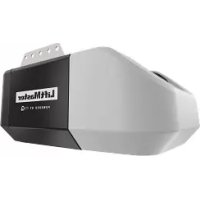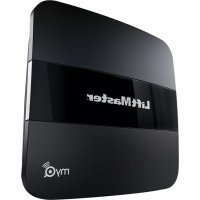
MyQ 819LMB - Smart Home LIFT-MASTER - Free user manual and instructions
Find the device manual for free MyQ 819LMB LIFT-MASTER in PDF.



| Brand | LIFT-MASTER |
| Model | MyQ 819LMB |
| Product Type | MyQ Home Bridge for garage door openers |
| Compatibility | LiftMaster, Craftsman, Chamberlain garage door openers with MyQ technology (manufactured after 1993 with photoelectric sensors) |
| Connectivity | 2.4 GHz Wi-Fi |
| App | LiftMaster MyQ (iOS and Android) |
| Main functions | Remote control via smartphone, door status notifications, Apple HomeKit compatibility |
| Power | 5 V DC power adapter (included) |
| LED indicators | Blue LED (initialization) and green LED (connection established) |
| Dimensions (approx.) | 10.2 × 10.2 × 2.5 cm |
| Weight (approx.) | 100 g |
| Security | HomeKit and Security+ 2.0² encryption, FCC and IC compliant |
| Installation | Ceiling mounting near garage door opener, within Wi-Fi signal range |
| Environment | Dry indoor use only |
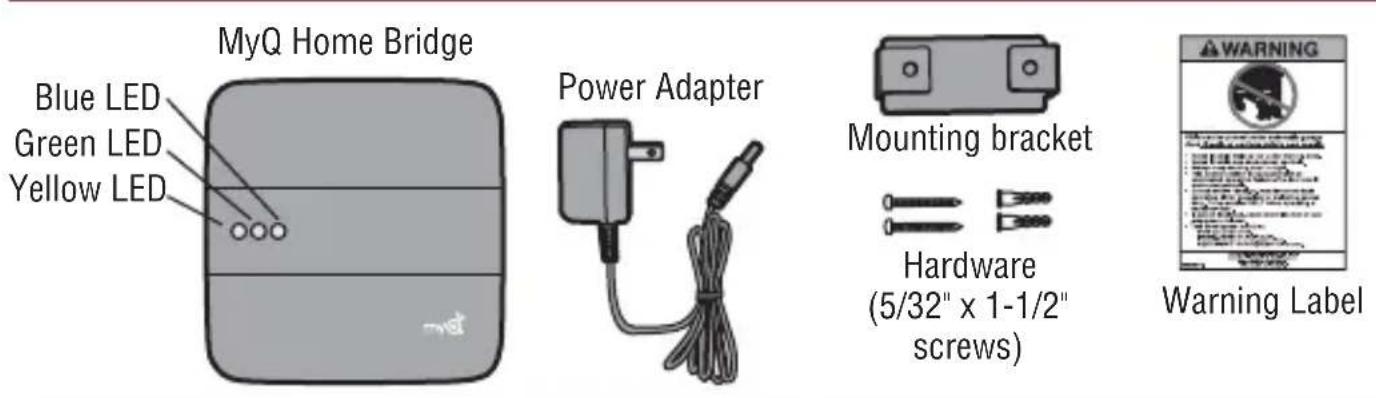
| Package contents | MyQ bridge, power adapter, power cable, mounting bracket, warning label plate |
| Maintenance | Clean with a soft, dry cloth |
| Spare parts and repairability | Not user repairable; contact customer service |
Frequently Asked Questions - MyQ 819LMB LIFT-MASTER
User questions about MyQ 819LMB LIFT-MASTER
0 question about this device. Answer the ones you know or ask your own.
Ask a new question about this device
Download the instructions for your Smart Home in PDF format for free! Find your manual MyQ 819LMB - LIFT-MASTER and take your electronic device back in hand. On this page are published all the documents necessary for the use of your device. MyQ 819LMB by LIFT-MASTER.
USER MANUAL MyQ 819LMB LIFT-MASTER
Works with Apple HomeKit

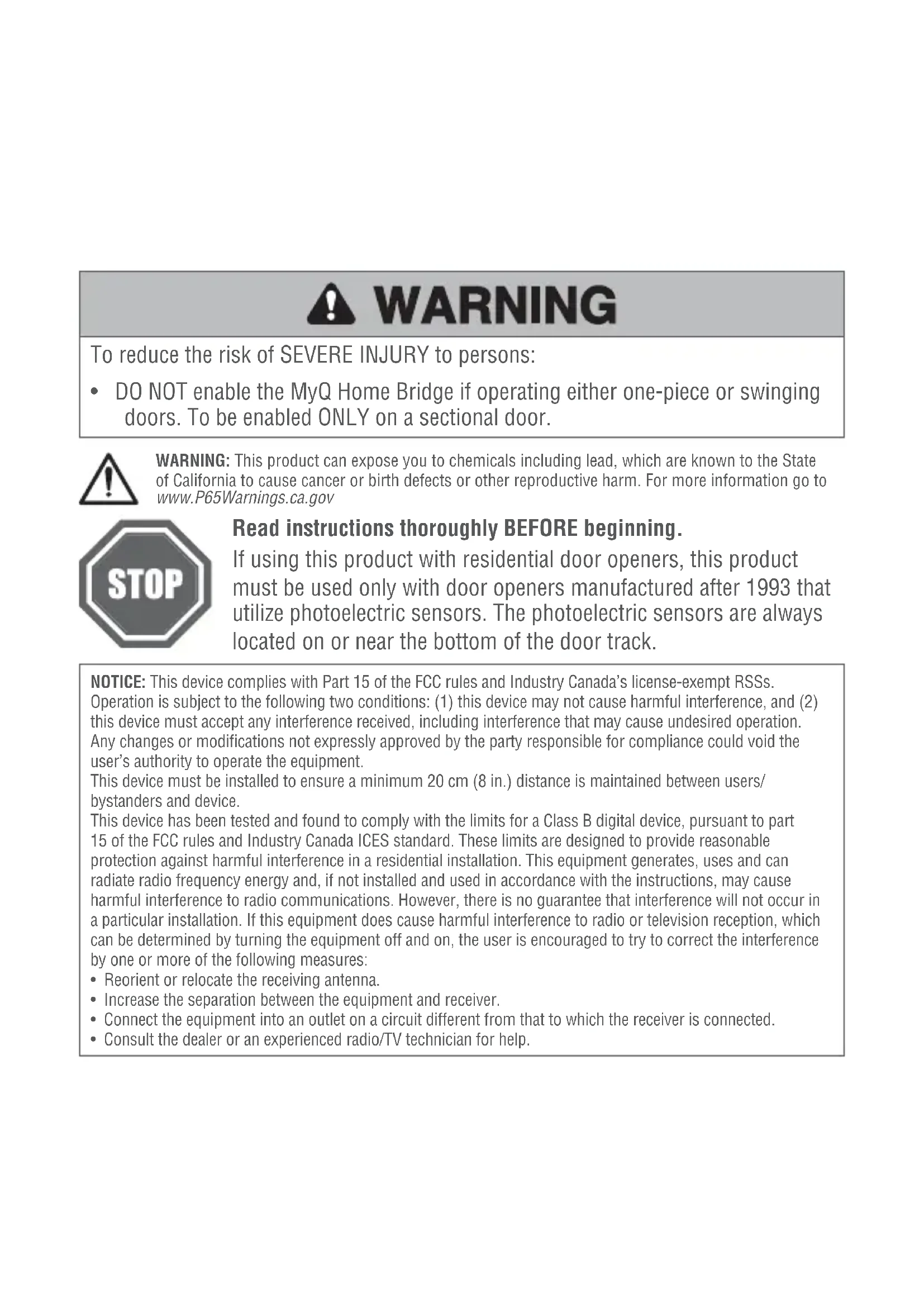
WARNING
To reduce the risk of SEVERE INJURY to persons:
- DO NOT enable the MyQ Home Bridge if operating either one-piece or swinging doors. To be enabled ONLY on a sectional door.
WARNING: This product can expose you to chemicals including lead, which are known to the State of California to cause cancer or birth defects or other reproductive harm. For more information go to www.P65Warnings.ca.gov

Read instructions thoroughly BEFORE beginning.
If using this product with residential door openers, this product must be used only with door openers manufactured after 1993 that utilize photoelectric sensors. The photoelectric sensors are always located on or near the bottom of the door track.
NOTICE: This device complies with Part 15 of the FCC rules and Industry Canada's license-exempt RSSs.
Operation is subject to the following two conditions: (1) this device may not cause harmful interference, and (2) this device must accept any interference received, including interference that may cause undesired operation. Any changes or modifications not expressly approved by the party responsible for compliance could void the user's authority to operate the equipment.
This device must be installed to ensure a minimum 20cm (8 in.) distance is maintained between users/ bystanders and device.
This device has been tested and found to comply with the limits for a Class B digital device, pursuant to part 15 of the FCC rules and Industry Canada ICES standard. These limits are designed to provide reasonable protection against harmful interference in a residential installation. This equipment generates, uses and can radiate radio frequency energy and, if not installed and used in accordance with the instructions, may cause harmful interference to radio communications. However, there is no guarantee that interference will not occur in a particular installation. If this equipment does cause harmful interference to radio or television reception, which can be determined by turning the equipment off and on, the user is encouraged to try to correct the interference by one or more of the following measures:
- Reorient or relocate the receiving antenna.
- Increase the separation between the equipment and receiver.
- Connect the equipment into an outlet on a circuit different from that to which the receiver is connected.
- Consult the dealer or an experienced radio/TV technician for help.
WHAT'S IN THE BOX

BEFORE YOU START, YOU MUST HAVE A...
Router with 2.4GHz Wi-Fi®
Mobile device connected to your home Wi-Fi network
Compatible device:
- LiftMaster®, Chamberlain®, and Raynor® garage door openers with MyQ® technology
Craftsman® garage door openers with Smart Control or AssureLink™ Connectivity - LiftMaster® and Chamberlain® MyQ Garage™
TIPS
- Keep any existing MyQ devices plugged in
- Do not delete existing devices from the MyQ app
- To control this HomeKit-enabled accessory, iOS 10.0 or later is recommended
- Watch set up videos at www.LiftMaster.com/MyQSupport
LIFTMASTER MyQ® APP
- Power the MyQ Home Bridge by plugging it in. The blue LED will start blinking.
- Download the LiftMaster MyQ® app or open the app if it is already installed.
- Create an account or sign-in.
- Press "+" or " " icon and select MyQ-nnn under Discovered Accessories/Devices.
INSTALL
- Check the Wi-Fi signal in the garage, where the MyQ Home Bridge will be mounted.
- Make sure you have two or more Wi-Fi bars.
NOTE: If there are signal strength issues, please visit
https://www.LiftMaster.com/wifi supportvideos for instructional videos.
- Install the MyQ Home Bridge on the ceiling near the garage door opener, or in a convenient location in the garage within Wi-Fi range.
TIP: Wrap excess power adapter cable around the mounting bracket.
- Plug it in and make sure the green LED turns on solid.
- Attach the warning label to the wall next to the door control.
Need Help?
Go to: www.LiftMaster.com/MyQSupport
Communication between iPhone, iPad, or iPod touch and the HomeKit-enabled MyQ device is secured by HomeKit technology and Security+ 2.0^® .
Controlling this HomeKit-enabled accessory automatically and away from home requires an Apple TV with tvOS 10.0 or later or an iPad with iOS 10.0 or later set up as a home hub.
LiftMaster
MyQ® Home Bridge
819LMB
GUIDE DE DEMARRAGE RAPIDE
Works with Apple HomeKit
AVERTISSEMENT
Works with Apple HomeKit
ADVERTENCIA
Visit: www.LiftMaster.com/MyQSupport