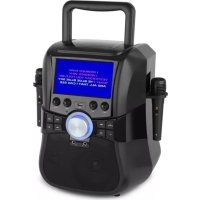
Stage Hero Kids - Karaoke system Auna - Free user manual and instructions
Find the device manual for free Stage Hero Kids Auna in PDF.

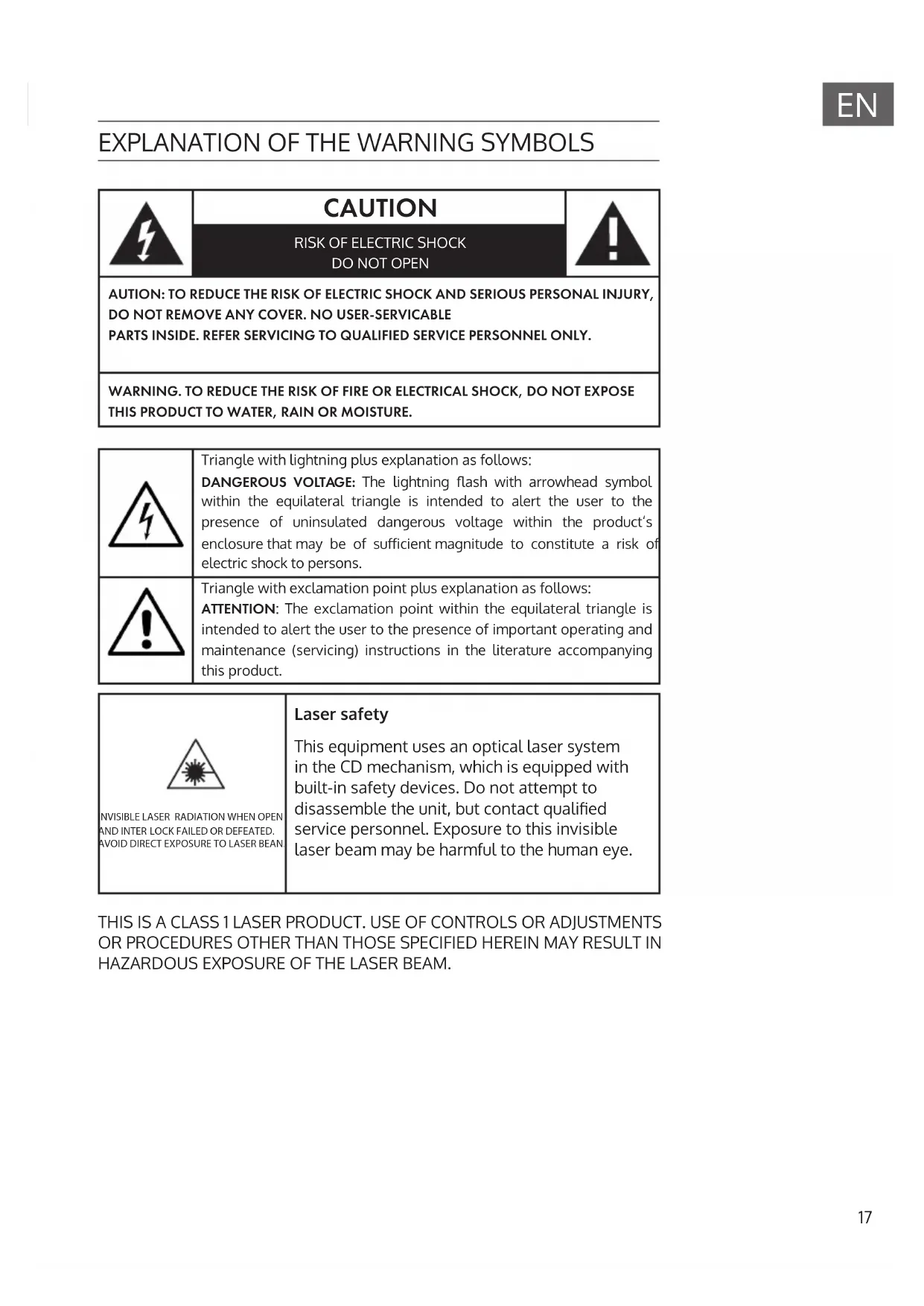


| Product type | Karaoke system |
| Brand | Auna |
| Model | Stage Hero Kids |
| Power supply | DC 15 V / 2.4 A (AC adapter included for AC 220-240 V, 50-60 Hz) |
| Power consumption | 36 W |
| Display | 7-inch TFT |
| Supported playback formats (USB) | AVI, MPEG, DAT, MP3, WMA, JPG |
| Supported DVD formats | MPEG-4, DVD Video, DVD Audio, S-VCD, CD-DA, HDCD, CD-R/-RW |
| Color system | PAL / NTSC / AUTO |
| Connectivity | Bluetooth, USB (for storage media), AUX (3.5 mm jack to RCA input), 2 microphone jacks |
| Main functions | Karaoke, DVD player, built-in microphone, voice control, echo effects, remote control |
| Package contents | Unit, AC adapter, remote control, audio cable, instruction manual |
| Dimensions (approx.) | 30 x 20 x 10 cm |
| Weight (approx.) | 2 kg |
| Laser class | Class 1 |
| Maintenance | Clean with a soft, dry cloth. Do not use liquid or abrasive products. |
| Safety | Do not expose to water, moisture, or flames. Use only in a temperate climate. Unplug if not in use for extended periods. |
| Repairability | Repair exclusively by a qualified technician. Do not open the device. |
| General information | Article number: 10030258. Manufacturer: Chal-Tec GmbH, Germany. Complies with European directives 2011/65/EC (RoHS) and 2014/53/EC (RED). |
Frequently Asked Questions - Stage Hero Kids Auna
User questions about Stage Hero Kids Auna
0 question about this device. Answer the ones you know or ask your own.
Ask a new question about this device
Download the instructions for your Karaoke system in PDF format for free! Find your manual Stage Hero Kids - Auna and take your electronic device back in hand. On this page are published all the documents necessary for the use of your device. Stage Hero Kids by Auna.
USER MANUAL Stage Hero Kids Auna
www.auna.multimedia.com

Congratulations on purchasing this equipment. Please read this manual carefully and take care of the following hints to avoid damages. Any failure caused by ignoring the items and cautions mentioned in the instruction manual are not covered by our warranty and any liability. Scan the QR code to get access to the latest user manual and other information about the product.

CONTENTS
Safety Instructions 18
Setup / Connections 20
Controls 21
Operation 24
Disposal Considerations 26
Declaration of Conformity 26
| Item#. | 0030258 |
| Power supply | DC15V/2.4A (mains adapter for AC 220-240V, 50-60Hz supplied) |
| Power consumption | 36W |
| TFT Screen | 7" |
| DVD/CD player / USB media player | Video: MPEG-4, DVD Video, DVD Audio, S-VCD, CD-DA, HDCD, CD-R/-RW Audio: MPEG 1, Layer 1, Layer 2, Layer 3 Output: TV system: PAL / NTSC / AUTO Audio system: Audio DAC 24bit/96KHz Frequency response: CD: 20Hz - 20kHz (44.1K) DVD: 20Hz - 20kHz (48K) 20Hz - 20kHz (96K) |
| Scope of delivery | Device, AC/DC adapter, remote control, 2 microphones, user manual |
EXPLANATION OF THE WARNING SYMBOLS
CAUTION
RISK OF ELECTRIC SHOCK DO NOT OPEN

AUTION: TO REDUCE THE RISK OF ELECTRIC SHOCK AND SERIOUS PERSONAL INJURY, DO NOT REMOVE ANY COVER. NO USER-SERVICABLE PARTS INSIDE. REFER SERVICING TO QUALIFIED SERVICE PERSONNEL ONLY.
WARNING. TO REDUCE THE RISK OF FIRE OR ELECTRICAL SHOCK, DO NOT EXPOSE THIS PRODUCT TO WATER, RAIN OR MOISTURE.
Triangle with lightning plus explanation as follows:
DANGEROUS VOLTAGE: The lightning flash with arrowhead symbol within the equilateral triangle is intended to alert the user to the presence of uninsulated dangerous voltage within the product's enclosure that may be of sufficient magnitude to constitute a risk of electric shock to persons.

Triangle with exclamation point plus explanation as follows:
ATTENTION: The exclamation point within the equilateral triangle is intended to alert the user to the presence of important operating and maintenance (servicing) instructions in the literature accompanying this product.

INVISIBLE LASER RADIATION WHEN OPEN AND INTER LOCK FAILED OR DEFEATED. AVOID DIRECT EXPOSURE TO LASER BEAN
Laser safety
This equipment uses an optical laser system in the CD mechanism, which is equipped with built-in safety devices. Do not attempt to disassemble the unit, but contact qualified service personnel. Exposure to this invisible laser beam may be harmful to the human eye.
THIS IS A CLASS 1 LASER PRODUCT. USE OF CONTROLS OR ADJUSTMENTS OR PROCEDURES OTHER THAN THOSE SPECIFIED HEREIN MAY RESULT IN HAZARDOUS EXPOSURE OF THE LASER BEAM.
SAFETY INSTRUCTIONS
Read these instructions. All uses guidelines must be read before using the device. Keep the instructions for future use.
- Children over the age of 8 and persons with reduced physical, sensory or mental capabilities or those with a lack of experience and knowledge may only use the device if they are instructed on how to do so by a person responsible for their safety, or if they are supervised and understand the hazards associated with the use of the device.
- Attention, use and security guidelines must be respected.
- The device must not be used near water or be put in contact with moisture.
- Make sure has no liquid is spilled on device and device openings.
- Move device carefully, avoid shocks.
- Do not block the breakdown of the device outputs.
- Do not place the device near from a heat source (e.g. radiator). Do not expose it to the Sun.
- Plug the device as indicate on this information form.
- This device has a connection with overload protection. Replacement should only be done bt an experienced technician or the device manufacturer.
- For cleaning the device, please follow the recommendations of the notice.
- The power cord should be unplugged when not using for a long period of time.
Device shall be repaired by a qualified person when:
a. the power cord is damaged,
b. objects have fallen into the apparatus or a liquid has been spilled into device,
c. device was exposes to the rain,
d. device does not work correctly without notable exterior change,
e. device is broken.
- The user shall not try to maintain device beyond that which is described in this information form.
- The apparatus shall not be exposed to dripping or splashing and that no objects filled with liquids, such as vases, shall be placed on apparatus.
- To be completely disconnect the power input, the mains plug of apparatus shall be disconnected from the mains, as the disconnect devices is the mains plug of apparatus.
-
The mains plug of apparatus should not be obstructed OR should be
-
easily accessed during intended use.
- Battery shall not be exposed to excessive heat such as sunshine, fire or the like.
- Excessive sound pressure form earphones and headphones can cause hearing loss.
- Minimum distance (8 cm) around the apparatus for sufficient ventilations;
- The ventilation should not be impeded by covering the ventilation opening with items such as newspaper, table-cloths, curtain etc;
- No naked flame sources such as lighted candles should be placed on the apparatus;
- Attention should be drawn to the environmental aspects of battery disposal;
- The use of apparatus in moderate climates.
- Danger of explosion if battery is incorrectly replaced.
- Replace only with the same or equivalent type.
- The main plug shall remain readily operable.
SETUP / CONNECTIONS
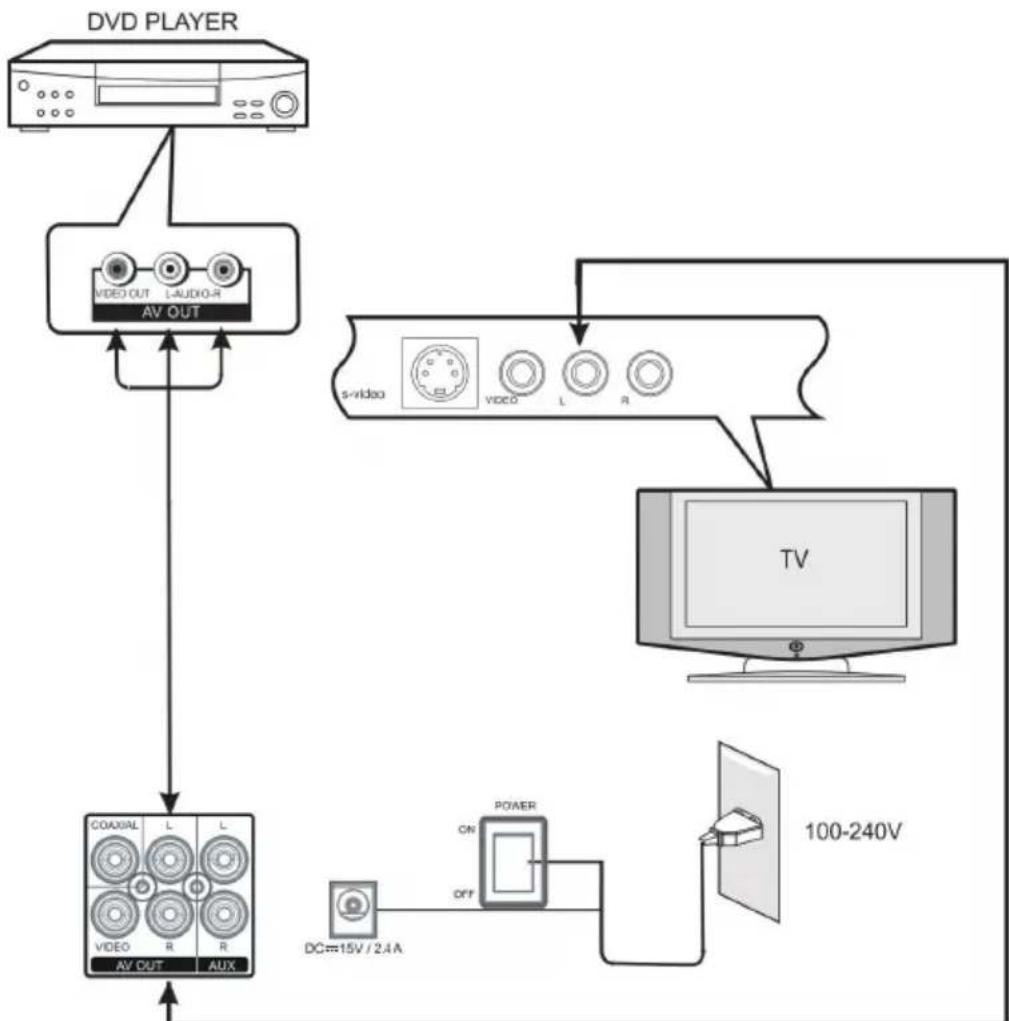
The Stage Hero is designed as a standalone solution for karaoke and media playback. Still, for a plus of volume and/or a larger image, you can connect it to your home cinema/TV/Stereo as depicted above.

| Standby/Power Press and hold to switch on Press to switch to standby | 1 | 8 | Fast forward |
| Previous track/title/chapter | 29 | Volume | |
| Source Select audio source (AUX/DVD/USB/BT) | 310 | Mic | In jacks |
| Fast rewind | 4 | 11 | Mic volume Adjust the microphone share of the overall output volume |
| Play/Pause | 5 | 12 | USB socket Connect USB thumb drive here |
| Skip track/chapter | 613 | Vocal Volume | |
| Stop | 7 | 14 | Echo Adjust intensity of integrated reverb effect |
Remote Control
| 1 Power/Standby | |
| 2 | Number buttons Use to enter passwords, track numbers, presets etc. |
| 3 | Setup Go to overall settings menu |
| 4 | Navigation buttons To navigate through menus and lists. UP/DOWN: Scroll/change RIGHT: Confirm/select LEFT: back |
| 5 | Title Go to DVD title menu |
| 6 | Fast rewind (press repeatedly for x2/x4/x20 - press Play/Pause to return to 1x play-back) |
| 7 | Source Select audio source (AUX/DVD/USB/BT) |
| 8 | Previous track/chapter/... |
| 9 Volume | |
| 10 | Stopt |
| 11 | Language Select language |
| 12 L/R | |
| 13 | Subtitle Select subtitle language (if applicable) / show / hide subti-ties |
| 14 | Angle Choose angle (if applicable) |
| 15 | Prog Program playlists |
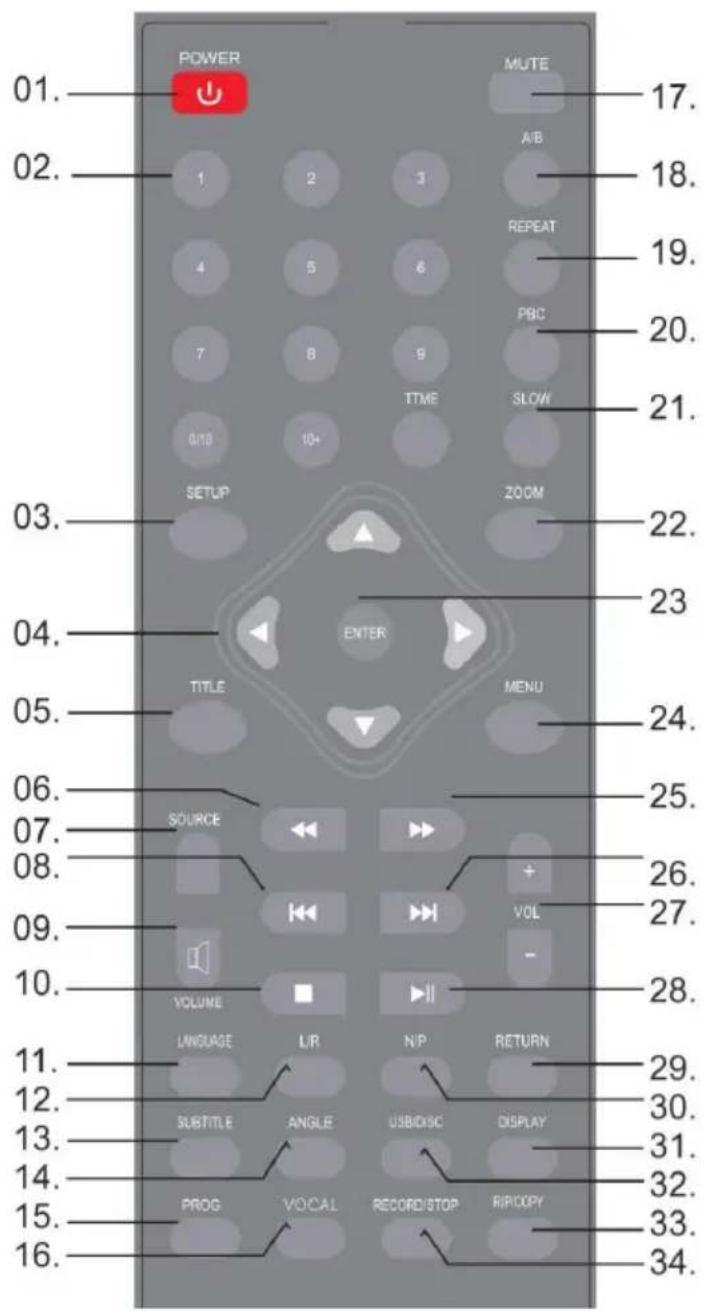
| 16 | Vocal Activate microphone input channels: Vocal 1 / Vocal 2 / No Vocal / Both Vocal |
| 17 | Mute Toggle mute on/off |
| 18 | A/B |
| 19 | Repeat Repeat play modes |
| 20 | BC |
| 21 | Slow Toggle slow motion (video/ dvd) |
| 22 | Zoom Press repeatedly to toggle factor |
| 23 | Enter Confirm selection / enter menu |
| 24 | Menu Go to main menu directly |
| 25 | → Fast forward |
| 26 | → Skip track/chapter/ next sta- tion |
| 27 | OL+/-v |
| 28 | ▶II Play/Pause |
| 29 | Return |
| 30 | N/P |
| 31 | Display |
| 32 | USB/Disc Toggle mode |
| 33 | Rip/Copy |
| 34 | REC/Stop |
OPERATION
Initial Use
- Open the battery compartment before using the remote and insert batteries (2x AAA). Mind the correct polarity as indicated on the inside.
- Use the supplied AC/DC mains adapter to connect the Stage Hero with a household mains socket.
- Switch the device on by switching the main power switch on the rear to ON, then press and hold power/standby on the front (or on the RC).
USB
Insert a USB drive with media files into the USB socket. Press SOURCE to select USB/DVD mode, then use USB/DISC to toggle between these two modes.
Use the navigation buttons, or, as convenient: 一 _ 1 ^ , to navigate through your media library
Supported file types: AVI, MPEG, DAT, MP3, WMA, JPG
BT
- Activate BT on your smartphone/tablet/laptop PC and pair with the STAGE HERO. If prompted to enter a password, please type in "0000".
AUX
Use an audio cable 3.5mm -> stereo RCA) to connect external media players (MP3 players, CD players, smartphone, laptop PC, etc.) to the STAGE HERO. Press SOURCE repeatedly to select AUX mode. Use the external player for your media playback.
System Settings
Press SETUP to enter the system settings menu. Use the navigation buttons to navigate through the menus.
| Menu Einstellungen/Optionen | |
| System TV-System | NTSC/PAL60/PAL/AUTO) - Screen Saver (ein/aus) - TV Type (4:3 / 16:9) - Password - Rating - Factory Defaults |
| Language Language | settings for menu, audio (DVDs), subtitles (DVD) and OSD. |
| Audio Audio Out | (S/PDIF / off / RAW / Pcm) - Mic Setup (Auto/off) - Key (pitch shift mic input in half steps +/- 12) - Mic Vol |
| Video/Anzeige Brightness / Contrast / Hue / Saturation / Sharpness | |
| Digital Setup Dynamic Range / DualMono (Settings for audio output) | |
DISPOSAL CONSIDERATIONS
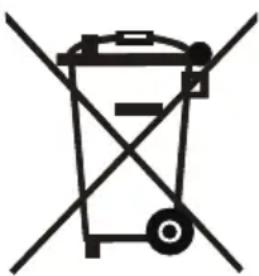

According to the European waste regulation 2012/19/EU this symbol on the product or on its packaging indicates that this product may not be treated as household waste. Instead it should be taken to the appropriate collection point for the recycling of electrical and electronic equipment. By ensuring this product is disposed of correctly, you will help prevent potential negative consequences for the environment and human health, which could otherwise be caused by inappropriate waste handling of this product. For more detailed information about recycling of this product, please contact your local council or your household waste disposal service.
DECLARATION OF CONFORMITY

Producer:
Chal-Tec GmbH, Wallstraße 16, 10179 Berlin, Germany.
This product is conform to the following European Directives:
2011/65/EU (RoHS)
2014/53/EU (RED)
The complete declaration of conformity of the manufacturer can be found at the following link: https://use.berlin/10030258
Chere cliente, cher client,
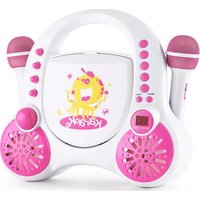
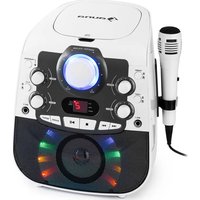
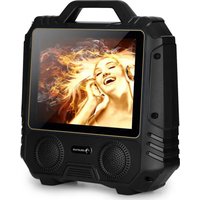
Brand : Auna
Model : Stage Hero Kids
Category : Karaoke system