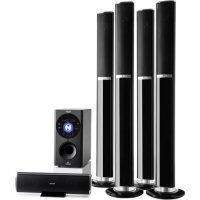
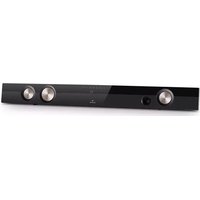
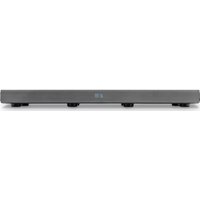
USER MANUAL Areal 652 Auna
Areal 6521 Areal 653
300
www.auna-multimedia.com

Unit 6 Riverside Business Centre
Brighton Road
Shoreham-by-Sea
BN436RE
United Kingdom
Congratulations on purchasing this device. Please read the following instructions carefully and follow them to prevent possible damages. We assume no liability for damage caused by disregard of the instructions and improper use. Scan the QR code to get access to the latest user manual and more product information.

CONTENT
Safety Instructions 12
Product description / Controls 13
Connection and Setup 15
Technical Data 16
BT Connection 16
Disposal Considerations 17
Declaration of Conformity 17
SAFETY INSTRUCTIONS
- Lightning - If you are not going to use the device for a long time or if there is a storm, disconnect the plug from the electrical outlet and disconnect the device from the antenna connector. This will avoid damage to the product that may be caused by lightning or overvoltage.
- Overload - Do not overload power outlets, extension cords, or built-in power outlets, as this may result in a fire or electric shock.
- Foreign objects and liquid - Never push objects of any kind through openings in the device as they may touch dangerous voltage points or short out parts, which could result in a fire or electric shock. Never spill liquids of any kind on the device.
- Repairs and maintenance - Do not attempt to service this product yourself, as opening or removing covers will expose you to dangerous voltages or other hazards. Leave all maintenance to qualified service personnel.
- Damage requiring service - Disconnect the power plug from the outlet and consult a qualified specialist if any of the following conditions occur:
a) If the power cord or plug is damaged.
b) If liquid has been spilled or objects have fallen onto the product.
c) If the product has been exposed to rain or water.
d) If the product has been dropped or damaged.
e) If the product has a markedly reduced performance.
- Replacement parts - When replacement parts are required, make sure that the service professional who replaces the parts only uses replacement parts that have been approved by the manufacturer or that have the same characteristics as the original part. Unauthorized replacement may result in fire, electric shock or other hazards.
- Heat - Do not place the unit near heat sources such as radiators, heaters, stoves or other products (including amplifiers).
Note: This device may be only used by children 8 years old or older and persons with limited physical, sensory and mental capabilities and / or lack of experience and knowledge, provided that they have been instructed in use of the device by a responsible person who understands the associated risks.
PRODUCT DESCRIPTION / CONTROLS

Front:
| SD card reader | 15 INPUT: Press repeatedly to select input source. VOLUME +/- |
| USB-Slot 26 CH+ / | ▶ |
| 5.1/2.1 37 CH- / | ↓ |
| AUTO / ▷II | 48/9 MIC1/MIC2 socket |
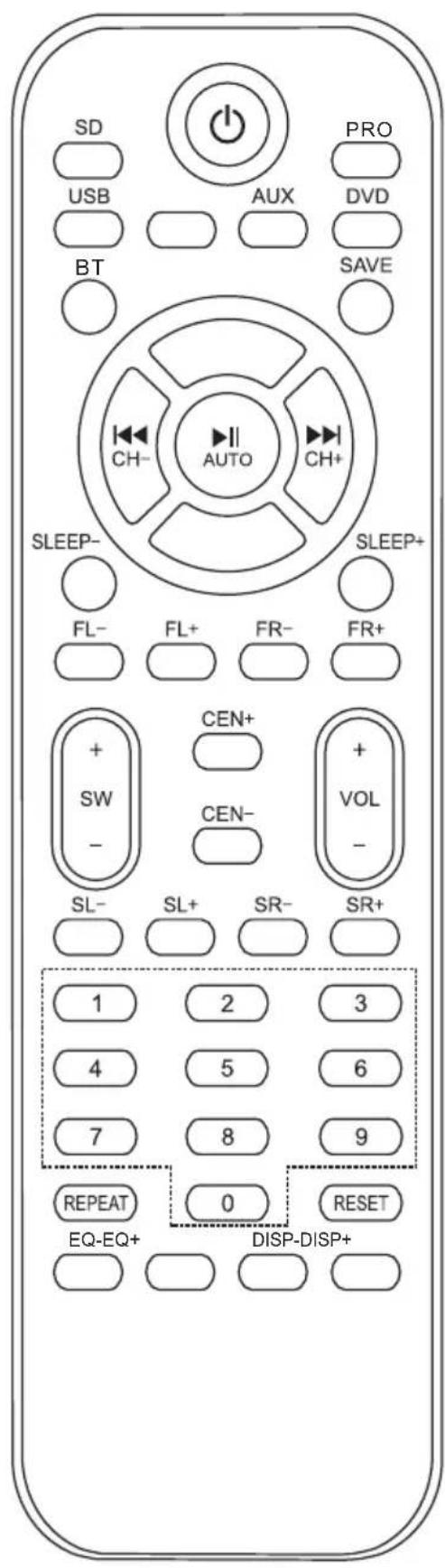
Remote Control
| On/off |
| SD SD mode | |
| PRO Pro-Logic mode | |
| USB USB mode | |
| AUX AUX mode | |
| DVD DVD mode | |
| BT | BT mode (activate BT on your BT device) |
| SAVE Save current station | |
| II | Play / Pause |
| USB/SD: previous track |
| USB/SD: Next track |
| SLEEP Sleep timer (press repeatedly) |
| FL+/- FR+/- | Separate volume for each surround speaker |
| SW+/- CEN+/- |
| SL+/- SR+/- |
| VOL+/- Overall volume |
| 0-9 Num pad | |
| REPEAT Repeat function |
| RESET Recall to factory preset |
| MIC +/- MIC volume |
| ECHO +/- ECHO Control |
CONNECTION AND SETUP
Speaker
- Connect the front speakers to the front speakers output terminals.
- Connect the centre speaker's cords to the centre speaker output terminals.
- Connect the surround speakers' cords to the surround speaker output terminals.
NOTE: Do not leave any objects generating magnetism near the speakers.
Connecting equipment
- Jacks and plugs of the connecting cords are colour coded as follows: Red jacks and plugs: Left channel; White jacks and plugs: right channel.
NOTE: Insert the plugs fully into the jacks. Loose connections may cause a humming sound or other noise interference.
- Important: first connect the speakers and all other external equipment. Then, at last, connect the AC power cord.
Setup:
- Place the subwoofer anywhere on the floor.
- Place the front speakers at both sides of the centre, which you place in the middle.
- Place the surround speakers in the same level slightly behind the listening area. Align horizontally about 1m above ear height.

TECHNICAL DATA
| Article number 100 | 30885, 10030886 |
| Scope of delivery | Subwoofer,
Satellite speakers (x5),
Audio cables (x4),
User manual,
Remote control |
BT CONNECTION
Press INPUT repeatedly to select BT. Activate BT on your mobile device and connect to [AUNA]. Type in [0000] in case you are prompted for a pass phrase.
DISPOSAL CONSIDERATIONS
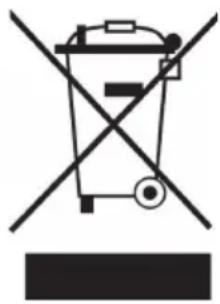
If there is a legal regulation for the disposal of electrical and electronic devices in your country, this symbol on the product or on the packaging indicates that this product must not be disposed of with household waste. Instead, it must be taken to a collection point for the recycling of electrical and electronic equipment. By disposing of it in accordance with the rules, you are protecting the environment and the health of your fellow human beings from negative consequences. For information about the recycling and disposal of this product, please contact your local authority or your household waste disposal service.
This product contains batteries. If there is a legal regulation for the disposal of batteries in your country, the batteries must not be disposed of with household waste. Find out about local regulations for disposing of batteries. By disposing of them in accordance with the rules, you are protecting the environment and the health of your fellow human beings from negative consequences.

Manufacturer:
Chal-Tec GmbH, Wallstrasse 16, 10179 Berlin, Germany.
Importer for Great Britain:
Chal-Tec UK limited
Unit 6 Riverside Business Centre
Brighton Road
Shoreham-by-Sea
BN43 6RE
United Kingdom
The complete declaration of conformity of the manufacturer can be found at the following link: use.berlin/10030885
Estimado cliente:
Chal-Tec UK limited.
Unit 6 Riverside Business Centre
Brighton Road
Shoreham-by-Sea
BN436RE
Reino Unido
Cher client, chere clientele,
Unit 6 Riverside Business Centre
Brighton Road
Shoreham-by-Sea
BN436RE
Royaume Uni
Chal-Tec UK limited
Unit 6 Riverside Business Centre
Brighton Road
Shoreham-by-Sea
BN43 6RE
Regno Unito