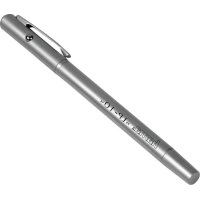
LP10 - Wireless pointer HAMA - Free user manual and instructions
Find the device manual for free LP10 HAMA in PDF.


| Product type | Wireless laser pointer |
| Brand | Hama |
| Model | LP10 |
| Power supply | 3 button cell LR41 batteries (1.5 V each) |
| Operating voltage | 4.5 V DC |
| Max laser power | < 1 mW |
| Laser wavelength | 640-660 nm |
| Laser class | 2 (according to EN 60825-1:2014) |
| Main functions | Laser pointer, pen, telescopic pointer, clip |
| Material | Plastic |
| Dimensions (approx.) | 14.5 x 2 x 1.5 cm |
| Weight (with batteries) | Approx. 50 g |
| Included accessories | 3 LR41 batteries, warning sticker kit, instruction manual |
| Laser safety | Do not look directly into the beam; class 2, risk of retinal burns |
| Care and cleaning | Clean with a slightly damp, lint-free cloth; avoid harsh detergents |
| Storage | Protect from dirt, moisture, overheating; use in dry rooms |
| Recycling | Do not dispose of with household waste; deposit at collection point for electronic devices and batteries |
| Warranty | 2 years (estimate) |
| Manufacturer | Hama GmbH & Co. KG |
| Customer service | +49 9091 502-0 (German/English); www.hama.com |
Frequently Asked Questions - LP10 HAMA
User questions about LP10 HAMA
0 question about this device. Answer the ones you know or ask your own.
Ask a new question about this device
Download the instructions for your Wireless pointer in PDF format for free! Find your manual LP10 - HAMA and take your electronic device back in hand. On this page are published all the documents necessary for the use of your device. LP10 by HAMA.
USER MANUAL LP10 HAMA
natural_image
Line drawing of a pen with a handle and spout, no text or symbols presentOperatingInstructions
Bedienungsanleitung
Moded'emploi
Instruccionesdeuso
GB
D
F
E



Pic.1
Thankyouforchoosinga H amaproduct.
Take your time and read the following instructions and information completely. Please keep these instructions in a safe place for future reference. If you sell the device, please passtheseoperatinginstructionsontothenewowner.
1. ExplanationofWarningSymbolsandNotes

Warning
This symbol is used to indicate safety instructions to draw your attention to specific hazards and risks.

Note
This symbol is used to indicate additional information or important notes.
2.PackageContents
- L P10laserpointer
• 3 LR41buttoncellbatteries - S etwithwarninglabels
• Theseoperatinginstructions
3. SafetyNotes
• T heproductisintendedforprivate,non-commercialuseonly.
- Protect the product from dirt, moisture and overheating and use it in dry rooms only.
- D o n otdroptheproductanddonotexposeittoanymajorshocks.
- Do not operate the product outside the power limits given in the specifications.
- Do notcontinuetooperatethedeviceifitbecomesvisiblydamaged.
• Children should be supervised to ensure that they do not play with the device.
- D isposeofpackagingmaterialimmediatelyaccordingtolocallyapplicableregulations.
- Do not modify the device in any way. Doing so voids the warranty.

Warning-Batteries
- When inserting batteries, note the correct polarity (+ and - markings) and insert the batteries accordingly. Failure to do so could result in the batteries leaking or exploding.
- Only use batteries (or rechargeable batteries) that match the specified type.
- Before you insert the batteries, clean the battery contacts and the polar contacts.
- Do not allow child rentochange batteries without supervision.
- Do not mix old and new batteries or batteries of a different type or make.
- Remove the batteries from products that are not being used for an extended period(unlessthesare b eingkeptreadyforanemergency).
- Don otshort-circuitbatteries.

Warning-Batteries
- Donotchargebatteries.
- Do not throw batteries in a fire.
- Keepbatteriesoutofthereachofchildren.
- N everopen,damageorswallowbatteriesorallowthemtoenterthe environment.Theycancontaintoxic,environmentallyharmfulheavymetals.
- I immediately remove and dispose of dead batteries from the product.
- A voidstoring, chargingorusingthedeviceinextremetemperaturesand extremelylowatmosphericpressure (forexample,athighaltitudes).

Warning- B uttoncells
- Do not ingest battery, risk of burns due to dangerous substances.
- Thisproductcontainsbuttoncells.Ifswallowed,thebuttoncellcancausesevere internalburnswithinjusttwohoursandleadtodeath.
- Keepnewandusedbatteriesoutofthereachofchildren.
- If the battery compartment does not close securely, stop using the product and keepitoutofthereachofchildren.
- If you think that batteries were swallowed or are in a part of the body, seek medical assistance immediately.

Warning-Laser
- Do not look directly at the laser beam! Close your eyes and turn your head away ifyoureyesmeetthelaserbeam.
- D o n otshinelightatpersonsusingbinocularsortelescopes!
- Do not look directly at the laser beam! Do not look directly at the laser beam using optical instruments!
- This product contains a class 2 laser in accordance with EN60825-1:2014.
- The product comes with a set of warning labels in different languages. If the label on the product is notinyournativelanguage, please attach the corresponding label from the set to the product.
4.Controls
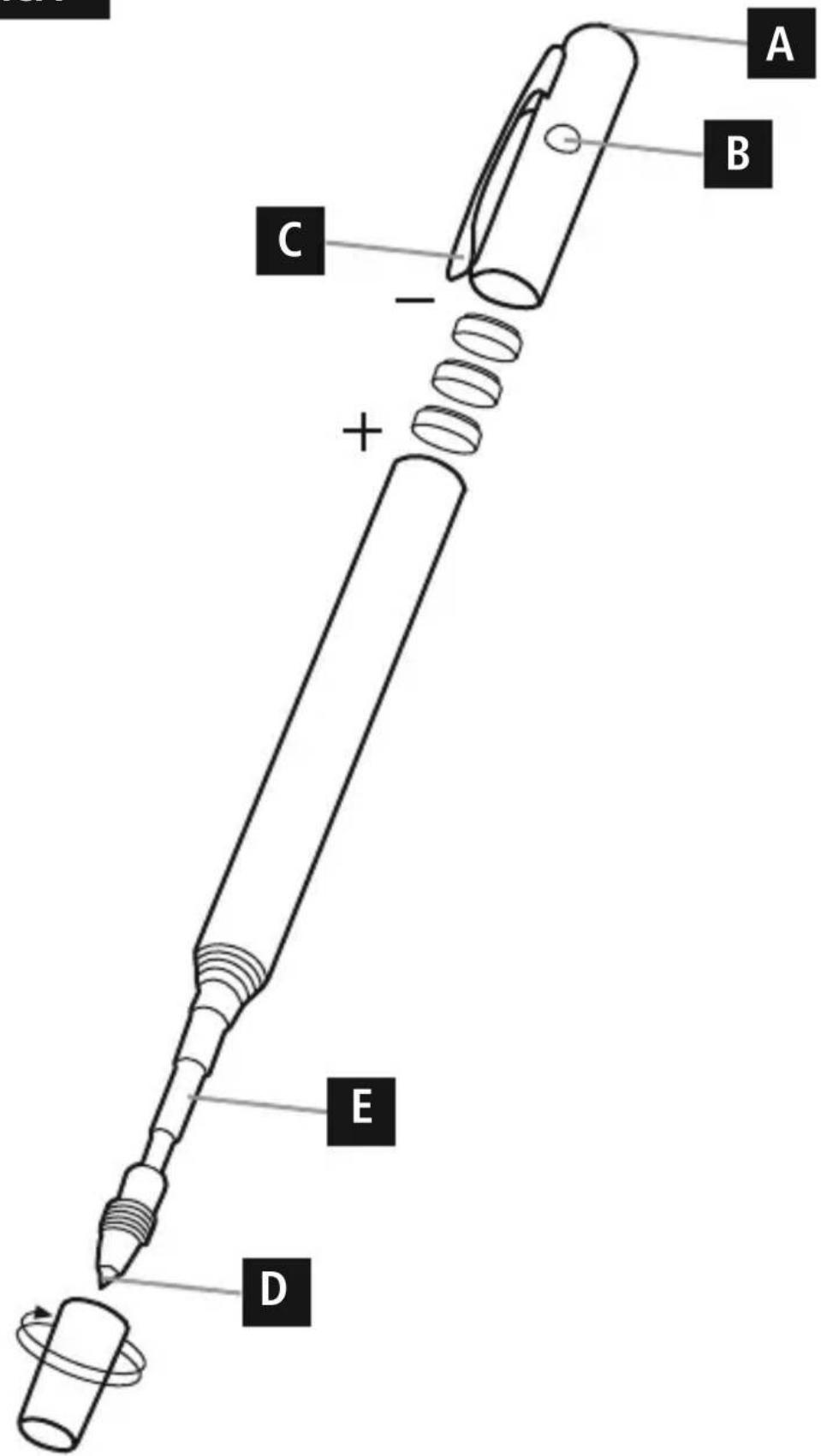
- L aserbeamoutlet(A)
- Laserbutton(B)
- C lip(C)
- P en(D)
- Telescopicpointer(E):
5.Operation
Insertingthebattery(pic.1)
• U sethreeLR41buttoncellbatteries.
- To insert or change the batteries, unscrew the device and insert the LR41 button cell batteries with the correct polarity into the battery compartment.
- S crewthedevicebacktogether.
Operation
- P ressthelaserbutton(B)toactivatethebuilt-inlaser.
• U singthepen(D):Unscrewthecap
• U singthetelescopicpointer(E):Pulloffthecap
6. Care and Maintenance
Only clean this product with a slightly damp, lint-free cloth and do not use aggressive cleaningagents.
7.WarrantyDisclaimer
Hama GmbH & Co. KG assumes no liability and provides no warranty for damage resulting from improper installation/mounting, improper use of the product from failure to o bservetheoperating instructions and/or safety notes.
8. Service and Support
PleasecontactHamaProductConsultingifyuhaveanyquestionsaboutthisproduct.
Hotline:+499091502-0(German/English)
Furthersupportinformationcanbefoundhere:www.hama.com
9. Specifications
| Operatingvoltage4,5Volt | |
| Power supply | 3 x 1.5V/DC LR41 button cell batteries |
| Maximumoutputpower(laser)< 1 m W | |
| Wavelength640-660nm | |
| Laserclass2 |
10. Recycling Information
Noteonenvironmentalprotection:
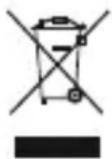
AftertheimplementationoftheEuropeanDirective 2012/19/EU and 2006/66/EUinthenationallegalsystem,thefollowingapplies:Electricand electronicdevicesaswellasbatteriesmustnotbedisposedofwith householdwaste.Consumersare o bligedbylawtoreturnelectricaland electronicdevicesaswellasbatteriesattheendoftheirservicelivestothe
publiccollectingpointssetupforthispurposeorpointofsale.Detailstothisare defined by the national law of the respective country. This symbol on the product, the instruction manual or the package indicates that a product is subject to these regulations. By recycling, reusing the materials or other forms of utilising old devices/Batteries, you are making an important contribution to protecting our environment.
86652 Monheim/Germany
www.hama.com
All listed brands are trademarks of the corresponding companies. Errors and omissions excepted, and subject to technical changes. Our general terms of delivery and payment are applied.

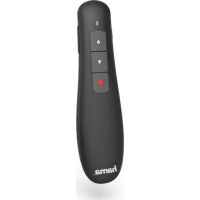
Brand : HAMA
Model : LP10
Category : Wireless pointer