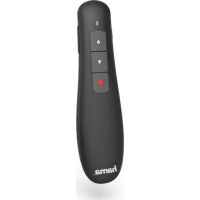
XPointer 00139915 - Wireless pointer HAMA - Free user manual and instructions
Find the device manual for free XPointer 00139915 HAMA in PDF.


| Product type | Wireless presenter |
| Dimensions | 120 x 30 x 22 mm |
| Weight | Approx. 40 g |
| Power supply | 2 LR03/AAA batteries (alkaline or zinc-carbon) |
| Connection | Wireless 2.4 GHz via USB Type-A receiver |
| Operating range | Up to 12 m |
| Laser | Class 1 (EN50689:2021), power < 0.39 mW, wavelength 650 nm |
| System requirements | Windows 11/10/8, macOS 10.10 or later |
| Main functions | Laser pointer, wireless presentation |
| Control button | 1 button to activate the laser |
| Care and cleaning | Clean with a slightly damp, lint-free cloth; avoid any harsh detergents |
| Safety | Do not look directly into the laser beam; do not point at people using binoculars |
| Batteries | Do not recharge, do not short-circuit, remove if unused for a long time, recycle used batteries |
| Package contents | X-Pointer laser presenter, 2 LR03/AAA batteries, warning sticker kit, instruction manual |
| Warranty | Warranty void if instructions are not followed |
| Frequency bands | 2403 – 2447 MHz |
| Max radio frequency power | -3.88 dBm e.i.r.p. |
Frequently Asked Questions - XPointer 00139915 HAMA
User questions about XPointer 00139915 HAMA
0 question about this device. Answer the ones you know or ask your own.
Ask a new question about this device
Download the instructions for your Wireless pointer in PDF format for free! Find your manual XPointer 00139915 - HAMA and take your electronic device back in hand. On this page are published all the documents necessary for the use of your device. XPointer 00139915 by HAMA.
USER MANUAL XPointer 00139915 HAMA
natural_image
Line drawing of a remote control device with four buttons and a starburst on the right side (no text or symbols)OperatingInstructions
Bedienungsanleitung
Moded'emploi
Instruccionesdeuso
Istruzioniperl'uso
Gebruiksaanwijzing
Instrukcjaobsługi
Használatiútmutató
Návodkpoužití
Návodnapoužitie
Manualdeinstruções
Manualdeutilizare



natural_image
Vertical column of black rectangular blocks with no text or symbolsPic.1Pi
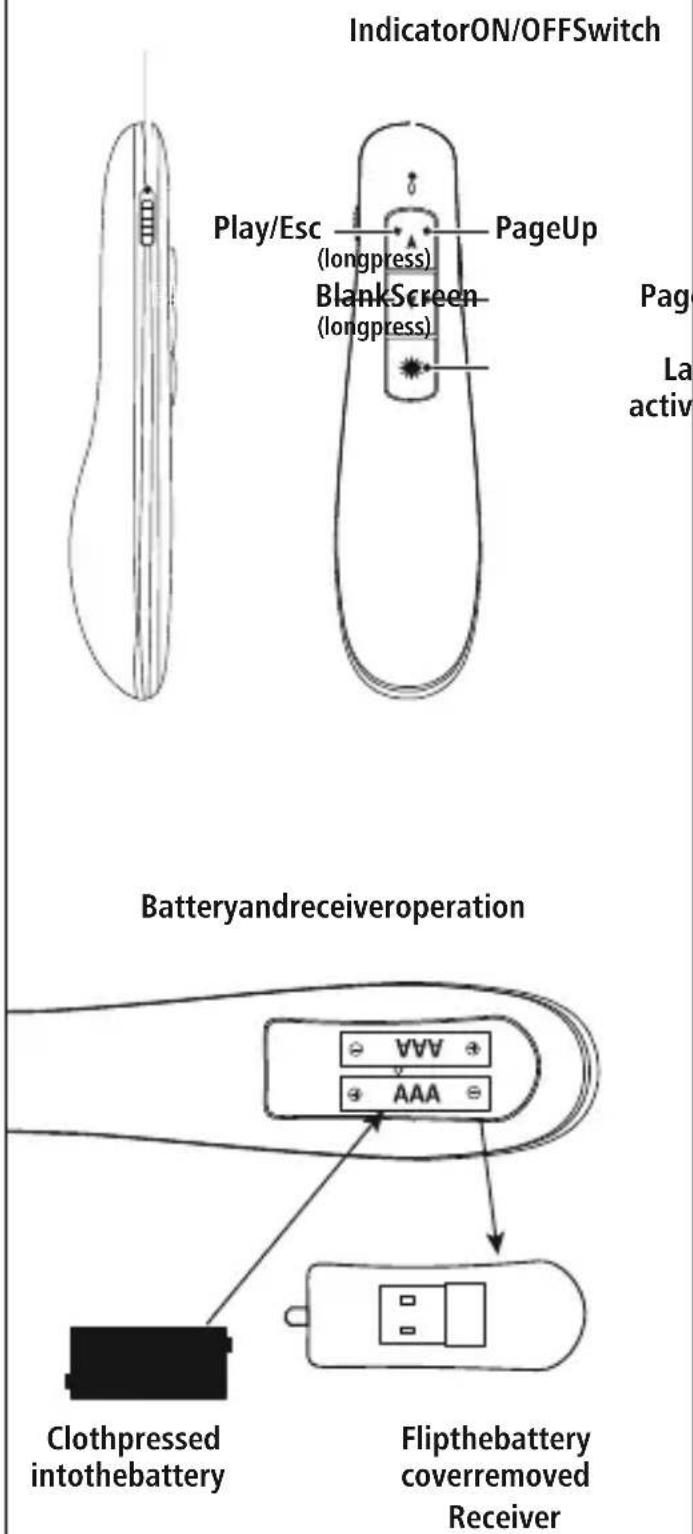
PageDown
LaserPointer activation
ThankyouforchoosingaHamaproduct.
Takeyourtimeandreadthefollowinginstructionsand informationcompletely.Pleasekeeptheseinstructions inasafeplaceforfuturereference.Ifyousellthedevice, pleasepasstheseoperatinginstructionsontothenew owner.
1. ExplanationofWarningSymbolsandNotes
Warning

This symbolised to indicate safety instructions to draw your attention to specific hazards and risks.
Note

This symbol is used to indicate additional information or important notes.
2.PackageContents
• 'X-Pointer' laserpresenter
- 2AAAbatteries
- Setwithwarninglabels
• Theseoperatinginstructions
3. SafetyNotes
• The product is intended for private, non-commercial use only.
- Protect the product from dirt, moisture and overheating, and only use it in a dry environment.
- Donotdropheproductanddonotexposeittoany majorshocks.
- Donotoperatetheproductoutsidethepowerlimits giveninthespecifications.
- Donotcontinuetooperatethedeviceifitbecomes visiblydamaged.
- Childrenarenotpermittedtoplaywiththedevice.
- Disposeofpackagingmaterialimmediatelyaccording tolocallyapplicableregulations.
- Donotmodifytheproductinanyway.Doingsovoids thewarranty.
Warning-Batteries

- When inserting batteries, not the correct polarity (+ and - markings) and insert the batteries accordingly. Failure to dosocould result in the batteries leaking orexploding.
- Onlyusebatteries(orrechargeablebatteries)that matchthespecifiedtype.
- Alwayschoosethebatterysizeandgradethatbest suitstheintendedpurpose.Keeptheseoperating instructionsinasafeplaceforfuturereference,as theyprovideinformationaboutchoosingtheright battery.
- Replaceallthebatteriesinasetatthesametime.
- Donotshort-circuitbatteries.
- Donotchargebatteries.
- Donotthrowbatteriesinafire.
- Keepbatteriesoutofthereachofchildren.
- Donotallowchildrentochangebatterieswithout supervision.
- Removethebatteriesfromproductsthatarenot beingusedforanextendedperiod.
- Immediately remove and dispose of dead batteries from the product.
- Beforeyouinsertthebatteries,cleanthebattery contactsandthepolarcontacts.
Warning-Laser


- Donotlookdirectlyatthelaserbeam!Closeyour eyesandturnyourheadawayifyoureyesmeetthe laserbeam.
- Donotshinelightatpersonsusingbinocularsor telescopes!
- Donotlookdirectlyatthelaserbeam!Donotlook directlyatthelaserbeamusingopticalinstruments!
• Thisproductcontainsaclass1consumerlaserin accordancewithEN50689:2021.
4.Operation
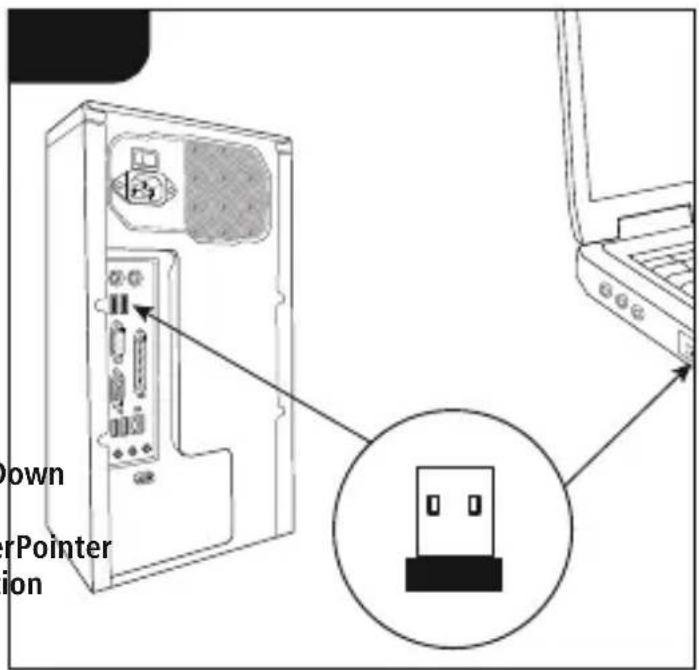
Insertingthebattery(Fig.1)
- UseonlyAAAbatteries(alkaline/zinccarbon).
- Toinsertorchangethebattery/batteries, insertthe AAAbattery/batterieswiththecorrectpolarityintothe batterycompartment.
Operation
- InserttheUSBreceiverintoanunusedUSBporton yourPC.
- Pressthelaserbutton laser toactivatethebuilt-in
5.Controls
6. Care and Maintenance
Onlycleanthisproductwithaslightlydamp,lint-free clothanddonotuseaggressivecleaningagents. Makesurethatwaterdoesnotgetintotheproduct.
7.WarrantyDisclaimer
HamaGmbH&CoKGassumesnoliabilityandprovides nowarrantyfordamageresultingfromimproper installation/mounting,improperuseoftheproductor fromfailuretoobservetheoperatinginstructionsand/orsafetynotes.
8.TechnicalData
| Connection2.4Ghz | |
| Operatingrange<12m | |
| Laseroutputpower<0,39mW | |
| Wavelength650nm | |
| ConnectionUSBType-A | |
| Powersupply2AAAbatteries | |
| Size120x30x22mm | |
| WeightApprox.40g | |
| Systemrequirements | Windows11/10/8, MACOS10.10orhigher |
9. Declaration of Conformity
CE Hereby, HamaGmbH&CoKGdeclaresthat theradioequipmenttype[00139915]isin compliancewithDirective2014/53/EU. Thefull
textoftheEUdeclarationofconformityisavailableatthe followinginternetaddress:
www.hama.com->00139915->Downloads.
| Frequencyband(s)2403–2447MHz | |
| Maximumradio-frequency powertransmitted | -3.88dBme.i.r.p |
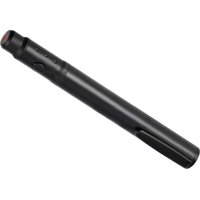


Brand : HAMA
Model : XPointer 00139915
Category : Wireless pointer