
XPointer 6in1 00139916 - Wireless pointer HAMA - Free user manual and instructions
Find the device manual for free XPointer 6in1 00139916 HAMA in PDF.


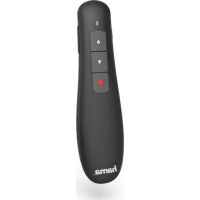
| Product type | Wireless laser presenter pointer |
| Brand | Hama |
| Model | XPointer 6in1 (00139916) |
| Color | Black (estimated) |
| Dimensions (L x W x H) | 121 x 45 x 30 mm |
| Weight | Approximately 55 g (without batteries) |
| Power supply | 2 LR03/AAA batteries (alkaline or zinc-carbon) |
| Battery type | LR03/AAA (non-rechargeable) |
| Wireless range | Up to 15 m |
| Connectivity | 2.4 GHz with USB Type-A receiver |
| Integrated laser | Class 1 laser, power < 1 mW |
| Main functions | Laser pointer, air mouse, left/right click, slide forward/backward |
| System compatibility | Windows 10/8.1/8/7/Vista/XP, macOS, Linux |
| Package contents | Presenter, 2 LR03/AAA batteries, warning sticker kit, user manual |
| Care and cleaning | Clean with a slightly damp, lint-free cloth, without harsh detergents |
| Laser safety | Do not look directly into the beam, do not aim at eyes or binoculars |
| Used batteries | Remove immediately and recycle according to local regulations |
| Repairability | Not user-repairable (no spare parts available) |
Frequently Asked Questions - XPointer 6in1 00139916 HAMA
User questions about XPointer 6in1 00139916 HAMA
0 question about this device. Answer the ones you know or ask your own.
Ask a new question about this device
Download the instructions for your Wireless pointer in PDF format for free! Find your manual XPointer 6in1 00139916 - HAMA and take your electronic device back in hand. On this page are published all the documents necessary for the use of your device. XPointer 6in1 00139916 by HAMA.
USER MANUAL XPointer 6in1 00139916 HAMA
All listed brands are trademarks of the corresponding companies. Errors and omissions excepted, and subject to technical changes. Our general terms of delivery and payment are applied.
X-Pointer6in1W
WirelessLaserPresenter
Operating Instructions
Bedienungsanleitung
Moded'employi
Instruccionesdeuso
Istruzioniperl'uso
Gebruiksaanwijzing
Instrukcjaobslugi
Hasznalatiutmutato
Návodk p oužití
Návodnapoužitie
Manualdeinstruções
Manualdeutilizare


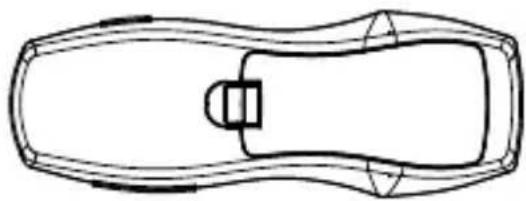
Pic.1
Bottombehind
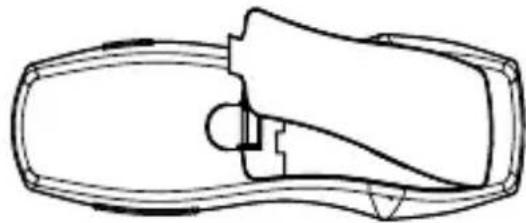
Batterycoverupwardswithheld
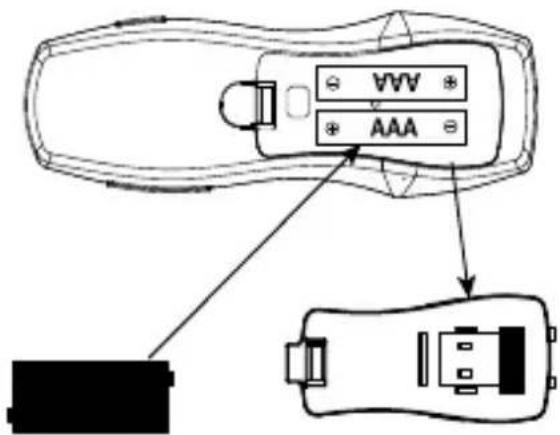
Batteryandreceiveroperation
Clothpressed intothebattery
Flipthebattery coverremoved Receiver
Pic.2
Pic.3

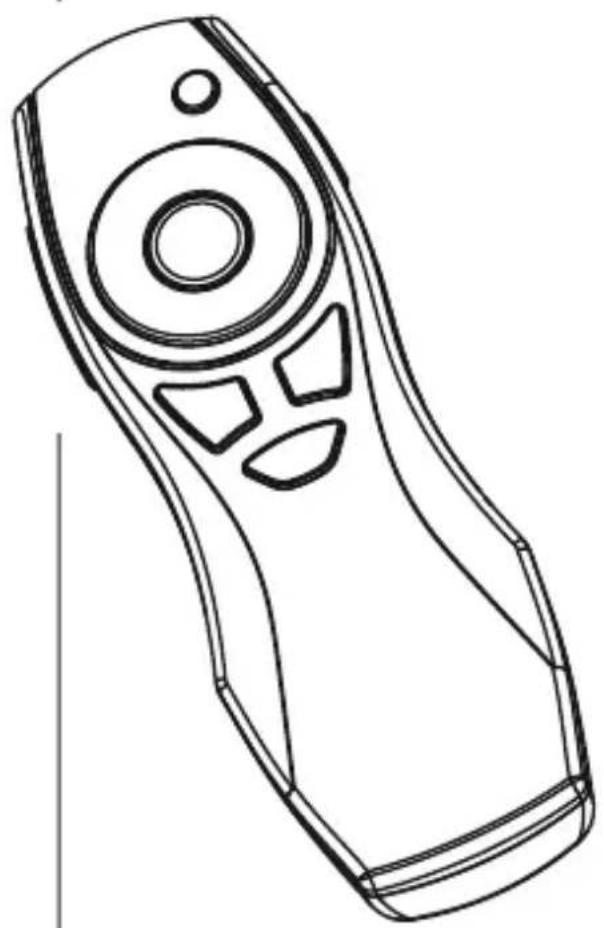
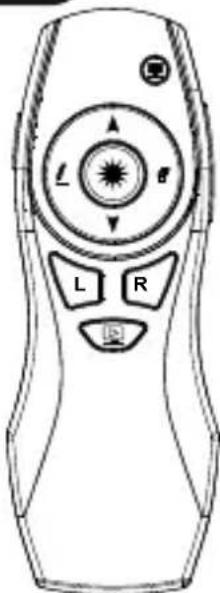
LaserPointactivation

AirMouseactivation/ Presstoblackdisplay

PageUp

PageDown

Fullscreenplayback

Digitalnk/ Printfunction

Removeblacktrack/ marktrack

Left(PC)mousebutton

Right(PC)mousebutton

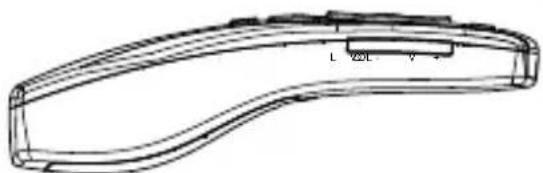
ON/OFFbylongPress

Volume+

Volume-
Thankyouforchoosinga H amaproduct.
Takeourtimeandreadthefollowinginstructionsand informationcompletely.P leasekeeptheseinstructions in a safe place for future reference.If you sell the device, pleasepasstheseseoperatingsinstructionsontothew owner.
1.ExplanationofWarningSymbolsandNotes
Warning

Thissymbolisusedtoindicatesafelyinstructionsoarto draw your attention to specific hazards and risks.
Note

Thissymbolisusedtoindicateadditionalinformation orimportantnotes.
2.PackageContents
X-Pointer6in1'laserpresenter
2 AAAbatteries
- S etwithwarninglabels
- T heseoperatinginstructions
3.SafetyNotes
T heproductisintendedforprivate,non-commercial useonly.
- P rotectheproductfromdirt, moisture and overheating, andonlyuseitina d ryenvironment.
- D on otdroptheproductanddonotexposeittoany majorshocks.
- D o n otoperatetheproductoutsidethepowerlimits giveninthespecifications.
- D o n otcontinuetooperateatedevicifitbecomes visiblydamaged.
Children are not permitted to play with the device.
- D isposeofpackagingmaterialimmediatelyaccord ing tolocallyapplicableregulations.
- Do not modify the product in any way. Doing so voids the warranty.
Warning-Batteries

- W heninsertingbatteries,notethecorrectpolarity(+ and- m arkings)andinsertthebatteriesaccordingly. Failure to do so could result in the batteries leaking ore exploding.
- O nlyusebatteries(orrechargeablebatteries)that matchthespecifiedtype.
- A lwayschoosethebatterysizeandgradethatbest suitstheintendedpurpose.Keeptheseoperating instructions in a safe place for future reference, as theyprovideinformationaboutchoosingtheright battery.
- Replace all the batteries in a set at the same time.
- D on otshort-circuitbatteries.
- D on otchargebatteries.
- Do not throw batteries in a fire.
- K eepbatteriesoutofthereachofchildren.
- D o n otallowchildrentochangebatterieswithout supervision.
- R emovethebatteriesfromproductsthatare n o t beingusedforanextendedperiod.
- I mmediatelyremoveanddisposeofdeadbatteries fromtheproduct.
- Before you insert the batteries, clean the battery contacts and thehepolarcontacts.
Warning-Laser

- Do not look directly at the laser beam! Close your eyes and turn your head away if you're meeting the laser beam.
- D o n otshinelightatpersonsusingbinocularsor telescopes!
- D o n otlookdirectlyatthelaserbeam!Donotlook directlyatthelaserbeamusingopticalinstruments!
- This product contains a class 1 laser in accordance with EN60825-1:2014.
4. Operation
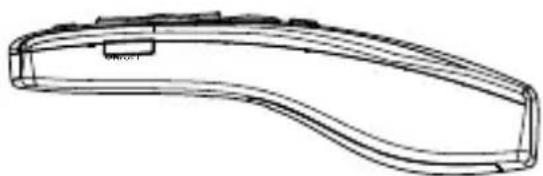
Insertingthebattery(Fig.1)
- Use only AAA batteries (alkaline / zinc carbon).
- T o insertorchangethebattery/batteries,insertthe AAAbattery/batterieswiththecorrectpolarityintothe batterycompartment.
Operation
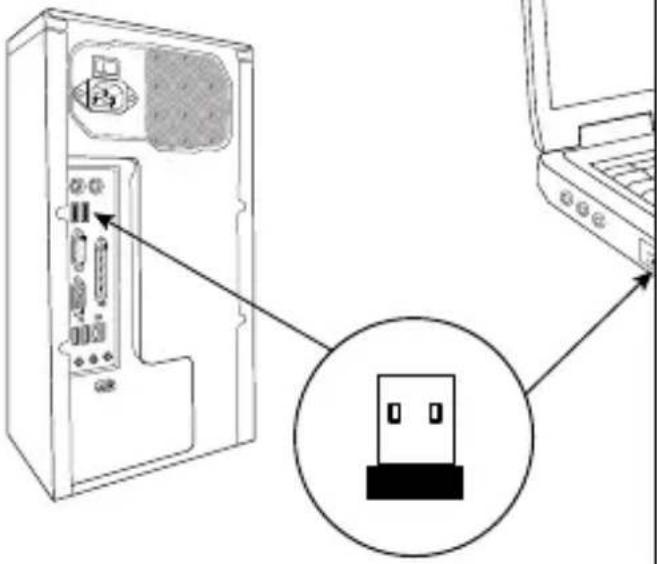
- InserttheUSBReceiverintoanunusedUSBporton yourPC(Fig.2).
- P ressthelaserbuttontoactivatethebuilt-in laser.
5.Controls(Fig.3)
6. 'Airmouse'mode
- P ressthefunctionbuttonstart/exittthemode.
- N owcontrolthemousepointerbymovingthe presenter.
- In this mode, the function buttons correspond to the commandsofttheleft and right mousebuttons.
7.CareandMaintenance
Onlycleanthisproductwithaslightlydamp,lint-free clothanddonotuseaggressivecleaningagents. Makesure t hatwaterdoesnotgetintotheproduct.
8.WarrantyDisclaimer
HamaGmbH& Co K G a ssumesnoliabilityandprovides nowartryfordamageresultingfromimproper installation/mounting,improperuseoftheproductor from failure to observe the operating instructions and/ or safetynotes.
9. Technical Data
| Connection2.4Ghz | |
| Operatingrange< 1 5 m | |
| Laseroutputpower< 1 m W | |
| ConnectionUSBType-A | |
| Powersupply2 A AAbatteries | |
| Size121x 4 5 x 3 0 m m | |
| Weight | Approx.55g |
| Systemrequirements | Windows10/8.1/8/7/Vista/XP, M ACOS, Linux |
10.DeclarationofConformity
Hereby, Hama GmbH & Co KG declares that theradioequipmenttype[00139916]isin compliancewithDirective2014/53/EU. T hefull
textoftheEUdeclarationofconformityisavailableatthe followinginternetaddress:
www.hama.com->00139916->Downloads.
| Frequencyband(s) | 2402- 2 476MHz |
| Maximumradio-frequency powertransmitted | -12.42dBme.i.r.p |

- X-Pointer6in1W
- WirelessLaserPresenter
- 1.ExplanationofWarningSymbolsandNotes
- Warning
- Note
- 2.PackageContents
- 3.SafetyNotes
- Warning-Batteries
- Warning-Laser
- Operation
- Insertingthebattery(Fig.1)
- Operation
- 5.Controls(Fig.3)
- 'Airmouse'mode
- 7.CareandMaintenance
- 8.WarrantyDisclaimer
- Technical Data
- 10.DeclarationofConformity
Brand : HAMA
Model : XPointer 6in1 00139916
Category : Wireless pointer