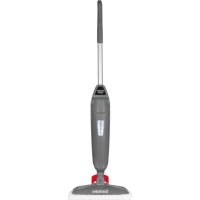
Steam Mop SC320A - Steam cleaner Sanitaire - Free user manual and instructions
Find the device manual for free Steam Mop SC320A Sanitaire in PDF.


| Product Type | Steam cleaner (steam mop) |
| Model | SC320A |
| Brand | Sanitaire |
| Use | Commercial |
| Power supply | 120 V, grounded outlet |
| Steam levels | 3 levels: low, medium, high |
| Water tank | Removable, recommend distilled or demineralized water |
| Mop head | Pivotable, low profile for edges |
| Scrubbing pad | Removable, attached to head, for sticky stains |
| Mop pads | Machine washable microfiber (4 included) |
| Power cord | With quick-release cord rewinder |
| Heating indicator | Steam activation light |
| Materials | Plastic, microfiber |
| Pad care | Machine wash warm water, liquid detergent only, no fabric softener or bleach, air dry |
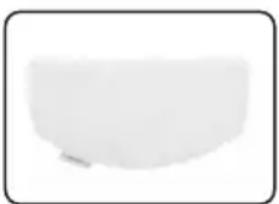
| Replacement parts | Washable pads (pack of 2) – part number 3134 |
| Warranty | 1 year limited |
| Customer service | 1-800-800-8975, www.sanitairecommercial.com |
| Floor compatibility | Tile, laminate, marble, stone, sealed hardwood (test in inconspicuous area recommended) |
Frequently Asked Questions - Steam Mop SC320A Sanitaire
User questions about Steam Mop SC320A Sanitaire
0 question about this device. Answer the ones you know or ask your own.
Ask a new question about this device
Download the instructions for your Steam cleaner in PDF format for free! Find your manual Steam Mop SC320A - Sanitaire and take your electronic device back in hand. On this page are published all the documents necessary for the use of your device. Steam Mop SC320A by Sanitaire.
USER MANUAL Steam Mop SC320A Sanitaire
Commercial Steam Mop
Model SC320
Important safety instructions .....2
Product view ....3
Assembly 4
Operations .....5-7
Maintenance & Care .....7
Troubleshooting....8
Service information ....8
Warranty 9
How to order replacement parts . . .9
Spanish user guide .....10-18
French user guide .....19-27
natural_image
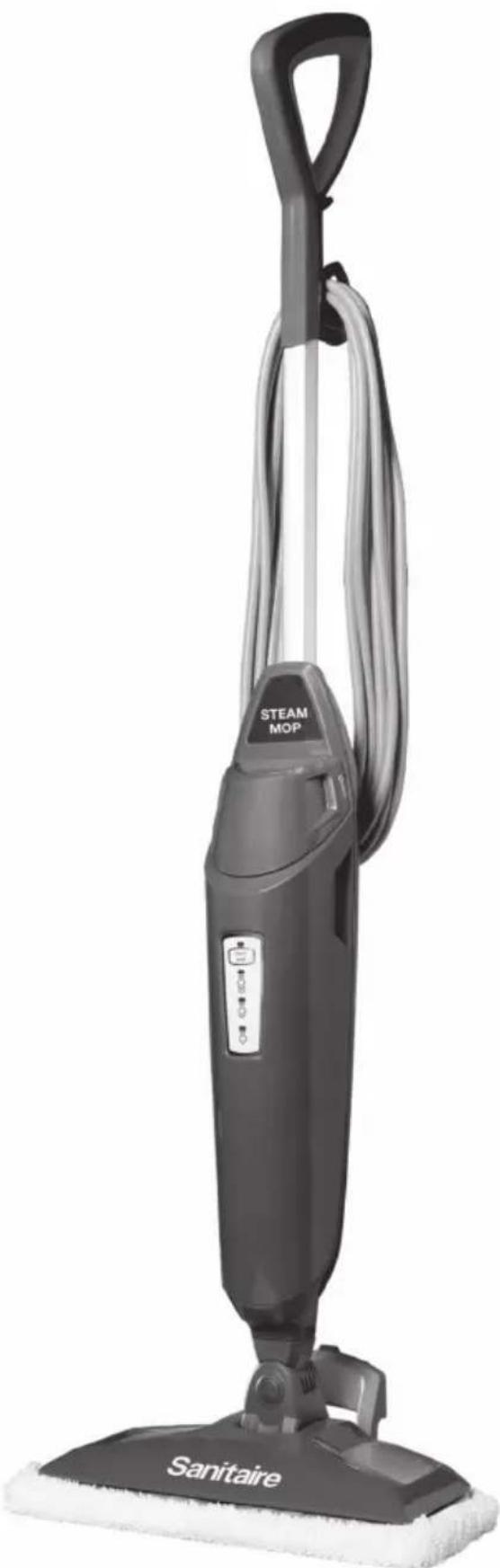
Black steam vacuum cleaner with attached 'STEAM MOP' and 'Sanitaire' base (no visible text or symbols on device body)IMPORTANT SAFETY INSTRUCTIONS
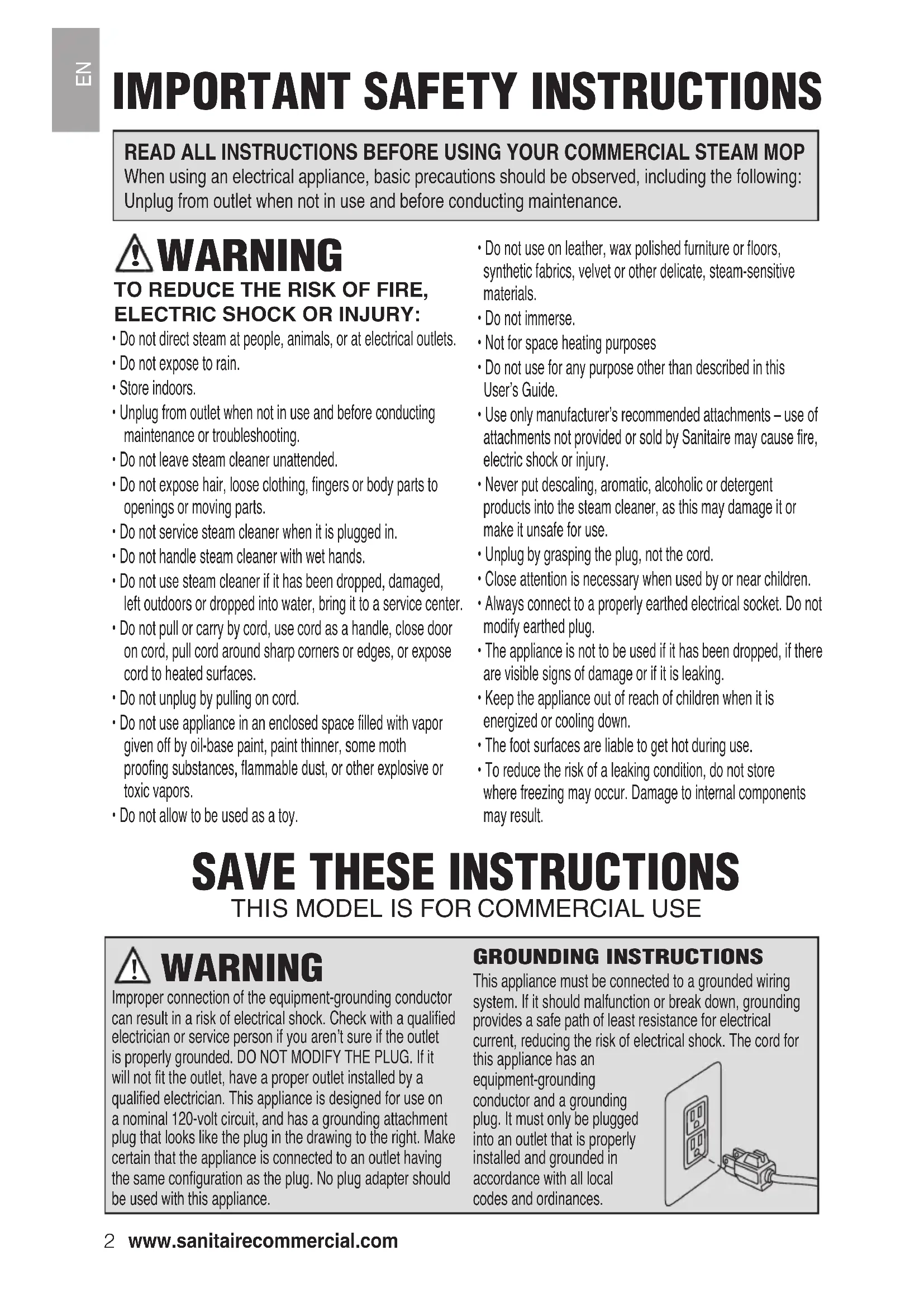
READ ALL INSTRUCTIONS BEFORE USING YOUR COMMERCIAL STEAM MOP
When using an electrical appliance, basic precautions should be observed, including the following:
Unplug from outlet when not in use and before conducting maintenance.

WARNING
TO REDUCE THE RISK OF FIRE, ELECTRIC SHOCK OR INJURY:
- Do not direct steam at people, animals, or at electrical outlets.
- Do not expose to rain.
- Store indoors.
- Unplug from outlet when not in use and before conducting maintenance or troubleshooting.
- Do not leave steam cleaner unattended.
- Do not expose hair, loose clothing, fingers or body parts to openings or moving parts.
- Do not service steam cleaner when it is plugged in.
- Do not handle steam cleaner with wet hands.
- Do not use steam cleaner if it has been dropped, damaged, left outdoors or dropped into water, bring it to a service center.
- Do not pull or carry by cord, use cord as a handle, close door on cord, pull cord around sharp corners or edges, or expose cord to heated surfaces.
- Do not unplug by pulling on cord.
- Do not use appliance in an enclosed space filled with vapor given off by oil-base paint, paint thinner, some moth proofing substances, flammable dust, or other explosive or toxic vapors.
-
Do not allow to be used as a toy.
-
Do not use on leather, wax polished furniture or floors, synthetic fabrics, velvet or other delicate, steam-sensitive materials.
- Do not immerse.
- Not for space heating purposes
- Do not use for any purpose other than described in this User's Guide.
- Use only manufacturer's recommended attachments – use of attachments not provided or sold by Sanitaire may cause fire, electric shock or injury.
- Never put descaling, aromatic, alcoholic or detergent products into the steam cleaner, as this may damage it or make it unsafe for use.
- Unplug by grasping the plug, not the cord.
- Close attention is necessary when used by or near children.
- Always connect to a properly earthed electrical socket. Do not modify earthed plug.
- The appliance is not to be used if it has been dropped, if there are visible signs of damage or if it is leaking.
- Keep the appliance out of reach of children when it is energized or cooling down.
- The foot surfaces are liable to get hot during use.
- To reduce the risk of a leaking condition, do not store where freezing may occur. Damage to internal components may result.
SAVE THESE INSTRUCTIONS
THIS MODEL IS FOR COMMERCIAL USE

WARNING
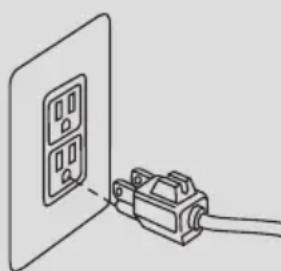
Improper connection of the equipment-grounding conductor can result in a risk of electrical shock. Check with a qualified electrician or service person if you aren't sure if the outlet is properly grounded. DO NOT MODIFY THE PLUG. If it will not fit the outlet, have a proper outlet installed by a qualified electrician. This appliance is designed for use on a nominal 120-volt circuit, and has a grounding attachment plug that looks like the plug in the drawing to the right. Make certain that the appliance is connected to an outlet having the same configuration as the plug. No plug adapter should be used with this appliance.
GROUNDING INSTRUCTIONS
This appliance must be connected to a grounded wiring system. If it should malfunction or break down, grounding provides a safe path of least resistance for electrical current, reducing the risk of electrical shock. The cord for
this appliance has an equipment-grounding conductor and a grounding plug. It must only be plugged into an outlet that is properly installed and grounded in accordance with all local codes and ordinances.
natural_image
Diagram of a wall-mounted device connected to a cable, showing internal components (no text or symbols)WARNING
Plastic film can be dangerous. To avoid danger of suffocation, keep away from babies and children.
WARNING
Do not plug in your hard floor cleaner until you are familiar with all instructions and operating procedures.
WARNING
To reduce the risk of electric shock, turn power switch off and disconnect plug from electrical outlet before performing maintenance or troubleshooting checks.
text_image
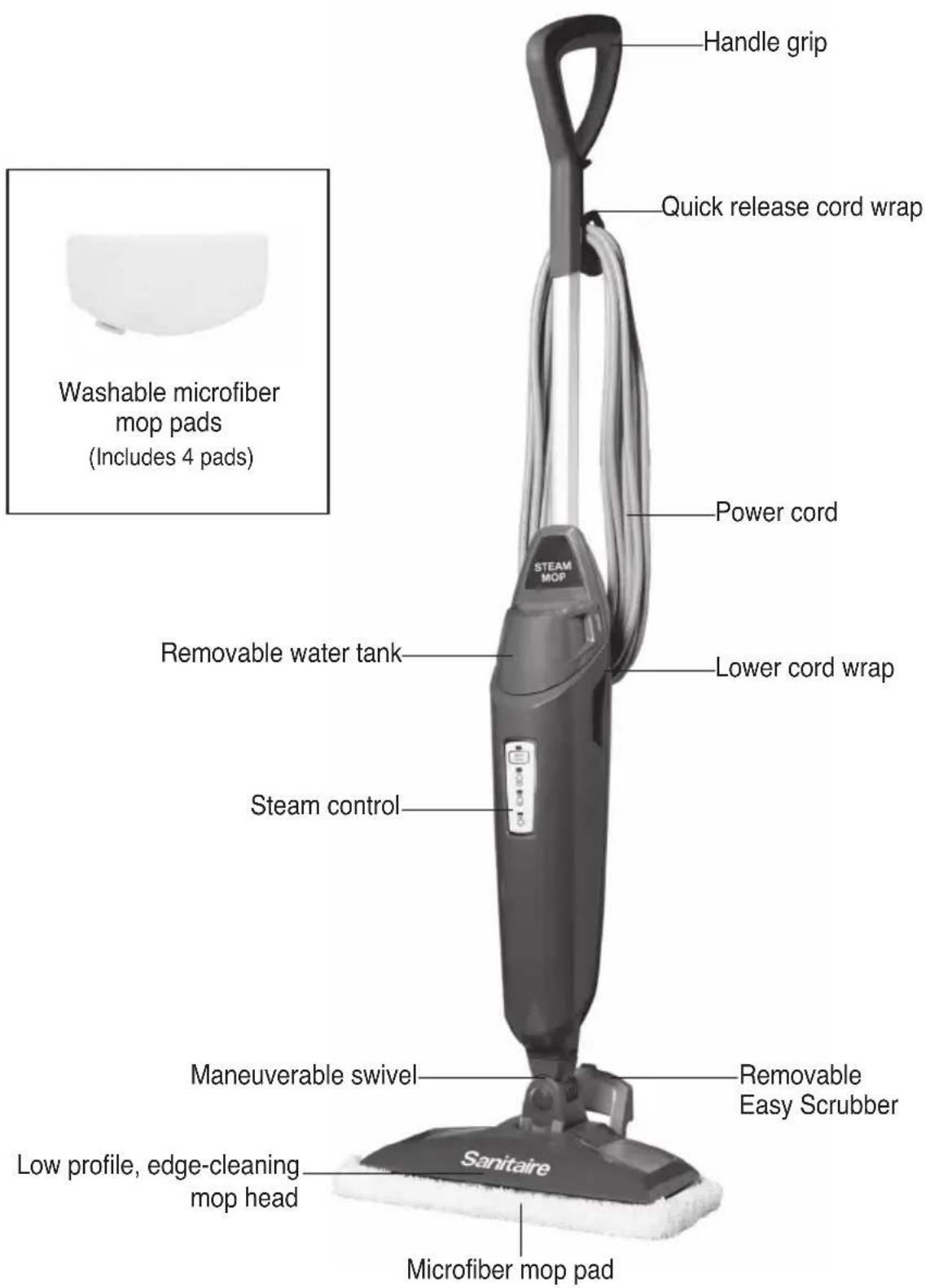
Handle grip Quick release cord wrap Power cord Washable microfiber mop pads (Includes 4 pads) Steam control Removable water tank Lower cord wrap Maneuverable swivel Removable Easy Scrubber Low profile, edge-cleaning mop head Sanitaire Microfiber mop padASSEMBLY

WARNING
Do not plug in your hard floor cleaner until you are familiar with all instructions and operating procedures.
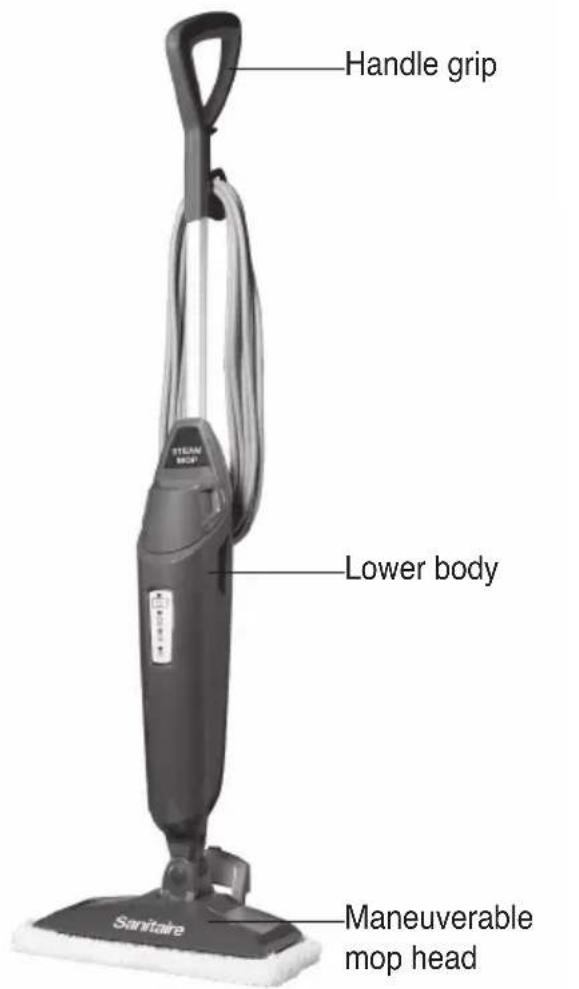
Your steam mop assembles quickly and easily. It is packaged with the following items:
- Handle grip with one screw
- Lower body
- Removable water tank
- Maneuverable mop head
-
Removable Easy Scrubber (attached to mop head)
• Mop pads (quantity may vary) -
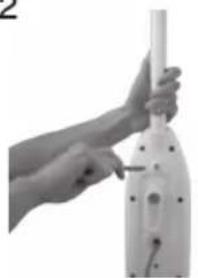
Attach lower body to mop head by snapping it into place.
- Slide handle grip down and screw until tightened.
Steam mop assembly is now complete.

WARNING
Exercise extreme care when using your steam mop on hardwood floors. Prolonged application of steam in one area increases the risk of damage to the surface treatment on floors. Unplug unit when unattended.
Test steam mop in an inconspicuous area before mopping a large area. The steam mop generates hot steam, so move the unit continuously when steam is on.
Regular foot traffic and direct sunlight will wear down floor surface treatment, making it more susceptible to steam damage. Check with your floor treatment and application specialist prior to steam mop operation.
text_image
Handle grip Lower body Sanitaire Maneuverable mop head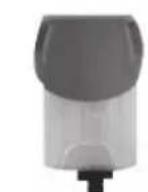
Water tank
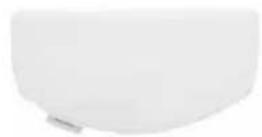
Microfiber mop pads
1
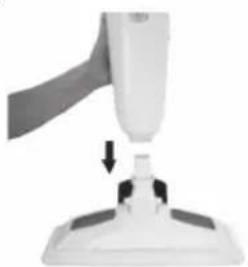
natural_image
Close-up of a white robotic arm with a handle and a small component, showing a downward arrow (no text or symbols visible)2
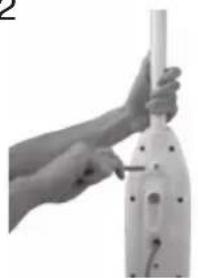
natural_image
Close-up of a hand using a handheld vacuum cleaner to press or install a white plastic component (no visible text or symbols)OPERATIONS
Special features

WARNING
Do not attempt to use your steam mop without water in the tank. You may hear a knocking sound indicating there is no water.
Removable water tank
The water tank is located on the top of the steam mop. It can be refilled with water any time during use.
Distilled or demineralized water is recommended in place of tap water. Do not use chemicals in the water tank of your steam mop.
Steam control
(High, Medium, Low) Steam Control indicator light will stop blinking when steam mop is ready to use. Then press the Steam Level button to choose the level of steam you desire.
Microfiber mop pads
Reusable microfiber mop pads are machine washable and safe for virtually all hard floor surfaces.
Removable Easy Scrubber
Quickly clean sticky messes by pressing the Easy Scrubber with your foot and locking it into position. Clean grout and crevices easily with this effective tool.
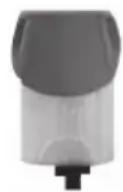
Water tank
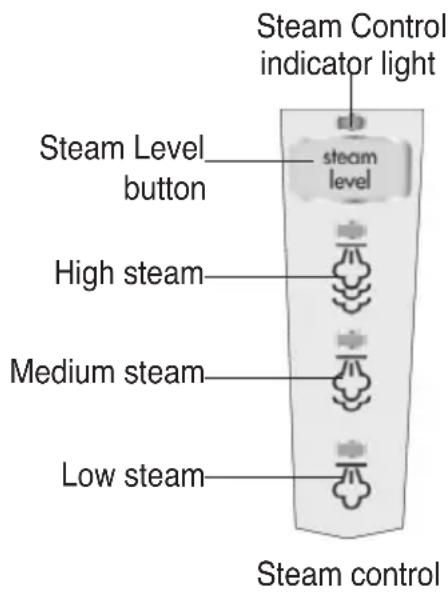
text_image
Steam Control indicator light Steam Level button steam level High steam Medium steam Low steam Steam control
Microfiber mop pads
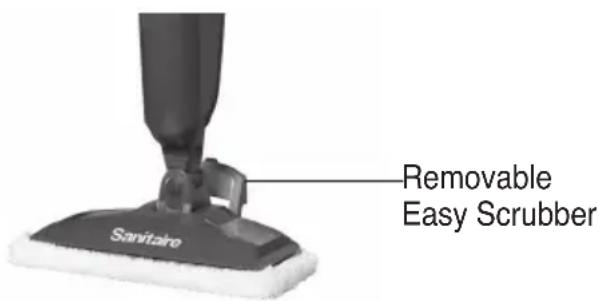
text_image
Removable Easy Scrubber Sanitario
WARNING
Never put descaling, alcoholic, or detergent products into the steam cleaner, as this may damage it or make it unsafe for use.
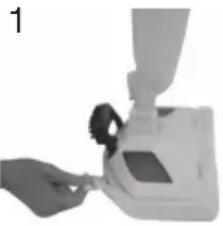
The mop pad may have already come attached to the mop head, if not follow step 1 below.
- Set mop head in mop pad, making sure quick-grip release tab is located on the back.
- Fill the water tank
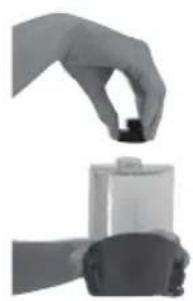
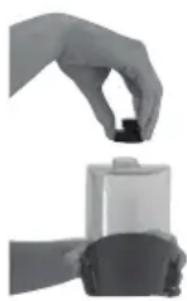
a. Remove tank by lifting straight up and away from steam mop.
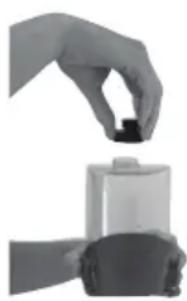
b. Unscrew cap at bottom of water tank.
c. Fill water tank with water. For best results, water should be at room temperature.
d. Replace the cap, tighten until snug.
e. Replace water tank by gently sliding tank into place and press down firmly.
- Twist the cord wrap clockwise to unwrap the power cord completely and plug into a 120-Volt outlet as described on the Important Safety Instructions, page 2.
- Steam Control indicator light will glow when steam mop is ready to use. Press the Steam Level button to choose the level of steam you desire.
NOTE: Upon first use of the steam mop or first use after refilling the water tank, the pump may make a “knocking” sound. This is normal and should only last a few seconds.
natural_image
Close-up of a hand holding a small mechanical component, possibly a device or tool, with no visible text or symbols.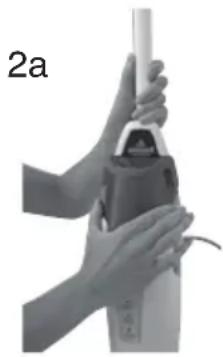
natural_image
Close-up of hands holding a small cylindrical object, possibly a tool or device, with no visible text or symbols.2b
natural_image
Hand holding a small black object above a battery (no text or symbols visible)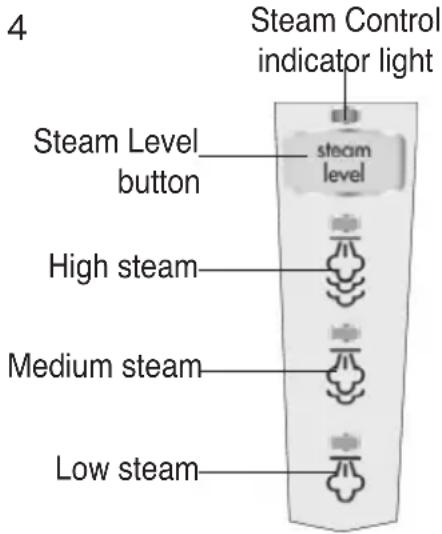
text_image
4 Steam Control indicator light Steam Level button steam level High steam Medium steam Low steam
WARNING
To help reduce floor damage, never leave machine unattended or stationary while steam is turned on. A continuous cleaning motion is recommended.
OPERATIONS
Before you clean

WARNING
Never put descaling, alcoholic, or detergent products into the steam cleaner, as this may damage it or make it unsafe for use.

WARNING
Tinted plates on foot may get hot while steam mop is in use. Do not touch while hot.
Thoroughly sweep or vacuum floor prior to cleaning with the steam mop.
Cleaning hard floors
Your steam mop is designed to clean hard flooring such as ceramic tile, laminate, marble, stone and sealed hard wood floors. Use of your steam mop on waxed or some unwaxed floors may result in a diminished glossiness. The steam mop is not for use on unsealed wood floors. For best results test in an inconspicuous area and check the care instructions from your flooring manufacturer.
-
Plug the steam mop in and wait 30 seconds for it to heat up. Choose the level of steam to clean your floor: Low (delicate floors), Medium (regular cleaning), High (durable floors or sticky messes). Begin cleaning by slowly passing the steam mop over the floor surface.
-
For best results to sanitize an area of your floor, use the microfiber cloth pads and slowly and evenly stroke your steam mop back and forth at least three times over the area using continuous steam.
-
Remove the pad after use and wash.
- To thoroughly clean dried-on sticky spots, press and lock the Easy Scrubber brush into place and slowly move the brush over the sticky spot to remove.
- To turn off the steam mop, continue to press the Steam Level button until the blue light is illuminated above the Steam Level button.
- When the steam mop stops emitting steam, unplug the unit. Simply remove the water tank, refill, and continue steaming.
MAINTENANCE & CARE
When you're done
- Unplug power cord from outlet.
- Carefully remove the mop pad using the tab from the mop head. The mop pad and lower assembly may be hot.
- Any water remaining in the water tank should be emptied prior to machine storage.
- Mop pad can be machine washed in warm water. Use only liquid detergents. Do not use fabric softeners or bleach. For best results, air dry.
- Wrap power cord around quick release cord wrap on back of steam mop.
- Wipe all surfaces of steam mop with a soft cloth. Store upright in a protected, dry area.

WARNING
To help reduce floor damage, never leave machine unattended or stationary while steam is turned on. A continuous cleaning motion is recommended.

WARNING
To reduce the risk of fire, electric shock or injury, turn power OFF and disconnect plug from electrical outlet before performing maintenance or troubleshooting.
| Problem | Possible causes | Remedies |
| Reduced steam or no steam | Watertank empty or not fully inserted | Fill tank and press down securely |
| Steam level not selected | Select steam level by pushing steam level button |
Read all instructions, warnings and cautions before using equipment These guidelines are presented for your protection and convenience. Please read them carefully, since a failure to heed these precautions could result in discomfort or injury. When using an electrical appliance, basic safety precautions should always be followed.
SERVICE INFORMATION
If your Sanitaire product should require service
You will find the nearest Sanitaire Authorized Service Center in your area online at sanitairecommercial.com under service locator or contact Sanitaire Customer Service.
If you need information about repairs or replacement parts, or if you have questions about your warranty, contact Sanitaire Customer Service.
Website:
This warranty gives you specific legal rights, and you may also have other rights which may vary from state to state. If you need additional instruction regarding this warranty or have questions regarding what it may cover, please contact Sanitaire® Customer Service by E-mail, telephone or regular mail as described below.
Limited One-Year Warranty
Subject to the *EXCEPTIONS AND EXCLUSIONS identified below, upon receipt of the product Sanitaire will repair or replace (with new, refurbished, lightly used, or remanufactured components or products), at Sanitaire's option, free of charge from the date of purchase by the original purchaser, for one year any defective or malfunctioning part.
See information below on "If your Sanitaire product should require service".
This warranty does not apply to fans or routine maintenance components such as filters, belts or brushes. Damage or malfunction caused by negligence, abuse, neglect, unauthorized repair, or any other use not in accordance with the user guide is not covered.
Some states do not allow the exclusion or limitation of incidental or consequential damages, so the above limitation or exclusion may not apply to you.
\*EXCEPTIONS AND EXCLUSIONS FROM THE TERMS OF THE LIMITED WARRANTY
THIS WARRANTY IS EXCLUSIVE AND IN LIEU OF ANY OTHER WARRANTIES, EITHER ORAL OR WRITTEN. ANY IMPLIED WARRANTIES WHICH MAY ARISE BY OPERATION OF LAW, INCLUDING THE IMPLIED WARRANTIES OF MERCHANTABILITY AND FITNESS FOR A PARTICULAR PURPOSE, ARE LIMITED TO THE ONE-YEAR DURATION FROM THE DATE OF PURCHASE AS DESCRIBED ABOVE.
Some states do not allow limitations on how long an implied warranty last so the above limitation may not apply to you.
NOTE: Please keep your original sales receipt. It provides proof of date of purchase in the event of a warranty claim.
ORDER GENUINE SANITAIRE REPLACEMENT PARTS
Visit www.sanitairecommercial.com or call 1-800-800-8975
natural_image
Blank white image with rounded corners and a small mark in the center (no text or symbols)Washable steam mop pads (package of 2)
3134
Sanitaire®
THE ULTIMATE TIME MACHINE™
GUÍA DEL USUARIO
natural_image
Black steam vacuum cleaner with attached 'STEAM MOP' and 'Sanitaire' base (no visible text or symbols on device body)natural_image
Line drawing of a wall-mounted electrical connector connected to a cable (no text or symbols)natural_image
Close-up of a white robotic arm with a handle and base, showing a small object being inserted (no text or symbols visible)2
natural_image
Close-up of hands holding a white cylindrical object with a black hole, possibly a vacuum cleaner or industrial device (no visible text or symbols)OPERACIONES
natural_image
Close-up of a hand holding a small object with a funnel-like structure, possibly a device or machine component (no visible text or symbols)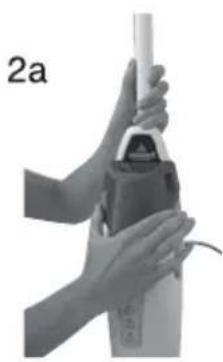
natural_image
Close-up of hands using a tool to press or install a cylindrical object, no visible text or symbols2b
natural_image
Hand holding a small black object above a cylindrical device (no visible text or symbols)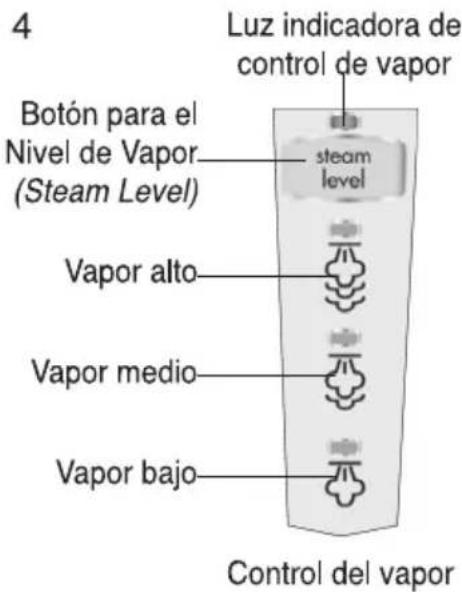
natural_image
Black steam vacuum cleaner with attached 'STEAM MOP' and 'Sanitaire' base (no visible text or symbols on device body)CONSIGNES DE SÉCURITÉ IMPORTANTES
VEUILLEZ LIRE TOUTES LES INSTRUCTIONS AVANT D'UTILISER VOTRE VADROUILLE À VAPEUR POUR USAGE COMMERCIAL.
natural_image
Simple line drawing of a connector with two ports and wiring (no text or symbols)
AVERTISSEMENT
natural_image
Close-up of a white robotic arm with a handle and base, showing a small object being inserted (no text or symbols visible)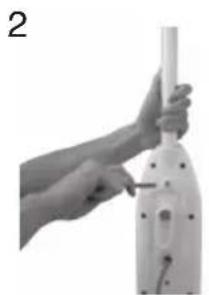
natural_image
Close-up of a hand holding a white cylindrical object with a black screw, no visible text or symbolsFONCTIONNEMENT
natural_image
Close-up of a hand holding a small mechanical component, possibly a pump or device (no visible text or symbols)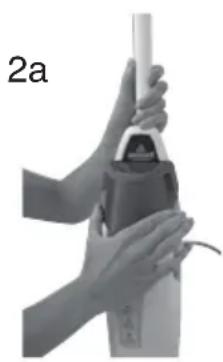
natural_image
Close-up of hands using a power tool to lift a cylindrical component (no text or symbols visible)2b
natural_image
Hand holding a small black object above a cylindrical container (no text or symbols visible)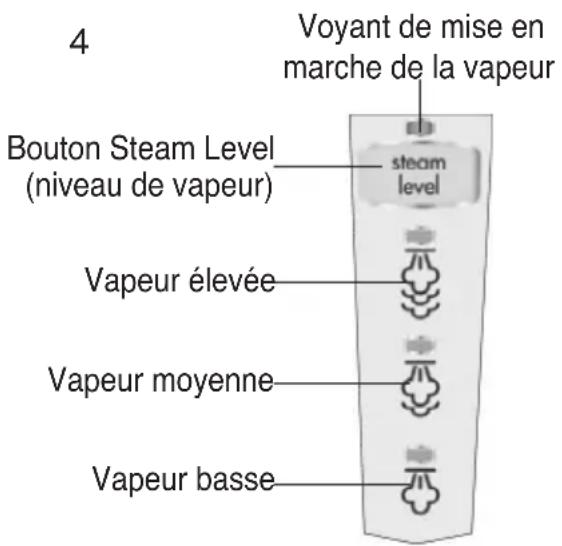
\*EXCEPTIONS ET EXCLUSIONS DES CONDITIONS DE LA GARANTIE LIMITÉE
CETTE GARANTIE EST EXCLUSIVE ET REMPLACE TOUTE AUTRE GARANTIE, VERBALE OU ÉCRITE. TOUTES LES GARANTIES IMPLICITES POUVANT RÉSULTER DE L'APPLICATION D'UNE LOI, Y COMPRIS LES GARANTIES IMPLICITES DE QUALITÉ MARCHANDE ET DE CONVENANCE À UN USAGE PARTICULIER, SONT LIMITÉES À LA DURÉE D'UN AN À COMPTER DE LA DATE D'ACHAT, TEL QUE STIPULÉ CI-DESS.