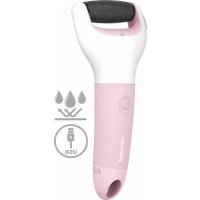
PN1001 - Callus removal Concept - Free user manual and instructions
Find the device manual for free PN1001 Concept in PDF.



| Product type | Electric foot file (callus remover) |
| Brand | Concept |
| Model | PN1001 |
| Power supply | Rechargeable Li-Ion battery (5 V, 1000 mA) |
| Charging time | Less than 5 hours (flashing indicator light) |
| Operating time | 2 minutes (auto shut-off) |
| Speeds | 2 (lower and higher speed) |
| Rotating head | Removable for easy cleaning |
| Protection rating | IPX6 (waterproof, washable under running water) |
| Safety function | Auto shut-off if too much pressure |
| Included accessories | Power cord, cleaning brush, pouch, protective cap |
| Recommended use | Soak feet in warm water for 10 minutes before use |
| Cleaning and maintenance | Rinse head and body with water, wipe dry. Do not clean while plugged in. |
| Important safety instructions | Do not use if you have diabetes, damaged leg, pregnancy, etc. |
| Usage | Household use only |
Frequently Asked Questions - PN1001 Concept
User questions about PN1001 Concept
0 question about this device. Answer the ones you know or ask your own.
Ask a new question about this device
Download the instructions for your Callus removal in PDF format for free! Find your manual PN1001 - Concept and take your electronic device back in hand. On this page are published all the documents necessary for the use of your device. PN1001 by Concept.
USER MANUAL PN1001 Concept
Electric callus remover
natural_image
White plastic kitchen tool with handle and spout, isolated on dark background (no text or symbols)PN1000, PN1001
CZ

DE FR
Poděkování
PL
concept
Thank you for purchasing a Concept product. We wish you much joy with your new appliance every day you use it.
Please read the instruction manual carefully before initial use and keep it for future reference. Please ensure that other persons who will use this product are familiar with these instructions.
| Technical specifications | |
| Voltage 5 V | |
| Current 1000 mA | |
| Water resistance IPX6 | |
| Battery Li-Ion | |
| Charging time < 5 hours | |
| Operating time 2 min | |
IMPORTANT SAFETY INFORMATION
- Do not use the device in any other way than as described in this manual.
- Do not use the device if you have diabetes.
- Do not use the device if your foot is hurt, broken or after surgery.
- Do not use the device on one area
PN1000, PN1001
65
EN
concept
concept
EN
for too long.
- If you are pregnant or if you have had a heart attack, be careful when using the device.
- Remove all the covering and marketing materials from the device before the first use.
• Make sure the mains voltage corresponds to the values on the rating plate of the device. - Do not leave the device unattended when it is switched on or connected to the mains.
- If you put the device down during use, always switch it off.
- Before connecting or disconnecting the device from the mains socket, make sure that the device is switched off.
- When disconnecting the device from the wall outlet, never pull the power cord, grasp the plug end and disconnect it by removing it from the receptacle.
- Do not allow children or unauthorized people to handle
the device, use it out of their reach.
- Persons with reduced mobility, reduced sensory perception, mental disadvantage or persons not familiar with the operation must use the device only under the supervision of responsible person, who is familiar with the instructions.
- Pay extra attention if the device is used near children.
- Do not use the device as a toy.
- Before cleaning and after use of the device, switch the device off and disconnect it from the mains.
- Do not let the power cord touch hot surfaces.
- Do not allow the device to hang on the power cord.
- Do not use the device in an environment where there are explosive gases and flammable substances (solvents, varnishes, adhesives etc.).
- Do not use coarse and chemically
EN
concept
concept
EN
aggressive substances to clean the device.
- Do not use the device if it is not working properly, has been dropped, damaged or immersed in liquid. Have it checked and repaired by an authorized service centre.
- Do not use the device with a damaged cord or plug and have it repaired immediately by an authorized service centre.
- Do not wrap the power cord around the device body.
- Do not use the device outdoors.
- The device is suitable only for household use, it is not intended for commercial use.
- Do not immerse the power cord, plug or device in water or any other liquid.
- Do not use any accessories other than those recommended by the manufacturer.
- Do not repair the device yourself. Contact an authorized service
centre.
- This device can be used by children aged from 8 years and above and persons with reduced physical, sensory or mental capabilities or lack of experience and knowledge if they have been given supervision or instruction concerning the use of the device in a safe way and understand the hazards involved. Cleaning and maintenance performed by the user must not be carried out by children unless they are 8 years old and under supervision. Children under the age of 8 must be kept away from the device and its power supply. Do not let children play with the device.
Damages from failure to follow the manufacturer's instructions are not covered by the warranty.
EN
concept
concept
EN

CAUTION
This device is waterproof. It is suitable for cleaning under running water. Do not use or clean the device while it is connected to the power cord.
PRODUCT DESCRIPTION
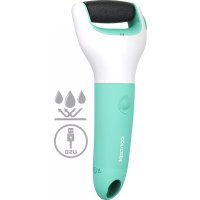
1 Protective cover
2 Rotation head
3 Head holder
4 On/Off/Mode switching button
5 Charging port
6 Hanging loop
7 Charging cable
8 Cleaning brush
9 Case
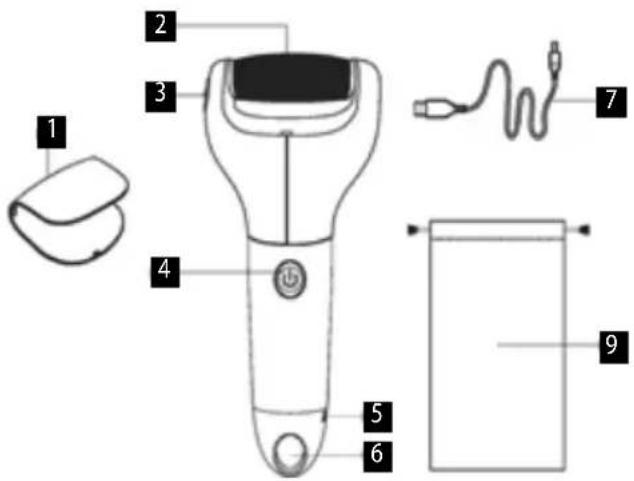
Note: This device contains a built-in lithium battery and can only be charged using the cable included in the package.
FUNCTIONS
The rechargeable electric heel file removes hard and dead skin of the feet, which remain smooth and soft to the touch.
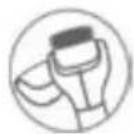
Detachable head for easy cleaning

IPX6 waterproof
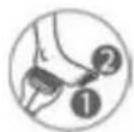
2 speeds
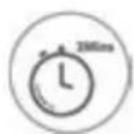
Automatic switching off after two minutes
EN
concept
concept
EN
INSTRUCTIONS FOR USE
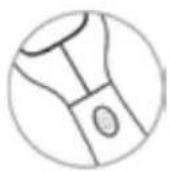
1/ Fully charge the device before using the it for the first time.
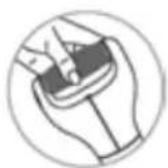
2/ Make sure that the rotation head is properly installed.
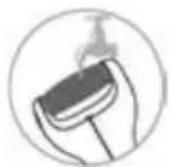
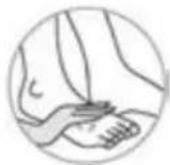
7/ Clean the device. 8/ Rinse your feet with water and apply a cream.
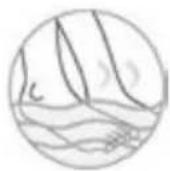
3/ Immerse your feet in warm water for 10 minutes and then dry them with a towel.
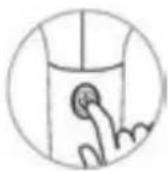
4/ Switch on the device and select the required speed.
The device is equipped with a safety function and switches off if you press too hard on the feet.
CONTROL AND CHARGING
Lower speed - switch on the device by pressing and holding the button for 1,5 seconds, lower speed is on.
Higher speed - switch the speed by pressing the button.
Switching off - the device automatically switches off after two minutes or switch it off by pressing and holding the button for 1,5 seconds.
Charging - the white indicator is flashing.
Fully charged - the light indicator is on.
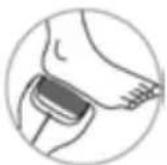
5/ Gently move the rotation head over the foot to remove hard and dead skin.
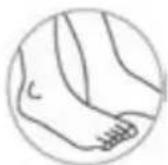
6/ Switch off the device after use.
EN
concept
concept
EN
TROUBLE SHOOTING
| Problem Possible cause Remedy | ||
| Extremely low rotation of the head. | Empty battery. Charge the device. | |
| The head is not firmly attached. | Install the head properly. | |
| The device does not work even though it has been charged. | The cable/the plug was incorrectly inserted. | Make sure that the cable/the plug is properly connected. |
| The charging of the device was too short. | The flashing light indicator indicates the charging. | |
| End of battery life (standard 2 years). | ||
| The device suddenly stopped working. | Empty battery. Charge the device. | |
| The device is damaged. | Contact our customer service. | |
CLEANING AND MAINTENANCE
Remove the rotation head and rinse it with water. Rinse the body of the device with water. Wipe dry. Store the device in a dry and dust-free place. Do not expose to high temperatures. Keep out of reach of children.
SERVICE CENTRE
Extensive maintenance or repair, which requires access to internal parts of the product, has to be performed by a qualified service centre.
ENVIRONMENTAL CONCERNS
- Packaging materials and old appliances should be recycled.
- Packaging materials may be disposed of as sorted waste.
- Dispose the plastic bags made of polyethylene (PE) of as sorted waste.
Recycling of the appliance at the end of its lifespan:
This appliance is labelled in accordance with European Directive 2012/19/EU concerning used electrical and electronic appliances (Waste Electrical and Electronic Equipment - WEEE). The symbol on the product or on its packaging indicates that this product may not be treated as household waste. Instead it should be taken to the appropriate collection point for the recycling of electrical and electronic equipment. By ensuring this product is disposed of correctly, you will help prevent potential negative consequences for the environment and human health, which could otherwise be caused by inappropriate waste handling of this product. The disposal of such material has to be done according to the recycling regulations. For more detailed information about recycling of this
EN
concept
appliance see the authorized local office or service for household waste disposal or the shop, where you purchased the appliance.
The product meets all the necessary requirements of the EU directives applicable to the specific product.
Changes in text, design, and technical specifications are subject to change without prior notice and we reserve the right to change them.
concept
DE
Danksagung
DE
concept
FR
concept
IT
concept
CONCEPT POLSKA sp. z o.o.
The manufacturer (or importer) is responsible for ensuring the product complies with the requirements of applicable legal regulations as well as those of the relevant technical standards. Moreover, they are responsible for ensuring the product has the properties the manufacturer described in documents related to the goods or those reasonably expected by the customer with regard to the nature of the goods or based on advertising produced by the manufacturer, and further they are responsible for ensuring the product is fit for the purpose proposed by the manufacturer or that a product of the same type is normally used for.
The quality warranty term is 24 months from product takeover by the customer.
The warranty does not apply to wear and tear caused by regular use. The customer shall not be entitled to any warranty claims if, prior to taking the product over, they knew the product contained a defect or if the defect is attributable to the customer.
In terms of these warranty conditions, a defective battery is considered a battery that is electronically inoperative (i.e., does not communicate with the base unit, the charging or discharging circuits are defective, etc.) or has an internal short circuit.
Defects or changes in parameters caused by normal use and wear (e.g. natural capacity decrease) are in no way considered a defect in terms of warranty.
The battery is provided warranty service for a period of 6 months. In terms of these warranty conditions, the battery has the nature of a consumable, for more details see „Consumables“.
Consumables
For consumables (batteries, etc.) we guarantee the preservation of technical parameters for 6 months, in case it was not damaged by improper use and its lifetime has not expired.
The warranty specifically does not apply:
- if the product installation, operation and service conditions stipulated in the product operating manual have not
been adhered to,
• to malfunctions caused due to mechanical, heat or chemical damage, short circuit, over voltage or incorrect installation.
• to malfunctions caused by an inexpert third-party intervention,
• to malfunctions caused by natural disaster,
• to malfunctions caused by insufficient or inappropriate maintenance in violation of the operating manual, including malfunctions caused by water and other sediments,
• to changes in colour of the heating surface or to scratching of the surface caused as a result of using the products in an unusual manner,
• to appearance and functional changes caused by exposure to sunlight, thermal radiation of water and other sediments.
- if the service life of certain product parts expires, e.g. for accumulators, bulbs, etc.
The warranty does not apply to any products and services provided along with the product (gifts, promotional articles, etc.).
Filing a complaint
A complaint against a product defect must be filed as soon as identified, yet no later than before the end of the warranty term.
The customer must file a product complaint with the dealer from which they have purchased the product, or with any authorised service centre, a list of which is included in the product package, or available at www.my-concept.com.
While filing a product complaint, the product must be duly cleaned and securely packed so as to prevent any damage during its transport to an authorised service centre, where relevant, unless the product is delivered in person.
The customer must submit proof of having concluded a purchase contract for the product by producing the receipt.
While filing their complaint, the customer must indicate the noted defect and identify the preferred complaint application method.
Complaints processing
As long as the noted defect may be removed, the user has the right to have
the defect duly removed free of charge on a timely basis.
If the noted defect is not removable, or if the customer becomes entitled to replacement of the product or a part thereof, yet the replacement is not possible, for example due to the product having been sold out, the customer has the right to return the product (withdrawal from the contract).
The customer shall have the right to a new product (replacement) or to replacement of a part of the product even if the defect can be removed, provided they cannot properly use the product due to repeated occurrence of the defect or due to a high number of such defects. In such a case, the customer also has the right to return the product (by withdrawing from the contract).
If the product is not returned (the customer does not withdraw from the contract), or if the customer does not apply the right to a new defect-free product (replacement), to replacement of a part thereof or to repair of the product, they may request a reasonable discount. The customer also has a right to a reasonable discount if a new defect-free product cannot be supplied to them, or if a product part cannot be replaced or the product repaired unless the situation is remedied within a reasonable time limit, or if remedying the situation would create major discomfort on the part of the customer.
The seller, authorised service centre or a staff member authorised by them must decide about each complaint immediately or within three business days in complicated cases. This term
does not include a reasonable period of time, depending on the type of product concerned, required for the defect to be assessed by an expert. A complaint, including defect removal, must be dealt with without any undue delay, yet no later than within 30 calendar days of the complaint filing date, unless the seller and the customer agree on a later deadline.
On returning the product (withdrawing from the contract) the customer must return any accessories and documents supplied along with the product.
The customer does not have the right to keep the defective parts and components of the product replaced as part of a repair of the product.
This shall be without prejudice to any other rights the customer may have in relation to the purchase of the product.
Remark: Complaints against products damaged in transport are governed by the carrier's complaints procedure.
Manufacturer
Jindrich Valenta - Concept
Vysokomytská 1800, 565 01 Chocen
Czech Republic
tel.: +420 465 471 400
fax +420 465 473 304
Company ID No. 13216660
email: servis@my-concept.cz
www: www.my-concept.com
Product data
| Model: | |
| Production number: | |
| Date of purchase: Seal and signature of vendor: |
concept
concept

GARANTIEBEDINGUNGEN
Garantie
CONDITIONS DE GARANTIE
Garantie
fax: +420.465.473.304.
email: servis@my-concept.cz
www: www.my-concept.com
CONCEPT POLSKA sp. z o.o.

- Poděkování
- PL
- concept
- IMPORTANT SAFETY INFORMATION
- EN
- CAUTION
- PRODUCT DESCRIPTION
- FUNCTIONS
- INSTRUCTIONS FOR USE
- CONTROL AND CHARGING
- CLEANING AND MAINTENANCE
- SERVICE CENTRE
- ENVIRONMENTAL CONCERNS
- Recycling of the appliance at the end of its lifespan:
- Danksagung
- DE
- FR
- Consumables
- Filing a complaint
- Complaints processing
- Manufacturer
- GARANTIEBEDINGUNGEN
- Garantie
- CONDITIONS DE GARANTIE
- CONCEPT POLSKA sp. z o.o.
Brand : Concept
Model : PN1001
Category : Callus removal