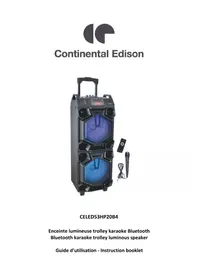
celed53hp20b4 - Speaker CONTINENTAL EDISON - Free user manual and instructions
Find the device manual for free celed53hp20b4 CONTINENTAL EDISON in PDF.


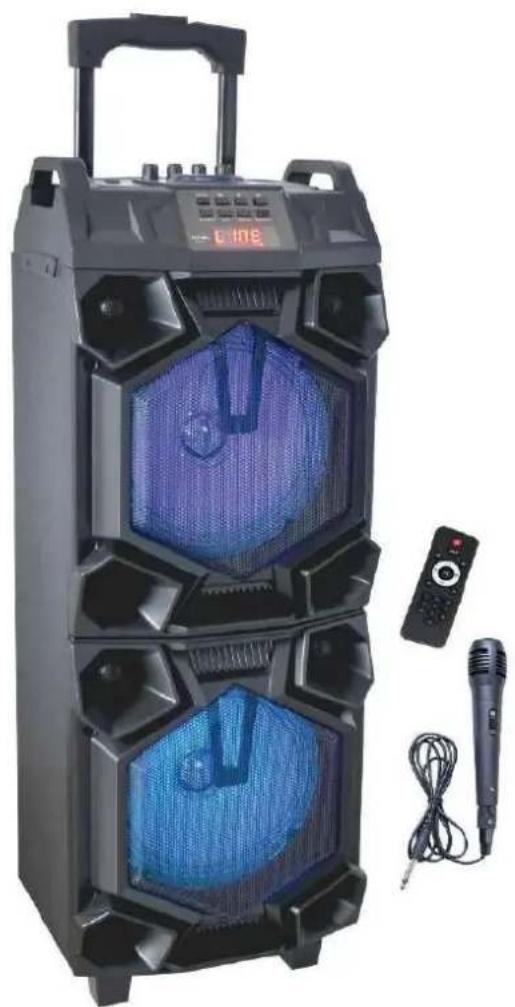
| Product type | Bluetooth karaoke trolley speaker with lights |
| Brand | Continental Edison |
| Model | CELED53HP20B4 |
| Total power | 600 Watts |
| Speaker power | 2 x 300 Watts |
| Bluetooth technology | V4.2 |
| Bluetooth range | 10 meters |
| Battery type | Integrated rechargeable Li-ion |
| Battery capacity | 7.4 V / 1800 mAh |
| Battery life | 3 to 4 hours |
| Charging time | 4 to 5 hours |
| Power supply | AC 100-240 V ~ 50/60 Hz, output DC 9 V / 1 A |
| Power consumption | 600 Watts |
| Available ports | USB 2.0, SD memory card, AUX 3.5mm input, 2 microphone inputs 6.35mm |
| Microphone inputs | 2 x 6.35mm jacks |
| Dimensions | 255 x 201 x 740 mm |
| Weight | 6.9 kg |
| Package contents | 1 speaker, 1 remote control, 1 wired microphone, 1 power adapter |
| Bluetooth frequency | 2402 ~ 2480 MHz |
| Maximum RF power | 3.75 dBm |
| Operating temperature | 5°C to 40°C |
| Main features | Bluetooth, USB/SD, AUX, karaoke, recording, equalizer, echo effect, mic priority |
Frequently Asked Questions - celed53hp20b4 CONTINENTAL EDISON
User questions about celed53hp20b4 CONTINENTAL EDISON
0 question about this device. Answer the ones you know or ask your own.
Ask a new question about this device
Download the instructions for your Speaker in PDF format for free! Find your manual celed53hp20b4 - CONTINENTAL EDISON and take your electronic device back in hand. On this page are published all the documents necessary for the use of your device. celed53hp20b4 by CONTINENTAL EDISON.
USER MANUAL celed53hp20b4 CONTINENTAL EDISON
Bluetooth karaoke trolley luminous speaker
LVD: IEC 62368-1:2014 (Second Edition) and EN62368-1:2014+A11 :2017
ErP: EN 50563:2011+A1:2013 EN 50564:2011
RoHS: IEC 62321-3-1:2013 IEC 62321-5:2013 IEC 62321-4:2013 IEC 62321-7-2:2017 IEC 62321-7-1:2015 IEC 62321-6:2015 IEC 62321-8:2017
Ennery, le 6 Juillet 2020,
INOVALLEY
J.L THIRY (President)

Continental Edison

Continental Edison
www.continentaledison.fr
CELED53HP20B4
Enceinte lumineuse trolley karaoke Bluetooth Bluetooth karaoke trolley luminous speaker
Before starting to use this device, please read carefully and completely the instructions contained in this booklet.
It is recommended to keep together this booklet and the device for future consultation. If this device is to be passed to somebody else, please make sure that the booklet is passed along with the device so that the new user can read it before use.
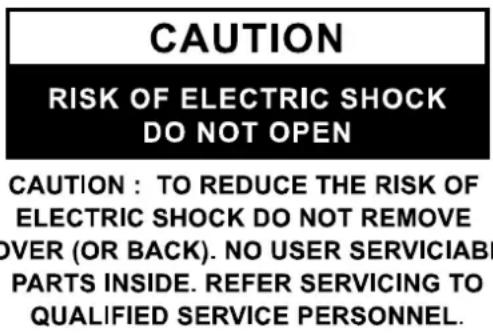
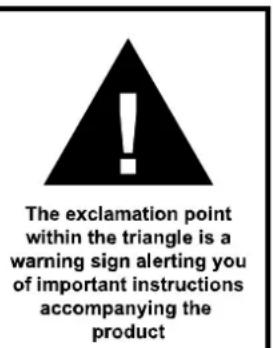
OVERALL SAFETY
- Make sure the unit is not exposed to rain or a moist environment to avoid any risk of fire or electric shock!
- Please avoid splashing the device with water; no object containing liquid, such as a vase, must be placed on the device.
- This unit is intended for use in temperate climates only.
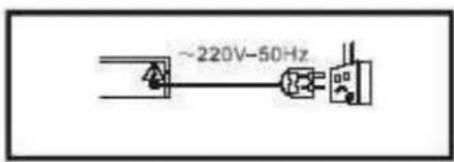
Power: Before plugging into the mains socket, please read the specifications on the label.
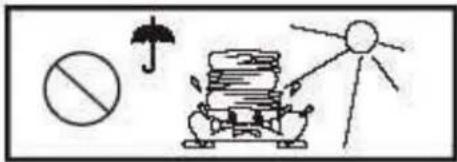
Never place heavy objects on the unit. Avoid direct sunlight.
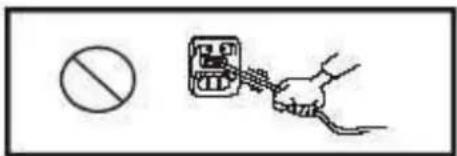
Mains plug: Avoid pulling or stepping on it too much, bending or pinching it too tightly.
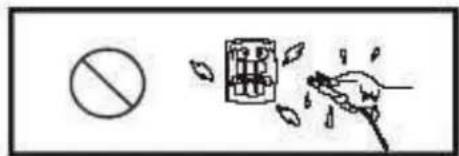
Never handle the power plug with wet hands.
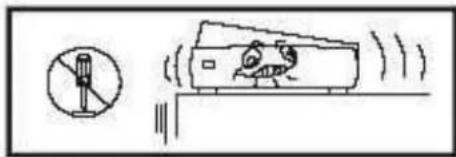
Never open the unit. Avoid dropping metal objects inside the unit.
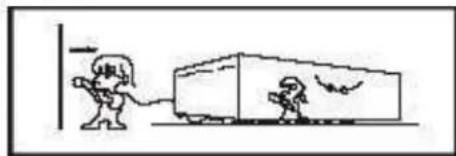
Unplug the mains plug from the socket when the device is not in use for a long period of time.
ELECTRIC SUPPLY
THE POWER CORD MUST REMAIN EASILY ACCESSIBLE IN ORDER TO BE ABLE TO DISCONNECT THE DEVICE IN CASE OF EMERGENCY.
-
Please unplug the product in case of prolonged non-use.
-
If the supply cable is damaged, it must be replaced by the manufacturer or qualified after-sales personnel to avoid any danger.
-
This product must be connected to an electrical supply 100 - 240 ~V 50 / 60 ~Hz .
-
The plus must be accessible after installation.
-
Hold the plug well when you plug the power cord in or out.
-
Please do not put the AC power cord near any heat source equipment.
-
Please do not place any heavy objects on the AC power cord.
-
Please do not overhaul the AC power cord.
- This product contains a low power laser device. In order to keep safety, please do not open the unit to expose the inside parts. If there is some problem need to be repaired, please let the professional people check and repair it.
IMPORTANT SECURITY INSTRUCTIONS
- Do not use the unit in places that are extremely hot, cold, dusty or humid.
- Do not keep the unit in a high humidity area such as a bathroom, kitchen sink or pool. Keep the unit away from heaters, stoves, etc. Never leave the unit in an area exposed to direct sunlight where there could be a considerable rise in temperature.
- The unit should not be exposed to dripping or splashing, and no objects filled with liquids such as vases, should be placed on the unit.
- Do not block any ventilation openings. The ventilation should not be impeded by covering the ventilation openings with items such as newspapers, table-cloths, curtains and the like.
- Install the unit in accordance with the manufacturer's instructions.
- Do not use attachments/accessories not recommended by the product manufacturer.
- Power-supply cords should be routed so that they are not likely to be trapped in any way. Also protect the power cord from being walked on or pinched, particularly at plugs, convenience receptacles and the pointers where they exist from the unit.
-
This product should be operated only from the type of power source indicated on the marking label. If you are not sure of the type of power supply to your home, consult your product dealer or local power company. For products intended to operate from battery power, or other sources, refer to the operation instructions.
-
The mains plug is used as disconnect device. The mains plug of unit should not be obstructed OR should be easily accessed during intended use. To be completely disconnect the power input, the mains plug of unit should be disconnected from the mains.
- If the unit is not used for a period of time, unplug the power cord.
- If it is lightening, unplug the power cord to prevent the unit from unnecessary damages.
- This product should be handled with care to avoid damage or injury.
- Never open the housing or touch the components inside to avoid the risk of electric shock or burns. If service is required, please get in touch with a qualified technician.
- Refer all servicing to qualified service personnel in the following cases: the unit does not operate normally or has been damaged, the power cord or plug is damaged, liquids spilled into the unit, any hard object fallen on the unit, the unit has been dropped, the unit has been exposed to rain or moisture.
- The marking information is located at the back of the unit.
- Attentions should be drawn to the environmental aspects of batteries disposal.
- Use the unit in moderate climates.
- Never insert any object, including your fingers, into the unit.
- For a portable sound system, a warning that excessive sound pressure from earphones and headphones can cause hearing loss. To prevent possible hearing damage, do not listen at high volume levels for long periods.
MAINTENANCE OF THE UNIT
- Pull the mains plug out of the socket before cleaning the unit.
- Use a piece of wet cloth for cleaning. Do not use strong detergents to avoid damaging the unit.
- Avoid using liquid detergents as it can penetrate into the unit and generate an electric shock. This kind of liquid can also spoil the surface of the unit.
- If dust builds up on the lens, the disc playing may be impaired and at times impossible.
- Under the following circumstances, condensed dew may build up on the lens:
a) When a heat source is just turned on nearby.
b) In a very damp place.
c) When the unit is moved from a colder place to a hotter one.
Regarding installation, handling, cleaning and disposal of the unit, please refer to the appropriate chapters of this user's guide.
Meaning of the CE conformity marking
CE
The marking indicates that the product complies with the main requirements of the European Directives: 2014/53/UE (Radio equipment), 2014/30/UE (Electromagnetic compatibility), 2014/35/EU (Low voltage) and 2011/65/UE (Restriction on the use of certain hazardous substances in electrical and electronic equipment).
TABLE OF CONTENTS
I - DESCRIPTION OF THE UNIT 30
- UP & FRONT FACE 30
- BACK FACE 32
II-TECHNICAL SPECIFICATIONS 33
III - INSTALLATION 35
- LOCATION 35
- UNPACKING AND DISPOSAL OF PACKING ITEMS 35
- CONNECTION TO POWER SUPPLY 35
IV-REMOTE CONTROL 36
- INSTALLING BATTERIES INTO THE REMOTE 36
- DESCRIPTION OF THE REMOTE CONTROL 37
V-MICROPHONE 38
1.DESCRIPTION OF THE MICROPHONE 38
2. USING THE MICROPHONE 38
VI - OPERATING INSTRUCTIONS 39
- BLUETOOTH 39
- USB/SD FUNCTION 39
3.AUX-IN FUNCTION 39 - RECORDING 39
- CHARGING THE BATTERY 40
VII - TROUBLESHOOTING 40
VIII - WARRANTY 40
IX - DISPOSAL 41
This guide is available in the following languages:
- FR (original version)
- EN (translated from the original version)
- ES (traducido del original)
- PT (traduzido do original)
Any other translation would be a translation of the original version.
This guide is available on our website, as well as any potential modifications or new version.
I - DESCRIPTION OF THE UNIT
1.Up & Front Face
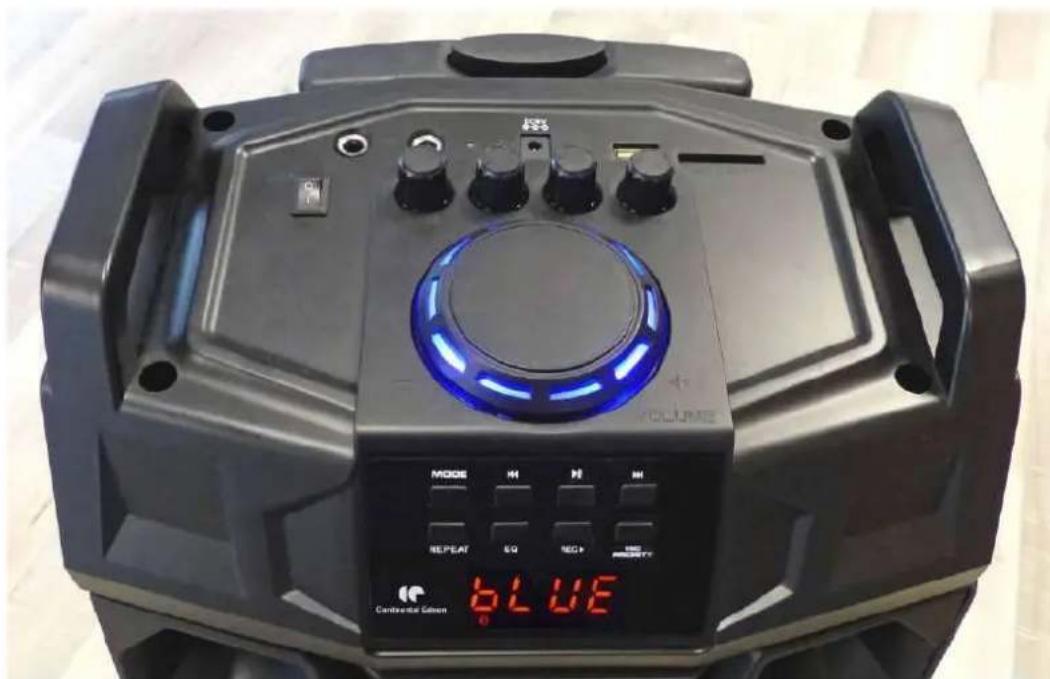
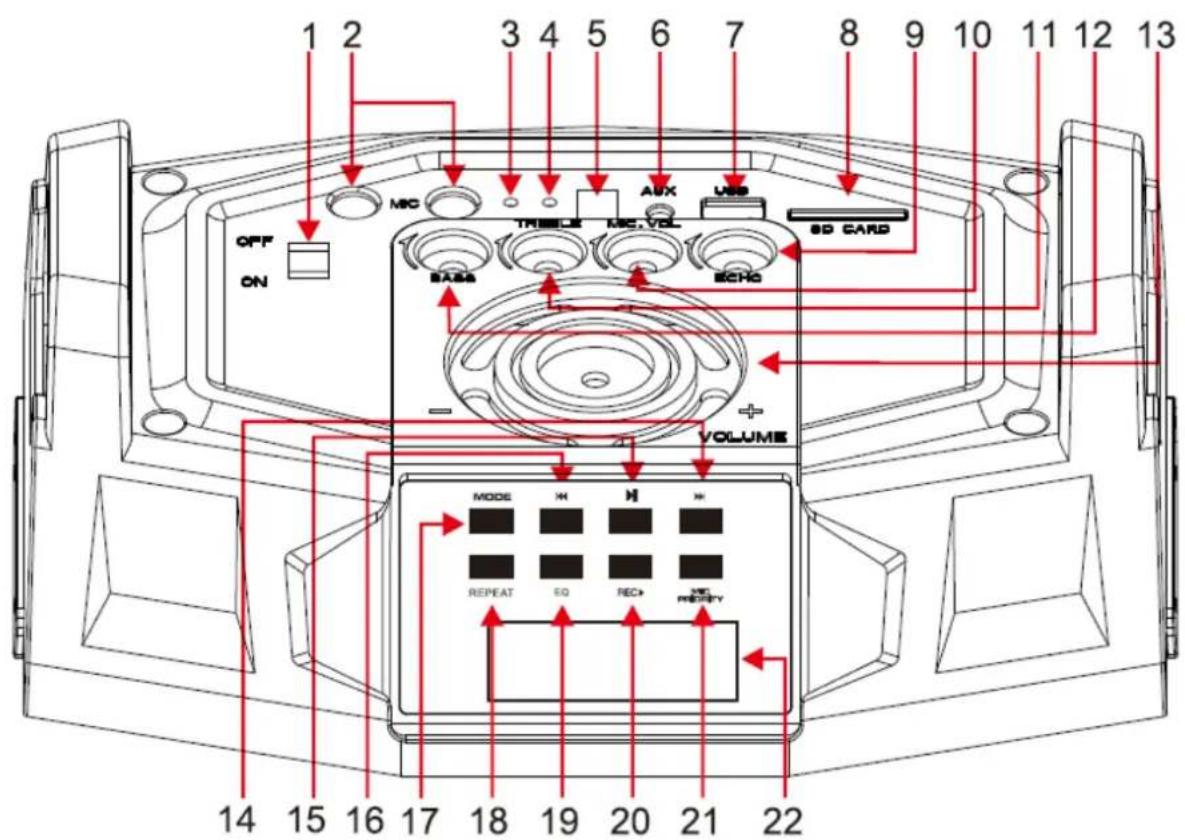
- ON/OFF Button
- MIC: 2x 6.35 mm inputs for microphone
- Red LED indicator: battery in charge
- Green LED indicator: battery fully loaded
- DC 9V IN: AC adaptor input
- AUX Input (3.5mm)
- USB 2.0 Port
- SD memory card Port
- Microphone ECHO button
- Microphone Volume button
- TREBLE button
- BASS button
- Main VOLUME button
- Next track
- PLAY/PAUSE
- previous track
- MODE button: switch between Bluetooth and AUX
- REPEAT button: repeat tracks
- EQ: equalizer button
- REC : record button
- MIC PRIORITY button: to give microphone the precedence
- LED Display
2. Back Face
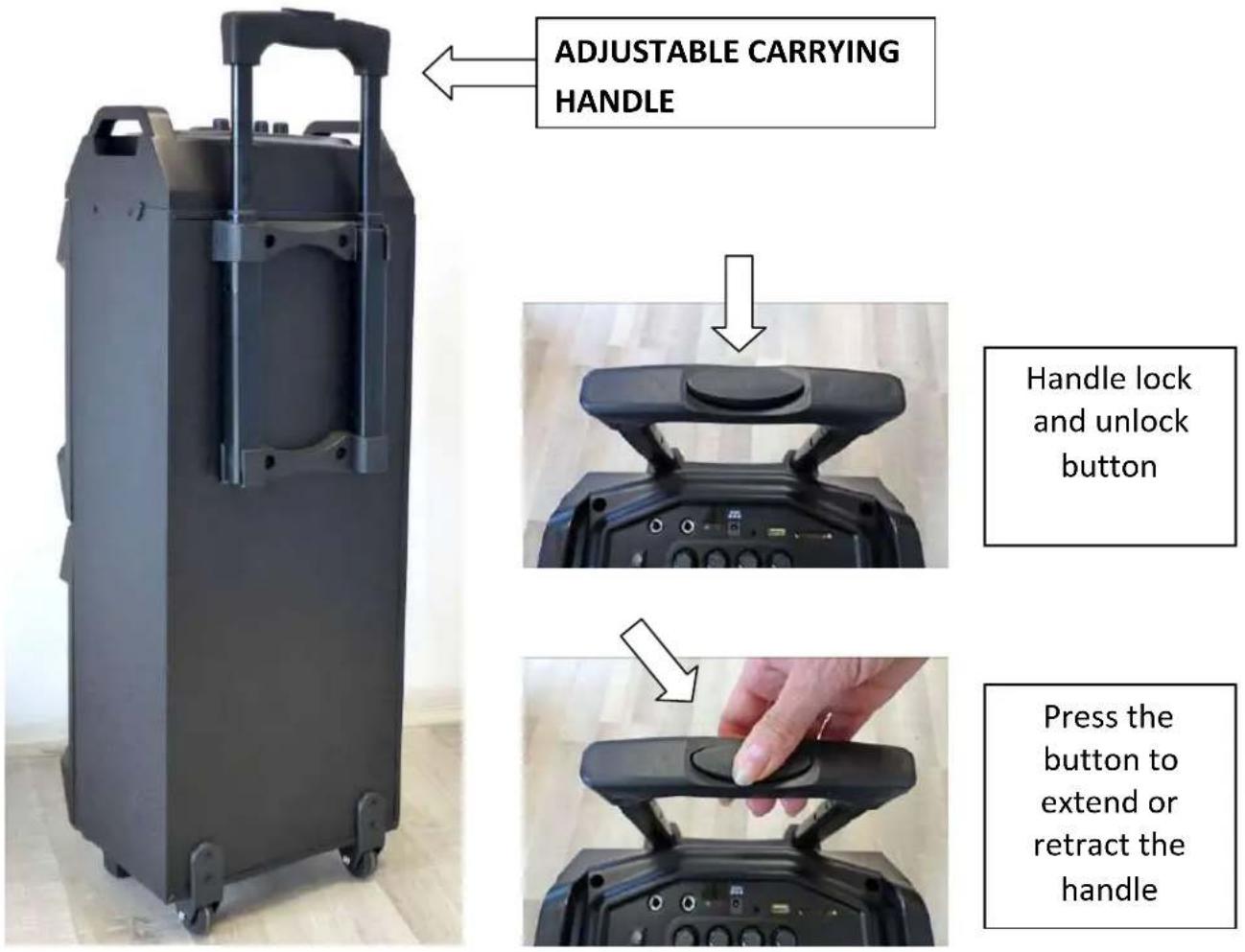
II -TECHNICAL SPECIFICATIONS
| Brand | CONTINENTAL EDISON |
| Reference | CELED53HP20B4 (S7) |
| Product type | Bluetooth karaoke trolley luminous speaker |
| Power | 600 Watts |
| Speaker powers | 2 x 300 Watts |
| Consumption | 600 Watts |
| Bluetooth | V4.2 |
| Bluetooth frequency | 2402MHz~2480MHz |
| Bluetooth range | 10 metres |
| Max. radiofrequency power | 3.75dBm |
| Ports | USB 2.0 SD memory card AUX-IN 3.5mm input |
| Inputs | AUX-IN 2X 6.35 mm |
| Battery | Rechargeable li-ion 7.4V =1800mAh 2ICR21/37/67 |
| Battery autonomy | 3~4 hours |
| Battery charging time | 4~5 hours |
| AC adaptor | Input: AC 110-240V ~50/60Hz Output: DC 9V =1A |
| Power input | 9V =1A |
| Battery input | 7.4 V =1.8 A |
| Working temperatures | 5°C~40°C |
| Dimensions/Weight | 255x201x740 mm / 6.9Kg |
AC ADAPTOR
| Published information | Value and Accuracy | Unit |
| INOVALLEY RC PONTOISE 572 164 028 37 rue Ampère 95300 ENNERY – France | - | - |
| Model Reference | RS-I1000-E | - |
| Input voltage | 100-240 | V |
| AC Frequency | 50/60 | Hz |
| Output voltage | 9.0 | V |
| Output current | 1.0 | A |
| Output power | 9.0 | W |
| Average efficiency in active mode | 82.81 | % |
| Low-load efficiency (10%) | -- | % |
| Power consumption without load | 0.053 | W |
PACKAGE CONTENT
1 trolley speaker
1 remote control (powered by 2X AAA 1,5V batteries, not included)
1X 6.35mm wired microphone
1 AC adaptor
1. Location
- Install the unit on a flat surface. Do not place heavy objects on the unit.
- Allow 5cm (minimum) all around the unit to ensure adequate ventilation.
2. Unpacking and disposal of packing items

- Packaging carton and paper sheets are recyclable: they should be disposed of in appropriate collection bins.
- Materials bearing the symbol are recyclable, such as:
PE< = polyethylene
PS< = polystyrene
PP< = polypropylene
- These materials can be recycled if they are disposed of in appropriate collection bins.
- Other packaging materials (adhesive, fasteners, etc.) must be disposed of with household waste.
3. Connection to power supply
- Connect one end of the AC adaptor to the back of the unit, and the other end to a mains plug.
- To switch the unit on, place the button located on the top of the unit to the ON position.
Notes:
- AC adaptor electrical specifications: 100-240V~/50-60Hz.
- If the unit is not going to be used for a long time, please unplug the unit from the mains supply.
- In stormy weather, it is advisable to unplug the cables from the electrical outlets.
IV - REMOTE CONTROL
1. Installing batteries into the remote
Start by inserting two AAA 1.5V batteries into their appropriate compartment.
NB: The two AAA 1.5V batteries are not included.
To replace the batteries, open the battery compartment and insert 2 new ones of the same type.
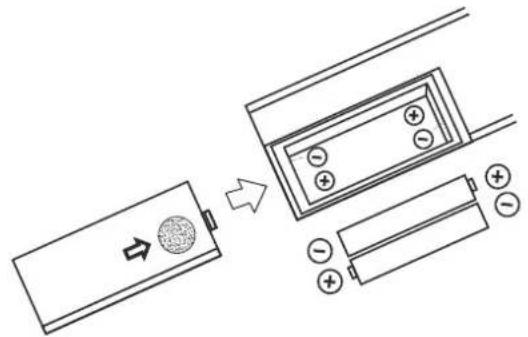
WARNING The batteries may explode if they are not installed correctly. Replace only with the same or equivalent type.
Note: Use the remote control within 5 meters of the unit, and aim the unit at an angle not exceeding 30^ .
Notes:
- Do not use rechargeable batteries.
- If the remote will not be used for a long time, please take out the batteries and store them in a dry and cool place.
- Do not expose the remote to high temperature and humidity.
- Never try to disassemble the remote.
- Make sure to avoid reflections from mirrors or glass panels that could impair the infrared signal of the remote.
2. Description of the remote control
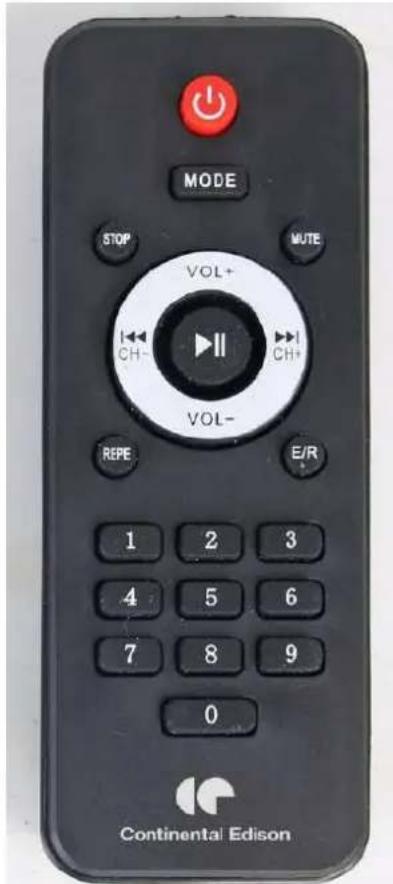
- STANDBY
- MODE: Select Bluetooth mode or LINE mode
- STOP
- MUTE: to mute the sound
- /CH- : Previous track/Fast rewind (USB/SD)
- / CH + : Next track/Fast forward (USB/SD)
- VOL+ : Increase volume
- VOL- : Decrease volume
- PLAY/PAUSE
- REPE : Repeat button
- E/R : Equalizer
- Boutons 0, 1, 2... 9
V-MICROPHONE
1. Description of the microphone
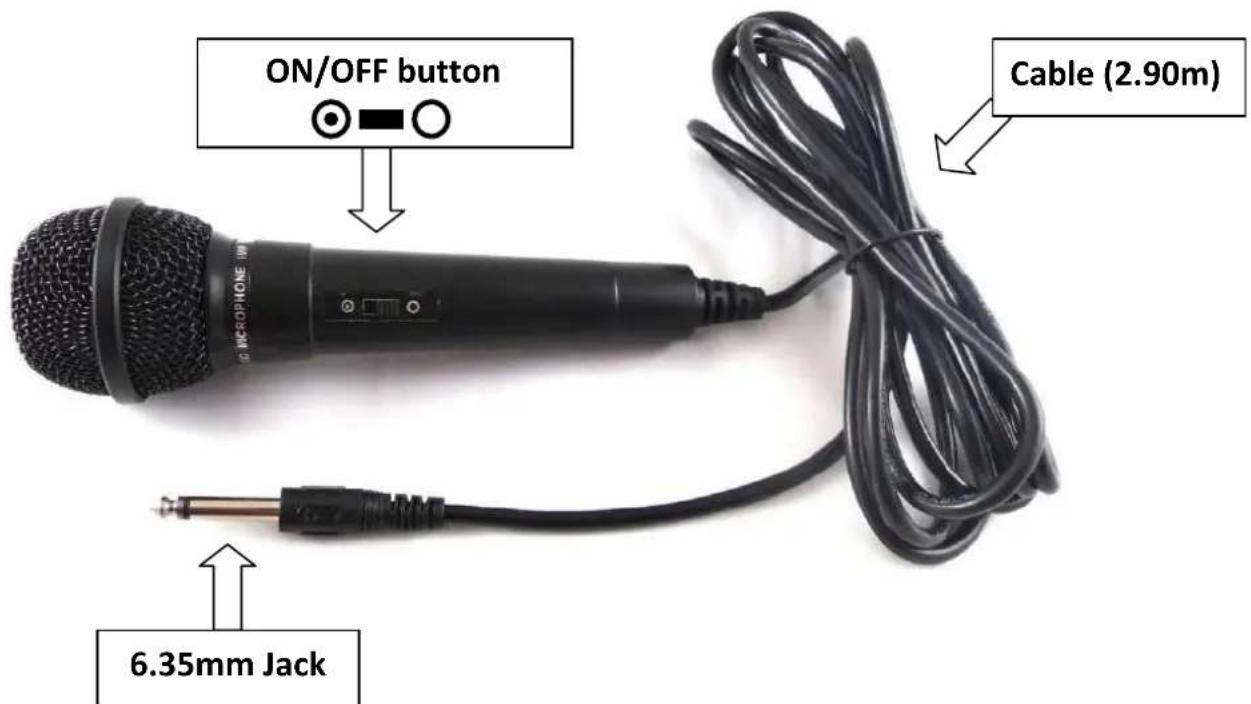
2. Using the microphone
1- Plug the 6.35 mm jack in either 6.35 mm ports of the unit.
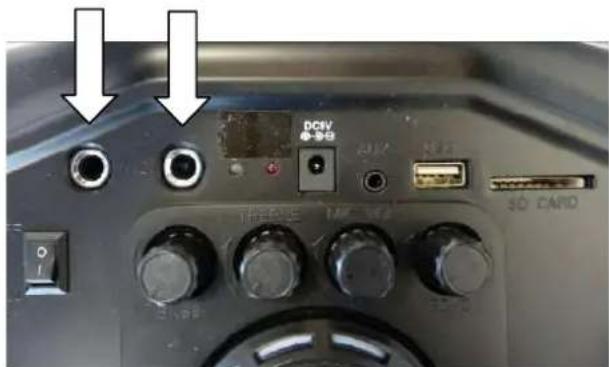
2- Turn on the microphone by switching the ON/OFF button, like this:
3- Use the buttons 9, 10, 11 and 12 to adjust your voice to your liking.
4- After use, turn off the microphone by setting the switch to OFF, as follows:

Notes :
- For optimal use, use the microphone at a distance of 5 to 10cm from the mouth.
- Move the microphone away from the speakers.
- Do not store the microphone at high temperatures or in a humid environment.
1. Bluetooth
- Turn on the unit, activate the Bluetooth mode by pressing MODE: the word "BLUETOOTH" starts flashing on the display, and a sound is emitted by the unit.
- Search and pair the CELED53HP20B4 unit with your external Bluetooth device (smartphone, PC, etc.).
- When pairing is successful, the word BLUETOOTH stops flashing and a sound is heard.
Note: The remote can be used to control the speaker commands.
2. USB / SD function
- Insert a USB device or SD memory card containing music into the corresponding ports (7) or (8).
- Switch to USB or SD mode by pressing MODE (17).
- Playback starts automatically upon insertion.
- Press on to Play or Pause.
- Use to select a particular track.
- Use VOL+ and VOL- to adjust the volume.
3. AUX-IN function
- Press MODE to activate the LINE mode. The word "LINE" is displayed on the screen.
- Connect a 3.5mm jack type audio cable (not included) to the AUX port, then connect the other end to an external audio source (i.e.: MP3 player, PC, tablet...).
- Open the media player of the external audio source, and press the button to start (or pause) the playback.
Note: You can use the remote to control the volume or the commands of the unit and the audio source.
4. Recording
- Connect in the adequate ports a USB device and microphone (supplied) to the unit.
- Press REC to start recording.
- Press REC again to stop recording.
- With the USB device connected, use the buttons to select a particular track.
- To erase a recorded file, press and hold the REC button while playing back the file.
5. Charging the battery
- Connect one end of the AC adapter to the mains outlet and the other end to the DC 9V input of the unit.
-
There are 2 LED indicators for the battery on the top of the speaker:
-
Indicator (3) lights red when the battery is charging,
-
Indicator (4) lights green when the battery is fully charged.
-
The battery is fully charged after 4 to 5 hours.
- Unplug the unit first, then the AC adapter from the mains outlet.
Note: The unit can be used while the battery is in charge.
VII - TROUBLESHOOTING
In case of malfunction, please refer to the table below before calling for service.
| Problem | Causes | Solutions |
| No light and no sound | A cable is improperly connected. | Check all cables. |
| There is light, but no sound | A cable is improperly connected. | Turn off unit, then check all cables. |
| Bluetooth device is not active. | Re-do Bluetooth search and pair. | |
| Volume is on « 0 » or « Mute ». | Check volume or button position. | |
| If, after completing the above checks, the problem is not solved, please contact the appropriate service department. Never try to open the case: if you do, we will not take any responsibility. | ||
For any other problems with your device: please contact the After Sales Service.
VIII - WARRANTY
The warranty does not cover the wear and tear of components of the product, as well as any problem or damage resulting from:
(1) Surface deterioration due to normal wear and tear of the product;
(2) Damage or deterioration caused by contact of the product with food or liquids, or due to corrosion caused by rust;
(3) Any unauthorized incident, abuse, misuse, modification, disassembly or repair;
(4) Improper maintenance, improper use of the product, or incorrect voltage connection;
(5) Any use of accessories not supplied or approved by the manufacturer.

Removal of the nameplate and/or the serial number will void the warranty.
IX - DISPOSAL
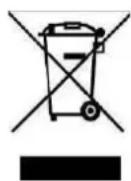
This device comes with a selective sorting symbol for waste electrical and electronic equipment (WEEE).
This implies that this product must be handled by a selective collection system in accordance with European Directive 2012/19/EU so that it can be either dismantled or
recycled, thereby reducing the impact on the environment.
For more information, get in touch with your local or regional administration.
Electronic products that have not been sorted selectively are potentially dangerous for the environment due to the presence of hazardous substances.
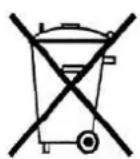
This unit comes with a removable rechargeable battery that can be replaced. Used batteries must be handled by a selective collection system in order to be recycled and thus reduce the impact on the environment.
When a battery reaches the end of its useful life, you are required to deposit it in an appropriate selective collection system which will take care of its destruction and/or recycling.
Under no circumstances should you throw the device or battery on the public road.
Continental Edison - 120/126 quai de Bacalan - CS 11584 - 33000 Bordeaux
Imported by: INOVALLEY SAS – ZA La Chapelle Saint-Antoine – 37 rue Ampère – 95300 Ennery
LVD: IEC 62368-1:2014 (Second Edition) and EN62368-1:2014+A11:2017
ErP: EN 50563:2011+A1:2013 EN 50564:2011
RoHS: IEC 62321-3-1:2013 IEC 62321-5:2013 IEC 62321-4:2013 IEC 62321-7-2:2017 IEC 62321-7-1:2015 IEC 62321-6:2015 IEC 62321-8:2017
Ennery, le 6 Juillet 2020,
INOVALLEY
J.L THIRY (President)

Continental Edison
www.continentaldison.fr
- Continental Edison
- CELED53HP20B4
- Before starting to use this device, please read carefully and completely the instructions contained in this booklet.
- OVERALL SAFETY
- ELECTRIC SUPPLY
- THE POWER CORD MUST REMAIN EASILY ACCESSIBLE IN ORDER TO BE ABLE TO DISCONNECT THE DEVICE IN CASE OF EMERGENCY.
- IMPORTANT SECURITY INSTRUCTIONS
- MAINTENANCE OF THE UNIT
- CE
- TABLE OF CONTENTS
- I - DESCRIPTION OF THE UNIT 30
- II-TECHNICAL SPECIFICATIONS 33
- III - INSTALLATION 35
- IV-REMOTE CONTROL 36
- V-MICROPHONE 38
- VI - OPERATING INSTRUCTIONS 39
- VII - TROUBLESHOOTING 40
- VIII - WARRANTY 40
- IX - DISPOSAL 41
- I - DESCRIPTION OF THE UNIT
- 1.Up & Front Face
- Back Face
- AC ADAPTOR
- PACKAGE CONTENT
- Location
- Unpacking and disposal of packing items
- Connection to power supply
- Notes:
- IV - REMOTE CONTROL
- Installing batteries into the remote
- NB: The two AAA 1.5V batteries are not included.
- Description of the remote control
- V-MICROPHONE
- Description of the microphone
- Using the microphone
- Notes :
- Bluetooth
- USB / SD function
- AUX-IN function
- Recording
- Charging the battery
- VII - TROUBLESHOOTING
- VIII - WARRANTY
- IX - DISPOSAL
Brand : CONTINENTAL EDISON
Model : celed53hp20b4
Category : Speaker