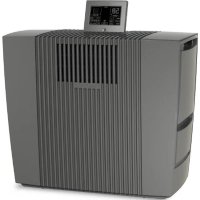
LPH60 Wifi - Air purifier Venta - Free user manual and instructions
Find the device manual for free LPH60 Wifi Venta in PDF.

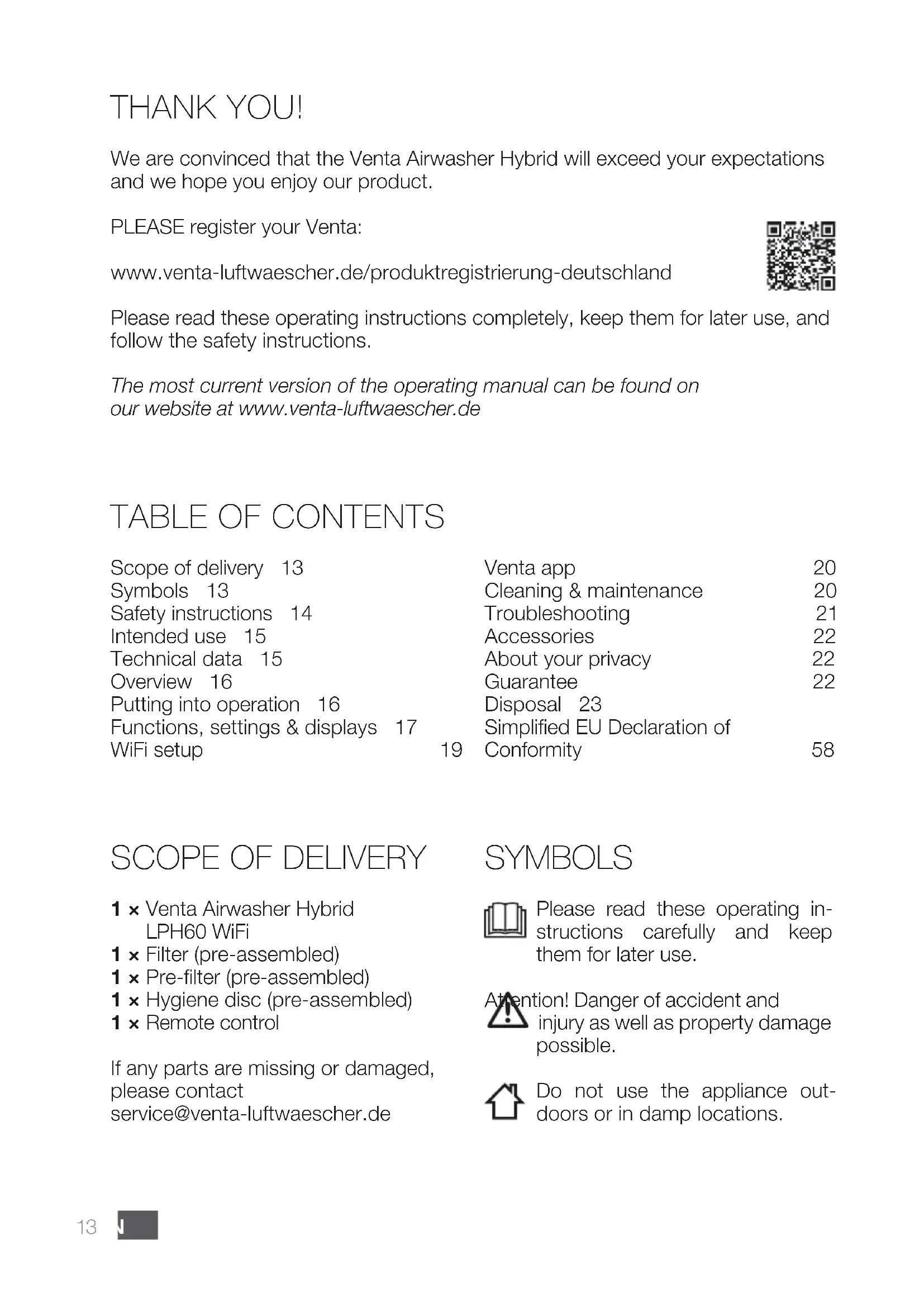


| Product type | Air purifier with humidification |
| Model | LPH60 WiFi |
| Recommended area | Up to 95 m² (max. height 2.5 m) |
| Dimensions (W x D x H) | 61 x 30 x 52 cm |
| Weight | Approx. 13 kg |
| Power supply | 220-240 V, 50/60 Hz |
| Motor power | 7/8/14/20/30 W depending on speed |
| Total water capacity | 12 L (tank 8 L + basin 4 L) |
| Fan speeds | 5 speeds |
| Noise level | 17/26/37/43/47 dB(A) depending on speed |
| Main filter | Premium VENTAcel H13 (99.95% up to 0.07 μm) or VENTAcel filter (99.95% up to 0.1 μm) |
| Pre-filter | Yes, washable |
| Hygiene disc | Yes, replaceable (lifespan ~3 months) |
| Connectivity | Wi-Fi 2.4 GHz, Venta mobile app |
| Functions | Auto mode, night mode, timer, child lock, PM2.5 air quality display, temperature, humidity |
| Maintenance | Clean tank and discs every 10-14 days; washable pre-filter every 1-2 months; integrated cleaning program |
| Warranty | 2 years |
| Included accessories | Remote control, filter, pre-filter, hygiene disc |
Frequently Asked Questions - LPH60 Wifi Venta
User questions about LPH60 Wifi Venta
0 question about this device. Answer the ones you know or ask your own.
Ask a new question about this device
Download the instructions for your Air purifier in PDF format for free! Find your manual LPH60 Wifi - Venta and take your electronic device back in hand. On this page are published all the documents necessary for the use of your device. LPH60 Wifi by Venta.
USER MANUAL LPH60 Wifi Venta
LPH60 WiFi
DE
Please note the fold-out pages!
Page 1
FR

A
B
C
D
VIELEN DANK!
We are convinced that the Venta Airwasher Hybrid will exceed your expectations and we hope you enjoy our product.
PLEASE register your Venta:
Please read these operating instructions completely, keep them for later use, and follow the safety instructions.
The most current version of the operating manual can be found on our website at www.venta-luftwaescher.de
TABLE OF CONTENTS
| Scope of delivery 13 | Venta app | 20 |
| Symbols 13 | Cleaning & maintenance | 20 |
| Safety instructions 14 | Troubleshooting | 21 |
| Intended use 15 | Accessories | 22 |
| Technical data 15 | About your privacy | 22 |
| Overview 16 | Guarantee | 22 |
| Putting into operation 16 | Disposal 23 | |
| Functions, settings & displays 17 | Simplified EU Declaration of | |
| WiFi setup 19 | Conformity | 58 |
SCOPE OF DELIVERY
1 × Venta Airwasher Hybrid
LPH60 WiFi
1 × Filter (pre-assembled)
1 × Pre-filter (pre-assembled)
1 × Hygiene disc (pre-assembled)
1 × Remote control
If any parts are missing or damaged, please contact
service@venta-luftwaescher.de
SYMBOLS

Please read these operating instructions carefully and keep them for later use.

tion! Danger of accident and injury as well as property damage possible.

Do not use the appliance outdoors or in damp locations.

SAFETY INSTRUCTIONS
- This appliance is not suitable for use by children over the age of 8 years and people with restricted physical, sensory, or mental capacities or lack of experience and knowledge unless they are supervised or have received instructions on the use of the appliance and understand the existing hazards.
• The appliance is not a toy for children.
- Cleaning and user maintenance may not be performed by children under the age of 8 years or without supervision.
- Keep the appliance and its power cable out of the reach of children under the age of 8 years.
- Improper use can damage the appliance and cause physical injuries.
- Read the operating instructions completely before putting the appliance into operation and keep them for later reference.
- Plug the appliance into suitable power outlets only – the mains voltage must correspond to the nameplate data on the appliance.
- Disconnect the power plug before every cleaning or maintenance operation or transportation of the appliance.
- Never use the Airwasher Hybrid if it has a damaged power cable.
- Spare power cables must conform with the type ‘cold device plug with clover leaf coupling IEC 320 C5’
- Never use the Airwasher Hybrid if it has been dropped or damaged in any other way.
- Electrical appliances should only be repaired by professional specialists. Amateur repairs could result in considerable danger to the user.
- Do not sit on the appliance and do not place any objects on it.
- Do not put any foreign objects into the appliance.
- Do not immerse the appliance in water or any other liquid.
- Never disconnect the power plug by pulling on the cable or disconnect the power plug from the power supply outlet with wet hands.
- The Airwasher Hybrid should only be operated when it is completely assembled.
- Place the Airwasher Hybrid on a stable surface which is flat and dry.
- Ensure that the appliance is spaced at least 20 cm away from and 50 cm above any other objects, such as furniture and walls.
- Set up the device so that it cannot be knocked over, and so that no one can trip over it or its cable.
- Disconnect the power plug from the power supply outlet when the appliance is not in use.
- Never cover or block the vents to prevent overheating/damage to the appliance.
• Never overfill the Airwasher Hybrid.
- Never transport or overbalance the Air-washer Hybrid with a filled water basin.
- Do not add fragrance oil to the water. This may impair the function of the Hygiene Disc.
- Only use original Venta additives. Venta-Luftwäscher GmbH accepts no liability for damage which may be caused by the use of other additives.
INTENDED USE
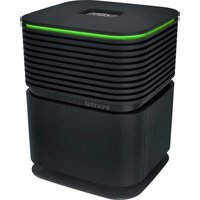
The Venta Airwasher Hybrid is a domestic appliance for moistening and cleansing the air in homes, offices and leisure facilities. The appliance is not suitable for outdoor areas.
Any other use or modification of the appliance is considered to be improper use. The manufacturer is not liable for any damage or injuries resulting from improper use.
Using the appliance for something other than the intended purpose can endanger health and lives. This includes use under the following conditions:
- in rooms or locations where there is risk of explosion and/or where there is an aggressive atmosphere.
- in rooms where there is a high concentration of solvents.
- in the vicinity of swimming pools or other wet areas.
TECHNICAL DATA
| Model LPH60 WiFi | |
| For rooms* up to 95 m2 | |
| Mains voltage 220-240V 50/ | 60 Hz |
| Speeds 5 | |
| Sound level | 17/26/37/43/47 dB(A) |
| Dimensions 61 x 30 x 52 cm | |
| Weight approx. 13 kg | |
| Motor output | 7/8/14/20/30 W |
| Water capacity | Total 12LWater tank 8 L + water basin 4 L |
| WLAN frequency range | 2,4 GHz |
| WLAN transmission power maximum | 19 dBm |
| Purifying** | Premium VENTAcel H13:99,95% up to 0,07 μmVENTAcel Filter: 99,95% up to 0,1 μm |
* based on a ceiling height at a max of 2,5m
** Suitability of the room size of the cleaning performance depending on room air pollution according to the AQI.

OVERVIEW
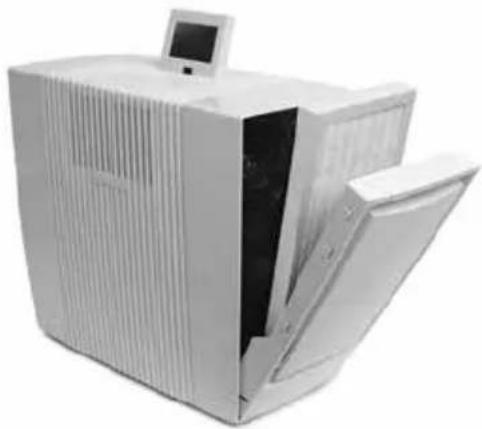
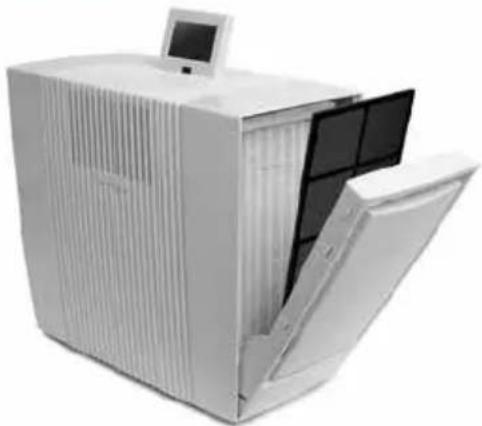
1 Display
2 On/off switch
3 Evaporator compartment
4 Water tank
5 Disc stack
6 Water basin
7 Filter compartment
8 Pre-filter
9 Filter
10 Cable compartment
11 Hygiene Disc (pre-assembled)
12 Remote control
13 Transportation wheels
01
Attention! Make sure that the appliance is switched off and the power plug is disconnected.
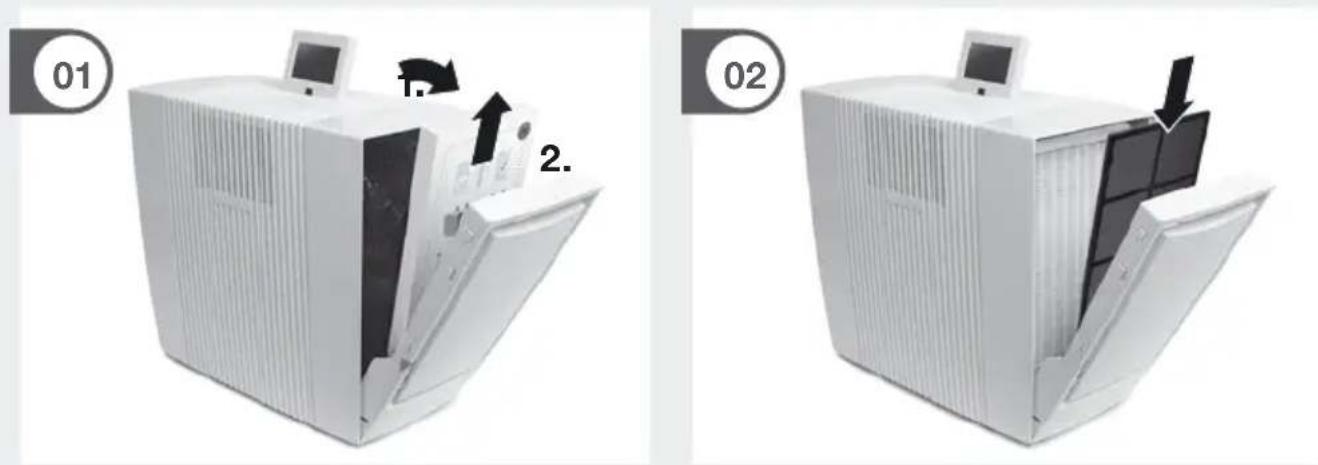
01 Unpack the appliance and set it up. Open the filter compartment 7, remove the pre-filter 8, remove and open the VENTAcel filter 9.
02 Re-insert the VENTAcel filter 9 and pre-filter 8.
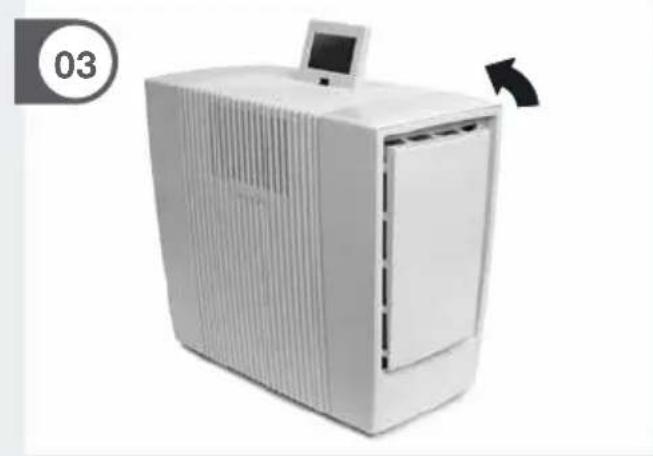
03 Close the Filter compartment 7.
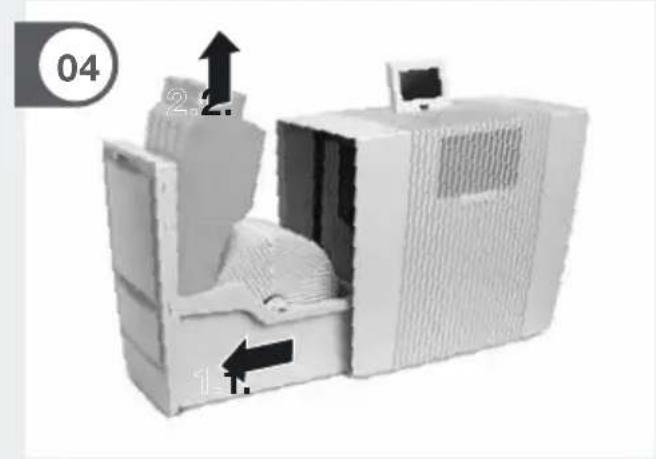
04 Open the evaporator compartment 3 and remove the water tank 4.
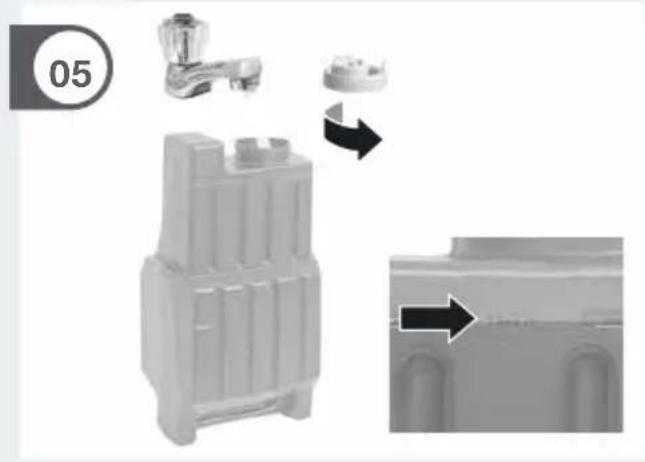
05 Open the water tank 4 and fill up to the MAX marker with cold water.
06 Close the water tank 4 securely.
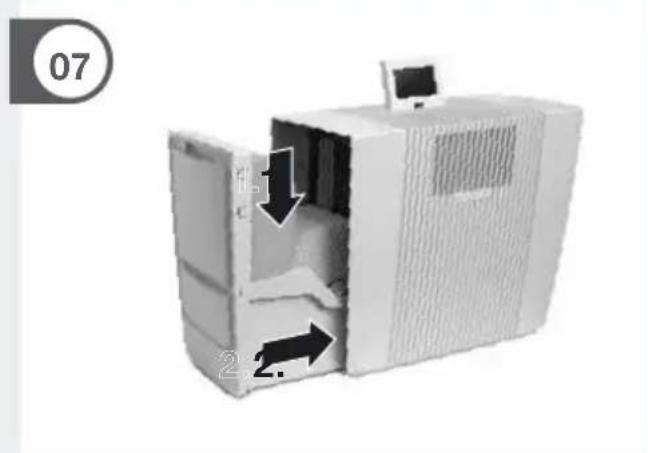
07 Insert the water tank 4 into the water basin 6 and close the evaporator compartment 3.
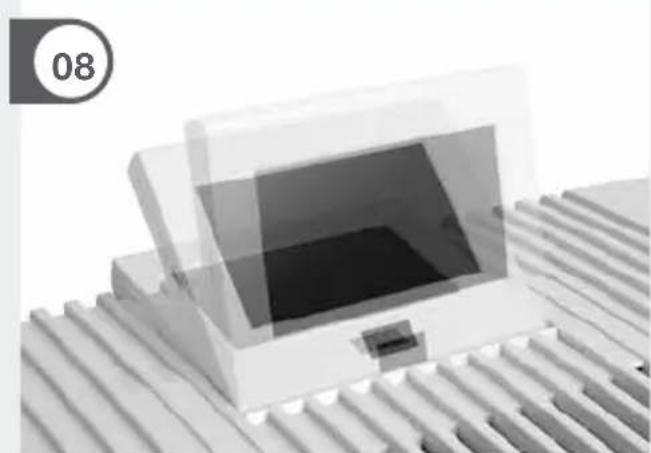
08 The display 1 can be adjusted to three positions.
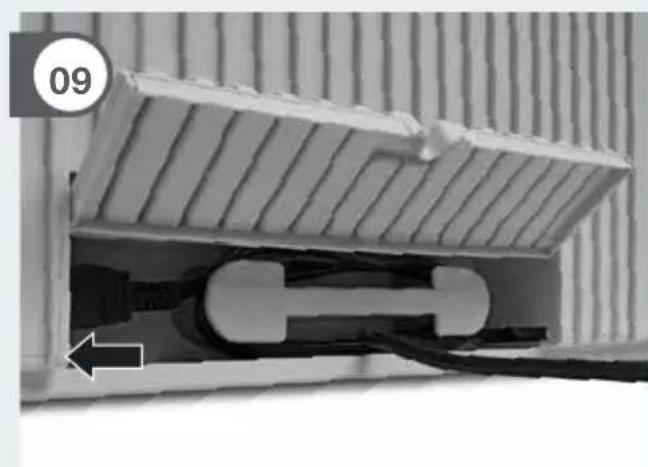
09 The power cable can be adjusted to the desired length by winding it up in the cable compartment 10.
Move the appliance with the transportation wheels 13 to the desired place. Lift the appliance slightly on the right sight.
Attention! The coupling of the mains cable must be plugged firmly into the device!
Please remove the protective foil for battery and remote control.
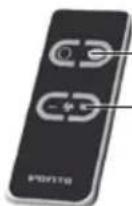
ON/OFF
Set fan stage
Connect the power plug and switch on the appliance at the on/off switch 2 or with the remote control 12.
ATTENTION! It may take about a minute for the device to start and for the “Fill Tank” indicator in red or yellow to be extinguished. A gurgling sound may be heard, but this does not represent a quality defect.
FUNCTIONS, SETTINGS & DISPLAYS
![graph TD A["1 TEMPERATURE"] --> B["22 °C"] B --> C["FILL TANK CHANGE HYGIENE DISC CHANGE AIR FILTER CLEANING CLOSE DOOR"] C --> D["PM2.5 112 µg/m³ AIR QUALITY"] D --> E["2 SPEED 3"] D --> F["3 HUMIDITY OFF"] D --> G["4 TIMER OFF"] D --> H["10 11 9 12"] H --> I["OK"] I --> J["OFF AUTO"] I --> K["CLEA…](/content/2026/03/542666/images/af0ceb6a341f336acfb1ce3e173b2582847fa282e383d05ef05f125313f7e3e1.jpg)
The preferred setting can be selected or changed by briefly touching the respective function.
Function Setting
1 Temperature / Air humidity Display temperature or air humidity. Hold for 3 sec. to switch back and forth between °C and °F.
2 Speed Fan stage 1 (weak) - 5 (strong).
3 Humidity OFF No moistening. 30 - 70 % (in 5 % increments) If the specified humidity is reached, the disc stack will not turn.
| 4 Timer | OFF / 1 / 3 / 5 / 7 / 9 h (hours)The appliance shuts off automatically after the preset hours have expired. | |||
| 5 Air quality (EPA) | PM2.5μg/m3 AQI US0-12 0-50 Good GREEN13-35 51-100 Moderate YELLOW36-55 101-150 Unhealthy for ORANGESensitive GroupsRED151-250 201-300 Very Unhealthy PURPLE251-500 301-500 Hazardous MAROON | |||
| 6 Auto | OFF Appliance operates with preset fan stage 1 – 5.ON The appliance automatically regulates the fan stages depending on the air quality and air humidity in the room. | |||
| 7 Sleep mode | OFF/ONAppliance reduces the fan stage to 1 and dims the display.The fan power can be manually changed if desired. The air quality is not monitored. | |||
| 8 Child lock OFF/ONHold for 3 sec. to activate/deactivate the key lock. | ||||
| 9 Cleaning | Cleaning programThe cleaning process requires (1) 250 ml bottle of Venta Cleaner. Please follow the instructions on the display.Duration approx. 4 h. | |||
| 10 Notes | Display and confirmation of information messages. | |||
| 11 WiFi | Display and setup of WiFi connection.grey: WiFi disabledgreen: WiFi connected, localblue: WiFi connected, full accessred: WiFi disconnected. Please check the WiFi configura-tion for network and login data. Follow the instructions on WiFi setup. | |||
12 Select your language
WIFI SETUP
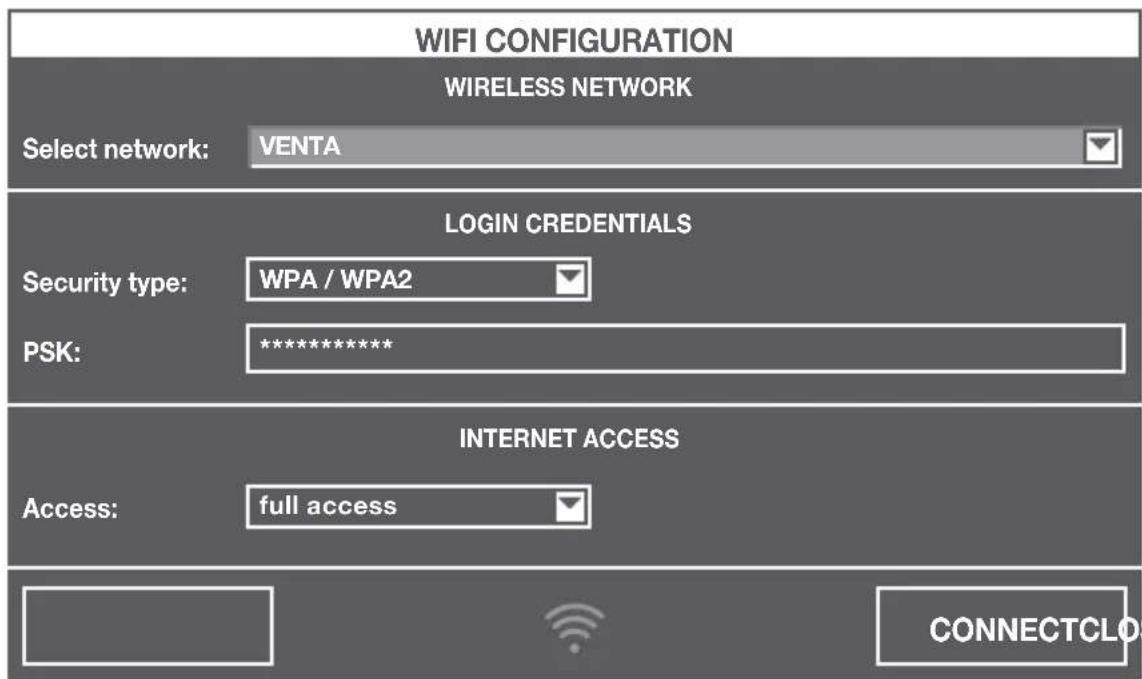
Holding WiFi display 11 for three seconds will bring up the WiFi configuration. Choose your network from the “Select network” drop-down list. The “Security type” is set automatically as soon as the network is selected. Enter your WiFi password/WiFi security code into the “PSK” field (ASCII input mode) and confirm it with the ENTER key. If your password contains special characters that are not represented on the keyboard, you can generate your entire password as a HEX code at the following website: www.venta-luftwaescher.de
Now enter your generated HEX code into the "PSK" field (HEX input mode) and confirm it with the ENTER key. Under "Access", select the internet access privileges you desire.
full access: Access to all convenience functions in the app.
local access: local access to app use.
To establish a WiFi connection, confirm with the CONNECT button.
Green WiFi display: WiFi connection established (local access)
Blue WiFi display: WiFi connection established (full access)
Red WiFi display: no WiFi connection. Double-check your network and WiFi password.
Grey WiFi display: WiFi disabled
Actuating the CLOSE button calls up the device's control panel.
WiFi can be enabled or disabled by touching the WiFi display 11 on the appliance. If WiFi is disabled, the appliance will not connect to the Venta app.
VENTA APP
The device functions can be expanded and controlled with the Venta app. The Venta app is available for smartphones and tablets. You can download the Venta app at the following website: www.venta-luftwaescher.de


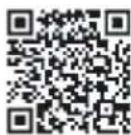
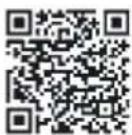
Then follow the instructions on your smartphone/tablet screen. When a connection is being established between the app and the device, a signal tone is emitted. Now confirm connection establishment to your smartphone/tablet on your device.
WIFI-AUTHORISATION
INCOMING WIFI REQUEST.
YES NO

CLEANING & MAINTENANCE
Note/Interval Actions
A Fill Tank
Water tank 4 empty, fill with fresh water. Yellow: humidification is still taking place. Red: no humidification is taking place.
Cleaning The cleaning process requires (1) 250 ml bottle of Venta Cleaner. Please run the cleaning program by pressing the button CLEANING 9. Please follow the instructions on the display. Duration approx. 4 h.

Attention! Make sure that the appliance is switched off and the power plug is disconnected.
B Change Filter
Open the filter compartment 7, remove the pre-filter 8. Remove the VENTAcel filter 9 and replace it. Re-assemble the device and touch the OK indicator in the display again and hold it for 3 seconds until it disappears.
The lifespan of the VENTAcel filter is approx. 1 year (with 24/7 operation) and depends on the number of operating hours and the air quality in the room (a reminder will appear on the interactive display).
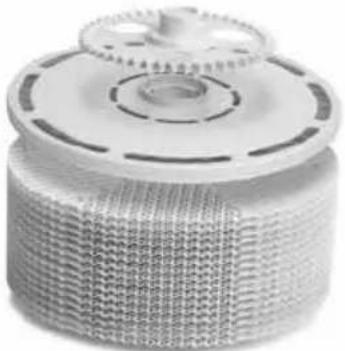
| C Change Hygiene Disc | Open the evaporator compartment 3. Remove the disc stack 5 and unlock the drive wheel. Remove the Hygiene Disc 11 and replace it. Re-assemble the device and touch the OK indicator in the display again and hold it for 3 seconds until it disappears. |
| The lifespan of the Hygiene Disc is approx. 3 months (with 24/7 operation). The lifespan can be affected by the hardness and quality of the water being used as well as the amount of time the unit is in operation (a reminder will appear on the interactive display). The Hygiene Disc can be disposed with household refuse. | |
| Recommendation: every 10–14 days | Empty the residual water out of the water tank 4 and water basin 6. Clean the water basin 6, disc stack 5 and the water tank 4 under fresh, flowing water. Fill the water tank 4 up to the MAX marker with fresh water. |
| Any residue in the water basin and on the disc stack (white, greenyellowish or brown deposits or discolorations) do NOT impair the function of the device. | |
| D Recommendation: every 1–2 months or as required | Open the filter compartment 7, remove the pre-filter 8 and vacuum or rinse it off. Please note: the pre-filter must be completely dry before it is installed. Re-assemble the appliance. |
TROUBLESHOOTING
Problem Solution
Appliance does not function. Connect the power plug.
Connect the power cable coupling to the appliance.
Please contact VENTA customer service if you are unable to eliminate a problem with the help of this information:
Tel. +49 751 5008 88
e-mail: service@venta-luftwaescher.de
Item Packaging unit/(pcs.)
Disc / Filter
| Hygiene Disc 1 / 3 | |
| Premium VENTAcel H13 filter | 1 / 2 |
| (99,95 % up to 0,07 μm particles) | |
| VENTAcel filter | 1 |
| (99,95 % up to 0,1 μm particles) | |
| VENTAcarb filter | 1 |
| (odours/gases up to 0,0002 μm) | |
| VENTAcel & VENTAcarb Filterset | 1 |
| (99,95 % up to 0,1 μm particles, odours/gases up to 0,0002 μm) | |
Cleaner
Venta Cleaner 1
Accessories can be purchased through participating retailers or directly from Venta Airwasher.
ABOUT YOUR PRIVACY
Your information will be held by Venta Luftwäscher GmbH for marketing and servicing purposes. If your personal details change, if you change your mind about any of your marketing preferences or if you have any queries about how we use your information, please let us know by contacting Venta Luftwäscher GmbH Weltestraße 5 88250 Weingarten Germany, or by calling the VentaCare Customer Service: +49 751 5008 88. Or you can email us at service@venta-luftwaescher.de
For more information on how we protect your privacy, please see our privacy policy on www.venta-luftwaescher.de
GUARANTEE
Due to the high quality of the product, the Venta-Luftwäscher GmbH guarantees that this product when used properly will not be defective for a duration of two years from the purchase date. If a material or processing error should occur anyway, please contact the VENTA service team or your dealer. Venta's general warranty conditions also apply: www.venta-luftwaescher.de/service/garantie/
DISPOSAL
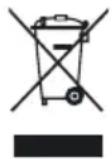
The symbol “crossed-out trash can” requires separate disposal of waste electrical and electronic equipment (WEEE) and of empty batteries. Such equipment may contain dangerous and environmentally hazardous substances. These products should be disposed of at an appropriate collecting point for recycling electrical and electronic equipment and may not be disposed of with unsorted household waste. Do not dispose of empty batteries in household waste. Take them to special local collection sites. This way you can help to protect resources and the environment. For more information, please contact your local authorities.
Children must not be allowed to play with plastic bags and packaging material as there is danger of injury or suffocation. Store such material safely or dispose of it in an environmentally friendly manner.
MERCI !

| Remarque / Intervalle Mesures |
A Fill Tank
INCOMING WIFI REQUEST.
YES NO
A - D REINIGING & ONDERHOUD
INCOMING WIFI REQUEST.
YES NO

PULIZIA E CURA
Simplified EU Declaration of Conformity
Herewith, Venta-Luftwäscher GmbH declares that the radio equipment LPH60 WiFi complies with Directive 2014/53/EU. The full text of the EU Declaration of Conformity is available at the Internet address: www.venta-luftwaescher.de/service/konformitaetserklaerung/
GERMANY
HUNGARY Distributed by
Hungimpex Kft.
Kunigunda útja 60.
H-1037 Budapest
Tel.: +36 1 453 71 00
Fax: +36 1 453 71 01
BENELUX
Venta Benelux B.V.
No. 27, Jalan PP 11/4,
Alam Perdana Industrial Park,
Taman Putra Perdana,
47130 Puchong, Selangor, Malaysia
Tel.: +603-8322 6628
Fax: +603-8322 6066
E-Mail: info@gasales.com.my
MONGOLIA
AERIS LLC
SUITE 316, Barilga Architecture Building, Chinggis Avenue, Oron Suuts
Street, 2nd horoo, Khan-Uul district
Ulaanbaatar, Mongolia 17032
Phone: +976-99101185,
+976-99096696
sales@aeris.mn, www.aeris.mn
POLAND
Venta-Polen s.c.
ul. Poznańska 37
PL-93-134 Łódź
Tel./Fax: +48 42 681 00 67
www.venta-airwasher.pl
USA
Venta Air Technologies Inc.
US Headquarters
1005 N Commons Dr
Aurora, IL 60504
Toll Free: 1-888-333-8218
www.venta-usa.com
info@venta-usa.com
ROMANIA
S.C. Life Art Distributie S.R.L.
Bucuresti, Sector 6, Bdul. Timisoara
5 Star Business Park, Unit 2,
Persimmon Close, Honeydew,
Tel: +27 (0) 11 888 3255
Fax: +27 (0) 11 888 9874
info@eurocarewellness.co.za
www.venta-airwasher.co.za
SOUTH KOREA
Venta Korea Co., Ltd.
3/F., Seojin Bldg., 754
Seolleung-ro, Gangnam-Gu,
Seoul 135-948, Korea
Tel.: +82-2-2034-0114
Fax: +82-2-2034-0119
www.venta.co.kr
UKRAINE
Venta-Centre Ukrein
Schlichtera, 11
UA-Kharkov
Tel.: +38 057 752 72 72
Fax: +38 057 768 01 57
www.venta.com.ua


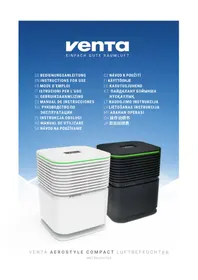
- LPH60 WIFI
- VIELEN DANK
- SCOPE OF DELIVERY
- SYMBOLS
- SAFETY INSTRUCTIONS
- INTENDED USE
- OVERVIEW
- CONNECT THE POWER PLUG AND SWITCH ON THE APPLIANCE AT THE ON/OFF SWITCH 2 OR WITH THE REMOTE CONTROL 12
- FUNCTION SETTING
- WIFI SETUP
- VENTA APP
- WIFI-AUTHORISATION
- CLEANING & MAINTENANCE
- NOTE/INTERVAL ACTIONS
- TROUBLESHOOTING
- PROBLEM SOLUTION
- ITEM PACKAGING UNIT/(PCS.)
- CLEANER
- ABOUT YOUR PRIVACY
- GUARANTEE
- DISPOSAL
- MERCI
- A - D REINIGING & ONDERHOUD
- PULIZIA E CURA
- SIMPLIFIED EU DECLARATION OF CONFORMITY
- GERMANY
- HUNGARY DISTRIBUTED BY
- BENELUX
- MONGOLIA
- POLAND
- USA
- ROMANIA
- SOUTH KOREA
- UKRAINE
Brand : Venta
Model : LPH60 Wifi
Category : Air purifier