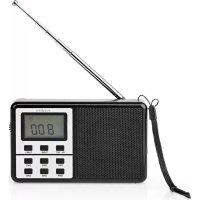
RDWR1100BK - Radio NEDIS - Free user manual and instructions
Find the device manual for free RDWR1100BK NEDIS in PDF.


User questions about RDWR1100BK NEDIS
0 question about this device. Answer the ones you know or ask your own.
Ask a new question about this device
Download the instructions for your Radio in PDF format for free! Find your manual RDWR1100BK - NEDIS and take your electronic device back in hand. On this page are published all the documents necessary for the use of your device. RDWR1100BK by NEDIS.
USER MANUAL RDWR1100BK NEDIS
World Receiver with alarm clock radio
RDWR1100BK
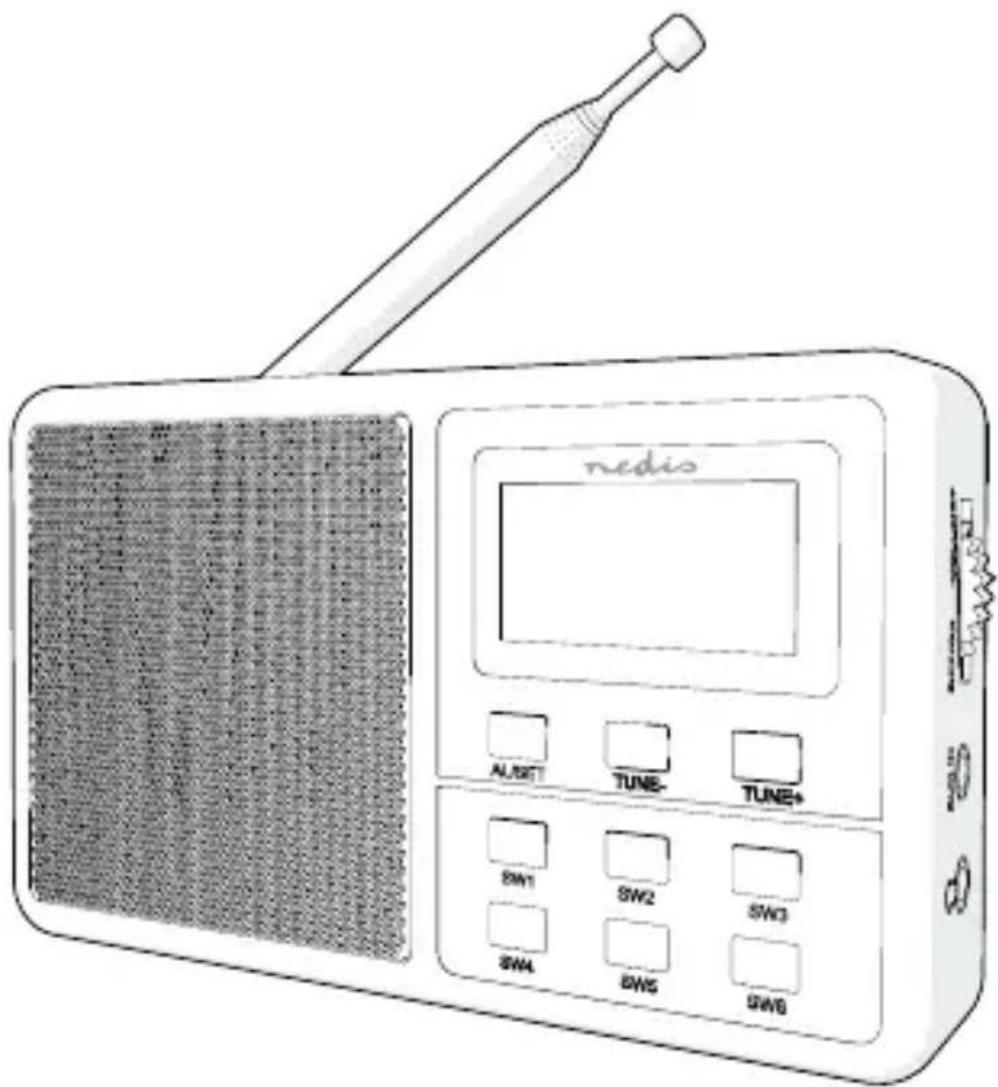
text_image
nedis ALUSET TUNE TUNE+ SW1 SW2 SW3 SW4 SW5 SW6EN Quick start guide 4
DE Kurzanleitung 7
text_image
Diagram of a device control panel with numbered labels for each component, including display, buttons, and function keys.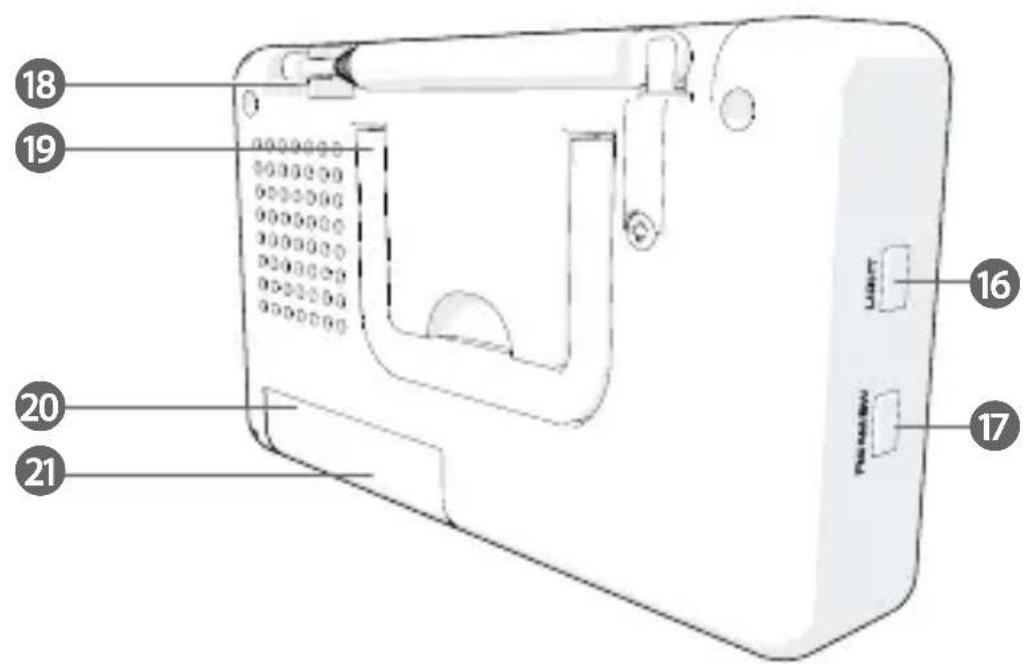
text_image
18 19 20 21 Panew 16 17World receiver RDWR1100BK

For more information see the extended manual online: ned.is/rdwr1100bk
Intended use
The product is exclusively intended to be used as a radio receiver and alarm clock. Any modification of the product may have consequences for safety, warranty and proper functioning.
Main parts (image A)
| 1 | World receiver | 9 | Tune + button | 17 | FM / AM / SW Mode |
| 2 | Speaker | 10 | SW1 button | button | |
| 3 | Display | 11 | SW2 button | 18 | Antenna |
| 4 | Off / On / Volume | 12 | SW3 button | 19 | Stand |
| 5 | AUX in | 13 | SW4 button | 20 | Battery compartment |
| 6 | 3.5 mm stereo jack | 14 | SW5 button | 21 | Battery compartment |
| 7 | Alarm / Set | 15 | SW6 button | lid | |
| 8 | Tune - button | 16 | Light button | ||
Safety instructions
WARNING
- Only use the product as described in this manual.
- Read the instructions before use.
- Do not let water enter the product.
- Do not use the product in wet or damp environments.
- Do not use the product in dusty environments.
- This product may only be serviced by a qualified technician for maintenance to reduce the risk of electric shock.
Set up
- Insert 2 AA batteries in the battery compartment A ⑳.
- Extend the antenna A ⑱ .
Setting time
- Switch off the radio by dialling On / Off / Volume A ④ to "Off".
- Press and hold Alarm / Set A ⑦. The time will blink on the display.
- Press Tune - A ⑧ to set the hour.
- Press Tune + A ⑨ to set the minutes.
- Press Alarm / Set A ⑦ to confirm.
The time will be displayed in 24 h format.
Listening to the radio
- Press FM / AM / SW Mode A ⑰ to switch between FM, AM and SW.
- In FM and AM mode, press Tune- A ⑧ and Tune+ A ⑨ to change the frequency.
- In SW mode, press SW1 A ⑩ to SW6 A ⑮ to change the frequency range.
The SW frequency ranges are:
| SW1 2.20 - 3.90 MHz | |
| SW2 3.90 - 7.00 MHz | |
| SW3 7.00 - 10.15 MHz | |
| SW4 10.15 - 13.35 MHz | |
| SW5 13.35 - 16.16 MHz | |
| SW6 16.16 - 23.00 MHz |
Using the alarm
- Switch off the radio by dialling On / Off / Volume A ④ to "Off".
- Press Alarm / Set A ⑦ shortly. The alarm time will blink.
- Press Tune-A ⑧ to set the hours.
- Press Tune+ A ⑨ to set the minutes.
- Press Alarm / Set A ⑦ to confirm the alarm time.
- Press Alarm / Set A ⑦ once to select 'wake up to buzzer' or press A ⑦ twice to select 'wake to radio'.
Switching off the alarm
- Press Alarm / Set A ⑦ to switch off the alarm. The alarm clock symbol on the display will disappear.
Using the light on the LCD display
- Press Light A ^16 to switch on the light on the LCD display.
2. Press Light A ⑯ again to switch it off.
Specifications
| Product FM radio | |
| Article number RDWR1100BK | |
| Dimensions (l x w x h) 125 x 28 x 72 mm | |
| Weight 126 g | |
| Power input 3 VDC (2 x AA) (not included) | |
| Power (RMS) 0.5 W | |
| Peak power 1.5 W | |
| FM frequency 87.5 - 108 MHz | |
| AM frequency 522 - 1620 KHz | |
| SW frequency 2.20 - 23.00 MHz | |
| Rotary volume control Yes | |
| LCD display Yes | |
| Alarm clock Yes | |
| Connections Aux input, headphones output | |
| Carrying handle Yes | |
Declaration of Conformity
We, Nedis B.V. declare as manufacturer that the product RDWR1100BK from our brand Nedis ^® , produced in China, has been tested according to all relevant CE standards and regulations and that all tests have been passed successfully. This includes, but is not limited to the RED 2014/53/EU regulation.
The complete Declaration of Conformity (and the safety datasheet if applicable) can be found and downloaded via webshop.nedis.com/RDWR1100BK#support
For additional information regarding the compliance, contact the customer service:
Web: www.nedis.com
E-mail: service@nedis.com
Phone: +31 (0)73-5991055 (during office hours)
Nedis B.V., de Tweeling 28
5215 MC 's-Hertogenbosch, the Netherlands
17 FM / AM / SW Mode -painike
18 Antenni
19 Tuki
20 Paristolokero
21 Paristolokeron kansi
Turvallisuusohjeet
VAROITUS
8 Tune--knapp
9 Tune+-knapp
10 SW1-knapp
11 SW2-knapp
12 SW3-knapp
13 SW4-knapp
14 SW5-knapp
15 SW6-knapp
16 Light-knapp
17 FM / AM / SW Mo-
de-knapp
5215 MC 's-Hertogenbosch, the Netherlands
5215 MC 's-Hertogenbosch, the Netherlands
De Tweeling 28, 5215 MC 's-Hertogenbosch – The Netherlands 09/19