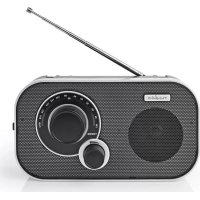
RDFM1320SI - Radio NEDIS - Free user manual and instructions
Find the device manual for free RDFM1320SI NEDIS in PDF.



| Product type | Portable AM/FM radio |
| Brand | Nedis |
| Model | RDFM1320SI |
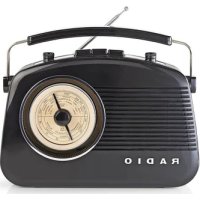
| Dimensions (L x W x H) | 230 x 72 x 160 mm |
| Radio bands | FM (88.0 - 108.0 MHz) and AM |
| Tuning | Analog (dial) |
| Output power | 0.5 W (peak 1.5 W) |
| Speaker | Built-in |
| Headphone output | 3.5 mm jack |
| Mains power | 220 - 240 VAC, 50 Hz |
| Battery power | 4 x 1.5 V AA (not included) |
| Antenna | Telescopic |
| Carrying handle | Built-in |
| Frequency indicator | Analog (graduated scale) |
| Maintenance | Clean with a soft dry cloth |
| Safety | Do not expose to water; observe battery polarity; do not listen at high volume |
| Repairability | Repair by qualified technician only |
| Package contents | Radio, power cable, quick start guide |
| Country of manufacture | China |
| Warranty | Consult the detailed manual |
Frequently Asked Questions - RDFM1320SI NEDIS
User questions about RDFM1320SI NEDIS
0 question about this device. Answer the ones you know or ask your own.
Ask a new question about this device
Download the instructions for your Radio in PDF format for free! Find your manual RDFM1320SI - NEDIS and take your electronic device back in hand. On this page are published all the documents necessary for the use of your device. RDFM1320SI by NEDIS.
USER MANUAL RDFM1320SI NEDIS
with analogue tuning
RDFM1320SI

ned.is/rdfm1320si

| EN Quick start guide 4 |
| DE Kurzanleitung 7 |
| FR Guide de démarriage rapide 11 |
| NL Snelstartgids 15 |
| IT Guida rapida all'avvio 19 |
| ES Guía de inicio=rápido 22 |
| PT Guía de iniciação=rápida 26 |
| SV Snabbstartsguide 30 |
| FI Pika-aloitusopas 34 |
| NO Hurtigguide 37 |
| DA Vejledning til hurtig start 41 |
| HU Gyors beüzemelési utmutató 44 |
| PL Przewodnik Szybki start 48 |
| EL Oδnyóç yρήγορης εκκίνησης 52 |
| SK Rychly námod 56 |
| CS Rychlý námod 60 |
| RO Ghid rapid de inititiere 63 |


A

Quick start guide
FM Radio RDFM1320SI

For more information see the extended manual online:
ned.is/rdfm1320si
Intended use
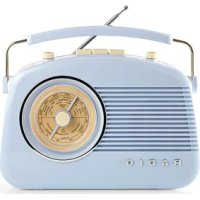
The RDFM1320SI is a portable AM/FM radio that can be used on-the-go with batteries or can be connected to a power outlet.
The product is not intended for professional use.
Any modification of the product may have consequences for safety, warranty and proper functioning.
Specifications
| Product FM Radio | |
| Article number RDFM1320SI | |
| Dimensions (I x w x h) 230 x 72 x 160 mm | |
| Radio bands FM | |
| FM frequency range 88.0 - 108.0 MHz | |
| FM tuning Analogue | |
| Power 0.5 W | |
| Peak power 1.5 W | |
| Connections 3.5 mm headphones output | |
| Power input 220 - 240 VAC; 50 Hz | |
| Battery type 4 x 1.5 V AA (not included) | |
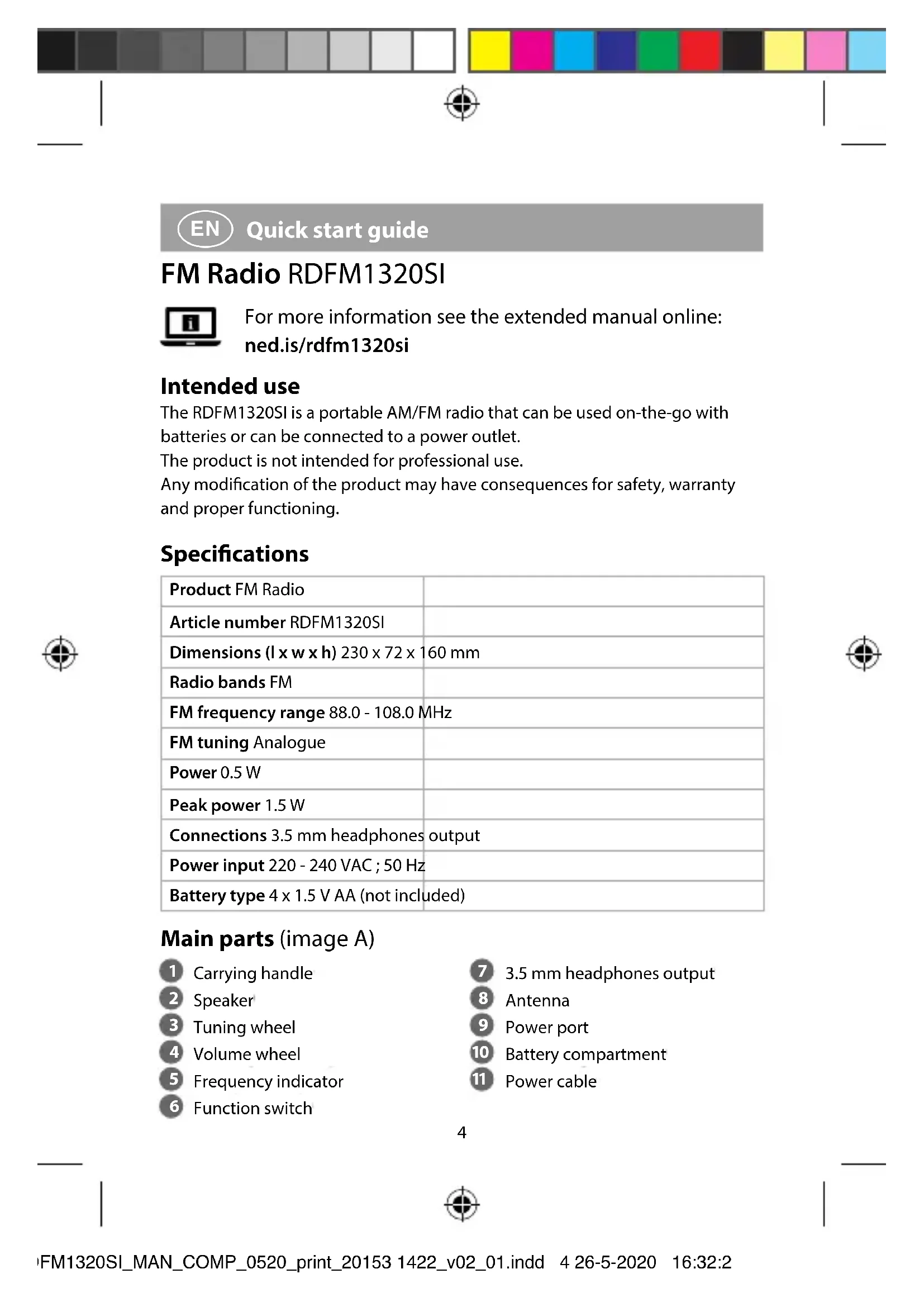
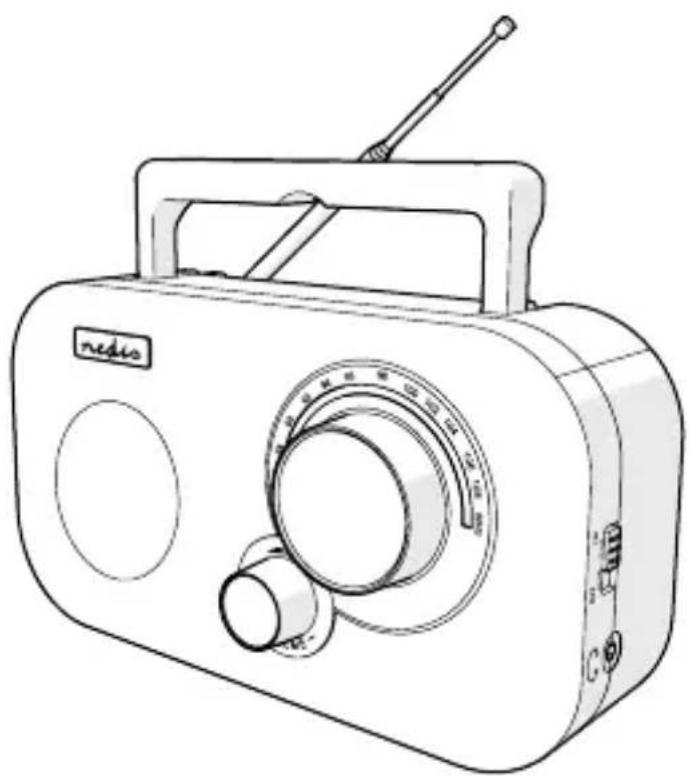
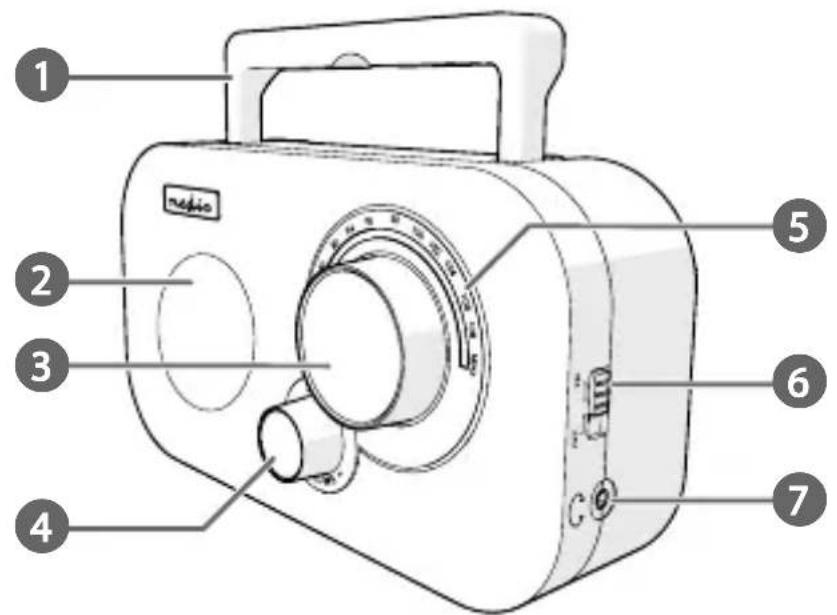
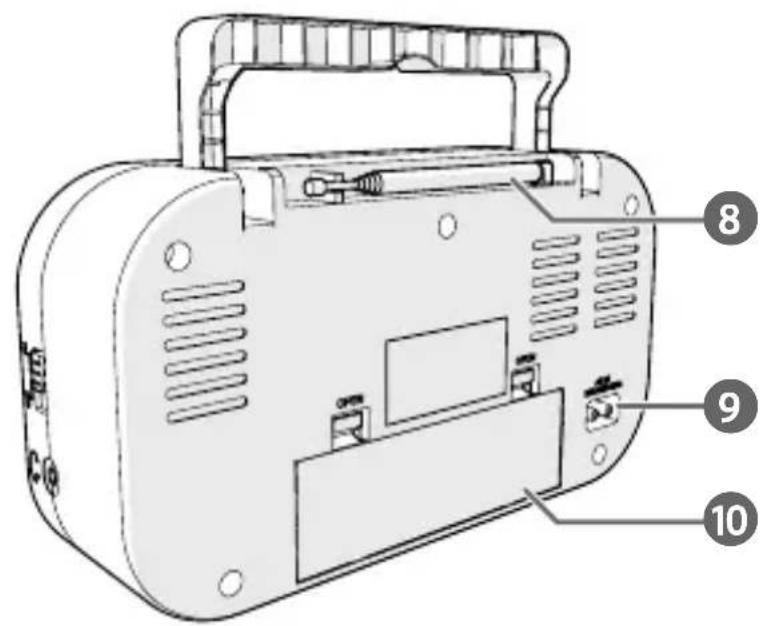
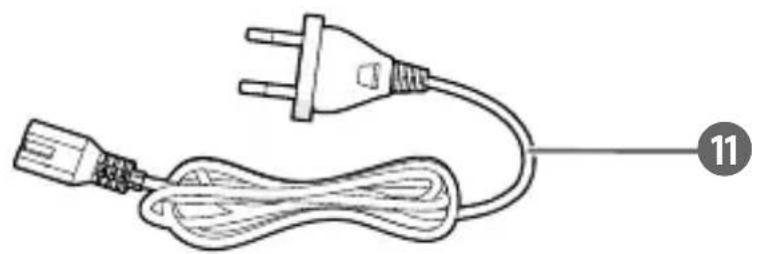
Main parts (image A)
1 Carrying handle
2 Speaker
3 Tuning wheel
4 Volume wheel
5 Frequency indicator
6 Function switch
3.5 mm headphones output
8 Antenna
9 Power port
10 Battery compartment
11 Power cable
Safety instructions
WARNING
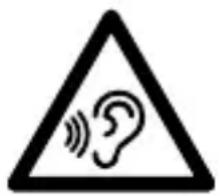
To prevent possible hearing damage, do not listen at high volume levels for long periods.
- Ensure you have fully read and understood the instructions in this document before you install or use the product. Keep this document for future reference.
- Only use the product as described in this manual.
- Do not use the product if a part is damaged or defective. Replace a damaged or defective product immediately.
- Do not drop the product and avoid bumping.
- This product may only be serviced by a qualified technician for maintenance to reduce the risk of electric shock.
- Disconnect the product from the power source and other equipment if problems occur.
- Do not expose the product to water or moisture.
- Do not recharge non-rechargeable batteries.
- Do not dismantle, open or shred secondary cells or batteries.
- Do not expose cells or batteries to heat or fire. Avoid storage in direct sunlight.
- Do not short-circuit a cell or a battery.
- Do not store cells or batteries haphazardly in a box or drawer where they may short-circuit each other or be short-circuited by other metal objects.
- Do not remove a cell or battery from its original packaging until required for use.
- Do not subject cells or batteries to mechanical shock.
- In the event of a cell leaking, do not allow the liquid to come in contact with the skin or eyes. If contact has been made, wash the affected area with copious amounts of water and seek medical advice.
- Observe the plus (+) and minus (-) marks on the cell, battery and equipment and ensure correct use.
- Do not use any cell or battery that is not designed for use with the product.


- Seek medical advice immediately if a cell or a battery has been swallowed.
- Keep cells and batteries clean and dry.
- Wipe the cell or battery terminals with a clean dry cloth if they become dirty.
- Use only the cell or battery in the application for which it was intended.
- Battery usage by children should be supervised.
- Do not mix cells of different manufacture, capacity, size or type within a product.
- Properly dispose of the empty battery.
- When possible, remove the battery from the product when not in use.
- Some wireless products may interfere with implantable medical devices and other medical equipment, such as pacemakers, cochlear implants and hearing aids. Consult the manufacturer of your medical equipment for more information.
- Do not use the product at locations where the use of wireless devices is prohibited due to potential interference with other electronic devices, which may cause safety hazards.
Inserting the batteries
- Open the battery compartment A 10
- Insert 4 type AA batteries.
Make sure to match the (+) and (-) polarity markings.
- Close A 10
Connecting the product to a power outlet
- Plug the power cable A into the power port A9.
- Plug the other end of A into a power outlet.
Switching on the product
- Set the function switch A 6 to AM or FM.
Controlling the volume
- Rotate the volume wheel A 4 to adjust the volume to the desired sound level.
Tuning in to a radio station
- Rotate the tuning wheel A 3 to select an available radio station.
The frequency indicator A 5 shows the current frequency value.
Declaration of Conformity
We, Nedis B.V. declare as manufacturer that the product RDFM1320SI from our brand Nedis*, produced in China, has been tested according to all relevant CE standards and regulations and that all tests have been passed successfully. This includes, but is not limited to the RED 2014/53/EU regulation.
The complete Declaration of Conformity (and the safety datasheet if applicable) can be found and downloaded via:
nedis.com/rdfm1320si#support
For additional information regarding the compliance, contact the customer service:
Web: www.nedis.com
E-mail: service@nedis.com
Nedis B.V., de Tweeling 28
5215 MC's-Hertogenbosch, the Netherlands

DE Kurzanleitung
UKW-RadioRDFM1320SI

Anleitung online:ned.is/rdfm1320si
- Quick start guide
- FM Radio RDFM1320SI
- Intended use
- Specifications
- Main parts (image A)
- Safety instructions
- Inserting the batteries
- Connecting the product to a power outlet
- Switching on the product
- Controlling the volume
- Tuning in to a radio station
- Declaration of Conformity
- DE Kurzanleitung
- UKW-RadioRDFM1320SI
Brand : NEDIS
Model : RDFM1320SI
Category : Radio