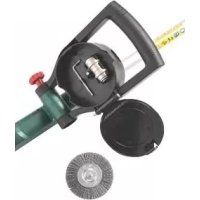
PUB 500 B1 - Electric brush PARKSIDE - Free user manual and instructions
Find the device manual for free PUB 500 B1 PARKSIDE in PDF.


| Product type | Electric joint brush |
| Brand | Parkside |
| Model | PUB 500 B1 |
| Supply voltage | 230-240 V ~, 50 Hz |
| Power | 500 W |
| Protection class | II (double insulation) |
| Protection rating | IPX0 |
| Rotation speed | 600 - 1200 min⁻¹ (variable, 6 levels) |
| Sound pressure level (LpA) | 81.5 dB(A) (uncertainty K=3 dB) |
| Sound power level (LWA) | 93.9 dB(A) (guaranteed 96 dB(A)) |
| Vibrations (additional handle) | 3.542 m/s² (K=1.5 m/s²) |
| Vibrations (main handle) | 2.421 m/s² (K=1.5 m/s²) |
| Weight (without accessories) | 3.6 kg |
| Weight (accessories) | 0.4 kg |
| Telescopic handle length | Continuously adjustable |
| Package contents | Unit, additional handle, 3 brushes (wide plastic, fine metal, narrow nylon), receiving device, Allen key, instruction manual |
| Main functions | Joint cleaning, weed and moss removal |
| Motor speed | Variable (6 positions) |
| Brush type | 3 interchangeable types (wide plastic, fine metal, narrow nylon) |
| Housing material | Plastic and metal |
| Warranty | 3 years |
| Safety | Safety stop, start lock, splash protection |
| Maintenance | Clean with a soft brush, do not immerse |
Frequently Asked Questions - PUB 500 B1 PARKSIDE
User questions about PUB 500 B1 PARKSIDE
0 question about this device. Answer the ones you know or ask your own.
Ask a new question about this device
Download the instructions for your Electric brush in PDF format for free! Find your manual PUB 500 B1 - PARKSIDE and take your electronic device back in hand. On this page are published all the documents necessary for the use of your device. PUB 500 B1 by PARKSIDE.
USER MANUAL PUB 500 B1 PARKSIDE
natural_image
Black industrial cleaning brush tool with lever and handle (no visible text or symbols)

Universalbürste / Electric Multi-Purpose Brush / Brosse universelle PUB 500 B1
DE AT CH
Universalbürste
Electric Multi-Purpose Brush
Translation of the original instructions
NL BE
Universele borstel
Before reading, unfold the page containing the illustrations and familiarise yourself with all functions of the device.
FR BE
Service-Center....17
Importeur 17
General description......18
Extent of the delivery 19
Functional description....19
Survey....19
Technical data....19
Safety instructions......20
Symbols and icons 20
General safety instructions .....21
Residual risks....24
Assembly instructions......24
Assembling the motor head......24
Inserting/replacing the brush......24
Mounting the guiding roller .....25
Mounting the additional handle......25
Operation 25
Switching ON and OFF 25
Device adjustments....25
Practical tips....26
Selecting the proper brush....26
Cleaning and maintenance......26
Cleaning....27
Maintenance 27
Storage....27
Disposal and protection of the environment....27
Replacement parts/Accessories ..28
Guarantee 29
Repair Service....30
Service-Center....30
Importer 30
Translation of the original EC declaration of conformity....99
Introduction
Congratulations on the purchase of your new device. With it, you have chosen a high quality product. During production, this equipment has been checked for quality and subjected to a final inspection. The functionality of your equipment is therefore guaranteed.

The operating instructions constitute part of this product. They contain important information on safety, use and disposal.
Before using the product, familiarise yourself with all of the operating and safety instructions. Use the product only as described and for the applications specified.
Keep this manual safely and in the event that the product is passed on, hand over all documents to the third party.
Use
This device is suitable for removing weed and moss from joints between paving tiles, interlocking pavement or gutters in residential applications.
Any other use not expressly approved in the present instruction manual can damage the device and thus present a substantial risk for the user. The operator or user is liable for any accidents or personal and/or material damage incurred by third parties. The manufacturer is not liable for damages caused by an improper use or incorrect operation of this device.
General description
An illustration of the most important functional components can be found on the front and the back fold-out pages.
Extent of the delivery
Carefully unpack the trimmer and check that it is complete. Dispose of the packaging material correctly.
- Device
- Additional handle with spare brush storage
- 1 x large plastic brush
- 1 x metal brush
- 1 x nylon brush
- Brush support
- Hexagon socket wrench
- Instruction Manual
Functional description
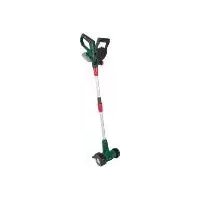
The hand-operated joint brush is equipped with an electric motor.
Depending on the application requirements, there are three different brushes which can be used for cleaning joints and surfaces.
The telescopic arm enables comfortable operation in an upright posture.
Please refer to the descriptions below for information about the operating devices.
Survey

1 Handle
2 On/off switch
3 Mains cable
4 Switch lock
5 Strain relief
6 Handle screw, additional handle
7 Screw socket for length adjustment, handle
8 Telescopic arm
9 Splash guard
10 Large plastic brush
11 Guiding roller
12 Motor head
13 Screw sleeve, motor head
14 Additional handle
15 Speed regulator
16 Brush support
(metal brush/nylon brush)
17 Hexagon socket wrench
18 Narrow metal brush
19 Narrow nylon brush

20 Working position
21 Transport position
22 Retaining tab, guiding roller
Technical data
Electric multi-purpose brush ....PUB 500 B1
Motor voltage.....230-240 V\~, 50 Hz Power P ..... 500 W
Protection class ......回 II
Protection category....IPX0 Idling speed n _max ....600-1200 min ^1
Weight (without. accessories) ..... 3.6 kg
Weight (accessories only)....0,4 kg Sound pressure level
(L_pA) 81.5dB(A); K_pA = 3 dB
Sound power level ( L_WA )
measured.....93.9 dB(A); K_WA = 2.04 dB guaranteed .....96 dB(A)
Vibration ( q_n )
additional
handle....3,542 m/s²; K=1,5 m/s²
handle.....2,421 m/s ^2 ; K= 1,5 m/s ^2
Noise and vibration values have been determined according to the standards and regulations mentioned in the declaration of conformity.
The stated vibration emission value was measured in accordance with a standard testing procedure and may be used to compare one power tool to another. The stated vibration emission value may also be used for a preliminary exposure assessment.
GB IE

Warning: The vibration emission value may differ during actual use of the power tool from the stated value depending on the manner in which the power tool is used. Safety precautions aimed at protecting the user should be based on estimated exposure under actual usage conditions (all parts of the operating cycle are to be considered, including, for example, times during which the power tool is turned off and times when the tool is turned on but is running idle).
Safety instructions

CAUTION! When using power tools, observe the following basic safety measures for the prevention of electric shocks and the risk of injury and fire.
Please read all these instructions before using this electric tool and please keep the safety instructions.
Symbols and icons
Symbols on the device
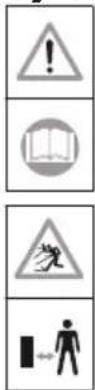
Caution!
Read the operating instructions.
Danger due to materials blown out of machine! Remove persons in the vicinity from the danger area.

Wear ear and eye protection!
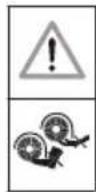
Warning!
Risk of injury from the rotating tool! Keep hands and feet away.

Do not expose the device to the damp.
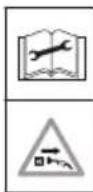
Attention! Pull out the mains plug before performing cleaning and maintenance tasks and if the connection cable is damaged.

Wear gloves!

Noise level specification L_WA in dB
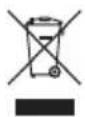
Electrical appliances must not be disposed of with the domestic waste.

Protectionclass II (Double insulation)

Direction of travel of brush
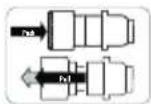
Operation, brush support
Symbols in the manual

Warning symbols with information on damage and injury prevention.

Hazard symbol with information on the prevention of personal injury caused by electric shock.

Instruction symbols with information on preventing damage.

Help symbols with information on improving tool handling.
General safety instructions
Operating the trimmer

CAUTION: How to avoid accidents and injuries:
Preparations:
- This appliance can be used by children aged from 8 years and above and persons with reduced physical, sensory or mental capabilities or lack of experience and knowledge if they have been given supervision or instruction concerning use of the appliance in a safe way and understand the hazards involved. Children shall not play with the appliance. Cleaning and user maintenance shall not be made by children without supervision.
- Never allow children and people who are not familiar with these Operating Instructions to use the trimmer. Local regulations may stipulate a minimum age for operators.
- Please make sure that no other persons or animals are present in your work area. Never let any person touch the device or cable. Pay special attention to children.
• Always wear suitable clothing and personal protective equipment when operating the device:
- Wear safety goggles. A failure to wear safety goggles can cause eye damages from ejecting objects.
- Always wear ear protectors when operating the device.
- Wear boots or shoes with anti-slip soles, long trousers and work gloves. Never use the device barefooted or wearing open sandals.
- Never use the equipment if it is damaged, incomplete or has been modified without the approval of the manufacturer. Never operate the equipment if the protective equipment is defective. Before starting up the equipment always check that the equipment is in a perfectly safe condition, especially the power cable, the switch and the protective cover.
- Never disconnect or remove any protective devices (splash guard). This ensures that the equipment remains safe.
Use:
- Always maintain a secure footing while working. Be especially careful when working on a sloping terrain. This enables you to control the equipment better in unexpected situations.
- Do not operate the equipment if you are tired or lack concentration and after having drunk alcohol or taken medication. Al-
GB IE
ways take a work break in due time. A moment of carelessness when using the equipment can result in serious injury.
- Do not use the equipment while it is raining, in poor weather conditions and when the surrounding area is wet. Only work when the light conditions are good. There is a risk of accidents.
- Keep the brush away from all body parts and in particular hands and feet when starting the motor or when the motor is running.
- Never start the equipment when it is turned over or not in the correct working position.
- Switch off the motor and disconnect the plug from the mains socket:
- Whenever you are not using the equipment
- If the equipment is left unattended
- When the equipment is being cleaned, maintained or is to be inspected
- When relocating the equipment
- If the power or extension cable is damaged
- When you remove or exchange the cutting device or manually adjust the length of the cutting line
- Never try to stop the brush with your hands. Always wait until the brush stops rotating.
- Do not use the device for removing weed or moss not growing on the ground, i.e. moss growing on walls or rocks etc.
- Always inspect the brush before starting the device. Never use damaged brushes. Replace any damaged or worn brush.
- The brush must not be mounted on devices with an engine speed exceeding the admissible maximum engine speed of the brush.
- Do not traverse gravel paths while the equipment is operating. Gravel can be thrown up and result in injury.
- Do not operate the equipment in the vicinity of infl ammable liquids or gases as this could give rise to the danger of a fire or explosion.
- Store the equipment in a dry place that is not accessible to children.

CAUTION! The following states how damage to the equipment and possible injury to people can be avoided:
Taking care of the equipment:
- Ensure that the ventilation openings are not clogged.
- Only use spare parts and accessories that have been supplied or recommended by the manufacturer.
- Never try to repair the equipment yourself. All work that has not been listed in these instructions must only be carried out by an authorised servicing agency.
- Treat the equipment with the greatest care. Always keep the equipment clean for better and safer work. Follow the maintenance instructions.
- Never overload the equipment. Always work within the stated capacity range. Do not use low-power machines for heavy-duty work. Do not operate the equipment for purposes for which it is not intended.
- Always inspect the equipment before it is to be used. Do not operate the equipment if safety devices, parts of the cutting device or bolts are missing, worn out or damaged.
Electrical safety:

CAUTION! The following states how to avoid accidents and injuries due to electric shock:
- Never cross the extension cable while the device is operating. Always keep the extension cable behind the device operator. Should the power cable become damaged during work, then instantly disconnect the power cable from the mains. DO NOT TOUCH THE POWER CABLE BEFORE IT HAS BEEN DISCONNECTED FROM THE MAINS! Risk of electric shock.
- Before each usage, check the mains power cable and the extension cable for damage and signs of aging. Do not use the device if the cable is damaged or worn. Damaged mains power cables increase the risk of electric shock.
- If the power cable for this equipment is damaged, it must be replaced by the manufac-
turer, a customer service agent of the same or a similarly qualified person in order to prevent hazards.
- Check that the mains voltage is the same as indicated on the rating plate.
- Connect the equipment to a power socked with a residual-current circuit breaker that has a rated current of not more than 30 mA.
- Protect the equipment from moisture. The equipment must not be moist nor operated in a moist environment. Water entry into the equipment increases the risk of electric shock.
- Avoid body contact with earthed parts (e.g. metal fences, metal posts). There is an increased risk of electric shock if your body is earthed.
- Only use extension cables with a maximum length of 75 m that have been approved for open-air use. The stranded cord diameter of the extension cable must be at least 2.5 mm ^2 . Always unreel a cable drum to its full length so that the entire cable can be inspected for damage.
- Use the envisaged cable suspensions when attaching an extension cable.
- Never carry the equipment by its power cable. Never pull the cable to disconnect the plug from the mains socket. Protect the cable from heat, oil and sharp edges. The mains power cable could be damaged.
Service
- Have your power tool serviced by a qualified repair person using only identical replacement parts. This will ensure that the safety of the power tool is maintained.
Residual risks
Even if properly operating and handling this electric tool, some residual risks will remain. Due to its construction and build, this electric tool may present the following hazards:
a) Eye damage if working without eye protection.
b) Ear damage if working without ear protection.
c) Damage to your health caused by swinging your hands and arms when operating the appliance for longer periods of time or if the unit is not held or maintained properly.

Warning! During operation, this electric tool generates an electromagnetic fi eld which, under certain circumstances, may impair the functionality of active or passive medical implants. To reduce the risk of serious or lethal injuries, we recommend that persons with medical implants consult their doctor and the manufacturer of their medical implant before operating the machine.
B Assembly instructions
The brush support (16), the hexagon socket wrench (17), the metal brush (19) and the nylon brush (18) are situated in the two compartments in the additional handle (14).
Assembling the motor head
-
Place the telescopic arm (A 8) onto the motor head (12).
-
Tighten the screw sleeve, motor head (A 13) by hand onto the threaded element of the motor head (12).
Inserting/replacing the brush
① Plastic brush (10):
Release/fasten the fixing screw on the inside of the plastic brush (10) on the motor head (12) using the hexagon socket wrench (17).
② Metal brush (18)/ nylon brush (19):
-
Push open the brush support (16) and attach it as it is to the motor head (12) (see A).
-
Insert the desired brush (18/19).
-
Release the brush support (15) and it will spring back into its initial position.
-
To remove the brush, push the brush support (16) open and remove the brush (18/19) (see B).
③ Mounting the guiding roller
- Insert the guiding roller (11) on to the motor head (12). It locks into place audibly.
- If using the plastic brush (10) the guiding roller (11) into the transport position (21).
- If using the metal/nylon brush (18/19), place the guiding roller (11) into the working position (20).
- Release the guiding roller (11) by pushing the retaining tab (22) and remove the guiding roller (11).
④ Mounting the additional handle
- Unscrew the additional handle (14) to take apart.
- Insert the additional handle (14) into the holder beneath the handle (1).
- Screw the additional handle (14) tightly using the grip screw (6). There are several possible latching positions.
Operation

Caution, risk of Injury! Always check whether the device functions correctly be- fore using it. Always wear eye protection when operating the device.

Always unplug the device before working on it. There is a risk of injury.

Observe the noise protection and other local regulations. .
Switching ON and OFF
- Loop the end of the extension cable and hang it onto the cable tension relief (5) to ease the tension on the cable. See detailed illustration A.
2pDrag the tool into the mains. - To turn on, use your thumb to actuate the switch lock (4), then press the On/Off switch (2). Release the switch lock.
- To turn off, release the On/Off switch (2). There is no continuous operation mode.

The brush will keep rotating for a few seconds after the device has been switched off. Keep the brush away from hands and feet.

Do not try to lock the on/off switch in place. Do not use the device if the switch is damaged. A damaged switch may cause an injury risk due to the motor not being switched off after releasing the on/off switch.
Device adjustments
Length adjustment:
The telescopic arm enables you to adjust the device to your individual height.
Unfasten the screw sleeve for length adjustment (7). Adjust the telescopic arm (8) to the desired length and re-fasten the screw sleeve for length adjustment (7).
Adjusting the splash guard:
You can adjust the splash guard (9) by sliding it backwards and forwards.
GB IE
Setting the rotation speed:
There are six possible rotation speed settings on the speed regulator (14).
Practical tips

Caution, risk of Injury!
Always inspect the brush before starting the device. Never use damaged brushes. Replace any damaged or worn brush.
- Use original brushes only.
- Never operate the device in rain or on wet ground. Operating the device in rain or on wet ground can cause an electric shock.
• Always move across the slope when working on hills. - Avoid any contact with fixed obstacles (rocks, walls, picket fences, etc.) in order to prevent damages to the device.
- Switch off the device during breaks or when transporting it and wait until the brush has completely stopped rotating.
Using the device:

When working with metal and nylon brushes, never move the brush across plastic or other delicate flooring material. The brushes could scratch or damage the surface. We do not assume any liability for damages in this case.
Test the brush beforehand on an inconspicuous area.
- Operate the device at walking speed.
- The arrow on the spray guard indicates the brush's rotational direction.
- Always test the device in an inconspicuous area before using it on sensitive floors.
Selecting the proper brush
For information on replacing the brush, please refer to the "Assembly instructions" section.
Steel brush (A 18):
Select this brush for removing persistent lichenics and moss on robust grounds.

Use the steel brush on robust surfaces only (road, pavement) as it may damage and/or scratch the ground.
Narrow nylon brush (A 19):
Select this brush for removing weed, lichen- ics and moss from small narrow joints.
Large plastic brush (A 10):
Select this brush for removing weed, lichen- ics and moss from wide joints and für clean- ing smaller areals.
Cleaning and maintenance

Always unplug the device before working on it.

Any work that is not described in these Instructions must be carried out by a servicing agency authorized by us. Danger of injury!
Cleaning

Do not jet water onto the trimmer and do not clean it under flowing water. This would result in the danger of an electric shock and the trimmer could be damaged.
Always keep the device clean. Do no use cleaning agents and solvents.
- Clean the device, brush and splash guard with a soft brush or cloth after every use.
- Keep the louvres clean.
Maintenance

- Only use spare parts and accessories that have been supplied or recommended by the manufacturer.
- Always inspect the equipment before it is to be used. Do not operate the equipment if safety devices, parts of the cutting device or bolts are missing, worn out or damaged.
• Always inspect the brush before starting the device. Never use damaged brushes. Replace any damaged or worn brush.
Storage
- Store the appliance in a dry place well out of reach of children.
- Do not expose the device for extended periods to direct sunlight. This could damage the device.
- Do not wrap plastic sacks around the appliance as this could result in the formation of moisture and mould.
Disposal and protection of the environment
Take the device, accessories and packaging for environmentally friendly recycling.

Electrical appliances must not be disposed of with the domestic waste
- Return the unit to a recycling centre. The plastics and metals in the unit can be sorted and appropriately recycled. Ask our Service Centre for details.
- Throw the cut grass on the compost. Do not throw it in the normal household waste.
Replacement parts/Accessories
Spare parts and accessories can be obtained at www.grizzly-service.eu
If you have issues ordering, please use the contact form. If you have any other questions, contact the "Service-Center" (see page 30).
Position Manual Description Order no.
| 16 Brush support 91105270 |
| 11 Guiding roller 91105271 |
| 10 Large plastic brush 91105272 |
| 14 Additional handle 91105273 |
| 18 Metal brush 91090300 |
| 19 Narrow nylon brush 91090302 |
Guarantee
Dear Customer,
This equipment is provided with a 3-year guarantee from the date of purchase.
In case of defects, you have statutory rights against the seller of the product. These statutory rights are not restricted by our guarantee presented below.
Terms of Guarantee
The term of the guarantee begins on the date of purchase. Please retain the original receipt. This document is required as proof of purchase.
If a material or manufacturing defect occurs within three years of the date of purchase of this product, we will repair or replace – at our choice – the product for you free of charge. This guarantee requires the defective equipment and proof of purchase to be presented within the three-year period with a brief written description of what constitutes the defect and when it occurred.
If the defect is covered by our guarantee, you will receive either the repaired product or a new product. No new guarantee period begins on repair or replacement of the product.
Guarantee Period and Statutory Claims for Defects
The guarantee period is not extended by the guarantee service. This also applies for replaced or repaired parts. Any damages and defects already present at the time of purchase must be reported immediately after unpacking. Repairs arising after expiry of the guarantee period are chargeable.
Guarantee Cover
The equipment has been carefully produced in accordance with strict quality guidelines and conscientiously checked prior to delivery.
The guarantee applies for all material and manufacturing defects. This guarantee does not extend to cover product parts that are subject to normal wear and may therefore be considered as wearing parts (e.g. brushes) or to cover damage to breakable parts (e.g. switches).
This guarantee shall be invalid if the product has been damaged, used incorrectly or not maintained. Precise adherence to all of the instructions specified in the operating manual is required for proper use of the product. Intended uses and actions against which the operating manual advises or warns must be categorically avoided.
The product is designed only for private and not commercial use. The guarantee will be invalidated in case of misuse or improper handling, use of force, or interventions not undertaken by our authorised service branch.
Processing in Case of Guarantee
To ensure quick handling of you issue, please follow the following directions:
- Please have the receipt and identification number (IAN 324369_1910) ready as proof of purchase for all enquiries.
- Please find the item number on the rating plate.
- Should functional errors or other defects occur, please initially contact the service department specified below by telephone or by e-mail. You will then receive further information on the processing of your complaint.
GB IE
- After consultation with our customer service, a product recorded as defective can be sent postage paid to the service address communicated to you, with the proof of purchase (receipt) and specification of what constitutes the defect and when it occurred. In order to avoid acceptance problems and additional costs, please be sure to use only the address communicated to you. Ensure that the consignment is not sent carriage forward or by bulky goods, express or other special freight. Please send the equipment inc. all accessories supplied at the time of purchase and ensure adequate, safe transport packaging.
Repair Service
For a charge, repairs not covered by the guarantee can be carried out by our service branch, which will be happy to issue a cost estimate for you.
We can handle only equipment that has been sent with adequate packaging and postage.
Attention: Please send your equipment to our service branch in clean condition and with an indication of the defect.
Equipment sent carriage forward or by bulky goods, express or other special freight will not be accepted.
We will dispose of your defective devices free of charge when you send them to us.
Service-Center
GB Service Great Britain
Tel.: 0800 404 7657
E-Mail: grizzly@lidl.co.uk
IAN 324369_1910
IF Service Ireland
Tel.: 1890 930 034
(0,08 EUR/Min., (peak))
(0,06 EUR/Min., (off peak))
E-Mail: grizzly@lidl.ie
IAN 324369_1910
Importer
Please note that the following address is not a service address. Please initially contact the service centre specified above.
Service Réparations ....46
Service-Center......46
Importateur ....46
Service-Center....59
Importeur ....59
Service-Center....73
Importer 73
Service-Center......85
Dovozce....85
Originalios EB atitikties
Service-Center....97
Dovozca....97
 |  |
| We hereby confi rm that the Electric multi-purpose brush model PUB 500 B1 Serial number 202002000001 - 202002001900 conforms with the following applicable relevant version of the EU guidelines: | |
| 2006/42/EC • 2014/30/EU • 2005/88/EC • 2011/65/EU* | |
| In order to guarantee consistency, the following harmonised standards as well as national standards and stipulations have been applied: | |
| EN 60335-1:2012/A13:2017 • EN ISO 12100:2010 • EN 62233:2008 EN 1083-2:1997 • EN 55014-1:2017 • EN 55014-2:2015 EN 61000-3-2:2014 • EN 61000-3-3:2013 • EN 62321-1:2013 | |
| This declaration of conformity is issued under the sole responsibility of the manufacturer: | |
 Grizzly Tools GmbH & Co. KG Stockstädter Straße 20 D-63762 Großostheim, GERMANY 10.02.2020 Grizzly Tools GmbH & Co. KG Stockstädter Straße 20 D-63762 Großostheim, GERMANY 10.02.2020 |  Christian Frank (Documentation Representative) Christian Frank (Documentation Representative) |
* The object of the declaration described above satisfies the provisions of Directive 2011/65/EU of the European Parliament and the Council of 8 June 2011 on limiting the use of certain harmful substances in electrical and electronic appliances.
natural_image
Close-up of a mechanical device with labeled parts (4 and 6), no readable text or symbols beyond labels3
GRIZZLY TOOLS GMBH & CO. KG

- Universalbürste / Electric Multi-Purpose Brush / Brosse universelle PUB 500 B1
- Universalbürste
- Electric Multi-Purpose Brush
- Universele borstel
- FR BE
- Introduction
- Use
- General description
- Extent of the delivery
- Functional description
- Survey
- Technical data
- GB IE
- Safety instructions
- Symbols and icons
- Symbols on the device
- Symbols in the manual
- General safety instructions
- Operating the trimmer
- Preparations:
- Use:
- Electrical safety:
- Service
- Residual risks
- B Assembly instructions
- Assembling the motor head
- Inserting/replacing the brush
- ③ Mounting the guiding roller
- ④ Mounting the additional handle
- Operation
- Switching ON and OFF
- Device adjustments
- Length adjustment:
- Adjusting the splash guard:
- Setting the rotation speed:
- Practical tips
- Caution, risk of Injury!
- Using the device:
- Selecting the proper brush
- Steel brush (A 18):
- Narrow nylon brush (A 19):
- Large plastic brush (A 10):
- Cleaning and maintenance
- Cleaning
- Maintenance
- Storage
- Disposal and protection of the environment
- Replacement parts/Accessories
- Spare parts and accessories can be obtained at www.grizzly-service.eu
- Guarantee
- Terms of Guarantee
- Guarantee Period and Statutory Claims for Defects
- Guarantee Cover
- Processing in Case of Guarantee
- Repair Service
- Service-Center
- GB Service Great Britain
- IF Service Ireland
- Importer
Brand : PARKSIDE
Model : PUB 500 B1
Category : Electric brush