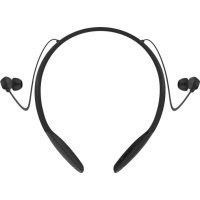
Verve Rider - Headphones UNIDEN - Free user manual and instructions
Find the device manual for free Verve Rider UNIDEN in PDF.



| Product Type | Wireless Bluetooth Headset |
| Brand | Uniden |
| Model | Verve Rider |
| Connectivity | Bluetooth |
| Battery Life (estimated) | Up to 8 hours |
| Charging | Via USB cable (power adapter not included) |
| LED Indicator | Blue (pairing, connected), Red (low, charging), Green (fully charged) |
| Controls | Touch buttons on earbuds: volume, track, call, voice command |
| Companion App | Hubble Connect for VerveLife (available on App Store and Google Play) |
| Multipoint Connection | Yes (up to 2 devices simultaneously) |
| Reset | Press and hold volume and play buttons simultaneously |
| Cleaning | Soft dry cloth |
| Recycling | Integrated battery, do not remove, recycle at end of life |
Frequently Asked Questions - Verve Rider UNIDEN
User questions about Verve Rider UNIDEN
0 question about this device. Answer the ones you know or ask your own.
Ask a new question about this device
Download the instructions for your Headphones in PDF format for free! Find your manual Verve Rider - UNIDEN and take your electronic device back in hand. On this page are published all the documents necessary for the use of your device. Verve Rider by UNIDEN.
USER MANUAL Verve Rider UNIDEN
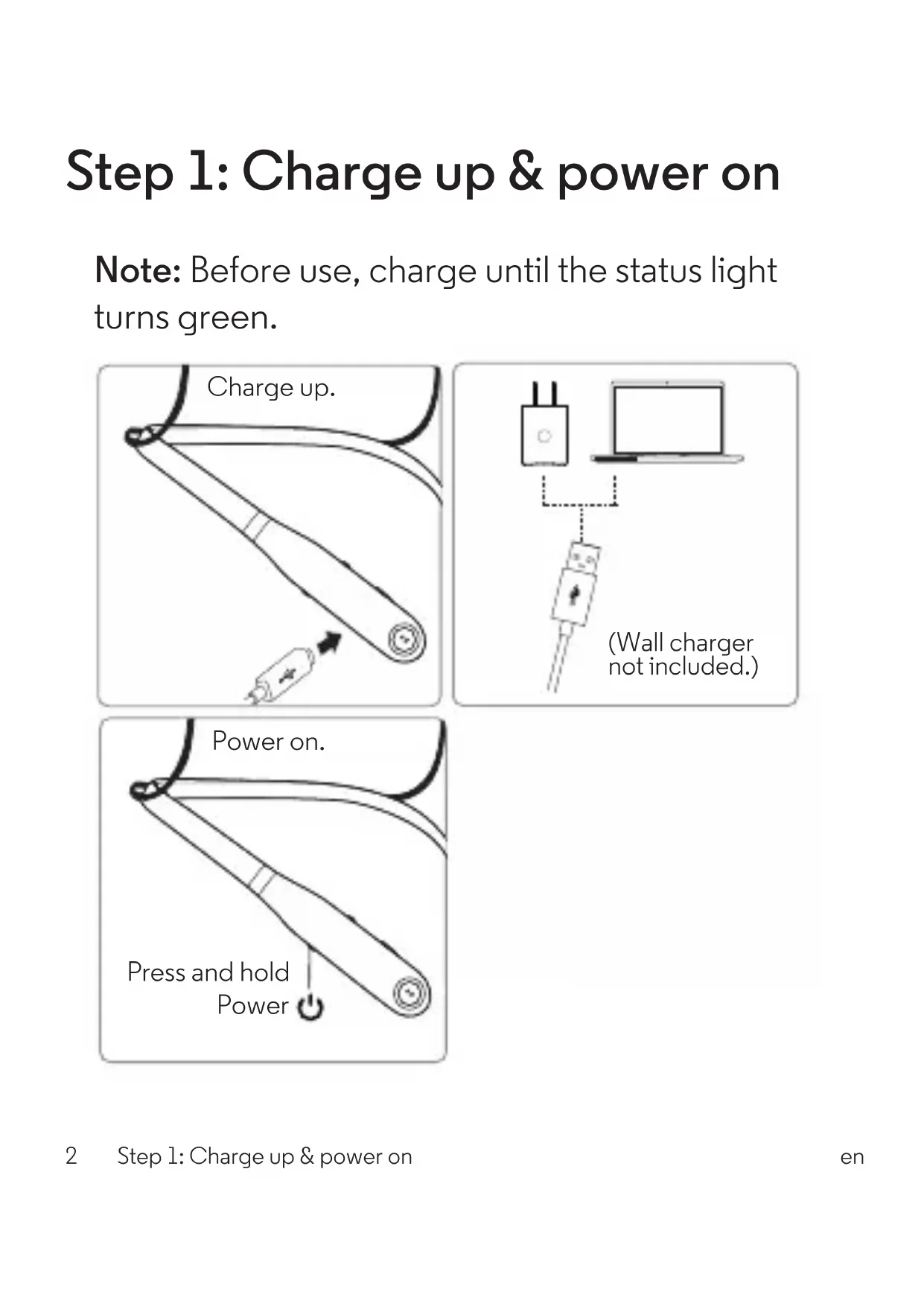
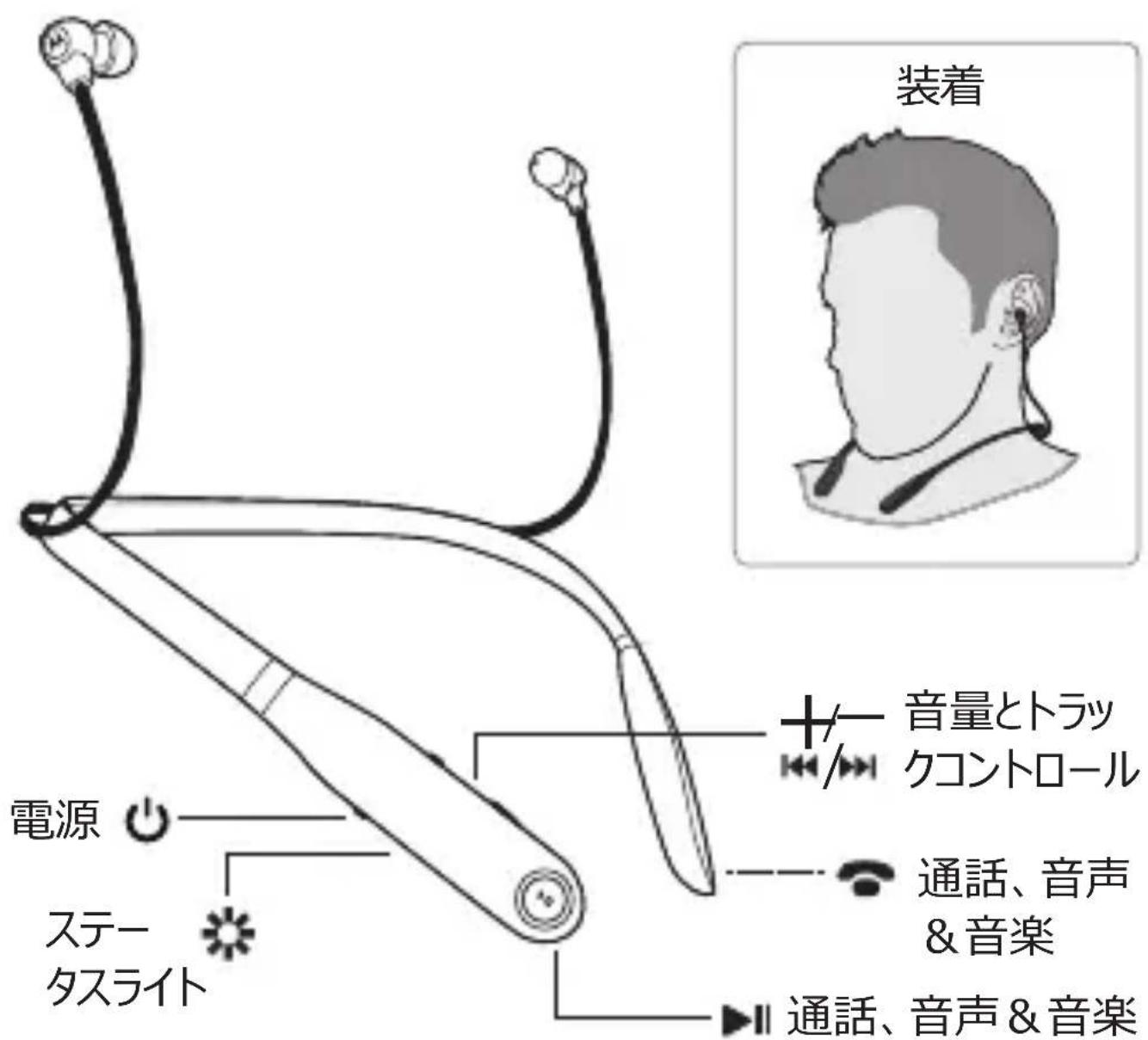
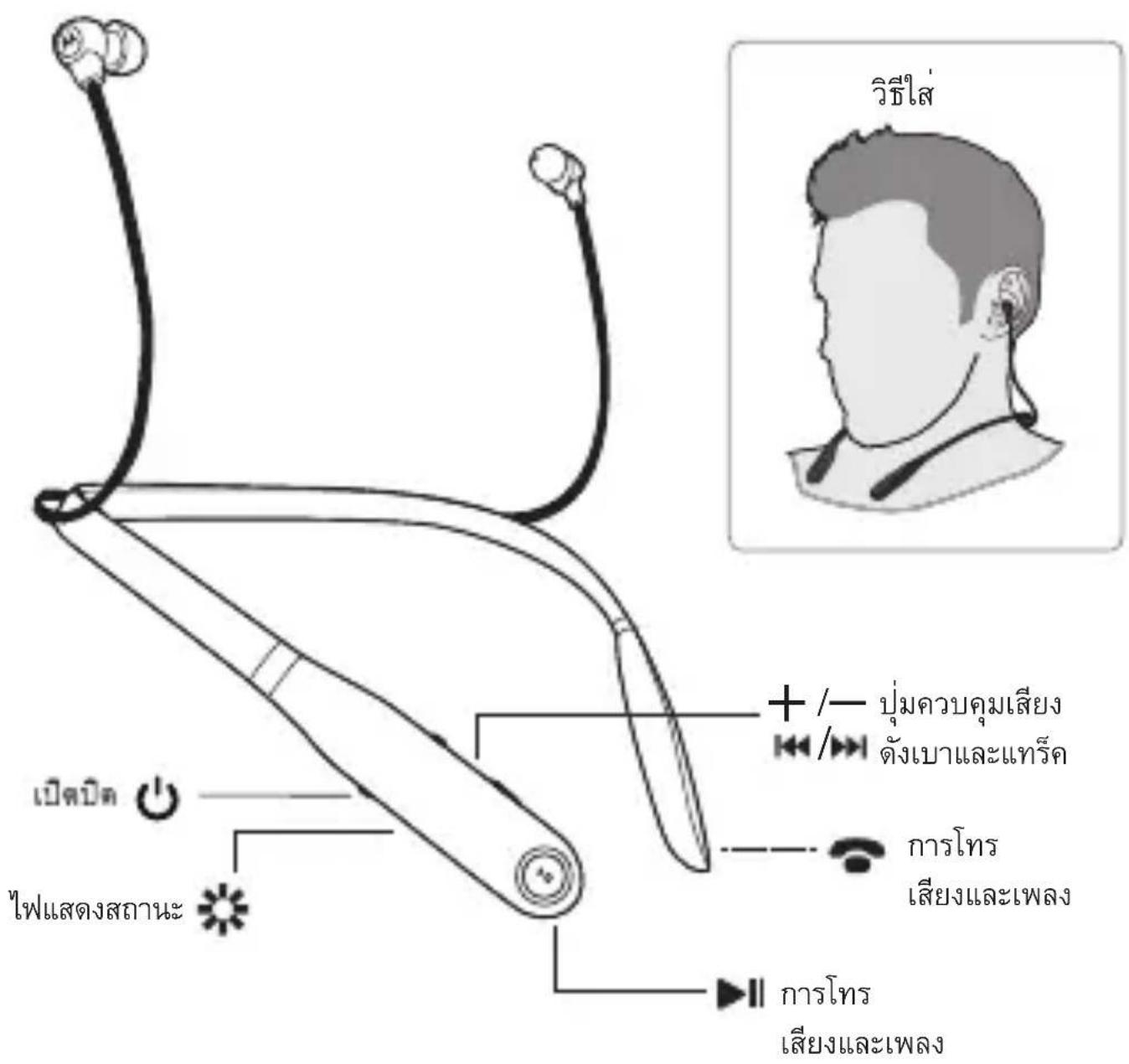
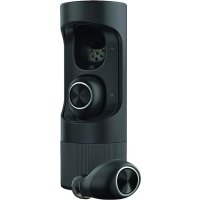
Your wireless earbuds
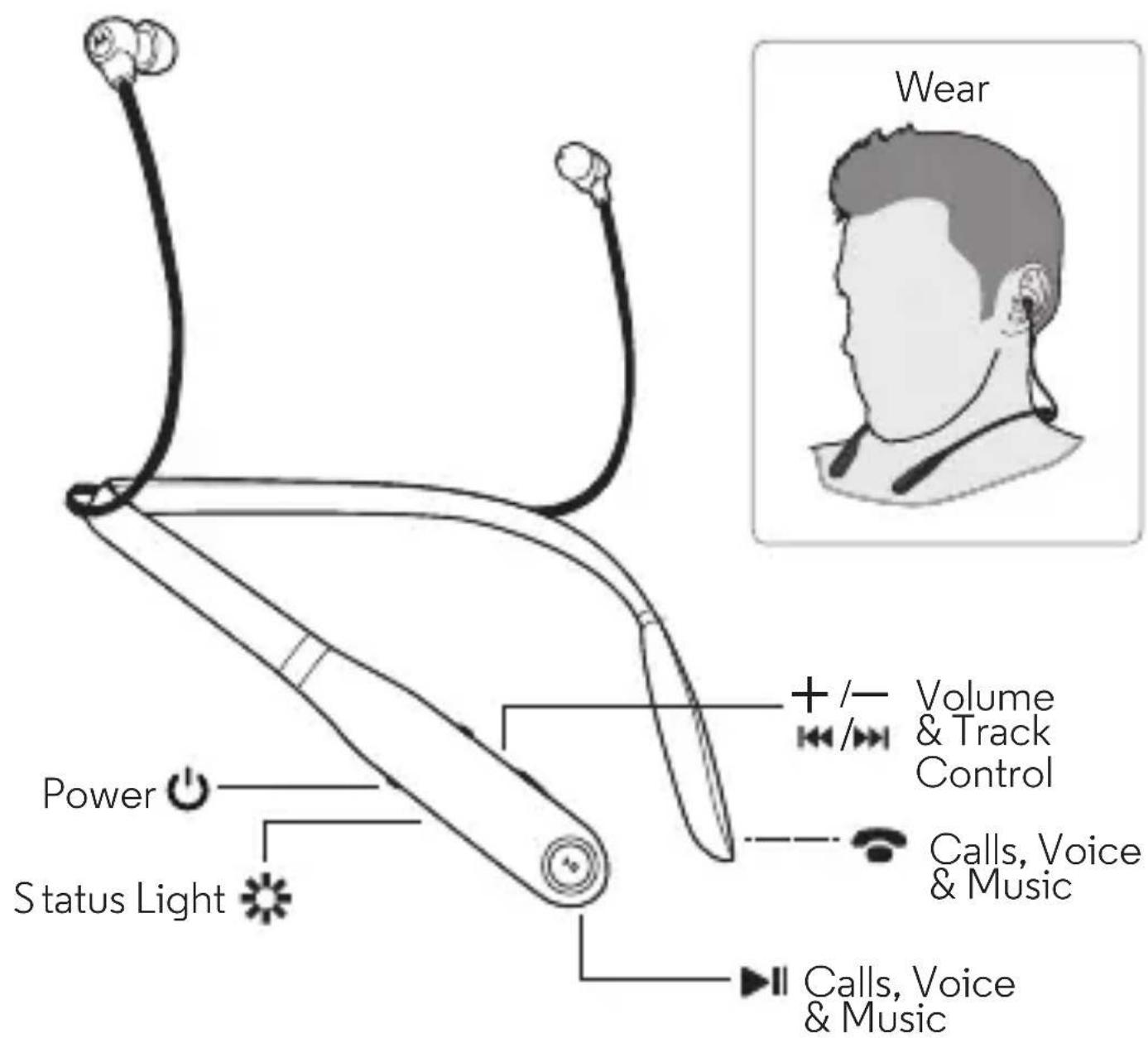
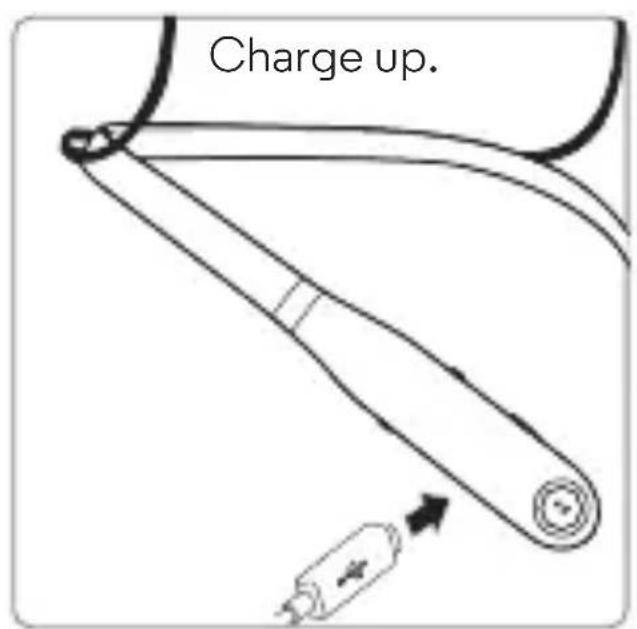
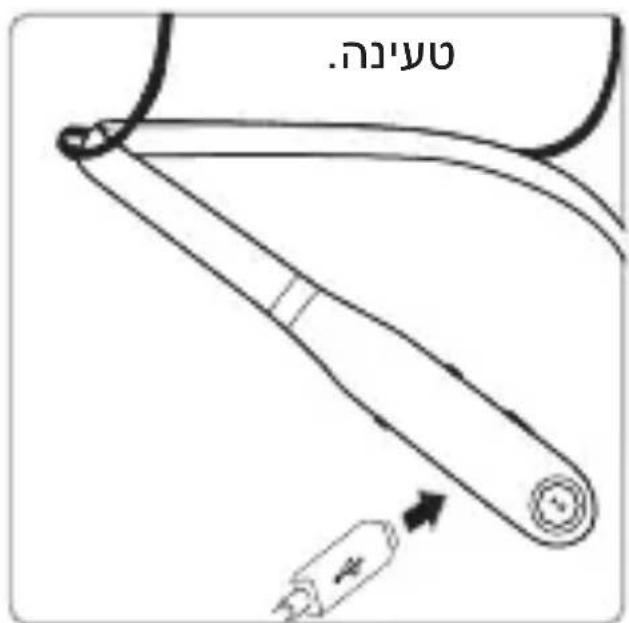
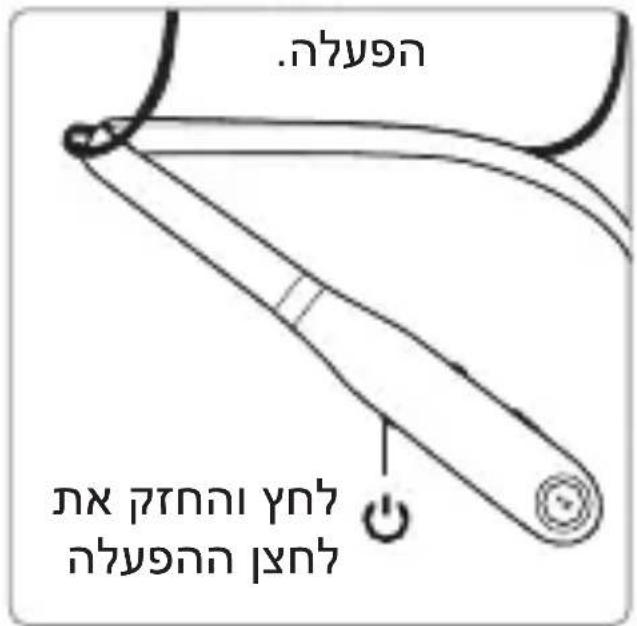
Step 1: Charge up & power on
Note: Before use, charge until the status light turns green.
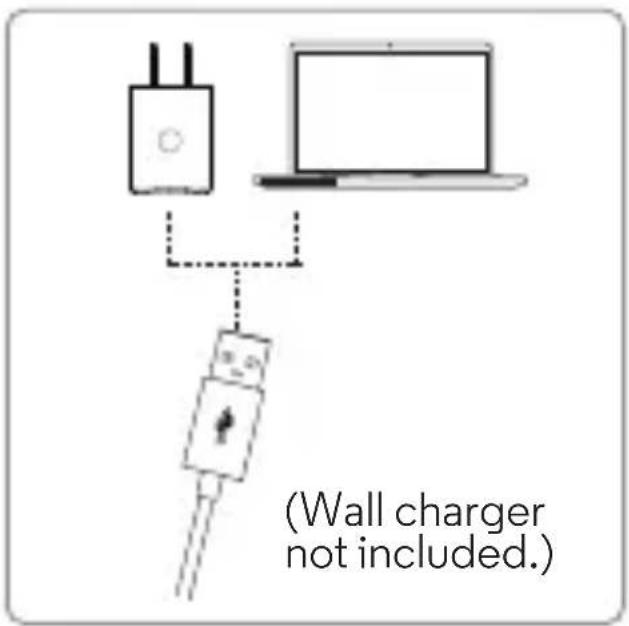
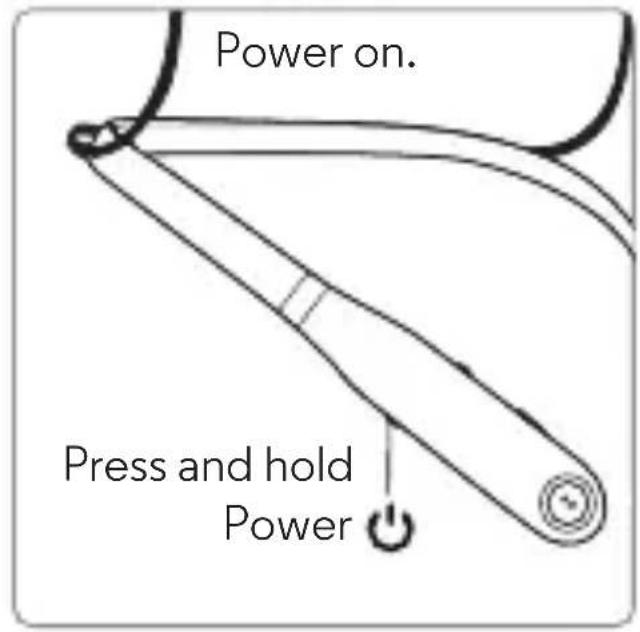
2 Step 1: Charge up & power on
Step 2: Pair with Bluetooth™
1
Turn on Bluetooth on your device.
2
natural_image
Simple line drawing of a stylized ear or headband (no text or symbols)Turn on your wireless earbuds. Light blinks blue.
3

On your device, go to the Bluetooth menu to pair & connect. Enter 0000 if prompted.
4

When the device and earbuds connect, you'll hear a tone. Light is solid blue.
Step 3: Download App
Download Hubble Connect for VerveLife
from The App Store ^® or Google Play ^™ to enjoy some extra functionality such as
Battery Meter and last known location of your headset.
Calls, Voice & Music Control
The buttons at the ends of your earbuds perform the same functions. Press either button to control calls, voice commands, and music.
Note: Voice control may not work on some devices or in all languages.
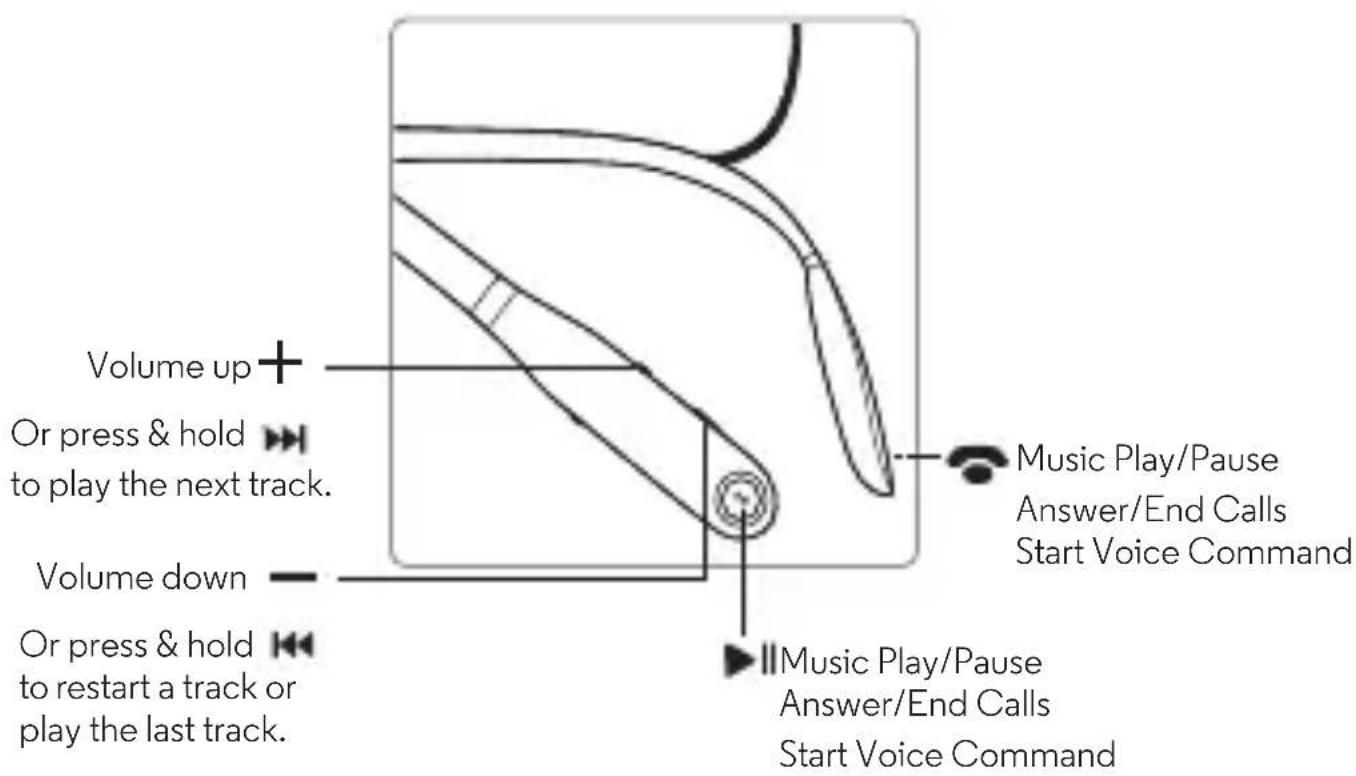
Note: Some features are phone/network dependent
| Music | |
play/pause press  | |
volume down/up press  | |
next/previous track press and hold  Note: Depends on your phone's music controls. Note: Depends on your phone's music controls. | |
change EQ settings press  same time to go to the next sound profile same time to go to the next sound profile | |
| Calls | |
| answer/end call press ▶or | |
| mute during call press ◀-and+ | |
| reject a call press and hold ◀-or+ | |
| Voice | |
| to issue a voice command press and hold ▶or then say the command |
Calls, Voice & Music Control6 en
Advanced
Status Lights
Pairing mode
Connected
Low battery
Charging
Full charge
Charge level check
Power off
blinking blue
steady blue
blinking red
steady red
steady green
steady green for 2 seconds
fading in/out blue
Charge Level Check
Note: Not available on all models.
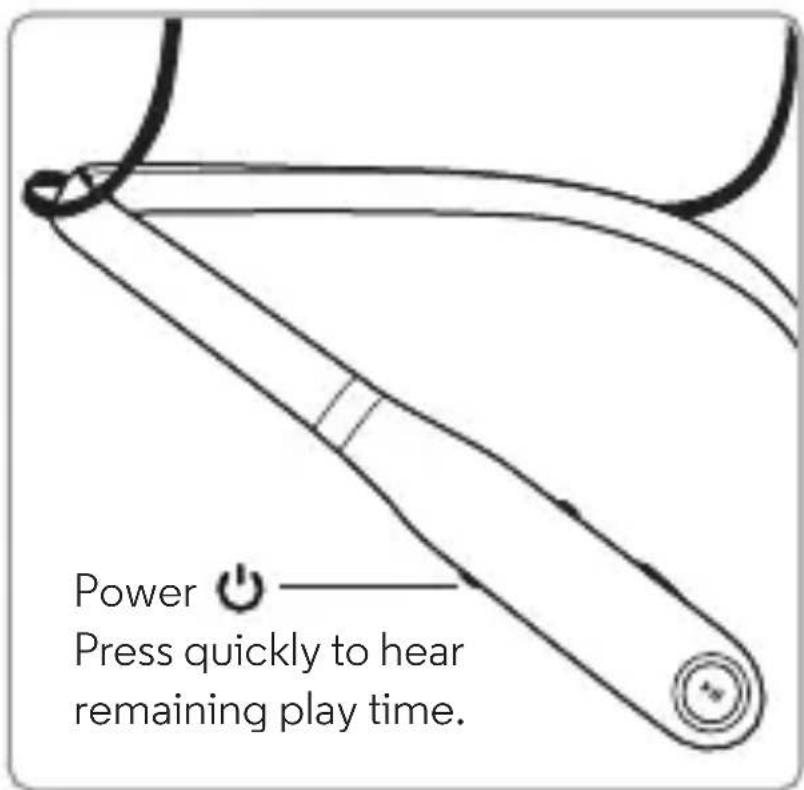
Note: Your battery is designed to last the life of the product. It should only be removed by a recycling facility. Any attempt to remove or replace your battery may damage the product and void your warranty.
Reset
Turn off Bluetooth for all connected devices. Turn on the wireless earbuds, then press and hold ▶|| and both volume buttons until the status light shows alternating red and blue. You’ll hear a tone.
Note: This product contains exposed magnets and may damage magnetic information, such as credit card strips and ID cards.
Second device
Do you use a phone and a tablet? Or two phones? Connect with both of them at the same time.
1 Pair with your first device using the steps in “Pair with Bluetooth™” on page 3.
2 Turn off Bluetooth on your first device (your phone, tablet, or computer).
3 Turn off the wireless earbuds. Then turn them back on
4 Pair with your second device using the steps in “Pair with Bluetooth™” on page 3.
5 On your first device, turn Bluetooth back on to connect to it simultaneously. You'll hear a tone when the first device connects.
Tip: To switch and play audio from the second connected device, pause the current music device, then press play on the second device.
Help & more
- Get help: Visit www.motorolahome.com/support
- Find accessories at: www.motorolahome.com or www.verve.life
Manufactured, distributed, or sold by Binatone Electronics International LTD., official licensee for this product. MOTOROLA and the Stylized M Logo are trademarks or registered trademarks of Motorola Trademark Holdings, LLC. and are used under license. Apple logo is a trademark of Apple Inc., registered in the U.S. and other countries. App Store is a service mark of Apple Inc. Google Play and Android are trademarks of Google Inc.
All other trademarks are the property of their respective owners.
© 2016 Motorola Mobility LLC. All rights reserved.
Bluetooth ID: D023372
Product ID: Motorola SF520 SF520-A
natural_image
Abstract black-and-white logo with a stylized white letter 'M' (no text or symbols)www.motorolahome.com
www.verve.life


VERVE RIDER VERVE RIDER+
请仔细阅读
您的无线耳塞
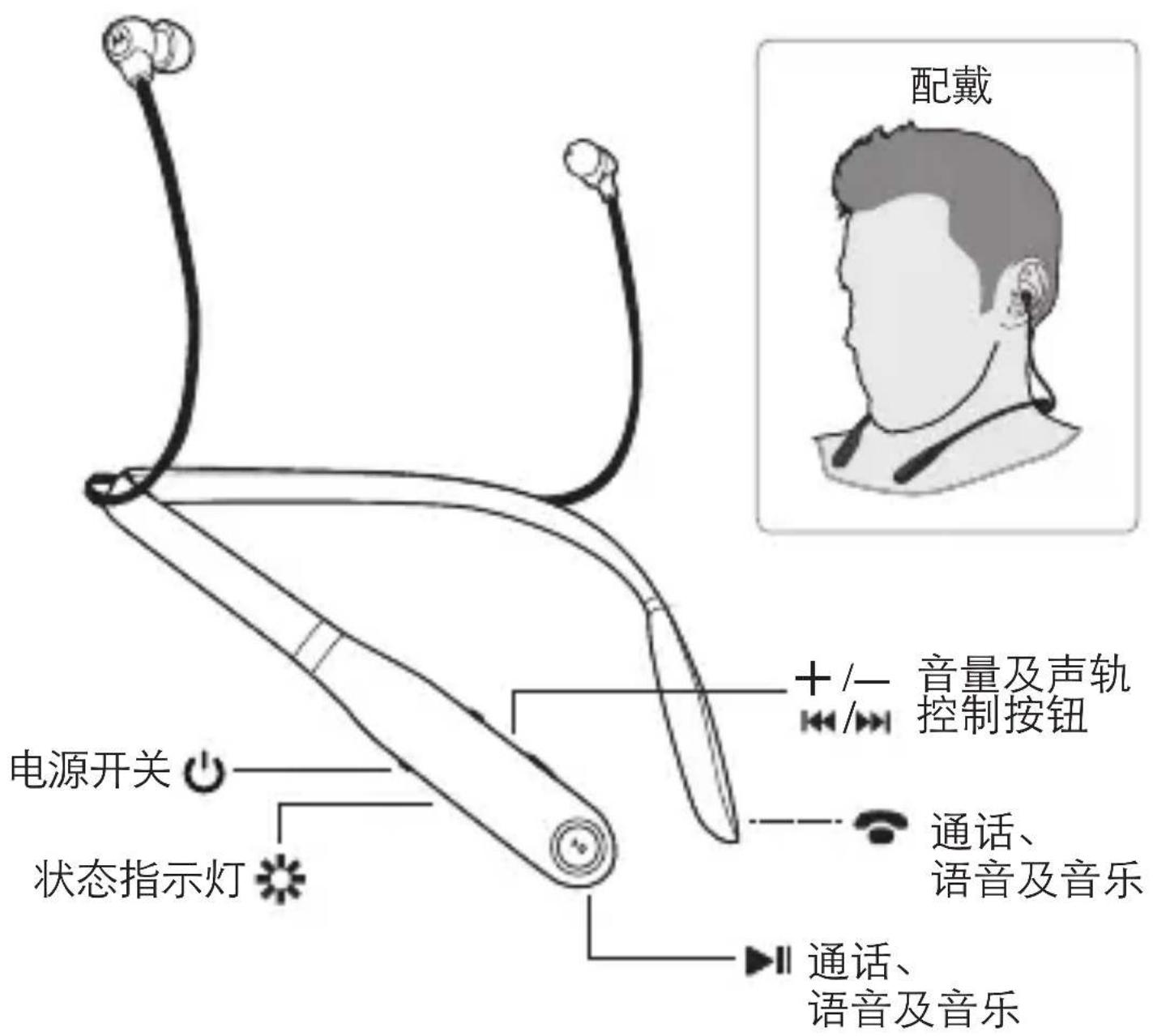
natural_image
Simple line drawing of a stylized ear or earbuckle (no text or symbols)打开无线耳塞。
指示灯闪烁蓝色
3
natural_image
Abstract black and white geometric logo resembling a stylized letter 'M' (no text or symbols)www.motorolahome.com www.verve.life


VERVE RIDER VERVE RIDER+
請閱讀本手冊
您的無線入耳式耳機
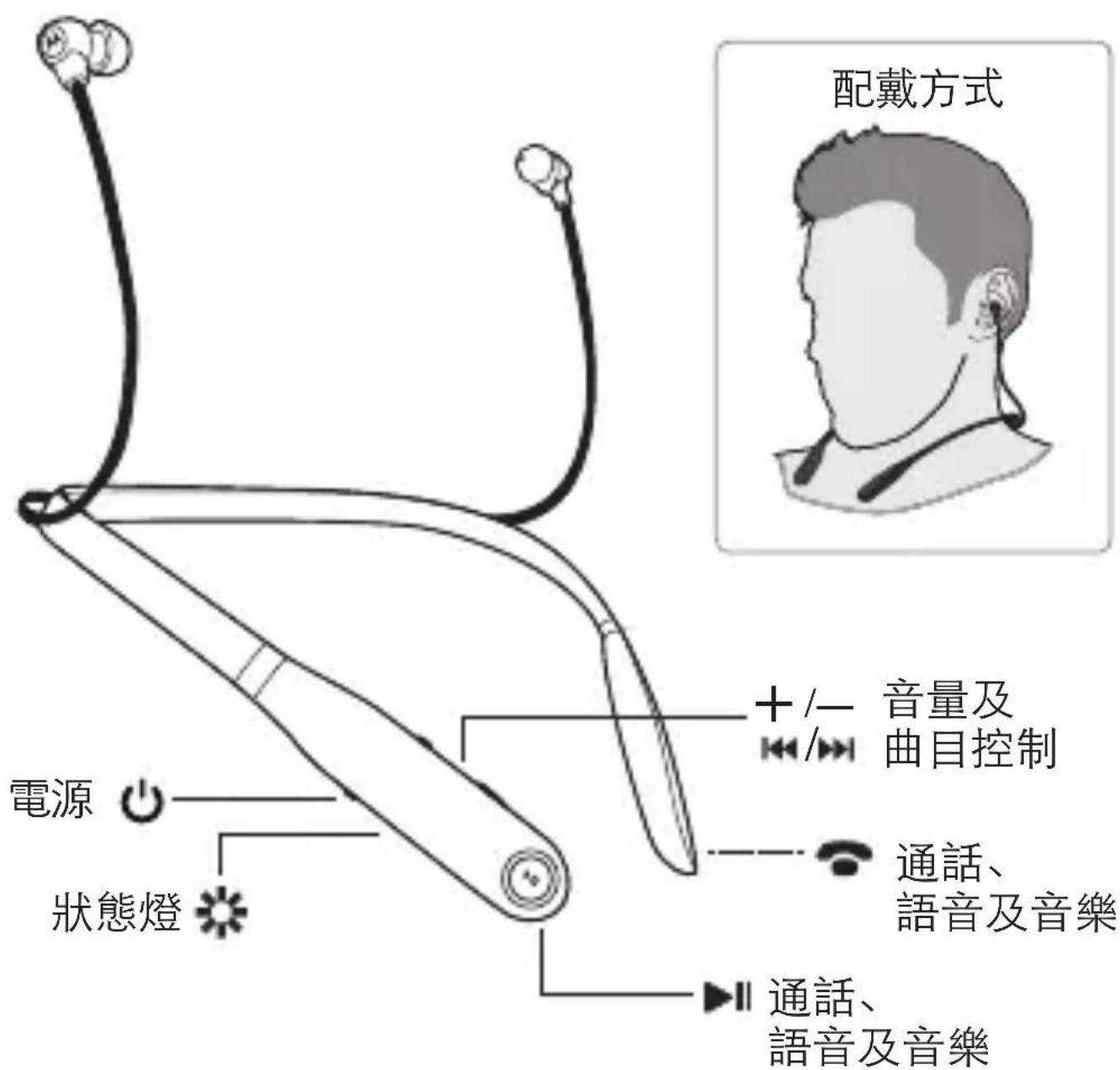
natural_image
Simple line drawing of a stylized ear or earbuckle (no text or symbols)啟動您的無線耳機。
藍燈閃爍。
3

natural_image
Abstract black and white geometric logo resembling a stylized letter 'M' (no text or symbols)www.motorolahome.com www.verve.life


VERVE
RIDER
VERVE
RIDER+
natural_image
Abstract geometric logo with stylized letter M inside a gray circle (no text or symbols)natural_image
Simple line drawing of a stylized ear or earbuckle (no text or symbols)natural_image
Abstract black and white geometric logo resembling a stylized letter 'M' (no text or symbols)www.motorolahome.com www.verve.life


VERVE RIDER VERVE RIDER+
اقرأنى
natural_image
Simple line drawing of a stylized open-loop ear (no text or symbols)2
www.motorolahome.com/support
natural_image
Abstract black and white geometric logo resembling a stylized letter 'M' (no text or symbols)www.motorolahome.com www.verve.life


VERVE RIDER VERVE RIDER+
תָאַעְה
תְפָרִי בְּרִי
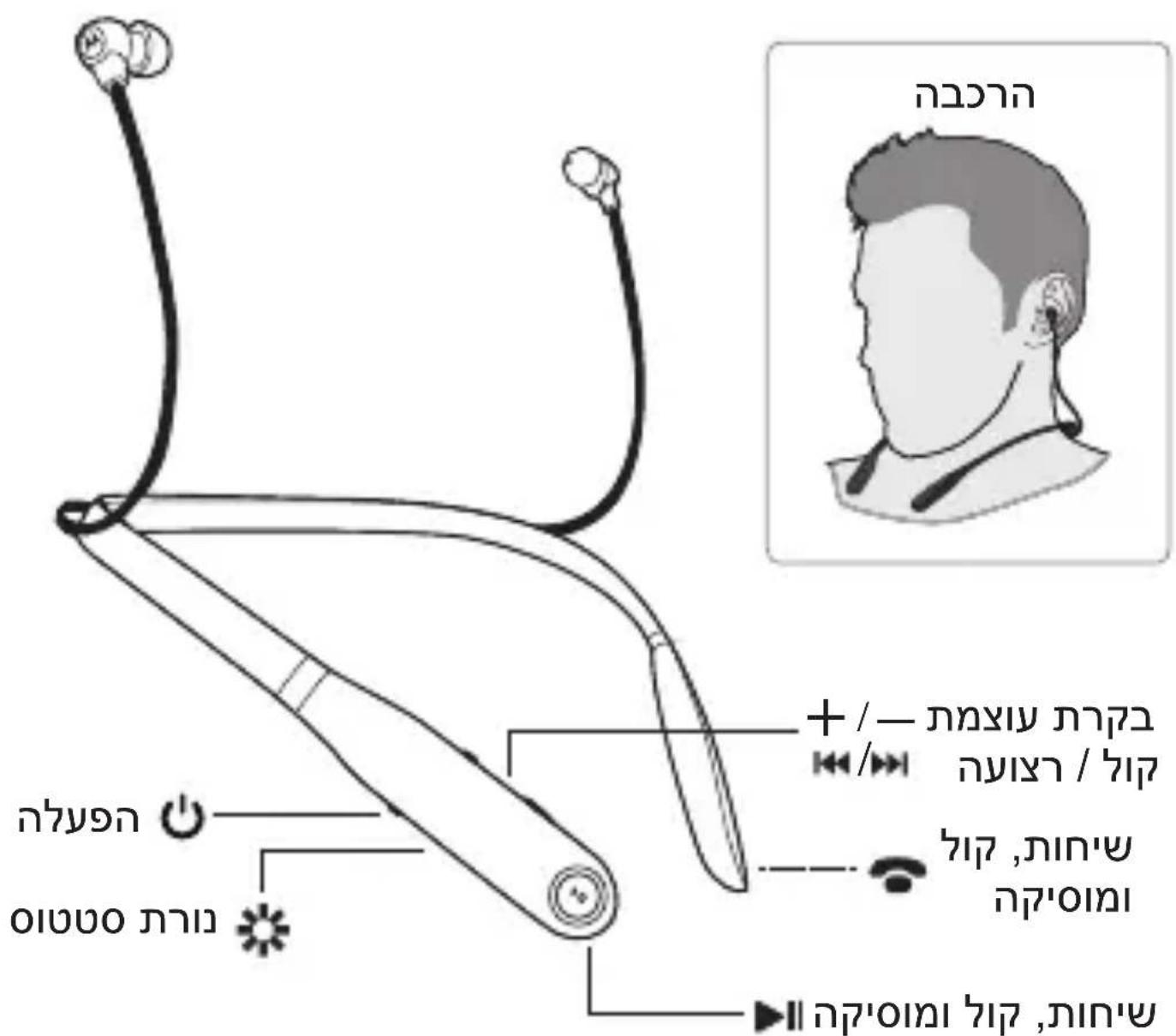
natural_image
Simple line drawing of a stylized open-loop ear (no text or symbols)2
www.motorolahome.com/support
:תְקּוֹרָה אַלְאָה
www.verve.life IN www.motorolahome.com
Binatone Electronics Internation- כְרָהִיַתְּבָרִיַתְּבָרִיַתְּבָרִיַתְּבָרִיַתְּבָרִיַתְּבָרִיַתְּבָרִיַתְּבָרָ
Stylized M-1 MOTOROLA में. אַרְשָׁהֹתָּוֹתִי-בְרָאַעֶן כְרָאַעֶן al LTD
. Motorola Mobility LLC
D023372: Bluetooth
Motorola SF520 SF520-A : בַרְשָׁה
natural_image
Abstract black and white geometric logo resembling a stylized letter 'M' (no text or symbols)www.motorolahome.com www.verve.life


tr
VERVE RIDER VERVE RIDER+
Kullanım Kılavuzu
natural_image
Simple line drawing of a stylized earbuckle (no text or symbols)natural_image
Abstract black and white geometric logo resembling a stylized letter 'M' (no text or symbols)www.motorolahome.com
www.verve.life


VERVE
RIDER
VERVE
RIDER+
はじめにお読みください
ご使用いただくワイヤレスイヤホン
natural_image
Simple line drawing of a stylized ear or earbuckle (no text or symbols)natural_image
Abstract black and white geometric logo resembling a stylized letter 'M' (no text or symbols)www.motorolahome.com www.verve.life


VERVE
RIDER
VERVE
RIDER+
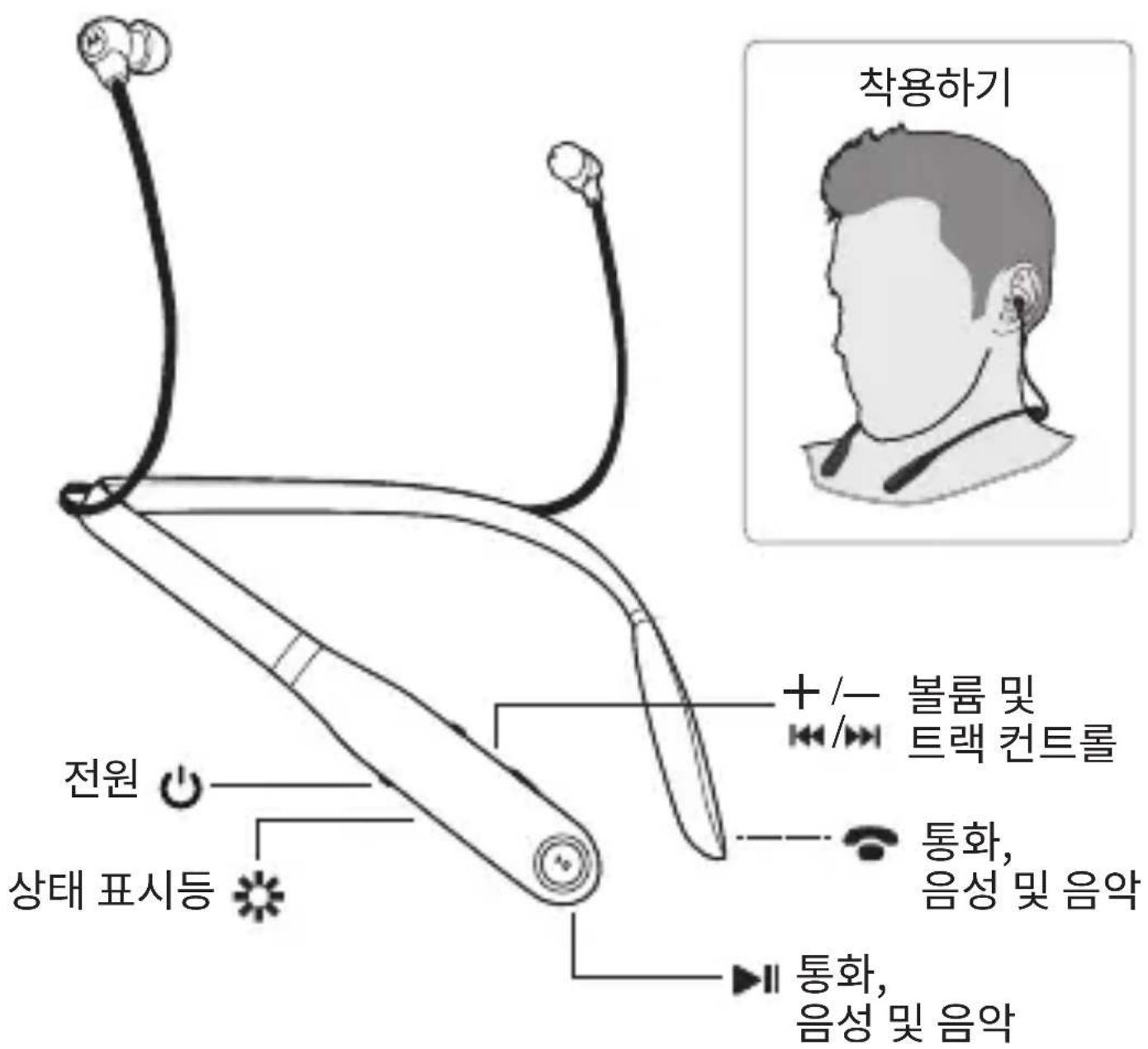
본 문서를 읽으십시오
무선 이어버드
natural_image
Simple line drawing of a stylized earbuckle (no text or symbols)무선 이어버드를 켜십시오.
표시등이
청색으로
dém박거립니다.
3
natural_image
Abstract black and white geometric logo resembling a stylized letter 'M' (no text or symbols)www.motorolahome.com www.verve.life


VERVE RIDER VERVE RIDER+
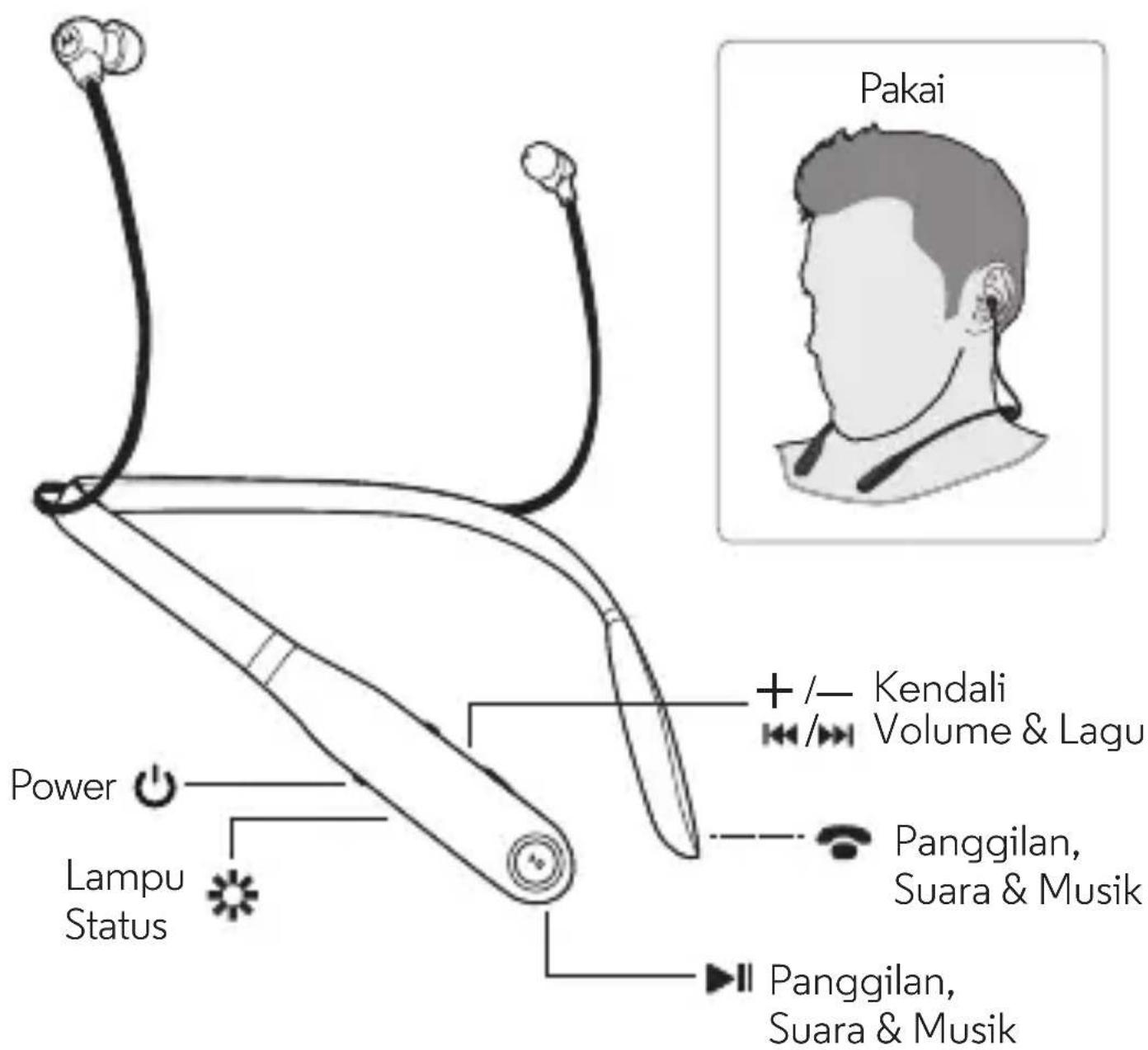
Panduan Pengguna
Earbud nirkabel Anda
natural_image
Simple line drawing of a stylized ear or earbuckle (no text or symbols)Nyalakan earbud nirkabel Anda.
Lampu berkedip biru.
3
natural_image
Abstract black and white geometric logo resembling a stylized letter 'M' (no text or symbols)www.motorolahome.com www.verve.life


VERVE RIDER VERVE RIDER+
Lisez-moi
natural_image
Simple line drawing of a stylized open-loop ear (no text or symbols)natural_image
Abstract black-and-white logo with a stylized white letter 'M' (no text or symbols)www.motorolahome.com
www.verve.life


VERVE RIDER VERVE RIDER+
โปรดอ่าน
หุฟังเอียบัดไร้สาย
natural_image
Simple line drawing of a stylized open-loop ear (no text or symbols)natural_image
Abstract black and white geometric logo resembling a stylized letter 'M' (no text or symbols)www.motorolahome.com
www.verve.life


- Your wireless earbuds
- Step 1: Charge up & power on
- Step 2: Pair with Bluetooth™
- Step 3: Download App
- Download Hubble Connect for VerveLife
- Calls, Voice & Music Control
- Advanced
- Status Lights
- Charge Level Check
- Reset
- Second device
- Help & more
- VERVE RIDER VERVE RIDER+
- 您的無線入耳式耳機
- VERVE
- RIDER
- RIDER+
- תְפָרִי בְּרִי
- ご使用いただくワイヤレスイヤホン
- 무선 이어버드
- Earbud nirkabel Anda
- หุฟังเอียบัดไร้สาย
Brand : UNIDEN
Model : Verve Rider
Category : Headphones