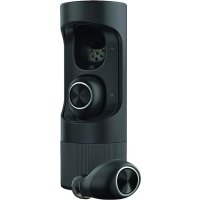
Verve Ones - Headphones UNIDEN - Free user manual and instructions
Find the device manual for free Verve Ones UNIDEN in PDF.


| Product Type | Wireless headset (earbuds) |
| Brand | Uniden |
| Model | Verve Ones |
| Connectivity | Bluetooth |
| Controls | Touch: single tap, double tap, triple tap, hold (3-6 seconds) |
| Audio Functions | Play/pause, next/previous track, equalizer (6 presets) |
| Calls | Answer/hang up, reject call, voice commands |
| Ear Detection | Yes (enabled by default): automatic on/off |
| Sound Filtering | Yes (disabled by default), allows hearing surrounding noise |
| Dedicated App | Hubble Connect for VerveLife (iOS/Android) |
| Location Function | Locate a lost earbud on a map via the app |
| Power | Built-in rechargeable battery, charging via case (cable included) |
| Battery Indicator | LED lights on earbuds and case; voice message at 15 min remaining battery |
| Battery Life | Variable depending on usage (several hours) |
| Included Accessories | Charging case, charging cable, gel ear tips (multiple sizes) |
| Maintenance | Clean with a soft dry cloth, avoid moisture |
| Safety | Use at moderate volume to avoid hearing damage; do not use in dangerous situations (driving, etc.) |
| Repairability | Battery not user-replaceable; ear tips interchangeable |
| Regulatory Information | FCC ID: VLJ-SH001, IC: 4522A-SH001 |
Frequently Asked Questions - Verve Ones UNIDEN
User questions about Verve Ones UNIDEN
0 question about this device. Answer the ones you know or ask your own.
Ask a new question about this device
Download the instructions for your Headphones in PDF format for free! Find your manual Verve Ones - UNIDEN and take your electronic device back in hand. On this page are published all the documents necessary for the use of your device. Verve Ones by UNIDEN.
USER MANUAL Verve Ones UNIDEN
Read me first Check www.verse.life for latest product QSG and details
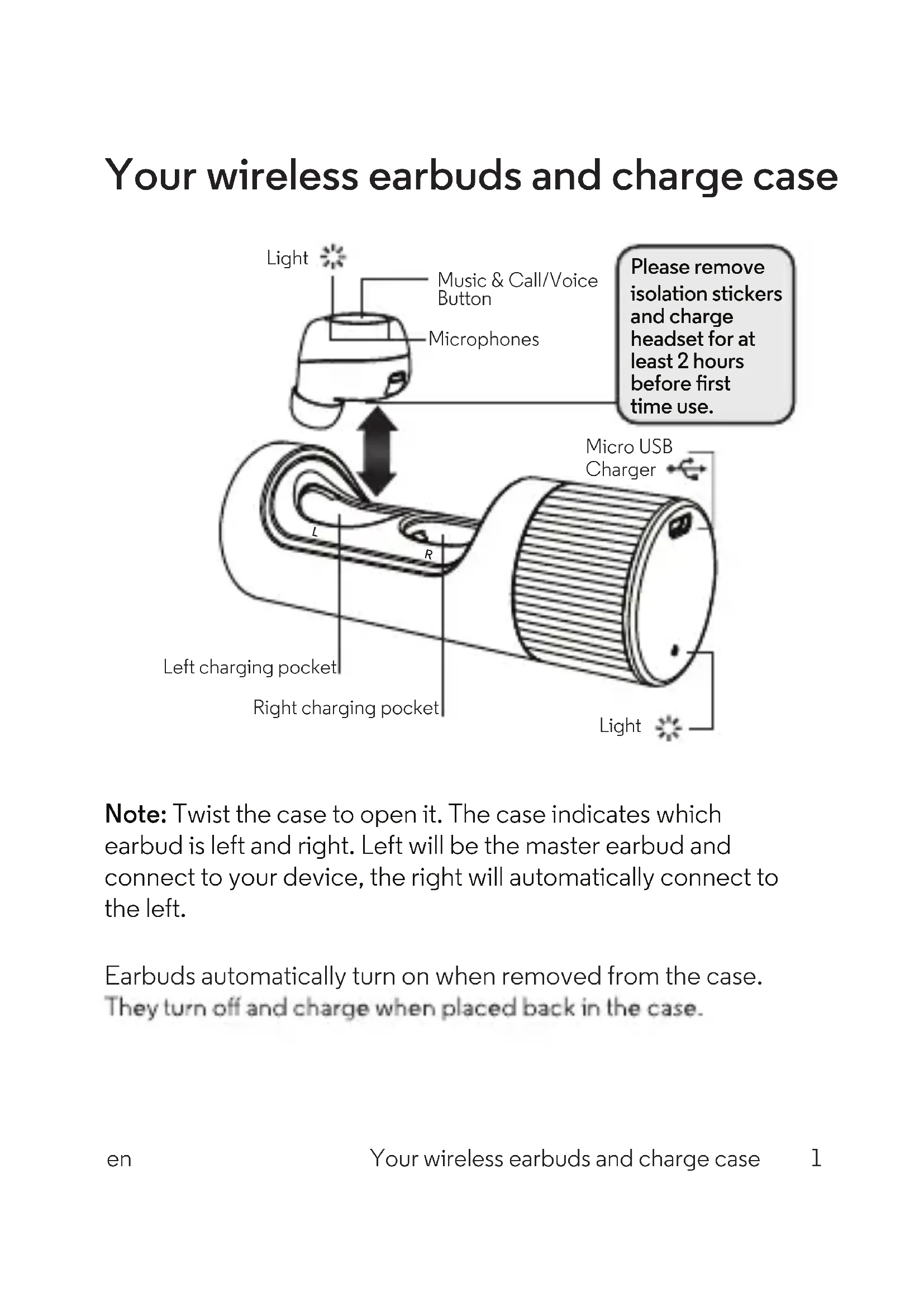
Your wireless earbuds and charge case
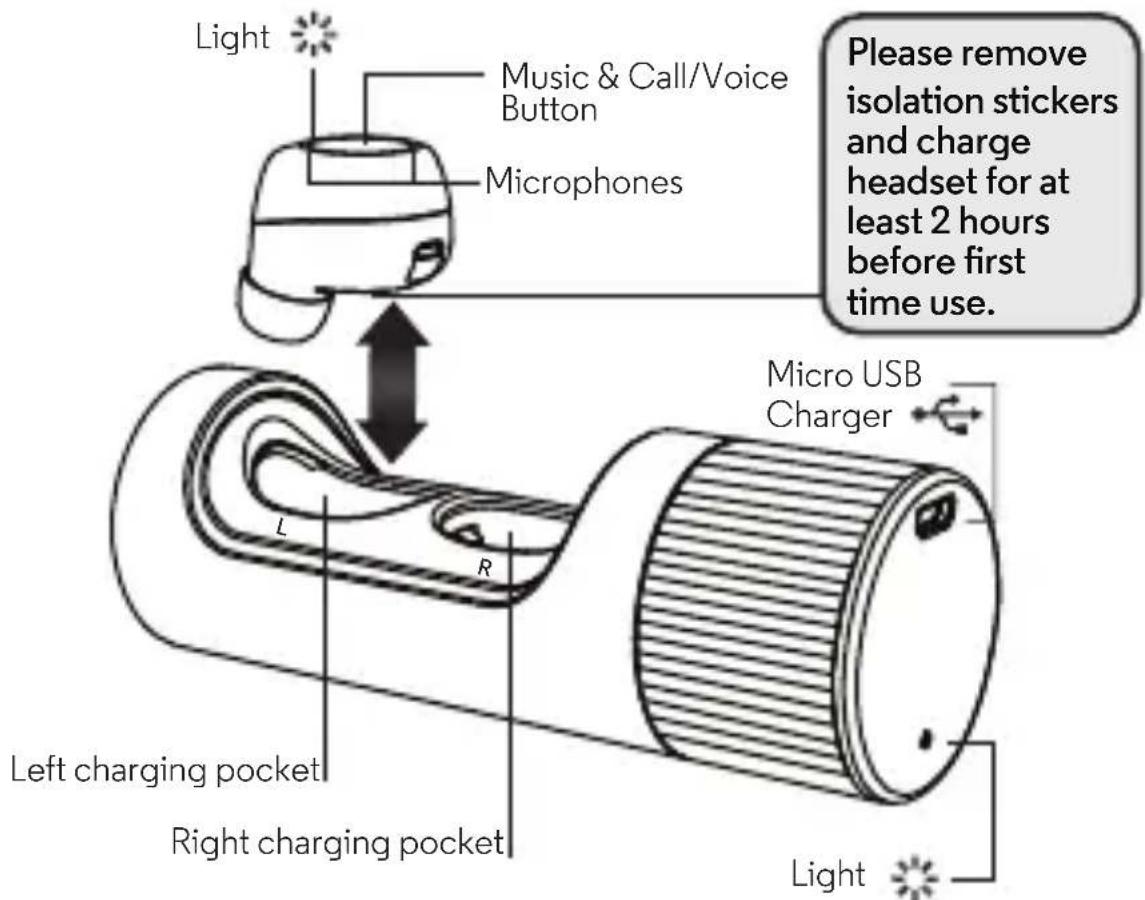
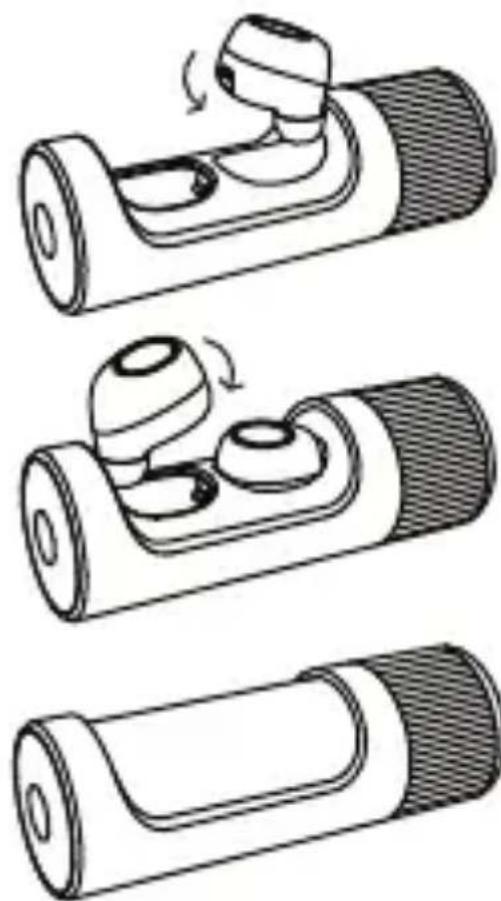
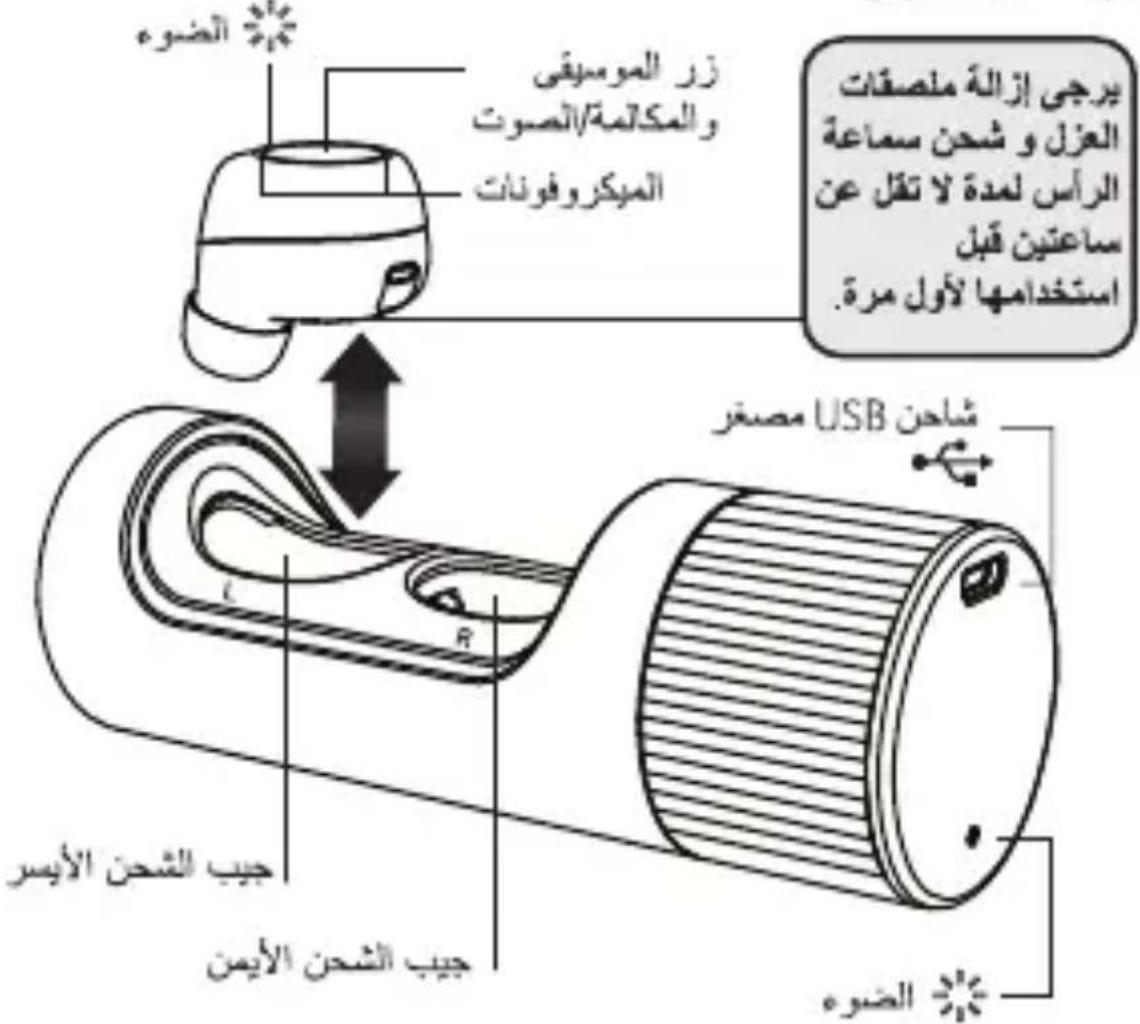
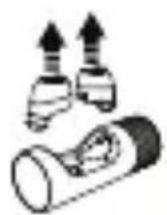
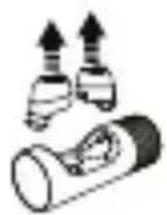
Note: Twist the case to open it. The case indicates which earbud is left and right. Left will be the master earbud and connect to your device, the right will automatically connect to the left.
Earbuds automatically turn on when removed from the case. They turn off and charge when placed back in the case.
en
Your wireless earbuds and charge case
Step 1: Wear
Best fit & best sound
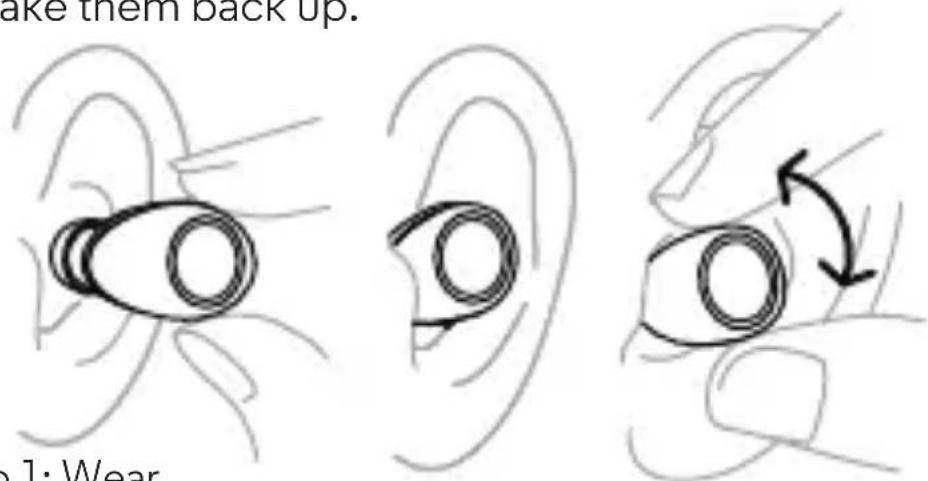
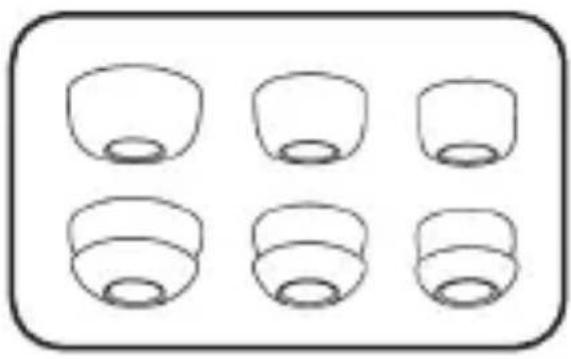
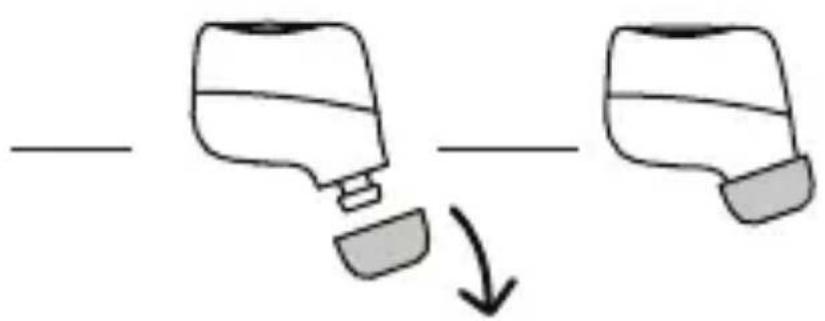
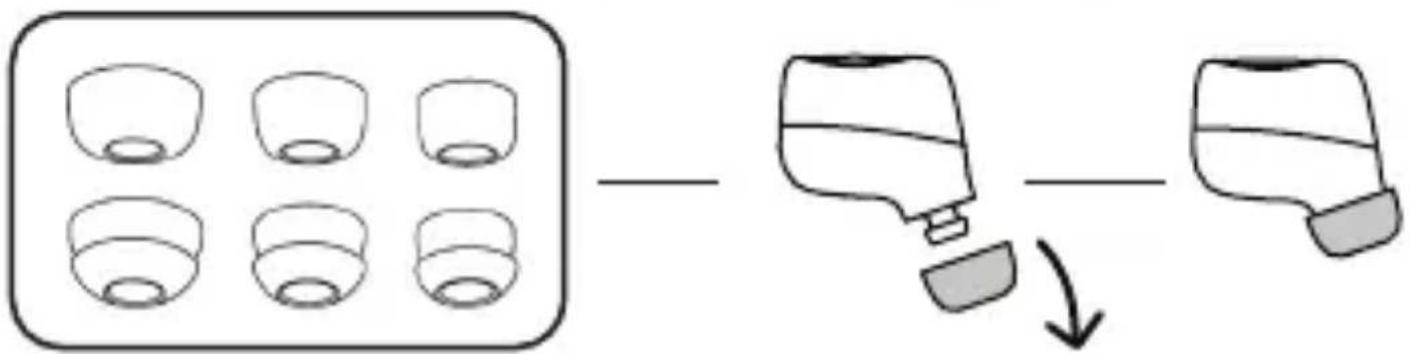
Try all the gels to find the best fit and the best sound. The fit is right when you get a complete seal, the gel feels comfortable, and you get the best quality and loudest sound.
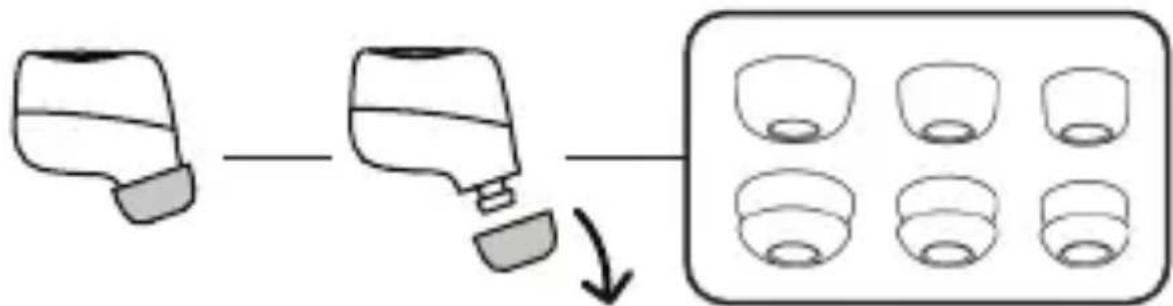
Tip: More than one gel size may fit you. Choose the one that completely seals your ear canal for the best sound.
Note: You may need different size gels for left and right.
Wear
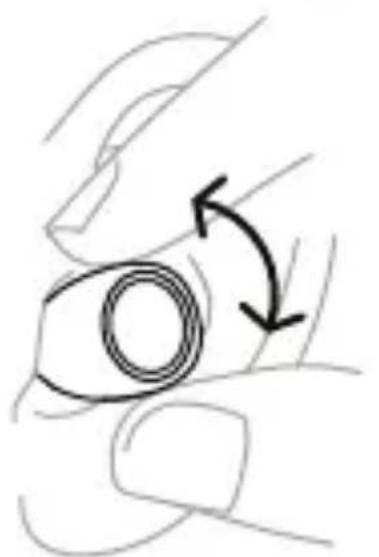
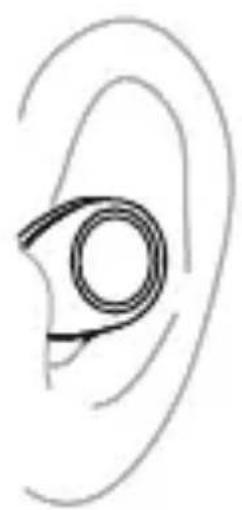
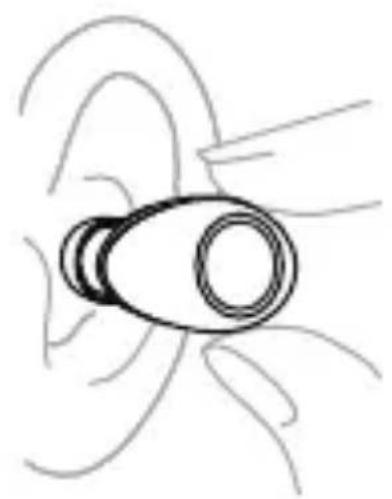
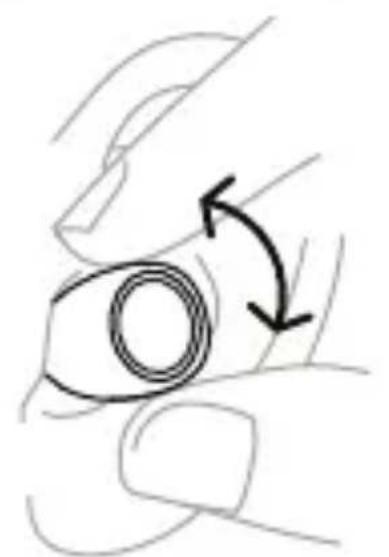
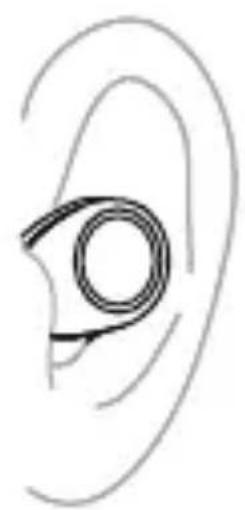
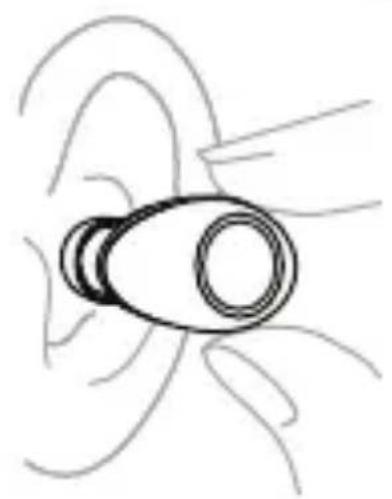
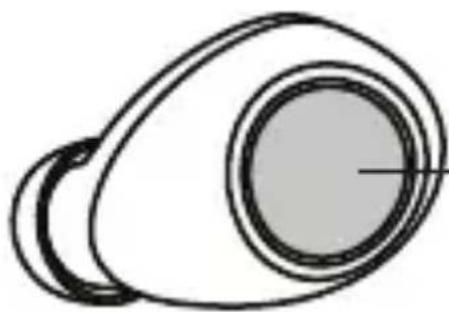
Insert the earbuds with the ear gel directed towards your ear canal. Twist gently until they fit comfortably and feel secure in your ear.
Note: When you take the earbuds out of the case, you have 5 minutes to put them on, or they go dormant. Put them in the case to wake them back up.
Step 2: Pair with Bluetooth
1
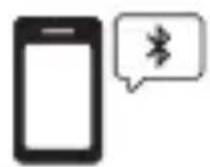
Turn on Bluetooth on your device.
2
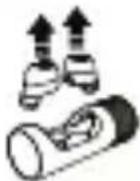
Take both wireless earbuds out of case, and put them in your ears.
3
On your device, go to the Bluetooth menu, select for VerveOnes or VerveOnes+, pair & connect. You will hear "Paired" when pairing is complete.
Note: Only the left earbud will connect to your device. The right will connect to the left. The left earbud may also be used as a single headset. Certain versions of this headset may only have tones and no voice prompts.
Some devices may request permission to access your contacts and call history. You may choose to allow or deny this request if you wish to have caller name readout
Tip: When you hear "Earbuds linked" both earbuds are connected for stereo use. When you hear "VerveOnes connected" your earbuds are connected to your device.
Music
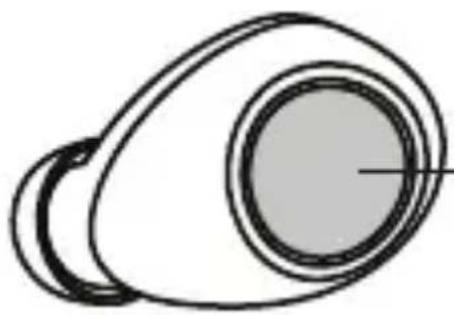
Start playing music on your music player and then control it with either earbud.
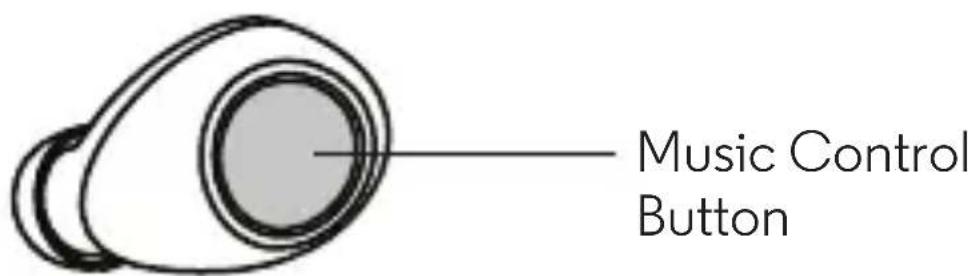
- Press once to pause a track. Press again to resume.
- Double-press to go to the next track (depending on your music player).
- Triple-press to go back one track (or start the song over).
- Press and hold until you to hear the Equalizer options (between 3-6 seconds). Press again to select a preferred setting.
Note: Playing the next or previous track depends on your music player or app.
Tip: With Ear Detect ON (Default), if you take one earbud out of your ear, music will continue to play. If you take out both earbuds from your ears they will disconnect from the device. Earbuds will power off after 5 minutes, if not put back in your ears.
Calls & Voice Commands
When making and answering calls or using voice commands, you can press either earbud.
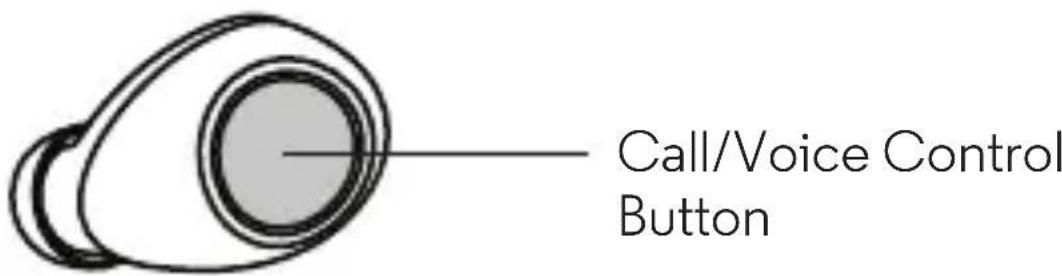
- Press once to answer an incoming call, or double-press to reject it. You may also say "Answer" or "Ignore" for an incoming phone call if prompted
- Press once to end a call.
- When not in a call and not playing music, press and hold to start voice commands. You'll hear a tone. Release the button. You'll hear a second tone from your phone. Say your command. (Press and hold again to cancel a voice command.)
Note: All calls will be heard in the left earbud only.
Voice commands use your phone's voice control app and may not be available in all countries.
Tip: When Ear Detect is ON, a call will automatically transfer to the phone when both earbuds are removed.
When Ear Detect is OFF, a call will remain in the headset until transferred to the phone via phone keypad.
Charge
Charge the earbuds
Put the earbuds into the case and press them firmly until you hear a click and the earbud lights turn on. Twist the case until it's completely closed.
Tip: Earbuds are designed to be a snug fit in the case. You may need to push earbuds from the side to remove.
Charge the case
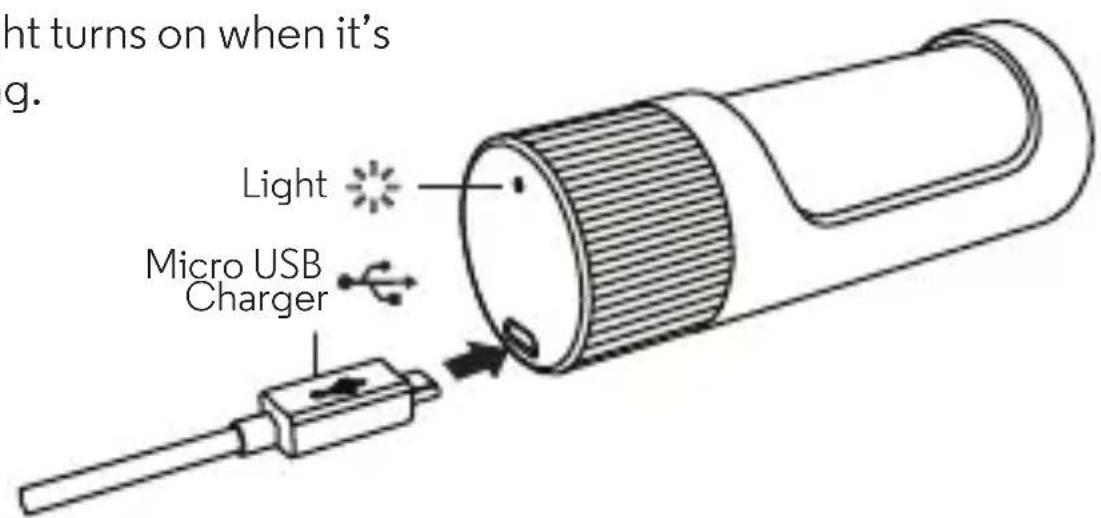
Charge the case and earbuds by plugging in the charging cable. The case light turns on when it's charging.
Charge level
Your earbuds let you know when your battery level is low. You'll hear a message when there is 15 minutes of battery left.
Earbud status lights
Charging
Slow blinking white
Full charge
Steady white
Needs charging
Blinking red
Note: The earbud lights turn on briefly, then turn off to
conserve battery. The earbuds will continue to charge until full.
Case status lights
When your case is plugged into a wall charger, you'll see charging lights.
Charging
Slow blinking white
Full charge
Steady white
Needs charging
Blinking red
Note: Your battery is designed to last the life of the product. It should only be removed by a recycling facility. Any attempt to remove or replace your battery will damage the product and void your warranty.
Hubble Connect™ for VerveLife™
Hubble Connect for VerveLife can greatly enhance your earbud experience. Download app for free at the App Store® or Google Play™ (Android™ 4.4.4 or higher)
- Locate a lost earbud: Locate on a map the last time your earbud was connected to your device.
- Adjust the equalizer: Choose from six preset sound profiles, so your tunes sound the way you like.
- Pass-Through Audio (default OFF): Stay in tune with your surroundings by turning Pass-Through on to hear noises around you.
- Ear Detect (default ON): When Ear Detect is on, the earbud automatically turns on when it detects it is in your ear and turns off when both earbuds are removed from your ears.
When Ear Detect is off, earbuds will remain on when connected to your device until you put them in the case.
- Voice Prompts: Choose a new language for Voice Prompts from the available selection.
Help: Get answers.
Note: Both earbuds must be in the case to make changes to these settings via the app (Does not apply for the location or help feature).
Application feature may change over time, please download the latest version of the app to see all current features supported.
Hubble Connect for VerveLife8 en
Get best connection
To optimise bluetooth connection and minimize drops, keep your device in the optimal RF zone.
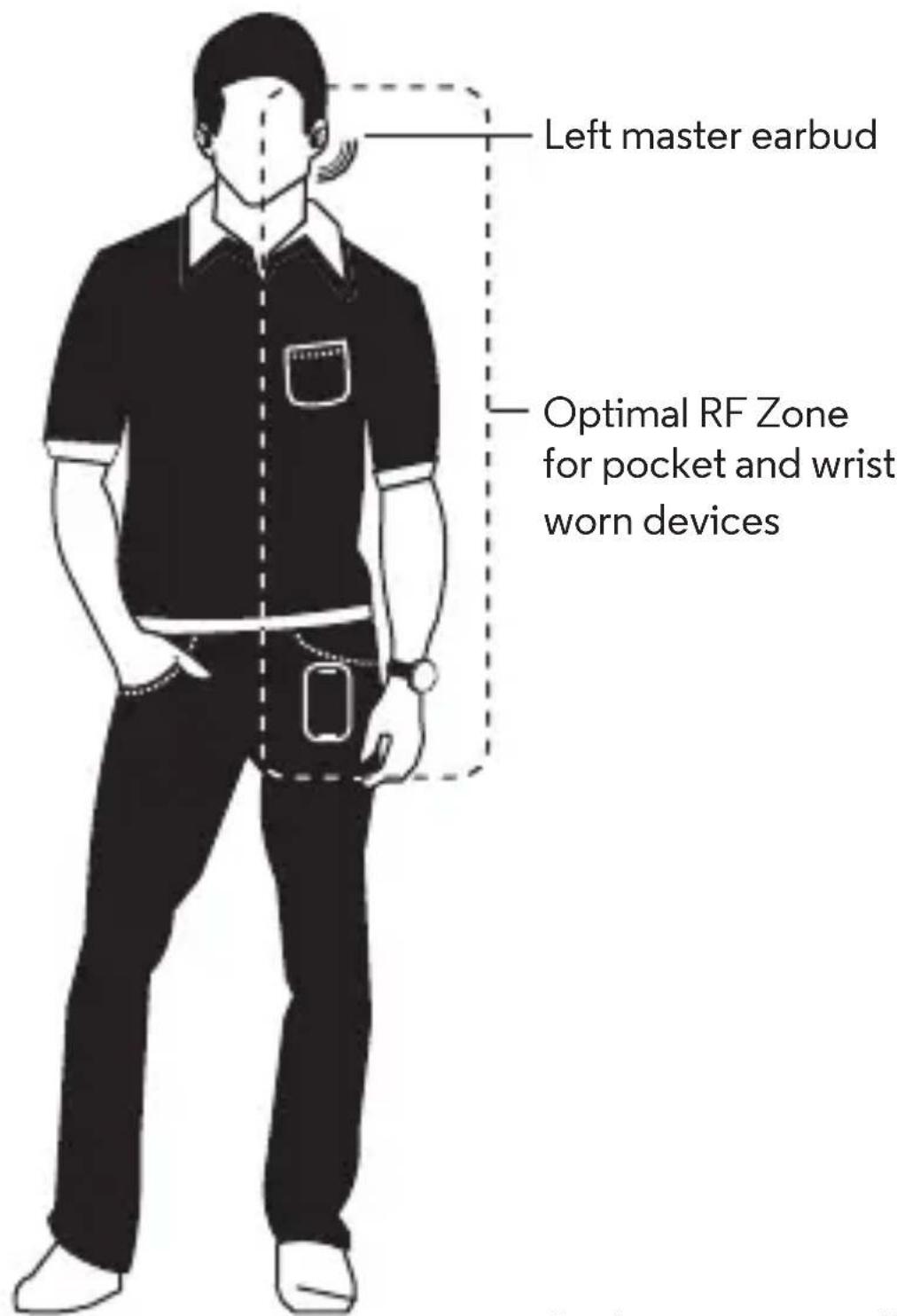
Get best connection 9en
Use this product responsibly
VerveOnes are designed to give the user great sounding wireless earbuds. However the product should be used responsibly.
Safety instructions for use
To avoid hearing damage, keep the volume at a moderate level. Avoid listening to music at loud volume levels for prolonged periods of time as this may cause permanent hearing damage or hearing loss.
Your hearing is delicate and highly sensitive so please listen to your music responsibly. For more information visit the Deafness Research Foundation www.drf.org
Don't use VerveOnes when it is unsafe to do so. For example, while operating a vehicle, cycling, crossing a road, or any activity which requires your attention and ability to hear.
You should be aware of your surroundings and use VerveOnes responsibly.
Help & more
- Get help: Visit www.motorolahome.com/support or visit www.verse.life for help videos, FAQ's and more.
Find accessories at: www.motorolahome.com or www.verse.life
Note: If you're watching video while using your earbuds, your audio may be slightly out of sync with your video.
Manufactured, distributed, or sold by Binatone Electronics International LTD., official licensee for this product. MOTOROLA and the Stylized M Logo are trademarks or registered trademarks of Motorola Trademark Holdings, LLC. and are used under license. Apple logo is a trademark of Apple Inc., registered in the U.S. and other countries. App Store is a service mark of Apple Inc. Google Play and Android are trademarks of Google Inc. All other trademarks are the property of their respective owners. © 2016 Motorola Mobility LLC. All rights reserved.
Product ID: SH001
Bluetooth ID: D029680
FCC ID: VLJ-SH001
IC ID: 4522A-SH001

www.motorolahome.com www.erve.life
VERVE ONES VERVE ONES+
请仔细阅读
有关最新版的产品简易操作指南及详情,
请浏览www.verse.life
您的无线耳塞及充电保护壳

HdNKaTopbI cTaTyca 3apRKn HayshnKOB
3apya
NonHypoBHe3apra
Tpe6yertc3apka
MendeHNO Mraoun 6enbI
BenbHemraoum
KpachbIMraIOuN
IpmeHHe: HndKATOp HayshNKOB HeHaOnro 3arOpNTc, a 3aTeM norachet. cnpoBoxkaetcOdHokpaTHbIM MraHnEM. HayshKn npodJxat 3apkdy do nonHO 3apdkn.
HdkaTopbI cTaTyca 3apRKn Kopnyca
При подклioуени корпуcaх розтke петаня 3aropaOTc nHdkaTOpbl.
3apraKa
Nonhbl ypoBeHb 3apra
Tpe6yeTc3aapKa
MmHNO Mrraoun 6bI
Bebin Hemraoun
KpacbIMMraIOu
PpmeHHe: AkyMnTOp paccHTaH Ha BeCb cPok 3KcNpyatauyn yctpoIcTb. OH noJneKNT nBneueHIO TOnbKO Ha 3aBoJe no nepepaBOTke IIO6bIe nonbITKn nBneYbnn 3aMeHHTb aKyMnTOp npNBeyr K erO nobpeXdEHHIO aHHyInpOBaHHIO rapaHTm.
Hubble Connect™對於 VerveLife™
Ecnn yHkun Ear Detect otKIOHeHa HayuHnKn He 6ydyr OTKnIOaTbcra ot cnpjKeHHoro yCTpoIcTBa Do INx yCTaHOBKn O6paTHO B KOpnyC 3apJKN.
- TOnocobbIe coo6ueHn: BbIbePte Ra3bIK rOIOCOBbIX COo6ueHn n3 DOCTynHOrO nepeHH.
CnpabKa:CnpaBOHaHnHOpMaun.
PpHMeYAHHe: Pn H3MeHn HAcTpoek YpeE npNoXeHne 06a HayuHKa DOJxHbI 6bITb yCTaHOBNeHbI B KOpNyc 3apAnHO yCTPOcTBA (ycIOBHe He pacnpocTppaHReTcHa yHKUOn OpeDeneHn paCNOIOXeHn IN cnpabOHyIO IHOpMaunio).
Функи NMoryt co BpeMeHemN3MeHrTbCra. CneIte 3a obHOBnEHNm nporpaMMHOro oBecepeHn, nna noDaePkN BCex doCTyINhIx fYHKn.
Kakdo6ntb8cHannyUwero coeHNHeHn
Дпябесnépeбоюнй pa6otbblueth coeINHeHnC MHHMaJIbHbIMN pa3pblBAMN pa3MeaIte yCTPOIcTBO B ONTHMaJIbHOJ 3OHe dЯ npneMa paINoOaCTOT.
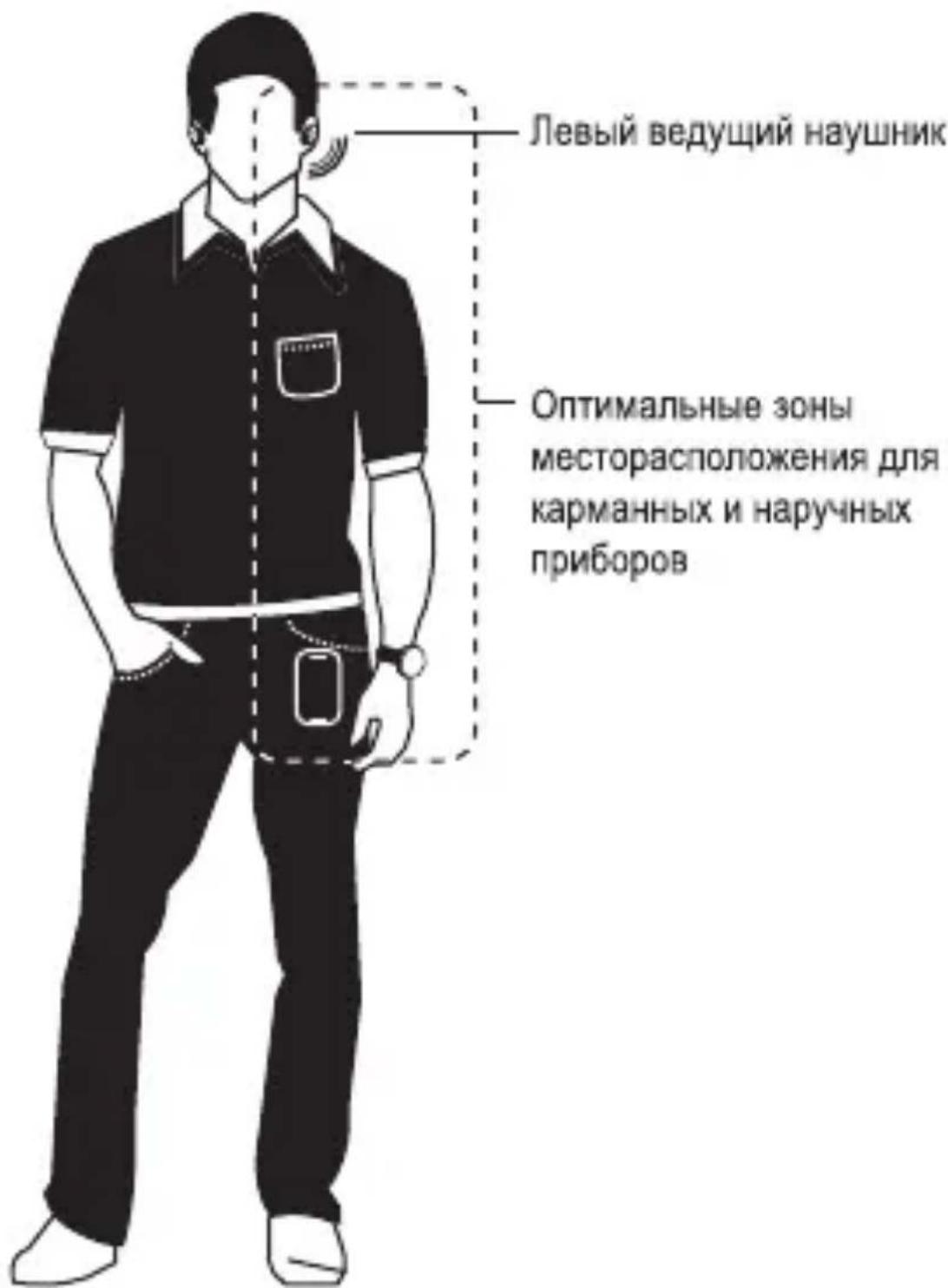
OTBETCTBeHHO NOxOHTe K HcNoIb3OBaHnO daHHoro npoDyKta
VerveOnes pa3pa6oTaH dIra TorO, yTo6bI noapntb NOIb3OBaTeIaM OTIIuHoe KaueCTBO 3Byka npN HCNoIb3OBaHnN 6ecnpoBODhIX HayuHmKOB. IpocIM Bac OTBeTCTBeHHO nOxDxOJNTb K INX NcNoJIb3OBaHnIO.
HctpyKn no 6e3oNaChocTn
Дя npedynpekdeHЯ noBpeKdHЯ cnyxa cneDyet
NcnoIb3OBaTb HayuHKn Ha cpeHem ypoBHe rPOMKOCTn.
CtapaTeCb He cnywaTb HayuHKn CnUWKOM rPOMKOHa
npOTxJHn DInTeNbHorO BpemeH. 3To MoXeT npNBecTH K
Heo6paTMbIM dJa BaWero cnyxa nocJeCTBnM nnn K rIyXOTE.
OTBeCTBeHHo NoxDxOHTe K npocnyuWBaHnO My3bIKn, TaK KaK
Haun oprAhbI cnyxa BecbMa DeNkAThble N
BbICOKoyBCTBNTeMbHie. Dnra noDpo6HO HnΦOpMauHn NOcETnTE
ΦOnd NCCNEOBAHnRApyxOTbl www.drf.org
He nCnoIb3yIte VerveOnes, ecnncnoJIb3OBaTb npodykT
Hebe3onacHo, HanpImep, npn BoXdEHN ABTomObHn, BO BpeMg
e3dbHa BeNoCIneDe, npn nepeXode IopOrn nnn BO BpeMg dpynx
npoceccOB, Tpebyoux BaWero BHMaHn RBO3MOxHOCTN
Xopo7O cnblwAtb.
BHHMaTeJIbHO OTHOCHTecb KaKtyaJIbHOCTN HcNoJIb3OBAHnVerveOnes B TOT NIIH HHOJ MOMENT.
CnpaBoHna HOpMaun aKceccyapbl
Co cnpaBOHOn HHOpMaUne, nepeuHem YacTo 3aIaBaEMbIX BOpocOB I dpyrIMN daHHbIMN Bbl MoKeTe O3HaKOMtbcra Ha caTax www.motorolahome/support n www.vere.life.
Cnncok akceccyapob: www.motorolahome.com nn www.erve.life
Приимechан: Пи npocmoTpe Bndeo C nCnoB30BaHneM HayshNKOB 3Byk aydnoOpoxKMOxET He COBnaDaTb C BnDeoprIOM.
Pon3BODCTBO, paccnpoctpaHHe H npOdaXa OcyueCTBnRETC
OuHaJIbHbIM BnaIeIbIeM NuaeH3N - KOMnAHne Binatone Electronics
International LTD. Norotnbl MOTOROLA m Stylized M nAraTcToproBBIM
MapkAMn IIN 3aperHCTpnpoBaHHbIMTOBapHBIM 3hakamMotorola
Trademark Holdings, LLC. nncnoJb3yOTc cornacHO NuaeH3N. Norotn
Apple RaBnErc 3aperHCTpnpoBaHHoB CUSA n dpynx cTpaHax ToproBO
MapKoKomnApple Inc. App Store raBnErc 3hakOM o6cnjxHBnA
Apple Inc. Google Play n Android raBnErc TOproBBIM MapkAMn Google Inc.
Bce npynr ToPROBble MapKn npHaIeXaHX COOTBeTCTBYIOHM
BnaIenbUam. © 2016 Motorola Mobility LLC. Bce npaba 3auuIeHbI.
Ko#n3dennr:SH001
Ko#Bluetooth:D029680
Ko#FCC:VLJ-SH001
Ko#IC:4522A-SH001

www.motorolahome.com www.erve.life
VERVE ONES VERVE ONES+
y
y www.vere life
aagg aalaae 11 11
A
i 1
$$ \left| \right| = \sqrt {2 1}: \sqrt {2 1} $$
$$ \int_ {0} ^ {1} \frac {\sin x}{x + 1} d x $$
12 13
J 1
y
1
L 5 5 5 5 5 5 5 5 5 5 5 5
gglge ggljll:gl
y
1
y
2
J 1
.Paired

3
y 1
y
Jai
"Earbuds linked" "Ls" "Verveonesconnected"
y
gall j
i 1
J 1
(
()
.(63)
Jia 12e! jy 8 yj
j 1
nTIX nXnXnXnXnXnXnXnXnXnXnXnXnXnXnXnXnXnXnXnXnXnXnXnXnXnXnXnXnXnXnXnXnXnXnXnXnXnXnXnXnXnXnXnXnXnXnXnXnXnXnX
102n n nn ny 101x 9x n yin n n xnnnnyon pnnn nn
nann:1w
#
ninn ninn nn nnnn 1017 20 no nno n no nnnn 7, nnnn nn nnnn yinw7 .ninn ninn nnnn 72 17 on 017 w nn nn
017n. 1y D'ooip nny
#
TINn 197 nin |ipon oipn nx on
TINn ty nnnoy noyniXnIO
In npn nx npwn nnnn nx npn y: DOW
In nnn, wnn nyn. nnnn nnnn nnnn
Bluetooth 工 工 工 : 2 工 工
Bluetooth
1
102n nnnn nn nnnn nn
2
nx nni, wu wonn Bluetooth onn 0.
.pair & connect nx pn nnVerveOnes+
nip nnnn nnwn nn .Paired
3
n n n nn nnnn nnnn nnnn nnnn nnnn nnnn nnnn nnnn nnnn nnnn nnnn nnnn nnnn nnnn nnnn nnnn nnnn nnnn nnnn nnnn nnnn nnnn nnnn nnnn nnnn nnnn nnnn nnnn nnnn nnnn nnnn nnnn nnnn nnnn
wnn nn nnnnnnnnnnnnnnnnnnnnnnnnnnnnnnnnnnnnnnnnnnnnnnnnnnnnnnnnnnnnnnnnnnnnnnnnnnnnnnnnnnnnnnnnnnnnnnnnnnnnnnnnnnnnnnnnnnnnnnnnnnnnnnnnnnnnnnnnn
nyu,nuoynnnn nninnn nynx:ny nyu,nuoynnnn nninnn. Earbuds linked nn. VerveOnes connected nn
nTIN nnnn nn nnnn nnnnnnnnnnnnnnnnnnnnnnnnnnnnnnnnnnnnnnnnnnnnnnnnnnnnnnnnnnnnnnnnnnnnnnnnnnnnnnnnnnnnnnn
npoin npa 1x7
nyn7 nynnynnynn
(100nnn) nn nyny yn7
nnn n) ntnn nyixh n7 0nyyyn
(w wwn
W - W) 17x nwnx nywnnyy
nntynnn nana nna7 1y7.
n nnnn nn nnnn nn nnnn nn nnnn
.
nN nTIN nn (Tnn n) 11n XxOx:ny nNxyin n. poin nwn nn TIXn,
.
wnn n7 nniin,nnn nn nn 70
.
ninui 1i7niiip
XnXnXnXnXnXnXnXnXnXnXnXnXnXnXnXnXnXnXnXnXnXnXnXnXnXnXnXnXnXnXnXnXnXnXnXnXnXnXnXnXnXnXnXnXnXnXnXnXnXnX
nynnnninn
X. nnu7y nn7 7nnn nn7 ny 797
77,wnn nnnn nn nnnn nnnn
yNnTAXIXTNnynwnnoon
1x7 27, xn nn nnynnn nn
nXn 100 nXn npOin
. Deafness Research Foundation www.drf.org
nnnVerveOnes nnnnn
n7y9 1X y n,09x7y n,
nwnnnnnnnnn
nnnnnnnnnnnn7 97
VerveOnes
IX www.motorolahome/support nXnNnNnNnNnNnNnNnNnNnNnNnNnNnNnNnNnNnNnNnNnNnNnNnNnNnNnNnNnNnNnNnNnNnNnNnNnNnNnNnNnNnNnNnNnNnNnNnNnNnNn
IX www.motorolahome.com :nndywn www.erve.life
1100n"7u|n" nTIXOY IXTIN 1070y
Binatone Electronics International LTD non yin, nn nnnon non no on Stylized M-MOTOROLA nnnn nn nn nn nn nn nn nn nn nn nn nn nn nn nn nn nn nn nn nn nn nn nn nn nn nn nn nn nn nn nn nn nn nn nn nn nn nn nn nn nn nn nn nn nn nn nn nn nn nn nn nn nn nn nn nn nn nn nn nn nn nn nn nn nn nn nn nn nn nn nn nn nn nn nn nn nn nn nn nn nn nn nn nn nn nn nn nn nn nn nn nn nn nn nn nn nn nn nn nn nn neon.
SH001:nnn nnn D029680:Bluetooth nnn VLSH001:FCC nnn 4522A-SH001:IC nnn

www.motorolahome.com www.erve.life
VERVE ONES VERVE ONES+
Kullanim Kilavuzu
En son cikan Hizhi Bavlangic Rehberleri ve ayrintilar icin www.vere.life adresini ziyaret edin.
:Ear Detecta KierJt ine AotK 100000000000000000000000000000000000000000000000000000000
International LTD. 2016 Motorola Mobility LLC. All rights reserved.
SH001
SH001
D029680
FCCID:VLJ-SH001
ICID:4522A-SH001

www.motorolahome.com www.erve.life
VERVE ONES VERVE ONES+
Panduan Pengguna
Hubble Connect™ until VerveLife™
Deafness Research Foundation www.drf.org
Wnwn: WwOwUoUuOoNnOoNnOoNnOoNnOoNnOoNnOoNnOoNnOoNnOoNnOoNnOoNnOoNnOoNnOoNnOoNnOoNnOoNnOoNnOoNnOoNnOoNnOoNnOoNnOoNnOoN
Wuaan7yoo
100
| mian | |
Wnwn: uereoanuwnwomntnnneonnoen noennn neau nannnnae nn nnnnne nnnnne nnnnne nnnnne nnnnne nnnnne nnnnne nnnnne nnnnne nnnnne nnnnne nnnnne nnnnne nnnnne nnnnne nnnnne nnnnne nnnnne nnnnne nnnnne nnnnne nnnnne nnnnne nnnnne nnnnne nnnnnee
Hubble Connect™ for VerveLife™
Wnwn:wnnnnne nnnn nn nnnn nnnn nnnn nnnn nnnn nnnn nnnn nnnn nnnn nnnn nnnn nnnn nnnn nnnn nnnn nnnn nnnn nnnn nnnn nnnn nnnn nnnn nnnn nnnn nnnn nnnn nnnn nnnn nnnn nnnn nnnn nnnn nnnn nnnn
Binatone Electronics International LTD.
MOTOROLA unst Stylized M
Motorola Trademark Holdings,
LLC. Apple dwnn Apple Inc.
App Store dwnn Apple Inc.
Google Play and Android dwnn Google Inc.
2016 Motorola Mobility LLC.
SH001
7nunu: D029680
FCC:VLJ-SH001
IC:4522A-SH001

www.motorolahome.com
www.erve.life
- Your wireless earbuds and charge case
- Step 1: Wear
- Best fit & best sound
- Wear
- Step 2: Pair with Bluetooth
- Music
- Calls & Voice Commands
- Charge
- Charge the earbuds
- Charge the case
- Charge level
- Earbud status lights
- Case status lights
- Hubble Connect™ for VerveLife™
- Get best connection
- Use this product responsibly
- Safety instructions for use
- Help & more
- VERVE ONES VERVE ONES+
- 您的无线耳塞及充电保护壳
- HdNKaTopbI cTaTyca 3apRKn HayshnKOB
- HdkaTopbI cTaTyca 3apRKn Kopnyca
- Hubble Connect™對於 VerveLife™
- Kakdo6ntb8cHannyUwero coeHNHeHn
- OTBETCTBeHHO NOxOHTe K HcNoIb3OBaHnO daHHoro npoDyKta
- HctpyKn no 6e3oNaChocTn
- CnpaBoHna HOpMaun aKceccyapbl
- VERVE ONES VERVE ONES+
- gglge ggljll:gl
- nann:1w
- #
- Bluetooth 工 工 工 : 2 工 工
- ninui 1i7niiip
- nynnnninn
- Hubble Connect™ until VerveLife™
- Wuaan7yoo
Brand : UNIDEN
Model : Verve Ones
Category : Headphones