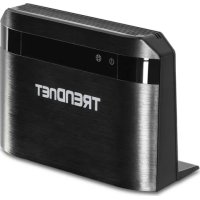
AC750 - Router TRENDNET - Free user manual and instructions
Find the device manual for free AC750 TRENDNET in PDF.


| Product Type | AC750 Dual Band Wireless Router |
| Dimensions (approx.) | 150 x 100 x 30 mm |
| Weight (approx.) | 200 g |
| Power Supply | 12V 1A Power Adapter |
| Wi-Fi Speed | Up to 300 Mbps (2.4 GHz) + 433 Mbps (5 GHz) |
| Number of LAN Ports | 4 x 10/100 Mbps Ethernet Ports |
| WAN Port | 1 x 10/100 Mbps Ethernet Port |
| Key Features | Dual-band Wi-Fi, NAT/SPI firewall, QoS, WPS |
| Wireless Security | WPA/WPA2, WEP (64/128-bit), MAC filtering |
| Configuration | Web interface (http://192.168.10.1), setup wizard |
| Care and Cleaning | Disconnect before cleaning, use a soft dry cloth |
| Warranty | 3-year limited (1 year for power adapter) |
| Standards | CE, FCC |
Frequently Asked Questions - AC750 TRENDNET
User questions about AC750 TRENDNET
0 question about this device. Answer the ones you know or ask your own.
Ask a new question about this device
Download the instructions for your Router in PDF format for free! Find your manual AC750 - TRENDNET and take your electronic device back in hand. On this page are published all the documents necessary for the use of your device. AC750 by TRENDNET.
USER MANUAL AC750 TRENDNET
AC750 Dual Band Wireless Router
TEW-810DR
• Quick Installation Guide (1)
1. Before You Start
Package Contents
- TEW-810DR
• CD-ROM (User's Guide)
• Network cable (1.5 m / 5 ft.)
• Power adapter (12V DC, 1A)
• Multi-Language Quick Installation Guide
Installation Requirements
• A computer with a wired or wireless network adapter and web browser
- Broadband internet
- Installed modem
2. Installation
- Verify that you have an Internet connection.
- Power off your modem.
- Disconnect the network cable from your modem and your computer.
- Connect your modem to the TEW-810DR's Internet port (yellow).
- Connect your computer to one of the wireless router's LAN ports.
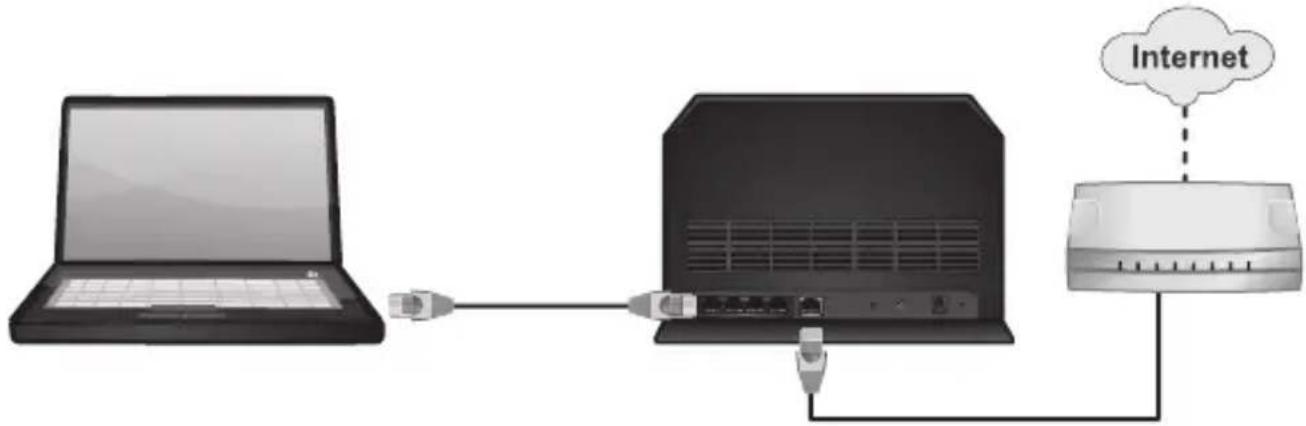
- Power on your router.
- Power on your modem. Wait until the LEDs indicate that modem is fully functional. For more information on your modem's LEDs, please refer with your modem's user's guide.
- Verify that the status LED indicators on the front of the router to confirm that the device is fully functional: Power (Green) and Internet (Green / Blinking).
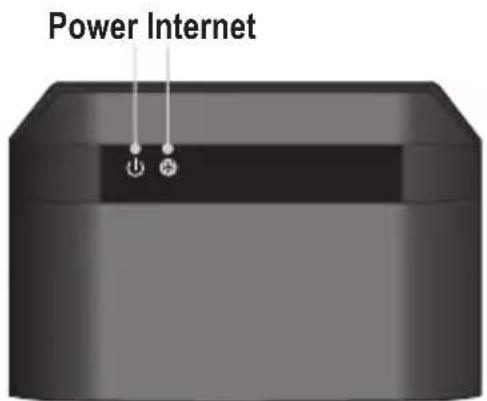
Note: It is recommended that you configure the wireless router from a wired computer.
-
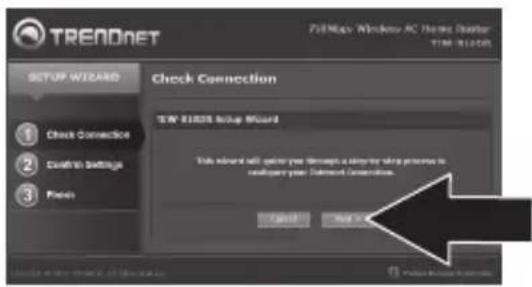
Open your web browser. The wizard will automatically appear. If the wizard does not appear, click Advanced, click Setup and then click Wizard.
-
Click Next.
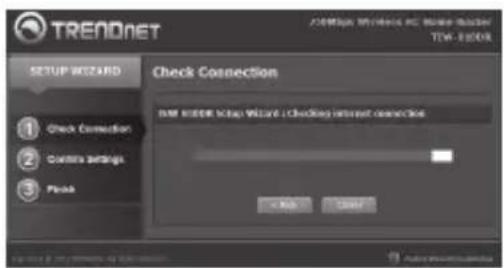
- Please wait while the wireless router detects your Internet connection.
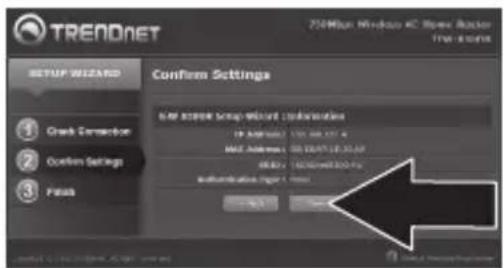
- Click Save.
-
Open up your browser and enter in a URL (e.g. www.trendnet.com) to verify that you have Internet connection.
-
For added security we have pre-encrypted each TEW-810DR with a unique Wi-Fi Name (SSID) and Wi-Fi Key. You can find these pre-configured settings on the labels at the front and back of the TEW-810DR. You will use this information to connect wireless to the router. To change the Wi-Fi Key, refer to the product manual. If the Wi-Fi Router is reset, the Wi-Fi Key and the Wi-Fi Name will also reset to factory defaults.
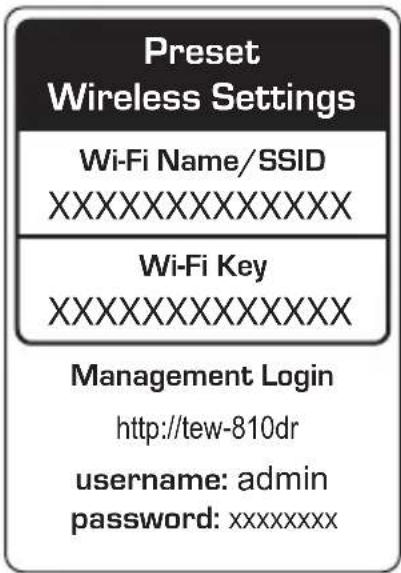
Wireless router installation is now complete. For detailed information regarding the wireless router's configuration and advanced settings, please refer to the User's Guide CD-ROM, or TRENDnet's website at http://www.trendnet.com.
Company Informa on:
Company Name:
TRENDnet, Inc.
Company Address:
20675 Manha an Place
Torrance, CA 90501
USA
Product Informa on:
Product Descrip on:
AC750 Dual Band Wireless Router
Model Number:
TEW-810DR
Brand Name:
TRENDnet

Technical Standards:
EN 300 328 V1.8.1: 04-2012
EN 301 489-1 V1.9.2:09-2011
EN 301 489-17 V2.1.1:09-2012
EN55022 2010 + AC : 2011
Regula on (EC) No. 1275/2008
Regula on (EC) No. 278/2009
Declar a on:
This product is herewith con rmed to comply with the Direc ve of 1999/5/EC, 2006/95/EC and 2009/125/EC.
I hereby declare that the products and devices men oned above are consistent with the standards and provisions of the guidelines.
Sonny Su
Name
September 19, 2013
Date
Director of Technology
Title

Signature
GPL/LGPL General Information
This TRENDnet product includes free software written by third party developers. These codes are subject to the GNU General Public License ("GPL") or GNU Lesser General Public License ("LGPL"). These codes are distributed WITHOUT WARRANTY and are subject to the copyrights of the developers. TRENDnet does not provide technical support for these codes. The details of the GNU GPL and LGPL are included in the product CD-ROM.
Please also go to (http://www.gnu.org/licenses/gpl.txt) or (http://www.gnu.org/licenses/lgpl.txt) for specific terms of each license.
The source codes are available for download from TRENDnet's web site (http://trendnet.com/downloads/list_gpl.asp) for at least three years from the product shipping date.
You could also request the source codes by contacting TRENDnet.
20675 Manhattan Place, Torrance, CA 90501, USA. Tel: +1-310-961-5500 Fax: +1-310-961-5511
TRENDnet warrants its products against defects in material and workmanship, under normal use and service, for the following length of time from the date of purchase. Warranty: 3 year limited warranty (When Applicable: 1 year warranty for power adapter, power supply, and cooling fan components.) Visit TRENDnet.com to review the full warranty policy, rights, and restrictions for this product.
Garantie Limitée
This device complies with Part 15 of the FCC Rules. Operation is subject to the following two conditions: (1) This device may not cause harmful interference. (2) This device must accept any interference received. Including interference that may cause undesired operation.




Waste electrical an electronic products must not be disposed of with household waste. Please recycle where facilities exist. Check with your Local Authority or Retailer for recycling advice.
Note
The Manufacturer is not responsible for any radio or TV interference caused by unauthorized modifications to this equipment. Such modifications could void the user's authority to operate the equipment.
Advertencia
If you have any questions regarding the product installation, please contact our Technical Support.
Toll free US/Canada: 1-866-845-3673
Regional phone numbers available at www.trendnet.com/support
Product Warranty Registration
Please take a moment to register your product online. Go to TRENDnet's website at:
http://www.trendnet.com/register
TRENDnet
20675 Manhattan Place, Torrance, CA 90501. USA
Copyright © 2013. All Rights Reserved. TRENDnet.
Brand : TRENDNET
Model : AC750
Category : Router