AC1200 - Router TRENDNET - Free user manual and instructions
Find the device manual for free AC1200 TRENDNET in PDF.


Pick your language and provide your email: we'll send you a specifically translated version.
| Product Type | Dual-Band Wireless Router |
| Model | AC1200 |
| Wireless Standard | IEEE 802.11a/b/g/n/ac |
| Frequency Bands | 2.4 GHz (up to 300 Mbps) + 5 GHz (up to 867 Mbps) |
| Ports | 4 x Gigabit LAN, 1 x Gigabit WAN, 1 x USB 2.0 |
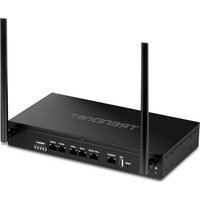
| Antenna | 4 external antennas (fixed) |
| Security | WPA/WPA2, WPS, SPI firewall, MAC filtering |
| Dimensions | 150 x 120 x 30 mm (5.9 x 4.7 x 1.2 in) |
| Weight | 0.3 kg (0.66 lbs) |
| Power Supply | 12V DC, 1A |
| Power Consumption | 10W (max) |
| Operating Temperature | 0°C to 40°C (32°F to 104°F) |
| Humidity | 10% to 90% non-condensing |
| Management | Web-based interface (HTTP/HTTPS) |
| Advanced Features | Guest network, QoS, VPN pass-through, IPv6 |
| Maintenance | Keep vents clear; clean with dry cloth; avoid liquids |
| Safety | Use only included power adapter; do not disassemble |
| Spare Parts / Repairability | Power adapter available; no user-serviceable parts |
| Warranty | 3 years limited (check local terms) |
Frequently Asked Questions - AC1200 TRENDNET
How do I set up my TRENDnet AC1200 router for the first time?
Connect the router to your modem via the WAN port, power it on, and connect a computer to a LAN port. Open a web browser and go to the default IP (usually 192.168.10.1). Use the default credentials (admin/admin) and follow the setup wizard.
What is the default username and password for the TRENDnet AC1200?
The default username is admin and the default password is admin. For security, change these during initial setup.
How can I reset my TRENDnet AC1200 to factory defaults?
Locate the reset button on the back of the router. Use a paperclip to press and hold it for about 10 seconds until the power LED flashes. Release and wait for the router to reboot.
My Wi-Fi signal is weak; how can I improve it?
Place the router in a central, elevated location away from obstacles. Adjust the antennas vertically. Change the wireless channel to avoid interference. Consider using a Wi-Fi analyzer app.
How do I update the firmware on my TRENDnet AC1200?
Download the latest firmware from TRENDnet's support site. Access the router's web interface, go to Administration > Firmware Upgrade, select the file, and click Upgrade. Do not power off during the process.
Can I use the USB port for a printer or external drive?
Yes, the USB 2.0 port supports sharing a USB printer or storage drive. Enable USB sharing in the web interface under USB Settings.
How do I set up a guest Wi-Fi network?
Log into the router's web interface, go to Wireless > Guest Network, enable it, set a SSID and password, and configure access restrictions if desired.
Why is my internet connection slow even with strong Wi-Fi?
Check for interference from other devices, ensure you are using the 5 GHz band for high-bandwidth activities, and verify if QoS is enabled. Also test with a wired connection to rule out ISP issues.
How do I configure parental controls or access restrictions?
In the web interface, navigate to Access Control or Parental Control. You can block specific websites, set schedules, or restrict devices by MAC address.
Is it possible to use the TRENDnet AC1200 as a wireless repeater or access point?
Yes, the router supports multiple operation modes. In the web interface, go to System > Operation Mode and select Repeater or Access Point. Follow the on-screen instructions.
User questions about AC1200 TRENDNET
0 question about this device. Answer the ones you know or ask your own.
Ask a new question about this device
No questions yet. Be the first to ask one.
Download the instructions for your Router in PDF format for free! Find your manual AC1200 - TRENDNET and take your electronic device back in hand. On this page are published all the documents necessary for the use of your device. AC1200 by TRENDNET.
USER MANUAL AC1200 TRENDNET
Manual assistant
Powered by Anthropic
Waiting for your message
Product information
Brand : TRENDNET
Model : AC1200
Category : Router