TEW-656BRG - Router TRENDNET - Free user manual and instructions
Find the device manual for free TEW-656BRG TRENDNET in PDF.


Pick your language and provide your email: we'll send you a specifically translated version.
| Product Type | Wireless G Broadband Router |
| Brand | TRENDnet |
| Model | TEW-656BRG |
| Wireless Standard | IEEE 802.11b/g |
| Maximum Wireless Data Rate | 54 Mbps |
| Frequency Band | 2.4 GHz |
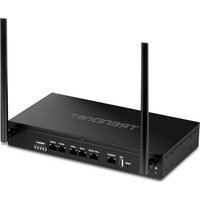
| Antenna | 2 dBi external antenna |
| LAN Ports | 4 x 10/100 Mbps Ethernet |
| WAN Port | 1 x 10/100 Mbps Ethernet |
| Security Features | WEP, WPA/WPA2, SPI firewall |
| Dimensions | 170 x 110 x 32 mm |
| Weight | 320 g |
| Power Supply | External 9V DC, 0.5A adapter |
| Status Indicators | Power, WAN, LAN LEDs |
| Operating Temperature | 0 to 40 °C |
| Storage Temperature | -20 to 60 °C |
| Maintenance | Clean with a soft, dry cloth |
| Safety | Use indoors; keep ventilated and dry |
| Spare Parts & Repairability | No user-replaceable internal parts |
Frequently Asked Questions - TEW-656BRG TRENDNET
How to reset the TEW-656BRG to factory defaults?
Press and hold the reset button on the back of the router for about 10 seconds while the device is powered on. The router will reboot and restore the factory default settings.
How to set up wireless security on the TEW-656BRG?
Open the router's web interface, go to the Wireless section, then Security. Select WPA/WPA2-PSK and enter a passphrase of at least 8 characters. Save the settings and reconnect your devices.
What is the default IP address to access the router's web interface?
The default IP address is 192.168.10.1. Enter it in your browser to access the admin login page. The default username is admin and the password is left blank unless changed.
How to change the SSID on the TEW-656BRG?
Log into the web interface, go to Wireless settings. In the Basic Settings tab, you can edit the SSID field. Choose a unique name, click Save, and reconnect devices with the new network name.
Does the TEW-656BRG support WPA2?
Yes, the TEW-656BRG supports WPA2-PSK encryption, providing strong wireless security. You can enable it in the wireless security settings.
Can the TEW-656BRG be used as a switch?
Yes, you can disable the DHCP server and connect the router to the main network using one of its LAN ports. The TEW-656BRG will then act as a 4-port switch, though the WAN port will not be used.
How to configure port forwarding on the TEW-656BRG?
Access the web interface, go to Advanced > Virtual Server or Port Forwarding. Enter the service name, public port, private port, and the local IP address of the device. Save the rule and enable it.
What should I do if my wireless connection drops often?
Check for interference from other devices, change the wireless channel to a less crowded one, and update the firmware. Also ensure the router is placed in an open area away from walls and appliances.
How to update the firmware on the TEW-656BRG?
Download the latest firmware from the TRENDnet website. In the web interface, go to System > Firmware Upgrade, choose the downloaded file, and click Upgrade. Do not power off during the process.
Is the TEW-656BRG compatible with my internet connection?
The TEW-656BRG requires a broadband internet connection (cable, DSL, or fiber) with an Ethernet output. It supports PPPoE, DHCP, and static IP, covering most ISP configurations.
User questions about TEW-656BRG TRENDNET
0 question about this device. Answer the ones you know or ask your own.
Ask a new question about this device
No questions yet. Be the first to ask one.
Download the instructions for your Router in PDF format for free! Find your manual TEW-656BRG - TRENDNET and take your electronic device back in hand. On this page are published all the documents necessary for the use of your device. TEW-656BRG by TRENDNET.
USER MANUAL TEW-656BRG TRENDNET
Manual assistant
Powered by Anthropic
Waiting for your message
Product information
Brand : TRENDNET
Model : TEW-656BRG
Category : Router