1757571 - Shredder Swingline - Free user manual and instructions
Find the device manual for free 1757571 Swingline in PDF.



| Product Type | Automatic and manual feed document shredder |
| Brand | Swingline |
| Model | 1757571 (Stack-and-Shred™ 100X) |
| Auto feed capacity | 100 sheets (75 g/m²) |
| Manual feed capacity | 6 sheets (75 g/m²) |
| Cut type | Not specified (likely cross cut) |
| Credit card slot | Yes |
| Auto shutoff | After 2 minutes of inactivity |
| Duty cycle | 5 minutes on / 30 minutes off |
| Cooling time | 10 minutes |
| Power supply | 120 V / 60 Hz, 1.8 A, 200 W |
| Main functions | Auto feed (Auto+™), manual feed, reverse, unblock, self-cleaning blades |
| Safety | Lock pin, bin/lid open protection, auto shutoff, visual indicators |
| Maintenance and cleaning | Do not oil or use aerosol; clean rollers with a dry cloth |
| Spare parts and repairability | Limited 5-year warranty on blades, 2 years on other parts; professional repair recommended |
| General information | Removable bin with window, bin full/door open/cooling/blockage indicators |
Frequently Asked Questions - 1757571 Swingline
User questions about 1757571 Swingline
0 question about this device. Answer the ones you know or ask your own.
Ask a new question about this device
Download the instructions for your Shredder in PDF format for free! Find your manual 1757571 - Swingline and take your electronic device back in hand. On this page are published all the documents necessary for the use of your device. 1757571 by Swingline.
USER MANUAL 1757571 Swingline
natural_image
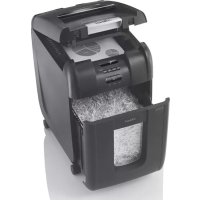
Black Swinglne brand digital washing machine with control buttons and a glass jar (no visible text or symbols on device body)Swingline™ Stack-and-Shred™ 100X Shredder Auto+™ Technology
text_image
Swinflaser A B C D E F G H I J K L M NEnglish 2
Français 10
Español 18
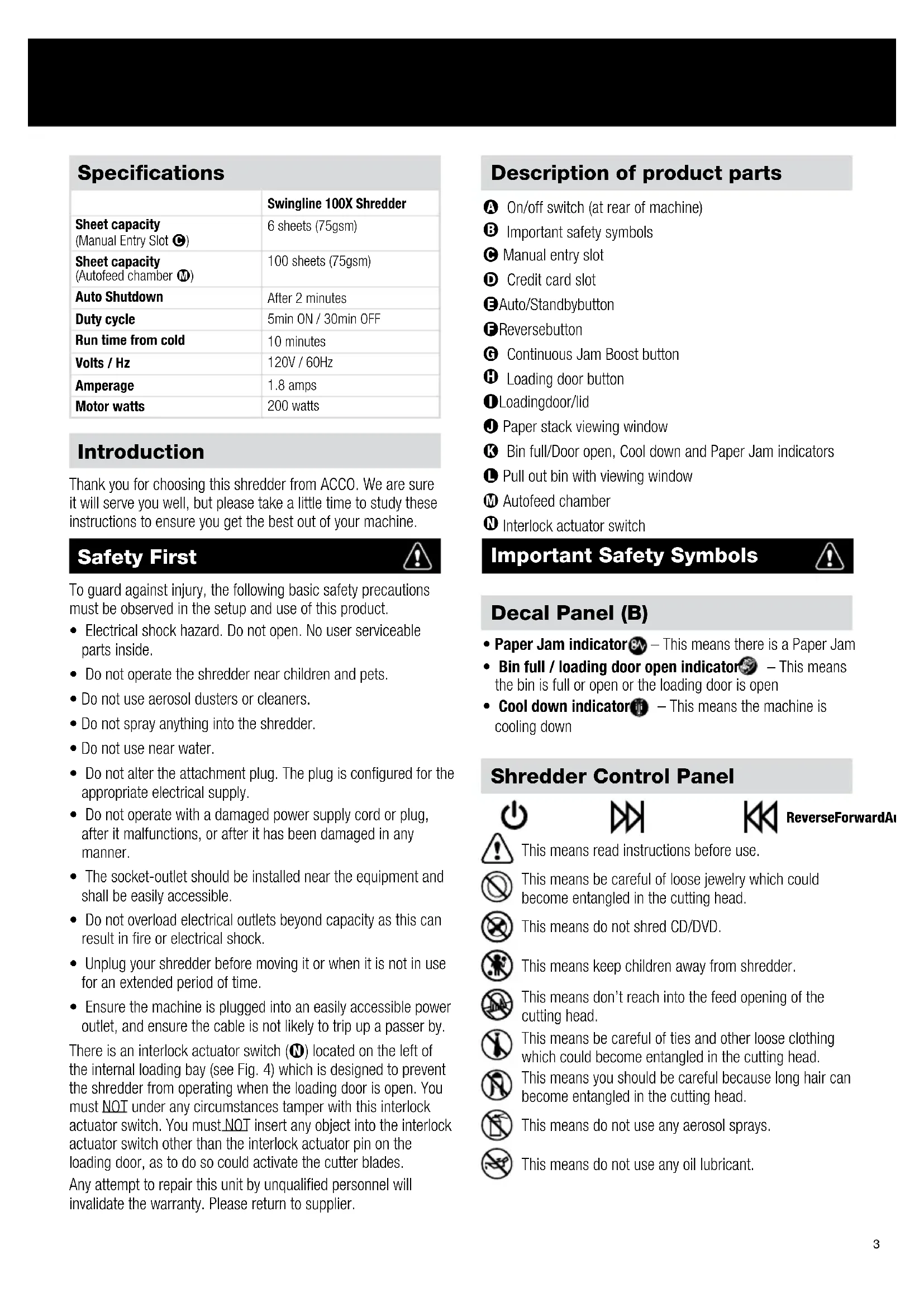
Specifications
| Swingline 100X Shredder | |
| Sheet capacity(Manual Entry Slot Ⓐ) | 6 sheets (75gsm) |
| Sheet capacity(Autofeed chamber Ⓜ) | 100 sheets (75gsm) |
| Auto Shutdown | After 2 minutes |
| Duty cycle | 5min ON / 30min OFF |
| Run time from cold | 10 minutes |
| Volts / Hz | 120V / 60Hz |
| Amperage | 1.8 amps |
| Motor watts | 200 watts |
Introduction
Thank you for choosing this shredder from ACCO. We are sure it will serve you well, but please take a little time to study these instructions to ensure you get the best out of your machine.
Safety First

To guard against injury, the following basic safety precautions must be observed in the setup and use of this product.
- Electrical shock hazard. Do not open. No user serviceable parts inside.
- Do not operate the shredder near children and pets.
- Do not use aerosol dusters or cleaners.
- Do not spray anything into the shredder.
- Do not use near water.
- Do not alter the attachment plug. The plug is configured for the appropriate electrical supply.
- Do not operate with a damaged power supply cord or plug, after it malfunctions, or after it has been damaged in any manner.
- The socket-outlet should be installed near the equipment and shall be easily accessible.
- Do not overload electrical outlets beyond capacity as this can result in fire or electrical shock.
- Unplug your shredder before moving it or when it is not in use for an extended period of time.
- Ensure the machine is plugged into an easily accessible power outlet, and ensure the cable is not likely to trip up a passer by.
There is an interlock actuator switch (N) located on the left of the internal loading bay (see Fig. 4) which is designed to prevent the shredder from operating when the loading door is open. You must NOT under any circumstances tamper with this interlock actuator switch. You must NOT insert any object into the interlock actuator switch other than the interlock actuator pin on the loading door, as to do so could activate the cutter blades.
Any attempt to repair this unit by unqualified personnel will invalidate the warranty. Please return to supplier.
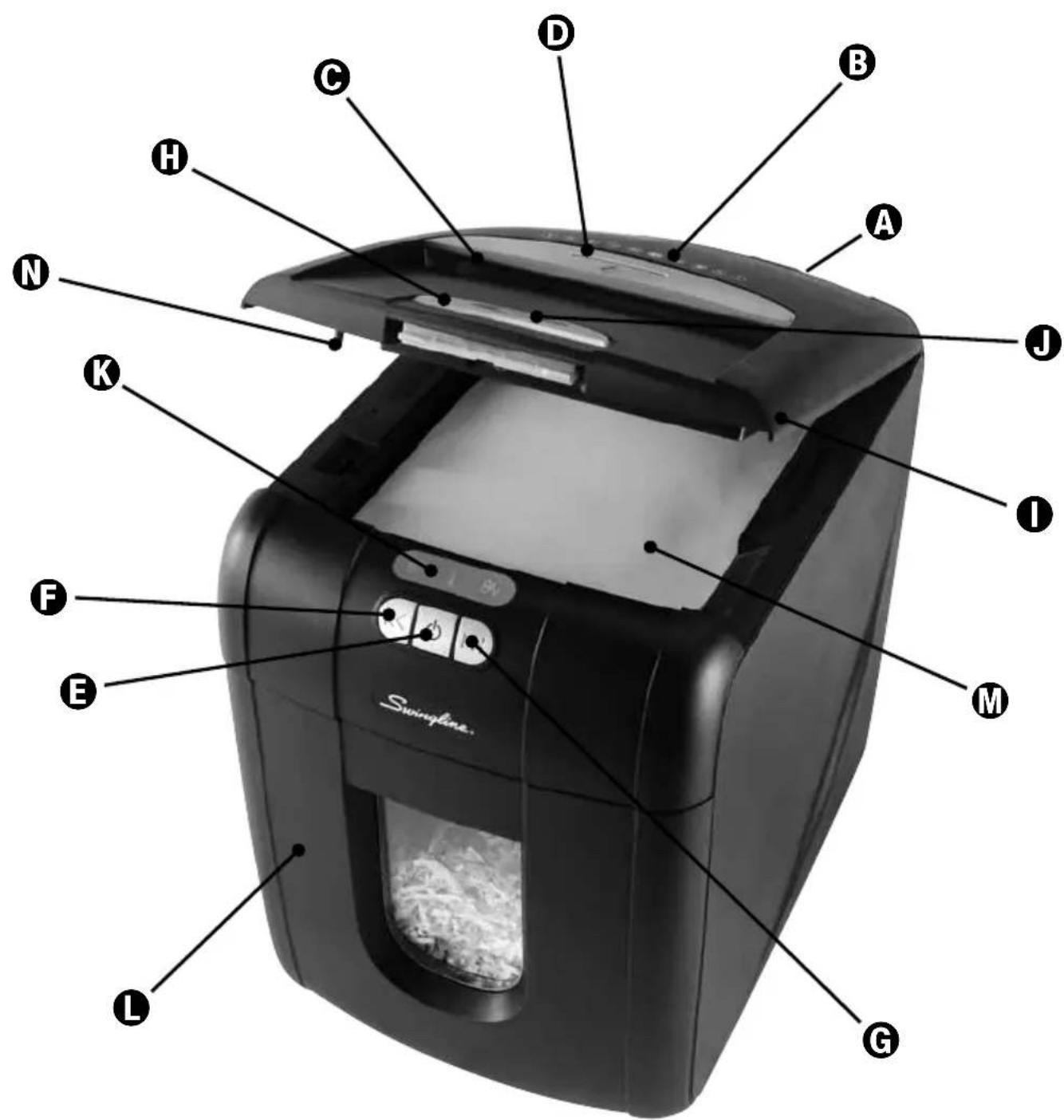
Description of product parts
A On/off switch (at rear of machine)
B Important safety symbols
© Manual entry slot
D Credit card slot
E Auto/Standbybutton
FReversebutton
G Continuous Jam Boost button
H Loading door button
● Loadingdoor/lid
J Paper stack viewing window
K Bin full/Door open, Cool down and Paper Jam indicators
L Pull out bin with viewing window
M Autofeed chamber
N Interlock actuator switch
Important Safety Symbols

Decal Panel (B)
- Paper Jam indicator ^84v – This means there is a Paper Jam
- Bin full / loading door open indicator 📂 – This means the bin is full or open or the loading door is open
- Cool down indicator – This means the machine is cooling down
Shredder Control Panel


ReverseForwardAI

This means read instructions before use.

This means be careful of loose jewelry which could become entangled in the cutting head.

This means do not shred CD/DVD.

This means keep children away from shredder.

This means don't reach into the feed opening of the cutting head.

This means be careful of ties and other loose clothing which could become entangled in the cutting head.

This means you should be careful because long hair can become entangled in the cutting head.

This means do not use any aerosol sprays.

This means do not use any oil lubricant.
Auto+™ Technology
The 100X has been designed to automatically shred up to 100 sheets from the autofeed chamber and up to 6 sheets through the manual slot. The patent pending autofeed mechanism has been designed to handle paper fastened with staples and paper clips and to only pull a few sheets of paper into the cutting mechanism to minimise the risk of paper jams. The stack of paper does not need to be prearranged before loading into the chamber.
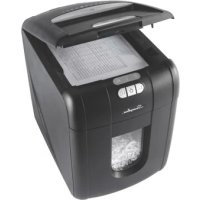
To load the shredder, simply press the loading door button which automatically opens the loading door to a 45 degree angle and insert documents. You can open the door further to 90 degrees for easier access if required. Closing the loading door will automatically start the shredding cycle.
100X Shredding Capability
The 100X can handle the following...
Paper type Staples Paper Clips
| 20lb / 80gsm paper- Letter - 8.5" x 11"- Legal - Single sheet folded in half-A4 - 210mm x 297mm-A5 - 148mm x 210mm-A3 - Single sheet folded in half | 1" (26 mm) and 1⁄4" (6 mm) or smaller staples.NOT suitable for heavy duty staples above this sizeNOT suitable for stapled documents >25 sheets | Capable of shredding small/medium(max wire thickness = 0.03"/0.9 mm) paper clips, < 0.25"/32mm lengthNOT suitable for clipped documents >25 sheets |
OK to shred:

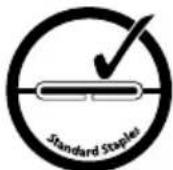
- Stapled paper within 1"/25mm from any corner
- 100 sheets single side color printed paper
- Credit cards (through credit card slot)

- Paper clip paper within 1"/25mm from any corner
- 100 sheets plain paper - 100 sheets single side
- 20-50lb/80-100gsm paper (through manual entry slot)

- Single folded sheets
The Swingline Stack and Shred (100X) accepts fastened sheets, however, to extend the life of your product we recommend that staples and paper clips be removed prior to shredding.
Do not shred:

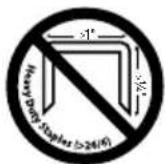
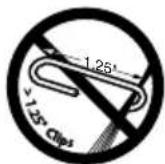

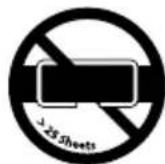




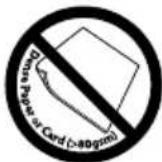


OTHER ITEMS INCLUDE:
Document edge bound by staples and paperclips
Adhesive Labels Plastic folders
Double sided color printed paper
Glossy paper
25 sheets stapled or paper clipped documents
Laminated documents
Lights and Icons Explained
| Auto Paper Jam Bin full / bin open / door open | Cool down | loading | ||
| Color of symbol Blue Red Red Red | ||||
| Power OFF Mode Off | ||||
| Auto Mode | Light | |||
| Continuous Jam Boost Mode | Light | Light | ||
| Reverse Mode | Light | Light | ||
| Paper Jam | Light | Light | ||
| Loading Door open | Light | Light | ||
| Bin full or open | Light | Light | ||
| Motor Cool Down Required | Light | Light Flashing | ||
| Self cleaning of cutters Light | Flashing | |||
| Sleep Mode | Off | |||
Operation
1 After unpacking the product, pull out the shredder bin (L). Remove and fit the recyclable paper bag (as per instructions printed on the bag).
2 Connect the shredder to power supply.
3 Ensure the on/off button (A) on the back of the machine is in the on position.
4 To start shredding, press the central Auto button (E). This will illuminate the blue standby symbol on the auto button. This sets the shredder into auto mode. You are now ready to shred.
5 If the shredder is left in auto mode for more than 2 minutes without being used, it will automatically turn to standby mode to save power.
6 The shredder will automatically operate from standby mode when paper is inserted into the manual entry slot. Opening either the loading door/lid (1), pull-out bin (2) or pressing any button will return the product to auto mode.
Automatic Shredding (Fig. 1)
Press the loading door button (H) to open the loading door. Load up to 100 sheets at a time into the autofeed chamber (M). Do not fill above the 100 MAX level (see inside front right of loading bay) this could damage the shredder.
Close the loading door without pressing the loading door button. The shredder will now start automatically.
Manual Shredding (Fig. 2)
If you only have up to 6 sheets to shred, you can use the manual entry slot (C), provided the autofeed chamber is empty.
Credit Card Shredding (Fig. 3)
100X can shred credit cards. Switch the shredder to auto mode (see #4 under "Operation"). Insert the credit card into the opening on top of the manual entry slot (●). ACCO encourages customers to recycle shredded paper. Please note that sometimes shredded paper cannot be recycled if mixed with credit card shards. If recycling, please separate shredded paper and credit cards
Bin/Loading Door Open Protection Function (Fig. 4)
As an added precaution, if the bin or loading door is opened during shredding, the shredder will stop, and the bin full / door open indicator will glow red.
There is an interlock actuator switch (N) located on the left of the internal loading bay which is designed to prevent the shredder from operating when the loading door is open. You must NOT under any circumstances tamper with this interlock actuator switch. You must NOT insert any object into the interlock actuator switch other than the interlock actuator pin on the loading door, as to do so could activate the cutter blades.
Rare Occasions of Jamming
In the unlikely event of the shredder jamming, the 100X will automatically reverse and forward the engine three times to clear a jam. If after this auto jam clearance cycle the shredder still has a paper jam, the jam indicator will continue to illuminate ^84 . Try clearing the jam using the reverse (F) and continuous jam boost (G) buttons. If this is unsuccessful, open the loading door (I), remove the remaining stack of paper, then pull the jammed paper free of the cutting mechanism.
Over Heating
If the 100X is used continuously for over 10 minutes the shredder may overheat and the thermometer symbol will illuminate 📋. Please allow the shredder to cool down. When the shredder is ready to be used the thermometer symbol will no longer be illuminated. If the shredder needs to cool down while shredding, no action is needed. The shredder will automatically restart shredding paper once it has cooled down after periods of continuous use. All you need to do is ensure paper is loaded into the chamber and the bin is not full when the machine is cooling down.
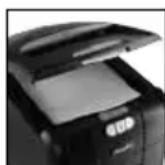
Fig. 1
Autofeed
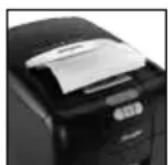
Fig. 2
Manual feed
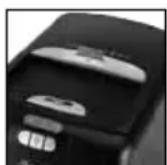
Fig. 3
Credit card
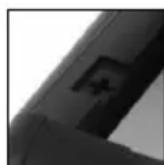
Fig. 4
Safety device
Reverse Function
1 Should you wish to reverse paper out while shredding, a reverse button (K) has been provided for your convenience. The jam indicator will turn to red while using reverse mode.
2 The reverse function will only run when the button is being pressed. When the reverse button is released the shredder will revert to auto mode.
Bin Full
The shredder will not function when the bin is full and the bin full symbol is illuminated red. You should empty the bin.
- Pull open the bin
- Never try to reach for any shreds hanging from cutters
• Empty bin and replace shredder bag if you are using one - Push the empty bin back into place and press the auto button to resume shredding.
Self-cleaning Cutters
After emptying and replacing a full bin, the shredder will run in forward and reverse for 10-18 seconds to clear any remaining paper from the cutter mechanism. This unique ‘self-cleaning’ mechanism is additional jam prevention technology from Swingline.
Lubrication of the Shredder
ACCO Brands accepts no liability for product performance or safety when lubricants are used on any part(s) of this machine.
Do not oil any part of the shredder.
The rollers on the auto-feed mechanism may become dirty over time, please wipe clean with a dry cloth to maintain maximum product performance.
Do not use any aerosols or sprays to either oil or clean the shredder.
Protection Features
Protection features on the 100X include:
1 Enclosed cutters are inside the Autofeed chamber (M) so they are isolated from outside surfaces when in operation.
2 Interlock switches that shut off power to the cutters when either the loading door/lid (1) pull-out bin (L) or both are open.
3 Curved paper entry path for manual entry slot (C) to reduce chances of cutters "grabbing" paper.
Shredder Accessories and Maintenance
We recommend using a paper bag for recycling shredded paper. Our paper bags are made from 80% post-consumer recycled material and are fully recyclable.
Accessory Part Number
Recycling Paper Bag 1765026
Warranty
Limited 5 year Cutter Warranty for 100X Shredder and Limited 2 Year Warranty for all other Parts
ACCO Brands USA LLC, 300 Tower Parkway, Lincolnshire, IL 60069 (in Canada, ACCO Brands Canada Inc., 5 Precidio Court, Brampton, ON L6S-6B7; and in Mexico, ACCO Mexicana, S.A. de C.V. Av. Circuito Industrial Norte #6 Parque Industrial Lerma 52000, Lerma Edo. De México) (each, respectively, "ACCO Brands") warrants to the original purchaser that the cutters of this Swingline ^™ Shredder 100X are free from defects in workmanship and material under normal use and service for a period of 5 years after purchase and all other parts are free from defects in workmanship and material under normal use and service for a period of 2 years after purchase.
ACCO Brands' obligation under this warranty is limited to replacement or repair, at ACCO Brands' option, of any warranted part found defective by ACCO Brands without charge for material or labor. Any replacement, at ACCO Brands' option, may be the same product or a substantially similar product that may contain remanufactured or refurbished parts. This warranty shall be void in the following circumstances:
(i) if the product has been misused,
(ii) if the product has been damaged by negligence or accident, or
(iii) if the product has been altered by anyone other than ACCO Brands or ACCO Brands' authorized agents.
For warranty execution, please call:
1-800-541-0094 in the USA
1-800-263-1063 in Canada
1-800-758-6825 in Mexico
Or go to www.swingline.com.
TO THE EXTENT ALLOWED BY APPLICABLE LAW, THIS WARRANTY IS IN LIEU OF ALL OTHER EXPRESSED WARRANTIES. REPRESENTATIONS OR PROMISES INCONSISTENT WITH OR IN ADDITION TO THIS WARRANTY ARE UNAUTHORIZED AND SHALL NOT BE BINDING ON ACCO BRANDS. TO THE EXTENT PERMITTED BY APPLICABLE LAWS, ANY IMPLIED WARRANTIES (IF APPLICABLE) ARE LIMITED IN DURATION TO THE DURATION OF THIS WARRANTY. SOME STATES AND JURISDICTIONS DO NOT ALLOW LIMITATIONS ON HOW LONG AN IMPLIED WARRANTY LASTS, SO THE ABOVE LIMITATION MAY NOT APPLY TO YOU. TO THE EXTENT PERMITTED BY APPLICABLE LAW, IN NO EVENT SHALL ACCO BRANDS BE LIABLE FOR ANY SPECIAL, INCIDENTAL, PUNITIVE, EXEMPLARY, CONSEQUENTIAL OR SIMILAR DAMAGES, WHETHER OR NOT FORSEEABLE. SOME STATES AND JURISDICTIONS DO NOT ALLOW THE EXCLUSION OR LIMITATION OF SPECIAL, INCIDENTAL, PUNITIVE, EXEMPLARY, CONSEQUENTIAL, OR SIMILAR DAMAGES, SO THE ABOVE EXCLUSION OR LIMITATION MAY NOT APPLY TO YOU.
FOR CONSUMERS WHO HAVE THE BENEFIT OF CONSUMER PROTECTION LAWS OR REGULATIONS IN THEIR JURISDICTION OF PURCHASE OR, IF DIFFERENT, IN THEIR JURISDICTION OF RESIDENCE, THE BENEFITS CONFERRED BY THIS WARRANTY ARE IN ADDITION TO ALL RIGHTS AND REMEDIES CONVEYED BY SUCH CONSUMER PROTECTION LAWS AND REGULATIONS.
To the extent permitted by law, this warranty is not transferable and will automatically terminate if the original product purchaser sells or otherwise disposes of the product.
This warranty gives you specific legal rights. Other rights, which vary from jurisdiction to jurisdiction, may exist. In addition some jurisdictions do not allow (i) the exclusion of certain warranties, (ii) limitations on how long an implied warranty lasts and/or (iii) the exclusion or limitation of certain types of costs and/or damages, so the above limitations may not apply.
Troubleshooting Guide for Stack-and-Shred" 100X

| QUESTION ANSWER | APPLICABLE MACHINES60X 80X 100X 250X 500X | |||||||
| 1 | The shredder will not start. | a | Check power switch on the back of the machine is turned on. ( ⏻ ) | Y Y | Y Y Y | |||
| b | Check that the Auto button ( ⏻ ) has been pressed or the switch is in the Auto position and the power switch on the back has been turned on.Note: The Auto button light turns off after 2 mins of non-use.The shredder wakes up automatically if paper is in the autofeed chamber or fed into the manual feed slot | Y Y Y | ||||||
| c | Is the “bin door/ loading door open” indicator light red( ⏻ )? Make sure both the loading door and the bin door are closed. | Y Y Y Y | ||||||
| 2 | There are documents in the autofeed chamber but the shredder has stopped running. | a | Is the cool-down indicator light red ( ⏻ )? If so, allow the shredder to cool down. Shredding will resume automatically after the shredder has cooled down. | Y Y | Y Y | |||
| b | the “bin door/ loading door open/bin full” indicator light is red( ⏻ ), empty the bin. Also check to see if the loading door and bin doors are closed. Shredding will resume automatically. | Y Y Y Y | ||||||
| c | Is the jam indicator light red ( 8A v )? If so, the shredder was unable to clear a jam even after the automatic jam clearance cycle. Use the manual reverse button ( ⏻ ) to back out paper from the cutters.Open the lid and remove the offending papers. | Y Y Y Y | ||||||
| d | there are crumpled sheets in the stack, they may not feed properly. It is recommended that you feed them through the manual feed slot. | Y Y | Y Y Y | |||||
| e | there are multiple folded sheets in the stack, unfold the sheets before placing them back in the stack or feed through the manual feed slot. | Y Y | Y Y Y | |||||
| f | there are unopened envelopes in the stack, remove them, open the envelopes and lay the contents flat into the autofeed chamber, unfolding any folded sheets. Envelopes can be shredded through the manual feed slot. | Y Y | Y Y Y | |||||
| g | Examine the rollers, if they are covered with paper dust, clean them with a dry cloth. | Y Y | Y Y Y | |||||
| FOR ADDITIONAL INFORMATION ON WHAT TO SHRED THROUGH AUTO FEED AND WHAT TO SHRED VIA MANUAL FEED SLOT, PLEASE SEE SECTION IN THE MANUAL ON ‘SHREDDING CAPABILITY’ | ||||||||
| 3 | There isn't any paper in the shredder but it won't stop running. | a | The auto-start infra-red sensor, located in the paper feed entry-slot, can occasionally become covered in paper-dust causing the shredder to run despite no paper being fed into the machine. Switch the shredder off at the rear of the machine and carefully clean the sensor using a cotton-swab (see fig 6). | YY | YYY | |||
| b | If the shredder still does not stop running, call ACCO at:800-541-0094 | YY | YYY | |||||
| 4 | Every time I shut the bin, the shredder turns itself on automatically for a few seconds. | a | After the bin is removed and replaced, the shredder will run for approximately 8 seconds to clear away any remaining paper from the cutter mechanism. | YYY | YY | |||
| 5 | I have to feed the paper quite a long way into the manual feed slot before it engages with the cutting mechanism | a | Unlike conventional shredders, the paper needs to pass through the autofeed chamber before the paper meets the cutting mechanism. For this reason, the manual feed slot has been designed to be extremely easy to slide paper into. | YY | YYY | |||
| 6 | I have locked the shredder but there is a paper jam and my sensitive documents are still in the machine | a | Enter your PIN to unlock the loading door and clear the jam. If you have forgotten the code or you have left the shredder to continue your working day, the machine will open automatically after 30 minutes of inactivity. After clearing the jam, reload the shredder before locking the loading door again. | Y | Y | |||
| Do I need to enter the same four digits, as a locking PIN, each time I use the shredder? | b | No. The shredder will register the four digit PIN code each time so you could change your PIN number every time you use the shredder. | Y | Y | ||||
| I have just realized that I have some documents in the autofeed chamber that I don't want to shred but the loading door is locked. | c | Re-entering your four digit PIN code unlocks the paper loading door. | Y | Y | ||||
| What happens if someone tries to guess my PIN code to get access to my documents? | d | After 5 incorrect attempts to enter the code the locking mechanism will not accept any more entries. The loading door will remain locked until the shredding is complete. YY | ||||||
| 7 | How should I maintain my shredder? | a | Use Swingline oil sheets to lubricate the cutting head, do not use other types/brands of oil | YY | YY | |||
| b | Clean the auto-start infra red sensor on a regular basis (see point 3a). | YY | YYY | |||||
| c | Clean rollers free of any paper dust with a dry cloth Y Y Y Y Y | |||||||

text_image
Swinflaser A B C D E F G H I J K L M NFrançais
10
Spécifications
text_image
Swinflaser A B C D E F G H I J K L M NEspañol
18
Especificaciones
Accessory Part Number
| Sku Bolsa de papel reciclable | 1765026 |
Garantía
Note: This equipment has been tested and found to comply with the limits for a Class B digital device, pursuant to part 15 of the FCC Rules. These limits are designed to provide reasonable protection against harmful interference in a residential installation. This equipment generates, uses and can radiate radio frequency energy and, if not installed and used in accordance with the instructions, may cause harmful interference to radio communications. However, there is no guarantee that interference will not occur in a particular installation. If this equipment does cause harmful interference to radio or television reception, which can be determined by turning the equipment off and on, the user is encouraged to try to correct the interference by one or more of the following measures:
• Reorient or relocate the receiving antenna.
- Increase the separation between the equipment and receiver.
- Connect the equipment into an outlet on a circuit different from that to which the receiver is connected.
- Consult the dealer or an experienced radio/TV technician for help.
Canada Class B Notice - Avis Canada, Classe B
This Class B digital apparatus complies with Canadian ICES-003.
Any modifications made to this device that are not approved by ACCO Brands Corporation may void the authority granted to the user by the FCC and/or by Industry Canada to operate this equipment.