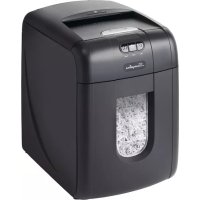
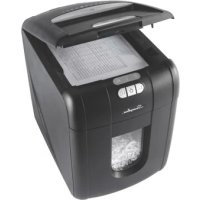
StackandShred 130X - Shredder Swingline - Free user manual and instructions
Find the device manual for free StackandShred 130X Swingline in PDF.



| Brand | Swingline |
| Model | StackandShred 130X |
| Product type | Document shredder |
| Shredding capacity (manual feed) | 6 sheets (80 g/m²) |
| Shredding capacity (auto-feed) | 130 sheets (80 g/m²) |
| Power supply | 120 V / 60 Hz |
| Motor power | 200 W (130X) / 270 W (130M) |
| Rated current | 1.8 A (130X) / 2.2 A (130M) |
| Duty cycle | 5 minutes on / 30 minutes off |
| Automatic shut-off | After 2 minutes of inactivity |
| Main functions | Auto-feed, manual feed, forward/reverse, self-cleaning, auto jam clearing |
| Cut type | Micro-cut (not specified, estimated) |
| Accepted materials | Paper, staples (26/6 and 24/6 or smaller), paper clips (small/medium, max thickness 0.9 mm), credit cards (via manual slot) |
| Prohibited materials | Plastic, laminated documents, CD/DVD, adhesive labels, bound magazines, large paper clips |
| Safety | Safety switch on cover, automatic shut-off if bin or cover is open, cooling indicator, overheat protection |
| Maintenance and cleaning | Clean rollers with a dry cloth; clean infrared sensor with a cotton swab; use only Swingline lubricating sheets |
| Included accessories | Recyclable waste bag (ref. 1765031) |
| Warranty | 2 years on blades, 2 years on other parts |
| Repairability | Do not repair yourself; contact an authorized Swingline repairer or customer service |
| Customer service (United States) | 1-800-541-0094 |
| Customer service (Canada) | 1-800-268-3447 |
| Customer service (Mexico) | 01-(55)-1500-5700 / 5778 |
Frequently Asked Questions - StackandShred 130X Swingline
User questions about StackandShred 130X Swingline
0 question about this device. Answer the ones you know or ask your own.
Ask a new question about this device
Download the instructions for your Shredder in PDF format for free! Find your manual StackandShred 130X - Swingline and take your electronic device back in hand. On this page are published all the documents necessary for the use of your device. StackandShred 130X by Swingline.
USER MANUAL StackandShred 130X Swingline
start here
démarrez ici
empieza aquí
comece aqui
1
2
3
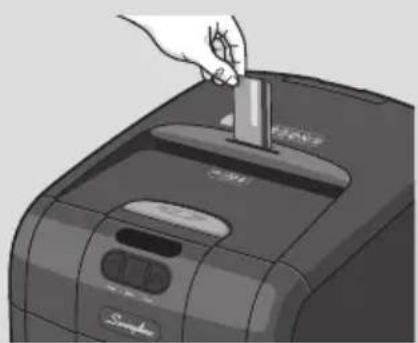
4
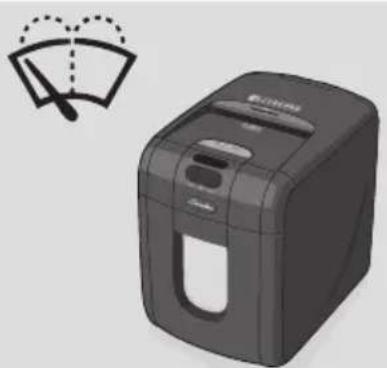
5
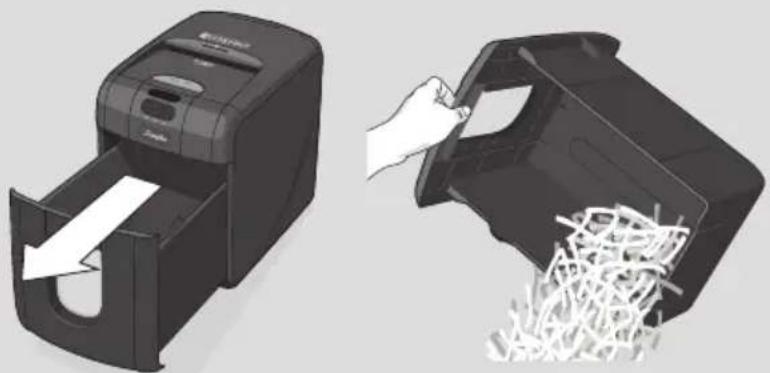
6
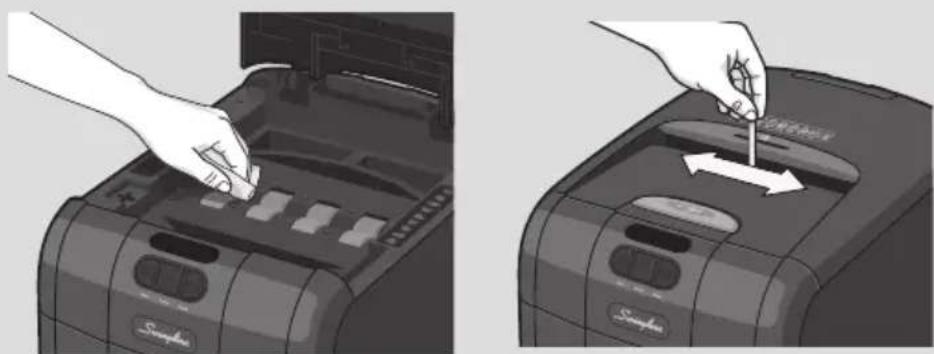
STACK-AND-SHRED SHREDDERS
| FEATURE COMPARISON | LIGHT USE EVERYDAY USE HEAVY USE | ||||||||||
| Model | 60X | 80X | 130X | 130M | 230X | 300X | 300M | 600X | 600M | 750X | 750M |
| Security level | P3 | P3 | P5 | P3 | P3 | P5 | P4 | P5 | P4 | P5 | |
| Bin Capacity (sheets) | 100 | 150 | 150 | 280 | 325 | 450 | 670 | 850 | 1100 | 1250 | 1400 |
| Users | 1 | 1-2 | 1-5 | 5-10 | 10-20 | 20+ | |||||
| HANDS FREE SHREDDING | |||||||||||
| Sheet Capacity | 60 | 80 | 130 | 130 | 230 | 300 | 300 | 600 | 600 | 750 | 750 |
| Staples and Paper Clips | √ | √ | √ | √ | √ | √ | √ | √ | √ | √ | √ |
| Intelligent Jam Clearance | √ | √ | √ | √ | √ | √ | √ | √ | √ | √ | |
| Lockable Chamber | Optional | √ | √ | √ | √ | √ | √ | ||||
| MANUAL FEED SHREDDING | |||||||||||
| Manual feed sheet capacity | 5 | 6 | 6 | 6 | 7 | 8 | 8 | 10 | 9 | 12 | 10 |
| Jam Assist | √ | √ | √ | √ | √ | √ | √ | √ | √ | ||
| Bin Capacity (Gallons) | 4gal | 5gal | 7gal | 7gal | 9gal | 11gal | 11gal | 21gal | 21gal | 31gal | 31gal |
| Shreds Credit Cards | √ | √ | √ | √ | √ | √ | √ | √ | √ | √ | √ |
| IntelligentTM Power Save | √ | √ | √ | √ | √ | √ | √ | √ | √ | √ | |
| Bin Full Indicator | √ | √ | √ | √ | √ | √ | √ | √ | √ | √ | |
| Illuminated Status Symbols | √ | √ | √ | √ | √ | √ | √ | √ | √ | ||
| Shreds CDs | √ | √ | √ | √ | √ | √ | √ | ||||
| Castors for Mobility | √ | √ | √ | √ | √ | √ | √ | ||||
| IntelligentTM SelfOilTM | √ | √ | √ | √ | |||||||
| Continuous operation | √ | √ | √ | √ | |||||||
| Model | 60X | 80X | 130X | 130M | 230X | 300X | 300M | 600X | 600M | 750X | 750M |
| Security level | P3 | P3 | P5 | P3 | P3 | P5 | P4 | P5 | P4 | P5 | |
| Bin Capacity (sheets) | 100 | 150 | 150 | 280 | 325 | 450 | 670 | 850 | 1100 | 1250 | 1400 |
| Users | 1 | 1-2 | 1-5 | 5-10 | 10-20 | 20+ | |||||
| HANDS FREE SHREDDING | |||||||||||
| Sheet Capacity | 60 | 80 | 130 | 130 | 230 | 300 | 300 | 600 | 600 | 750 | 750 |
| Staples and Paper Clips | √ | √ | √ | √ | √ | √ | √ | √ | √ | √ | √ |
| Intelligent Jam Clearance | √ | √ | √ | √ | √ | √ | √ | √ | √ | √ | |
| Lockable Chamber | Optional | √ | √ | √ | √ | √ | √ | ||||
| Manual feed sheet capacity | 5 | 6 | 6 | 6 | 7 | 8 | 8 | 10 | 9 | 12 | 10 |
| Jam Assist | √ | √ | √ | √ | √ | √ | √ | √ | √ | ||
| Bin Capacity (Gallons) | 4gal | 5gal | 7gal | 7gal | 9gal | 11gal | 11gal | 21gal | 21gal | 31gal | 31gal |
| Shreds Credit Cards | √ | √ | √ | √ | √ | √ | √ | √ | √ | √ | √ |
| IntelligentTM Power Save | √ | √ | √ | √ | √ | √ | √ | √ | √ | √ | |
| Bin Full Indicator | √ | √ | √ | √ | √ | √ | √ | √ | √ | √ | |
| Illuminated Status Symbols | √ | √ | √ | √ | √ | √ | √ | √ | √ | ||
| Shreds CDs | √ | √ | √ | √ | √ | √ | √ | ||||
| Castors for Mobility | √ | √ | √ | √ | √ | √ | √ | ||||
| IntelligentTM SelfOilTM | √ | √ | √ | √ | |||||||
| Continuous operation | √ | √ | √ | √ |
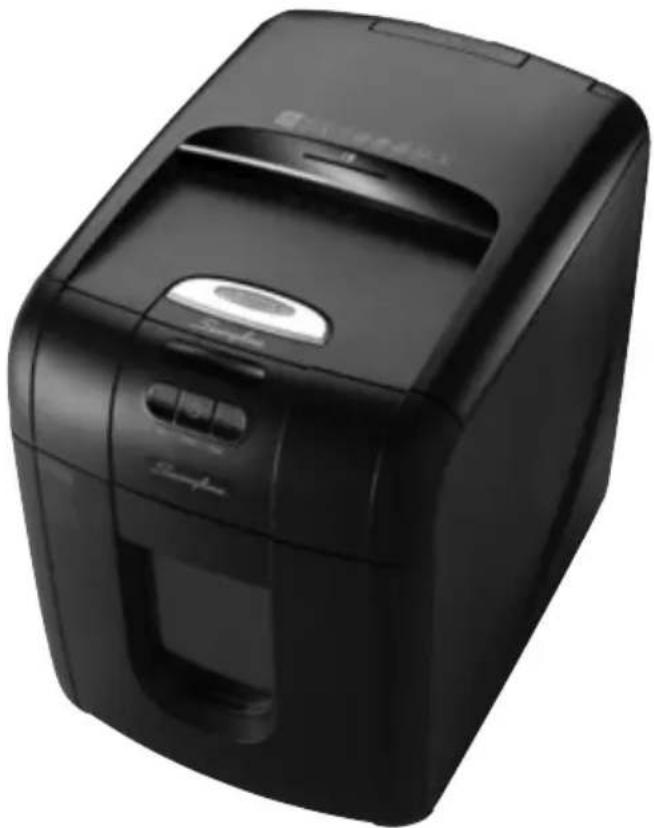
STACK-AND-SHRED130X&130M™
SHREDDERS
English instruction manual 6
The Stack and Shred 130X/130M has been designed to automatically shred up to 130 sheets from the auto-feed chamber and up to 6 sheets through the manual feed slot. The auto-feed mechanism has been designed to handle paper fastened with staples and paper clips and to only pull a few sheets of paper into the cutting mechanism to minimise the risk of paper jams.

To guard against injury, the following basic safety precautions must be observed in the set-up of this product.
- Ensure the machine is plugged into an easily accessible power outlet, and ensure the cable is not likely to trip up a passer by.
- Any attempt to repair this unit by unqualified personnel will invalidate the warranty. Please return to supplier.
- Unplug your shredder before moving it or when it is not in use for an extended period of time.
- Do not operate with a damaged power supply cord or plug, after it malfunctions, or after it has been damaged in any manner.
- Do not overload electrical outlets beyond capacity as this can result in fire or electrical shock.
- The socket-outlet should be installed near the equipment and shall be easily accessible.
- Do not alter the attachment plug. The plug is configured for the appropriate electrical supply.
- Do not use near water.
- Do not use aerosol dusters or cleaners.
- Do NOT spray anything into the shredder.
- Do NOT load the autofeed chamber with junk mail, magazines, bound documents etc.
Although this shredder has been designed to comply with UL 60950-1 EN 60950-1 safety standards including the “probe accessibility tests”, do not operate the shredder near children or pets.
There is a ‘cross shaped’ integral safety device, located on the left of the internal loading bay, which is designed to prevent the shredder from operating when the loading door is open. You must NOT under any circumstances tamper with this switch, add any object into the cross-shaped interlock switch other than the interlock actuator, as to do so would activate the cutting blades.
warning symbols

Safety First


This means you should be careful because long hair can become entangled in the cutting head.

This means be careful of ties and other loose clothing which could become entangled in the cutting head.

This means be careful of loose jewellery which could become entangeld in the cutting head.

This means don't reach into the feed opening of the cutting head.

This means keep children away from shredder.

This means no aerosols.

Sheet capacity of manual feed entry slot.

This means the shredder can accept small staples.

This means the shredder can accept small paperclips.

This means no oil lubrication, use Swingline oil sheets only.
control panel and indicators



Continuous Jam BoostReverse

Paper Loading Door/Bin Door Open or Bin Full indicator – This means either:
- Loading door is open
- Bin is open
- Bin is full
Cool Down indicator – This means the machine is cooling down.

Paper jam indicator – This means there is a paper jam in the auto feed chamber.
If this symbol is flashing the shredder is attempting to clear a paper jam automatically.
If this symbol is permanently illuminated red please follow the instructions under 'Rare Occasion of Jamming'.
technical specifications
Swingline Stack-and-Shred 130X/130M
| Sheet capacity:Manual feed slot | 6 sheets (80gsm) |
| Sheet capacity:Autofeed chamber | 130 sheets (80gsm) |
| Auto shutdown After 2 minutes | |
| Duty Cycle 5 min ON / 30 min OFF | |
| Run time from cold 10 minutes | |
| Volts / Hz 120V / 60Hz | |
| Amperage 130X: 1.8A | 130M: 2.2A |
| Motor Watts 130X: 200 Watts | 130M: 270 Watts |
Stack and Shred 130X/130M shredding capability
Stack and Shred 130X/130M CAN shred the following:

• 130 sheets
- Stapled paper, 25mm within the corner (130M Autofeed ONLY)
• 26/6 and 24/6 or smaller staples
- Small sized paper loaded centrally
• 130 sheets
• Paper clip paper, 25mm within the corner (130M Autofeed ONLY)
- Capable of shredding small/medium paper clips (max. wire thickness = 0.9 mm)
- >80/100gsm paper (through manual feed slot ONLY)
• A3 folded in half max. 2 sheets
- 130 sheets
- 80 gsm paper
- Letter and Legal
- A3 single sheet folded in half to make A4
Stack and Shred 130X/130M CAN shred (through the manual feed slot):

THICK PAPER
Thick paper or card.
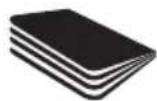
Multiple folded sheets (e.g. A3 sheets folded in half).
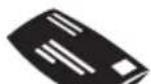
UNOPENED MAIL
Unopened mail (e.g. junk mail).

GLOSSY SHEETS
Glossy paper or a sheet covered with print on both sides.
Stack and Shred 130X/130M CANNOT shred the following:

Heavy duty staples. Check the staple leg length is not greater than 6mm.

Large clips.
Check the length of the paperclip is not longer than 32mm.

Plastic sheets, laminated documents, plastic folders.

Bulldog clips

Bound documents

Adhesive labels.

Magazines or other documents bound by multiple staples or clips.
1. operation
1 After unpacking the product, pull out the shredder bin. Remove and fit the recyclable paper bag (as per instructions printed on the bag).
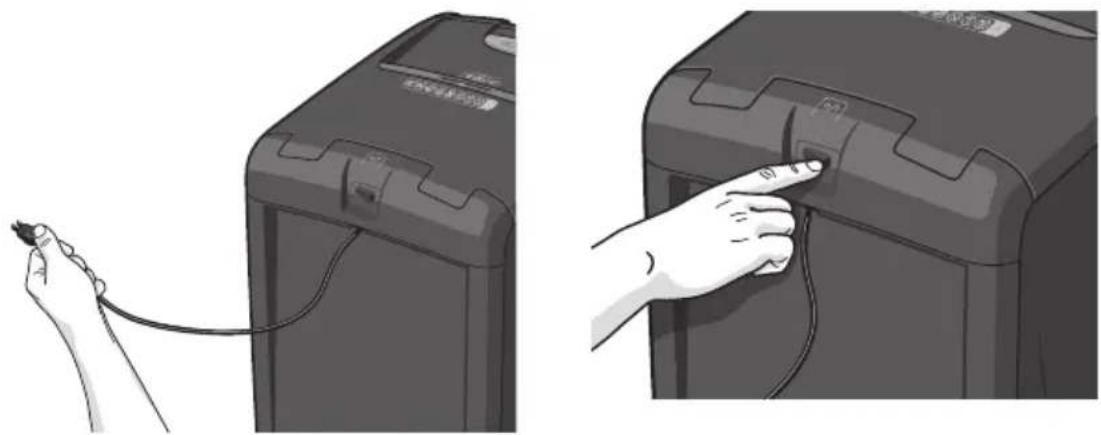
2 Connect the shredder to mains supply.
3 Ensure the on/off button on the back of the machine is in the on position.
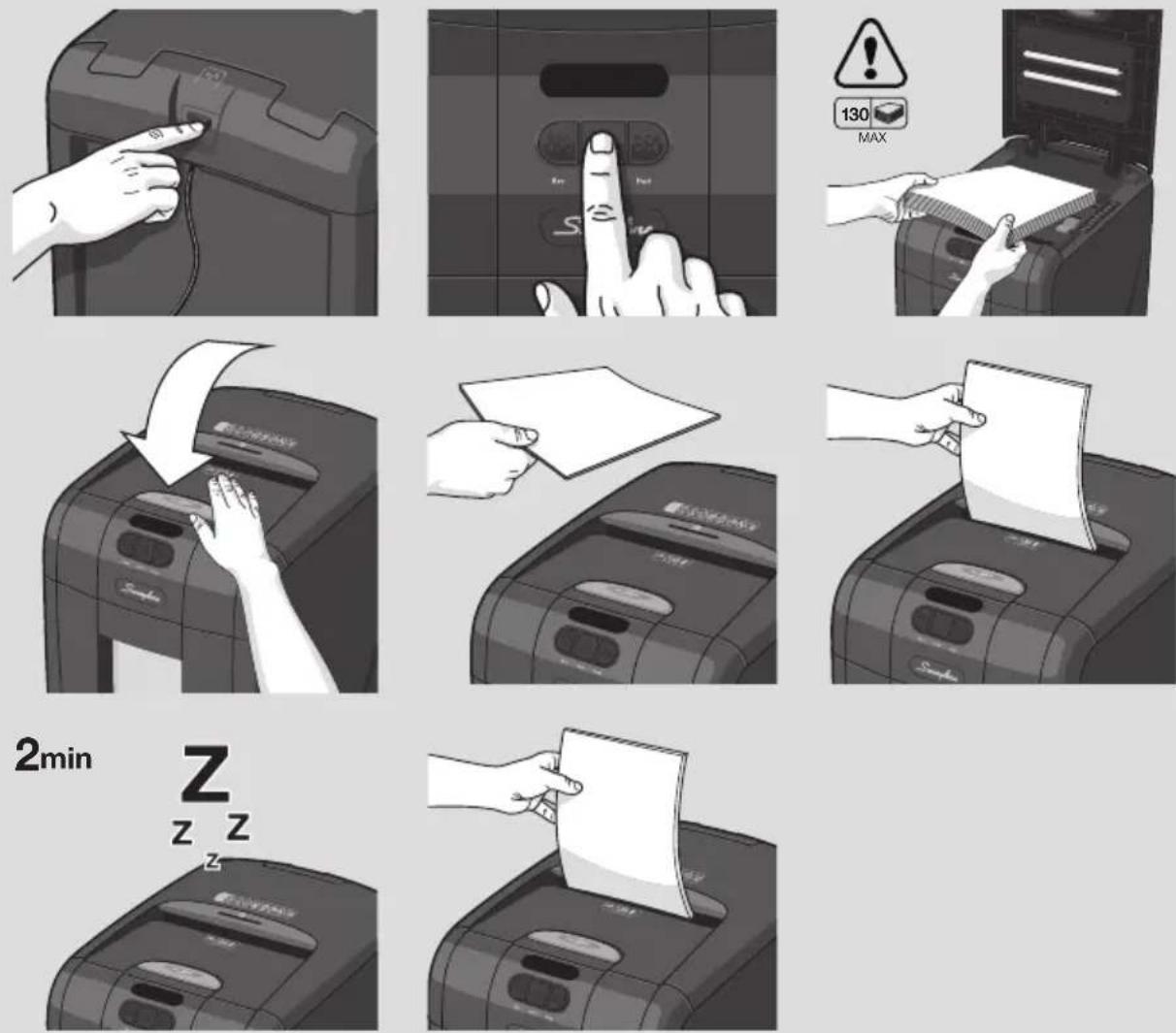
4 To commence shredding, press the central Auto button (☐). This will illuminate the blue standby symbol on the auto button and sets the shredder into auto mode. You are now ready to shred.
5 Press the loading door button to open the loading door. Load up to 130 sheets at a time into the feed chamber. Do not fill above the 130 MAX level, this could damage the shredder.
6 Close the loading door without pressing the loading door button. The shredder will now start automatically.
7 If there is still paper in the Autofeed tray after first attempt, open and re-close paper loading door a second time.
8 If you only have up to 6 sheets to shred, you can use the manual feed entry slot, provided the auto feed chamber is empty.
9 If the shredder is left in auto mode for more than 2 minutes without being used, it will automatically turn to sleep mode to save power.
10 The shredder will automatically operate from standby mode when paper is inserted into the manual feed entry slot. Opening either the loading door, emptying the bin or pressing any button will return the product to auto mode.
2. reverse function
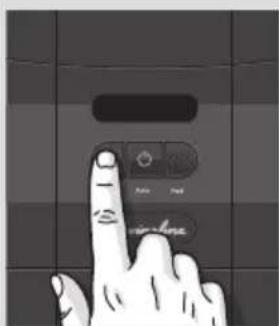
1 Should you wish to reverse paper out whilst shredding, a reverse button (◀◀) has been fitted for your convenience. The jam indicator will illuminate.
2 To resume shredding, turn the shredder on using the ON/OFF switch at the rear of the shredder. Return the switch to the auto position (☐).
3. credit card shredding
Stack and Shred 130X can shred credit cards, not CDs or DVDs. Switch the shredder to auto mode and insert the credit card into the opening on top of the manual feed entry slot. Swingline encourages customers to recycle shredded paper. Please note that shredded paper can not be recycled if mixed with credit card shards. If recycling, please separate shredded paper and credit cards.
Swingline encourages customers to recycle shredded paper.
Please note that shredded paper cannot be recycled if mixed with credit card shards. If recycling, please separate shredded paper and credit cards.
bin or loading door open safety function
As a safety precaution, if the bin or loading door is opened during shredding, the shredder will stop and the bin full indicator will illuminate (☐)
over heating
If the Stack and Shred 130X/130M is used continuously for over 10 minutes the shredder may overheat and the cool down indicator will flash red ( ). Please allow the shredder to cool down. When the shredder is ready to be used the thermometer symbol will no longer illuminate. If the shredder needs to cool down while shredding, no action is needed. The shredder will automatically restart shredding paper once it has cooled down after periods of continuous use. All you need to do is ensure paper is loaded into the chamber and the bin is empty when the machine is cooling down.
4. self-cleaning cutters
After emptying and replacing a full bin, the shredder will run in forward for 4 seconds, stop for 2 seconds and then reverse for 4 seconds to clear away any remaining paper from the cutter mechanism. This unique ‘self-cleaning’ mechanism is additional jam prevention technology from Swingline.
rare occasions of jamming
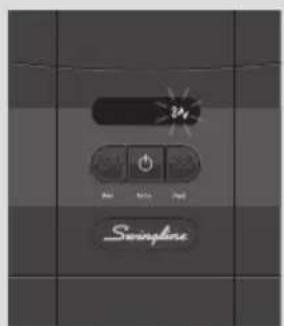
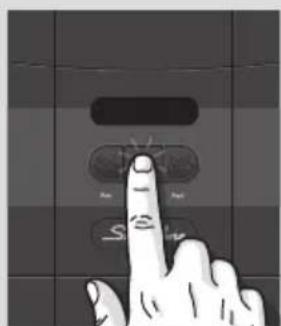
If after this auto jam clearance cycle the shredder still has a paper jam, it will stop and the jam indicator illuminate (8V). Try clearing the jam using the reverse (◀) and continuous jam boost (▶) buttons. If this is unsuccessful, open the loading door, remove the remaining stack of paper, then pull the jammed paper free of the cutting mechanism.
automatic jam clearance
In the unlikely event of the shredder jamming, the Stack and Shred 130X and 130M will automatically reverse and forward the engine three times to clear a jam. During this operation the Paper Jam indicator will flash (8V).
5. bin full
The shredder will not function when the bin is full and the bin full symbol ( f ) is illuminated. You should empty the bin.
- Pull open the bin slowly to empty.
- Push the empty bin back into place and press the auto button to resume shredding.
lubrication of the shredder
Only use oil sheets to lubricate. ACCO Brands accepts no liability for product performance or safety when other types of lubricants are used on any part(s) of this machine. Insert the oil sheet into the manual feed slot and NOT in the auto-feed chamber. Using an oil sheet in the auto-feed chamber will contaminate the feed rollers preventing the auto-feed mechanism shredding. Follow the maintenance instructions if the rollers become contaminated. Do not directly oil the shredder.
service
We recommend these machines are serviced every 6 to 12 months by a Swingline service engineer – see back of this booklet for the contact details of your local service centre and for enquiries about maintenance contracts.
6. maintenance
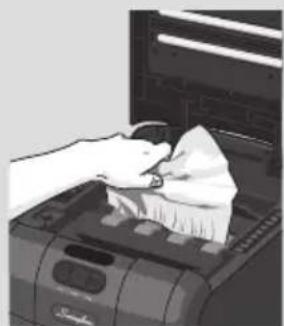
The rollers on the auto-feed mechanism may become dirty over time, please wipe clean with a dry cloth to maintain maximum product performance.
The auto-start infra-red sensor, located in the paper feed entry-slot, can occasionally become covered in paper-dust causing the shredder to run despite no paper being fed into the machine. Switch the shredder off at the rear of the machine and carefully clean the sensor using a cotton-swab.
shredder accessories
Accessory Part Number Box Quantity
Recycling Waste Sack 1765031 20
Limited Warranty
Limited 2 year Cutter Warranty for Stack and Shred 130X/130M Shredder and Limited 2 Year Warranty for all other Parts
ACCO Brands USA LLC, Four Corporate Drive, Lake Zurich, IL 60047-8997 (in Canada, ACCO Brands Canada Inc, 7381 Bramalea Road, Mississauga, L5S 1C4, Ontario, Canada; and in Mexico, ACCO Mexicana, S.A. de C.V. Av. Circuito Industrial Norte #6 Parque Industrial Lerma 52000, Lerma Edo. De México) (each, respectively, "ACCO Brands") warrants to the original purchaser that the cutters of this Swingline™ Stack and Shred 130X/130M Shredder are free from defects in workmanship and material under normal use and service for a period of 2 years after purchase and all other parts are free from defects in workmanship and material under normal use and service for a period of 2 years after purchase.
ACCO Brands' obligation under this warranty is limited to replacement or repair, at ACCO Brands' option, of any warranted part found defective by ACCO Brands without charge for material or labor. Any replacement, at ACCO Brands' option, may be the same product or a substantially similar product that may contain remanufactured or refurbished parts. This warranty shall be void in the following circumstances:
(i) if the product has been misused,
(ii) if the product has been damaged by negligence or accident, or
(iii) if the product has been altered by anyone other than ACCO Brands or ACCO Brands' authorized agents.
For warranty execution, please call:
1-800-541-0094 in the USA
1-800-268-3447 in Canada
01-(55)-1500-5700 / 5778 in Mexico
Or go to www.swingline.com.
TO THE EXTENT ALLOWED BY APPLICABLE LAW, THIS WARRANTY IS IN LIEU OF ALL OTHER EXPRESSED WARRANTIES. REPRESENTATIONS OR PROMISES INCONSISTENT WITH OR IN ADDITION TO THIS WARRANTY ARE UNAUTHORIZED AND SHALL NOT BE BINDING ON ACCO BRANDS. TO THE EXTENT PERMITTED BY APPLICABLE LAWS, ANY IMPLIED WARRANTIES (IF APPLICABLE) ARE LIMITED IN DURATION TO THE DURATION OF THIS WARRANTY. SOME STATES AND JURISDICTIONS DO NOT ALLOW LIMITATIONS ON HOW LONG AN IMPLIED WARRANTY LASTS, SO THE ABOVE LIMITATION MAY NOT APPLY TO YOU. TO THE EXTENT PERMITTED BY APPLICABLE LAW, IN NO EVENT SHALL ACCO BRANDS BE LIABLE FOR ANY SPECIAL, INCIDENTAL, PUNITIVE, EXEMPLARY, CONSEQUENTIAL OR SIMILAR DAMAGES, WHETHER OR NOT FORSEEABLE. SOME STATES AND JURISDICTIONS DO NOT ALLOW THE EXCLUSION OR LIMITATION OF SPECIAL, INCIDENTAL, PUNITIVE, EXEMPLARY, CONSEQUENTIAL, OR SIMILAR DAMAGES, SO THE ABOVE EXCLUSION OR LIMITATION MAY NOT APPLY TO YOU.
FOR CONSUMERS WHO HAVE THE BENEFIT OF CONSUMER PROTECTION LAWS OR REGULATIONS IN THEIR JURISDICTION OF PURCHASE OR, IF DIFFERENT, IN THEIR JURISDICTION OF RESIDENCE, THE BENEFITS CONFERRED BY THIS WARRANTY ARE IN ADDITION TO ALL RIGHTS AND REMEDIES CONVEYED BY SUCH CONSUMER PROTECTION LAWS AND REGULATIONS.
To the extent permitted by law, this warranty is not transferable and will automatically terminate if the original product purchaser sells or otherwise disposes of the product.
This warranty gives you specific legal rights. Other rights, which vary from jurisdiction to jurisdiction, may exist. In addition some jurisdictions do not allow (i) the exclusion of certain warranties, (ii) limitations on how long an implied warranty lasts and/or (iii) the exclusion or limitation of certain types of costs and/or damages, so the above limitations may not apply.
FCC CLASS B NOTICE
Note: This equipment has been tested and found to comply with the limits for a Class B digital device, pursuant to part 15 of the FCC Rules. These limits are designed to provide reasonable protection against harmful interference in a residential installation. This equipment generates, uses and can radiate radio frequency energy and, if not installed and used in accordance with the instructions, may cause harmful interference to radio communications. However, there is no guarantee that interference will not occur in a particular installation. If this equipment does cause harmful interference to radio or television reception, which can be determined by turning the equipment off and on, the user is encouraged to try to. If this equipment does cause harmful interference to radio or television reception, which can be determined by turning the equipment off and on, the user is encouraged to try to correct the interference by one or more of the following measures:
Reorient or relocate the receiving antenna.
Increase the separation between the equipment and receiver.
Connect the equipment into an outlet on a circuit different from that to which the receiver is connected.
Consult the dealer or an experienced radio/TV technician for help.
CANADA CLASS B NOTICE
This Class B digital apparatus complies with Canadian ICES-003
MODIFICATIONS
Any modifications made to this device may void the authority granted to the user by the FCC and/or by Industry Canada to operate this equipment.
ACCO is a registered trademark of ACCO Brands.
© 2016 ACCO Brands. All rights reserved.
Rexel Shredding / Destructeurs / Aktenvernichter
GBC Binding / Perforelieuses / Bindegeräte


- STACK-AND-SHRED130X&130M™
- SHREDDERS
- WARNING SYMBOLS
- CONTROL PANEL AND INDICATORS
- TECHNICAL SPECIFICATIONS
- STACK AND SHRED 130X/130M SHREDDING CAPABILITY
- STACK AND SHRED 130X/130M CAN SHRED THE FOLLOWING
- STACK AND SHRED 130X/130M CAN SHRED (THROUGH THE MANUAL FEED SLOT)
- STACK AND SHRED 130X/130M CANNOT SHRED THE FOLLOWING
- OPERATION
- REVERSE FUNCTION
- CREDIT CARD SHREDDING
- BIN OR LOADING DOOR OPEN SAFETY FUNCTION
- OVER HEATING
- SELF-CLEANING CUTTERS
- RARE OCCASIONS OF JAMMING
- AUTOMATIC JAM CLEARANCE
- BIN FULL
- LUBRICATION OF THE SHREDDER
- SERVICE
- MAINTENANCE
- SHREDDER ACCESSORIES
- LIMITED WARRANTY
- FCC CLASS B NOTICE
Brand : Swingline
Model : StackandShred 130X
Category : Shredder