2008 - Motion detector Desq - Free user manual and instructions
Find the device manual for free 2008 Desq in PDF.

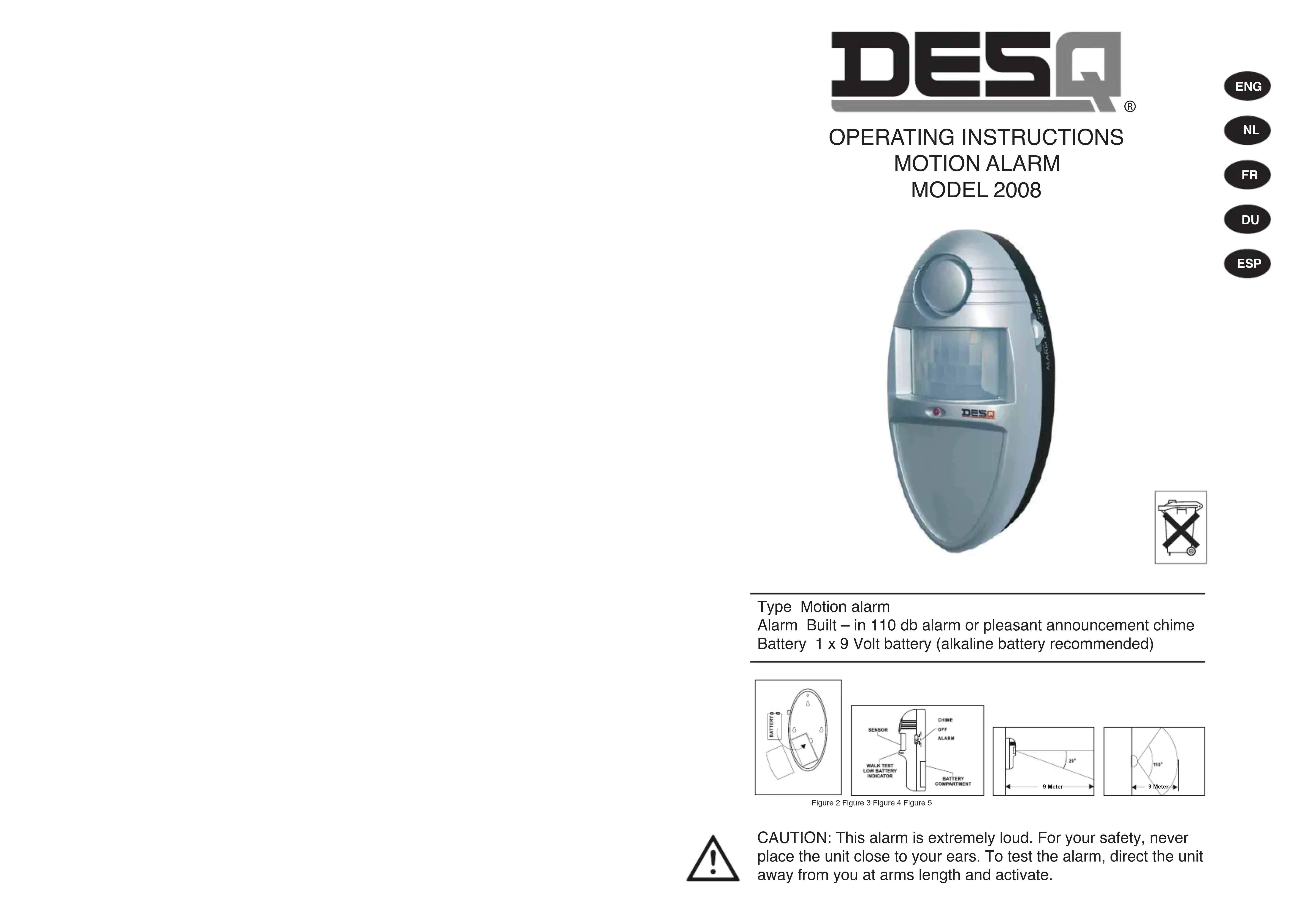

| Product Type | Infrared motion detector |
| Brand | Desq |
| Model | 2008 |
| Power supply | 1 9V battery (not included) |
| Range | Approximately 9 meters |
| Horizontal detection angle | 110° |
| Vertical detection angle | 20° |
| Detection zones | Wide coverage with infrared lens |
| Alarm sounds | Powerful siren (60 seconds) or chime (3 sounds) |
| LED indicator | Red: motion detection; flashing: low battery |
| Activation delay | 2 minutes after no motion |
| Deactivation delay | 5 to 10 seconds after entering the zone |
| Recommended installation | In a corner, 1-2 meters from the ground |
| Dimensions (approx.) | 10 × 6 × 4 cm |
| Weight (approx.) | 150 g (without battery) |
| Material | Plastic with plastic lens |
| Operating temperature | 0°C to 40°C |
| Protection rating | Indoor use only; do not expose to rain or direct sunlight |
| Maintenance | Clean the lens with a soft dry cloth; replace the battery annually or if LED flashes |
| Safety | Do not place near heat sources, exposed windows, or within reach of pets |
| Repairability | No user-serviceable parts; contact customer service if malfunction occurs |
Frequently Asked Questions - 2008 Desq
User questions about 2008 Desq
0 question about this device. Answer the ones you know or ask your own.
Ask a new question about this device
Download the instructions for your Motion detector in PDF format for free! Find your manual 2008 - Desq and take your electronic device back in hand. On this page are published all the documents necessary for the use of your device. 2008 by Desq.
USER MANUAL 2008 Desq
natural_image
Exterior view of a modern office building (no signage)
Type Motion alarm
Alarm Built – in 110 db alarm or pleasant announcement chime Battery 1 x 9 Volt battery (alkaline battery recommended)
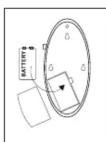
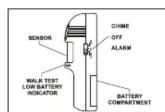
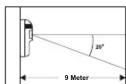
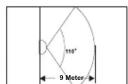
Figure 2 Figure 3 Figure 4 Figure 5

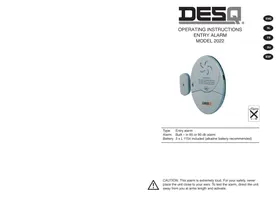
CAUTION: This alarm is extremely loud. For your safety, never place the unit close to your ears. To test the alarm, direct the unit away from you at arms length and activate.
ENG
INTRODUCTION
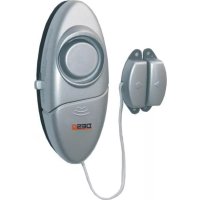
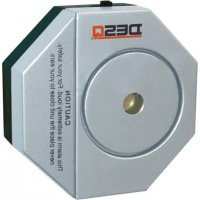
The DESQ motion alarm 2008 provides detection of unwanted intruders in your (home) office. The latest infrared technology is used to detect any movement within the protected area. It can provide valuable protection if used properly. However, this unit cannot guarantee complete protection against burglary or robbery. Therefore, DESQ International will not be held responsible for any loss or damage which could occur. In order to use this product correctly, read these instructions carefully. Please keep instructions for future reference.
IMPORTANT SAFETY TIPS
1) Read all installation and operating instructions
2) Avoid dropping or rough handling
3) Be careful not to damage the plastic lens
4) Do not install alarm where it will be exposed to direct sunlight or rain
5) The alarm siren is very loud, never put the unit close to your ear. To test the alarm, direct the unit away from you at arms length and activate.
6) This unit should be directed away from heat sources, such as radiators, heating ducts and stoves
7) Be aware, pets can trigger the motion alarm, as well as movement detected through a window
8) If the unit goes off at random, it is possible the unit is located too close to a heat source. Changing the location or direction of the unit can remedy this
9) People and/or automobiles may be detected if they are close to a window and within range of the unit.
SELECTING THE MOUNTING LOCATION
Important: before mounting and testing this unit, be sure to read the “important safety tips” section at the beginning of this manual. For best coverage, the unit should be placed in a corner located between 1 & 2 meters above the floor. The area of coverage by the unit is 20 degrees vertically (see figure 4) and 110 degrees horizontally (see figure 5) with a range of approximately 9 meters from the unit. Before installing the mounting screws, you may want to test the location you have selected.
TESTING
After selecting a location for installation of the unit, the DESQ 2008 motion alarm will allow you to perform a "walk test" to determine the area which is being protected by the unit.
1) Test the area of detection (figure 4 and 5). Slide the function switch to the alarm position. The unit is now in the "walk test" mode.
2) Begin walking in front of the unit, the LED indicator will now blink on and off as you walk within the detection area. If you walk beyond the detection range, the LED will go out and remain off. If you walk back into the detection area the LED indicator will illuminate.
3) After testing the detection area, leave the room. Wait for at least 2 minutes and go back into the room. If the LED indicator does not go on, you have been detected as an intruder. The alarm siren will sound approximately 60 seconds. If the LED indicator goes on again, you have not waited long enough and the unit is still in the "walk test" mode.
4) Slide the switch to OFF position, the unit is now disarmed and testing is completed.
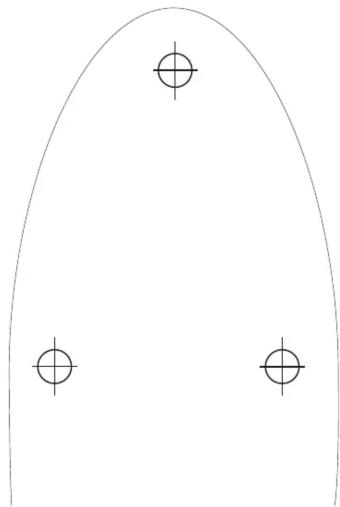
5) Using the template provided (figure 6), mark location of holes and install anchors and screws (do not screw all the way in). Place the unit over the screws and slide the unit down to secure in place.
OPERATION
The DESQ 2008 motion alarm provides 2 different modes of operation: alarm (110 db) and chime. A slide switch is located on the side of the unit to select which mode is active.
ALARM MODE
1) To arm the unit, slide the switch to the "alarm" position. The unit will automatically arm itself after no motion has been detected for approximately 2 minutes.
2) To disarm the unit, slide the switch to OFF position, you have approximately 5-10 seconds to slide the switch to OFF position before the alarm sounds once you have entered the detection area.
CHIME MODE
1) To change the unit to the chime mode, simply slide the switch to "chime" position.
2) The chime mode sounds a pleasant "ding-dong" sound when any motion is detected within the detected zone. The chime will sound for 3 times, then shut-off and automatically resets itself.
LOW BATTERY INDICATOR
The LED indicator light located on the front of the unit will light up when the battery becomes low. It will stay on until the battery is replaced (9 Volt).
DESQ International:
Gildeweg 18 - 3771 NB – Barneveld
The Netherlands
Phone +31 (0)342-425350 - Fax +31 (0)342-425351
E-mail all@desq.nl - Internet www.desq.eu
Service Department:
NL: Phone +31 (0)342-425352
SPAIN: Ofiactiva S.L. - Phone +34 935441884
TEMPLATE
MODEL 2008