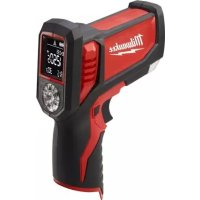
227720 - Thermometer MILWAUKEE - Free user manual and instructions
Find the device manual for free 227720 MILWAUKEE in PDF.

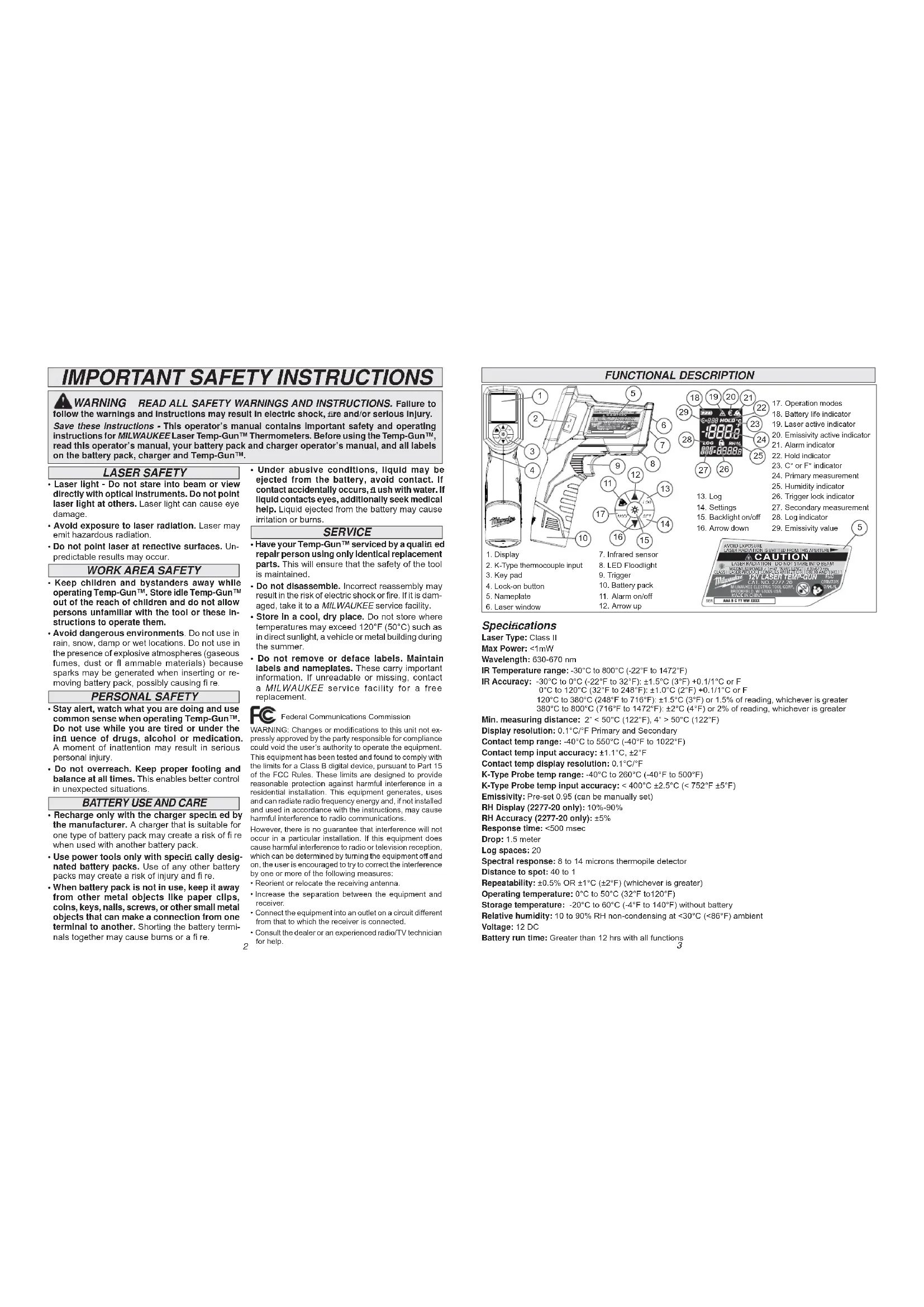


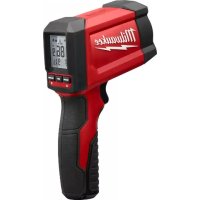
| Product type | 12V Temp-Gun™ Infrared Laser Thermometer |
| Brand | Milwaukee |
| Model | 227720 |
| Power supply | 12 V DC via lithium-ion (recommended) or alkaline battery pack |
| Infrared temperature range | -30 °C to 800 °C (-22 °F to 1472 °F) |
| Infrared accuracy | ±1.5 °C (from -30 °C to 0 °C); ±1 °C (from 0 °C to 120 °C); ±1.5 °C or 1% (from 120 °C to 380 °C); ±2 °C or 2% (from 380 °C to 800 °C) |
| Display resolution | 0.1 °C/°F (primary and secondary) |
| Contact temperature range (K probe) | -40 °C to 550 °C (-40 °F to 1022 °F) |
| K probe accuracy | < 400 °C: ±2.5 °C; ≥ 400 °C: ±5 °F |
| Optical resolution (D:S) | 40:1 |
| Spectral response | 8 to 14 μm (thermopile sensor) |
| Response time | < 500 μs |
| Emissivity | Preset to 0.95, manually adjustable |
| Laser type | Class II, power < 1 mW, wavelength 630-670 nm |
| Main functions | IR measurement, contact measurement (K probe), 20 data logging, high/low alarms, backlight, laser pointer, relative humidity display (model 2277-20 only) |
| Operating temperature | 0 °C to 50 °C (32 °F to 120 °F) |
| Storage temperature | -20 °C to 60 °C (-4 °F to 140 °F) without battery |
| Battery life | > 12 hours for all functions |
| Maintenance | Clean the laser windows with a soft, damp cloth; do not immerse; refer repairs to a Milwaukee authorized service center |
| Safety | Do not stare into the laser beam; avoid explosive environments; remove battery before maintenance |
| Warranty | 5 years on tool and lithium-ion battery pack (2 years for battery) |
| Compatible accessories | Type K thermal probes, Milwaukee chargers, M12™ battery packs |
Frequently Asked Questions - 227720 MILWAUKEE
User questions about 227720 MILWAUKEE
0 question about this device. Answer the ones you know or ask your own.
Ask a new question about this device
Download the instructions for your Thermometer in PDF format for free! Find your manual 227720 - MILWAUKEE and take your electronic device back in hand. On this page are published all the documents necessary for the use of your device. 227720 by MILWAUKEE.
USER MANUAL 227720 MILWAUKEE
IMPORTANT SAFETY INSTRUCTIONS
WARNING READ ALL SAFETY WARNINGS AND INSTRUCTIONS. Failure to follow the warnings and instructions may result in electric shock, fire and/or serious injury. Save these instructions - This operator's manual contains important safety and operating instructions for MILWAUKEE Laser Temp-Gun™ Thermometers. Before using the Temp-Gun™, read this operator's manual, your battery pack and charger operator's manual, and all labels on the battery pack, charger and Temp-Gun™.
LASER SAFETY
- Laser light - Do not stare into beam or view directly with optical instruments. Do not point laser light at others. Laser light can cause eye damage.
- Avoid exposure to laser radiation. Laser may emit hazardous radiation.
- Do not point laser at retective surfaces. Unpredictable results may occur.
WORK AREA SAFETY
- Keep children and bystanders away while operating Temp-Gun™. Store Idle Temp-Gun™ out of the reach of children and do not allow persons unfamiliar with the tool or these instructions to operate them.
- Avoid dangerous environments. Do not use in rain, snow, damp or wet locations. Do not use in the presence of explosive atmospheres (gaseous fumes, dust or flammable materials) because sparks may be generated when Inserting or removing battery pack, possibly causing fire.
PERSONAL SAFETY
- Stay alert, watch what you are doing and use common sense when operating Temp-Gun™. Do not use while you are tired or under the influence of drugs, alcohol or medication. A moment of inattention may result in serious personal injury.
- Do not overreach. Keep proper footing and balance at all times. This enables better control in unexpected situations.
BATTERY USE AND CARE
- Recharge only with the charger speci ed by the manufacturer. A charger that is suitable for one type of battery pack may create a risk of fire when used with another battery pack.
- Use power tools only with species cally designated battery packs. Use of any other battery packs may create a risk of injury and fire.
-
When battery pack is not in use, keep it away from other metal objects like paper clips, coins, keys, nails, screws, or other small metal objects that can make a connection from one terminal to another. Shorting the battery terminals together may cause burns or a fire.
-
Under abusive conditions, liquid may be ejected from the battery, avoid contact. If contact accidentally occurs, aush with water. If liquid contacts eyes, additionally seek medical help. Liquid ejected from the battery may cause irritation or burns.
SERVICE
- Have your Temp-Gun™ serviced by a qualified repair person using only identical replacement parts. This will ensure that the safety of the tool is maintained.
- Do not disassemble. Incorrect reassembly may result in the risk of electric shock or fire. If it is damaged, take it to a MILWAUKEE service facility.
- Store in a cool, dry place. Do not store where temperatures may exceed 120^ ( 50^ ) such as in direct sunlight, a vehicle or metal building during the summer.
Do not remove or deface labels. Maintain labels and nameplates. These carry important information. If unreadable or missing, contact a MILWAURKEE service facility for a free replacement.
Fedral Communications Commission
WARNING: Changes or modifications to this unit not expressly approved by the party responsible for compliance could void the user's authority to operate the equipment. This equipment has been tested and found to comply with the limits for a Class B digital device, pursuant to Part 15 of the FCC Rules. These limits are designed to provide reasonable protection against harmful interference in a residential installation. This equipment generates, uses and can radiate radio frequency energy and, if not installed and used in accordance with the instructions, may cause harmful interference to radio communications.
However, there is no guarantee that interference will not occur in a particular installation. If this equipment does cause harmful interference to radio or television reception, which can be determined by turning the equipment off and on, the user is encouraged to try to correct the interference by one or more of the following measures:
- Reorient or relocate the receiving antenna.
- Increase the separation between the equipment and receiver.
- Connect the equipment into an outlet on a circuit different from that to which the receiver is connected.
- Consult the dealer or an experienced radio/TV technician for help.
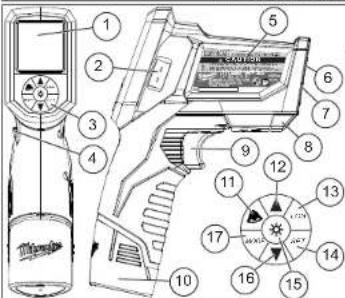
FUNCTIONAL DESCRIPTION
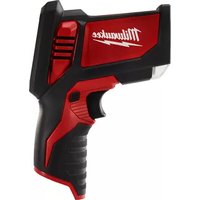
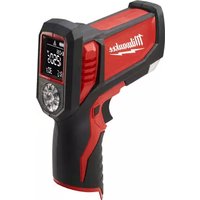
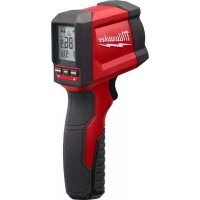
-
Display
-
K-Type thermocouple input
- Key pad
- Lock-on button
-
Nameplate
6.Laser window -
Infrared sensor
- LED Floodlight
- Trigger
- Battery pack
- Alarm on/off
- Arrow up
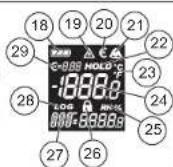
- Log
- Settings
- Backlight on/off
-
Arrow down
-
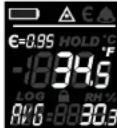
Operation modes
- Battery life indicator
- Laser active indicator
- Emissivity active indicator
- Alarm indicator
- Hold indicator
- C_1^ or E_1^ indicator
- Primacy measurement
- Humidity indicator
- Trigger lock indicator
- Secondary measurement
- Log indicator
29.5
Specifications
Laser Type: Class I
Max Power: < 1mW
Wavelength: 630-670 nm
IR Temperature range: -30^ to 800^ (-22°F to 1472°F)
IR Accuracy: -30°C to 0°C (-22°F to 32°F): ±1.5°C (3°F) +0.1/1°C or F
0^ to 120^ (32^ to 248^)± 1.0^ (2^) + 0.11^ or F 120^ to 380^ (248^ to 716^)± 1.5^ (3^) or 1.5% of reading, whichever is greater 380^ to 800^ (716^ to 1472^)± 2^ (4^) or 2% of reading, whichever is greater
Min. measuring distance: 2^ < 50^ (122°F), 4^ > 50^ (122°F)
Display resolution: 0.1^ / F Primary and Secondary
Contact temp range: -40^ to 550^ (-40°F to 1022°F)
Contact temp input accuracy: ±1.1°C, ±2°F
Contact temp display resolution: 0.1^ / F
K-Type Probe temp range: -40^ to 260^ (-40°F to 500°F)
K-Type Probe temp input accuracy: < 400^ ± 2.5^ ( < 752^ ± 5^ )
Emissivity: Pre-set 0.95 (can be manually set)
RH Display (2277-20 only): 10%-90%
RH Accuracy (2277-20 only): ±5%
Response time: < 500 msec
Drop: 1.5 meter
Log spaces: 20
Spectral response: 8 to 14 microns thermopile detector
Distance to spot: 40 to 1
Repeatability: ± 0.5% OR ± 1^ (± 2^) (whichever is greater)
Operating temperature: 0^ to 50^ (32°F to 120°F)
Storage temperature: -20^ to 60^ (-4°F to 140°F) without battery
Relative humidity: 10 to 90% RH non-condensing at <30^ ( <86^ ) ambient
Voltage: 12 DC
Battery run time: Greater than 12 hrs with all functions
Symbology
| Volts Direct Current |
| CAUTION Laser Light - Do Not Stare Into Beam |
| Laser product Avoid Exposure: Laser Radiation Is Emitted From This Aperture |
| To reduce the risk of Injury, user must read operator's manual. |
ASSEMBLY
WARNING Recharge only with the charger speclled for the battery. For specicac charging instructions, read the operator's manual supplied with your charger and battery.
Inserting/Removing the Battery
To remove the battery, push in the release buttons and pull the battery pack away from the tool.
Toinsert the battery, slide the pack into the body of the tool. Make sure it latches securely into place.
OPERATION
WARNING Always remove battery pack before changing or removing accessories. Only use accessories specifically recommended for this tool. Others may be hazardous.
Scanning Object IR Temperature
- Pull and hold the trigger for at least 2 seconds and scan the surface temperature of an object. A laser pointer indicates the center of the circular area being scanned.
NOTE: The object should be larger than the spot being scanned. If not, readings will be affected. See Distance To Spot for necessary object size.
-
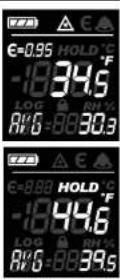
As you continue to hold the trigger, the icon is displayed along with the surface temperature (primary measurement) along with any selected mode readings (secondary measurement).
-
Release the trigger. HOLD is displayed until the screen shuts off in about seven seconds.
NOTE: A quick change in temperature affects the unit's readings. Allow unit to reach ambient temperature before use.
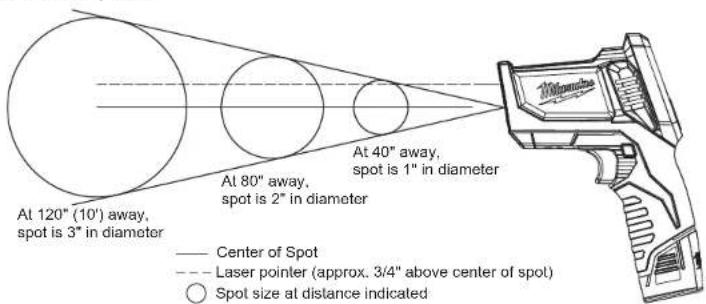
Distance to Spot 40:1
Selecting MODES
Press the MODE button to display one of the following:
Average Temperature (AVG) During a temperature reading, the average temperature read during the scan is displayed.
Maximum Temperature (MAX)
During a temperature reading, the highest temperature read during the scan is displayed.
Minimum Temperature (MIN)
During a temperature reading, the lowest temperature read during the scan is displayed.
Humidity (HUM)-2277-20 only During a temperature reading, the relative humidity (RH%) read during the scan is displayed. The relative humidity is taken at the meter, not at the point of the temperature reading.
Dew Point Temperature (DEW)
During a temperature reading, the dew point read during the scan is displayed. The dew point is taken at the meter, not at the point of the temperature reading.


WARNING Never connect the Temure Probe to an energized circuit.
Contact Temperature Measurement with K-Type Probe
Only use K-type Temperature Probes with this motor.
- Insert the probe. The unit detects a connection of a K-type probe and displays the contact temperature (CON) as the secondary measurement.
2 The display will continue to update the contact temperature (CON) while the temperature probe reaches thermal equilibrium with the object being measured. The display will shut off after about 20 minutes. - To take an IR reading while using the K-type probe, pull
the trigger. The IR reading is displayed as the primary measurement.
4 If set, the alarm will alert for the contact temperature when the sensor probe is installed.
Selecting SETTINGS
Press the SET button to display one of the following. Then use the arrow buttons to determine the value:
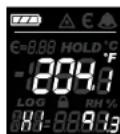
Alarm High (HI)
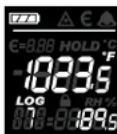
If the set temperature is reached during a scan, "HI", and temperature will fall ash.
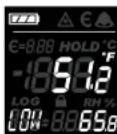
Alarm Low (LOW)
If the set temperature is reached during a scan, "LOW", and temperature will hit ash.
Log (LOG)
Use the arrow keys to select the data location (1-20). Pull the trigger to scan the temperature. Press the LOG key to save the reading to the selected data location.
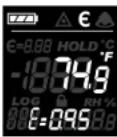
Emissivity (E)
Set the emissivity of the surface being scanned (0.95 is the default). During a temperature scan, the set emissivity value is displayed. Refer to an Emissivity Table for proper surface settings.
Laser ON/OFF (A)
Turns the laser pointer on and off while the IR continues to take readings.
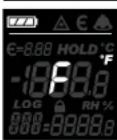
^ F / C(F)
Determine if temperature readings are displayed in Fahrenheit or Celsius.
Alarm ON, OFF, MUTE
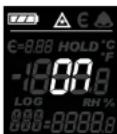
Use the Alarm ON/OFF button to turn the alarm on and off, and mute the alarm after it sounds. The bell icon will go off. The temperature reading will continue to flash as long as it is outside the preset range.
Fuel Gauge
The battery icon displays the remaining battery life. Charge the battery according to the battery and charger manual.
ACCESSIONS
WARNING Always remove battery pack before changing or removing accessories. Only use accessories specifically recommended for this tool. Others may be hazardous.
For a complete listing of accessories refer to your MILWALUKEE Electric Tool catalog or go online to www.milwaukeetool.com. To obtain a catalog, contact your local distributor or a service center listed on the back cover of this operator's manual.
MAINTENANCE
WARNING To reduce the risk of injury, always remove the batteries from the tool before performing any maintenance. Never disassemble the tool. Contact a MILWAUKEE service facility for ALL repairs.
Maintaining Tool
Keep your tool in good repair by adopting a regular maintenance program. After six months to one year, depending on use, return the tool to a MILWAUKEE service facility for:
If the tool does not start or operate at full power with fully charged batteries, clean the contacts on the battery door. If the tool still does not work properly, return the tool to a MILWAUKEE service facility for repairs.
Cleaning the Laser Windows
Clean the laser windows with a soft, moist cloth to keep them clean and clear. Remove battery pack before cleaning.
WARNING To reduce the risk of personal injury and damage, never immerse your tool, battery pack or charger in liquid or allow a liquid to 1 ow Inside them.
Cleaning
Clean dust and debris from tool vents. Keep tool handles clean, dry and free of oil or grease. Use only mild soap and a damp cloth to clean the tool since certain cleaning agents and solvents are harmful to plastics and other insulated parts. Some of these include gasoline, turpentine, lacquer thinner, paint thinner, chlorinated cleaning solvents, ammonia and household detergents containing ammonia. Never use flammable or combustible solvents around tools.
Repairs
For repairs, return the tool to the nearest service center listed on the back cover of this operator's manual.
FIVE YEAR TOOL
LIMITED WARRANTY
MIL WALUKEE Test & Measurement Products (including bare tool, li-ion battery pack(s) and battery charger but excluding alkaline batteries) are warranted to the original purchaser only to be free from defects in material and workmanship. Subject to certain exceptions, MIL WALUKEE will repair or replace any part on this product which, after examination, is determined by MIL WALUKEE to be defective in material or workmanship for a period of five (5) years* after the date of purchase. Return the Test & Measurement tool and a copy of proof of purchase to the nearest Milwaukee Electric Tool Corporation - factory Service Center. This warranty does not apply to damage that MIL WALUKEE determines to be from repairs made or attempted by anyone other than MIL WALUKEE authorized personnel, misuse, alterations, abuse, normal wear and tear, lack of maintenance, or accidents.
The warranty period for the LITHIUM-ION battery pack that ships with the Test & Measurement tool is two (2) years from the date of purchase. Alkaline battery that ships with Test & Measurement tool is separately warranted by the battery manufacturer. *The warranty period for a NON-CONTACT VOLTAGE DETECTOR - 2201 20 is one (1) year from the date of purchase.
Warranty Registration is not necessary to obtain the applicable warranty on MILWAUKEE product. The manufacturing date of the product will be used to determine the warranty period if no proof of purchase is provided at the time warranty service is requested.
ACCEPTANCE OF THE EXCLUSIVE REPAIR AND REPLACEMENT REMEDIES DESCRIBED HEREIN IS A CONDITION OF THE CONTRACT FOR THE PURCHASE OF EVERY MILWALUKE PRODUCT. IF YOU DO NOT AGREE TO THIS CONDITION, YOU SHOULD NOT PURCHASE THE PRODUCT. IN NO EVENT SHALL MILWALUKE BE LIABLE FOR ANY INCIDENTAL, SPECIAL, CONSEQUENTIAL OR PUNITIVE DAMAGES, OR FOR ANY COSTS, ATTORNEY FEES, EXPENSES, LOSSES OR DELAYS ALGRESSED TO BE AS A consequence OF ANY DAMAGE TO, FAILURE OF, OR DEFECT IN ANY PRODUCT INCLUDING, BUT NOT LIMITED TO, ANY CLAIMS FOR LOSS OF PROFITS. THIS WARRANTY IS EXCLUSIVE AND IN LIEU OF ALL OTHER WARRANTYIONS OR CONDITIONS, WRITTEN OR ORAL, EXPRESSED OR IMPLIED. WITHOUT LIMITING THE GENERALITY OF THE FOREGOING, MILWALUKE CLAIMS ANY IMplied WARRANTY OF MERCHANTABILITY OR FITNESS FOR A PARTICULAR USE OR PURPOSE, AND ALL OTHER WARRANTYES.
This warranty applies to product sold in the U.S.A., Canada and Mexico only.
RÉGLES IMPORTANTES DE SECURITÉ
Federal Communications Commission
Federal Communications Commission
UNITED STATES - MILWAUKEE Service
MILWAUKEE prides itself in producing a premium quality product that is NOTING BUT HEAVY DUTY. Your satisfaction with our products is very important to us! If you encounter any problems with the operation of this tool, or you would like to locate the factory Service/Sales Support Branch or authorized service station nearest you, please call...
1-800-SAWDUST
(1.800.729.3878)
Monday-Friday
:00AM-6:30PM
Central Time
or visit our website at
www.mllwaukeetoole.com
For service information, use the 'Service Center
Search' icon found in the 'Parts & Service' section.
Additionally, we have a nationwide network of authorized Distributors ready to assist you with your tool and accessory needs. Check your "Yellow Pages" phone directory under "Tools-Electric" for the names & addresses of those nearest you or see the "Where To Buy" section of our website.
Contact our Corporate After Sales Service Technical Support about ...
-Technical Questions
Service/Repair Questions
Warranty
call: 1-800-SAWDUST
fax:1.800.638.9582
email: metproductsupport@milwaukeetool.com
Register your tool online at www.milwaukeeoft.com
- receive important notifiations regarding your purchase
- ensure that your tool is protected under the warranty
become a HEAVY DUTY club member
Canada - Service MIL WAAKEE
Milwaukee Electric Tool (Canada) Ltd
755ProgressAvenue
Scarborough, Ontario M1H 2W7
Dr. Andrade 140 Local B, Col. Doctores Delegacion Cuauhtemoc, Mexico D.F.
Telefono sin costo 01 800 832 1949
www.ttigroupmexico.com
MILWAUKEE ELECTRIC TOOL CORPORATION
13135 West Lisbon Road • Brookfield, Wisconsin, U.S.A. 53005
- IMPORTANT SAFETY INSTRUCTIONS
- LASER SAFETY
- WORK AREA SAFETY
- PERSONAL SAFETY
- BATTERY USE AND CARE
- SERVICE
- Fedral Communications Commission
- FUNCTIONAL DESCRIPTION
- Specifications
- Symbology
- ASSEMBLY
- Inserting/Removing the Battery
- OPERATION
- Scanning Object IR Temperature
- Selecting MODES
- Maximum Temperature (MAX)
- Minimum Temperature (MIN)
- Dew Point Temperature (DEW)
- Selecting SETTINGS
- Alarm High (HI)
- Alarm Low (LOW)
- Log (LOG)
- Emissivity (E)
- Laser ON/OFF (A)
- ° F / ° C(F)
- Alarm ON, OFF, MUTE
- Fuel Gauge
- ACCESSIONS
- MAINTENANCE
- Maintaining Tool
- Cleaning the Laser Windows
- Cleaning
- Repairs
- FIVE YEAR TOOL
- LIMITED WARRANTY
- RÉGLES IMPORTANTES DE SECURITÉ
- Federal Communications Commission
- UNITED STATES - MILWAUKEE Service
- 1-800-SAWDUST
- Register your tool online at www.milwaukeeoft.com
- Canada - Service MIL WAAKEE
Brand : MILWAUKEE
Model : 227720
Category : Thermometer