B032VU2 - Switch Tripp Lite - Free user manual and instructions
Find the device manual for free B032VU2 Tripp Lite in PDF.



User questions about B032VU2 Tripp Lite
0 question about this device. Answer the ones you know or ask your own.
Ask a new question about this device
Download the instructions for your Switch in PDF format for free! Find your manual B032VU2 - Tripp Lite and take your electronic device back in hand. On this page are published all the documents necessary for the use of your device. B032VU2 by Tripp Lite.
USER MANUAL B032VU2 Tripp Lite
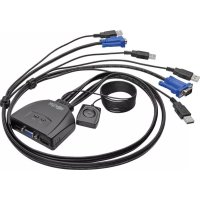
2-Port USB/VGA Cable KVM Switch
Model: B032-VU2
Register your product for quicker service and ultimate peace of mind.
You could also win an ISOBAR6ULTRA
surge protector—a $100 value!
www.triplite.com/warranty


Manufacturing
Excellence.
1111 W. 35th Street, Chicago, IL 60609 USA
www.triplite.com/support
Copyright © 2016 Tripp Lite. All rights reserved.
Product Features
- Control two computers from a single USB keyboard, mouse and VGA monitor
- Compact design features built-in 3 ft. KVM cables
- USB mouse port can be used to connect a USB 1.1 hub for peripheral sharing
Supports video resolutions up to 2048 x 1536
Supports most mouse drivers and multifunction mice - Features Remote Port Switching
Supports Windows, Mac, SUN and Linux - No external power required
Package Contents
B032-VU2
- Owner's Manual
Optional Accessories
P502-Series VGA/SVGA Monitor Cables with RGB Coax
U222-004-R 4-Port USB 2.0 Hub
U222-007-R 7-Port USB 2.0 Hub
U222-010-R 10-Port USB 2.0 Hub
U022-Series USB 2.0 A/B Device Cables
U030-Series USB 2.0 Mini-B Cables
U050-Series USB 2.0 Micro-B Cables
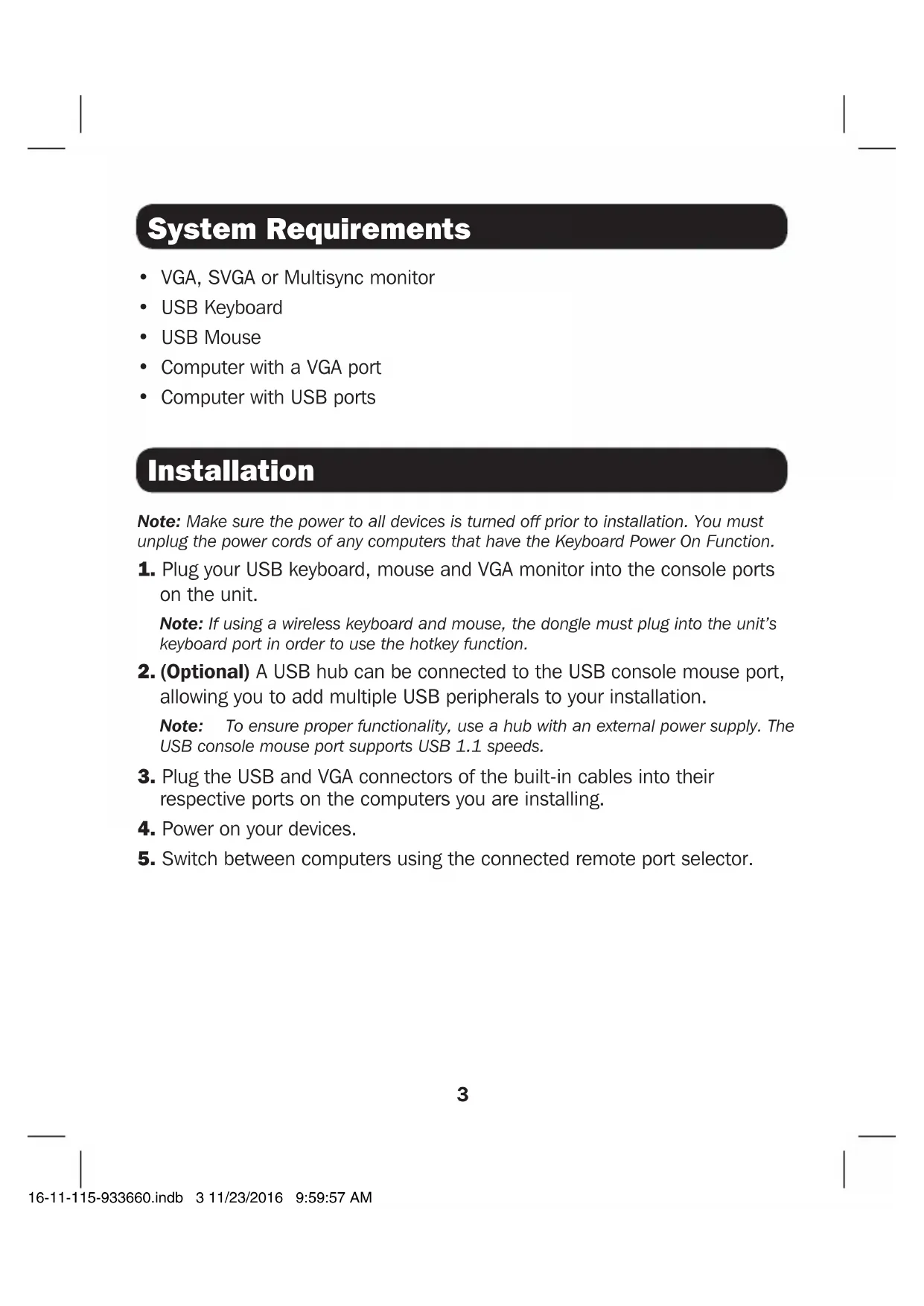
System Requirements
VGA, SVGA or Multisync monitor
USB Keyboard
- USB Mouse
- Computer with a VGA port
Computer with USB ports
Installation
Note: Make sure the power to all devices is turned off prior to installation. You must unplug the power cords of any computers that have the Keyboard Power On Function.
- Plug your USB keyboard, mouse and VGA monitor into the console ports on the unit.
Note: If using a wireless keyboard and mouse, the dongle must plug into the unit's keyboard port in order to use the hotkey function.
- (Optional) A USB hub can be connected to the USB console mouse port, allowing you to add multiple USB peripherals to your installation.
Note: To ensure proper functionality, use a hub with an external power supply. The USB console mouse port supports USB 1.1 speeds.
- Plug the USB and VGA connectors of the built-in cables into their respective ports on the computers you are installing.
- Power on your devices.
- Switch between computers using the connected remote port selector.
Specifications
| Computer Connections 2 | |
| Port Selection Remote Port Selector | |
| Connectors (Console Ports) Keyboard and Mouse: 2x USB Type A Female (Black) Video: HD15 Female (Blue) | |
| Connectors (KVM Ports) Keyboard and Mouse: 4x USB Type A Male (Black) Video: 2x HD15 Male (Blue) | |
| LED Quantity and Color 2x Green | |
| Built-In Cable Length 3 ft. (0.9 m) | |
| Video Resolution 2048 x 1536 | |
| Operating Temperature 32° to 122°F (0° to 50°C) | |
| Storage Temperature -4° TO 140°F (-20° to 60°C) | |
| Humidity 0 to 80% RH, Non-Condensing | |
| Housing Material Plastic | |
| Weight 0.67 lb. (0.30 kg) | |
| Dimensions (L x W x H) 3.11 x 2.60 x 1.02 in (7.90 x 6.60 x 2.59 cm) | |
Warranty & Product Registration
1-Year Limited Warranty
TRIPP LITE warrants its products to be free from defects in materials and workmanship for a period of one (1) year from the date of initial purchase. TRIPP LITE's obligation under this warranty is limited to repairing or replacing (at its sole option) any such defective products. To obtain service under this warranty, you must obtain a Returned Material Authorization (RMA) number from TRIPP LITE or an authorized TRIPP LITE service center. Products must be returned to TRIPP LITE or an authorized TRIPP LITE service center with transportation charges prepaid and must be accompanied by a brief description of the problem encountered and proof of date and place of purchase. This warranty does not apply to equipment, which has been damaged by accident, negligence or misapplication or has been altered or modified in any way.
EXCEPT AS PROVIDED HEREIN, TRIPP LITE MAKES NO WARRANTYES, EXPRESS OR IMPLIED, INCLUDING WARRANTYES OF MERCHANTABILITY AND FITNESS FOR A PARTICULAR PURPOSE.
Some states do not permit limitation or exclusion of implied warranties; therefore, the aforesaid limitation(s) or exclusion(s) may not apply to the purchaser.
EXCEPT AS PROVIDED ABOVE, IN NO EVENT WILL TRIPP LITE BE LIABLE FOR DIRECT, INDIRECT, SPECIAL, INCIDENTAL OR CONSEQUENTIAL DAMAGES ARISING OUT OF THE USE OF THIS PRODUCT, EVEN IF ADVISED OF THE POSSIBILITY OF SUCH DAMAGE. Specifically, TRIPP LITE is not liable for any costs, such as lost profits or revenue, loss of equipment, loss of use of equipment, loss of software, loss of data, costs of substitutes, claims by third parties, or otherwise.
Product Registration
Visit www.triplite.com/warranty today to register your new Tripp Lite product. You'll be automatically entered into a drawing for a chance to win a FREE Tripp Lite product!*
- No purchase necessary. Void where prohibited. Some restrictions apply. See website for details.
FCC Notice, Class B
This device complies with part 15 of the FCC Rules. Operation is subject to the following two conditions: (1) This device may not cause harmful interference, and (2) this device must accept any interference received, including interference that may cause undesired operation.
Note: This equipment has been tested and found to comply with the limits for a Class B digital device, pursuant to part 15 of the FCC Rules. These limits are designed to provide reasonable protection against harmful interference in a residential installation. This equipment generates, uses and can radiate radio frequency energy and, if not installed and used in accordance with the instructions, may cause harmful interference to radio communications. However, there is no guarantee that interference will not occur in a particular installation. If this equipment does cause harmful interference to radio or television reception, which can be determined by turning the equipment off and on, the user is encouraged to try to correct the interference by one or more of the following measures:
Reorient or relocate the receiving antenna.
- Increase the separation between the equipment and receiver.
- Connect the equipment into an outlet on a circuit different from that to which the receiver is connected.
- Consult the dealer or an experienced radio/TV technician for help.
Any changes or modifications to this equipment not expressly approved by Tripp Lite could void the user's authority to operate this equipment.
Warranty & Product Registration
WEEE Compliance Information for Tripp Lite Customers and Recyclers (European Union)
Under the Waste Electrical and Electronic Equipment (WEEE) Directive and implementing regulations, when customers buy new electrical and electronic equipment from Tripp Lite they are entitled to:
- Send old equipment for recycling on a one-for-one, like-for-like basis (this varies depending on the country)
- Send the new equipment back for recycling when this ultimately becomes waste
Use of this equipment in life support applications where failure of this equipment can reasonably be expected to cause the failure of the life support equipment or to significantly affect its safety or effectiveness is not recommended.
Tripp Lite has a policy of continuous improvement. Specifications are subject to change without notice.


Manufacturing Excellence.
1111 W. 35th Street, Chicago, IL 60609 USA www.triplite.com/support
1111 W. 35th Street, Chicago, IL 60609 EE UU www.triplite.com/support
1111 W. 35th Street, Chicago, IL 60609 EE UU www.triplite.com/support
1111 W. 35th Street, Chicago, IL 60609 USA www.triplite.com/support
1111 W. 35th Street, Chicago, IL 60609 USA www.triplite.com/support
PyKOBODCTBO N0JIb30BaTeЯ
2-noptoBbIKBM
pepeknoyateIb
c ka6eIem USB/VGA
Modèle: B032-VU2
1111 W. 35th Street, Chicago, IL 60609 USA
www.triplite.com/support
OxpanaETcA BTOpckm npabom © 2016 Tripp Lite. Ipepeuataka zanpeuaetc.
XapakTepeNCTnKIpOdyKta
- 06ecneuBaet Bo3MOxHocTb ynpaBHeHnA DByMa KOMNbIePamN c eINHO KnabNaTypbI USB,MbIun MOHTopa
KoMaTHa KOnCTpyKzI npedymatpnaeT haJIyne BMOHTnpOBaHHbIX KBM-ka6eJ dInHO 0,9 M - IopT USBДЯ МьИМожет ИспОьБаТбСДЯ NOДКПЮЧЕНЯ KOнцЕHTpaTopa USB 1.1Вцелax COBmecTHORO INCNoIb3OBaHЯперфepnHoro obopydOBaHЯ
-Подержka Видаораразецни д 2048 x 1536 - PóДeрЖКа 60ЛьшИнСТВа ДрайВеров МБИШИ MНОФфУHKПИОHAьHBIX МБИŠЕI
B03MOXHOCTb DnCTaHIOHHOIpeKIOUeHnI NOPTOB - Пдерхка OC Windows *, Mac, SUN Linux
- 0TcyTCTBnE Heo6xOJIMOCr BO BHeJHem NCTOCHNKe PNTaHnA
CopexHmoe ynaKOBKN
- UcTpoIcTBo MoIb. B032-VU2
-PykoBoDCTBO nolb30BaTeNa
OnuohbHbIe KOMnEketyoune
- Ka6eHn cepHn P502 c KoakcnaJIbHbIMn pa3beMaMn RGB nIpoKJIIOUeHn VGA/SVGA-MOnHTopa
- 4-nopToBbKoHcHTpaTop USB 2.0, MoD. U222-004-R
- 7-nopTOBbIK KOHcHTpaTOp USB 2.0, MoI. U222-007-R
10-nopToBbI KOHcHTpaTOp USB 2.0, moI. U222-010-R - Ka6eHnДЯ noДКнЮЧЕНУ yCtpoCTB cepH N U022, USB 2.0 A/B
- Ka6eIi cepu U030 cpa3bemamn USB 2.0 Mini-B
- Ka6eHn cepuu U050 c pa3bemaMn USB 2.0 Micro-B
CnCTeMHbIe Tpe6OBaHnA
- Monitopстандарт a VGA, SVGA nnn Multisync
USB-KnabnAtypa
USB-MblUb
KoMnbiTeP c npToM VGA - KOMnbIOTeP c nOpTaM USB
yctahOBka
IpmeHne. IpeH NaHOM yCTaHOBKn Bce yCTpoiCtBa DOJXHbI 6blTb oecToyeHbI. Heo6xOIMo OTOeINHTb Hpybl NtAHnIA JIO6bIX KOMNbIoTePob, IMeUQnx FOHKNUB KBNIOeHnna TnTAHnC KNaBnAtypbl.
1.ПоdkлочиTe USB-Клавиату,MbIb VGA-MOHHTOP K KOHCOHBHIM NOPaTm yctpoiCTBa.
PnmeHne. B cnyae nCnoB3ObaHna 6ecnpoBOHO KnabNAtpyb N MbIaB Pa3beM yCTpoiCTBa, PpeHa3HaueHHb I naNOKIOUeHnRA KnaBnAtpyb, DOJXeH 6bITb BCTaBHe 3aUNTHbIKHO, NO3BOJIOuIN McNoB3OBA Tb fHKunO "TopaHx"KnabNt.
2. (Heo6a3aTeNbHO) B KOHcOJIbHbI USB-nOpT dIraMbIuM MoXe 6bITb BKJIIOueH USB-xa6, o6ecneuBaIOUm BO3MOxHOCt b IOKJIIOUeHn K yCTaHOBKe HeCKoJIbKnx nepuΦepuNbIX USB-yCTpOJCTB.
Примочан. Ддя обсесеня надпжашей Функшоньнocи SteуET NcnoB30BaTb Xa6 C BHeHMM nctoMHKOM nHTAHNЯ. KoHCoIbHbI npT USB Ддя Мblshи РдярхINBaET ckopoCTn, PpeDyCMOTpeHHbIe CTaHdapTOM USB 1.1.
3. BCTaBbTe USB-, VGA- n aydnopa3beMbI BCTpoehhbIX Ka6eNe B COOTBeTCTByIOUne npOpTbI yCTaHaBnBaEMoro KOMNbIoTepa.
4. BkIIOUHTe NITaHne yCTpoiCTB.
5. IpeeknouaTeb MeJy KOMnbIOTepaMn C NOMOuBIO NOKJIQUeHHORO K CNTeMe DnCTaHcNHOHoro ceneKTopa nopTOB.
TexHnueckne xapaKTepeNCTnKN
Manufacturing Excellence.
1111 W. 35th Street, Chicago, IL 60609 USA
www.triplite.com/support
16-11-115 93-3660_revA