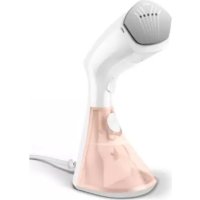
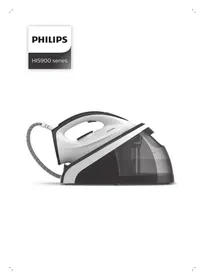
8000 Series GC801 - Steam plant PHILIPS - Free user manual and instructions
Find the device manual for free 8000 Series GC801 PHILIPS in PDF.


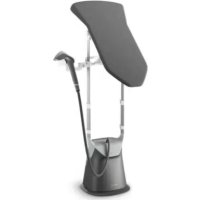
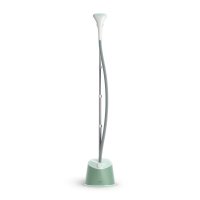
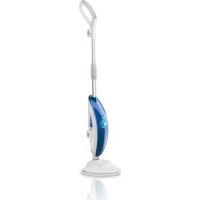
| Product type | Steam station |
| Brand | Philips |
| Model | 8000 Series GC801 |
| Heating technology | Ready in 60 seconds |
| Steam modes | ECO (energy saving) and MAX (maximum power) |
| Descaling function | Decalc (quick descaling to be done every month) |
| Plate technology | OptimalTEMP: ironing without temperature adjustment for all ironable fabrics |
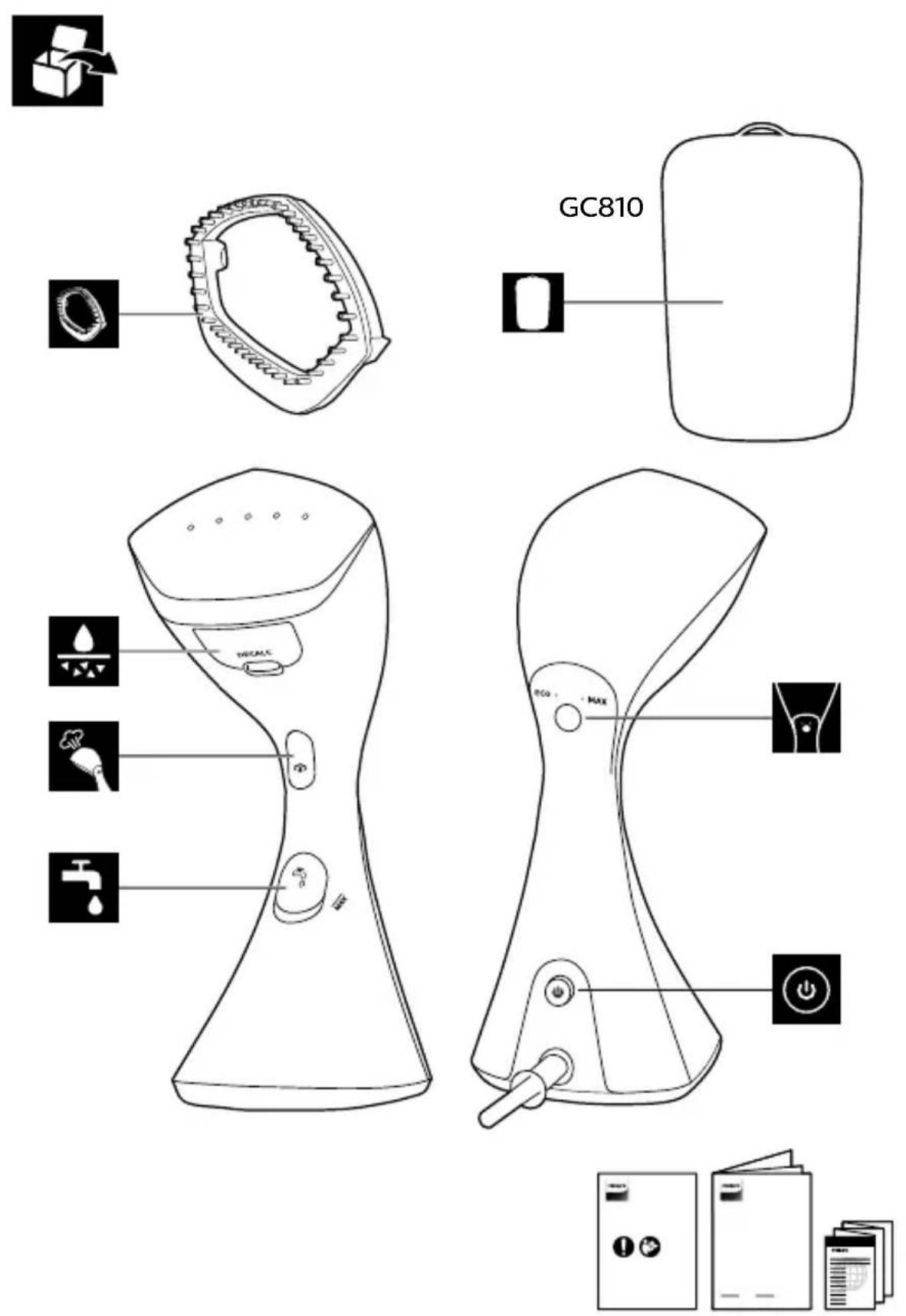
| Included accessories | Brush for thick clothes, StyleMat for steaming support |
| Usage | Vertical (on hanger) and horizontal (on heat-resistant surface) |
| Recommended water type | Tap water; in hard water areas, mix 50% distilled/demineralized water |
| Cleaning | Damp cloth and non-abrasive liquid detergent; empty tank after use |
| Descaling frequency | Every month; more often in very hard water |
| Safety - Prohibited liquids | Do not use perfumed water, vinegar, starch, descaling agents or chemical substances |
| Safety - Fabrics | Do not steam non-ironable fabrics |
| Safety - Horizontal surface | Requires a protective layer (sheet, towel) and a heat-resistant surface |
| On/Off button | Light blinks during heating, steady when ready |
| Steam trigger | Press to release steam, release to stop |
Frequently Asked Questions - 8000 Series GC801 PHILIPS
User questions about 8000 Series GC801 PHILIPS
0 question about this device. Answer the ones you know or ask your own.
Ask a new question about this device
Download the instructions for your Steam plant in PDF format for free! Find your manual 8000 Series GC801 - PHILIPS and take your electronic device back in hand. On this page are published all the documents necessary for the use of your device. 8000 Series GC801 by PHILIPS.
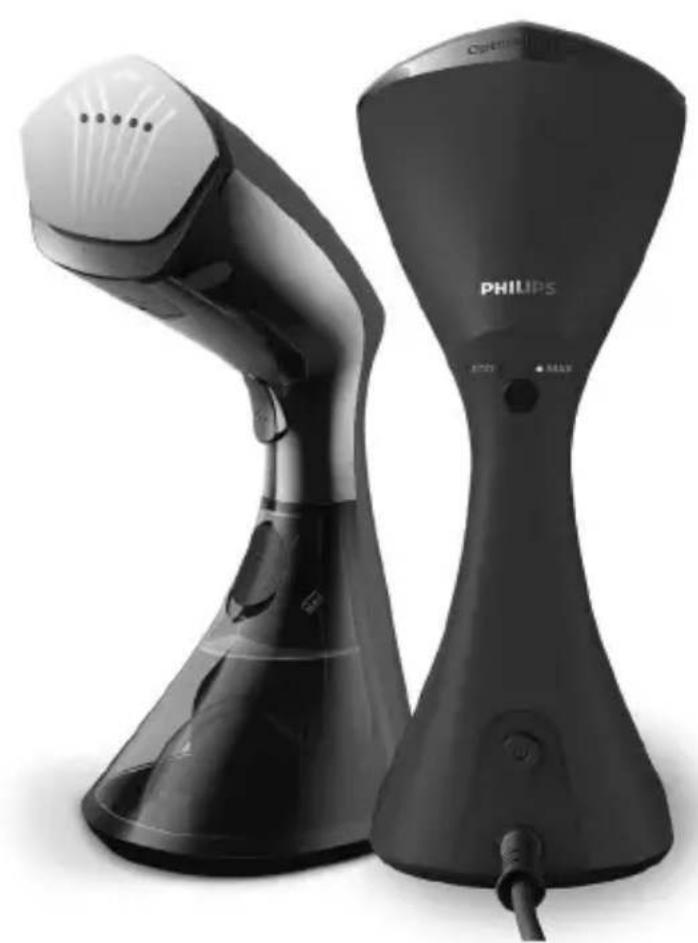
USER MANUAL 8000 Series GC801 PHILIPS
natural_image
Two Philips washing machine models shown from different angles (no visible text or symbols on device body)EN User manual
FR Mode d'emploi
راهنماي کاربر FA
دليل المستخدم AR

3

4

5
8
10
16
GC810
18


20
23

25

35


natural_image
Illustration of hands using a spray gun to prevent a large explosion (no text or symbols present)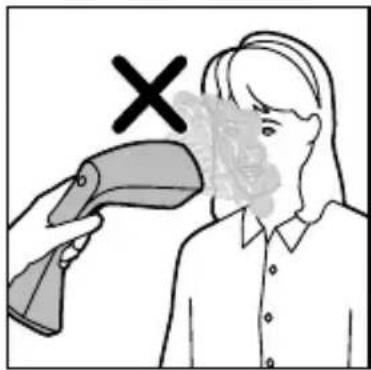
EN Do not use your bare hand as a supporting surface when you steam.
Pull the sides of the garment to stretch it.
natural_image
Illustration of a person cleaning a garment with a hand holding a tool, no text or symbols present
natural_image
Illustration of hands cleaning a wall with a checkmark (no text or symbols)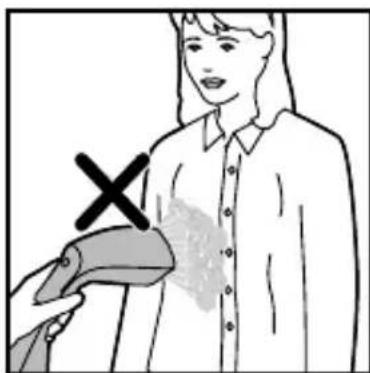
natural_image
Illustration of a person holding a medical device with a cross mark (no text or symbols)

EN Once the power button is activated, the 'steam-ready' light flashes at MAX mode which indicates the appliance is heating up.
The appliance is ready for use after 60 seconds when the light turns steady.
natural_image
Simple line drawing of a plug with a cable, no text or symbols present

EN ECO mode (reduced amount of steam), is provided to save water and energy without compromising on ironing results.
You can toggle to MAX setting for more steam power at any point of time.
Press the steam selection button to toggle between MAX and ECO mode.
EN Press and hold the steam trigger to start steaming.
Release the steam trigger for steam stop.
Note: When appliance is ready, release the initial steam for a few seconds before you start as it may contain water droplets.
natural_image
Illustration of a hand holding a steaming machine with smoke rising, no text or symbols present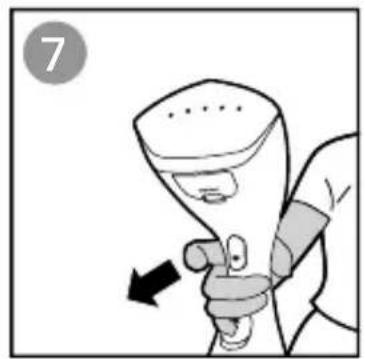
natural_image
Illustration of a hand holding a spray can with an arrow indicating motion (no text or symbols)
EN Type of water to use
The appliance is suitable to be used with tap water. However, if you live in an area with hard water, we recommend that you mix an equal amount of tap water with distilled or demineralized water. This will prevent fast scale build up and prolong the lifetime of the appliance.
Warning: Do not use perfumed water, water from the tumble dryer, vinegar, starch, descaling agents, ironing aids, chemically descaled water or other chemicals, as they may cause water spitting, brown staining or damage to your appliance.
Note: Do not fill the water tank beyond the MAX indication
natural_image
Illustration of a hand holding a faucet with tubing and a small object nearby (no text or symbols)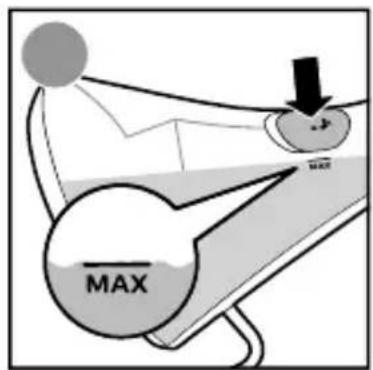

EN This appliance comes with OptimalTEMP technology steam plate.
It enables you to steam all types of ironable fabrics, in any order and without sorting your garments.
Warning: Do not steam on non-ironable fabrics.
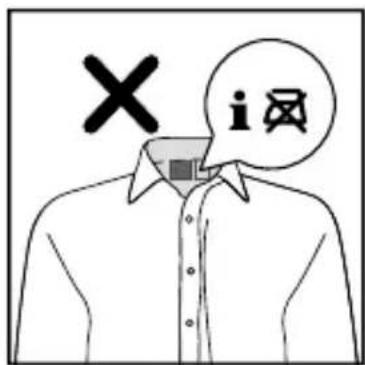
EN You can dewrinkle garments more easily if you spread the laundry properly after you have washed it. Hang the garments on hangers to dry them with fewer wrinkles.
natural_image
Illustration showing a bag of clothes being placed on a rack with an arrow indicating rotation (no text or symbols)EN When you are steaming, press the steamer head against the garment, and pull the sides of the garment with your other hand to stretch it.
natural_image
Illustration of a hand holding a bottle with a downward arrow, no text or symbols present
natural_image
Person using a spray gun to clean or store items, with a downward arrow indicating the process (no text or symbols present)EN Keep the steamer head a slight distance away from dresses with frills, ruffles, ruching or sequins.
Use only the steam to loosen the fabric. You can also steam from the inside.
natural_image
Line drawing of a layered dress with ruffled edges (no text or symbols)
natural_image
Illustration of a person using a power tool to clean or wear a spine, with a black arrow indicating the direction (no text or symbols present)EN For garments with buttons such as shirts, jackets and pants, close the first button to help straighten the fabric.
To steam sleeves, start from the shoulder area and move the steamer head downwards. Steam while you pull the sleeve diagonally down with the other hand.
For shirt pockets, move the steamer head upwards while pressing against the fabric.
Note: The appliance can be used for creating a natural look and for quick touch-ups. For garments with tough wrinkles and for a more formal look, it is recommended to use an iron instead.
natural_image
Illustration of a person adjusting a shirt collar with arrows indicating direction (no text or symbols)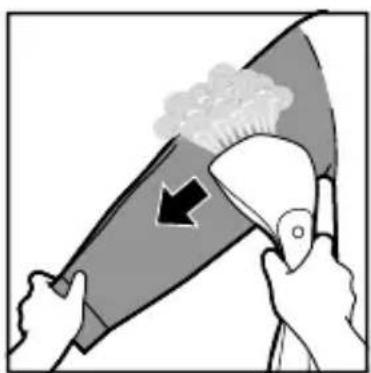
natural_image
Illustration of hands using a tool to remove or clean a spray bottle with a brush (no text or symbols)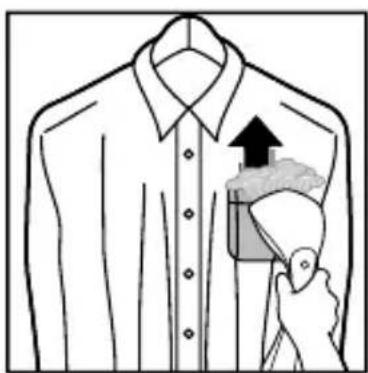
natural_image
Illustration of a shirt collar with a hand holding a bag, showing a pointing up arrow (no text or symbols)EN The appliance comes with horizontal steaming function. It allows you to better remove creases on difficult areas such as collar/cuffs and make crisp pleats on sleeves/pants.
To protect your horizontal surface, do place a protective layer (eg: bedsheet, towel) before steaming your garment. This is to prevent direct contact of steam plate onto the horizontal surface.
Warning: Do not steam on non-heat resistant surface.
natural_image
Illustration of a hand cleaning a large fish (no text or symbols)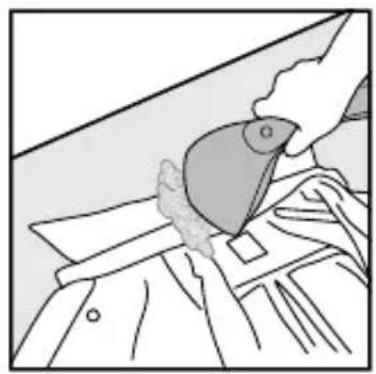
natural_image
Line drawing of a hand using a tool to cut or spread fabric, no text or symbols present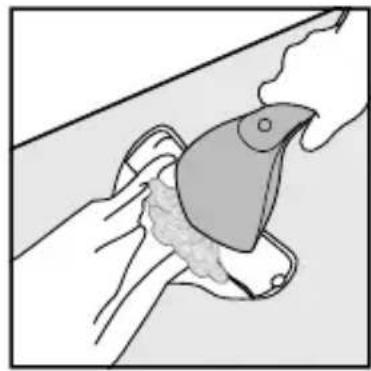
natural_image
Illustration of a hand holding a bird-shaped object with a feathered tail, no text or symbols presentEN For more tips on how to steam different types of garments, please visit www.philips.com/garmentsteamers.
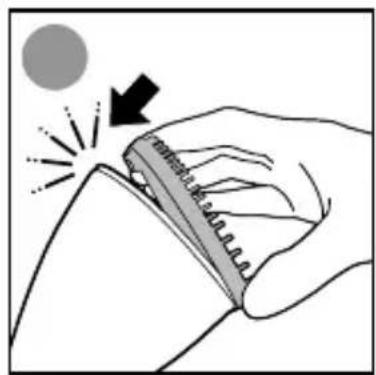
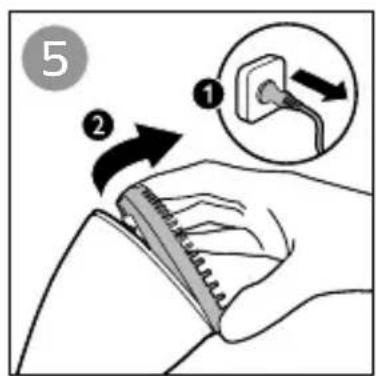
EN The brush improves steam penetration to achieve faster and better steaming result on thick and heavy garment such as coat and jacket.
Align the brush towards the top of the steam plate.
Hold onto the gripping area of the brush to attach or detach it, one side at a time.
Brush is to be used together with steam by pressing the steam trigger and slowly moving the bristles along the garments.
Note: Always unplug the appliance before you attach or detach the brush. Be careful, the steamer head may still be hot.
natural_image
Illustration of a hand holding a spiral notebook with a light effect and a black arrow indicating direction (no text or symbols)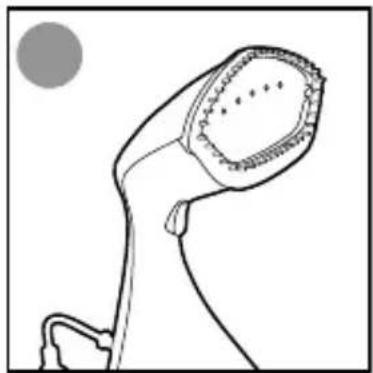
natural_image
Line drawing of a stylized object resembling a lamp or lamp with a curved handle and circular top, against a plain background (no text or symbols)
GC810
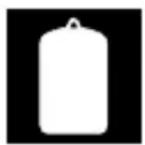
EN The StyleMat provides support that enhance steaming performance.
Press the steamer head against the garment with the StyleMat behind it as a support.
For vertical steaming, the StyleMat can be used with a clothes hanger by using the loop at the top of the mat.
For horizontal steaming, the StyleMat serves as a protective layer. This can be placed on any horizontal surface.
Note: Do not wash the StyleMat as it may damage the foam material.
natural_image
Illustration of a garment hanger with a hanging handle and arrow indicating upward motion (no text or symbols)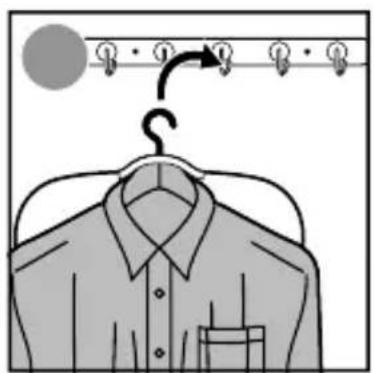
natural_image
Illustration of a clothes hanger with a hanging hook and hanging clothes (no text or symbols)
natural_image
Line drawing of a shirt jacket with a hand holding a bag, hanging on a hanger (no text or symbols)
natural_image
Simple line drawing of a curved object with a small mark, no text or symbols present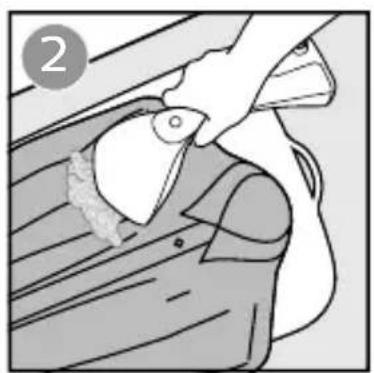
natural_image
Illustration of a person using a tool to adjust or install a mechanical component (no text or symbols visible)EN To prolong the life time of your appliance and to maintain good steaming performance, use Decalc (quick calc release) function once every 1 month.
If water in your area is very hard, or you see scales coming out from the steamer head during steaming, use this function more frequently.
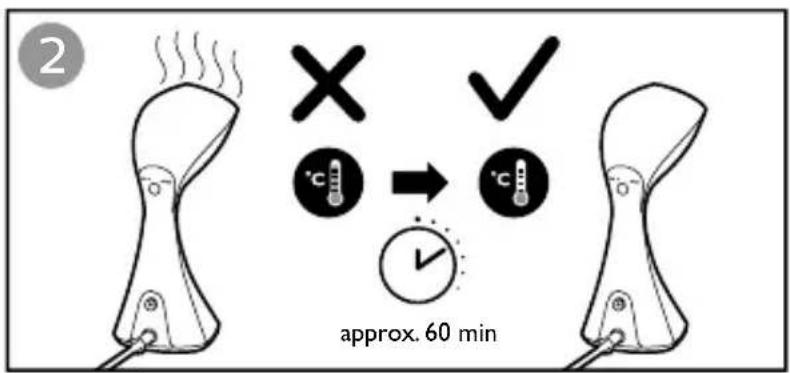
Note: Make sure that the appliance has been unplugged for at least 1 hour and has completely cooled down, before you use Decalc function.
EN To use Decalc function, place the appliance down with Decalc function facing up. Once Decalc door and inlet stopper are opened, invert the appliance to shake off any scales and water deposited inside the chamber.
If the Decalc hole is blocked by scales, you may use a tool to loosen the scales.
Warning: Do not pour water, vinegar, descaling agents or other chemicals into the opening of the Decalc function.
When performing descaling, you may notice a small hole (as indicated in the warning picture).
Warning: Do not cover over or insert anything in it.
EN Note: Before cleaning, do wait for the appliance to cool down for about 60 minutes.
Clean the appliance and wipe any deposits off the steamer head with a damp cloth and non-abrasive liquid cleaning agent.
Warning: Do not use scouring pads, abrasive cleaning agents or aggressive liquids such as alcohol, petrol or acetone to clean the appliance.
Always empty the water tank after usage to prevent calc build-up and maintain good steam performance.
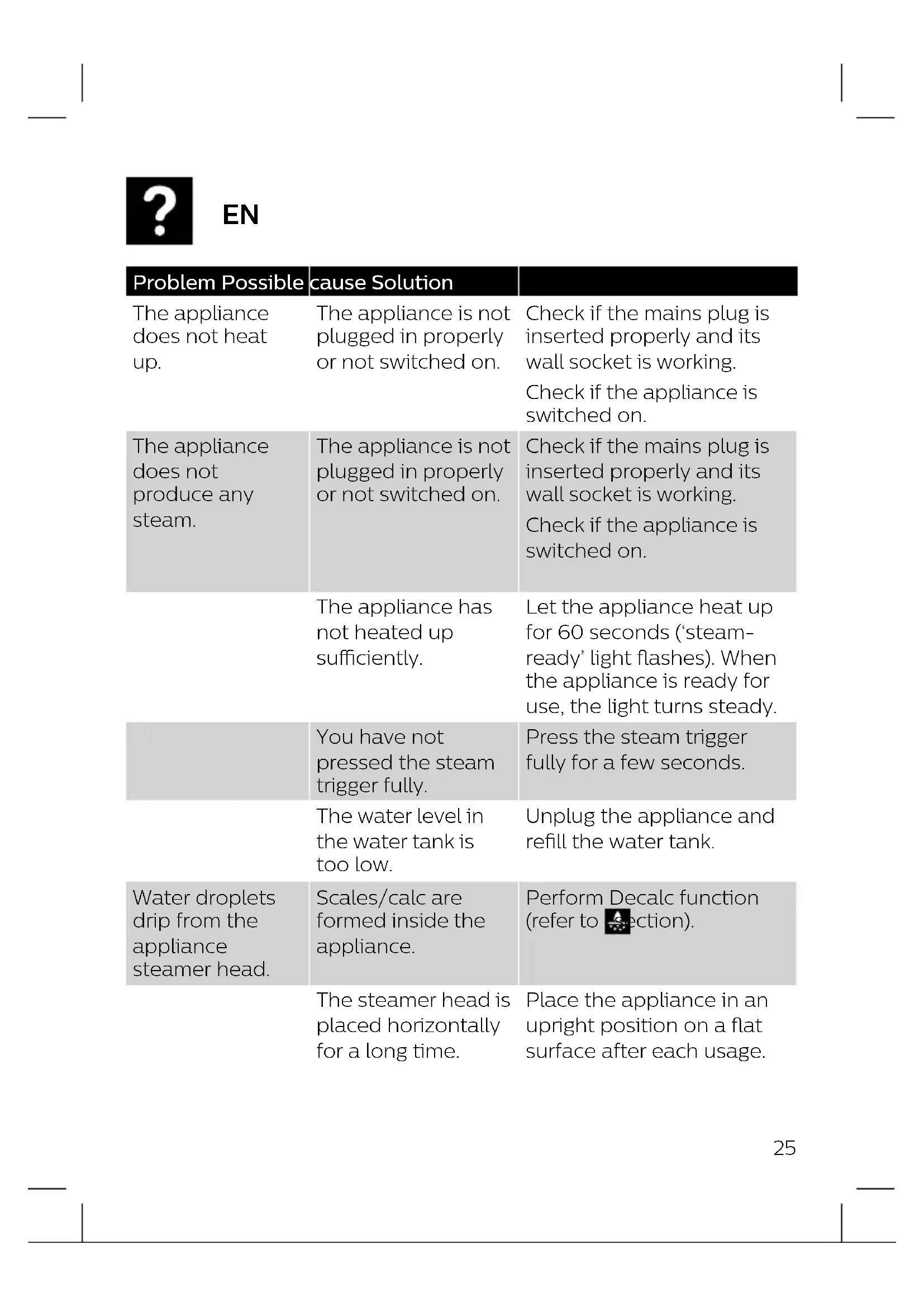
| Problem Possible cause Solution | ||
| The appliance does not heat up. | The appliance is not plugged in properly or not switched on. | Check if the mains plug is inserted properly and its wall socket is working.Check if the appliance is switched on. |
| The appliance does not produce any steam. | The appliance is not plugged in properly or not switched on. | Check if the mains plug is inserted properly and its wall socket is working.Check if the appliance is switched on. |
| The appliance has not heated up sufficiently. | Let the appliance heat up for 60 seconds ('steam-ready' light flashes). When the appliance is ready for use, the light turns steady. | |
| You have not pressed the steam trigger fully. | Press the steam trigger fully for a few seconds. | |
| The water level in the water tank is too low. | Unplug the appliance and refill the water tank. | |
| Water droplets drip from the appliance steamer head. | Scales/calc are formed inside the appliance. | Perform Decalc function (refer to section). |
| The steamer head is placed horizontally for a long time. | Place the appliance in an upright position on a flat surface after each usage. | |
| Problem Possible | cause Solution | |
| The appliance produces a pumping sound/the handle vibrates. | Water is pumped to the steamer head to be converted into steam. | This is normal. |
| The water level in the water tank is too low. | Unplug the appliance and refill the water tank. | |
| Steam and water leak around Decalc door, steam trigger and gripping area. | Decalc inlet stopper is not inserted properly. | Open the Decalc door and push in the Decalc inlet stopper. Close the Decalc door.If this persists, please stop using the appliance.Contact an authorized Philips service centre. |
| Water tank filling door is not closed properly | Press down the filling door. | |
| Steam gets weaker over time | Scales/calc are formed inside the appliance. | Perform Decalc function (refer to section). |
| Steam leaves stains on the garment or impurities come out of the steamer head | Scales/calc are formed inside the appliance.Apart from tap water, you have filled other liquids / additives or descaling agents into the water tank. | Perform Decalc function (refer to section).Appliance is designed to be used with tap water. In area with hard water, it is recommended to use distilled or demineralization water (50% demineralization/distilled water mixed with water could be used as well). |
| The Decalc hole is blocked by scales. | The water you use is very hard and/ or you have not performed Decalc function frequently. A large amount of scales are formed inside the appliance. | Use a tool to loosen the scales. Perform Decalc function once a month or more frequently (refer to section). |

FR

© 2021 Philips Domestic Appliances Holding B.V. All rights reserved.
4239 001 17824

Brand : PHILIPS
Model : 8000 Series GC801
Category : Steam plant