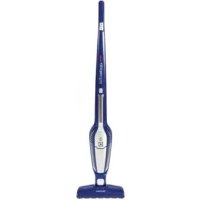
Ergorapido Lithium Ion Brushroll Clean Xtra EL2081A - Vacuum Cleaner ELECTROLUX - Free user manual and instructions
Find the device manual for free Ergorapido Lithium Ion Brushroll Clean Xtra EL2081A ELECTROLUX in PDF.


User questions about Ergorapido Lithium Ion Brushroll Clean Xtra EL2081A ELECTROLUX
0 question about this device. Answer the ones you know or ask your own.
Ask a new question about this device
Download the instructions for your Vacuum Cleaner in PDF format for free! Find your manual Ergorapido Lithium Ion Brushroll Clean Xtra EL2081A - ELECTROLUX and take your electronic device back in hand. On this page are published all the documents necessary for the use of your device. Ergorapido Lithium Ion Brushroll Clean Xtra EL2081A by ELECTROLUX.
USER MANUAL Ergorapido Lithium Ion Brushroll Clean Xtra EL2081A ELECTROLUX
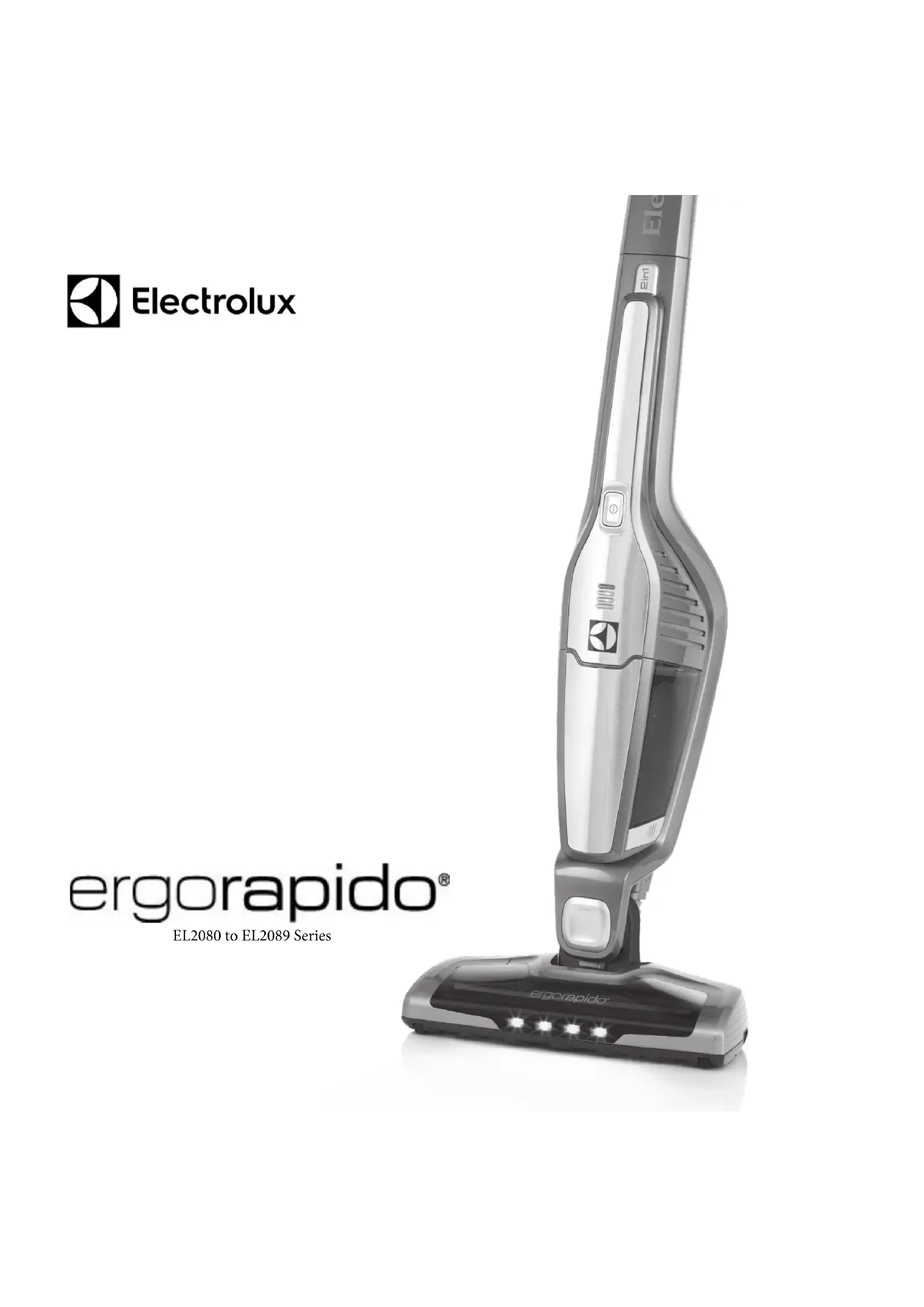
EL2080 to EL2089 Series
natural_image
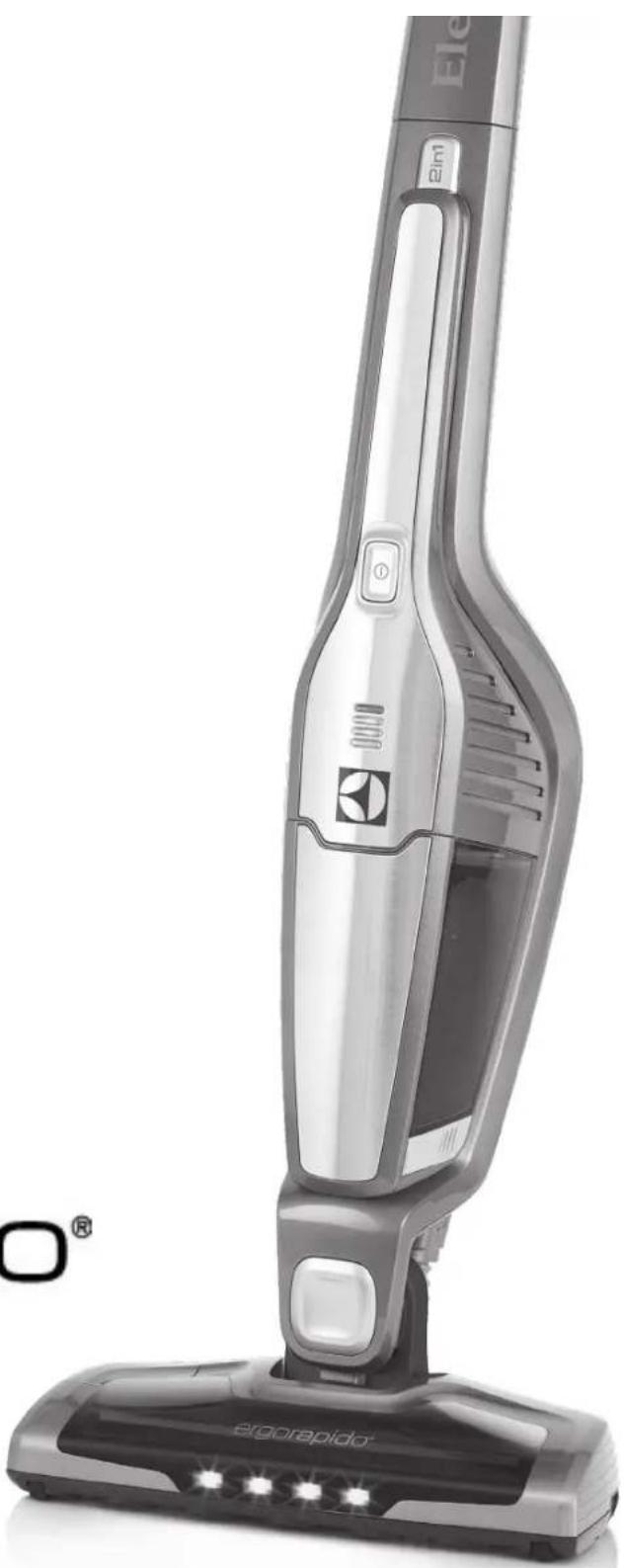
Exterior view of a Elgorapidor vacuum cleaner (no signage or text visible on the device body)IMPORTANT SAFEGUARDS
When using an electrical appliance, basic precautions should always be followed, including the following:
READ ALL INSTRUCTIONS BEFORE USING THIS VACUUM CLEANER.
WARNING
To reduce the risk of fire, electric shock, or injury:
- Do not use outdoors or on wet surfaces.
- Do not operate the vacuum cleaner or charger if it has been damaged in any way. If cleaner is not working as it should, has been dropped, damaged, left outdoors, or dropped into water, return it to a service center.
- To avoid excessive heat and damage to the unit or batteries, do not operate the vacuum cleaner while charging.
- Do not allow to be used as a toy. Close attention is necessary when used by or near children.
- Use only as described in this manual.
- Use only the charger provided to recharge: SW-250050A
- Do not pull or carry by the cord, use cord as a handle, close door on cord, or pull cord around sharp edges or corners. Keep cord away from heated surfaces.
- Do not use extension cords or outlets with inadequate current carrying capacity.
- Do not unplug by pulling on cord. To unplug, grasp the charger, not the cord.
- Do not handle charger, including charger plug, and charger terminals with wet hands.
• DO NOT MUTILATE OR INCINERATE BATTERIES AS THEY WILL EXPLODE AT HIGH TEMPERATURES. - Leaks from battery cells can occur under extreme usage or temperature conditions. If the liquid gets on skin, wash quickly with water. If the liquid gets into the eyes, flush them immediately with clean water for a minimum of 10 minutes. Seek medical attention.
- While there is no shock hazard from electrical terminals located on the vacuum, a burn could result from metal objects being inserted into the terminal areas. Vacuum cleaner terminals should always be kept free of objects.
- This vacuum cleaner creates suction and has a revolving brushroll. Keep hair, loose clothing, fingers, and all parts of body away from openings and moving parts.
- Do not pick up anything that is burning or smoking, such as cigarettes, matches, or hot ashes.
- Do not use without a filter in place. When servicing the unit, never put fingers or other objects into the fan chamber in case the unit would accidentally be turned on.
- Use extra care when cleaning on stairs.
- Do not use to pick up flammable or combustible liquids such as gasoline, or use on areas where they may be present.
- Locate charger indoors in a cool, dry area, not exposed to weather to avoid electrical shock and/or cleaner damage.
- Keep your work area well lighted.
- Unplug electrical appliances before vacuuming them.
- Use only manufacturer's recommended attachments.
- Do not put any object into openings. Do not use with any opening blocked; keep free of dust, lint, hair and anything that may reduce airflow.
- Do not charge the vacuum cleaner outdoors.
- Do not incinerate the vacuum cleaner even if it is severely damaged. The batteries can explode in a fire.
- WARNING: This product contains chemicals known to the State of California to cause cancer, birth defects or reproductive harm. WASH HANDS AFTER HANDLING
SAVE THESE INSTRUCTIONS
Electrolux declines all responsibility for all damages arising from any improper use of the appliance or in cases of tampering with the appliance. This product is designed with the environment in mind. All plastic parts are marked for recycling purposes. For details, see our web site: www.electrolux.com If you are interested in purchasing additional accessories for your Electrolux Ergorapido, please visit our website at www.electroluxappliances.com (USA), www.electrolux.ca (Canada) or call 1.800.896.9756.
CONSIGNES DE SÉCURITÉ IMPORTANTES
text_image
Exploded view diagram of a vacuum cleaner with numbered parts for identification and assembly reference.English
COMPONENTS AND ACCESSORIES
- On/off button
- Power Setting High/Low button
- On/off button, hand unit
- Handle
- Locking screw
- Release button, hand unit
- Crevice Tool Holder
- Adaptor
- Fine filter (inner filter)
- Pre filter (outer filter)
- Release button, dust container
- Brush/Crevice tool
- BRUSHROLLCLEAN™ TECHNOLOGY button
- Brushroll release buttons
- Brush roll
- Nozzle front lights
- Battery display
Français
COMPOSANTS ET ACCESSORIES
natural_image
Close-up of a mechanical tool or connector with a red arrow indicating motion (no text or symbols visible)1.
natural_image
Close-up of a metallic mechanical component with a screwdriver inserted (no visible text or symbols)2.

natural_image
Close-up of a handheld vacuum cleaner with visible internal structure and control buttons (no text or symbols)3-6.
7.
natural_image
Close-up of a mechanical component with visible internal structure and mounting holes (no text or symbols)8.
9.
10.
ENGLISH
UNPACK AND CHECK CARTON CONTENTS
Check all accessories against the "Components and Accessories" list
CAUTION: Do not leave cleaner turned on and unattended. Store cleaner in a cool, dry area.
Assembly
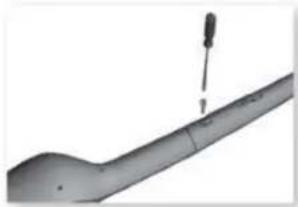
- Remove screw from main body. Fit the handle carefully inserting it into the lower main body. Make sure that the cable does not jam.
- Secure the handle by tightening the locking screw supplied. Use a screwdriver or a coin.
FRANÇAIS ESPAÑOL
DÉBALLER L'APPAREIL ET VÉRIFIER LE CONTENUSORTEZ TOUT DU CARTON.
Before First use: Charge up to 24 hours. Leave Ergorapido on charge when not in use. Warm adaptor is normal.
- When fully discharged, to regain full battery capacity, position the charging adapter away from heat sources, direct sunlight or wet places. Insert the adapter into the outlet and connect it to the Ergorapido.
-
Approximately 4 hours charging is required.
-
The battery display light will come on when the machine begins to charge once it is plugged in. Three lights will blink in ascending order when unit is charging.
If light is blinking:
Machine is fully charged and in standby mode, indicated with one blink per minute.
When Cleaning
- -3 orange lights: battery capacity >75% -2 orange lights: battery capacity 75-25% -1 orange light: battery capacity <25% -1 orange blinking light: battery capacity – empty
6. If a red light is lit:
- Unit is too hot. Clean filters, brush roll, hose and put on charge.
If red light is blinking:
-The motor is overloaded, causing the vacuum to turn off. Clear obstruction from brushroll and turn unit on.
Start/Stop
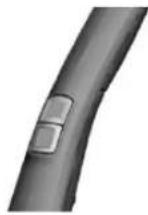
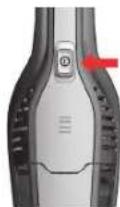
- Start Ergorapido by pushing the on/off button downwards: The bottom button can be used to switch between High Speed (for maximum cleaning power) and Normal Speed (for longer use).
Vacuuming floors and carpets
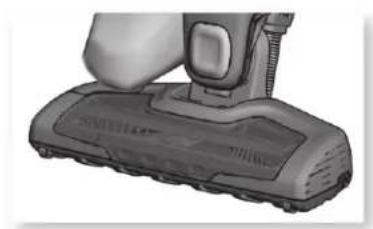
- Avoid scratching hard wood floors areas by checking that nozzle wheels and brushroll are clean.
Using the Hand Vac
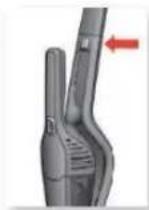
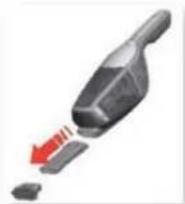
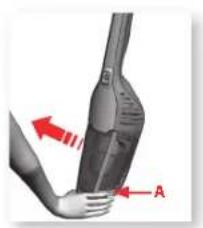
- Remove the hand unit by pressing the release buttons. The crevice nozzle and small brush are stored together as one piece. Push on middle tab to separate. Attach the crevice nozzle to facilitate cleaning of areas difficult to reach, or attach the brush for dusting. Start/stop the hand unit by pushing the start button.
FRANÇAIS
Fonctionnement
natural_image
Close-up of a black vacuum cleaner's head with a red downward arrow indicating motion (no text or symbols)15.
natural_image
3D rendered image of a vacuum cleaner's base with no visible text or symbols16.
natural_image
Close-up of a hand holding a black handheld vacuum cleaner with red directional arrows indicating motion (no text or symbols)17a.
natural_image
Hand holding a device with red arrows indicating direction (no text or symbols visible)17b.
natural_image
3D illustration of a container pouring liquid into a cylindrical container (no text or symbols)17c.
natural_image
Illustration of a hand holding a container with a droplet above it, showing a red downward arrow (no text or symbols)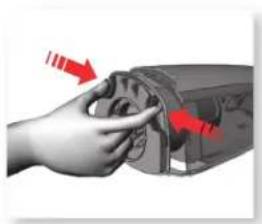
natural_image
Hand holding a device with red arrows indicating direction (no text or symbols visible)20a.
natural_image
Hand pouring liquid into a conical container with a red arrow indicating direction (no text or symbols)20b.
natural_image
Illustration of a shower faucet with a metallic cup pouring liquid (no text or symbols)20c.
natural_image
Illustration of a megaphone with a clock and sun symbol, no text or labels present21.22
natural_image
Close-up of a mechanical device with a red arrow pointing to a connector (no visible text or symbols)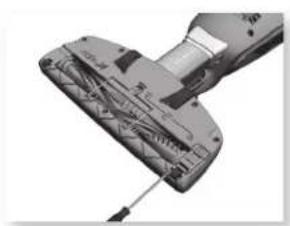
natural_image
Close-up of a mechanical device with visible internal components and a screwdriver (no text or symbols)ENGLISH
Cleaning the brush roll with the BRUSHROLLCLEAN™ TECHNOLOGY function
The brush roll, the hose and the wheels may need to be cleaned if they become blocked or jammed for any reason.
Some Ergorapido models are equipped with BRUSHROLL-CLEAN™ TECHNOLOGY – a brush cleaning function that helps to keep a clean brush easily.
NOTE: BRUSHROLLCLEAN™ TECHNOLOGY function might not be able to remove thick threads, wires or thick carpet fibres caught in the brush roll. It is recommended to use this function once a week. For best results use the BRUSHROLLCLEAN™ TECHNOLOGY function when the Ergorapido is fully charged.
The BRUSHROLLCLEAN™ TECHNOLOGY function may not function properly when unit has a low charge.
The BRUSHROLLCLEAN™ TECHNOLOGY function is equipped with an overheating protection. It will deactivate the brush roll if the BRUSHROLLCLEAN™ TECHNOLOGY function has been activated for more than 30 sec (constant or interrupted) within one discharging period. To reactivate function, place on charging stand and charge for 10 minutes. The cleaning function is still available even when the BRUSHROLLCLEAN™ TECHNOLOGY is disabled.
-
Make sure the cleaner is switched on and is standing on a hard even surface. Do not use the BRUSHROLLCLEAN™ TECHNOLOGY function on deep carpets or long haired rugs.
-
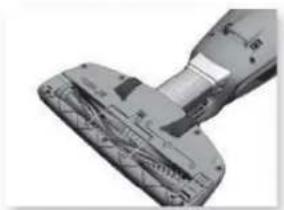
Press the BRUSHROLLCLEAN™ TECHNOLOGY button with your foot while the cleaner is switched on. Hold for approx. 5 seconds or until all the dirt and hair is removed. Release the button. There will be a cutting noise during this process, this is normal.
CAUTION: For service not described in this manual, take to Electrolux Authorized Service Center for repair.
Ergorapido's dust container must be emptied regularly and the dust container and the filters need to be cleaned to maintain a high suction power.
Never wash dust containers or filters in a dishwasher. Emptying and cleaning
-
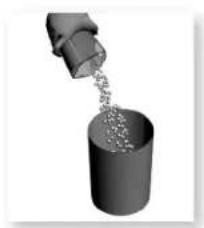
Emptying of the dust container. Remove the filters, empty the contents into a dust container. Return filter and click dust container back into place.
-
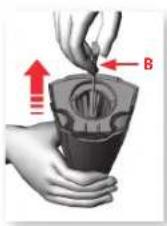
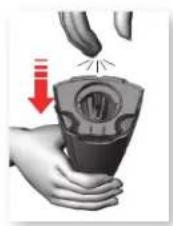
Quick cleaning of the fine filter. (Recommended every cleaning). Release the dust container, pull/release spring 5-6 times to dislodge dust.
-
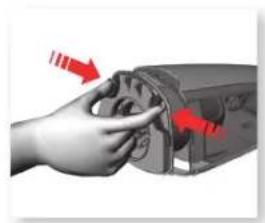
Cleaning of dust container and filters. (Recommended every 5th cleaning). Release dust container, take out both filters by pressing release buttons.
-
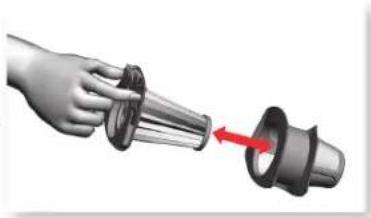
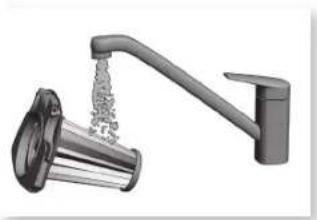
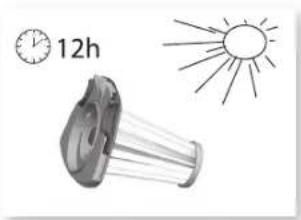
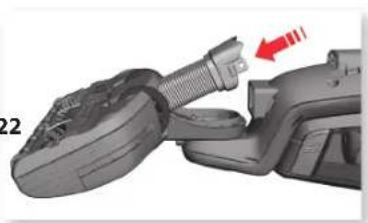
Separate both filters. Dust container and filters can be shaken clean or rinsed in warm water (never in dishwasher). All parts must be dry before reassembled in reverse order.
Cleaning the hose and wheels
-
Loosen the hose catch and pull the hose from the attachment. Remove any debris. Put the hose back, lock using the catch.
-
Remove objects that may have become jammed in the wheel shafts.
FRANÇAIS ESPAÑOL
Water has entered the vacuum cleaner
It will be necessary to replace the motor at an authorized Electrolux service center. Damage to the motor caused by the penetration of water is not covered by the warranty.
If you can't find accessories for your Electrolux vacuum cleaner, please visit our website at www.electroluxappliances.com(USA), www.electrolux.ca (Canada) or call 1 800 896-9756
Removing batteries
CAUTION: Only remove batteries if product is to be scrapped. Improper handling of the batteries may be hazardous. Batteries must be removed from the appliance before it is scrapped or recycled. Never dispose used batteries with household waste.
Batteries should always be completely discharged before removal. Ergorapido must be disconnected from the charging station when removing the batteries.
- Undo the screws. Carefully lift the hood.
- Cut the connecting cables, remove the batteries, put tape over the visible metal areas. Place batteries in suitable packaging.
To locate nearest recycling center please call 1.877.273.2925 or visit www.call2recycle.org
Troubleshooting
The brushroll stops spinning
- Turn off power.
- Remove any obstructing objects from the brushroll.
- Allow 5 minutes for motor to cool before powering on.
If a red light is lit:
- Unit is too hot. Clean filters, brush roll, hose and put on charge.
If red light is blinking:
- If red light is blinking the motor is overloaded, causing the vacuum to turn off. Clear obstruction from brushroll and turn unit on.
The Self-cleaning brush feature isn't working
- Ensure your Ergorapido is fully charged.
- Ensure you are pressing firmly on the pedal while the unit is on.
- Check if there are large carpet fibers, heavy threads, or wires in the brushroll - the self-cleaning brush feature will not be able to remove these obstructions.
- Check if there are large carpet fibers, heavy threads, or wires in the brushroll - the self-cleaning brush feature will not be able to remove these obstructions.
FRANÇAIS ESPAÑOL
Your Electrolux cleaner is warranted to be free from all defects in material and workmanship in normal household use for a period of two years. The warranty is granted only to the original purchaser and members of his or her immediate household. The warranty is subject to the following provisions.
This warranty does not cover parts of the cleaner that require replacement under normal use, such as disposable dust bags, fans, filters, drive belts, light bulbs, brushroll bristles, impellers and cleaning. Any damages or malfunctions caused by negligence, abuse, or use not in accordance with the Owner's Guide are not covered by this warranty. Likewise, any defects or damages caused by unauthorized service or the use of other than Genuine Electrolux parts is not covered.
Electrolux will, at its option, repair or replace a defective cleaner or cleaner part that is covered by this warranty. As a matter of warranty policy, Electrolux will not refund the consumer's purchase price.
To register your warranty, please visit www.electroluxappliances.com (USA), www.electrolux.ca (Canada).
To obtain warranty service you must return the defective cleaner or cleaner parts along with proof of purchase to any Electrolux Authorized Warranty Station. For the location of the nearest Electrolux Authorized Warranty Station or for service information in the United States or Canada, please telephone toll free:
1-800-896-9756
You may also visit us online at
www.electroluxappliances.com (USA) or www.electrolux.ca (Canada)
FUTHER LIMITATIONS AND EXCLUSIONS ARE AS FOLLOWS:
Any warranty that may be implied in connection with your purchase or use of the cleaner, including any warranty of Merchantability or any warranty for Fitness For A Particular Purpose is limited to the duration of this warranty. Some states do not allow limitations on how long an implied warranty lasts, so the above limitations may not apply to you.
Your relief for the breach of this warranty is limited to the relief expressly provided above. In no event shall Electrolux be liable for any consequential or incidental damages you may incur in connection with your purchase or use of the cleaner. Some states do not allow the exclusion or limitation of incidental or consequential damages, so the above limitation or exclusion may not apply to you.
This warranty gives you specific legal rights. You may also have other rights which vary by state.
REGISTRATION
To register your product, visit www.electroluxvacuums.com and click on the Product Registration link in on the top of the page.
FRANÇAIS
LA GA RANTIE LIMITFE ELECTROLUX
Note: This equipment has been tested and found to comply with the limits for a Class B digital device, pursuant to part 15 of the FCC Rules. These limits are designed to provide reasonable protection against harmful interference in a residential installation. This equipment generates, uses and can radiate radio frequency energy and, if not installed and used in accordance with the instructions, may cause harmful interference to radio communications. However, there is no guarantee that interference will not occur in a particular installation. If this equipment does cause harmful interference to radio or television reception, which can be determined by turning the equipment off and on, the user is encouraged to try to correct the interference by one or more of the following measures:
- Reorient or relocate the receiving antenna. • Increase the separation between the equipment and receiver. • Connect the equipment into an outlet on a circuit different from that to which the receiver is connected. • Consult the dealer or an experienced radio/TV technician for help.
For service information in the United States or Canada, please telephone toll free: 1-800-896-9756
You may also visit us online at www.electroluxappliances.com (USA) or www.electrolux.ca (Canada)
© 2015 Electrolux Home Care Products,
Inc. Printed in China
www.electroluxappliances.com