iON Wireless Go - Power bank iOttie - Free user manual and instructions
Find the device manual for free iON Wireless Go iOttie in PDF.


User questions about iON Wireless Go iOttie
0 question about this device. Answer the ones you know or ask your own.
Ask a new question about this device
Download the instructions for your Power bank in PDF format for free! Find your manual iON Wireless Go - iOttie and take your electronic device back in hand. On this page are published all the documents necessary for the use of your device. iON Wireless Go by iOttie.
USER MANUAL iON Wireless Go iOttie
10,000mAh Portable Battery Pack
iottie

cs@iottle.com
www.iotllc.com
iottie
For optimal charge, please follow the detailed instructions in this manual when using the iON Wireless Go. iOttie is not liable for possible damages due to product misuse.
Compatibility
- Please make sure your device is Qi Wireless compatible. Compatible devices include iPhone X, XS, XR, Samsung Galaxy S10, S10+, S10e, Note9, S9, S9+, Google Pixel 3, and any other Qi enabled devices.
| Input 5v 2.4A; 9v 2.0A; 12v 1.5A |
| Output 5v 1A; 5v 2.4A; 9v 2A; 12v 1.5A |
| Length 116.75 |
| Width 72mm |
| Height 22mm |
| Weight 7.9 oz (225g) |
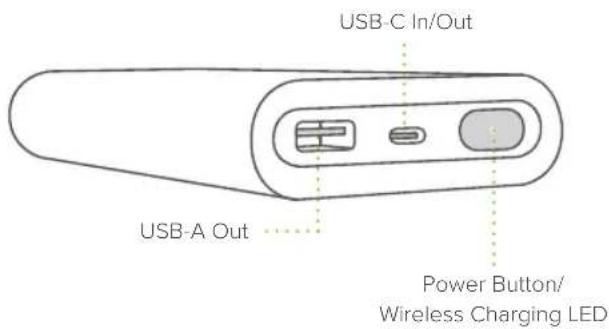
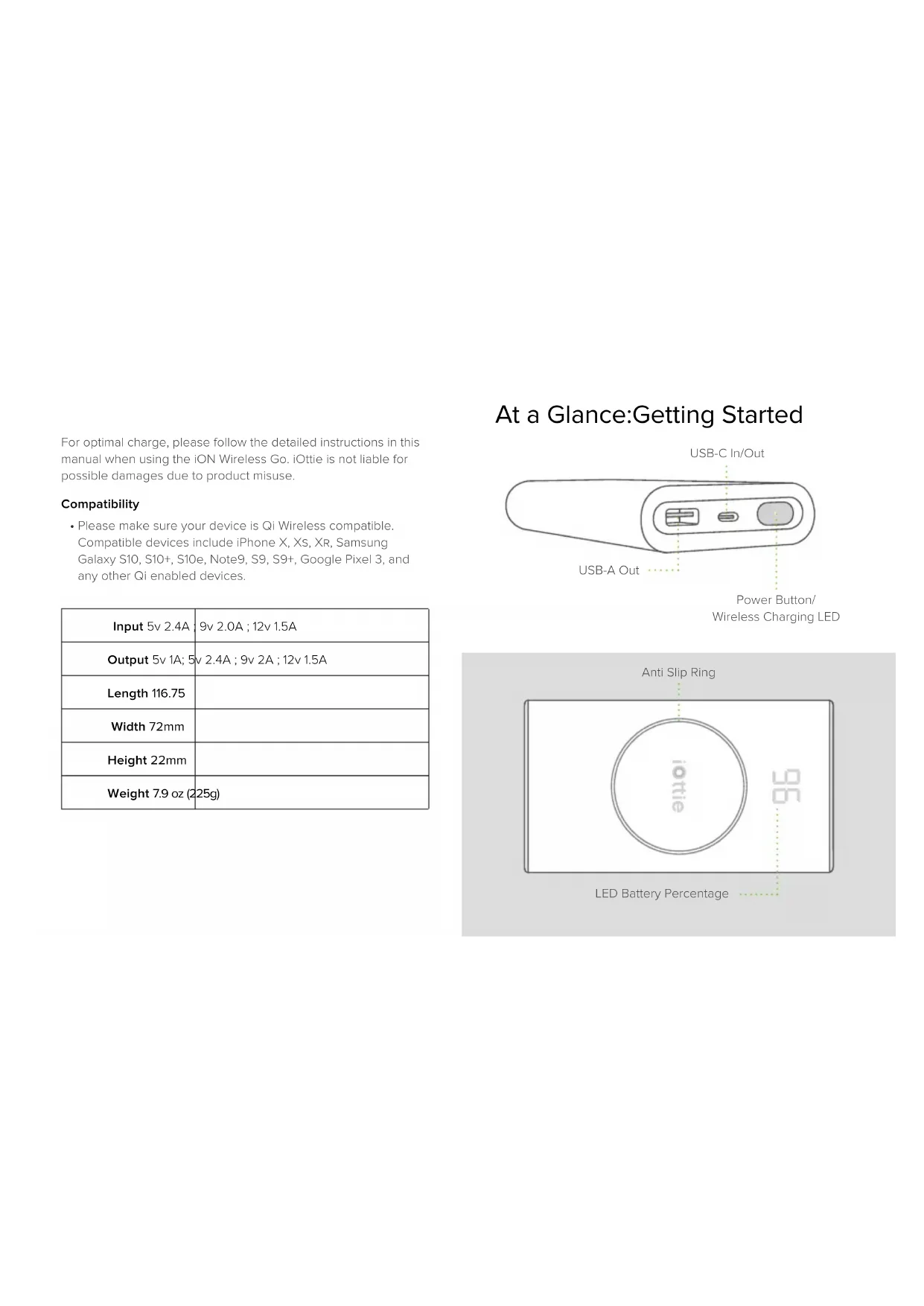
At a Glance:Getting Started
Charging Other Devices
The iON Wireless Go allows for up to 3 devices to be charged simultaneously.
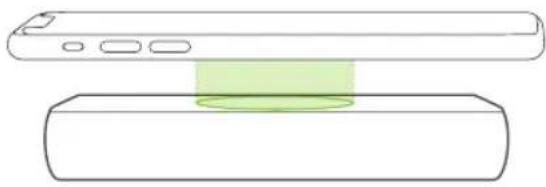
Qi Wireless Charging
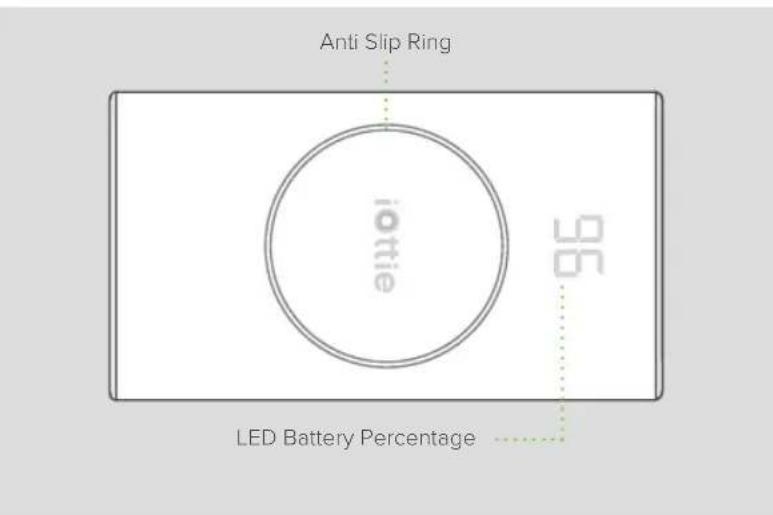
Charge your smartphone wirelessly with a standard Qi Wireless charge. The Qi Coil is usually located in the center area of the phone. Check with your phone's manufacturer for accurate Qi coil location.
Charging surface features an anti-slip ring to prevent smartphones from shifting while charging wirelessly. This ring also marks the center of the device where the Qi coil is located.
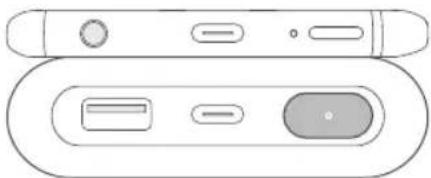
Press power button on device to initiate wireless charge. If nothing is charging, device will automatically turn off.
Super Fast Wired Charging
USB-C and USB-A input allows simultaneous super fast charging.
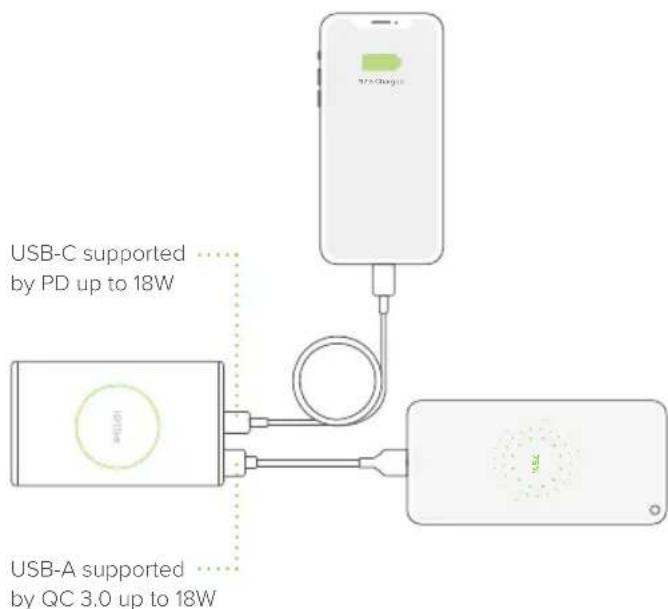
Charging speed will remain 18W per other device when plugged in (for up to 36W total for wired charging). It will go down to 5W per other device when also charging wirelessly.
Charging the iON Wireless Go
If using a third party charger, please only use a Qualcomm Quick Charge 3.0 or equivalent adapter.
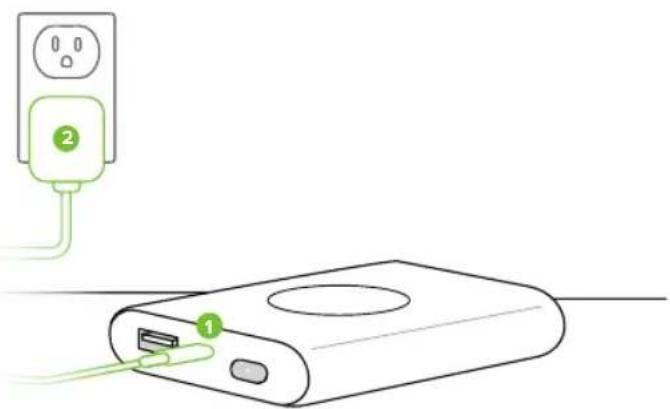
- Plug cable into the USB-C port on device and plug other end of cable to a power adapter.
- Plug the power adapter into an AC outlet.
Charging speed for other devices will remain 18W per device while also charging the battery. It will go down to 5W when wirelessly charging another device while charging the battery.
LED Battery Percentage
LED light on the top of the device will indicate percentage charged. If your phone is not charging, make sure the battery has a charge.
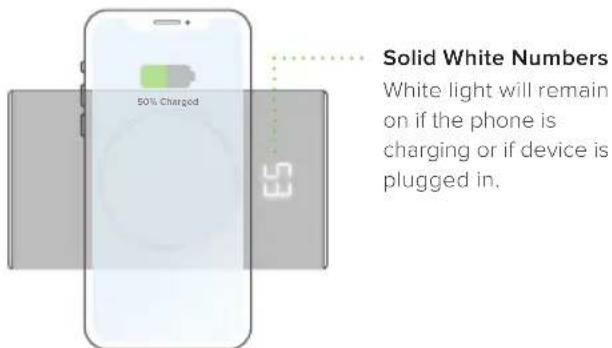
To turn LED Battery
Percentage off, press the power button for 1 second.
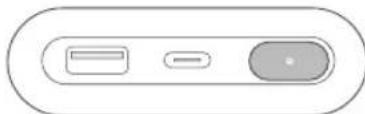
To turn LED Battery
Percentage back on, press the power button for 1 second.
Once phone is charged, device display will automatically turn off.
Declaration of Conformity (FCC)
This device complies with Part 18 of the FCC Rules.
CAUTION: Changes or modifications not expressly approved by the party responsible for compliance could void the user's authority to operate the product.
NOTE: This equipment has been tested and found to comply with the limits for a wireless power transfer, pursuant to Part 18 of the FCC Rules. These limits are designed to provide reasonable protection against harmful interference in a residential installation. This equipment generates, uses and can radiate radio frequency energy and, if not installed and used in accordance with the instructions, may cause harmful interference to radio communications. However, there is no guarantee that interference will not occur in a particular installation. If this equipment does cause harmful interference to radio or television reception, which can be determined by turning the equipment off and on, the user is encouraged to try to correct the interference by one or more of the following measures:
Reorient or relocate the receiving antenna.
- Increase the separation between the equipment and receiver.
- Connect the equipment into an outlet on a circuit different from that to which the receiver is connected.
- Consult the dealer or an experienced radio/TV technician for help.
OperationalWarnings
During the charging process, the transfer of electricity gives off heat. Your device may become warm, but should not become exceedingly hot.
If the device gets wet, please cease charging immediately. Remove all plugs and dry the product completely. Device is only to be operated in a dry, indoor environment.
Please be careful of excessive drops, dents, punctures, or deformities on the device. If you are concerned, please unplug the device and contact the manufacturer.
1 Changes or modifications not expressly approved by the party responsible for compliance could void the user's authority to operate the equipment.
Operating this device in a hot environment or in direct sunlight for a long period of time may cause malfunctions. We recommend keeping the product in cooler temperatures.
Please use included components for an optimal experience. To support Qi fast charge when using a third party charger or a USB Power Adapter use a minimum output of both "9.0V-2.0A or 12V-1.5A".
If your phone is misaligned when wireless charging, your device may become warm due to inefficient wireless output. It is important to always properly align your smartphone.
California Proposition 65: This product contains chemicals known to the state of California to cause cancer and birth defects or other reproductive harm.

Caution
Old electrical appliances must not be disposed of together with residual waste, but have to be disposed of separately.