
Easy One Touch Wireless - Battery charger iOttie - Free user manual and instructions
Find the device manual for free Easy One Touch Wireless iOttie in PDF.


| Product Type | Wireless Car Charger |
| Brand | iOttie |
| Model | Easy One Touch Wireless |
| Category | Battery Charger |
| Dimensions | 5.8 x 4.5 x 2.0 inches |
| Weight | 7.4 oz |
| Input Voltage | DC 12V/24V |
| Output Power | 10W (Max) for Android, 7.5W for iPhone |
| Charging Standard | Qi Wireless Charging |
| Installation Type | Dashboard or windshield mount |
| Mounting Method | Suction cup + telescopic arm |
| Compatibility | Qi-enabled devices (iPhone 8+, Samsung Galaxy S6+, etc.) |
| Indicator Lights | Blue LED for power, green for charging |
| Safety Features | Overcharge protection, short circuit protection, temperature control |
| Material | ABS plastic and silicone |
| Cable Length | 3.9 ft (1.2 m) micro-USB cable |
| Operating Temperature | -4°F to 140°F (-20°C to 60°C) |
| Maintenance | Wipe with dry cloth, avoid liquids |
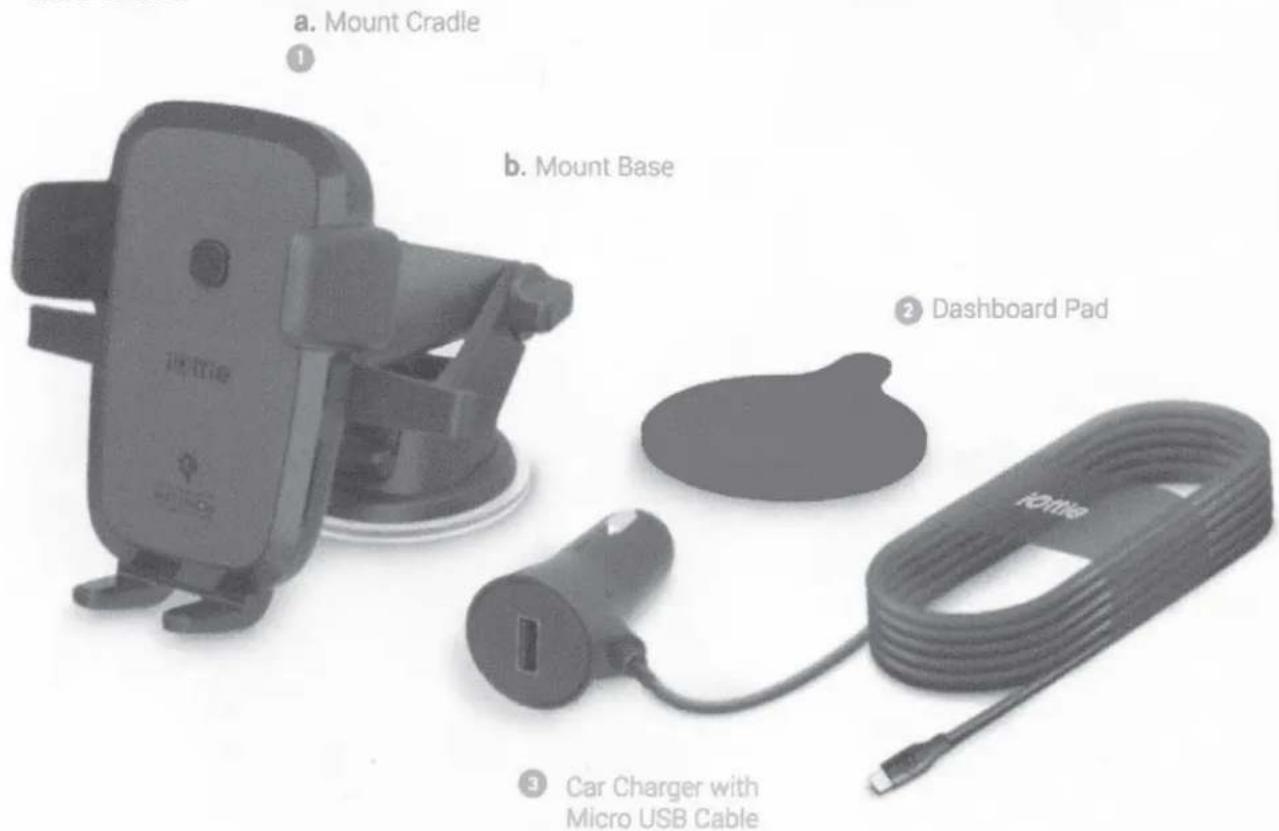
| Package Contents | Charger mount, suction cup, telescopic arm, micro-USB cable, user manual |
| Warranty | 1 year limited warranty |
Frequently Asked Questions - Easy One Touch Wireless iOttie
User questions about Easy One Touch Wireless iOttie
0 question about this device. Answer the ones you know or ask your own.
Ask a new question about this device
Download the instructions for your Battery charger in PDF format for free! Find your manual Easy One Touch Wireless - iOttie and take your electronic device back in hand. On this page are published all the documents necessary for the use of your device. Easy One Touch Wireless by iOttie.
USER MANUAL Easy One Touch Wireless iOttie
natural_image
Close-up of a car's front-mounted smartphone mounted on a tripod stand, with open field and sky in background (no visible text or symbols)Qi Wireless Fast Charging Dash & Windshield Mount EASY ONE TOUCH WIRELESS
Getting Started
For optimal mounting and charging, please follow the detailed instructions within this manual when using the Qi Wireless Fast Charging Dash & Windshield Mount. iOttie is not liable for possible damages due to product misuse.
Critical Information
Compatibility
Before using product, make sure your device is Qi Wireless compatible. Compatible devices include Samsung Galaxy: Note 9, S9, S9 Plus, Note 8, or iPhone Xs, Xs Max, XR, X, and other Qi enabled smartphones..
Please note that not all smartphones can receive a wireless Fast Charge, however they will still receive a standard wireless charge. Check your phone's charging features for Fast Charge capabilities.
Qi Fast Charging in Vehicle
Use the included iOttie Car Charger with Micro USB Cable. If you do use a third party car charger, use a Qualcomm Quick Charge 2.0 or equivalent adapter to receive Fast Charge (with compatible devices).
The Easy One Touch Wireless Charging mount's signal could possibly interfere with your TPMS (tire pressure monitoring system). If you notice that your TPMS light turns on, please try to use your mount in different locations to avoid the signals from interacting.
Qi Fast Charging on Desk
Use a USB Power Adapter with a minimum output of both "9.0V-1.67A or 5.0V-2.0A". Plug directly into wall or surge protector. Inserting into laptop or computer will not provide adequate power.

natural_image
Interior view of a car with a smartphone on a tripod, overlooking a coastal landscape with hills and water (no visible text or symbols)Exploring
What's in the Box:
Key Features
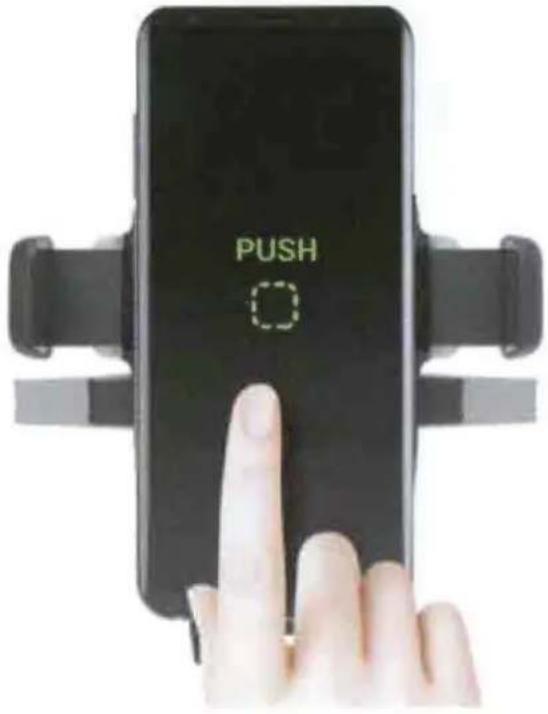
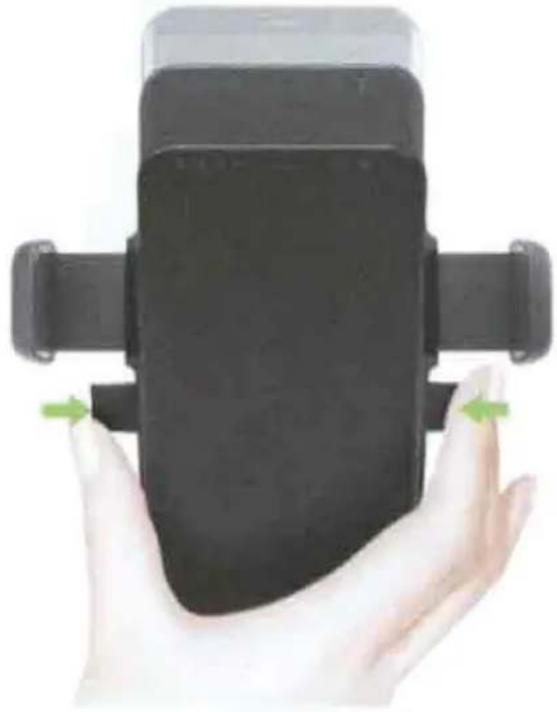
Easy One Touch Technology
US Patented mechanism easily locks and releases your smartphone with one handed operation.
- Mounting
- Releasing
natural_image
Hand holding a black smartphone with a green directional arrow indicating left-hand movement (no text or symbols visible)Optimal Positioning
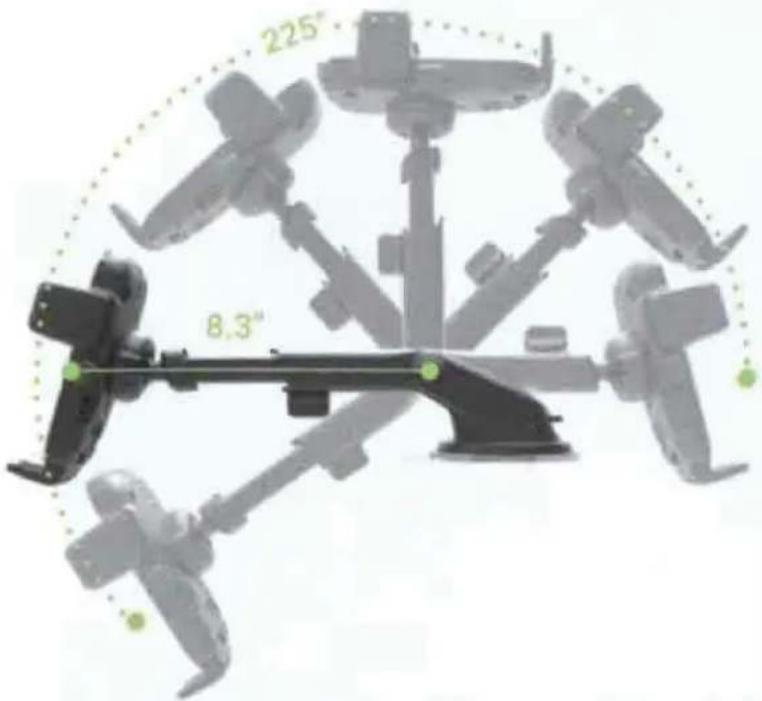
Mount extends up to 8.3" and pivots on 225° arc to find your best viewing angle.
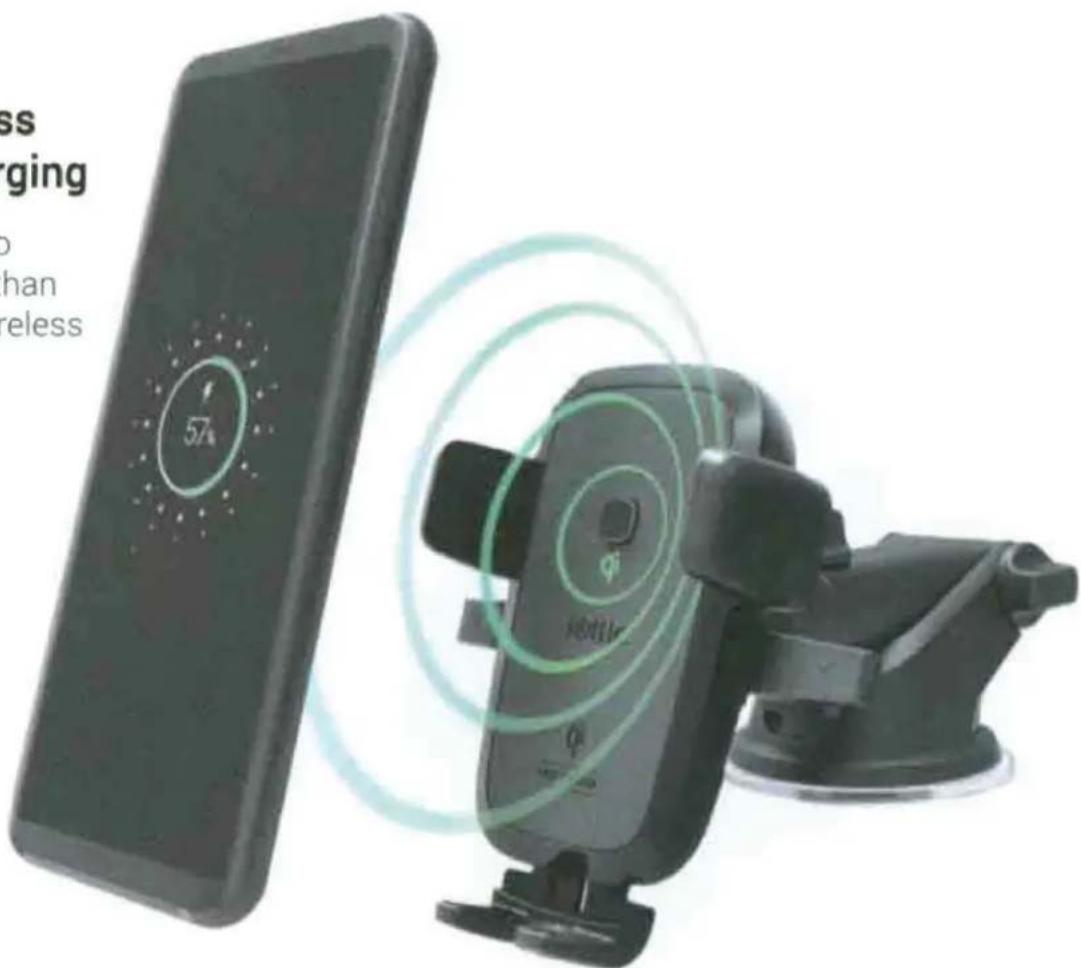
Qi Wireless Fast Charging
Charge up to 40% faster than standard wireless charging.
natural_image
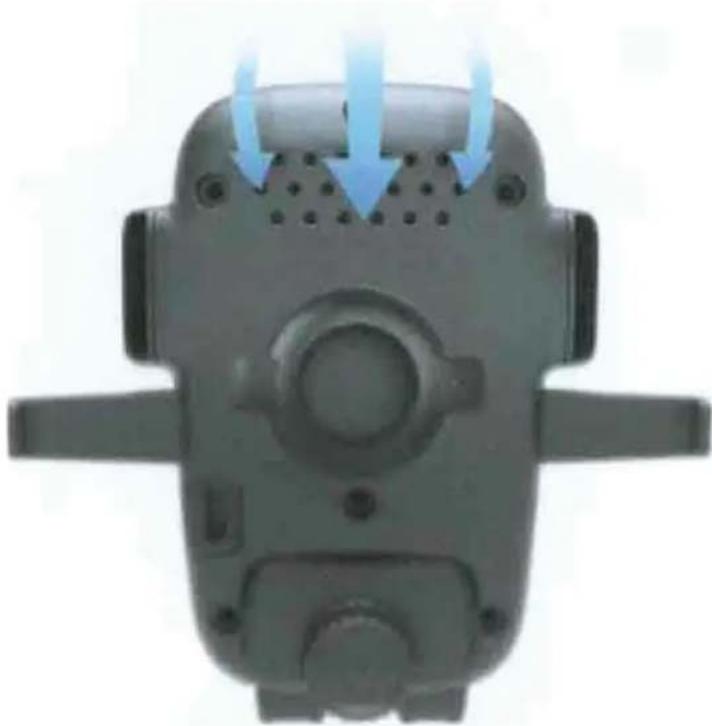
Top-down view of a mechanical device with blue airflow arrows indicating flow or movement (no text or symbols)Ventilation
Air vents allow air flow to keep mount cool.
Key Features
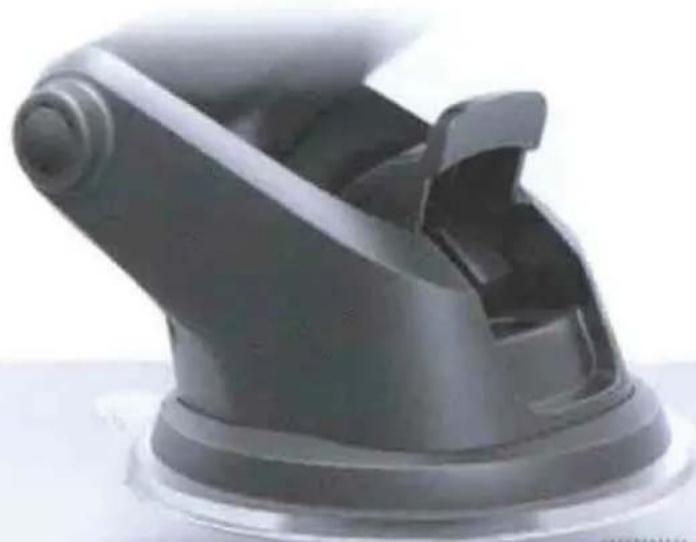
Super Strong and Reusable Suction
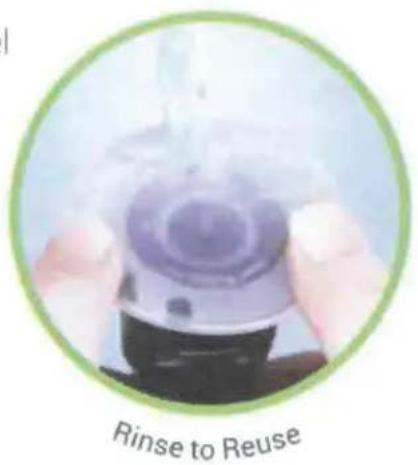
The suction cup can be reused by simply rinsing and air drying to restore its stickiness.
Suction cup combines strong suction force and sticky gel for the most secure mounting experience.
natural_image
Close-up of a black plastic mechanical component with a curved handle and flange (no visible text or symbols)Sticky Gel
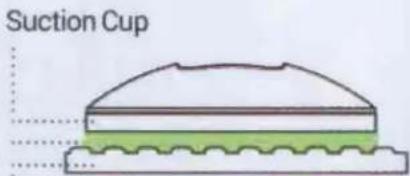
(no air gaps)
Surface
Flexible Foot
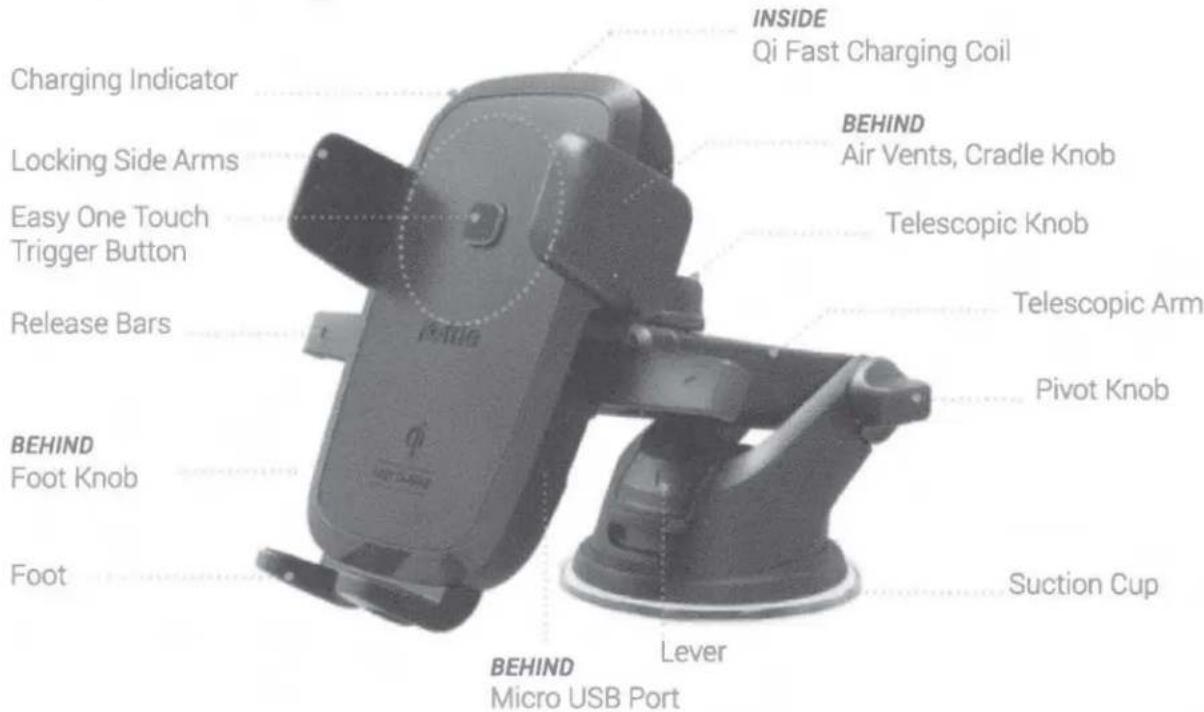
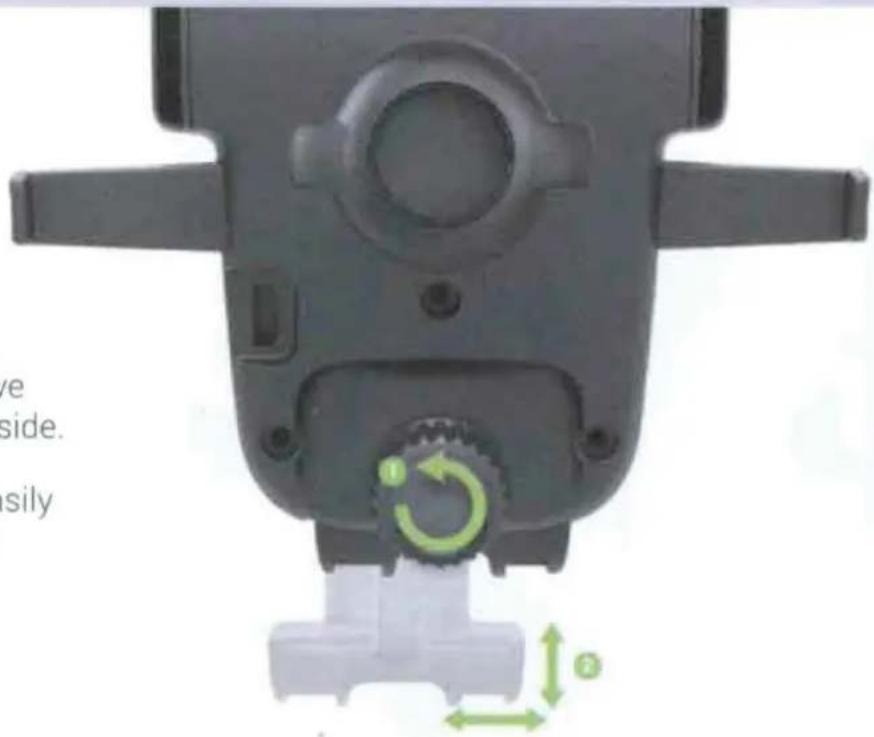
Foot gives smartphone additional support. Loosen Knob behind mount, to move Foot up, down, and side to side.
Additionally, Foot can be easily removed to allow for larger smartphone compatibility.
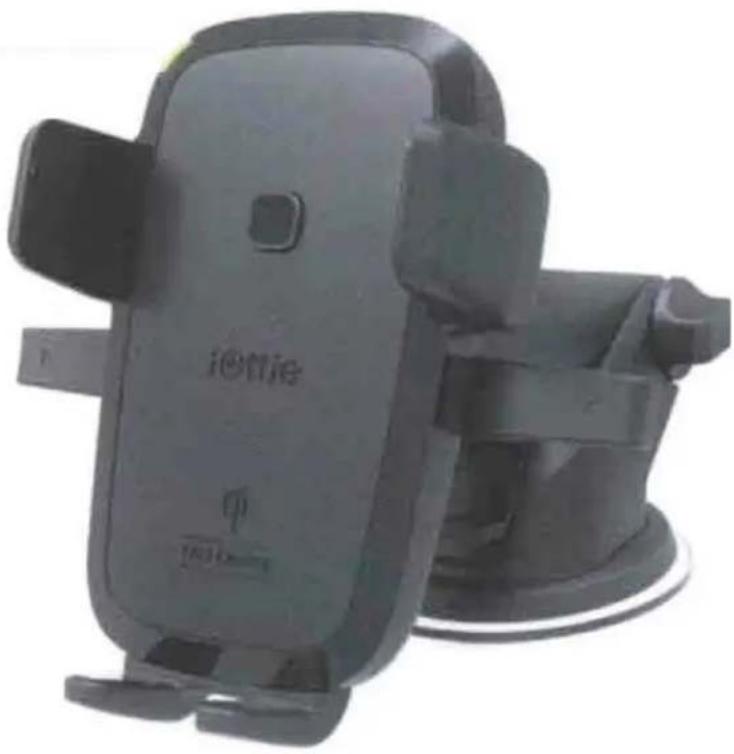
Charging Indicator
Your device's screen will show that it is charging.
GREEN LIGHT
When powered on, a green light will appear, and then fade.
A solid green light will appear when smartphone is properly charging.
RED LIGHT
- A blinking red light shows incompatibility with smartphone.
If mount is too hot to charge, a blinking red light will appear. Let mount cool before you resume charging.
natural_image
Black iotlie smartphone with attached strap, no visible text or symbols on the device body
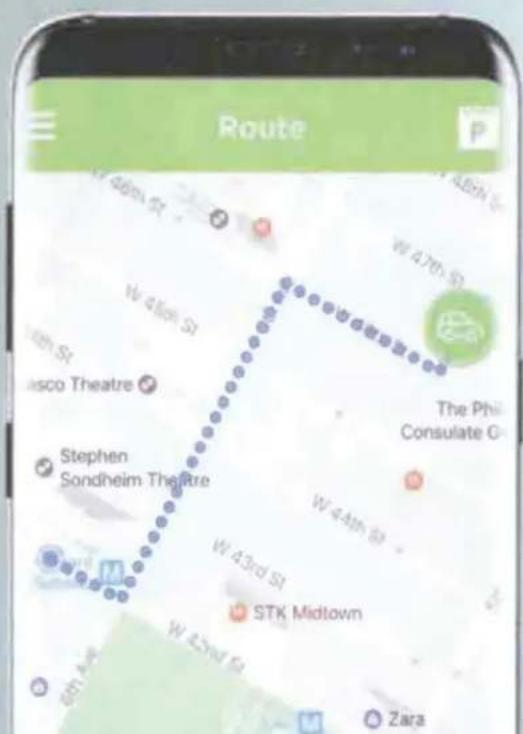
iOttie DriveSmarter Android App
Locate where you last parked by navigating in the companion app. Additional app features & updates coming soon.

Preparation
1. Selecting Location
Your product is designed to mount on your dashboard, windshield, or desk. Select location, and wipe down area to remove any excess dust or debris.
Please review below information on mounting with suction cup and dashboard pad.
natural_image
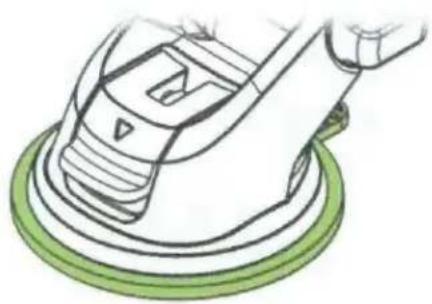
Illustration of a hand using a power tool on a green circular base (no text or symbols)Suction Cup
- Clear rubber piece attached to bottom of Mount, activated by Lever
- Reusable Sticky Gel can be rinsed in warm water and air dried to restore
- Ideal for smooth dashboards, windshields, and desks
natural_image
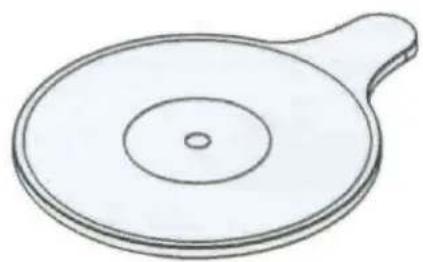
Simple line drawing of a circular object with a handle and central hole (no text or symbols)Dashboard Pad
- Optional Black Plastic Pad
Features a strong one-time use adhesive tape - Recommended for use under the Suction Cup to protect dashboards
2. Assembling Mount
natural_image
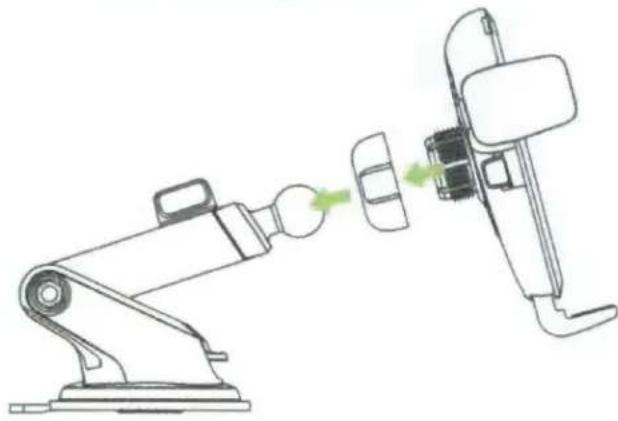
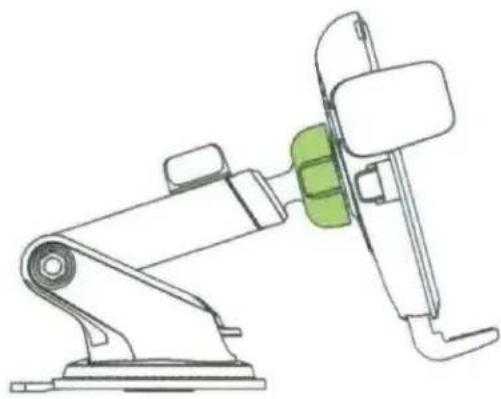
Line drawing of a robotic arm emitting green light into a mechanical device (no text or symbols)A. Remove Cradle Knob from back of Cradle and place over ball joint on Mount Base.
natural_image
Line drawing of a robotic arm with a green component inserted, no text or symbols presentB. Connect ball joint on Mount Base to Cradle and tighten Cradle Knob.
3. Adjusting Mount
natural_image
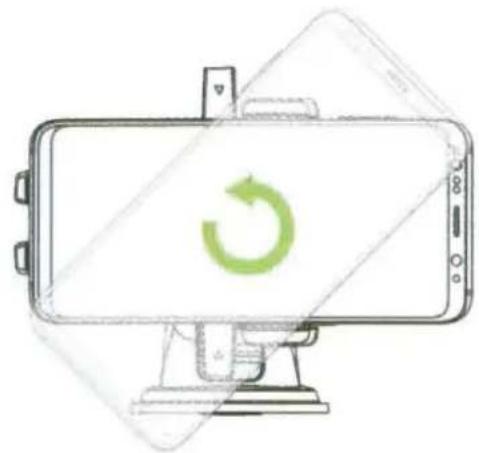
Line drawing of a smartphone with a green circular refresh icon on its screen (no text or symbols)A. Cradle Knob
Loosen to rotate Cradle into Landscape mode. Tighten to lock in desired position.
natural_image
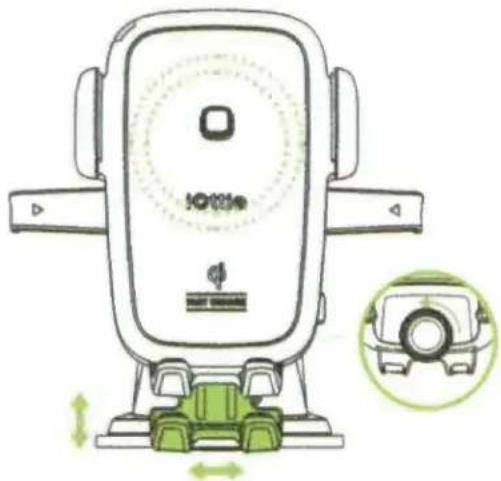
Illustration of a car charging station with green wheels and control panel (no text or symbols)B. Foot Knob
Located on lower back of Cradle. Loosen to re-position mount's Foot. Foot can be adjusted up and down or side to side.

We recommend using Foot to retain optimal wireless charging position. However, Foot can be removed if desired
natural_image
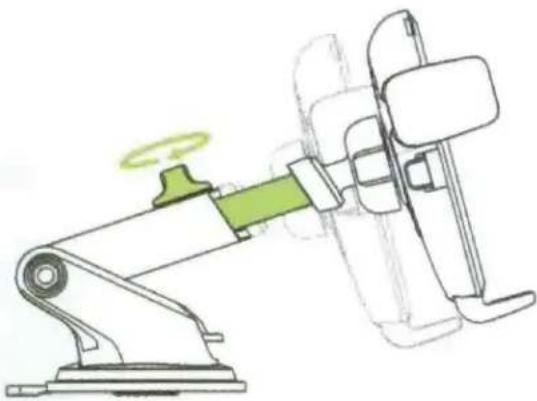
Diagram of a robotic arm with a green handle and motion indicator, showing mechanical assembly (no text or symbols)C. Telescopic Knob
Located on top of Telescopic Arm, loosen to extend the arm, and tighten to secure distance.
natural_image
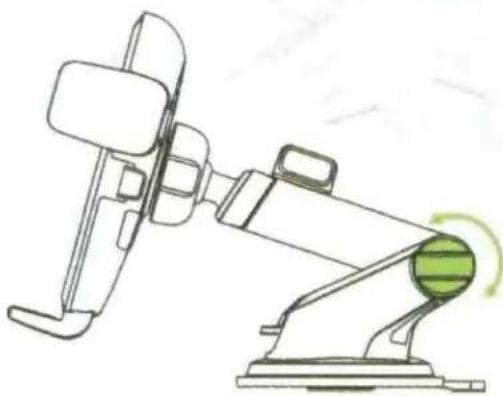
Line drawing of a robotic arm with a green circular component and motion arrow (no text or symbols)D. Pivot Knob
On the side of the Mount Base. turning allows you to pivot telescopic arm. Tighten to secure position.
Installation
4. Installing Mount
- iOttie recommends using the included Dashboard Pad for dashboard mounting. This will help mounting on curved and textured surfaces as well as prevent any potential dashboard damage.
The adhesive tape on underside of Dashboard Pad is not reusable. Please test the position of your mount before you remove protective cover and stick to your dash. iOttie is not liable for any damages related to product misuse.
Prior to mounting product, we recommend surface and product to be above 40° F.
natural_image
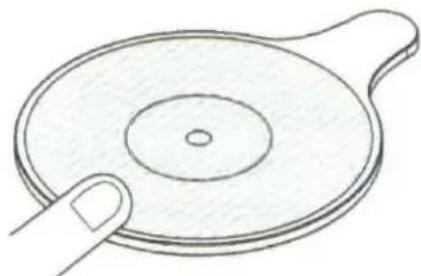
Simple line drawing of a hand pointing at a circular object with concentric rings (no text or symbols)A. Peel protective film off Dashboard Pad, place sticky side down. Press and rub around Dashboard Pad to ensure firm adhesive grip.
We recommend letting the Oashboard Pad sit for 30 minutes before applying the Mount.
natural_image
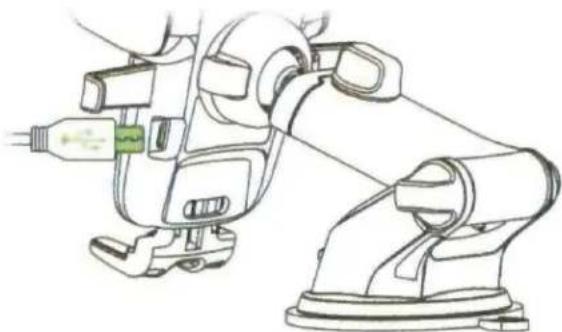
Line drawing of a robotic arm with attached sensors and a connector (no text or symbols)C. Plug micro USB into the charging port on back of cradle.
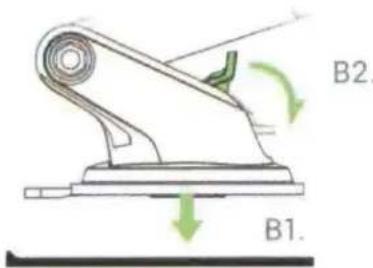
B1. Remove plastic cover from Suction Cup and place on Dashboard Pad. B2. Pull down the level to secure the mount.
natural_image
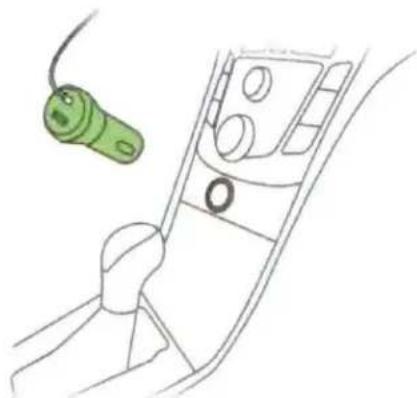
Line drawing of a car interior showing a green connector attached to the dashboard (no text or symbols)D. Insert car charger into vehicle's power port.
The Easy One Touch Wireless mount does not have an on/off button. Once the device is plugged into the power source, it is always powered on
5. Mounting Smartphone
natural_image
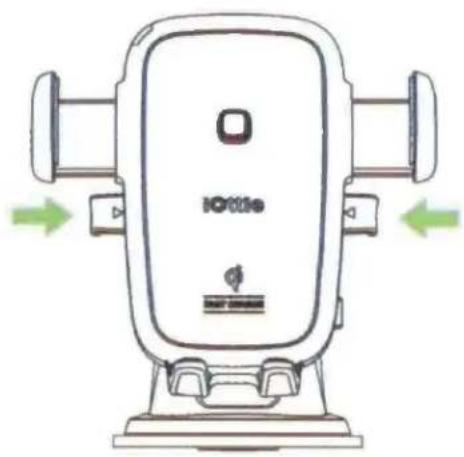
Illustration of a bottle car seat with green directional arrows indicating left and right sides (no text or symbols on the device itself)A. Press Release Bars on Mount Cradle to open Locking Side Arms.
natural_image
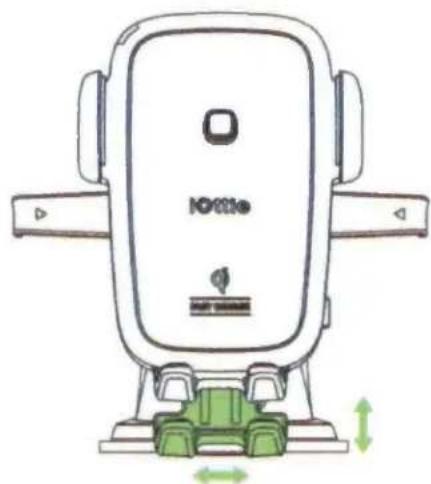
Line drawing of a compact car seat with green seat and orange side brackets, no text or symbols presentB. Loosen Foot Knob on lower back of Mount Cradle to drop feet down.
natural_image
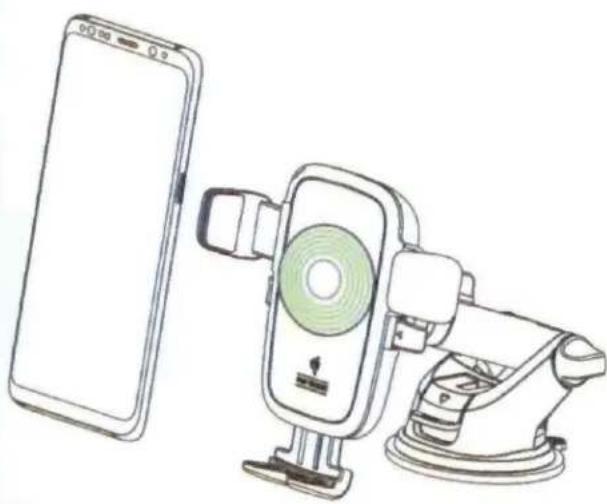
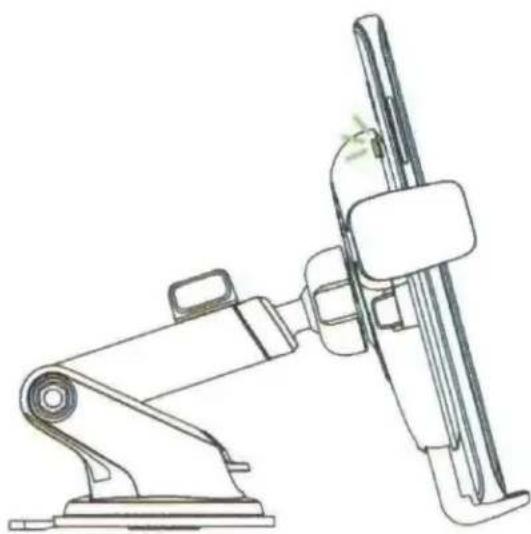
Line drawing of a smartphone connected to a mounted device with a green circular component (no text or symbols)C. Position smartphone so that back-center of smartphone aligns with Easy One Touch Trigger. Place smartphone against the Easy One Touch trigger, and arms will automatically close against your device.
natural_image
Technical line drawing of a robotic arm gripping a cylindrical device (no text or symbols)D. Check Charging Indicator to make sure smartphone is receiving proper charge, reposition if necessary. Tighten Foot Knob to retain optimal charging position.
Declaration of Conformity (FCC)
Changes or modifications not expressly approved by the party responsible for compliance could void the user's authority to operate the equipment. You can refer to the following completed FCC warnings.
This device complies with Part 15 of the FCC Rules.
Operation is subject to the following two conditions:
1) This device may not cause harmful interference.
2) This device must accept any interference received, including interference that may cause undesired operation.
Note
This equipment has been tested and found to comply with the limits for a Class B digital device, pursuant to Part 15 of the FCC Rules. These limits are designed to provide reasonable protection against harmful interference in a residential installation. This equipment generates, uses and can radiate radio frequency energy and, if not installed and used in accordance with the instructions, may cause harmful interference to radio communications.
However, there is no guarantee that interference will not occur in a particular installation. If this equipment does cause harmful interference to radio or television reception, which can be determined by turning the equipment off and on, the user is encouraged to try to correct the interference by one or more of the following measures:
• Reorient or relocate the receiving antenna.
- Increase the separation between the equipment and receiver.
- Connect the equipment into an outlet on a circuit different from that to which the receiver is connected.
- Consult the dealer or an experienced radio/TV technician for help.
Operational Warnings
During the charging process, the transfer of electricity gives off heat. Your device may become warm, but should not become exceedingly hot.
If the device gets wet, please cease charging immediately. Remove all plugs and dry the product completely. Device is only to be operated in a dry, indoor environment.
Please be careful of excessive drops, dents, punctures, or deformities on the device. If you are concerned, please unplug the device and contact the manufacturer.
Changes or modifications not expressly approved by the party responsible for compliance could void the user's authority to operate the equipment.
Operating this device in a hot environment or in direct sunlight for a long period of time may cause malfunctions. We recommend keeping the product in cooler temperatures.
Please use included components for an optimal experience. To support Qi fast charge when using a third party car charger or a USB Power Adapter use a minimum output of both "9.0V-1.67A or 5.0V-2.0A".
The product's signal could possibly interfere with you TPMS (tire pressure monitoring system). If you notice that your TPMS light turns on, please try using your mount in different locations to avoid the signals from interfering with each other.
California Proposition 65
This product contains chemicals known to the state of California to cause cancer and birth defects or other reproductive harm.

CAUTION
OLD ELECTRICAL APPLIANCES MUST NOT BE DISPOSED OF TOGETHER WITH THE RESIDUAL WASTE, BUT HAVE TO BE DISPOSED OF SEPARATELY.
Specifications
Mount Specifications
| ITEM | DESCRIPTION |
| INPUT | 5.0V - 2.0A9.0V - 1.67A |
| CHARGING PORT | MICRO USB |
| LENGTH | 6.0" |
| WIDTH | 4.4" |
| HEIGHT | 4.3" |
| WEIGHT | 6.4 OZ |
Car Charger Specifications
| INPUT | OUTPUT |
| DC12-24V | DC 5V - 2.4A9V - 2A12V - 1.5A |
#DriveSmarter
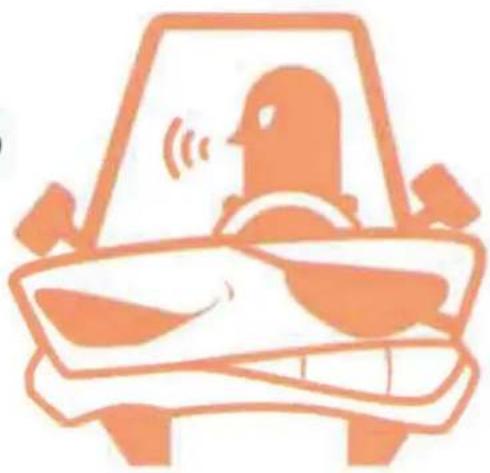
Here at iOttie, safety is what's most important to us.
We are committed to reducing the number of distracted driving related accidents that happen each year.
We want all of our customers to Mount Smart and #DriveSmarter.

natural_image
Green cartoon-style car illustration with a smiling face on the front (no text or symbols)VS
natural_image
Illustration of a person inside a car with sound waves, no text or symbols present
Love your iOttie product?
Let us know by leaving a review online, or connect with us on our social platforms.


2YEAR WARRANTY
Having Issues?
Our Customer Service Team is waiting to assist you! Please reach out to us at cs@iottie.com.
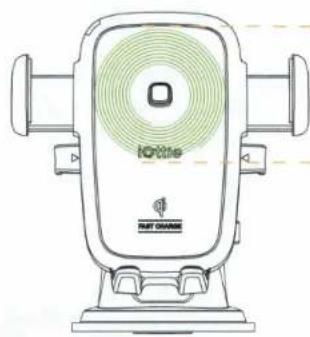
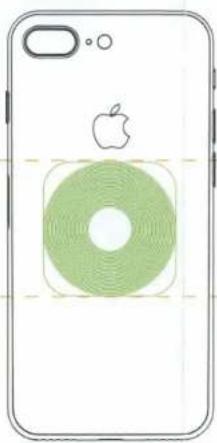
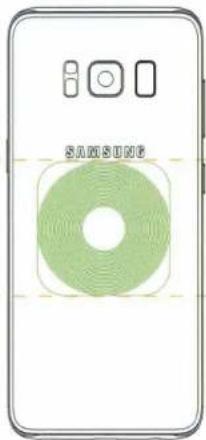
QI ALIGNMENT GUIDE: For optimal wireless charging, please make sure your smartphone and mount's Qi coils are aligned.
EASY ONE TOUCH WIRELESS
Qi Wireless Fast Charging Mount
natural_image
Line drawing of a portable electronic device with green ventilation grille and 'iGriRite' logo (no text or symbols on body)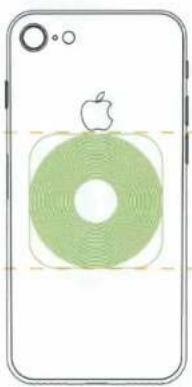
natural_image
Illustration of a smartphone with a green circular button and an Apple logo on top (no text or symbols)iPhone 8
natural_image
Front view of a smartphone showing the Apple logo and a green circular design with concentric rings (no text or symbols)iPhone 8 Plus
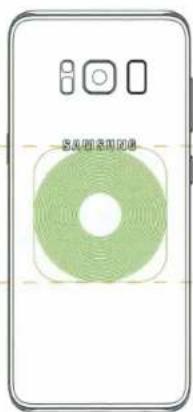
Galaxy S8
natural_image
Front view of a smartphone with a green circular logo and control buttons (no readable text or symbols)Galaxy S8+
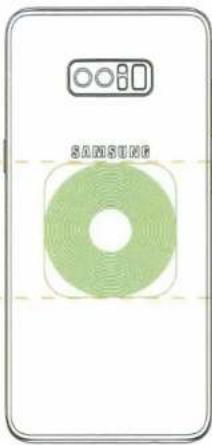
Galaxy Note 8
Step 1
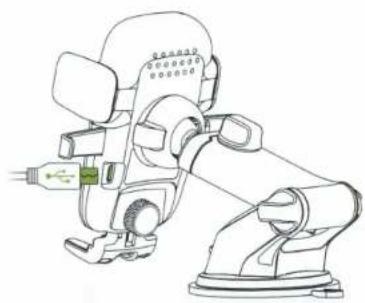
Plug Micro USB Cable into port located on back of mount. The Charging Indicator light will turn on briefly when it receives power.
natural_image
Line drawing of a robotic arm with visible joints and control panel (no text or symbols)Step 2
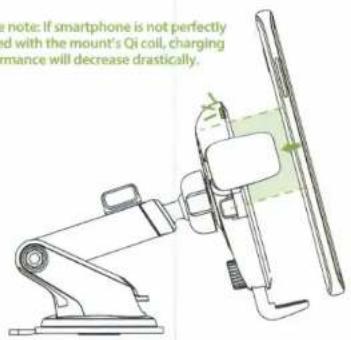
Align phone's back directly centered on the Easy One Touch Trigger button. Alignment of smartphone and Qi coil is important to achieve a fast and efficient wireless charge.
Please note: If smartphone is not perfectly aligned with the mount's Qi coil, charging performance will decrease drastically.
Step 3
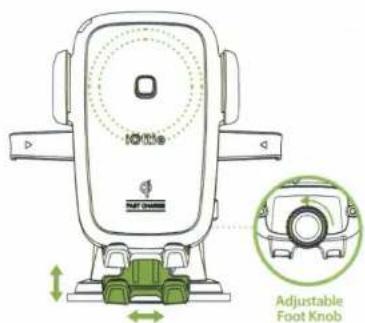
Turn Knob on the back of Mount Cradle to adjust and lock Foot to ensure correct Qi alignment every time you mount.
Need assistance? Contact iOttie Customer Service at cs@iOttie.com
iottie
NOTICE
Dear Valued iOttie Customer,
Due to past vehicle recalls for dashboards that crack, peel and become sticky in heat- if you have Lexus or Toyota Vehicles from the list below, we strongly recommend mounting on your windshield (state law permitting).
You may also consider our any of our Air Vent or CD Slot Car Mounts for alternative purchases.
• 2003-2005 Toyota 4Runner
• 2005-2010 Toyota Avalon
• 2007-2011 Toyota Camry & Camry Hybrid
• 2004-2010 Toyota Sienna
• 2004-2008 Toyota Solara
• 2007-2008 Lexus ES 350
• 2003 -2008 Lexus GX 470
• 2006- 2008 Lexus IS 250/350
• 2007 Lexus LS 460
• 2004-2006 Lexus RX 330
• 2007- 2009 Lexus RX 350
• 2005- 2008 Lexus RX 400h
Thank you for your cooperation & understanding!
Best,
iOttie Support Team
- Getting Started
- Critical Information
- Compatibility
- Qi Fast Charging in Vehicle
- Qi Fast Charging on Desk
- Exploring
- What's in the Box:
- Key Features
- Easy One Touch Technology
- Optimal Positioning
- Qi Wireless Fast Charging
- Ventilation
- Super Strong and Reusable Suction
- Flexible Foot
- Charging Indicator
- GREEN LIGHT
- RED LIGHT
- iOttie DriveSmarter Android App
- Preparation
- Selecting Location
- Suction Cup
- Dashboard Pad
- Assembling Mount
- Adjusting Mount
- Cradle Knob
- Foot Knob
- Telescopic Knob
- Pivot Knob
- Installation
- Installing Mount
- Mounting Smartphone
- Declaration of Conformity (FCC)
- Note
- Operational Warnings
- CAUTION
- Specifications
- #DriveSmarter
- Love your iOttie product?
- Having Issues?
- QI ALIGNMENT GUIDE: For optimal wireless charging, please make sure your smartphone and mount's Qi coils are aligned.
- Step 1
- Step 2
- Step 3
- NOTICE
Brand : iOttie
Model : Easy One Touch Wireless
Category : Battery charger