
iON Wireless Mini - Battery charger iOttie - Free user manual and instructions
Find the device manual for free iON Wireless Mini iOttie in PDF.


| Type | Qi Wireless Fast Charging Pad |
| Brand | iOttie |
| Model | iON Wireless Mini |
| Dimensions (L x W x H) | 3.50 x 2.56 x 0.75 inches |
| Weight | 65 g |
| Input | 5V=3A / 9V=2A (USB-C) |
| Wireless Output | Max 10W (7.5W for iPhone, 10W for Android) |
| Charging Standard | Qi wireless charging (fast charge compatible) |
| Compatible Devices | iPhone X, 8, 8 Plus; Samsung Galaxy S9, S9+, Note8, S8, S8+, S7, S7 Edge, S6, S6 Edge; all Qi-enabled devices |
| Charging Indicator | Solid white (charging), blinking red (incompatible or misaligned) |
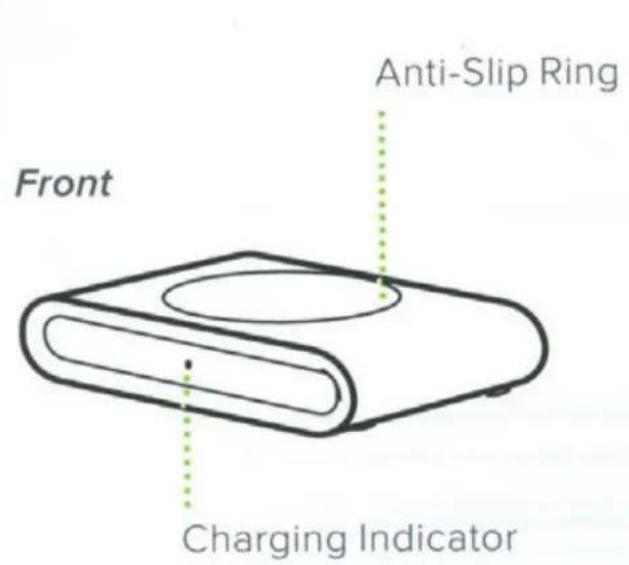
| Anti-Slip Feature | Anti-Slip Ring to prevent shifting |
| Included Cable | USB-C to USB-A cable |
| Included Power Adapter | Wall charger (110-250V input, 3.6-12V output up to 3A) |
| Safety Warnings | Do not use with computer USB; use only included or Qualcomm QC 3.0 adapter; avoid water, excessive heat, drops |
| Cleaning | Wipe with a soft, dry cloth; do not use liquids |
| Repairability | No user-serviceable parts; contact manufacturer for issues |
| Certifications | FCC Part 15 Class B |
| Warranty | Refer to iOttie website or contact customer service |
Frequently Asked Questions - iON Wireless Mini iOttie
User questions about iON Wireless Mini iOttie
0 question about this device. Answer the ones you know or ask your own.
Ask a new question about this device
Download the instructions for your Battery charger in PDF format for free! Find your manual iON Wireless Mini - iOttie and take your electronic device back in hand. On this page are published all the documents necessary for the use of your device. iON Wireless Mini by iOttie.
USER MANUAL iON Wireless Mini iOttie
Follow the detailed instructions within this manual when using the iON Wireless Mini Fast Charging Pad.
Please make sure your device is Qi Wireless compatible. Compatible devices include iPhone X, 8 Plus, 8, Samsung Galaxy S9, S9+, Note 8, S8, S8+, S7, S7 Edge, S6, S6 Edge, and any other Qi enabled devices.
Not all smartphones can receive a wireless fast charge, however they will receive a standard wireless charge. Check your phone's charging features for fast charge capabilities.
Please only use the included cable and power adapter. Third party components may impact wireless charging performance.
If using a third party charger, please only use a Qualcomm Quick Charge 3.0 or equivalent adapter.
Plugging Charging Pad into a computer will not provide adequate power to support wireless fast charging. Please only plug directly into a Power Adapter.
!
iOttie is not liable for possible damages due to product misuse.
Exploring
Whats in the Box:
2 USB-C Charging Cable
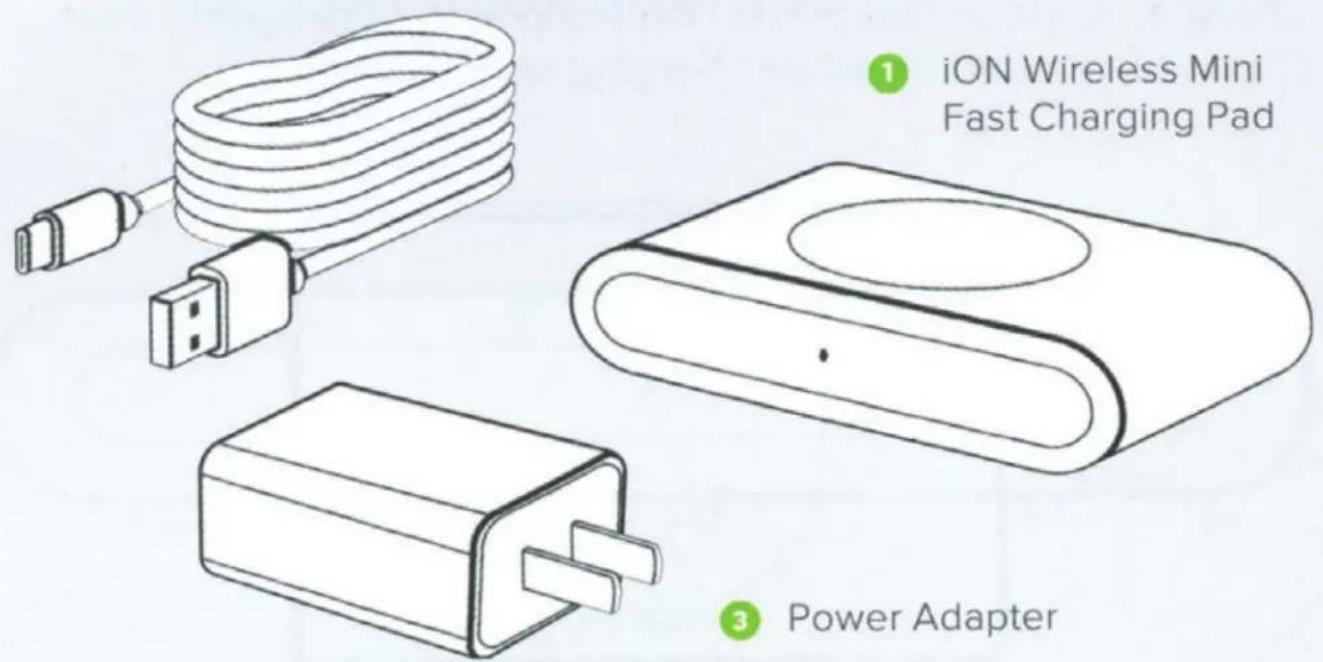
Power adapter type may vary by country.
Key Features
Qi Wireless Fast Charging
Charge smartphones faster than a standard wireless charger.
Max Wireless Charging Capacity: 7.5W iPhone, 10W Android
natural_image
Line drawing of a device with two rectangular components and a central oval base (no text or symbols)Slip Resistant
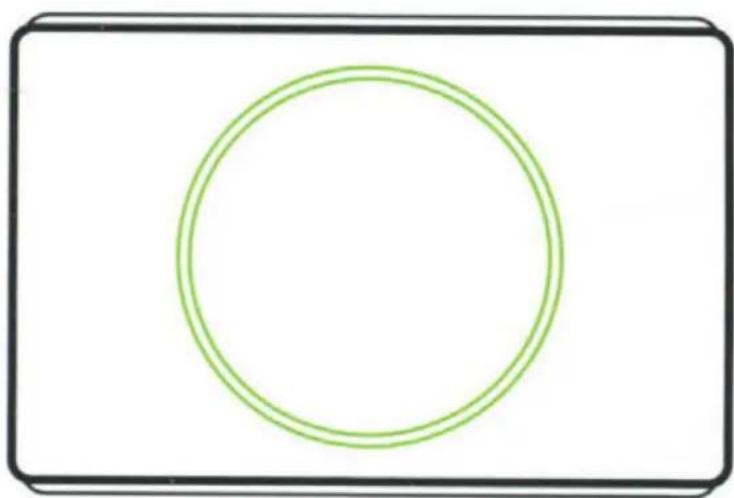
Charging surface features an Anti-Slip Ring to prevent smartphones from shifting while charging wirelessly.
natural_image
Simple geometric diagram with a green circle inside a black rounded rectangle (no text or symbols)Charging Indicator
Your device's screen will show that it is charging.
If your phone is not charging, check the Charging Indicator on the front of the device:
White Light
When powered on, a white light will appear briefly and then fade.
White light will remain on if the phone is charging properly.
Blinking Red Light
A blinking red light will appear if phone is incompatible or Qi coil is blocked.

natural_image
Simple line drawing of a horizontal bar with a green dot at the center (no text or symbols)Preparation
! Please only use the included cable and power adapter. Using third party components may impact wireless charging performance.
natural_image
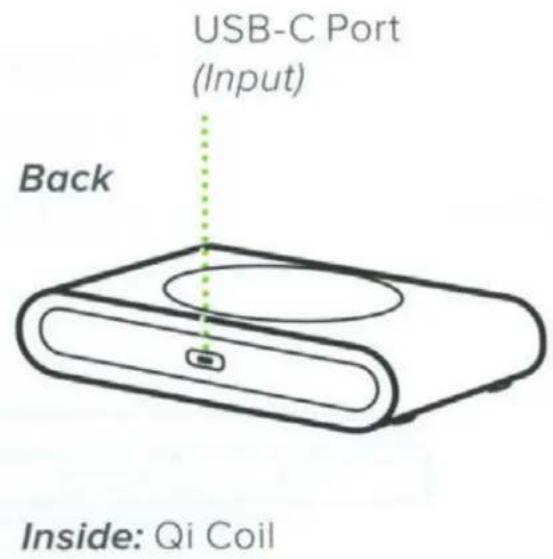
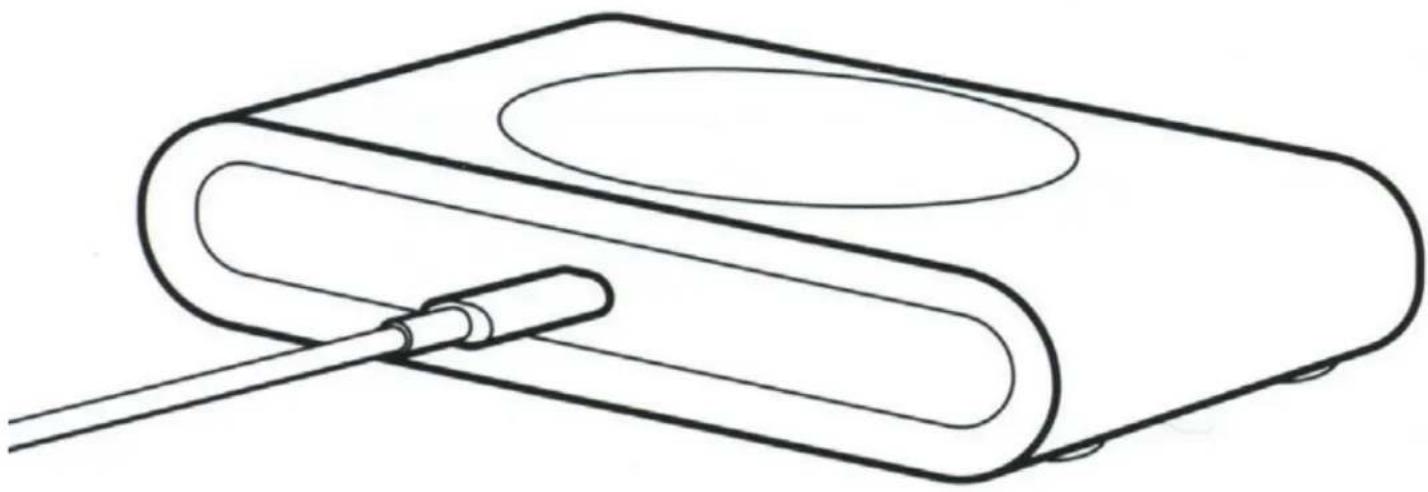
Line drawing of a device with a cable inserted into a housing (no text or symbols)- Plug Charging Cable into USB-C port on the back of charging pad and connect USB-A side to Power Adapter.
- Plug the Power Adapter into an AC outlet.
The Charging Indicator will turn on and then fade to inform you the pad has received power.
! Please do not plug Charging Pad into a computer, as this will not provide adequate power to support wireless fast charging.
Qi Alignment Guide
! Use the guide below to receive an efficient wireless fast charge
Qi Coil Location
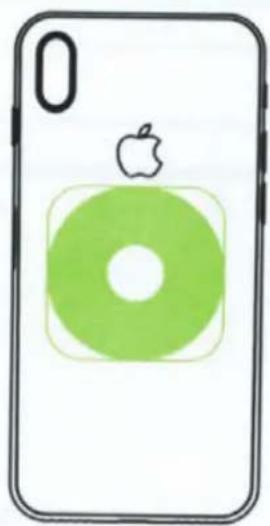
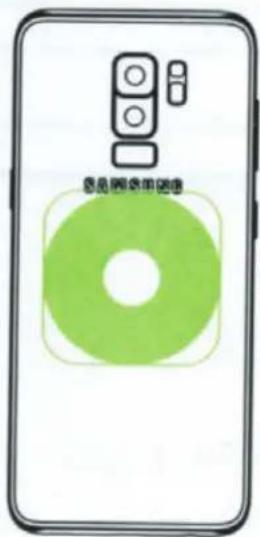
The Qi coil is generally found in the center of most smartphone models.
natural_image
Illustration of a smartphone with an Apple logo on top and a green circular graphic at the bottom (no text or symbols)iPhone X
Galaxy S9
Smartphone alignment
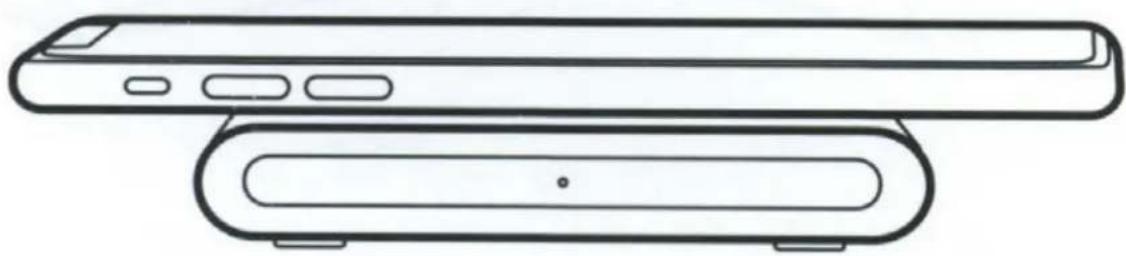
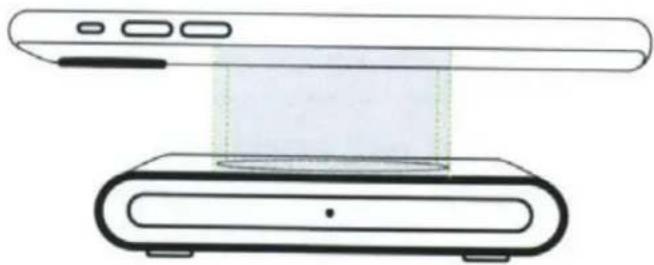
Center the back of the smartphone in the center of the Anti-Slip Ring for a fast and efficient wireless charge.
natural_image
Diagram of a device with a screen and a base, showing no text or symbols! Rest your smartphone on the charging surface parallel to the Charging Pad
Troubleshooting
Your device's screen will show that it is charging.
If your phone is not charging, check the Charging Indicator on the front of the device:

natural_image
Simple line drawing of a horizontal cylindrical object with a dotted line indicating a vertical gap (no text or symbols)Fading White Light
When powered on, a white light will appear briefly and then fade.
Solid White Light
White light will remain on if the phone is charging wirelessly.
Blinking Red Light
A blinking red light will appear if phone is incompatible or Qi coil is blocked.

Please contact customer service at cs@iottie.com if you have any questions.
Specifications
Charging Pad
| ITEM | DESCRIPTION |
| INPUT | 5V=3A9V=2A |
| OUTPUT | Wireless: Max 10W |
| LENGTH | 3.50" |
| WIDTH | 2.56" |
| HEIGHT | 0.75" |
| WEIGHT | 65g |
Wall Charger
| INPUT | OUTPUT |
| 110~250V600mA | 3.6~6V=3A6~9V=2A 9~12V=1.5A |
Declaration of Conformity (FCC)
Changes or modifications not expressly approved by the party responsible for compliance could void the user's authority to operate the equipment. You can refer to the following completed FCC warnings.
This device complies with Part 15 of the FCC Rules.
Operation is subject to the following two conditions:
1) This device may not cause harmful interference.
2) This device must accept any interference received, including interference that may cause undesired operation.
Note
This equipment has been tested and found to comply with the limits for a Class B digital device, pursuant to Part 15 of the FCC Rules. These limits are designed to provide reasonable protection against harmful interference in a residential installation. This equipment generates, uses and can radiate radio frequency energy and, if not installed and used in accordance with the instructions, may cause harmful interference to radio communications.
However, there is no guarantee that interference will not occur in a particular installation. If this equipment does cause harmful interference to radio or television reception, which can be determined by turning the equipment off and on, the user is encouraged to try to correct the interference by one or more of the following measures:
• Reorient or relocate the receiving antenna.
- Increase the separation between the equipment and receiver.
- Connect the equipment into an outlet on a circuit different from that to which the receiver is connected.
- Consult the dealer or an experienced radio/TV technician for help.
Operational Warnings
During the charging process, the transfer of electricity gives off heat. Your device may become warm, but should not become exceedingly hot.
If the device gets wet, please cease charging immediately. Remove all plugs and dry the product completely. Device is only to be operated in a dry, indoor environment.
Please be careful of excessive drops, dents, punctures, or deformities on the device. If you are concerned, please unplug the device and contact the manufacturer.
Changes or modifications not expressly approved by the party responsible for compliance could void the user's authority to operate the equipment.
Operating this device in a hot environment or in direct sunlight for a long period of time may cause malfunctions. We recommend keeping the product in cooler temperatures.
Please use included components for an optimal experience. To support Qi fast charge when using a third party car charger or a USB Power Adapter use a minimum output of both "9.0V-2.0A or 12V-1.5A".
If your phone is misaligned when wireless charging, your device may become warm due to inefficient wireless output. It is important to always properly align your smartphone, especially when charging 2 devices via wireless and wired connection.
! California Proposition 65
This product contains chemicals known to the state of California to cause cancer and birth defects or other reproductive harm.
CAUTION
OLD ELECTRICAL APPLIANCES MUST NOT BE DISPOSED OF TOGETHER WITH THE RESIDUAL WASTE, BUT HAVE TO BE DISPOSED OF SEPARATELY.

Love your iOttie product?
Let us know by leaving a review online, or connect with us on our social platforms.
Having issues?
Our Customer Service Team is waiting to assist you! Please reach out to us at:
cs@iottie.com
- Exploring
- Whats in the Box:
- Key Features
- Qi Wireless Fast Charging
- Slip Resistant
- Charging Indicator
- White Light
- Blinking Red Light
- Preparation
- Qi Alignment Guide
- Qi Coil Location
- Smartphone alignment
- Troubleshooting
- Fading White Light
- Solid White Light
- Specifications
- Declaration of Conformity (FCC)
- Note
- Operational Warnings
- CAUTION
- Love your iOttie product?
- Having issues?
Brand : iOttie
Model : iON Wireless Mini
Category : Battery charger