
HSW1 - Headphones ASUS - Free user manual and instructions
Find the device manual for free HSW1 ASUS in PDF.
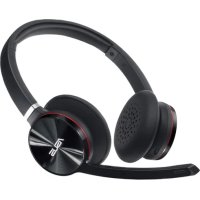

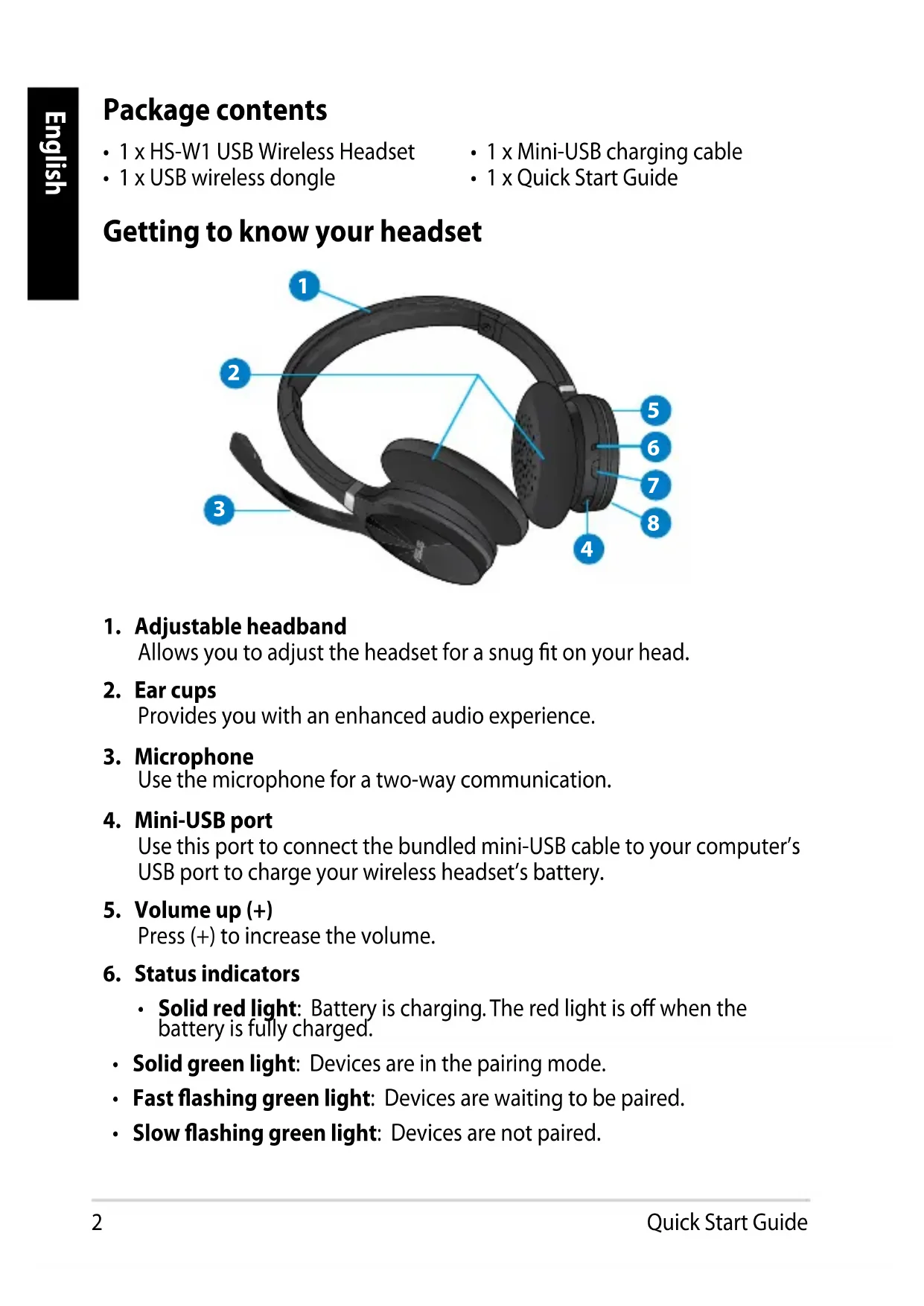


| Product Type | Wireless Audio Headset |
| Brand | Asus |
| Model | HSW1 |
| Wireless Technology | 2.4 GHz Wi-Fi Bidirectional Transmission |
| Wireless Range | Up to 15 meters |
| Speakers | 40 mm high quality |
| Microphone | Noise cancelling, foldable with mute/unmute |
| Audio Quality | Uncompressed sound (CD quality), voice clarity |
| Frequency Response | 20 Hz ~ 20 kHz |
| Battery Life (Listening) | Up to 8 hours |
| Charging Time | Approximately 3 hours (6 hours for first charge) |
| Battery Type | Rechargeable lithium polymer |
| Dimensions | 180 x 175 x 65 mm |
| Weight | 170 g |
| Power Supply | Rechargeable battery via mini-USB port |
| Main Features | Headband adjustment, volume controls, status indicator (red/green), pairing via power button, microphone mute/unmute |
| Care and Cleaning | Wipe with a soft, dry cloth. Do not use abrasive products. |
| Safety | Do not attempt to repair or replace the battery yourself. Contact ASUS support. |
| Spare Parts and Repairability | Not user-serviceable. Battery replaceable only by qualified personnel. |
| Package Contents | HS-W1 headset, mini-USB cable, Wi-Fi USB dongle |
| General Information | Manual available for PDF download. Technical support from ASUS. |
Frequently Asked Questions - HSW1 ASUS
User questions about HSW1 ASUS
0 question about this device. Answer the ones you know or ask your own.
Ask a new question about this device
Download the instructions for your Headphones in PDF format for free! Find your manual HSW1 - ASUS and take your electronic device back in hand. On this page are published all the documents necessary for the use of your device. HSW1 by ASUS.
USER MANUAL HSW1 ASUS
HS-W1 USB Wireless Headset
Quick Start Guide
English 2
Deutsch ....10
Italiano 14
Русский 18
Čeština 22
Dansk 26
Nederlands 30
Suomi 34
Ελληνικά 38
Magyar 42
Norwegian 46
Polski 50
Português ....54
Romanian ....58
Slovenian 62
Spanish 66
Swedish 70
Ukrainian 74
Package contents
• 1 x HS-W1 USB Wireless Headset - 1 x Mini-USB charging cable - 1 x USB wireless dongle - 1 x Quick Start Guide
Getting to know your headset
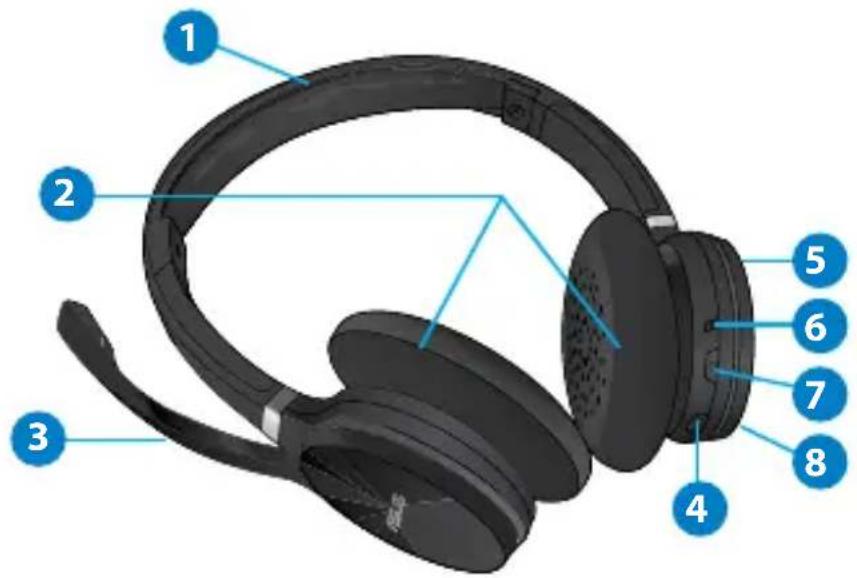
1. Adjustable headband
Allows you to adjust the headset for a snug fit on your head.
2. Ear cups
Provides you with an enhanced audio experience.
3. Microphone
Use the microphone for a two-way communication.
4. Mini-USB port
Use this port to connect the bundled mini-USB cable to your computer's USB port to charge your wireless headset's battery.
5. Volume up (+)
Press (+) to increase the volume.
6. Status indicators
- Solid red light: Battery is charging. The red light is off when the battery is fully charged.
• Solid green light: Devices are in the pairing mode. - Fast flashing green light: Devices are waiting to be paired. - Slow flashing green light: Devices are not paired.
7. Power button
Press this button to turn your wireless headset on/off or to pair it with your computer.
8. Volume down (-)
Press (-) to decrease the volume.
Charging the battery
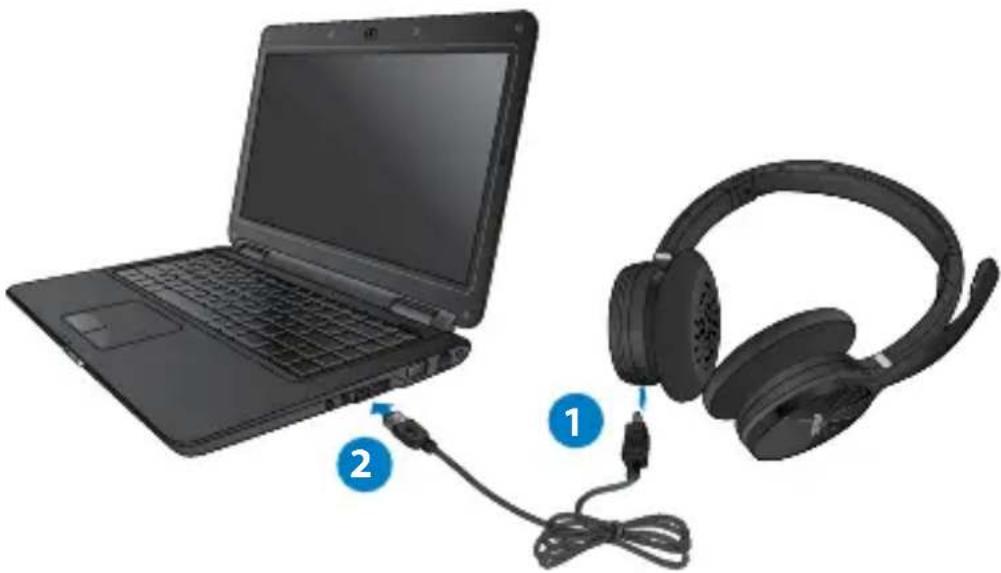
To charge the battery:
- Connect the mini-USB cable in the wireless headset's mini-USB port.
- Connect the other end of the mini-USB cable into your computer's USB port.

NOTES:
- Charge the battery for six hours before using your wireless headset for the first time.
- If the battery is completely used up, charge it for approximately three hours.
- The battery power will slowly be depleted even if you do not use the wireless headset.

WARNING: DO NOT attempt to repair the wireless headset or replace the rechargeable battery. The rechargeable battery should be replaced only by an authorized service personnel. Please contact the ASUS Service Center for service information.
Pairing the wireless headset and the USB wireless dongle
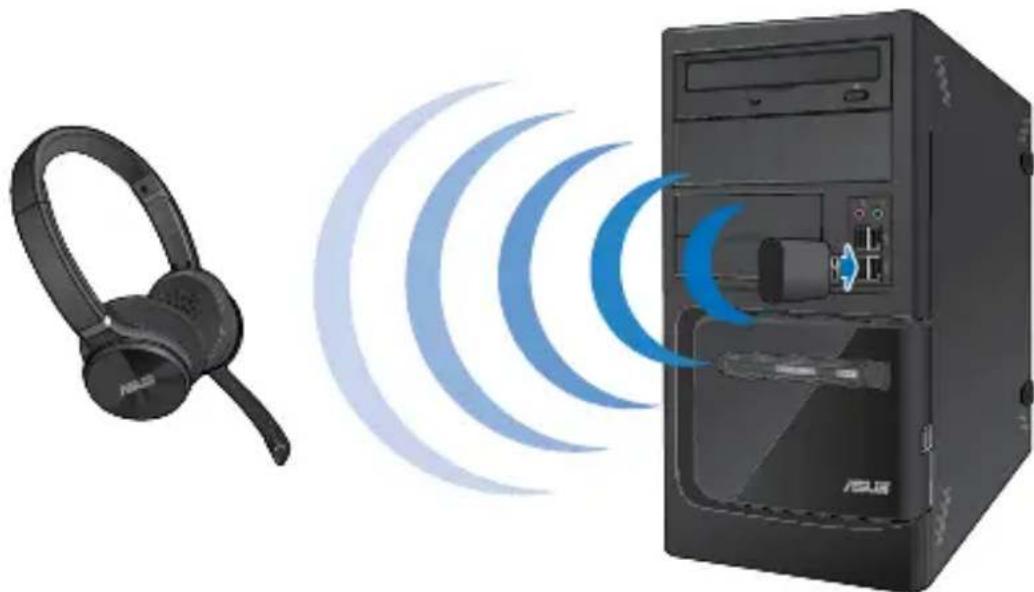
To pair the wireless headset and the USB wireless dongle:
- Connect the bundled USB wireless dongle to your computer's USB port for a wireless transmission up to 15 meters.
- Press the power button for a few seconds until the status indicator turns green. You can now start using your wireless headset to listen to music or chat with friends.
Turning the microphone on/off
To turn the microphone on
- Rotate the microphone down until you will hear a clicking sound.
To turn the microphone off
- Rotate the microphone up until you will hear a clicking sound.
| Specifications | |
| Wireless technology | Wi-Fi 2.4G advanced 2-way digital transmission |
| Distance of use | Up to 15 meters |
| Headset speaker | 40mm ultra high performance |
| Headset microphone | Noise cancellation clarity |
| Audio quality | Uncompressed audio for music (CD-quality) and voice (extra clarity) |
| Frequency response | 20Hz ~ 20kHz |
| Listening time | Up to 8 hours |
| Charging time (full charge) | Approximately 3 hours |
| Battery type | Lithium polymer |
| Dimension | 180 x 175 x 65 mm |
| Weight | 170g |
Box contents
• 1 x HS-W1 USB wireless headset
- 1 x mini-USB cable
- 1 x Wi-Fi USB dongle
1. Adjustable headband
- Adjustable headband
- Adjustable headband
- Mini-USB port
- Adjustable headset
- Mini-USB port
Charging the battery:
Charging the battery:
7. Power button
Charging the battery:
- Connect the mini-USB cable to the mini-USB port on the wireless headset.
- Connect the other end of the mini-USB cable to the USB port on your computer.

NOTES:
- Adjustable headband
To charge the battery:
1. Adjustable headband
Charging the battery:
- Connect the Mini-USB cable to the Mini-USB port on the wireless headphones.
- Connect the other end of the Mini-USB cable to the USB port on your computer.

NOTES:
- Headband


- HS-W1 USB WIRELESS HEADSET
- QUICK START GUIDE
- PACKAGE CONTENTS
- GETTING TO KNOW YOUR HEADSET
- ADJUSTABLE HEADBAND
- EAR CUPS
- MICROPHONE
- MINI-USB PORT
- VOLUME UP (+)
- STATUS INDICATORS
- POWER BUTTON
- VOLUME DOWN (-)
- CHARGING THE BATTERY
- TO CHARGE THE BATTERY
- NOTES
- PAIRING THE WIRELESS HEADSET AND THE USB WIRELESS DONGLE
- TO PAIR THE WIRELESS HEADSET AND THE USB WIRELESS DONGLE
- TURNING THE MICROPHONE ON/OFF
- TO TURN THE MICROPHONE ON
- TO TURN THE MICROPHONE OFF
- BOX CONTENTS
Brand : ASUS
Model : HSW1
Category : Headphones